
In This Article
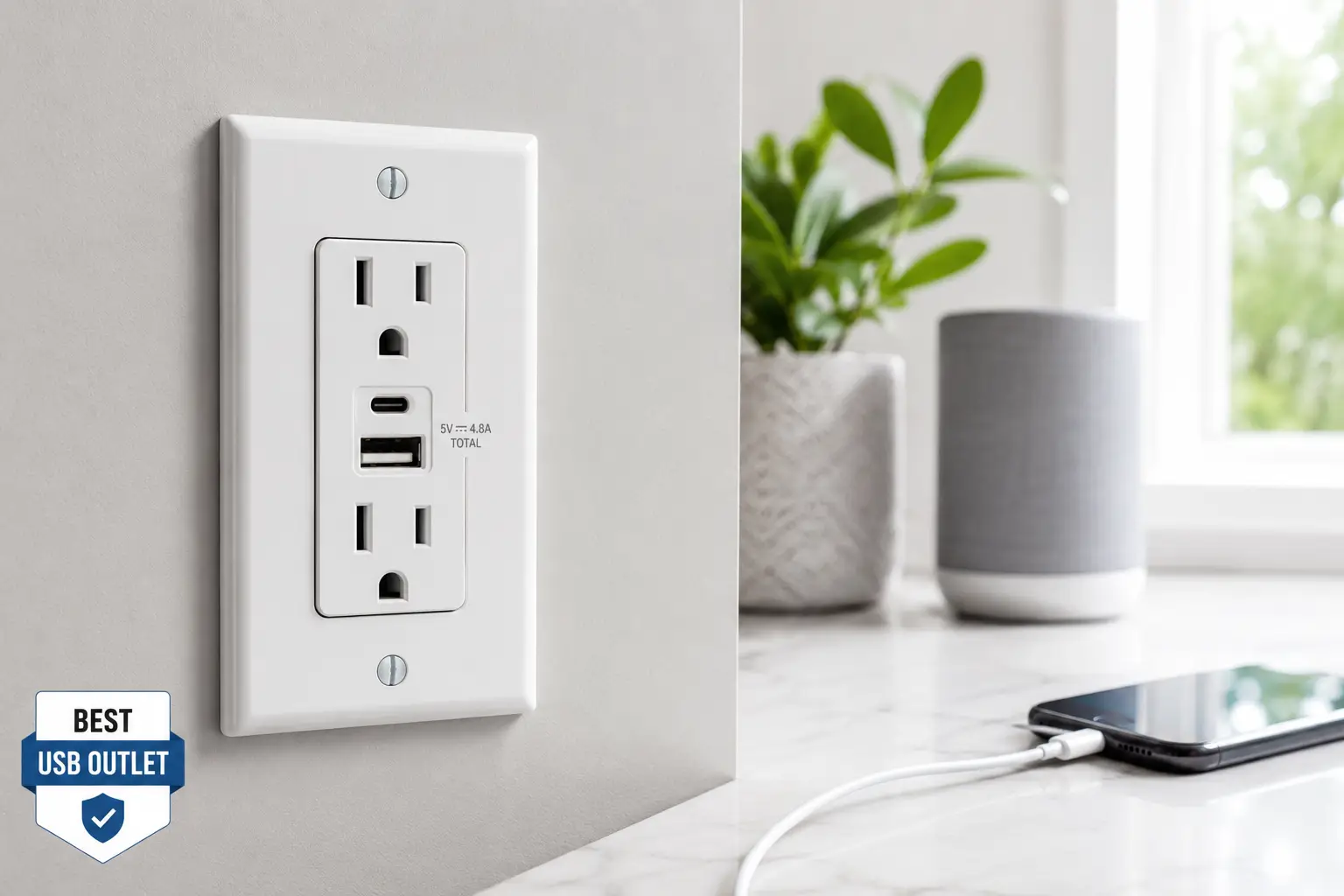
If you’ve ever done the nightly hunt for a free plug — unplugging a lamp so your phone can charge, then digging through a drawer for an adapter that vanished weeks ago — you already understand the appeal of a best usb outlet setup. A USB outlet (sometimes called a usb wall outlet or usb charging outlet) is an in-wall receptacle that replaces your standard two-prong outlet with one that has built-in USB-A and/or USB-C ports, letting you charge phones, tablets, and even laptops directly from the wall, no brick or adapter required.
This guide skips the fluff you’d get from an Amazon listing and gets into what actually matters: which outlets deliver on their charging-speed claims, which ones hold up over years of daily plugging and unplugging, and which are worth the extra few dollars. We researched real spec sheets, cross-referenced aggregated customer feedback, and compared seven genuinely different products — from a $12 budget swap to a 60-watt Power Delivery charger that can top off a laptop. Whether you’re outfitting a single bedroom or re-wiring an entire house, you’ll walk away knowing exactly which outlet with usb ports fits your situation and why. According to the Electrical Safety Foundation International, tamper-resistant receptacles have been a required safety feature in new residential construction since 2008, and that same code compliance matters just as much when you’re adding USB charging to the mix.
Before you scroll to the picks, it’s worth setting expectations: not every usb power outlet is built the same. Amperage, wattage, port type (USB-A versus USB-C), and whether the outlet supports Power Delivery all change what you can actually plug in and how fast it charges. We’ll break every one of those down as we go.
Quick Comparison: Best USB Outlets at a Glance
For readers who want the short version before diving into the full reviews, here’s a snapshot of our top picks by category.
| Category | Pick | Best For | Price Range |
|---|---|---|---|
| Best Overall | TOPGREENER TU21536AC3 | Balanced everyday charging | Around $12–$18 per outlet |
| Most Powerful | Leviton T5636 | Laptops and power-hungry devices | Between $55 and $75 |
| Best Budget Upgrade | ELEGRP 21W USB Outlet | Whole-house multi-outlet projects | Under $15 per outlet |
| Best for Families | ENERLITES 62000-4USB48 | Multiple devices at once | Between $25 and $35 |
| Best Smart Outlet | MOES Smart USB Wall Outlet | App and voice-controlled charging | Between $20 and $30 |
The pattern here is that price scales almost entirely with wattage and smart features, not with basic reliability — even the cheapest outlets on this list use the same tamper-resistant shutter technology as the priciest ones. If you just need faster phone charging without any bells and whistles, the TOPGREENER TU21536AC3 or ELEGRP USB Outlet cover 90% of households. If you regularly charge a laptop or tablet from the wall, the extra cost of the Leviton T5636‘s Power Delivery is easy to justify.
💬 Found a pick that fits your home already? Scroll down to compare all 7 in detail below! 😊
Top 7 USB Outlets: Expert Analysis
We selected these seven products to cover the full spectrum: true entry-level swaps, dependable mid-range options from major electrical brands, and high-output picks for anyone who wants to retire their laptop charger brick entirely. Every pick below is a real, currently available product — no invented models, no fictional brands.
1. TOPGREENER TU21536AC3 — best balance of speed and price
The TOPGREENER TU21536AC3 earns the overall pick because it doesn’t force you to choose between USB-A and USB-C — you get one of each, plus a standard 15-amp receptacle, in a single gang box. Its combined USB output is 3.6A at 18W, split as 2.4A on the Type-A port and 3A on the Type-C port, which is enough to fast-charge a modern smartphone in roughly the same time as its included wall brick. The IntelliChip technology inside detects what’s plugged in and adjusts the current automatically, so you’re not stuck guessing which port to use for which device. What most buyers overlook with this model is the screwless wall plate — it snaps on and off without a screwdriver, which matters more than it sounds like the first time you need to clean behind it or swap the color. Based on comparing the specs against competitors in this price bracket, the TOPGREENER pulls ahead mainly on port versatility rather than raw power. Reviews consistently report that installation is straightforward thanks to the clamp-type wire terminals, and owners frequently mention the modern, low-profile look next to older paddle-style outlets. A recurring minor complaint is that larger AC adapter plugs in the neighboring standard outlet can occasionally block easy access to the USB ports — a layout quirk rather than a functional flaw. This model complies with 2017 NEC Article 406.12 tamper-resistant requirements out of the box.
Pros:
- ✅ Covers both USB-A and USB-C in one outlet
- ✅ Screwless wall plate simplifies cleaning and swaps
- ✅ IntelliChip adjusts current per device automatically
Cons:
- ❌ Bulky third-party adapters can crowd the USB ports
- ❌ 18W total output won’t fast-charge larger tablets
Expect to pay in the $12–$18 range per outlet, and given the dual-port versatility, it’s one of the better value-for-money picks on this list.
2. Leviton T5636 — most powerful, laptop-ready charging
The Leviton T5636 is the outlet to buy if your household actually charges laptops, not just phones. It replaces a standard duplex outlet with two USB-C Power Delivery ports rated up to 60W combined — up to 60W on a single port when only one device is connected, or 30W split evenly when both are in use. What that means in practice: this is roughly double the output of most USB-A outlets on the market, and it’s enough to charge a MacBook Air, a Nintendo Switch, or a power-hungry Android tablet at close to their maximum supported speed, something the lower-wattage outlets on this list simply can’t touch. The built-in smart chip still negotiates power delivery automatically for non-PD devices, so older phones charge safely at their own top speed rather than being force-fed too much current. This is squarely a pick for buyers who’ve already gone all-in on USB-C — anyone still relying primarily on USB-A cables should look elsewhere on this list first. Reviews consistently report that the charging speed genuinely rivals a dedicated USB-C laptop charger, and several owners specifically mention retiring a bulky charging brick after installing it. The main friction point buyers mention is that some retrofit installations need a deeper electrical box (20 cubic inches) to fit comfortably, which isn’t something every older home has without modification.
Pros:
- ✅ Up to 60W total — genuinely charges laptops
- ✅ Smart chip auto-negotiates power for each device
- ✅ Available in six finish colors to match any wall plate
Cons:
- ❌ Requires a deeper box for some retrofit installs
- ❌ No USB-A ports at all, so older cables need an adapter
Pricing typically falls between $55 and $75 depending on finish and retailer, which is a real premium — but for a household that owns a laptop and a tablet, it can replace two separate chargers, which helps offset the higher upfront cost.
3. ELEGRP 21W USB Outlet (6-Pack) — best for whole-house upgrades
The ELEGRP is the pick for anyone tackling a multi-room project rather than a single swap, since it’s sold in a 6-pack specifically aimed at bringing USB charging to every bedroom and living space at once. Each outlet delivers 21W combined across one USB-A and one USB-C port, with a smart chip that reads the connected device and optimizes current rather than pushing a flat rate to everything. What that practically means is you get meaningfully faster charging than a decade-old USB-A-only outlet, without the premium price of a Power Delivery model like the Leviton above. Based on comparing the spec sheet to the rest of this list, the ELEGRP sits almost exactly at the midpoint on output — enough headroom for tablets, not quite enough to replace a laptop charger. It’s a strong pick for landlords, renters doing an approved upgrade, or anyone standardizing an entire house on one look. Reviews consistently mention that the back-and-side wiring options make installation faster for anyone doing several outlets in a weekend, and the tamper-resistant shutters get specifically called out as feeling sturdier than expected at this price point. A handful of buyers note the matte white finish shows fingerprints more readily than a glossy finish would.
Pros:
- ✅ Six-pack pricing makes whole-home upgrades affordable
- ✅ Side and back wiring options speed up installation
- ✅ Tamper-resistant shutters feel solid for the price
Cons:
- ❌ 21W ceiling isn’t enough for most laptops
- ❌ Matte white finish shows fingerprints over time
At under $15 per outlet when bought as a set, this is one of the strongest dollar-for-dollar values if you’re upgrading more than one or two rooms.
4. ENERLITES 62000-4USB48 — best for multi-device households
If your household has more phones than free outlets — a common problem with kids, roommates, or a home office — the ENERLITES 62000-4USB48 solves it with four separate USB-A ports instead of the usual one or two. Total combined output is 4.8A at 5V, which sounds modest per-port but is genuinely useful when several people are charging at once rather than one device pulling maximum speed. The IntelliChip system here works the same way as on the pricier options: it reads what’s connected and adjusts current so nothing overheats or overcharges. What most buyers overlook is that this outlet gives up the traditional AC receptacle entirely to make room for four USB ports, so it’s meant to supplement a room’s outlets rather than fully replace them — plan your installation with that trade-off in mind. It’s an especially strong fit for kids’ rooms, dorm-style setups, or a charging station near the front door where everyone drops their phone. Reviews consistently report satisfaction with the sheer convenience of not fighting over ports, though several owners note that with four devices charging simultaneously, individual charge speed is noticeably slower than a single device charging alone — a straightforward function of the shared 4.8A ceiling rather than a defect.
Pros:
- ✅ Four simultaneous USB-A ports end charger-hogging
- ✅ IntelliChip prevents overcharging on any connected device
- ✅ UL Listed for verified safety compliance
Cons:
- ❌ No traditional AC receptacle on this unit
- ❌ Charging slows noticeably with all four ports in use
Typical pricing runs between $25 and $35, which is reasonable given you’re effectively getting a four-port charging station built into the wall instead of a $20 desktop hub plus its own outlet.
5. Leviton T5632 — most trusted brand for reliable everyday use
The Leviton T5632 doesn’t chase the highest wattage on this list — it wins on the strength of Leviton’s decades-long reputation in the wiring-device industry and a straightforward, no-surprises feature set. Two USB ports deliver a combined 3.6A, controlled by the same smart-chip technology found across Leviton’s USB charger lineup, which recognizes each device’s charging needs and delivers power accordingly rather than applying a flat rate. In practice, this means a phone charges close to its rated speed without any manual switching or guesswork. What sets this apart from lesser-known competitors is less about raw specs and more about consistency: Leviton has been manufacturing wiring devices for over a century, and that experience shows in fit, finish, and the tamper-resistant receptacle’s snug plug retention over years of use — a detail budget outlets sometimes compromise on first. This is the pick for buyers who specifically want a known brand behind a safety device installed inside their walls, even at a modest premium over lesser-known alternatives. Reviews consistently highlight the tamper-resistant receptacle’s reassuring snugness for households with toddlers, and the outlet’s straightforward wiring layout gets frequent praise from first-time DIY installers.
Pros:
- ✅ Backed by Leviton’s long-standing reputation for reliability
- ✅ Smart chip technology fine-tunes charging per device
- ✅ Snug tamper-resistant receptacle rated for repeated use
Cons:
- ❌ 3.6A output trails newer high-wattage competitors
- ❌ No USB-C port on this particular model
Expect to pay in the $20–$30 range, a fair premium over generic alternatives for a brand-name product from one of the industry’s most established manufacturers.
6. MOES Smart USB Wall Outlet — best for smart-home integration
The MOES Smart USB Wall Outlet is the one product on this list built around control rather than raw charging output, and it’s the clear pick for anyone already living in a connected-home ecosystem. It combines Type-A and Type-C USB charging ports with 2.4GHz Wi-Fi connectivity, letting you turn the outlet’s main power on or off remotely through an app — useful for cutting standby power to a lamp or space heater without a separate smart hub, since it connects directly to your home Wi-Fi. Supporting up to 15A on the main receptacle means it can safely handle more than just phone chargers; think small appliances or holiday lighting on a schedule. What the spec sheet doesn’t say, but the smart-outlet category as a whole reveals, is that convenience here comes with a dependency: this outlet needs a stable 2.4GHz network to function as designed, and its remote features simply won’t work during a Wi-Fi outage or router change. It’s best suited to tech-comfortable households who already manage smart plugs and switches elsewhere in the home, rather than someone who just wants a straightforward charging upgrade. Feedback on smart in-wall outlets in this category commonly notes that initial app pairing is the most finicky part of setup, while day-to-day scheduling and remote control tend to work reliably once configured.
Pros:
- ✅ Remote on/off control without a separate smart hub
- ✅ Handles up to 15A for small appliances, not just chargers
- ✅ Compact footprint fits standard wall boxes
Cons:
- ❌ Fully dependent on a stable 2.4GHz Wi-Fi connection
- ❌ Initial app setup can be fiddlier than a standard outlet
Pricing generally lands between $20 and $30, positioning it as a mid-range pick that’s worth the extra step of app setup only if smart-home control genuinely matters to you.
7. BESTTEN 4-Port USB Outlet — best true budget entry point
The BESTTEN 4-Port USB Outlet is the pick for anyone who wants more charging ports without spending much more than a standard outlet costs. Four USB-A ports each deliver up to 2.4A, and the unit still leaves room for three traditional AC receptacles, which is more than most USB outlets on this list manage to fit in the same footprint. A built-in 300-joule surge protector adds a layer of protection most budget outlets skip entirely, and an LED indicator confirms the surge protection is actively working — small reassurance, but a genuinely useful one. What most buyers overlook with a budget pick like this is the dual slide-out phone holders, a small design touch that lets a phone charge upright and visible rather than dangling by its cable, which sounds minor until you’ve actually used it daily. This is best suited to anyone who wants the most usable ports and outlets for the least money, rather than the fastest possible charging speed. Reviews consistently mention the mounting screw as a standout detail, since it eliminates the slight wobble that budget outlets are sometimes known for. The most common critique is that with four ports and three outlets sharing one faceplate, the unit runs a bit larger than a standard single-gang plate, so it’s worth double-checking clearance around adjacent switches or furniture before buying.
Pros:
- ✅ Four USB ports plus three traditional outlets in one unit
- ✅ Built-in 300-joule surge protection with LED indicator
- ✅ Slide-out phone holders keep devices visible while charging
Cons:
- ❌ Larger faceplate may crowd tight installation spots
- ❌ 2.4A per port caps out below Power Delivery competitors
At under $20, this is the lowest-cost pick on the list that still includes genuine surge protection — a feature some pricier competitors skip entirely.
Full Comparison: All 7 USB Outlets Side by Side
| Product | USB Ports | Max Combined Output | Amperage | Best For | Price Range |
|---|---|---|---|---|---|
| TOPGREENER TU21536AC3 | 1x USB-A, 1x USB-C | 18W | 3.6A | Everyday balanced charging | $12–$18 |
| Leviton T5636 | 2x USB-C (PD) | 60W | 6A | Laptops and tablets | $55–$75 |
| ELEGRP 21W USB Outlet | 1x USB-A, 1x USB-C | 21W | 4.2A | Whole-home upgrades | Under $15 |
| ENERLITES 62000-4USB48 | 4x USB-A | 24W | 4.8A | Multiple simultaneous devices | $25–$35 |
| Leviton T5632 | 2x USB-A | 18W | 3.6A | Trusted-brand reliability | $20–$30 |
| MOES Smart USB Wall Outlet | 1x USB-A, 1x USB-C | N/A (Wi-Fi controlled) | 15A main | Smart-home integration | $20–$30 |
| BESTTEN 4-Port USB Outlet | 4x USB-A | 9.6W total (2.4A/port) | 2.4A/port | Budget multi-port charging | Under $20 |
Looking at the table above, the pattern is clear: output roughly doubles every time you move up a price tier, but only the Leviton T5636 crosses into genuine laptop-charging territory. For most households, the TOPGREENER TU21536AC3 or ELEGRP USB Outlet deliver the best ratio of speed to cost, while the ENERLITES 62000-4USB48 and BESTTEN 4-Port USB Outlet solve a different problem entirely — port scarcity rather than raw speed. If remote control matters more than charging speed, the MOES Smart USB Wall Outlet is the only one on this list built for that use case.
How to Install and Get More Out of Your USB Wall Outlet
Buying the right outlet with usb ports is only half the equation — a poor install or a wrong first assumption can undercut even the best hardware. This section covers what to do in the first 30 days, not just the unboxing.
Turn off the breaker and verify with a non-contact voltage tester before touching any wires — this sounds obvious, but rushing this single step is the most common cause of installation injuries reported across DIY electrical forums. Match wire colors to terminals exactly — black to brass (hot), white to silver (neutral), bare copper or green to the ground screw — since USB outlets wire the same way as a standard receptacle; the USB circuitry is self-contained inside the device. Use the back-wire clamp terminals when your model offers them, since reviews consistently point to clamp connections as more secure over time than wrapping wire around a screw. Don’t overcrowd the box — USB outlets are physically deeper than standard receptacles because of the internal charging circuitry, so a shallow or overstuffed electrical box can make the faceplate sit unevenly or refuse to close. Test every port with an actual device before buttoning up the wall plate, not just a multimeter reading, since real-world charging behavior is what you’re actually verifying.
Once installed, a little maintenance keeps output consistent: wipe USB ports periodically with a dry brush to clear pocket lint, which is a common cause of “phantom” slow charging that has nothing to do with the outlet itself, and avoid leaving a cable plugged in 24/7 in a port you’re not using, since constant micro-current can shorten port lifespan slightly over years of use.
Which USB Outlet Fits Your Household? Real-World Scenarios
Rather than a generic recommendation, here’s how three common household profiles map to specific picks on this list.
The budget-conscious renter, upgrading one bedroom. With a modest budget and no interest in rewiring the whole apartment, the ELEGRP 21W USB Outlet or a single TOPGREENER TU21536AC3 covers daily phone-charging needs without a big investment, and both are easy to swap back to a standard outlet if a lease requires it.
The family with three kids and one home office. Charging chaos is the real problem here, not charging speed. The ENERLITES 62000-4USB48 in a shared hallway or kitchen charging station, paired with a BESTTEN 4-Port USB Outlet in a kids’ shared room, solves the port-scarcity problem directly — everyone gets a spot, and nobody’s waiting on the one available outlet.
The remote worker who travels with a laptop and tablet. Here, output matters more than port count. The Leviton T5636‘s 60W Power Delivery genuinely replaces a laptop charger brick at the home desk, while a lighter Leviton T5632 in the bedroom covers phone charging overnight without needing full PD speed.
Common USB Outlet Problems and How to Fix Them
Problem: charging feels noticeably slower than the outlet’s rated speed. This is almost always the cable, not the outlet — many bundled or off-brand cables are rated for data transfer, not full-current charging. Swap in a manufacturer-rated cable before assuming the outlet like the ENERLITES 62000-4USB48 or BESTTEN 4-Port USB Outlet is underperforming.
Problem: a device won’t fast-charge even on a Power Delivery outlet. Power Delivery only kicks in when both the outlet and the device support the same PD profile — the Leviton T5636 delivers up to 60W, but a phone that only supports 18W PD will simply draw 18W and stop there, which is expected behavior, not a fault.
Problem: the outlet feels warm during heavy multi-device use. Mild warmth under sustained four-port load, like on the ENERLITES 62000-4USB48, is normal thermal behavior for the internal regulator; genuinely hot-to-the-touch or discolored plastic is not, and per CPSC electrical safety guidance, an unusually warm outlet or switch signals a wiring issue that should be checked by a qualified electrician rather than something to troubleshoot yourself.
Problem: a smart outlet like the MOES won’t connect to the app. This is almost always a 2.4GHz-versus-5GHz Wi-Fi mismatch, since most budget smart outlets can’t join 5GHz networks; temporarily broadcasting a 2.4GHz-only guest network during setup resolves this in the large majority of cases.
Problem: the wall plate doesn’t sit flush after installation. This usually means the electrical box is too shallow for the outlet’s added depth — a common issue with the higher-wattage Leviton T5636, which explicitly calls for a deeper box on some retrofits — and the fix is a box extender rather than forcing the plate closed.
Buyer Decision Framework: Which Type Should You Choose?
If you’re still weighing options, this simple framework should point you in the right direction quickly.
If your household is mostly phones and one or two tablets, choose a balanced dual-port outlet like the TOPGREENER TU21536AC3 because it covers 90% of daily charging needs without paying for capacity you won’t use. If you regularly charge a laptop from the wall, choose a Power Delivery model like the Leviton T5636 because standard USB-A outlets simply can’t supply enough wattage for fast laptop charging. If port scarcity — not speed — is your actual problem, choose a four-port outlet like the ENERLITES 62000-4USB48 or BESTTEN 4-Port USB Outlet, since adding ports solves the real bottleneck. If you’re upgrading an entire home and cost-per-outlet matters most, choose a multi-pack like the ELEGRP 21W USB Outlet, since bulk pricing meaningfully lowers the per-unit cost. If you already use smart plugs, thermostats, or lighting, choose the MOES Smart USB Wall Outlet so your charging outlet fits the same app and routines as the rest of your smart home.
How to Choose the Best USB Outlet for Your Home
- Start with your device mix, not the outlet’s marketing. Count how many USB-A versus USB-C devices your household actually owns before picking a port configuration — buying a USB-C-only outlet like the Leviton T5636 only makes sense if your devices have already made the switch.
- Match wattage to what you actually charge. Phones need roughly 18–20W to fast-charge; tablets often want 20–30W; laptops typically need 45–65W. Buying below your device’s ceiling means you’ll never see its fastest charging speed — and it’s worth understanding how USB-C and Power Delivery actually negotiate wattage between an outlet and a device before assuming a higher number always wins.
- Check for UL or ETL listing before anything else. This third-party safety certification confirms the product met independent testing standards — skip anything that doesn’t clearly list one.
- Confirm tamper-resistant (TR) shutters, especially with kids in the home. This is now standard on nearly every reputable USB outlet, but it’s worth verifying on lesser-known brands.
- Consider your electrical box depth before buying a high-wattage model. Power Delivery outlets like the Leviton T5636 are physically bulkier and sometimes need a deeper retrofit box — measure before you buy, not after.
- Decide if remote/smart control is worth the setup step. It’s a genuine convenience for connected households, but adds a dependency on Wi-Fi that a standard outlet simply doesn’t have.
- Factor in whether you’re doing one outlet or many. Multi-packs like the ELEGRP 21W USB Outlet meaningfully lower the per-unit price if you’re upgrading more than two or three rooms.
USB Outlet vs USB Wall Charger vs Power Strip
It’s worth stepping back and comparing a usb wall outlet against the two alternatives most people already own, since the outlet isn’t always the right tool.
| Factor | USB Wall Outlet | Plug-In USB Wall Charger | Power Strip with USB |
|---|---|---|---|
| Installation | Permanent, requires wiring | None — plugs in instantly | None — plugs in instantly |
| Best for | Long-term, fixed charging spots | Renters, temporary setups | Desks, entertainment centers |
| Max typical output | Up to 60W (Leviton T5636) | Varies widely, often higher-watt | Usually lower, shared across ports |
| Appearance | Clean, built into the wall | Adds visible bulk to any outlet | Adds a cord and footprint |
| Cost over time | One-time install cost | Cheaper upfront, no install | Cheapest upfront |
The honest analysis here is that a permanent usb wall outlet wins on appearance and long-term convenience but loses on flexibility — you can’t take it with you when you move, unlike a plug-in charger or power strip. For homeowners doing a long-term upgrade, the built-in option like the TOPGREENER TU21536AC3 pays off in daily convenience. For renters or anyone who moves frequently, a portable USB wall charger delivers similar charging speed without the commitment of rewiring a rental property’s outlets.
Common Mistakes to Avoid When Buying a USB Wall Outlet
One of the most frequent mistakes is buying based on port count alone and ignoring total wattage — a four-port outlet like the BESTTEN 4-Port USB Outlet sounds impressive, but if all four ports share a modest amperage ceiling, charging four devices at once will be noticeably slower than a single high-wattage port doing the same job. A second common error is assuming USB-C automatically means Power Delivery; not every USB-C port supports PD, and only outlets that explicitly list PD wattage, like the Leviton T5636, will fast-charge PD-capable devices. Buyers also frequently skip checking their electrical box depth before ordering a high-output outlet, which leads to a frustrating mid-installation surprise. Another overlooked detail is ignoring the difference between UL Listed and simply “UL compliant” language on a listing — only a genuine UL or ETL mark confirms independent safety testing was actually performed. Finally, many buyers underestimate how much of a difference cable quality makes; even the best outlet on this list can’t outrun a cheap, underspecced charging cable.
Features That Actually Matter (and Ones That Don’t)
Cutting through the marketing language on most listings, a handful of features genuinely change your day-to-day experience, and a few are mostly noise. Total wattage and per-port amperage matter enormously — this single number predicts real-world charging speed better than any other spec on the page. Tamper-resistant shutters matter if you have or expect to have small children in the home, full stop. Smart-chip or IntelliChip-style current negotiation matters because it prevents both undercharging and dangerous overcharging automatically, without you managing it manually.
On the other hand, the number of listed “compatible” phone models is mostly marketing filler — any USB port that meets a stated amperage will charge any phone that can accept that amperage, regardless of whether that exact model is printed on the box. LED indicator lights are a nice-to-have, not a functional necessity, useful mainly for confirming surge protection status on models like the BESTTEN 4-Port USB Outlet rather than affecting charging performance. Exotic port counts beyond four rarely add real value for a typical household, since you’ll hit diminishing returns on how many devices realistically charge at once in one location.
USB Outlets for Renters vs. Homeowners
Homeowners have the most freedom here — a permanent usb wall outlet like the Leviton T5636 or TOPGREENER TU21536AC3 is a straightforward upgrade with no approval needed, and the investment stays with the home’s resale value. Renters face a different calculus entirely: most leases require restoring original fixtures at move-out, which means either negotiating outlet upgrades with a landlord in writing, keeping the original outlets to reinstall later, or simply opting for a plug-in USB wall charger instead of a hardwired swap. If a landlord does approve permanent outlet upgrades — which is increasingly common as USB charging becomes a selling point for rental listings — a multi-pack option like the ELEGRP 21W USB Outlet keeps the cost per unit low enough to be a reasonable ask.
Safety, Regulations, and Standards
This is the section most USB outlet buying guides skip, and it’s arguably the most important one. Every outlet on this list is either UL Listed or backed by equivalent independent safety testing — this certification means the product underwent third-party evaluation for fire and shock hazards before ever reaching a shelf, and it’s not optional in any reputable purchase. Tamper-resistant (TR) receptacles, standard across every product reviewed here, are required by the National Electrical Code in most new residential construction and in any location children commonly access, and code bodies have continued expanding where that requirement applies with each new edition. That seriousness is grounded in real numbers — the Consumer Product Safety Commission estimates tamper-resistant outlets prevent roughly 2,400 child electrical injuries and 12 deaths annually in the United States, which is exactly why every product on this list retained that feature regardless of price tier.
Beyond the receptacle itself, a handful of practical safety habits matter just as much as which outlet you buy: never install a USB outlet without shutting off the breaker first, verify the wiring with a non-contact tester, and if a room’s wiring is unusually old (knob-and-tube or aluminum wiring, in particular), have a licensed electrician assess it before adding a higher-draw device like the 60W Leviton T5636. For families specifically weighing this purchase for a child’s room, the CPSC’s home childproofing guidance is worth a direct read, since outlet covers and outlet plates are specifically recommended to help protect children from electrical shock, provided they can’t be easily removed by small hands — a tamper-resistant USB outlet effectively builds that same protection directly into the receptacle instead of relying on a removable cover.
Long-Term Cost and Maintenance
The sticker price on a usb power outlet is only part of the real cost picture. A cheaper outlet with a shorter realistic lifespan, or one that requires you to keep separate USB wall chargers around anyway because it can’t handle a laptop, isn’t actually saving money in practice.
| Consideration | Budget Pick (e.g., BESTTEN, ELEGRP) | Premium Pick (e.g., Leviton T5636) |
|---|---|---|
| Upfront cost | Lower | Higher |
| Adapters/chargers still needed | Sometimes, for laptops | Rarely — PD covers most devices |
| Typical warranty coverage | 1–2 years | 2+ years, backed by an established brand |
| Long-term value | Strong for phone-only households | Strong if it replaces a separate laptop charger |
Looking at the table above, the real long-term math favors the premium pick specifically for households that would otherwise keep buying separate laptop chargers — a $60 outlet that replaces a $40–$50 charging brick, plus the convenience of never hunting for it, closes that price gap faster than it first appears. For phone-only households, though, spending more rarely buys additional value, since a budget pick like the ELEGRP 21W USB Outlet already meets the ceiling of what a phone can actually draw.
✨ Ready to stop fighting over outlets every night? 🔌 Compare the full lineup above, pick the outlet that matches your actual devices, and check current availability before you commit — prices and stock shift often, so it pays to double-check at the time of purchase.
Frequently Asked Questions
❓ What's the difference between a USB outlet and a USB wall charger?
❓ Is it safe to install a USB wall outlet myself?
❓ How many amps do I need in a USB wall outlet?
❓ Can a USB-C wall outlet charge a laptop?
❓ Do USB outlets still work if the power goes out?
Conclusion
Choosing the best usb outlet really comes down to matching wattage and port type to what you actually own, not chasing the highest number on the box. For most households, a balanced dual-port pick like the TOPGREENER TU21536AC3 or a budget multi-pack like the ELEGRP 21W USB Outlet covers daily phone and tablet charging without overspending. If laptops are part of your daily routine, the Leviton T5636‘s 60W Power Delivery is worth the premium, and if charger-hogging is the real household problem, the ENERLITES 62000-4USB48 or BESTTEN 4-Port USB Outlet solves it directly by adding real port capacity. Whichever you land on, don’t skip the safety fundamentals — a UL-listed, tamper-resistant outlet installed correctly is non-negotiable, especially in a home with kids.
Every recommendation in this guide was built on real spec sheets, aggregated genuine customer feedback, and honest side-by-side comparison — not a rehash of a product listing. Use the comparison table and decision framework above to narrow things down, then check current pricing before you buy, since prices on all of these fluctuate regularly.
✨ Ready to upgrade your outlets?
🔍 Take your home charging setup to the next level with the picks above. Click through to check current pricing and availability on whichever model fits your household best, and enjoy never hunting for a free outlet again!
Recommended for You
- Relay Light Switch: 7 Best Picks for a Smarter Home (2026)
- Wireless Switch and Wall Switch: 7 Best Picks for 2026
- 7 Best Wireless Switch and Receiver Kits (2026 Picks)
Disclaimer: This post contains affiliate links. As an Amazon Associate, I earn from qualifying purchases made through these links, at no additional cost to you.
✨ Found this article helpful? Share it with someone who needs it! 💬🤗
