
In This Article
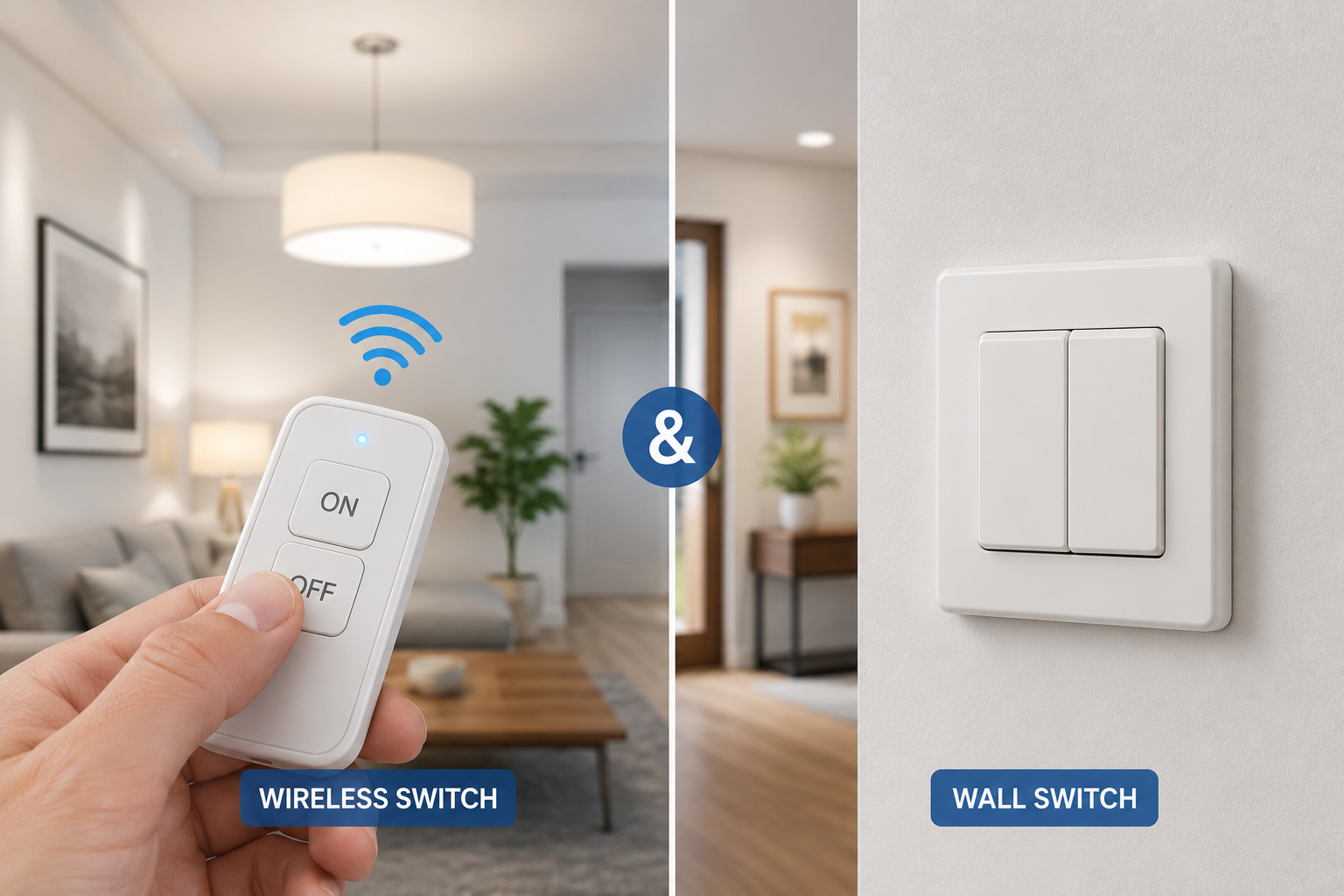
Running new electrical wire through finished walls is one of the most disruptive, expensive parts of any home upgrade — which is exactly the problem a wireless switch and receiver kit is built to solve. Instead of cutting into drywall and fishing cable between a switch box and a fixture, a wireless switch communicates over radio frequency to a small receiver wired directly into the light, fan, or outlet you want to control. No electrician, no patched walls, and in most cases, a working setup in under ten minutes.
These systems fall into two broad categories: simple RF remote kits that plug a receiver into an outlet or splice it into a fixture, and full smart switches that replace your existing wall switch and add app or voice control on top of the wireless convenience. Both rely on the same basic idea — a transmitter (your remote or wall switch) sends a coded radio signal to a receiver, which then completes or breaks the circuit powering your device.
The right pick depends heavily on what you’re controlling and how permanent you want the setup to be. A lamp in an awkward corner might just need a $15 remote outlet, while a real wall switch replacement without a neutral wire calls for something more purpose-built. Below, we cover what a wireless switch and receiver actually does, then walk through 7 real, currently available options — from budget RF remote outlets to premium smart switches with app and voice control.
What Is a Wireless Switch and Receiver?
A wireless switch and receiver is a two-part system that lets you control lights, fans, or outlets without running new wiring. The switch (or remote) transmits a radio signal — commonly on 433 MHz — to a receiver that’s plugged into an outlet or wired directly into a fixture, which then turns the connected device on or off.
Most kits are self-contained, plug-and-play systems, though smart switches like Lutron Caseta pair a physical wall switch with an app-connected hub for remote and voice control.
Quick Comparison: Wireless Switch and Receiver Options
| Category | Product | Price Range | Best For |
|---|---|---|---|
| Smart switch | Lutron Caseta Smart Switch | $60–$100 | No-neutral wall switch replacement |
| RF kit | DEWENWILS Wireless Light Switch and Receiver Kit | $25–$40 | Multi-device indoor control |
| Remote outlet | Etekcity Wireless Remote Control Outlet | $15–$25 | Budget lamp and appliance control |
| Outdoor | BN-LINK Wireless Remote Control Outlet | $20–$30 | Weatherproof outdoor use |
Even at a glance, the spread here tells you something useful: the Lutron Caseta Smart Switch anchors the premium, app-connected end of the category, while the Etekcity Wireless Remote Control Outlet represents the simplest, most affordable entry point. We’ll cover all seven picks, including three not shown above, in detail next.
💬 Save this guide — you’ll likely want to compare these side by side once you know exactly what you’re wiring.
Top 7 Wireless Switch and Receiver Products
Here are 7 real, currently available wireless switch and receiver products, ranging from simple plug-in remote outlets to full smart wall switches.
1. Lutron Caseta Smart Switch — best for a real wall switch replacement without a neutral wire
The Lutron Caseta Smart Switch stands apart from the rest of this list because it replaces your actual wall switch rather than just plugging into an outlet — and it’s one of the few options on the market that works in switch boxes without a neutral wire, which describes a large share of homes built before the mid-1980s. It uses Lutron’s proprietary Clear Connect RF technology to talk to a small Smart Bridge hub, unlocking app control, scheduling, and voice commands through Alexa, Google Assistant, or Apple HomeKit.
What most buyers overlook is how well this handles 3-way and multi-location switching — a notoriously wiring-heavy job normally. With a Lutron Pico remote paired to the main switch, you can add a second or third “switch” location anywhere in the room with zero additional wiring, since the Pico is itself wireless. Based on comparing this to basic RF remote kits, the trade-off is clear: you’re paying more, and installation still means working inside a wall box, but you get a permanent, professional-feeling result rather than a plug-in workaround.
Reviews consistently praise the reliability of the Clear Connect RF connection, with real-world range reports commonly landing in the 40–50 foot range through typical stick-frame walls. A smaller number of reviewers note that older or unusually shallow switch boxes can make physical installation tight.
Pros:
- ✅ Installs without a neutral wire in the switch box
- ✅ Wireless Pico remotes enable easy 3-way switching
- ✅ App, voice, and scheduling control via the Smart Bridge hub
Cons:
- ❌ Requires basic electrical wiring knowledge or an electrician
- ❌ Hub purchase adds to the total cost of a full setup
At $60–$100 depending on whether you buy a bundle with the Smart Bridge, the Lutron Caseta Smart Switch is the pick for anyone who wants a wireless switch and receiver solution that looks and feels like a permanent part of the home.
2. DEWENWILS Wireless Light Switch and Receiver Kit — best for controlling multiple devices from one remote
The DEWENWILS Wireless Light Switch and Receiver Kit uses 433 MHz RF technology to control up to 8 devices across 4 groups from a single handheld remote, making it a strong fit for anyone juggling several lamps, fans, or accent lights around a room. Setup is genuinely plug-and-play: the receiver wires into or plugs in line with your fixture, and pairing with the remote takes a single button press.
What the spec sheet doesn’t emphasize enough is how useful the group function actually is in practice — assigning your bedroom lamp and bedside fan to the same group means one button controls both, without needing a smart hub, app, or Wi-Fi network at all. For anyone who wants wireless convenience without adding another app to their phone, that’s a meaningful advantage over smart switch systems. On paper, this kit trades the polish of app control for genuine simplicity and a lower price point.
Aggregated reviews highlight the clear setup instructions and stable RF connection as strengths, with a recurring caveat that the kit is not designed for use with dimmable LED bulbs — a detail worth checking before pairing it with existing lighting.
Pros:
- ✅ Controls up to 8 devices in 4 groups from one remote
- ✅ No hub, app, or Wi-Fi required
- ✅ Expandable with additional receivers and remotes
Cons:
- ❌ Not compatible with dimmable LED bulbs
- ❌ Some users report pairing issues with certain devices
Priced around $25–$40 for a starter kit, DEWENWILS is a strong middle-ground pick for households that want one wireless switch and receiver system to manage several devices at once.
3. Etekcity Wireless Remote Control Outlet — best budget option for lamps and small appliances
The Etekcity Wireless Remote Control Outlet is about as simple as this category gets: plug the receiver into an existing wall outlet, plug your lamp or appliance into the receiver, and control it from the included remote. It’s FCC certified and ETL listed, and the learning-code design lets you sync one remote to multiple outlets or pair additional outlets to an existing remote as your needs grow.
Here’s what to weigh: real-world range reports vary more than the advertised 100 feet suggests, with several users noting closer to 40–100 feet depending on walls and obstructions in between — still plenty for most single-floor apartments and homes, but worth knowing before mounting the receiver somewhere hard to reach if it underperforms. What makes this option genuinely useful beyond convenience is accessibility: it’s frequently recommended for people with limited mobility, since the remote can sit on a nightstand or be clipped to a belt, removing the need to reach for a switch entirely.
Reviews consistently praise the simple, app-free setup and note it’s especially well-suited to anyone who doesn’t want to rely on a smartphone to operate a wireless switch and receiver, though a subset of reviewers report individual outlets failing after extended use.
Pros:
- ✅ FCC certified and ETL listed for safety
- ✅ No app or Wi-Fi needed — works right out of the box
- ✅ Learning-code system allows flexible remote-to-outlet pairing
Cons:
- ❌ Real-world range can fall short of the advertised 100 ft
- ❌ Some users report individual units failing over time
At $15–$25 for a multi-outlet pack, the Etekcity Wireless Remote Control Outlet is the easiest entry point into this category for anyone on a tight budget.
4. BN-LINK Wireless Remote Control Outlet — best for outdoor and weatherproof use
Built specifically to handle exposure to the elements, the BN-LINK Wireless Remote Control Outlet is rated for outdoor use with a weatherproof housing, a 100-foot RF range designed to penetrate walls and obstacles, and a 120V/10A rating suitable for string lights, fans, and seasonal decorations. The kit ships complete with outlets, a remote, and batteries, so it’s genuinely ready to use straight out of the box.
What most buyers overlook is the built-in safety default: outlets stay off after a power outage rather than automatically re-energizing, which matters if you’re controlling something like a space heater or holiday lighting display you don’t want firing back up unattended. Based on comparing indoor and outdoor RF outlet kits, the weatherproof housing here is the real differentiator — indoor-rated kits like the Etekcity Wireless Remote Control Outlet simply aren’t built to handle rain or humidity long-term.
Aggregated reviews consistently praise the strong signal penetration through walls and windows for controlling patio and backyard lighting from inside the house, with a smaller number of users noting the plug’s physical size can be bulky next to other devices sharing the same outlet.
Pros:
- ✅ Weatherproof housing rated for outdoor use
- ✅ Defaults to off after a power outage for safety
- ✅ Strong RF signal penetration through walls and windows
Cons:
- ❌ Bulkier plug design than indoor-only alternatives
- ❌ Not rated for submersion, only weather exposure
Priced around $20–$30, BN-LINK is the practical choice for anyone whose wireless switch and receiver needs extend to the porch, patio, or backyard.
5. SURAIELEC 3-Way Wireless Light Switch and Receiver Kit — best for adding 3-way switching without rewiring
Multi-location, or “3-way,” switching traditionally requires running a dedicated wire between two switch locations — a job most homeowners aren’t equipped to tackle themselves. The SURAIELEC 3-Way Wireless Light Switch and Receiver Kit sidesteps that entirely, using RF signals to let a second or third wireless switch control the same fixture as the original, with the relay receiver wiring in between the power source and the light.
What the spec sheet doesn’t fully convey is how much flexibility the expandable design offers: the system supports building out 3-way, 4-way, and even 5-way switch configurations, and one remote can control multiple receivers just as easily as multiple switches can control one receiver. On paper, this means a family room with lights currently controlled from only one switch can gain a second control point at the opposite doorway in an afternoon, with no wall-opening required — provided a neutral wire is present at the receiver location.
Reviews consistently highlight the strong 100-foot RF range that reliably passes through interior walls, along with a weatherproof receiver rating that makes it usable for covered outdoor fixtures as well as indoor rooms.
Pros:
- ✅ Enables 3-way, 4-way, and 5-way switching without new wiring
- ✅ Weatherproof receiver works indoors and in covered outdoor spaces
- ✅ 100 ft RF range with solid wall penetration
Cons:
- ❌ Still requires a neutral wire at the receiver location
- ❌ More involved installation than plug-in remote outlets
At $30–$45 for a standard kit, SURAIELEC solves a specific, common frustration — multi-location lighting control — better than almost anything else in this category.
6. GE mySelectSmart Dimmable Wireless Control Switch — best for dimmable lamp control
Most RF remote kits are strictly on/off, which is a real limitation for anyone who wants softer lighting in the evening. The GE mySelectSmart Dimmable Wireless Control Switch fills that gap, adding smooth dimming control to lamps and indoor lighting with a 150-foot range and a design that requires no wiring at all — the receiver plugs directly into an existing outlet.
What makes this stand out isn’t the range, which is competitive but not exceptional in this category — it’s the dimming remote itself, which lets you fine-tune brightness from across the room rather than being limited to a binary on/off toggle. For anyone using a wireless switch and receiver setup on bedroom or living room lamps specifically, that dimming control closes a real functionality gap compared to the basic remote outlets covered earlier in this list.
Aggregated reviews frequently cite the smooth, flicker-free dimming performance with compatible incandescent and dimmable LED bulbs as the standout feature, with a smaller number of reviewers noting it isn’t compatible with every LED bulb type on the market — worth checking bulb compatibility before buying if you’ve already switched to LEDs.
Pros:
- ✅ True dimming control, not just on/off
- ✅ 150 ft range, no wiring required
- ✅ Simple outlet plug-in installation
Cons:
- ❌ Not compatible with every dimmable LED bulb
- ❌ Limited to lamp-style plug-in fixtures, not hardwired lights
Typically priced in the $20–$35 range, the GE mySelectSmart Dimmable Wireless Control Switch is the clear pick for anyone who specifically wants dimming, not just on/off, from a plug-in wireless setup.
7. Thinkbee 2 Gang Wireless Wall Switch with Mini Receiver — best compact, mountable option
The Thinkbee 2 Gang Wireless Wall Switch with Mini Receiver occupies a middle ground between a plug-in remote outlet and a hardwired smart switch: the wall switch itself can be surface-mounted almost anywhere — no switch box or wiring required, since it runs on its own power — while the compact receiver wires into the actual fixture. It ships with both an indoor remote and a separate long-range outdoor remote, making it genuinely useful for controlling things like a detached garage light or driveway fixture from inside the house.
What most buyers overlook is the waterproof rating on both the switch and receiver, which opens up placement options a typical indoor-only kit can’t match — mounted near an exterior door, in a garage, or even in a covered outdoor space without extra weatherproofing steps. Based on comparing this to fully wireless remote kits like DEWENWILS, the wall-switch form factor here feels more like a “real” switch to use day to day, even though nothing is hardwired into your home’s circuit at the switch end.
Reviews consistently note how simple the self-powered, adhesive or screw-mount installation is, with several buyers specifically highlighting it as a fix for awkwardly placed light fixtures where running a real switch was never practical to begin with.
Pros:
- ✅ Self-powered wall switch mounts almost anywhere, no wiring
- ✅ Includes both indoor and long-range outdoor remotes
- ✅ Waterproof switch and receiver for flexible placement
Cons:
- ❌ Compact receiver has a lower maximum load than some competitors
- ❌ Two-gang design limits it to two independent circuits
Priced around $20–$35, Thinkbee is the pick for anyone who wants something that looks and feels like a real wall switch without opening up any walls.
Product Comparison at a Glance
| Product | Type | Key Strength | Price Range | Best For |
|---|---|---|---|---|
| Lutron Caseta Smart Switch | Smart switch | No-neutral install + app/voice control | $60–$100 | Permanent wall switch upgrade |
| DEWENWILS Wireless Light Switch and Receiver Kit | RF kit | Controls 8 devices in 4 groups | $25–$40 | Multi-device indoor control |
| Etekcity Wireless Remote Control Outlet | Remote outlet | Simple, certified, budget-friendly | $15–$25 | Lamps and small appliances |
| BN-LINK Wireless Remote Control Outlet | Remote outlet | Weatherproof outdoor housing | $20–$30 | Patio, deck, backyard use |
| SURAIELEC 3-Way Wireless Light Switch and Receiver Kit | RF switch kit | 3-way/4-way/5-way expandability | $30–$45 | Multi-location switching |
| GE mySelectSmart Dimmable Wireless Control Switch | Remote outlet | True dimming, not just on/off | $20–$35 | Dimmable lamp control |
| Thinkbee 2 Gang Wireless Wall Switch with Mini Receiver | Wall switch | Self-powered, mounts anywhere | $20–$35 | Awkwardly placed fixtures |
A clear pattern emerges here: the further you move from a simple plug-in outlet toward a real wall-mounted switch, the more the price climbs — but so does how “permanent” and intentional the final result feels. Renters and budget shoppers tend to gravitate toward Etekcity or BN-LINK, while homeowners planning a longer-term upgrade often land on Lutron Caseta or SURAIELEC instead.
How to Choose the Right Wireless Switch and Receiver
- Identify what you’re actually controlling first. A lamp or small appliance only needs a plug-in remote outlet like Etekcity; a hardwired ceiling fixture needs a kit with an inline relay receiver, like DEWENWILS or SURAIELEC.
- Check whether you need dimming. Basic RF kits are strictly on/off — if you want adjustable brightness, the GE mySelectSmart Dimmable Wireless Control Switch is purpose-built for that.
- Factor in indoor vs. outdoor use. Standard indoor kits aren’t rated for weather exposure; BN-LINK and Thinkbee are, making them the safer choice for anything outside.
- Decide if you want app or voice control. If you want to control lights when you’re not home, or want Alexa/Google Assistant integration, only Lutron Caseta on this list offers that — the rest are local RF-only systems.
- Confirm neutral wire availability before buying a switch-style product. Lutron Caseta works without one; SURAIELEC and most relay-based kits still require a neutral wire at the receiver location.
- Think about how many devices you actually need to control. A single lamp doesn’t need an 8-device system like DEWENWILS — but a multi-room setup will outgrow a single basic remote outlet quickly.
- Match your budget to how permanent the solution should feel. A $15 remote outlet is a fine temporary fix; a $60–$100 smart switch is the right call if you’re upgrading a room for the long term.
Getting Started: Setting Up Your First Wireless Switch and Receiver
Installation varies by product type, but the general first-time setup follows a predictable pattern. For a plug-in remote outlet like the Etekcity Wireless Remote Control Outlet, simply plug the receiver into a wall outlet, plug your lamp or device into the receiver, and press the pairing button on both the receiver and remote — most kits arrive pre-paired, so this step is often unnecessary.
For an RF kit with an inline relay receiver, such as DEWENWILS or SURAIELEC, the process involves briefly cutting power at the breaker, wiring the compact receiver between the power source and the fixture (following the included wiring diagram closely), and then syncing the wireless switch or remote to that receiver with a single button press. If you’re not comfortable working inside a switch box or junction box, this is the point where hiring a licensed electrician for a 15–30 minute job is worth the cost.
For a full smart switch like Lutron Caseta, expect the most involved process: shutting off power, removing the old switch, wiring the new one according to whether your box has a neutral wire, then pairing it to the Smart Bridge hub through the Lutron app. Budget 20–30 minutes for a first installation, and confirm your switch box has adequate depth beforehand — older homes sometimes have shallower boxes that make fitting bulkier smart switches more difficult.
A common first-setup mistake is skipping the range test before final placement — walk to the farthest point you’ll actually use the remote from and confirm reliable operation before mounting or hiding the receiver somewhere hard to access later.
✨ Ready to ditch the wiring hassle? Check current pricing and availability on the picks above before your next project. 🛠️
Real-World Scenarios: Matching the Product to Your Setup
The renter who can’t modify wiring: Anyone in an apartment or rental typically needs a fully reversible, no-wiring solution. Plug-in remote outlets like Etekcity or the dimmable GE mySelectSmart are ideal here — nothing is altered, and everything comes out cleanly at move-out.
The homeowner tackling an awkward fixture: A garage light, a fixture over a staircase, or a light with no nearby switch at all is a classic case for Thinkbee‘s self-powered wall switch or a full relay-based kit like DEWENWILS, both of which solve genuinely permanent placement problems without opening walls.
The homeowner upgrading a whole room: Someone planning a longer-term smart lighting setup, especially one that already uses Alexa, Google Home, or Apple HomeKit, gets the most long-term value from Lutron Caseta, since it integrates with existing smart home ecosystems rather than operating as an isolated RF remote.
The outdoor entertainer: For patio string lights, a water feature, or seasonal displays, BN-LINK‘s weatherproof housing and safety-focused power-outage default make it the more durable, purpose-built option over an indoor-rated kit pressed into outdoor service.
Common Mistakes to Avoid
The most frequent mistake is buying a plug-in remote outlet for a hardwired fixture that has no accessible outlet nearby — always confirm whether your target device is plugged in or hardwired before choosing between an outlet-style kit and a relay receiver kit like SURAIELEC or DEWENWILS.
A second common error is assuming every kit works with dimmable LED bulbs; several products on this list, including DEWENWILS, are explicitly not designed for dimming and can cause flickering or unreliable behavior with dimmable bulbs even in simple on/off mode. A third mistake is skipping the neutral-wire check before buying a switch-style product — most options other than Lutron Caseta require one, and discovering that mid-installation means an unplanned trip back to the store.
Finally, many buyers underestimate real-world RF range versus advertised range; line-of-sight numbers rarely hold up through multiple interior walls, so it’s worth testing placement before permanently mounting or hiding any receiver.
Wireless Switch and Receiver vs. Traditional Hardwired Switches
| Factor | Wireless Switch and Receiver | Traditional Hardwired Switch |
|---|---|---|
| Installation | No wall-opening, often reversible | Requires wiring inside walls |
| Cost | $15–$100 depending on type | Often requires an electrician |
| Flexibility | Easy to relocate or remove | Permanent once installed |
| Range limitations | Yes, typically 40–150 ft | None — hardwired connection |
| Best suited for | Renters, retrofits, awkward placements | New construction, permanent upgrades |
The core trade-off is permanence versus flexibility. A traditional hardwired switch never has to worry about RF range, battery-powered remotes, or signal interference, but it also can’t be moved without real electrical work. A wireless switch and receiver sacrifices some of that rock-solid reliability in exchange for dramatically easier installation and the ability to add or relocate control points without ever opening a wall — which is precisely why this category has grown so much in retrofit and rental-friendly home improvement.
Safety, Regulations, and Standards
Wireless switch and receiver kits that use RF communication in the U.S. operate under FCC Part 15 rules, which govern unlicensed radio frequency devices. According to the FCC, Part 15 devices are permitted to operate without an individual license provided they don’t cause harmful interference to licensed radio services, and manufacturers must design them to accept any interference they receive in return — which is why look for “FCC certified” labeling, like on the Etekcity Wireless Remote Control Outlet, as a baseline quality signal.
On the load-capacity side, it’s worth remembering that a remote outlet is still an electrical connection subject to normal circuit limits. The Consumer Product Safety Commission warns that overloaded outlets, cords, and power strips are a leading cause of residential electrical fires, so it’s important not to exceed a wireless outlet’s rated wattage even though the remote control feels effortless. For switch-style products specifically, Consumer Reports notes that anyone uncomfortable working with electrical wiring should hire a licensed electrician rather than attempting a DIY installation.
Problem → Solution: Fixing Common Roadblocks
Problem: Your switch box has no neutral wire. Solution: Choose Lutron Caseta, one of the few options built specifically to install without one, rather than forcing a neutral-required product into an incompatible box.
Problem: You need to control a light from two locations. Solution: A relay-based 3-way kit like SURAIELEC solves this without the wall-opening a traditional 3-way wiring job requires.
Problem: Your remote outlet doesn’t reach as far as advertised. Solution: Reposition the receiver closer to a central, unobstructed location, or step up to a higher-range option like the GE mySelectSmart Dimmable Wireless Control Switch at 150 feet.
Problem: You want dimming, but your current kit is on/off only. Solution: Swap in a dimming-capable option like GE mySelectSmart rather than assuming all RF remote outlets support dimmable bulbs.
Problem: A fixture is outdoors and existing gear isn’t rated for weather. Solution: Replace it with a weatherproof option like BN-LINK or Thinkbee, both explicitly built for outdoor exposure.
Frequently Asked Questions
❓ What is a wireless switch and receiver used for?
❓ Do wireless switches need a neutral wire?
❓ How far can a wireless switch and receiver reach?
❓ Are wireless remote outlets safe to use?
❓ Can I use a wireless switch and receiver outdoors?
Conclusion
A wireless switch and receiver isn’t just a convenience gadget — for anyone facing an inaccessible fixture, a rental with no wiring flexibility, or a light that’s only ever needed a switch on the opposite side of the room, it’s often the only realistic solution short of hiring an electrician. The category spans a wide range, and that’s exactly the point: Etekcity and BN-LINK solve the simplest plug-in problems, DEWENWILS and SURAIELEC handle more complex multi-device and multi-location needs, GE mySelectSmart adds dimming where basic kits can’t, Thinkbee offers a real wall-mounted feel without any wiring, and Lutron Caseta delivers the closest thing to a permanent, app-connected smart switch on this list.
Start by identifying exactly what you’re controlling and whether it’s plugged in or hardwired — that single question narrows this list down fast, and from there, matching your budget and desired permanence to the right product is straightforward.
✨ Don’t miss these exclusive deals! 🔍 Take the hassle out of your next lighting or outlet upgrade with this curated lineup. Click a highlighted item to check current pricing and availability. These picks will help you get reliable wireless control without ever opening a wall!
Recommended for You
- 7 Best Remote Receptacle Switch Options for 2026: Expert Tested
- 7 Best Remote Controlled Outdoor Light Options for 2026 (Tested & Reviewed)
- 7 Best Outlet Timer Programmable Units (2026 Expert Review)
Disclaimer: This post contains affiliate links. As an Amazon Associate, I earn from qualifying purchases made through these links, at no additional cost to you.
✨ Found this article helpful? Share it with someone who needs it! 💬🤗
