
In This Article
Why a Wifi Dimmer Is the Smartest $20–$60 Upgrade in Your Home
A wifi dimmer is one of those rare smart-home upgrades that you notice every single day — and that guests never have to learn. You keep a normal-looking switch on the wall, but now your lights can fade up at sunrise, drop to 20% for movie night, and shut off on their own when you forget. 💡
Here’s the catch: not every wifi dimmer fits every home. The wrong one flickers with your LED bulbs, refuses to install because there’s no neutral wire in the box, or quietly drops off your network every few weeks. This guide is built to help you avoid all three.
What Is a Wifi Dimmer?
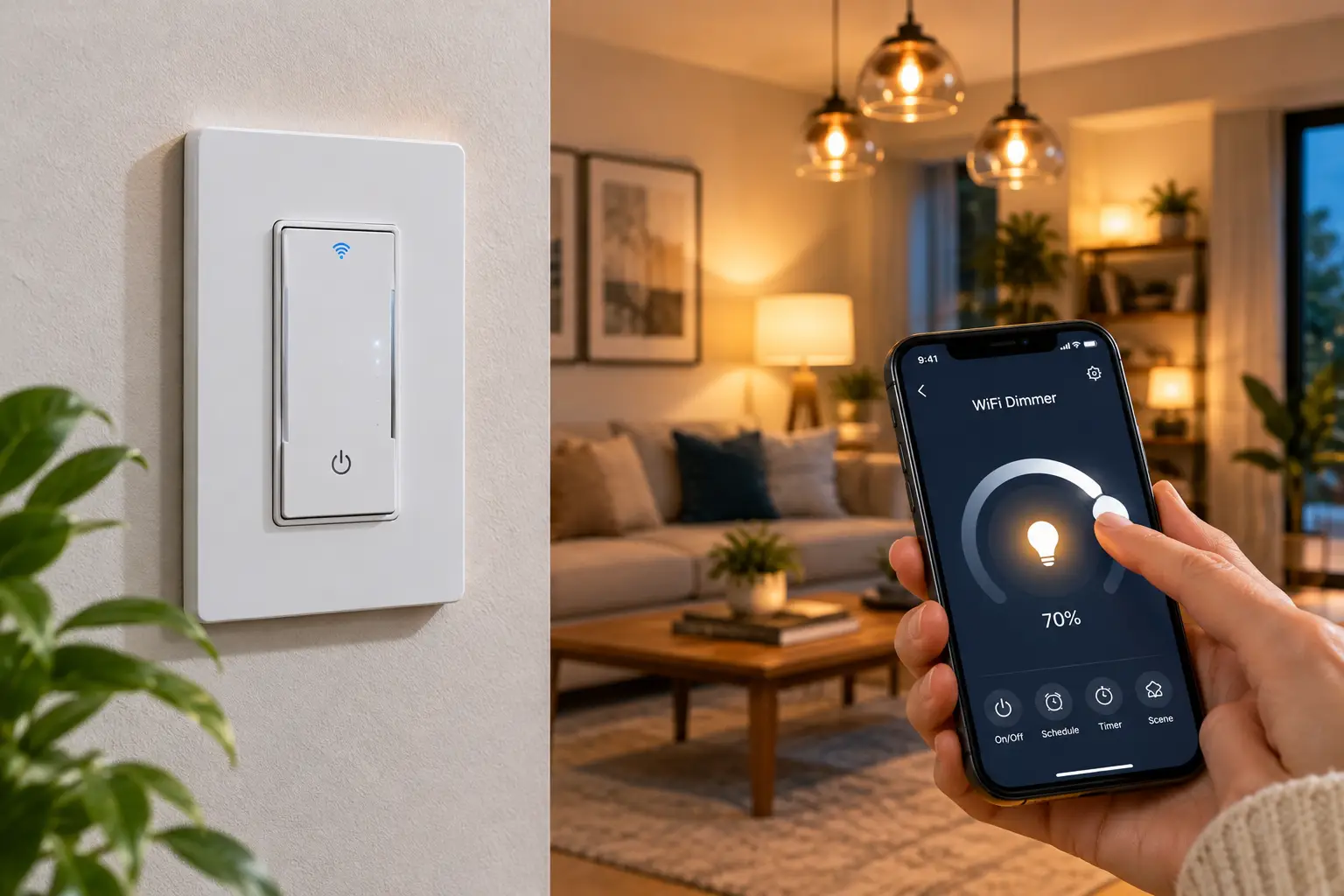
A wifi dimmer is an in-wall light switch that adjusts brightness and connects directly to your home’s 2.4 GHz Wi-Fi network, so you can control it from a phone app, a voice assistant, or schedules — without a separate hub. It replaces a standard switch and still works by hand at the wall.
Under the hood, most models use the same phase-cut technique as a classic dimmer switch, chopping part of each AC wave so the bulb receives less power. The “smart” part is simply a tiny Wi-Fi radio and a relay or TRIAC controller packed into the switch body.
How We Built This Guide
To be upfront: we did not install these switches in a test house. Instead, we compared manufacturer spec sheets (load ratings, wiring requirements, protocols), independent reviews from established tech publications, and the recurring themes in aggregated customer feedback. Every recommendation below explains why a spec matters, so you can make the call for your own wiring, bulbs, and smart-home ecosystem.
You’ll find seven real models available on amazon.com, from roughly $15 budget picks to $60 no-neutral solutions, plus installation steps, troubleshooting fixes, and a decision framework at the end. ⚡
Quick Comparison: 7 Wifi Dimmer Switch Picks at a Glance
If you only have two minutes, this table answers the two questions that eliminate most options: Do you have a neutral wire? and Which ecosystem do you live in?
| Model | Neutral wire | Rated dimmable LED load | Works with | Multi-way control | Price range | Best for |
|---|---|---|---|---|---|---|
| Kasa KS225 | Required | 150W | Matter, Alexa, Google, Apple Home, SmartThings | Single-pole only | $25–$35 | Kasa KS225: mixed-ecosystem households |
| Tapo S505D | Required | 150W class (check listing) | Matter, Alexa, Google, Apple Home, SmartThings | Via Tapo Smart Button + hub | $13–$25 | Tapo S505D: tight budgets, many rooms |
| Kasa HS220 | Required | Check listing | Alexa, Google | Single-pole only | $15–$30 | Kasa HS220: Alexa/Google homes already on Kasa |
| Leviton Decora Smart Wi-Fi Dimmer (2nd Gen) D26HD | Required | 300W | Matter (firmware), Alexa, Google, Apple Home | Wired or wire-free companions | $35–$60 | Leviton D26HD: big LED loads, pro-grade build |
| GE Cync Smart Dimmer (No Neutral) | Not required (ground + 15W min. load) | 450W rating | Alexa, Google | Single-pole | $30–$60 | GE Cync No Neutral: pre-1980s homes |
| Meross MSS560 | Required | Check listing | Apple Home, Alexa, Google, SmartThings | Single-pole only | $20–$30 per unit | Meross MSS560: budget HomeKit setups |
| GE Cync Paddle Dimmer | Required (+ traveler) | 450W rating | Alexa, Google | One switch covers single-pole, 3-way, 4-way | $25–$35 | GE Cync Paddle Dimmer: stairways and hallways |
Prices are approximate ranges at the time of writing; check the current price on Amazon.
Looking at the table, the dividing line is the neutral wire: five of the seven picks need one, so the GE Cync Smart Dimmer (No Neutral) is the default for older homes. Among neutral-required models, the Kasa KS225 and Tapo S505D offer Matter at the lowest cost, while the Leviton D26HD doubles the LED headroom to 300W — the one to pick for a kitchen full of recessed cans. If you have a 3-way circuit, the GE Cync Paddle Dimmer solves it with a single switch.
💬 One click helps other shoppers make an informed choice too! Tap a bolded product name to check current pricing and availability. 😊
Top 7 Wifi Dimmer Picks for 2026: Expert Analysis
Each pick below covers what the specs mean in practice, who it suits, what real owners consistently report, and where it falls short.
1. Kasa KS225 — best all-around Matter value
The Kasa KS225 is TP-Link’s Matter-certified wifi dimmer, and that single certification is what makes it the safest default for most homes.
It’s rated for 150W of dimmable LED (300W incandescent), uses up/down brightness buttons with an LED level indicator, and connects over 2.4 GHz Wi-Fi with Bluetooth used only during setup. Because it speaks Matter, you can add it to Apple Home, Alexa, Google Home, and SmartThings at the same time — and local control keeps working over your home network even when the internet drops.
Based on comparing the specs, this is the pick for households where one person uses Siri and another uses Alexa. The trade-off is that it’s single-pole only; if your light has two switches, you’ll need Kasa’s separate 3-way kit instead.
Aggregated reviews consistently praise the app-guided wiring and fast response, while complaints center on the 150W cap with large LED banks.
Pros:
- ✅ Matter certification covers every major ecosystem
- ✅ Local control survives internet outages
- ✅ Smooth 1–100% dimming range
Cons:
- ❌ Single-pole only, no 3-way support
- ❌ 150W LED cap limits big fixtures
💲 Usually in the $25–$35 range per switch — excellent value for future-proof compatibility.
2. Tapo S505D — cheapest way to go Matter
The Tapo S505D delivers nearly the same Matter feature set as the Kasa KS225 at a price that often dips under $20.
It’s Matter 1.3-certified, onboards via Bluetooth or by scanning its Matter code in the Alexa, Google Home, or Apple Home app, and adds fade on/off so lights ease in rather than snap on. The housing uses V-0 flame-retardant plastic, and pairing it with a Tapo Smart Button (plus a Tapo Hub) turns a single-pole location into virtual 3-way or 4-way control without rewiring.
What most buyers overlook is the sound: the PCWorld review of the Tapo S505D praised its Matter support and low price but noted a dimming-calibration hiccup during setup. Review roundups also flag an audible relay click and an indicator light that stays on when the switch is off.
Pros:
- ✅ Lowest-cost Matter wifi dimmer here
- ✅ Fade on/off feels premium
- ✅ Virtual 3-way via Smart Button
Cons:
- ❌ Audible click when toggling
- ❌ 3-way trick requires a separate hub
💲 Typically $13–$25 — the best per-room value if you’re outfitting a whole house.
3. Kasa HS220 — the proven, no-fuss classic
The Kasa HS220 has been on the market since 2018, and that long track record is its biggest selling point.
It connects to 2.4 GHz Wi-Fi without a hub, works with Alexa and Google Assistant, and includes Gentle Off — a slow fade that gives you time to leave a room or lets a child drift off to sleep. You can also assign custom actions to a double-tap or long-press on the paddle.
Here’s what to weigh: the Kasa HS220 doesn’t support Matter or Apple Home, so it’s best for homes already committed to Alexa or Google. If that’s you, its maturity is a genuine advantage over newer models still collecting firmware fixes.
Owner reviews, numbering in the tens of thousands on Amazon, repeatedly mention room-by-room expansion and switches reconnecting on their own after power outages.
Pros:
- ✅ Huge, long-running review track record
- ✅ Gentle Off fade is genuinely useful
- ✅ Customizable double-tap and long-press
Cons:
- ❌ No Matter or Apple Home support
- ❌ Single-pole wiring only
💲 Often found between $15 and $30 — strong value if you’ll never need HomeKit.
4. Leviton Decora Smart Wi-Fi Dimmer (2nd Gen) D26HD — most headroom for big LED loads
The Leviton D26HD is the pro-grade choice: it handles twice the LED load of the Kasa and Tapo models.
It’s rated for 300W of dimmable LED/CFL and 600W incandescent, and the 2nd Gen swapped screw terminals for pre-attached wire leads with a shallower body — a real help in crowded boxes. A firmware update through the My Leviton app enables Matter, and wire-free Anywhere Companions add 3-way control without running new wire. You can also set preset levels, fade rates, and bulb type.
On paper, this means one Leviton D26HD can run eight to ten recessed LED cans that would overload a 150W model. Tom’s Guide called it a modest but welcome upgrade, highlighting the easier install and no-hub design. Note that Leviton now lists a 3rd Gen (D36HD) successor, so check which generation a listing ships.
Pros:
- ✅ 300W LED rating doubles budget models
- ✅ Wire-free 3-way with Anywhere Companions
- ✅ Two-year warranty with US-based support
Cons:
- ❌ Matter requires a manual firmware step
- ❌ Costs roughly double the Tapo
💲 Usually $35–$60 — worth the premium for kitchens and large living rooms.
5. GE Cync Smart Dimmer (No Neutral) — the fix for older wiring
The GE Cync Smart Dimmer (No Neutral) exists for one reason: homes, often built before the 1980s, that lack a neutral wire in the switch box.
It’s a three-wire install that needs a ground wire instead, carries a 450W rating, and requires at least a 15W connected load to power its electronics. It uses Bluetooth plus 2.4 GHz Wi-Fi, works with Alexa and Google Home without a hub, and comes with a two-year warranty.
Based on comparing the specs, the 15W minimum is the detail most buyers miss: a single 9W LED bulb won’t keep it happy, and flicker is the likely result. Pair it with fixtures that draw at least two bulbs’ worth of LED power.
Customer sentiment is genuinely mixed — many call it the best option for no-neutral boxes, while a recurring complaint involves app connectivity drops and occasional dead-on-arrival units.
Pros:
- ✅ No neutral wire needed
- ✅ Works without any hub
- ✅ Two-year manufacturer warranty
Cons:
- ❌ 15W minimum load excludes single bulbs
- ❌ Mixed reliability reports in reviews
💲 Ranges widely, roughly $30–$60 — fair value only if you truly lack a neutral.
6. Meross MSS560 — budget-friendly native HomeKit
The Meross MSS560 brings native Apple Home control to a wifi dimmer for well under the price of most HomeKit hardware.
It replaces a single-pole switch, dims incandescent, CFL, and LED bulbs, and connects to 2.4 GHz Wi-Fi without a hub. Current listings advertise Apple Home, Alexa, Google Assistant, and SmartThings support, and the app includes a dimming compatibility test that calibrates the low end for your specific bulbs.
Here’s what to weigh: the Meross MSS560 is the most affordable route to Siri control, but it isn’t 3-way compatible, and Meross support is email-based rather than phone-based. It suits renters-turned-owners and Apple-first households on a budget.
Aggregated reviews describe a smooth HomeKit pairing and an easy install, with lighter criticism around app polish compared with Kasa.
Pros:
- ✅ Native Apple Home at a low price
- ✅ Bulb calibration reduces low-end flicker
- ✅ Multi-packs drop the per-switch cost
Cons:
- ❌ Not compatible with 3-way wiring
- ❌ Shorter warranty than Leviton or GE
💲 Around $20–$30 per switch, cheaper in multi-packs — strong value for Apple homes.
7. GE Cync Paddle Dimmer — one switch for the whole stairway
The GE Cync Paddle Dimmer solves the 3-way problem more elegantly than any other pick on this list.
It requires a neutral and a traveler wire, and one unit makes an entire single-pole, 3-way, or 4-way circuit smart — no second smart switch needed. A vertical slider on the right side sets brightness, while a seven-segment LED column shows the current level at a glance. It carries a 450W rating and onboard Wi-Fi.
What most buyers overlook is the cost math: competing 3-way setups often require a kit with two devices, while the GE Cync Paddle Dimmer handles it with one. That makes it the natural pick for staircases and long hallways.
Because it’s a newer release, the volume of owner reviews is still limited, so we can’t summarize long-term reliability yet — early feedback centers on the slider’s tactile feel.
Pros:
- ✅ One unit covers 3-way and 4-way
- ✅ Slider plus LED level display
- ✅ Paddle styling blends with standard switches
Cons:
- ❌ Needs both neutral and traveler wires
- ❌ Limited long-term review data so far
💲 Typically $25–$35 — exceptional value for multi-way circuits.
How to Install a Wifi Dimmer Switch (and Nail Your First 30 Days)
Most wifi dimmer installs take 20–40 minutes, and nearly every failed one traces back to skipping a step before the old switch comes off.
Before You Unscrew Anything
- Kill the right breaker, then verify. Flip the breaker and confirm with a non-contact voltage tester — switch boxes sometimes carry wires from two circuits.
- Photograph and label every wire. Your phone camera is the best wiring diagram you’ll ever own.
- Identify the neutral. Look for a bundle of white wires tucked in the back of the box. If it’s absent, jump straight to the no-neutral options.
- Check box depth. Smart dimmers run noticeably deeper than standard switches; the Leviton D26HD‘s slimmer 2nd Gen body helps in tight boxes.
Setup Tips That Prevent Headaches
- 📶 Connect your phone to the 2.4 GHz band during setup — 5 GHz-only networks are the number-one onboarding failure.
- 🏷️ Name switches by room before adding them to Alexa or Google, so voice commands make sense from day one.
- 🔆 Run the bulb calibration or low-end trim setting immediately. This is what stops flicker at 10–20% brightness.
Common Mistakes in the First 30 Days
Don’t stack automations from three different apps on the same switch — conflicting schedules create “ghost” behavior. Pick one hub app (Apple Home, Alexa, or Google Home) as the source of truth. And install firmware updates during the first week; launch firmware is rarely the best firmware.
Real-World Scenarios: Which Smart Dimmer Switch Fits Your Life?
Specs only matter in context, so here are three common household profiles matched to the best picks.
The 1960s Ranch Renovator 🏡
Situation: Original wiring, no neutral in most switch boxes, budget around $150 for four rooms, lights used daily.
Best match: The GE Cync Smart Dimmer (No Neutral) for bedrooms and the living room. Because of its 15W minimum load, reserve it for fixtures with two or more LED bulbs. For the single-bulb closet, a smart bulb is the cleaner solution than forcing a dimmer to work.
The Mixed-Ecosystem Family 📱
Situation: One parent on iPhone, one on Android, an Echo in the kitchen, eight switches to replace, neutral wires everywhere.
Best match: The Kasa KS225 or Tapo S505D. Matter lets every family member use their preferred assistant without anyone giving up control. Choose the Tapo S505D to stretch the budget across all eight rooms, or the Kasa KS225 for slightly more mature app support.
The Open-Concept Entertainer 🍷
Situation: Kitchen with ten 9W recessed cans, a staircase with switches at both ends, frequent evening guests.
Best match: The Leviton D26HD for the kitchen — 90W of LED is well within its 300W rating with healthy margin — and the GE Cync Paddle Dimmer for the stairway, where one switch handles the whole 3-way circuit.
✨ Ready to upgrade your lighting?
🔍 Take your home lighting to the next level with this carefully curated lineup. Click a highlighted product name to check current pricing and availability. These picks will help you set the perfect mood in every room the whole family will enjoy!
Wifi Dimmer Problems and How to Fix Them
Most wifi dimmer frustrations fall into five predictable patterns, and each has a specific fix.
Problem 1: Lights flicker at low brightness. ✅ Raise the minimum brightness trim in the app, or run the bulb calibration (the Meross MSS560 and Leviton D26HD both offer bulb-type settings). If flicker persists, the bulb itself likely isn’t dimmer-friendly — swap to a bulb labeled “dimmable” from a reputable brand.
Problem 2: Bulbs buzz or hum. ✅ Buzzing usually means a mismatch between the LED driver and the dimmer’s leading-edge (TRIAC) dimming. Try a different bulb brand before blaming the switch.
Problem 3: The switch drops offline. ✅ Assign the switch a reserved IP address in your router, and check signal strength — a metal box behind a refrigerator wall can halve Wi-Fi range. A mesh node nearby often solves it permanently.
Problem 4: The no-neutral switch flickers when off. ✅ The fixture’s load is too small. Add bulbs or wattage to exceed the GE Cync Smart Dimmer (No Neutral)‘s 15W minimum.
Problem 5: Voice commands control the wrong light. ✅ Rename devices with unique, room-specific names, and remove duplicate entries left behind when you added a Matter device through two apps.
How to Choose a Wifi Dimmer: 6 Steps
Choosing a wifi dimmer comes down to six checks, in this order:
- Confirm your neutral wire. It decides whether you shop five models or one. No neutral narrows you to options like the GE Cync Smart Dimmer (No Neutral).
- Count your switch locations. One switch per light means single-pole; two or more means you need 3-way support, companions, or the GE Cync Paddle Dimmer.
- Add up your LED wattage. Multiply bulbs by watts, then leave about 20% headroom. Over 120W of LED? Look at the Leviton D26HD.
- Pick your ecosystem. Apple users need Apple Home or Matter; Alexa and Google users have every option open.
- Check your Wi-Fi band. Nearly all models require 2.4 GHz, so confirm your router broadcasts it.
- Weigh warranty and support. A two-year warranty with US-based support is worth a few extra dollars on a device wired into your wall.
Common Mistakes to Avoid When Buying a Smart Dimmer Switch
The most expensive mistakes are made before the box is even opened.
- ❌ Buying before checking the box. Five minutes with the breaker off and the cover plate removed saves a return shipment.
- ❌ Ignoring the minimum load. No-neutral dimmers need enough wattage to power themselves; one small LED bulb won’t do it.
- ❌ Putting a dimmer on a ceiling fan. Dimming a fan motor can damage it. Use a dedicated fan speed controller instead.
- ❌ Mixing bulb brands on one circuit. Different LED drivers dim differently, producing uneven brightness and occasional flicker.
- ❌ Assuming “works with HomeKit” on every listing. Many budget models only support Alexa and Google — the Kasa HS220 is a classic example.
- ❌ Buying a single-pole dimmer for a 3-way circuit. It simply won’t wire correctly, and forcing it can leave one switch dead.
What most buyers overlook is that “smart bulb + regular switch” combinations are a frequent source of regret: someone flips the wall switch, and the smart bulb disappears from the app. A wifi dimmer avoids that by making the switch itself the smart device.
Features That Actually Matter (and Ones That Don’t)
Marketing bullet points rarely match what changes your daily experience.
Features Worth Paying For ✅
- Matter support. It’s the closest thing to future-proofing in smart home hardware. The Kasa KS225 and Tapo S505D ship certified, while Leviton enables it on 2nd Gen devices through a firmware update described on its Matter support page.
- Adjustable low-end trim or bulb calibration. This single setting determines whether your LEDs dim smoothly or flicker.
- Fade on/off. It sounds cosmetic, but a gentle ramp is easier on the eyes at night.
- A brightness level indicator. Glanceable LEDs help guests understand the switch instantly.
Features You Can Skip ⏭️
- Energy-monitoring claims on dimmers. Lighting loads are small; the data rarely changes behavior.
- Built-in “vacation mode” as a buying factor. Every major app can randomize lights already.
- Exotic colors or faceplates. Standard Decora-style plates are cheap and interchangeable.
Wifi Dimmer vs Hub-Based Dimmers (Lutron Caséta, Z-Wave, Zigbee)
A wifi dimmer trades a little long-term reliability for simplicity and lower upfront cost. Hub-based systems such as Lutron Caséta use their own radio network, which doesn’t compete with your laptops and TVs for Wi-Fi bandwidth.
| Factor | Wifi dimmer | Hub-based dimmer (e.g., Lutron Caséta) | Best for |
|---|---|---|---|
| Hub required | No | Yes, a bridge or hub | Wifi: first-time buyers |
| Upfront cost (one room) | About $15–$60 | Dimmer plus a hub, often $100+ | Wifi: single rooms |
| Neutral wire | Usually required | Often not required | Hub: older homes |
| Network load | Adds Wi-Fi devices | Separate radio network | Hub: 20+ switches |
| Works offline | Matter models locally | Yes, via the hub | Tie |
The table shows why a wifi dimmer wins for small projects: no hub cost and nothing extra to manage. Once you plan 20 or more switches, though, a dedicated radio network keeps your Wi-Fi uncluttered, and the hub’s cost spreads thin. For three to ten switches, a Matter model like the Kasa KS225 is the sweet spot.
💬 One click helps other shoppers make an informed choice too! 😊
Long-Term Cost and Maintenance of a Wifi Dimmer
The sticker price is only part of the cost of ownership; warranty length, multi-packs, and bulb compatibility shape the real number.
| Model | Typical price per switch | Warranty | Extra hardware for 3-way | Best for |
|---|---|---|---|---|
| Tapo S505D | $13–$25 | 2 years | Smart Button + Tapo Hub | Tapo S505D: whole-house budget |
| Kasa KS225 | $25–$35 | 2 years | Separate 3-way kit | Kasa KS225: balanced value |
| Leviton D26HD | $35–$60 | 2 years | Anywhere Companion | Leviton D26HD: heavy loads |
| GE Cync Smart Dimmer (No Neutral) | $30–$60 | 2 years | Not applicable | GE Cync No Neutral: no-neutral homes |
Over a 10-switch project, the gap between the Tapo S505D and the Leviton D26HD can reach $200 or more, yet the Leviton’s higher load rating can eliminate the need for a second dimmer on large circuits. Maintenance is minimal for all four: install firmware updates, keep the switch on a stable 2.4 GHz signal, and replace failing LED bulbs with the same brand to preserve consistent dimming.
Safety, Regulations, and Standards for Wifi Dimmers
Any device wired into your wall should carry recognized safety marks — and you should know when to call an electrician.
- 🛡️ UL or ETL listing. Both indicate independent safety testing. The Kasa and Tapo models list UL and FCC certification, Leviton lists UL, FCC, and CSA, and Meross lists FCC and ETL.
- 📡 FCC compliance. Required for any Wi-Fi device sold in the US; it limits radio interference.
- 🔌 The neutral rule. The National Electrical Code has required a neutral at most new switch locations since the 2011 edition, which is why homes built recently usually support standard smart dimmers.
- ⚡ 120V only. These dimmers are rated for standard US 120V circuits — never for 240V loads.
- 🧑🔧 When to hire a pro. Aluminum wiring, missing grounds, or a box with more than one circuit all warrant a licensed electrician. Some local jurisdictions also require permits for switch replacement in rentals or condos.
Wifi Dimmer FAQs
❓ Will a wifi dimmer work with a 5 GHz-only router?
❓ Do wifi dimmer switches still work when the internet goes down?
❓ Can I use a smart dimmer switch with non-dimmable LED bulbs?
❓ How many wifi dimmers can a home router handle?
❓ Is a wifi dimmer switch worth buying if I rent?
Conclusion: The Right Wifi Dimmer Starts in Your Switch Box
The best wifi dimmer isn’t the one with the longest feature list — it’s the one that matches your wiring, your bulbs, and the assistant you already talk to.
If you have a neutral wire and a mixed household, the Kasa KS225 is the safest all-around choice, and the Tapo S505D delivers nearly the same Matter flexibility for less money when you’re outfitting many rooms. Alexa- and Google-only homes can still lean on the proven Kasa HS220, while Apple-first budgets get native Siri control from the Meross MSS560.
For heavier lighting, such as a kitchen full of recessed cans, the Leviton D26HD‘s 300W LED rating gives you the headroom budget models can’t. Older homes without a neutral should look at the GE Cync Smart Dimmer (No Neutral), keeping its 15W minimum load in mind. And for stairways and hallways, the GE Cync Paddle Dimmer handles a full 3-way circuit with one device.
Whichever you choose, take five minutes to inspect the box, total your LED wattage, and confirm your router’s 2.4 GHz band before you order. Those three checks prevent nearly every return. Then run the bulb calibration on day one, and you’ll have lighting that fades, schedules, and responds to your voice for years. 🌙
🚀 Light up every room the smart way!
🔍 Take your home lighting to the next level with this carefully curated lineup. Click a highlighted product name to check current pricing and availability. These picks will help you create the perfect ambiance the whole family will enjoy!
Recommended for You
- Radio Controlled Switch: 7 Best Picks for 2026 (Honest Guide)
- Network Controlled Power Strip: 7 Best Picks That Save Power (2026)
- Remote Control Mains Socket: 7 Brilliant Picks for 2026
Disclaimer: This post contains affiliate links. As an Amazon Associate, I earn from qualifying purchases made through these links, at no additional cost to you.
✨ Found this article helpful? Share it with someone who needs it! 💬🤗
