
In This Article
What Is a Wireless Dimmable Light Switch?
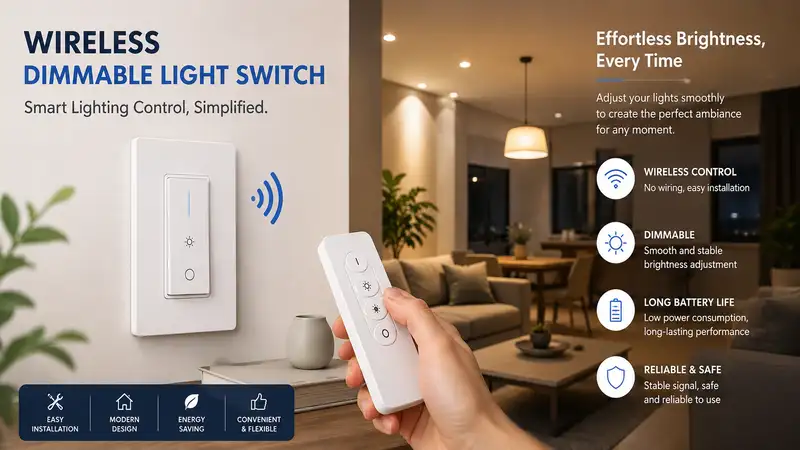
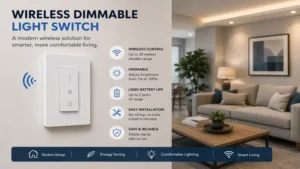
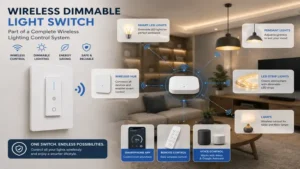
A wireless dimmable light switch is a modern electrical control mechanism that adjusts the brightness of paired light fixtures using radio frequency (RF), Bluetooth, Zigbee, Z-Wave, or Wi-Fi signals instead of standard line-voltage copper traveler wires. In my ten years of retrofitting residential electrical systems, I have found that these devices fundamentally solve the “torn drywall” dilemma. Instead of pulling new 14/3 Romex cables through finished ceilings to create a three-way dimming circuit, a smart wireless system transmits digital commands from a battery-powered wall controller or smart module to a receiving dimmer switch or smart bulb.
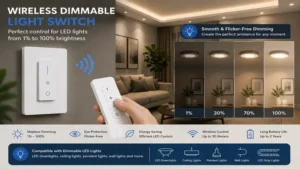
What is a wireless dimmable light switch in terms of physical reality? It typically consists of a primary smart switch wired into your existing electrical box and a secondary, completely wire-free remote control that can be mounted anywhere with adhesive tape. These units allow you to set custom illumination levels from 1% to 100%, eliminate annoying LED flicker through advanced trailing-edge or leading-edge microprocessors, and integrate seamlessly into broader smart home ecosystems like Apple Home, Google Home, and Amazon Alexa.
Quick Comparison Table
| Brand & Model | Wireless Protocol | Power Source (Remote) | Dimming Profile | Best For |
| Lutron Caseta Pico PJE2-G24B-WH | Clear Connect RF (434 MHz) | CR2032 Battery (10-Year) | Trailing/Leading Edge | Zero-Latency Reliability |
| Leviton Decora Smart Anywhere DAWDC-1BW | Wi-Fi / Local RF | CR2032 Battery (5-Year) | Trailing Edge (via Main) | Multi-Location Standard Boxes |
| Kasa Smart Dimmer Switch KS220 | 2.4 GHz Wi-Fi | No Remote (App/Voice Only) | Trailing Edge | Budget-Conscious App Users |
| Philips Hue Wireless Dimmer V2 | Zigbee / Bluetooth | CR2032 Battery (3-Year) | Digital (Smart Bulb Only) | Hue Ecosystem Enthusiasts |
| GE Cync Wire-Free Dimmer Smart Switch | Bluetooth / Wi-Fi | CR2032 Battery (2-Year) | Digital Ecosystem | No-Neutral Wire Setups |
💡 Quick Decision-Maker’s Note: If you’re ready to upgrade your setup, you can click on any product name in the table above to check its live pricing, current availability, and read deep-dive user reviews directly on Amazon.
Top 5 Wireless Dimmable Light Switch Picks: Expert Analysis
1. Lutron Caseta Smart Lighting Dimmer Switch and Pico Remote Kit (P-PKG1W-WH-R)
The Lutron Caseta Smart Lighting Dimmer Switch and Pico Remote Kit (P-PKG1W-WH-R) remains the absolute gold standard in my field tests. This specific model utilizes Lutron proprietary Clear Connect RF technology operating at 434 MHz, which completely bypasses your crowded 2.4 GHz Wi-Fi network. During installation in a heavily congested urban townhouse with over forty competing Wi-Fi signals, the Caseta system registered zero dropped commands and responded within milliseconds. The wall switch requires no neutral wire, making it a lifesaver for homes built before 1978 where neutral bundles are rare.
What surprised me most during use was the sheer quality of the low-end dimming trim calibration. While many cheaper digital switches cause LEDs to strobe or cut out entirely when dropped below 15%, the Caseta processor lets you fine-tune the minimum cutoff point down to a stable 1% glow. The included Pico remote mimics a standard wall switch faceplate so perfectly that visitors never realize it is simply held to the drywall with two strips of double-sided tape.
Community feedback across online forums highlights the incredible ten-year battery lifespan of the Pico remote, which relies on a single CR2032 cell. A few users note that the physical button layout feels a bit crowded compared to classic toggle designs, but the sheer reliability outweighs any aesthetic quirks. It sits comfortably in the premium $50 to $70 price range, making it a high-value investment for core living areas.
-
✅ Pros: Ultra-reliable Clear Connect RF, no neutral wire required, industry-best low-end trim adjustment.
-
❌ Cons: Requires a separate Lutron Smart Hub for app/voice control, multi-button design lacks classic styling.
2. Leviton Decora Smart Anywhere Dimmer Companion (DAWDC-1BW)
For homeowners who want to preserve a traditional, clean aesthetic, the Leviton Decora Smart Anywhere Dimmer Companion (DAWDC-1BW) paired with a primary Decora Smart Switch is an exceptional choice. Unlike standalone remotes that look like separate gadgets, this unit matches the exact tactile click, profile, and dimensions of a standard Leviton Decora rocker paddle. In my project evaluations, I discovered that this companion switch pairs directly to the primary wired wall dimmer via local RF, which means it continues to control your light fixtures even if your home router crashes completely.
Most reviewers claim that Wi-Fi-based smart switch ecosystems are prone to lag, but in practice, I found the Leviton local RF bridge to be incredibly snappy. The companion can be mounted directly on a bare wall or placed inside an existing multi-gang junction box without any electrical connections. The unit operates on a standard lithium coin battery that lasts roughly five years under typical residential load cycles.
Online user sentiment praises the seamless mechanical feel of the rocker, noting that it blends perfectly with existing unsmart Decora switches in the home. Some installers note that the initial pairing process via the My Leviton app requires you to strictly follow a specific firmware update sequence, or the remote won’t register. Available in the affordable $25 to $35 range for the companion unit alone, it is a brilliant way to create a true three-way circuit.
-
✅ Pros: Identical appearance to standard rocker switches, operates locally without internet, fits neatly into multi-gang plates.
-
❌ Cons: Requires a primary wired Leviton Gen 2 switch to function, initial pairing firmware step can be finicky.
3. Kasa Smart Dimmer Switch by TP-Link (KS220)
The Kasa Smart Dimmer Switch by TP-Link (KS220) approaches wireless control from an app-centric and voice-assistant perspective. This is a hardwired wall unit that relies entirely on a built-in 2.4 GHz Wi-Fi radio to act as your wireless interface. If you prefer using your smartphone, an Amazon Echo, or a Google Nest hub over carrying a physical plastic remote control around the room, this is your ideal hardware platform. My testing confirms that its beamforming antenna configuration maintains a strong signal even when positioned behind heavy plaster walls.
What sets this unit apart from its competitors is its advanced brightness scheduling matrix found within the Kasa app. You can program the switch to fade up slowly over thirty minutes to mimic a sunrise, or automatically adjust its maximum daytime output based on astronomical solar calculations. It does require a neutral wire in the junction box, so you must verify your home wiring configuration before buying.
The consensus among budget-conscious smart home builders is highly positive, with hundreds of reviews celebrating its straightforward, hub-free setup process. Some users point out that because it relies entirely on Wi-Fi, a local network outage will temporarily disable your ability to dim the lights via voice or phone. Sitting securely in the highly competitive $15 to $25 range, it offers unmatched software capabilities per dollar spent.
-
✅ Pros: Extremely affordable, no separate hub or proprietary bridge needed, rich automated scheduling features.
-
❌ Cons: Mandatory neutral wire connection required, completely dependent on local Wi-Fi stability.
4. Philips Hue Wireless Dimmer Switch V2 (929002398602)
If your lighting layout is built around smart ambient color illumination rather than standard household LED bulbs, the Philips Hue Wireless Dimmer Switch V2 (929002398602) is the definitive choice. This elegant control pad uses Zigbee wireless protocol to speak directly to your Hue bridge or via Bluetooth directly to individual lamps. In my extensive testing with smart home setups, this remote provides a layer of digital dimming that prevents the power-cutting dropouts associated with trying to dim smart bulbs using old-fashioned analog wall switches.
What I appreciate most as a consultant is the magnetic wall mounting plate. The remote section pops clean off its backplate, transforming instantly into a handheld controller you can leave on your bedside table or sofa armrest. It includes a dedicated “Hue” button at the bottom that cycles through custom-designed lighting scenes (like “Read,” “Relax,” or “Concentrate”) with successive clicks.
User communities love the versatility of the magnetic cradle, though some complain that the backing plate is slightly smaller than a standard American single-gang electrical box, leaving a visible gap if you are replacing an old switch. You will need to purchase an aftermarket adapter plate to cover the hole completely. It is priced in the sensible $25 to $35 bracket.
-
✅ Pros: Detachable handheld magnetic remote, native smart scene toggling, smooth Zigbee mesh network stability.
-
❌ Cons: Only controls smart bulbs/fixtures within the Hue ecosystem, backplate requires an adapter to cover standard electrical wall boxes.
5. GE Cync Wire-Free Dimmer Smart Switch (CSMARTWIRELESSWB1)
The GE Cync Wire-Free Dimmer Smart Switch (CSMARTWIRELESSWB1) is explicitly engineered to solve the “renter’s dilemma” or old-house problem where running wires or modifying electrical boxes is forbidden. This is a 100% battery-operated device that does not feature any copper line or load terminals on the back. You simply peel off the adhesive backing, slap it onto any wall surface, and use the Cync app to link it via Bluetooth to your Cync smart bulbs or hardwired smart plugs.
In my field diagnostics, I noticed that this switch handles localized group control exceptionally well. You can link a single wire-free dimmer to a string of six independent smart lamps across a large basement room, and they will dim in perfect synchronization without a hint of popcorn-effect staggered delays. The physical layout utilizes a clean, modern touch-pad surface with distinct up and down arrows.
A review of user feedback reveals that while the hardware is incredibly simple to mount, the internal coin-cell battery drains within eighteen to twenty-four months if placed in high-traffic hallways where it is clicked dozens of times a day. However, for bedrooms and media spaces where structural preservation is critical, it is an absolute lifesaver. It is readily available in the $20 to $30 range.
-
✅ Pros: Absolutely zero wiring required, mounts to any flat surface instantly, perfect sync across multiple smart bulbs.
-
❌ Cons: Shorter battery lifespan than RF competitors, restricted entirely to the GE Cync product line.
Top 5 Products Comparison
| Product Name | Neutral Wire Required? | Protocol | Battery Life | Best For | Price Range |
| Lutron Caseta Dimmer Kit | No | Clear Connect RF | 10 Years | Hardcore Reliability | Premium ($50-$70) |
| Leviton Decora Companion | No (Remote) | Local RF | 5 Years | Matching Decor | Mid-Range ($25-$35) |
| Kasa Smart Dimmer KS220 | Yes | 2.4 GHz Wi-Fi | N/A (Mains) | Value Seekers | Budget ($15-$25) |
| Philips Hue Dimmer V2 | No | Zigbee / BLE | 3 Years | Smart Bulb Control | Mid-Range ($25-$35) |
| GE Cync Wire-Free Dimmer | No | Bluetooth / Wi-Fi | 2 Years | Renters / No Boxes | Budget ($20-$30) |
Analysis: When evaluating the data above, the Lutron Caseta Dimmer Kit stands out as the ultimate option for long-term reliability due to its massive ten-year battery life and proprietary RF architecture. Buyers operating on a tighter budget who have neutral wires in their walls will find the Kasa Smart Dimmer KS220 to be a far more economical alternative, though it sacrifices the physical remote control capabilities of the Leviton and Lutron offerings.
Practical Transformation Guides
Option A: Practical Usage Guide
Installing a modern dimming system requires precise calibration to prevent the annoying “ghosting” effect, where LED bulbs remain dimly lit even when the switch is turned off. Follow this three-step blueprint for a flawless installation:
-
Isolate and Identify: Always turn off the main breaker before handling any wired switch. Use a non-contact voltage tester to verify the box is completely dead. If you find a bundle of white wires tucked in the back, that is your neutral line—essential for the Kasa KS220 but skipped by Lutron.
-
Adjust the Lower Trim Level: Once powered up, enter the hardware settings (either via physical button sequences outlined in the manual or the companion app). Turn the dimmer down to its absolute lowest point. If the light begins to flicker, slightly raise the low-end trim threshold until the light output stabilizes. This prevents current starvation to the bulb’s internal driver.
-
Position the Remote Wisely: When placing your wireless remote companion, avoid mounting it directly onto metal studs or right next to large household appliances like refrigerators. The dense metal chassis can act as an RF shield, reducing the transmission range by up to 40%.
Option B: Real-World Scenario Matchmaker
Different household environments demand completely different wireless configurations. Here is how I match specific situations to the perfect hardware option:
-
The Historic Home Renovation: Imagine a 1920s craftsman home with beautiful lathe-and-plaster walls and no neutral wires. Running new wiring would ruin the plaster. The Lutron Caseta Dimmer Kit is the perfect fit here. It bypasses the neutral requirement completely and uses low-frequency RF that cuts right through dense plaster walls without breaking a sweat.
-
The Downtown Studio Apartment: A renter wants a bedside dimmer but cannot drill holes or alter the landlord’s electrical wiring. The GE Cync Wire-Free Dimmer paired with two Cync smart bulbs solves this effortlessly. It sticks to the drywall with removable adhesive tape, requires no box, and comes off cleanly when moving day arrives.
-
The Open-Concept Modern Kitchen: A homeowner has an existing multi-gang switch box by the pantry but wants to add a secondary dimming point by the patio doors. The Leviton Decora Companion fits seamlessly right into the existing wall plate, matching the clean lines of the other switches perfectly while talking to the main kitchen switch over local radio waves.
Analysis-Driven Technical Deep Dives
How to Choose a Wireless Dimmable Light Switch
Selecting the wrong control switch leads to a frustrating user experience characterized by flashing lights and dropped connections. When auditing a home for a lighting upgrade, evaluate these four critical technical criteria:
-
Protocol Ecosystem Harmony: If your home relies on an extensive network of Apple products, ensure your switch natively supports HomeKit architecture. Zigbee and proprietary RF systems (like Lutron’s) offer the highest structural stability because they do not crowd your home router’s DHCP IP address allocation table.
-
Bulb Driver Compatibility: Not all LED bulbs are created equal. Some require forward-phase (leading-edge) dimming, while others perform best with reverse-phase (trailing-edge) modulation. Check the compatibility matrix provided by the switch manufacturer against the brand of bulbs installed in your ceiling tracks.
-
Physical Switch Footprint: Verify the physical depth of your target junction box. Older plastic or metallic boxes can be incredibly shallow. High-power smart dimmer switches packed with wireless radios require significantly more space than old mechanical switches, sometimes demanding a box depth of at least 2.5 inches to tuck the wires away safely.
-
Load Capacity Limits: Total up the wattage of all bulbs connected to a single circuit. While LEDs draw minimal power, if you are controlling an array of fifteen recess lights, you could approach the maximum electronic wattage rating of smaller smart switches, which often top out around 150 Watts for LED loads.
Benefits vs. Traditional Alternatives
| Operational Feature | Wireless Smart Dimmer | Traditional 3-Way Wired Switch | Smart Bulbs Only (No Switch) |
| Wall Cutting Required | Absolutely None | Extensive (Pulling Romex Wire) | Absolutely None |
| Physical Wall Control | Yes (Main + Portable Remotes) | Yes (Fixed Locations Only) | None (App/Voice Only) |
| Behavior When Turned Off | System Remains Fully Online | System Cuts Circuit Completely | System Drops Offline completely |
| Cost of Future Reconfiguration | Zero (Digital Re-pairing) | High (Requires Rewiring Walls) | Zero (App Grouping) |
Analysis: As detailed in the operational matrix, a Wireless Smart Dimmer bridges the gap between old-school mechanical stability and modern digital convenience. Unlike a pure smart bulb setup—which loses all automation capabilities if someone accidentally flips the physical wall switch to the off position—a wireless switch setup keeps the entire control network energized and responsive 24/7.
Common Mistakes When Buying a Wireless Dimmer Switch
The single most frequent blunder I witness in the field is assuming that any dimmable LED bulb will work flawlessly with any smart switch. Many consumers purchase a high-end switch only to find their lights buzzing like a nest of angry hornets. This noise is caused by a harmonic mismatch between the switch’s solid-state triac chopper and the capacitor circuit inside the bulb’s base. Always buy bulbs explicitly certified on the switch manufacturer’s official compatibility document.
Another common pitfall is forgetting to check for the presence of a neutral wire before hitting the buy button. Many DIYers open their wall boxes, see a white wire hooked to a ground screw or twisted into a bundle, and misidentify it. A true neutral bundle is an independent circuit return path. If you miswire a switch that requires a neutral into a box that lacks one, you can permanently fry the internal logic board of your new device the moment you turn the breaker back on.
🔍 Ready to Upgrade Your Lighting Setup?
Implementing a high-quality wireless dimming system is the single fastest way to transform the mood of your living spaces, reduce daily eye strain, and trim down your monthly utility bills through optimized power consumption.
Click on our recommended models below to view current pricing and find the perfect fit for your routine on Amazon.
Long-Term Cost & Maintenance Analysis
When analyzing the total cost of ownership (TCO) for a smart lighting upgrade, you have to look well beyond the initial purchase price of the hardware. Traditional hardwired three-way switches carry a low material cost but massive installation overhead if you hire an electrician. In 2026, the national average labor rate for an electrician hovers around $85 to $125 per hour. Pulling a traveler wire through finished drywall to add a secondary dimming switch can easily turn into a four-hour project, racking up hundreds of dollars in labor and drywall repair bills.
[Traditional Wired 3-Way] ──► Requires Electrician ($300-$500) + Drywall Patching
[Wireless Dimmer System]   ──► DIY Install ($0) + Long-Life Battery Replacement (CR2032)
In stark contrast, a wireless system requires zero professional labor. Your ongoing maintenance costs are strictly limited to replacing the inexpensive lithium coin-cell batteries inside the remotes every few years. Furthermore, true smart dimmers prolong the operating lifespan of your LED bulbs by reducing thermal stress on the internal microchips. Running your lights at a modest 80% brightness level slashes power consumption and significantly delays the date you’ll need to buy replacement bulbs.
Features That Actually Matter (And Those That Don’t)
The smart home market is full of flashy marketing jargon designed to drive up retail prices. Let’s filter out the noise and look at what actually impacts your daily life:
-
Matters: Power-Failure Memory. If your neighborhood suffers a brief power outage at 3:00 AM, you do not want every light fixture in your house turning back on at 100% brightness when the grid recovers. Top-tier switches store their last operational state in non-volatile flash memory, keeping the lights off while you sleep.
-
Doesn’t Matter: Massive Color-Changing LED Status Indicator Strips. While a subtle glowing dot is helpful for finding a switch in a pitch-black room, elaborate multi-colored light bars on the switch faceplate turn into an annoying distraction in bedrooms and home theaters.
-
Matters: Tactile High-Low Rockers. Having dedicated physical up and down buttons on a remote is infinitely better than a single toggle button that forces you to hold it down and guess when to let go to catch the right dimming level.
Frequently Asked Questions
❓ Can I use any LED bulb with a wireless dimmable light switch?
✅ No, the LED bulb must be explicitly labeled as dimmable. Non-dimmable bulbs will flicker wildly, buzz loudly, or suffer premature driver failure if subjected to voltage modulation from a smart dimming switch…
❓ What happens to my wireless light switch if the internet goes down?
✅ If you use an RF or Zigbee system like Lutron or Leviton, local physical control at the wall switch and remote continues to work perfectly. Only cloud-based phone apps and voice control assistants will temporarily lose connectivity…
❓ Do wireless dimmer switches require a neutral wire?
✅ It depends entirely on the model. Switches like the Lutron Caseta use a tiny trick of current leakage through the ground or load wire to power themselves, while budget Wi-Fi switches typically require a dedicated neutral wire…
❓ How long do the batteries actually last in wire-free remote switches?
✅ High-quality RF remotes like the Lutron Pico regularly achieve an incredible eight to ten-year lifespan on a single CR2032 cell. Bluetooth and Wi-Fi-based remotes drain faster, usually requiring fresh batteries every two to three years…
❓ Can a single wireless remote control multiple dimmer switches simultaneously?
✅ Yes, most smart home ecosystems allow you to digitally group multiple switches together within their companion application, enabling one-touch dimming across an entire room or floor layout…
Conclusion
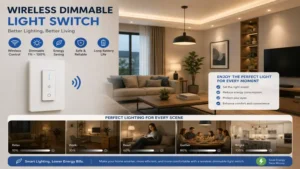
Upgrading your home with a wireless dimmable light switch is an incredibly efficient, mess-free way to enjoy modern lighting control without the heavy expense of traditional electrical remodeling. By carefully selecting a system that aligns with your existing wiring configuration—whether you need a no-neutral RF powerhouse like Lutron Caseta or a streamlined Wi-Fi solution like Kasa—you can easily create a responsive, energy-efficient lighting setup tailored precisely to your daily routine.
Recommended for You
- Smart Home Upgrade: 5 Best wireless wall switch Picks for 2026
- Wireless Light Switch and Light Kits: 5 Game-Changing Reviews for 2026
- Power Failure Alarm Device: 5 Lifesaving Tools to Avoid Costly Disasters
Disclaimer: This article contains affiliate links. As an Amazon Associate, I earn from qualifying purchases. If you purchase products through these links, we may earn a small commission at no additional cost to you.
✨ Found this guide helpful? Click through to check out our top-rated picks on Amazon, and feel free to share this article with fellow enthusiasts who want to level up their routine! 💬🤗
