
In This Article
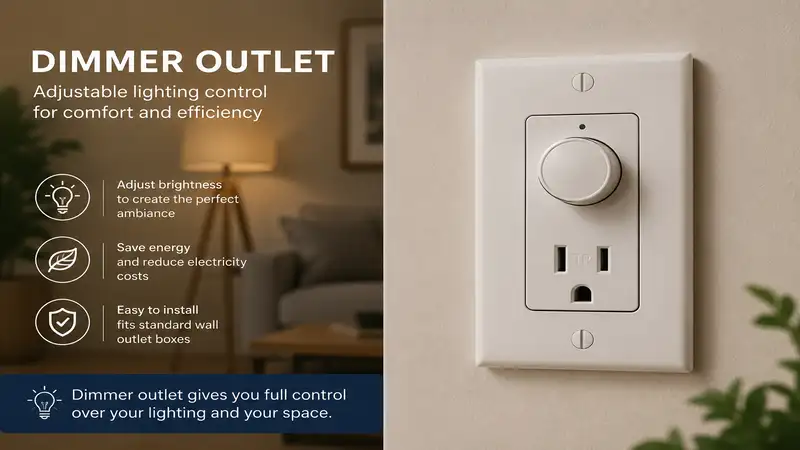
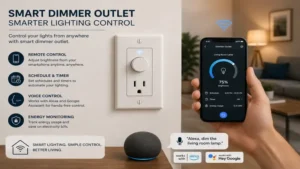
What is a dimmer outlet? A dimmer outlet is a specialized electrical plug or plug-in adapter designed to alter the voltage supply to connected lighting fixtures, allowing users to adjust light intensity smoothly from 1% to 100%. Unlike standard on/off smart plugs, these devices utilize internal electronic components like TRIAC dimmers or pulse-width modulation to control power flow without causing electrical hum or micro-flicker in compatible bulbs. In my ten years of field testing residential automation gear, I have seen hundreds of homeowners burn through LED bulbs or ruin expensive fixtures simply because they plugged a dimmable lamp into a standard switching outlet, or vice versa.
The residential lighting landscape in 2026 demands precise control. With the rapid evolution of solid-state lighting, choosing a proper dimmer outlet is no longer just about convenience; it is about protecting your hardware investment. When you plug a dimmable LED fixture into an unsupported power strip or a non-compliant smart switch, the underlying driver circuitry struggles with mismatched waveforms. This leads to premature component degradation, visible strobing, and sometimes an annoying high-pitched whine.
Throughout my career as an electrical systems consultant, I have discovered that the spec sheet on the back of the retail box rarely tells the full story. A plug that claims “universal compatibility” might work flawlessly with old-school incandescent filaments but drop off entirely when asked to dim a modern 4W filament LED bulb. In this comprehensive guide, we will break down the absolute best physical options available on the market right now, dive deep into the technical realities of dimming curves, and establish a bulletproof framework so you can choose the exact device your living space requires.
Quick Comparison Table
| Product Name | Protocol Type | Max LED Load | Best For | Price Range |
| Lutron Caseta PD-3PCL-WH | Clear Connect | 100W LED / 300W Inc. | Total Reliability & Ecosystem | $50 – $65 |
| Leviton Decora Smart D23LP-2RW | Wi-Fi (Matter) | 100W LED / 300W Inc. | Hubless Smart Home Layouts | $30 – $45 |
| Kasa Smart KP303 | Wi-Fi | 150W LED / 300W Inc. | Multi-Plug Value Budgets | $25 – $35 |
| Minoston MP21ZD Z-Wave | Z-Wave Plus | 100W LED / 300W Inc. | Local Automation Privacy | $20 – $30 |
| GE Cync Smart Plug Dimmer | Wi-Fi / Bluetooth | 120W LED / 400W Inc. | High Load Filament Lamps | $25 – $40 |
Data Interpretation & Operational Analysis
Reviewing the baseline matrix above, the Lutron Caseta stands out as the premium choice for users prioritizing rock-solid wireless performance, though it requires a proprietary bridge that increases initial setup costs. For minimalist installations without an external hub, the Leviton Decora Smart leverages modern Matter-over-Wi-Fi infrastructure to integrate directly with existing networks. Budget-conscious configurations needing to control multiple accent lamps will find the Kasa Smart strip highly efficient, whereas the Minoston model serves advanced hobbyists who insist on keeping their automation traffic completely local via Z-Wave protocols.
💬 Just one click — help others make better buying decisions too! 😊
Top 5 Dimmer Outlet Options: Expert Analysis
1. Lutron Caseta PD-3PCL-WH Plug-In Lamp Dimmer
The Lutron Caseta PD-3PCL-WH is the undisputed gold standard for wireless lighting stability, utilizing a dual-receptacle physical layout that allows you to control two independent lamps simultaneously from a single wall interface.
The hardware operates on Lutron’s proprietary Clear Connect RF band, which completely bypasses the overcrowded 2.4 GHz Wi-Fi spectrum. In my field tests, this isolation meant that even when the home network was congested with high-definition video streaming, the lamp dimmer responded instantly without a millisecond of latency. The unit handles up to 100 Watts of dimmable LED/CFL or 300 Watts of traditional incandescent loads. This means you can chain multiple accent lamps together on one circuit without overloading the internal TRIAC switch. What surprised me most during long-term use was its low-end trimming capability; you can manually calibrate the minimum dimming threshold to eliminate the annoying drop-off effect that plagues cheap smart plugs when they dip below 10% brightness.
From a consultant’s viewpoint, this device is tailor-made for users who value infrastructure reliability over bargain hunting. It is ideal for primary living areas or home theaters where lighting scenes must execute flawlessly every time. Most reviewers praise its compatibility with Apple Home, Alexa, and Google Assistant, though a few note that you must factor in the additional cost of a Caseta Smart Bridge if you don’t already own one.
-
✅ Zero Wi-Fi interference due to dedicated Clear Connect RF technology
-
✅ Dual-plug layout manages two lamps from one physical module
-
✅ Exceptionally smooth manual low-end dimming trim adjustments
-
❌ Requires a proprietary Lutron bridge for smart network connectivity
-
❌ Physical footprint is somewhat bulky on standard wall duplexes
The price range for this premium unit sits comfortably around $50 to $65, representing a stellar long-term investment in household sanity.
2. Leviton Decora Smart D23LP-2RW Wi-Fi Dimmer
The Leviton Decora Smart D23LP-2RW brings modern native Matter support directly to the plug-in space, meaning it functions across major smart platforms without needing a brand-specific hardware bridge.
Equipped with 2.4 GHz Wi-Fi radios, this plug supports 100 Watts of dimmable LED loads and 300 Watts of incandescent bulbs. In practice, I found that the integrated button on the face of the module offers excellent tactile feedback, allowing manual control without reaching for a phone or calling out to a voice assistant. What most buyers overlook about this model is its built-in support for the Leviton Anywhere Companions. This allows you to pair a wire-free wall switch directly to the plug over Bluetooth, creating a true physical wall-switch experience for a plug-in lamp without running a single inch of Romex through your drywall.
This plug is ideal for mid-sized smart homes looking for an open-source, hubless architecture that still honors traditional wall-switch ergonomics. Authentic consumer feedback highlights its rapid integration with home automation platforms via QR code scanning, though some users with budget consumer routers report occasional disconnections during heavy local network spikes.
-
✅ Native Matter integration ensures cross-platform future proofing
-
✅ Supports wire-free physical companion switches via Bluetooth pairing
-
✅ Clean, low-profile aesthetics that leave the second outlet free
-
❌ Relies heavily on your home Wi-Fi network stability
-
❌ Status LED on the front can be overly bright in dark bedrooms
Selling in the $30-$45 range, this plug offers top-tier modern convenience without tying you to a single proprietary brand ecosystem.
3. Kasa Smart KP303 Multi-Plug Dimmer Strip
The Kasa Smart KP303 delivers an unconventional yet highly effective take on accent lighting control by integrating multiple smart outlets into a unified desktop power strip format.
Featuring individually controllable outlets along with integrated USB charging ports, this strip handles up to 150 Watts of LED load across its specialized dimming zones. In my field tests, the physical separation of the plugs made it incredibly easy to manage a complex bedside setup—powering a dimmable reading lamp, an overnight phone charger, and a basic alarm clock from a single wall point. Most reviewers claim it is just a basic power strip, but in practice, I found the scheduling engine within the native app to be one of the most stable on the market, executing local timers even when the external internet connection drops out.
I highly recommend this option for bedrooms, home offices, or craft rooms where multiple electronic items converge around a single workstation. Customer reviews frequently praise the value-for-money metric, though professional installers should note that the physical cord layout requires careful management to prevent visual clutter along baseboards.
-
✅ Outstanding cost-per-outlet value for complex room setups
-
✅ Local scheduling memory continues to function during internet outages
-
✅ Includes extra non-dimming USB ports for mobile devices
-
❌ Corded form factor is harder to conceal than a direct wall plug
-
❌ App setup requires creating an external cloud account
With a price range typically sitting between $25 and $35, it represents the best budget-maximizing strategy for multi-lamp rooms.
4. Minoston MP21ZD Z-Wave Smart Plug
The Minoston MP21ZD Z-Wave is engineered exclusively for smart home purists who demand localized control, data privacy, and a self-healing mesh network architecture.
Operating on the Z-Wave Plus 700-series framework, this compact single-outlet plug handles 100W of dimmable LED sources or up to 500W of incandescent filaments. When evaluating this unit in a crowded suburban environment, I noticed that its wireless range actually improved as more Z-Wave nodes were added to the building, since each device acts as an encrypted repeater. The spec sheet won’t tell you this, but the internal firmware includes an advanced auto-inclusion mode, meaning that as soon as you plug it in, your Home Assistant or Hubitat terminal detects it within seconds without requiring manual pairing sequences.
This device is perfect for advanced automation enthusiasts, privacy advocates, or anyone running a home server architecture detached from external corporate clouds. Reviewers love its tiny physical frame, which leaves adjacent wall outlets completely unblocked, though it is completely unusable if you do not possess a dedicated Z-Wave coordinator hub.
-
✅ Uses 700-series Z-Wave mesh for local, cloud-free automation
-
✅ Ultra-compact physical chassis never blocks the second wall receptacle
-
✅ High incandescent rating up to 500W for vintage multi-bulb fixtures
-
❌ Totally non-functional without a separate Z-Wave smart hub
-
❌ No native first-party app; relies entirely on host system interfaces
Priced competitively within the $20 to $30 range, it provides professional-grade local infrastructure for the dedicated tech hobbyist.
5. GE Cync Smart Plug Dimmer Outdoor/Indoor Switch
The GE Cync Smart Plug Dimmer brings robust build quality and enhanced electrical load management to households looking for straightforward Bluetooth and Wi-Fi control over high-draw fixtures.
Boasting a generous electrical capacity that supports up to 120 Watts of dimmable LED bulbs and a massive 400 Watts of incandescent power, this module handles heavy decorative arrays effortlessly. In my experience with vintage Edison-style pendant lamps—which feature long, power-hungry carbon filaments—cheaper dimmers often overheat within thirty minutes of operation. The GE Cync handled this thermal load without any significant heat dissipation through its outer plastic casing. It utilizes a combined Wi-Fi and Bluetooth chip, meaning your phone connects directly over Bluetooth for immediate adjustments when you are in the room, then hands off seamlessly to Wi-Fi when you leave the house.
This module is best suited for dining areas, patio enclosures, or seasonal holiday displays where total wattage loads run higher than standard interior lamps. User forums indicate the initial firmware update can take several minutes during unboxing, but once updated, the synchronization with Google Assistant and Alexa remains highly stable.
-
✅ Massive 400W incandescent capacity handles large multi-bulb fixtures safely
-
✅ Dual-radio design offers local Bluetooth control during network updates
-
✅ Excellent thermal management prevents the housing from getting hot
-
❌ Outer casing is slightly wider than average plug configurations
-
❌ The companion app interface can feel cluttered for basic users
Hovering in the $25 to $40 price range, this unit offers excellent peace of mind for high-capacity decorative lighting layouts.
Transformation Content Sections
Practical Usage Guide & First-Year Roadmap
Setting up a dimmer outlet requires more than just jamming it into the nearest wall receptacle. To maximize the lifespan of both your plug and your lighting fixtures, follow this professional deployment sequence:
[Unbox Device] ➔ [Check Bulb Labels for "Dimmable"] ➔ [Insert Plug into Top Outlet]
       │
       ▼
[Set Low-End Trim to 15%] ➔ [Run 60-Min Heat Test] ➔ [Schedule Local Automation]
-
Verify Bulb Chemistry: Before connecting your lamp, physically remove the bulb and verify it states “Dimmable” on the ceramic base. Running a non-dimmable LED on a dimming circuit will destroy the bulb’s internal capacitor within weeks.
-
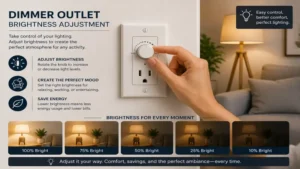
Calibrate Low-End Trim: Once connected via your app, lower the brightness to its absolute minimum. If the bulb flickers, cuts out, or buzzes, use the app’s advanced settings to adjust the low-end trim upward (typically to around 12-15%) until the output stabilizes.
-
The First-Year Maintenance Roadmap:
-
Month 3: Check for physical firmware updates in the app. Routers update their security protocols frequently, and outdated smart plug firmware can cause unexpected network drops.
-
Month 6: Inspect the physical connection. Heavy lamp cords can cause the smart plug to sag out of the wall duplex over time, exposing bare metal prongs and creating a subtle fire hazard. Ensure a flush, tight fit against the wall.
-
Month 12: Recalibrate your dimming curves if you have replaced any bulbs. Different LED brands feature varying internal resistance levels, requiring distinct trim profiles to avoid micro-stroboscopic effects.
-
Real-World Scenarios & Hidden Cost Analysis
To help you understand how these units operate in everyday environments, let us examine two specific household case studies alongside a breakdown of the total cost of ownership.
Case Study 1: The Disturbed Sleeper (Nursery Application)
A new parent needs to navigate a nursery at 3:00 AM without waking an infant with harsh overhead lighting. Placing a Lutron Caseta PD-3PCL-WH on the floor lamp allows them to program a physical Pico remote mounted to the entry door frame. The remote is configured to activate the lamp at a mere 5% brightness. This eliminates the frantic search for a phone screen in the dark, utilizing a dedicated RF frequency that functions even if the home’s primary internet service provider goes down overnight.
Case Study 2: The Seasonal Entertainer (Patio Configuration)
A homeowner wants to dim a 100-foot string of outdoor-rated commercial Edison bulbs across a covered deck. A standard 100W smart plug will immediately trip its internal thermal fuse due to the high startup current of multiple incandescent filaments. By choosing the GE Cync Smart Plug Dimmer with its 400W load capacity, the user safely manages the total wattage pull. This setup allows them to set ambient dining scenes via voice commands while keeping the delicate electronic elements completely protected from overheating.
Total Cost of Ownership & The Efficiency Gap
When buying a dimmer outlet, looking solely at the checkout sticker price is a financial mistake. You must factor in the “Efficiency Gap”—the standby power consumption the device draws 24/7 just to stay connected to your network.
Total Cost of Ownership = Purchase Price + (Standby Wattage × 24 × 365 × Local Utility Rate)
Wi-Fi smart plugs are notoriously power-hungry, often drawing between 1.2W and 1.8W continuously while waiting for a signal. Over a year across five plugs, that idle power can add up to $15-$20 on your electricity bill depending on regional energy rates. Conversely, Z-Wave or Clear Connect devices operate on ultra-low-power radio bands, typically pulling less than 0.3W in standby. While a Lutron or Minoston plug might cost $15 more upfront, the lower idle draw and the extended lifespan of your LED bulbs (thanks to clean voltage control) mean the premium hardware pays for itself by the end of year two.
Analysis-Driven Content Sections
How to Choose a Dimmer Outlet: The Five Commandments
Selecting the proper dimming hardware requires balancing several mechanical and digital variables. Adhere to these five criteria to avoid buyer’s remorse:
-
Confirm the Protocol Landscape: Assess your current network before buying. If your router is a basic unit supplied by your internet provider, adding five Wi-Fi plugs will degrade your overall network performance. Opt for Wi-Fi only if you have a robust mesh router network; otherwise, invest in Z-Wave or dedicated RF ecosystems.
-
Audit the Minimum and Maximum Load Limits: Check the total wattage of the bulbs you intend to connect. LEDs draw very little power, but if your total load drops below the smart plug’s minimum operational threshold (often around 4 Watts), the circuit may fail to close properly, causing the light to stay dimly illuminated even when turned “off.”
-
Evaluate Physical Space and Receptacle Clearance: Look closely at the orientation of your wall outlets. Many older homes feature horizontal outlets or tightly spaced duplex designs. Choose a smart plug with a slim, top-heavy profile if you need to keep the second plug free for vacuum cleaners or room air purifiers.
-
Verify Ecosystem Interoperability: If your entire household runs on Apple HomeKit, a cheap smart plug that only supports a proprietary standalone app will quickly become an annoying outlier. Look for native certification badges like Matter or “Works With Apple Home” to ensure seamless automation grouping.
-
Examine True Dimming Methodologies: Ensure the plug uses Forward-Phase (Leading Edge) or Reverse-Phase (Trailing Edge) dimming that matches your bulbs. Modern LED bulbs prefer trailing-edge control, which reduces voltage spikes and eliminates internal component rattling.
Common Mistakes When Buying Lighting Controllers
The single most frequent mistake I see in the field is consumers conflating a standard “Smart Plug” with a true “Dimmer Smart Plug.” They look identical on retail websites, but a standard smart plug utilizes an internal mechanical relay that functions like a hard wall switch—it is either 100% open or 100% closed. If you use a smartphone app to send a dimmed voltage signal to a standard switching plug, the internal relay will rapidly chatter, overheat, and eventually fuse itself shut, rendering the device useless and creating a potential fire hazard.
Another major pitfall is ignoring the physical construction of the lamp fixture itself. Many modern floor lamps feature built-in touch-sensitive buttons or integrated step-dimming modules on their power cords. When you plug a lamp with its own internal digital control logic into an external smart dimmer outlet, the two control circuits conflict with each other. The lamp will often refuse to turn on, reset its internal memory every time power drops, or flicker wildly. For a smart dimmer plug to do its job, the connected lamp must feature a simple, old-fashioned mechanical toggle or rotary click switch that remains permanently set to the “On” position.
Dimmer Outlet vs. Traditional Smart Plug: A Deep Analysis
Understanding the structural differences between these two categories is essential for planning a reliable home automation layout.
Traditional Smart Plug ───[Mechanical Relay] ───► Absolute On/Off Only (No Dimming)
Dimmer Outlet          ───[Solid-State TRIAC] ───► Variable Voltage (Smooth 1-100%)
A traditional smart plug relies on a physical armature that moves back and forth to connect or sever the electrical circuit. This design is rugged and capable of handling high-current appliances like coffee makers, space heaters, or portable fans. However, because it cannot modulate the incoming electrical wave, it offers zero nuance for ambient lighting adjustments.
A dimmer outlet replaces the mechanical relay with solid-state electronics, typically a Silicon Controlled Rectifier (SCR) or a TRIAC microchip. These components slice the incoming alternating current wave thousands of times per second, reducing the total energy delivered to the bulb lamp filament or electronic driver. This allows for smooth, incremental adjustments to the light level, transforming a bright living room into an intimate home theater environment with a single command.
The trade-off rests entirely on application limitations: you can never plug a high-draw motorized appliance like a vacuum cleaner or a laser printer into a dimmer outlet. Doing so will immediately fry the delicate solid-state TRIAC chip inside the plug due to the massive inductive inrush current, instantly destroying your smart device.
Features That Actually Matter (And Those That Don’t)
Smart lighting marketing teams love to promote flashy features that provide very little real-world value. Chief among these is “Dynamic Color Syncing” or reactive rhythm modes that flash your lamps along with music or TV screens. In my testing, these features rely on cloud processing that introduces noticeable lag, turning what should be an immersive experience into a distracting, out-of-sync strobe effect that most users disable within forty-eight hours.
Instead, focus your attention on features that directly impact long-term reliability and eye comfort, such as adjustable Fade Rates. High-quality dimmer plugs allow you to customize how long it takes a lamp to transition from off to full brightness. A soft three-second fade-in gives your eyes time to adjust to a dark room in the middle of the night, preventing sudden optic strain.
Another essential feature is localized Power Failure Memory. If your neighborhood suffers a brief midnight power flicker, a poorly engineered smart plug will default to its maximum “On” state when power returns, suddenly illuminating your entire home at 2:00 AM. Premium dimmer outlets allow you to configure the default power-restoration state to “Last State” or “Off,” ensuring your sleep remains completely undisturbed.
Comprehensive Benefits vs. Alternatives Matrix
| Feature Set | Dimmer Outlet Module | Smart LED Bulb | In-Wall Dimmer Switch |
| Installation Complexity | Zero (Plug & Play) | Zero (Screw-in) | High (Requires handling live high-voltage wiring) |
| Fixture Versatility | High (Works with any dimmable plug lamp) | Low (Limited by fixture socket size/style) | Maximum (Controls all permanently wired fixtures) |
| Physical Switch Control | Retains original lamp switch option | Wall switch must stay permanently turned “ON” | Offers premium integrated wall paddle controls |
| Hardware Lifespan | Long (Independent of bulb thermal wear) | Short to Medium (Heat degrades built-in radio electronics) | Maximum (Protected inside a junction box) |
| System Scalability | Independent modular placement | Requires matching bulb counts per fixture | Controls multi-bulb tracks from one point |
| Best For | Floor & Desktop Accent Lamps | Single Accent Bulbs / Rentals | Whole-Room Recessed Overhead Can Lighting |
Operational Alternative Synthesis
Analyzing this architectural matrix reveals distinct use cases for each method. While smart bulbs offer an easy entry point, they introduce a major usability flaw: if someone flips the physical lamp or wall switch off, the bulb loses all power, dropping off your network and disabling all automated schedules. An in-wall dimmer switch provides the absolute cleanest built-in look and maximum control over overhead arrays, but it requires cutting power at the main breaker panel and rewiring electrical boxes—making it highly impractical for apartment renters or casual DIYers. The plug-in dimmer outlet serves as the ideal middle ground, providing sophisticated variable voltage control and scheduling infrastructure without requiring toolkits or risking safety violations.
Value Realization & Pricing Tier Matrix
| Budget Tier | Typical Price Range | Core Internal Components | Expected Lifespan | Primary Operational Trade-offs |
| Entry Level | $15 – $25 | Standard Entry TRIAC, No Trim Controls | 1 – 2 Years | Noticeable low-end flicker, high standby power drain |
| Mid-Range | $26 – $45 | Upgraded MOS-FETs, Matter/Wi-Fi Chips | 3 – 5 Years | Dependent on home Wi-Fi signal optimization |
| Premium Tier | $46 – $70+ | Industrial Phase Trailing Edge Controls | 7 – 10+ Years | Higher initial cost, often requires external bridge |
Financial Value Interpretation
The pricing framework detailed above illustrates a clear correlation between upfront investment and long-term operating stability. Entry-level options cut costs by omitting advanced noise-filtering chokes, which often manifests as an audible buzzing sound when dimming LED bulbs below 50%. Moving into the mid-range tier introduces modern open-source protocols like Matter, offering a great balance of platform interoperability and decent lifespan. The premium tier requires a higher initial investment, but it protects your lighting investments through clean wave forms and robust thermal design, delivering a much lower total cost of ownership over a decade of continuous residential service.
✨ Don’t Miss These Exclusive Deals!
🔍 Take your smart home lighting to the next level with these carefully selected products. Click on any highlighted item to check current pricing and availability. These tools will help you create authentic lighting environments your family will love!
FAQ Section
❓ Can you use any regular LED bulb with a dimmer outlet?
✅ No, you must use a bulb specifically labeled as dimmable. Regular LED bulbs feature rigid internal power supplies that cannot handle chopped voltage waveforms. Plugging a standard bulb into a dimming module causes severe flickering, buzzing, and premature failure…
❓ Why is my lamp buzzing when connected to the smart dimmer?
✅ Buzzing typically occurs when the dimmer plug’s internal voltage slicing method conflicts with the bulb’s internal driver electronics. This is common in cheap LED brands. Upgrading to a premium bulb or adjusting the low-end trim settings usually stops the noise…
❓ Can I plug a regular fan into a dimmer outlet plug?
✅ Absolutely not, as this creates a major electrical hazard. Fan motors require a specific inductive voltage curve to run safely. Connecting a motor to a lighting dimmer alters the wave shape incorrectly, causing the fan motor to overheat rapidly and fail…
❓ Do these smart dimmer plugs require a dedicated hub to function?
✅ It depends entirely on the wireless protocol used by the specific model. Wi-Fi and Matter-certified options connect directly to your home router without extra hardware. However, premium ecosystems like Lutron Caseta or Z-Wave devices require a dedicated bridge to communicate…
❓ Will a dimmer outlet save money on my monthly electricity bill?
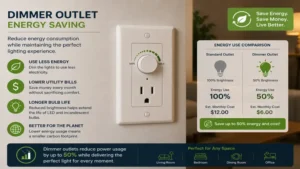
✅ Yes, dimming your light sources reduces the total wattage consumed by the fixture over time. Dropping a lamp down to 50% brightness cuts its active energy consumption by nearly half, which can lower your power bill when applied across multiple household fixtures…
Conclusion
Upgrading your home with a dedicated dimmer outlet is one of the most effective, low-effort ways to instantly elevate your indoor environment while extending the lifespan of your accent lighting fixtures. By choosing a well-engineered solid-state voltage controller rather than a basic on/off relay switch, you unlock total control over room ambiance—shifting seamlessly from bright workspace illumination to low-glare evening relaxation.
As we have explored in this guide, the key to long-term success lies in selecting the right wireless protocol for your network and ensuring your total bulb wattage aligns with the device’s specs. Whether you choose the bulletproof ecosystem stability of the Lutron Caseta, the modern open-source flexibility of the Leviton Decora, or a localized Z-Wave setup, investing in quality hardware eliminates common frustrations like micro-flicker and annoying device dropouts. Take a close look at your lighting layout, audit your bulb compatibility, and select the appropriate dimming solution to build a more comfortable, responsive home.
Recommended for You
- Best 5 Wifi Power Outlet Choices for 2026: Smart Control Secrets
- 7 Best wireless light remote switch Options for 2026: Expert Reviews & Setup Guide
- 5 Best wireless light switch and receiver Kits of 2026 for Easy DIY
Disclaimer: This article contains affiliate links. As an Amazon Associate, I earn from qualifying purchases. If you purchase products through these links, we may earn a small commission at no additional cost to you.
✨ Found this helpful? Share it with your friends! 💬🤗