
In This Article
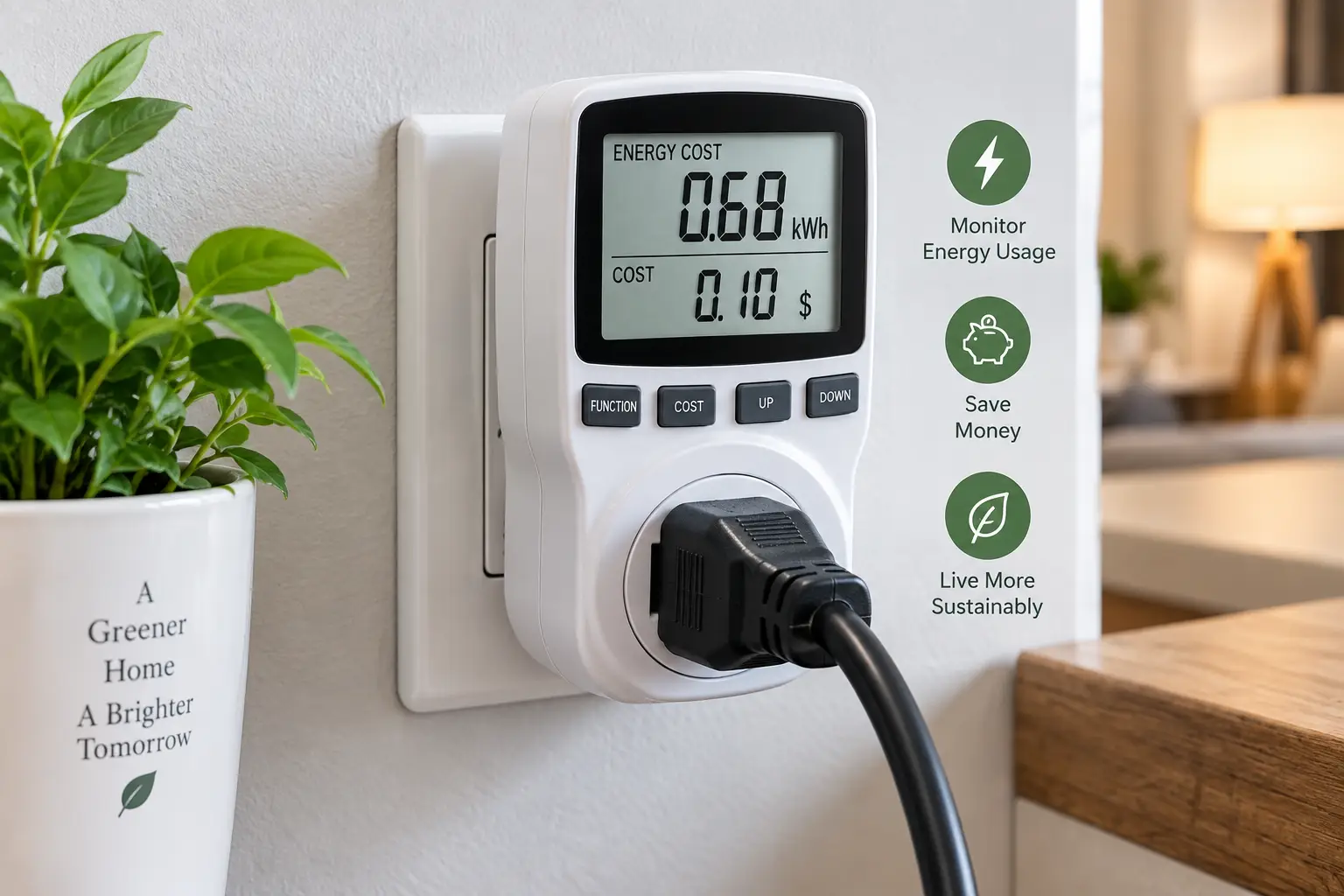
If you’ve ever opened an electric bill and wondered which appliance is quietly draining your wallet, a plug electric meter is the cheapest way to get a real answer. Instead of guessing whether it’s the old chest freezer in the garage or the gaming PC that never fully powers down, you plug the device into the meter, plug the meter into the wall, and watch the actual numbers roll in. No electrician, no smart-home overhaul, no guesswork.
These little gadgets have been around for decades in various forms, but the current generation does a lot more than just show watts. Some log cumulative kilowatt-hours over weeks, some convert usage straight into dollars, and a few even connect to an app so you can check consumption from your phone. Picking the right plug electric meter really comes down to matching the feature set to how you actually plan to use it — and that’s exactly what this guide is built to help you do.
Below, you’ll find 7 real, currently available models covering entry-level basics, mid-range upgrades, and smart, app-connected options, plus honest analysis of who each one is actually for. We’ll also walk through how to choose, common buying mistakes, safety standards you should care about, and a few real-world scenarios to help you land on the right pick the first time.
Disclosure: This post contains affiliate links. As an Amazon Associate, we earn from qualifying purchases at no additional cost to you.
What Is a Plug Electric Meter?
A plug electric meter is a small device you plug directly into a wall outlet, then plug an appliance into the meter itself. It sits inline, measuring the exact voltage, current, and wattage flowing to that one device, and typically tallies cumulative kilowatt-hours over time so you can see real consumption instead of a rough estimate.
Unlike your utility’s meter, which totals your entire home’s usage, a plug-in electric meter isolates a single circuit or appliance. That’s what makes it useful for tracking down specific power hogs — a space heater, an old refrigerator, a home theater setup — rather than just watching one big number climb on your monthly bill. According to Wikipedia’s entry on standby power, devices left plugged in but “off” can still draw current continuously, which is exactly the kind of hidden drain these meters are built to expose.
Quick Comparison: Top Plug Electric Meter Picks at a Glance
Before diving into the full breakdown, here’s a fast side-by-side look at how the leading options stack up on the features that matter most for everyday use.
| Product | Max Load | Display | Best For |
|---|---|---|---|
| P3 Kill A Watt P4400 | 15A / 1875W | Standard LCD | First-time buyers who want the industry benchmark |
| Poniie PN2000 | 16A / 1840W | Backlit LCD | Anyone who wants readable numbers in a dim outlet |
| TP-Link Kasa KP125M | 15A / 1800W | App-based | Smart-home households already on Alexa or Google Home |
| Poniie PN2500 | 25A / 3000W | App + WiFi | Level 1 EV charging and high-draw appliances |
Looking at this table, the pattern that jumps out is the trade-off between simplicity and connectivity: the standalone LCD meters like the P3 Kill A Watt P4400 and Poniie PN2000 give you instant, no-app readings, while the TP-Link Kasa KP125M and Poniie PN2500 trade a bit of that simplicity for remote monitoring and higher amperage headroom. If you just want to spot-check a single appliance once, a basic LCD model is plenty; if you want ongoing, from-anywhere tracking, the app-connected options earn their higher price.
💬 One click helps other shoppers make an informed choice too! 😊
Top 7 Plug Electric Meters: Expert Analysis
We researched real specs, aggregated customer feedback, and third-party testing coverage to land on this lineup. It spans budget-friendly basics, dependable mid-range picks, and smarter, higher-capacity options for specific use cases like EV charging.
1. P3 International Kill A Watt P4400 — the industry-standard baseline
The P3 International Kill A Watt P4400 earned its reputation the old-fashioned way: it’s the model most appliance reviewers and test labs reach for when they need a trustworthy wattage reading, and that history alone tells you something about its reliability. It measures watts, volts, amps, line frequency, power factor, and apparent power (VA), and keeps a running kWh total along with elapsed time since your last reset.
In practice, that means you can plug in a refrigerator, let it run for a full day-night cycle, and get a genuinely useful cumulative energy number rather than just an instantaneous snapshot. Based on comparing the specs against newer competitors, what stands out is how little has changed about the core measurement engine — it’s basic by design, and that simplicity is precisely why it remains the reference point other manufacturers get measured against. This is the right call for someone who wants one reliable number and doesn’t need bells and whistles.
Reviews consistently report that the P4400 is accurate and easy to read on a bright outlet, though owners frequently mention that the screen has no backlight and that unplugging the unit resets the stored totals — a real limitation if you want to track usage over several days without leaving it plugged in the whole time.
Pros:
- ✅ Long track record as the reference meter in appliance testing
- ✅ Straightforward one-button navigation between readings
- ✅ Handles loads up to 15A / 1875W for most household devices
Cons:
- ❌ No backlight, which makes readings hard to see in dim corners
- ❌ Loses its stored totals if unplugged before you log the data
In the $25–$35 range, the P3 International Kill A Watt P4400 is genuinely hard to beat as a first plug electric meter — you’re paying for proven accuracy, not extra features you may never use.
2. Poniie PN2000 — brightest screen for dark outlets
The Poniie PN2000 solves the P4400’s most common complaint right out of the gate: it has a backlit display, which sounds minor until you’re trying to read numbers behind a couch or under a desk. This one expands on that convenience with a wider voltage range that reads both standard 110-125V and 220-240V circuits, plus a 16A / 1840W maximum load.
What most buyers overlook with a meter like this is that the extra voltage range matters even if you never plan to test a 240V appliance — it means the sensor and internal components are built to handle a broader tolerance, which tends to translate into steadier readings across the board. It also ships with a 14AWG heavy-duty extension cord, a small but genuinely useful inclusion if your outlet is behind furniture. This model is well suited to anyone who’s tired of squinting at a basic meter, or who wants a single unit flexible enough for both a 120V lamp and a 240V dryer outlet reading.
A side-by-side test from an independent electricity-monitor review site found the Poniie PN2000 trailed the Kill-A-Watt by roughly 5% in raw accuracy, but noted that most people won’t notice that gap in daily use and will appreciate the bigger, easier-to-read screen. DIY and solar forum users have also reported buying PN2000 units specifically to replace Kill-A-Watts that failed under heavier test loads.
Pros:
- ✅ Backlit LCD is far easier to read than base-model meters
- ✅ Reads both 120V and 240V circuits in one device
- ✅ Includes a 14AWG heavy-duty extension cord in the box
Cons:
- ❌ Slightly less precise than the Kill-A-Watt in third-party accuracy tests
- ❌ Bulkier footprint than some bare-bones competitors
Priced around $25–$35, the Poniie PN2000 is a smart step up if visibility and voltage flexibility matter more to you than squeezing out the last percentage point of accuracy.
3. HBN Watt Meter Plug — most display modes for the money
If your main goal is simply getting a low-cost watt meter plug into every outlet you’re curious about, the HBN Watt Meter Plug is worth a look. It packs 9 display modes into a backlit unit that regularly sells in the $10–$20 range, undercutting most name-brand competitors while still covering watts, volts, amps, kWh, and more.
The practical upside here is coverage: with 9 modes instead of the 5-6 you’ll find on some basic meters, you’re less likely to need a second device for a specific reading like power factor or elapsed time. What the spec sheet doesn’t say, but aggregated customer ratings suggest, is that budget meters like this one are best treated as disposable diagnostic tools rather than long-term monitoring stations — great for a weekend of testing every appliance in the house, less proven for years of continuous duty.
Aggregated review scores for the HBN sit in the high 4-star range on major retail platforms, with buyers frequently citing the price-to-feature ratio as the main draw; a smaller number of reviews mention inconsistent build quality compared to established brands like P3.
Pros:
- ✅ 9 display modes cover more data than many pricier meters
- ✅ Backlit screen stays readable in low light
- ✅ Among the least expensive options with this much functionality
Cons:
- ❌ Lacks the multi-decade reliability track record of P3’s lineup
- ❌ Some buyers report inconsistent build quality between units
At roughly $10–$20, the HBN Watt Meter Plug delivers strong value if you want to test multiple appliances at once without buying several premium meters.
4. KETOTEK Watt Meter Power Meter — built-in overload protection
The KETOTEK Watt Meter Power Meter takes a slightly different angle than the meters above: instead of maximizing display modes, it leans on overload protection, cutting power before a dangerous current spike reaches the appliance you’re testing. That’s a meaningful safety layer if you’re testing older tools, secondhand space heaters, or anything with an unknown current draw.
In practice, overload protection means the meter is doing double duty as both a diagnostic tool and a basic safety device — a genuinely useful pairing for anyone poking around older wiring or unfamiliar equipment. Based on comparing feature sheets, the trade-off is a slightly simpler display than the HBN or Poniie, focused on the core readings (watts, volts, amps, and cumulative consumption) rather than a long list of secondary modes.
Because it’s a newer entrant compared to established names like Kill-A-Watt, verified long-term review history is thinner; what’s available skews positive on straightforward LCD readability, with occasional notes about limited English documentation in the included manual.
Pros:
- ✅ Overload protection adds a real safety margin during testing
- ✅ Clean, easy-to-read LCD focused on core measurements
- ✅ Competitively priced against bigger-name brands
Cons:
- ❌ Fewer secondary display modes than the HBN or Poniie
- ❌ Thinner long-term review history than established brands
Expect to pay somewhere in the $12–$22 range, making the KETOTEK Watt Meter Power Meter a sensible pick if safety margin matters as much as the readout itself.
5. P3 International Kill A Watt EZ — built-in cost calculator
The P3 International Kill A Watt EZ takes the trusted P4400 formula and adds two genuinely useful upgrades: a backup battery that preserves your stored data even when the unit is unplugged, and the ability to enter your actual electricity rate so it calculates real dollar costs per hour, day, week, month, or year.
That cost calculation is the real differentiator here. Rather than doing the kWh-to-dollars math yourself after the fact, you punch in your utility’s rate once and the EZ handles the conversion automatically going forward. Here’s what to weigh: if you’re the type of person who wants to know “this fridge is costing me about $9 a month” rather than “this fridge uses 0.3 kWh,” the EZ earns its higher price immediately. The backup battery also solves the P4400’s biggest complaint, since you can now move the meter between outlets without losing your running totals.
Owner feedback aggregated across retail platforms consistently highlights the cost-calculator feature as the reason people upgrade from the base P4400, with a smaller number of reviews noting that programming your local rate takes a few extra button presses during initial setup.
Pros:
- ✅ Backup battery keeps stored totals through a move or a blip
- ✅ Converts kWh directly into real dollar costs
- ✅ Shares the same proven accuracy as the base P4400
Cons:
- ❌ Costs more than the base P4400 for features casual users may skip
- ❌ Initial rate programming adds a short extra setup step
In the $30–$45 range, the P3 International Kill A Watt EZ is the pick for anyone who wants their energy data expressed in dollars, not just kilowatt-hours.
6. TP-Link Kasa Smart Plug KP125M (2-Pack) — app-based monitoring from anywhere
The TP-Link Kasa Smart Plug KP125M shifts the category entirely by connecting to Wi-Fi. Instead of walking over to read a screen, you open the Kasa app and see real-time and historical power consumption for whatever’s plugged in, whether you’re in the next room or across the country. It’s rated for 15A / 1800W, carries UL certification for its flame-retardant compact design, and is Matter-certified, meaning it plays nicely with Apple Home, Google Home, and Amazon Alexa without needing a separate hub.
What this means in practice is that the KP125M isn’t just a meter — it’s also a remotely controllable switch. You can set schedules, use Away Mode to simulate occupancy while you’re on vacation, and get historical usage graphs instead of a single live number. Based on comparing this against the standalone LCD meters above, the trade-off is clear: you gain remote access and automation, but you give up the instant, no-app, no-account simplicity of a basic watt meter plug.
This model has earned recognition as a PCMag Editor’s Choice pick, and aggregated user feedback frequently praises the ease of setup and the accuracy of its energy-monitoring dashboard compared to earlier Kasa plugs; some reviewers note that, like most Wi-Fi plugs, it depends on a stable 2.4GHz network connection to report data reliably.
Pros:
- ✅ Check live and historical usage remotely from the Kasa app
- ✅ Matter certification works across Alexa, Google Home, and Apple Home
- ✅ UL-certified, compact, flame-retardant build with a 2-year warranty
Cons:
- ❌ Requires Wi-Fi and an app account instead of a simple standalone readout
- ❌ Only monitors the single device plugged directly into it
Sold as a 2-pack for around $35–$45, the TP-Link Kasa Smart Plug KP125M is the right call for smart-home households that want energy data folded into an ecosystem they already use.
7. Poniie PN2500 — built for Level 1 EV charging
The Poniie PN2500 stands apart from every meter above because it’s rated for 25A and up to 3000W, roughly double the ceiling of a standard Kill-A-Watt-style device. That higher capacity, paired with a wide 60-240V input range, makes it one of the only plug-in meters built to safely handle a Level 1 EV charger plugged into a standard NEMA 5-15 outlet.
The distinguishing benefit here is straightforward: most budget watt meter plug models simply aren’t rated for the sustained current draw of an EV charging session, and pushing them past their limit is a real safety and accuracy risk. The U.S. Department of Energy’s Alternative Fuels Data Center notes that many EV owners meet their daily range needs simply by charging overnight on Level 1 equipment from a standard outlet, which is exactly the use case this meter is designed to track safely. It also includes WiFi connectivity and app monitoring, letting you watch a multi-hour charging session progress from inside the house instead of standing at the outlet.
Reviews and owner discussions around EV-charging power monitors like this one consistently point to peace of mind as the main draw — confirming the outlet is delivering a stable, safe current over a long charge — with a smaller number of users noting that, like other budget WiFi devices, it only supports 2.4GHz networks.
Pros:
- ✅ Rated up to 25A / 3000W, safe for Level 1 EV charging loads
- ✅ WiFi app adds remote monitoring during multi-hour charges
- ✅ Wide 60-240V range covers both standard and higher-voltage circuits
Cons:
- ❌ Costs more than general-purpose watt meters
- ❌ 2.4GHz-only WiFi won’t connect to 5GHz-only routers
At around $55–$70, the Poniie PN2500 is a specialty pick, but for EV owners charging from a standard household outlet, it’s one of the few plug electric meter options actually rated for the job.
Full Product Comparison: All 7 Plug Electric Meters
| # | Product | Max Load | Standout Feature | Price Range | Best For |
|---|---|---|---|---|---|
| 1 | P3 Kill A Watt P4400 | 15A / 1875W | Industry-benchmark accuracy | around $25–$35 | First-time buyers |
| 2 | Poniie PN2000 | 16A / 1840W | Backlit, dual-voltage reading | around $25–$35 | Dim outlets, 120V/240V testing |
| 3 | HBN Watt Meter Plug | Standard 15A | 9 display modes | around $10–$20 | Budget, multi-outlet testing |
| 4 | KETOTEK Watt Meter | Standard 15A | Overload protection | around $12–$22 | Safety-conscious testing |
| 5 | P3 Kill A Watt EZ | 15A / 1875W | Built-in cost calculator | around $30–$45 | Dollar-based tracking |
| 6 | TP-Link Kasa KP125M | 15A / 1800W | App + smart-home integration | around $35–$45 (2-pack) | Smart-home households |
| 7 | Poniie PN2500 | 25A / 3000W | Level 1 EV charging support | around $55–$70 | EV owners on 120V outlets |
Scanning this table, the price-to-capability jump isn’t linear: the HBN Watt Meter Plug and KETOTEK Watt Meter deliver most of the core functionality at the lowest cost, while the P3 Kill A Watt EZ and TP-Link Kasa KP125M justify their higher price with genuinely different capabilities (cost math and remote app access, respectively) rather than just a nicer screen. The Poniie PN2500 sits in its own category entirely — unless you specifically need to monitor a 25A load like an EV charger, its extra capacity and price simply aren’t necessary for typical household testing.
How to Choose a Plug Electric Meter
Picking the right plug electric meter comes down to a handful of practical questions rather than chasing the longest spec sheet. Here’s how to think through it:
- Decide if you need one reading or ongoing tracking. A basic LCD meter like the P4400 is perfect for a one-time check; if you want data over days or weeks, prioritize a model with backup memory or app logging.
- Check the amperage rating against what you’re testing. Standard household appliances rarely exceed 15A, but space heaters, window AC units, and EV chargers can push past that — match the meter’s max load to your actual use case.
- Weigh backlight visibility. If your outlets are in dim basements, behind furniture, or in a garage, a backlit display isn’t a luxury — it’s the difference between a usable reading and a squint-and-guess situation.
- Consider whether you want dollars or kilowatt-hours. Some buyers find raw kWh numbers meaningless day to day; if that’s you, a model with a built-in cost calculator saves you the manual math.
- Decide if app connectivity is worth the trade-off. Wi-Fi models add remote access and historical graphs but require a stable network and an account; standalone meters skip both hassles entirely.
- Factor in voltage range if you’re testing more than standard outlets. Dryers, some window units, and certain shop tools run on 240V circuits, which not every basic meter can read accurately.
- Match the price to how often you’ll actually use it. A single-use energy audit doesn’t need the same investment as year-round monitoring of a home office or workshop.
Common Mistakes to Avoid When Buying a Plug-In Electric Meter
Even a simple purchase like this has a few recurring pitfalls worth flagging before you check out.
The most common one is buying based on price alone and ending up with a meter that isn’t rated for the load you actually want to test — plugging a 20A space heater into a 15A-rated unit is a real safety concern, not just an accuracy issue. A second frequent mistake is assuming every meter tracks history the same way; some, like the base P4400, reset their totals the moment they’re unplugged, which defeats the purpose if your plan was multi-day tracking. Buyers also sometimes overlook backlight availability and then find themselves unable to read the display in the exact low-light spot — behind a dresser, in a utility closet — where they most wanted to use it.
Finally, people occasionally buy a Wi-Fi smart plug expecting Kill-A-Watt-level precision on secondary metrics like power factor, when most app-connected plugs, including strong performers like the Kasa line, are optimized for wattage and cost tracking rather than the full diagnostic suite a dedicated electric meter plug provides.
Plug Electric Meters vs Smart Plugs With Energy Monitoring
It’s worth pausing on this comparison specifically, because the two categories look similar on the shelf but solve different problems. A dedicated plug electric meter, like the P4400 or Poniie PN2000, is built primarily as a measurement instrument — it reads voltage, current, frequency, and power factor with a level of granularity most smart plugs don’t bother displaying. A smart plug with energy monitoring, like the TP-Link Kasa KP125M, is built primarily as a control device that happens to also report wattage and historical usage through an app.
| Category | Core Strength | Core Limitation |
|---|---|---|
| Dedicated meter (e.g. P3 Kill A Watt P4400) | Detailed instant readings, no app required | No remote access, limited or no history logging |
| Smart plug (e.g. TP-Link Kasa KP125M) | Remote control, scheduling, historical graphs | Fewer diagnostic metrics, needs Wi-Fi and an app |
If your goal is a genuine audit — figuring out exactly what an appliance draws, in detail, right now — a dedicated meter wins on precision and simplicity. If your goal is ongoing awareness paired with the ability to actually do something remotely, like turning a device off from your phone, a smart plug earns its keep. Plenty of households end up owning one of each, using the dedicated meter for occasional deep-dive testing and the smart plug for always-on monitoring of a specific device like a space heater or window AC unit.
What to Expect: Everyday Performance
On paper, the spec sheets for these devices look nearly identical — watts, volts, amps, kWh — but everyday performance is where real differences show up. A basic power consumption meter like the P4400 gives you an instant, accurate snapshot the moment you plug something in, which is genuinely useful for quick diagnostic questions like “is this space heater actually pulling 1,500 watts or closer to 1,200?”
Where these devices really prove their worth is in longer observation windows. Plugging a refrigerator into a meter with memory (like the Kill A Watt EZ or Poniie PN2000) for a full 24-48 hours captures the compressor cycling on and off, giving you a genuinely representative average rather than a single misleading peak or idle reading. Reviews consistently report that this kind of multi-day test is what reveals the real culprits behind a high bill — not the obvious appliances, but the ones quietly running in the background, like an older chest freezer or a poorly insulated water heater.
Plug-In Power Meters for Renters and Apartment Dwellers
If you rent, a plug electric meter is arguably even more useful than it is for homeowners, since you often can’t install permanent smart-home wiring or a whole-home monitor tied into your breaker panel. A home electricity usage monitor that simply plugs into a standard outlet requires zero installation and travels with you when you move.
For a renter splitting utilities with roommates, a basic backlit model like the Poniie PN2000 is usually the sweet spot — affordable enough to buy without a big commitment, accurate enough to settle a “whose space heater is actually running up the bill” debate, and portable enough to test outlets across a shared apartment. If you’re specifically trying to build a longer usage log to negotiate with a landlord over an oddly high submetered bill, the cost-calculating P3 Kill A Watt EZ or an app-connected option like the TP-Link Kasa KP125M gives you dated, exportable data rather than a single spot-check number.
Long-Term Cost and Maintenance
These devices are inexpensive to own, but it’s worth understanding the actual cost of ownership beyond the sticker price. A basic plug-in electric meter itself draws a small amount of power just to run its own display — typically under a watt — which is negligible against the appliance you’re testing but worth knowing if you plan to leave one plugged in indefinitely for long-term monitoring.
There’s essentially no ongoing maintenance for a standalone meter beyond occasionally checking the display for damage or wear on the prongs. Wi-Fi-connected options like the Kasa KP125M or Poniie PN2500 add one more consideration: they depend on continued app support from the manufacturer, so factor in brand longevity if remote history logging matters to you long-term. In terms of return on investment, even the pricier options in this lineup typically pay for themselves the first time they help you catch a single inefficient appliance worth replacing or unplugging.
Safety, Regulations, and Standards
Because these meters sit directly inline between your wall outlet and an appliance, it’s worth being deliberate about safety, especially with cheaper unbranded options. Look for a certification mark from an independent testing lab, such as UL or ETL, on both the packaging and the unit itself — the U.S. Consumer Product Safety Commission’s guidance on home electrical safety specifically warns shoppers to check for a certification label from an independent testing lab and to avoid counterfeit electrical goods, since substandard components in cords and plug-in devices are a documented fire and shock hazard.
Never exceed a meter’s stated amperage rating — this is exactly why the standard 15A meters in this lineup aren’t appropriate for something like Level 1 EV charging, while a purpose-built model like the Poniie PN2500 is rated specifically for that higher, sustained load. If you notice a meter getting warm to the touch, showing a cracked housing, or triggering its overload protection repeatedly on a load well within its rating, stop using it and replace it rather than continuing to plug appliances into a potentially failing unit.
Getting Started: How to Use a Plug-In Electric Meter
Once you’ve picked a model, getting genuinely useful data out of it takes just a few deliberate steps rather than a random spot-check.
First, plug the meter directly into a wall outlet — avoid running it through a power strip or surge protector, since that can introduce a small amount of measurement error. Next, plug in the appliance you want to test and let it run through at least one full normal cycle; for a refrigerator or freezer, that means a full day, since the compressor cycling on and off is what actually drives the real average. For something like a space heater or window AC unit, a few hours of typical use is usually enough to get a representative reading.
If your meter has a cost calculator, like the Kill A Watt EZ, take two minutes to program in your actual per-kWh rate from your utility bill before you start logging — this turns raw kilowatt-hour numbers into a dollar figure you can actually act on. For app-connected models, confirm your Wi-Fi is on the 2.4GHz band before pairing, since that’s a common early stumbling block with this category of device. Finally, record your baseline reading before making any changes (like switching to a more efficient bulb or unplugging a device when not in use), so you have a genuine before-and-after comparison rather than relying on memory.
A common first-30-days mistake is testing only the “obvious” power hogs — the AC unit, the oven — and skipping small always-on devices like routers, cable boxes, and phone chargers, which individually look trivial but collectively can add up to a meaningful chunk of a monthly bill.
Real-World Scenarios: Which Electric Meter Plug Fits Your Life
Different households get value out of these devices in genuinely different ways. Here are three common profiles and what tends to fit each one best.
The budget-conscious renter splitting a shared apartment and trying to settle who’s actually running up the electric bill will get the most mileage from something affordable and portable, like the HBN Watt Meter Plug or Poniie PN2000 — enough accuracy to make the case, without spending much on a device they might only use for a week or two.
The homeowner auditing an older house with a high monthly bill and a hunch that an aging appliance is to blame benefits most from a meter with memory and cost conversion, like the P3 Kill A Watt EZ. Leaving it plugged into a suspect refrigerator or water heater for a full week and reviewing the dollar total tends to settle the question quickly, and often justifies (or rules out) a replacement purchase.
The EV owner charging from a standard garage outlet overnight needs a meter actually rated for that sustained higher current, which points directly to the Poniie PN2500. Between the higher amperage rating and the WiFi app, they get both the safety margin and the convenience of checking a multi-hour charging session from inside the house instead of standing by the outlet.
Problem → Solution: Common Plug Electric Meter Issues
Problem: The display resets every time you unplug the meter. Solution: Choose a model with backup memory, like the P3 Kill A Watt EZ, or record your reading before moving the meter to a new outlet.
Problem: You can’t read the screen in a dark corner or behind furniture. Solution: Opt for a backlit model such as the Poniie PN2000 or HBN Watt Meter Plug rather than a standard, non-backlit display.
Problem: The meter trips or shuts off unexpectedly. Solution: Check the appliance’s actual amperage draw against the meter’s rating — you may need a higher-capacity model like the Poniie PN2500 rather than a standard 15A unit.
Problem: A Wi-Fi-connected plug won’t pair with your network. Solution: Confirm you’re connecting to a 2.4GHz network, since most budget smart plugs, including the TP-Link Kasa KP125M, don’t support 5GHz-only connections.
Problem: The readings don’t match what you expected from the appliance’s label. Solution: Label wattage is often a maximum rating, not continuous draw — let the meter run through a full duty cycle before comparing numbers, especially for compressors and motors.
Hunting Down Energy Vampires: A 30-Day Challenge
Standby power, often called phantom load, is one of the most common things a home electricity usage monitor uncovers that a utility bill alone never reveals. According to research cited by multiple energy-efficiency organizations, standby power can account for a meaningful share of a typical household’s total electricity use — devices that appear “off” but are actually just idling, still drawing current around the clock.
Here’s a simple challenge: over 30 days, rotate your plug electric meter through five commonly overlooked devices — a TV and cable box, a game console, a phone or laptop charger left plugged in without the device attached, a coffee maker with a digital clock, and a printer. Record the wattage each one draws in its “off” or standby state, not while actively in use. Multiply that standby wattage by 24 hours and by your utility’s per-kWh rate to see the real daily cost of leaving each one plugged in. Most people are surprised by at least one result — often the printer or the cable box — and the fix is usually as simple as a switched power strip for anything without a genuine standby feature worth keeping.
Frequently Asked Questions
❓ Is a plug electric meter accurate compared to my utility bill?
❓ Can I use a plug-in electric meter on a 240V outlet?
❓ Do these meters use a lot of electricity themselves?
❓ Is a kill a watt style meter safe for testing a space heater?
❓ Can a smart plug replace a dedicated watt meter plug?
Conclusion
A plug electric meter is one of the cheapest, lowest-effort tools you can buy to actually understand where your electricity is going instead of guessing. Whether you land on the no-frills reliability of the P3 International Kill A Watt P4400, the brighter screen and dual-voltage flexibility of the Poniie PN2000, the built-in cost math of the P3 International Kill A Watt EZ, or the remote app access of the TP-Link Kasa Smart Plug KP125M, the underlying value is the same: real numbers instead of assumptions.
For most households, starting with an affordable, reliable standalone meter is the smart move — you can always add a smart-connected option later for the specific devices you want to monitor continuously. And if you’re charging an EV from a standard household outlet, the higher-capacity Poniie PN2500 is worth the extra cost simply for the safety margin alone. Whichever model fits your situation, the real payoff isn’t the device itself — it’s the handful of small, informed changes it points you toward once you see the actual numbers.
Recommended for You
- 7 Best Electric Power Meters in 2026: Track Every Watt & Save
- Electrical Plug Type Malaysia: 7 Best Travel Adapters for 2026
- Malaysia Plug Socket Type: 7 Best Travel Adapters (2026 Guide)
Disclaimer: This post contains affiliate links. As an Amazon Associate, I earn from qualifying purchases made through these links, at no additional cost to you.
✨ Found this article helpful? Share it with someone who needs it! 💬🤗
