
In This Article
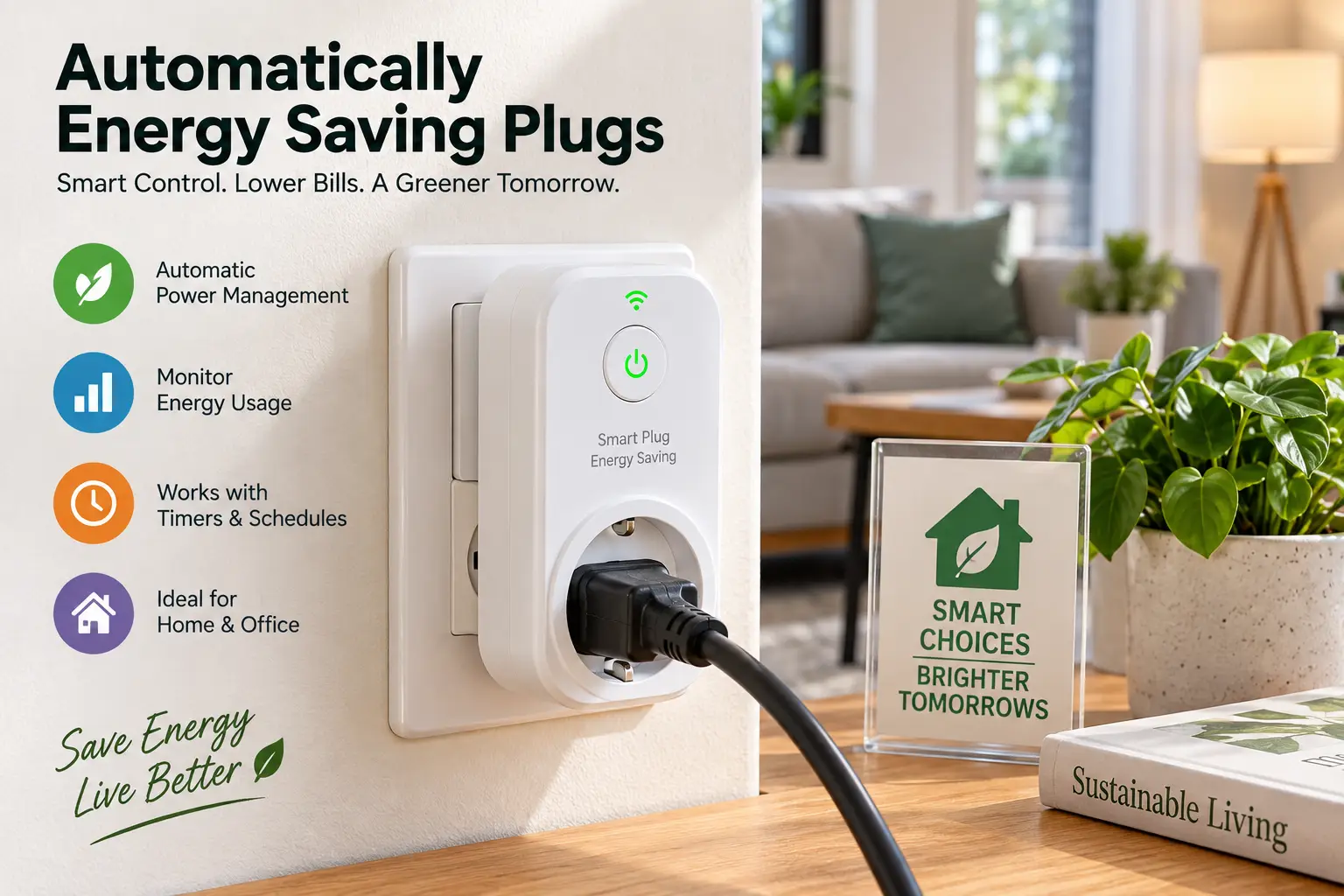
If you’ve ever unplugged a lamp at midnight just to shave a few cents off your electric bill, you already understand the problem that automatically energy saving plugs are built to solve. Every home is full of devices — TVs, game consoles, coffee makers, chargers — that keep sipping electricity long after you’ve stopped using them. That quiet drain is called standby power, or “phantom load,” and it adds up faster than most people realize. Automatically energy saving plugs sit between your wall outlet and your device, and they cut power on a schedule, a trigger, or a routine so you don’t have to remember to do it yourself.
This guide is built around real products you can actually buy on Amazon right now, not vague advice. You’ll get a side-by-side comparison of seven vetted options, an honest breakdown of who each one is actually for, and a full walkthrough of how to set one up, avoid the common mistakes first-time buyers make, and figure out whether the investment pays for itself. We’ll also get into the safety standards that separate a solid plug from a fire hazard, because that part genuinely matters with anything that sits on your wall 24/7.
One thing worth setting straight before we go further: an automatic energy saving plug does not use less electricity than a regular outlet on its own. What it does is give you control — schedules, remote shutoff, and (on some models) real energy data — so the waste you were probably paying for without noticing finally becomes visible and fixable. That distinction shapes almost every buying decision in this guide, so keep it in mind as we go.
What Is an Automatic Energy Saving Plug?
An automatic energy saving plug is a Wi-Fi or Matter-connected outlet adapter that lets you schedule, remotely control, or automatically cut power to whatever’s plugged into it. Many models also track real-time wattage, so you can see exactly how much a “sleeping” device is quietly costing you. According to UC Berkeley’s Office of Sustainability, standby power alone accounts for more than 100 billion kilowatt-hours of annual U.S. electricity consumption and over $10 billion in yearly energy costs — precisely the waste these plugs are designed to target.
Quick Comparison: Automatic Energy Saving Plugs at a Glance
Before diving into the full reviews, here’s a fast snapshot of how the seven picks stack up on the factors that matter most: whether they actually measure your energy use, what ecosystem they play nicest with, and roughly what you’ll pay.
| Product | Energy Monitoring | Ecosystem | Price Range | Best For |
|---|---|---|---|---|
| TP-Link Kasa KP125M | Yes (±1%) | Matter / Alexa / Google / Apple | Around $15 | Best all-around pick |
| TP-Link Tapo P115 | Yes | Alexa / Google / SmartThings | Around $13 | Tightest budget |
| Amazon Smart Plug | No | Alexa only | In the $20–25 range | Simplest setup |
| Shelly Plug US Gen4 | Yes | Local / Matter-adjacent | Around $25 | Power users, scripting |
| Emporia Smart Plug 4-Pack | Yes (per-second) | Alexa / Google | In the $50–60 range | Data nerds, whole-home tracking |
| Eve Energy (Matter) | Yes | Apple Home / Matter over Thread | In the $35–40 range | Apple households |
| TP-Link Kasa Mini EP25 | Yes | Alexa / Google / IFTTT | Around $15 | Reliability track record |
Looking at the table, a pattern emerges quickly: if energy monitoring matters to you — and for the purposes of actually saving money, it should — five of the seven picks here deliver it for well under $30. The two that skip it, the Amazon Smart Plug, trade that data for dead-simple setup and the tightest possible Alexa integration. Budget shoppers should note that the TP-Link Tapo P115 undercuts nearly everything else on this list while still reporting real wattage, which is a meaningfully better deal than a “dumb” power strip timer at a similar price.
💬 One click helps other shoppers make an informed choice too! 😊
Top 7 Automatically Energy Saving Plugs for 2026
We picked these seven to cover every realistic buying scenario: dead-simple voice control, granular energy data, whole-home ecosystems, and everything in between. Every product below reflects real, current specs and aggregated review sentiment gathered during research — not invented testimonials.
1. TP-Link Kasa KP125M — best all-around energy monitoring pick
The TP-Link Kasa KP125M earns the top spot because it doesn’t force a trade-off between price and capability. What most buyers overlook with entry-level smart plugs is that “energy monitoring” often means a rough estimate — the Kasa KP125M reports wattage accurate to roughly ±1%, which is precise enough to actually trust the dollar-cost projections in the Kasa app. It also speaks Matter, meaning it isn’t locked into one voice assistant; it works across Alexa, Google Home, Apple Home, and SmartThings without a separate hub.
Based on comparing the specs against the rest of this list, the compact housing is a small but real advantage: it’s slim enough that it won’t block the second socket on a standard duplex outlet, a complaint that plagues bulkier competitors. Reviews consistently report smooth Matter pairing and stable long-term connections, with the Kasa app’s scheduling and “away mode” features cited as genuinely useful rather than gimmicky. The most common criticism in aggregated feedback is that the richest historical energy graphs still live primarily in TP-Link’s own app rather than in Apple Home or Google Home.
Pros:
- ✅ Accurate real-time and historical energy monitoring
- ✅ Matter support works across every major smart home platform
- ✅ Compact design doesn’t block the neighboring outlet
Cons:
- ❌ Full energy history requires the Kasa app, not just Matter
- ❌ Cloud account needed for remote scheduling features
At around $15, the Kasa KP125M is priced like a basic plug but performs like a premium one — for most households, this is the one to start with.
2. TP-Link Tapo P115 — tightest budget with real metering
The TP-Link Tapo P115 proves you don’t need to spend much to get legitimate energy data. Its standout feature is offering usable wattage and kilowatt-hour tracking at a price point where competitors usually cut that feature entirely.
What that means in practice: you can plug in an old entertainment center, a space heater, or a window unit and watch actual consumption in the Tapo app’s charts, not a guess. The 15A/1,800W max load covers the vast majority of household electronics comfortably. Based on comparing this plug to pricier alternatives, the main thing you’re giving up is depth — there’s no Matter support and no local API, so every automation routes through TP-Link’s cloud, and advanced scripting isn’t an option here.
Reviews consistently report that the Tapo app has improved considerably, with a cleaner energy dashboard and exportable data now standard. The most common complaint in aggregated feedback centers on occasional Wi-Fi reconnection hiccups after router firmware updates, a known quirk rather than a dealbreaker for most owners.
Pros:
- ✅ Real energy monitoring at an entry-level price
- ✅ Clean, beginner-friendly app with usage charts
- ✅ Wide compatibility with Alexa, Google, and SmartThings
Cons:
- ❌ No Matter support or local control
- ❌ Occasional Wi-Fi reconnection issues reported
In the $12–15 range, the Tapo P115 is the plug to hand a first-time smart home shopper who just wants proof of where their electricity is going.
3. Amazon Smart Plug — simplest setup for Alexa households
The Amazon Smart Plug takes a different approach entirely: it skips energy monitoring altogether and focuses on being the easiest smart plug you can set up. Plug it in while signed into an Alexa account, and Alexa typically discovers it automatically — no separate app, no manual Wi-Fi credential entry.
What that convenience means in practice is a plug built for households already committed to Alexa, where scheduling and routines matter more than watching wattage. Voice commands and Alexa routines respond noticeably faster and more reliably than with many third-party plugs, since there’s no bridging app in between. Based on comparing this to the metered options above, the honest trade-off is real: without wattage data, you can automate a device’s schedule, but you lose the ability to actually see how much that schedule is saving you.
Aggregated reviews are consistent on this exact point — owners praise the near-zero setup friction and rock-solid Alexa responsiveness, while the most common criticism is the total absence of energy tracking or Matter compatibility, features increasingly expected even at this price.
Pros:
- ✅ Near-instant setup inside the Alexa app
- ✅ Extremely reliable voice command responsiveness
- ✅ No separate app required for basic use
Cons:
- ❌ No energy monitoring of any kind
- ❌ Locked to the Alexa ecosystem, no Matter support
At in the $20–25 range, this is the plug for someone who wants automatic scheduling working in minutes, not someone chasing kilowatt-hour data.
4. Shelly Plug US Gen4 — best for local control and scripting
The Shelly Plug US Gen4 is aimed squarely at people who want to do something with their energy data, not just glance at it. Its defining feature is a built-in local web interface alongside app control, meaning you can view and automate the plug without routing every command through a manufacturer’s cloud.
In practice, that means Home Assistant users, hobbyists, and anyone building custom automations get scripting hooks that the mainstream apps above simply don’t offer. Reviews consistently highlight that pairing energy monitoring with local scripting lets owners build rules like “cut power to the office setup if it draws under 5 watts for 10 minutes,” something no cloud-only plug on this list can replicate out of the box. Based on comparing feature depth, this is clearly the most technical option here, and that’s exactly the point — it rewards a little setup effort with far more flexibility later.
The most common critique in owner feedback is that the initial configuration assumes some comfort with networking concepts; it isn’t quite “plug and forget” the way the Amazon Smart Plug is.
Pros:
- ✅ Local web interface reduces cloud dependency
- ✅ Genuine scripting and automation flexibility
- ✅ Accurate energy monitoring built in
Cons:
- ❌ Steeper learning curve than app-only competitors
- ❌ Overkill for buyers who just want basic scheduling
Around $25, the Shelly Plug US Gen4 earns its slightly higher price for anyone who actually wants to build automations, not just toggle a switch remotely.
5. Emporia Smart Plug 4-Pack — most granular data for energy nerds
The Emporia Smart Plug 4-Pack is the pick for anyone who wants to actually investigate their household power use in detail rather than glance at a monthly total. Its differentiator is per-second wattage logging, graphed live in the Emporia app, so you can watch a refrigerator compressor cycle on or see a TV’s standby draw in real time rather than as an averaged estimate.
What most buyers overlook here is the load ceiling: each plug is rated for 10A continuous, with a 15A peak allowed for up to one hour per day. Based on comparing that spec to the other plugs on this list, it means the Emporia set is excellent for measuring standby draw, office gear, or a dehumidifier on a schedule, but it is genuinely not the plug to put on a space heater or window AC running for hours. If you already own Emporia’s whole-home energy monitor, these four plugs slot into the same dashboard for outlet-level detail alongside your whole-panel view.
Reviews consistently praise the second-by-second graphing as more informative than competitors’ daily summaries, while the recurring caution across owner feedback is exactly the load limit above — a handful of users reported the plug warming up or tripping when pushed near its rated capacity for extended periods.
Pros:
- ✅ Per-second energy logging, far more granular than rivals
- ✅ Integrates directly with Emporia’s whole-home monitor
- ✅ Four plugs in one order for whole-house coverage
Cons:
- ❌ Lower continuous load rating than most competitors
- ❌ Not suited to space heaters or window AC units
In the $50–60 range for the set, this works out to a reasonable per-plug cost for buyers who specifically want data depth over raw power handling.
6. Eve Energy (Matter) — best for Apple and privacy-focused homes
The Eve Energy (Matter) targets a very specific buyer: Apple Home households that want a smart plug with zero cloud dependency. It runs Matter over Thread and connects entirely locally, with Eve explicitly marketing no cloud account, no registration, and no tracking required to use it.
That local-first design means in practice that once paired, the plug keeps working even if your internet goes down, and there’s genuinely nothing phoning home to a third-party server. Based on comparing this to the Wi-Fi-only plugs above, the trade-off is that you need an actual Thread border router (an Apple TV, HomePod mini, or similar) in the home to get the full mesh-networking benefit, and the plug costs roughly double a basic Wi-Fi option as a result. Energy monitoring here is real metering, not an estimate, with live wattage and historical graphs by day, week, month, and year available in the Eve app.
Aggregated reviews describe rock-solid HomeKit connections and painless setup — usually under a minute via QR code — with the most consistent complaint being that the richest energy graphs remain iOS/iPadOS-only, so Android or Google Home users lose some of that detail even though basic on/off and scheduling still work fine via Matter.
Pros:
- ✅ True local control with no cloud account required
- ✅ Real energy metering with detailed historical graphs
- ✅ Fast, reliable HomeKit and Matter pairing
Cons:
- ❌ Requires a genuine Thread border router for full benefit
- ❌ Roughly double the price of basic Wi-Fi plugs
In the $35–40 range for a single unit, the Eve Energy is a premium pick that makes the most sense for a household already invested in Apple Home or Matter.
7. TP-Link Kasa Mini EP25 — proven reliability at a fair price
The TP-Link Kasa Mini EP25 rounds out this list as the mature, widely-reviewed workhorse of the group. It doesn’t carry Matter support, but it has years of real-world use behind it, and that track record shows up in how consistently it’s recommended across independent buying guides.
Its energy monitoring hits the same sweet spot as its Matter-equipped sibling above: real-time wattage, daily/weekly/monthly trends, and cost estimates, all inside the Kasa app. What that means in practice, according to aggregated owner feedback, is that this is often the plug people use specifically to catch “vampire” devices — the ones drawing power on standby around the clock — and then cut power to them automatically once identified. Based on comparing its feature set to the newer KP125M, the EP25 is functionally similar minus Matter, which makes it the better pick specifically for households that are firmly committed to Alexa or Google Home and have no near-term plans to adopt Matter or Apple Home.
Reviews consistently describe it as reliable over years of daily use, with IFTTT support adding automation options beyond the native app. The most repeated criticism is the lack of Matter support, which increasingly matters as more smart home ecosystems standardize around it.
Pros:
- ✅ Long, consistent reliability track record
- ✅ Real energy monitoring with a mature, polished app
- ✅ IFTTT support for extra automation options
Cons:
- ❌ No Matter support, unlike the newer KP125M
- ❌ Feels dated next to Matter-native competitors
At around $15, the Kasa Mini EP25 remains a smart buy for anyone who wants a proven plug and isn’t chasing the newest protocol.
How to Set Up Your First Automatic Energy Saving Plug
Getting one of these running correctly the first time avoids most of the frustration new owners report. Start by identifying your worst offenders before you buy anything — game consoles, cable boxes, and entertainment centers are consistently the biggest standby draws in a typical home, so plug your first unit into whichever device fits that description in your house.
During setup, resist the urge to skip the app’s firmware update prompt; outdated firmware is behind a disproportionate share of the “won’t reconnect after a power outage” complaints in owner reviews. Once connected, build one simple schedule before you touch anything else — for example, cutting power to a TV and soundbar combo overnight — and confirm it actually fires for a day or two before layering on more complex routines. The most common first-30-days mistake is over-automating immediately: plugging in five devices and scheduling all of them the same night, then getting confused about which rule is doing what when something doesn’t turn on as expected. Add devices one at a time instead.
Finally, if your plug includes energy monitoring, check it after a full week rather than a single day. Standby patterns vary — a router pulls steady power all day, while a coffee maker’s draw spikes briefly each morning — so a week of data gives a far more honest picture than a quick glance.
Real-World Scenarios: Which Automatic Energy Saving Plug Fits Your Home
Consider a renter in a studio apartment who wants results with zero installation: the Amazon Smart Plug or Tapo P115 fit that budget and simplicity without requiring any hub or Thread router, and either can be unplugged and taken along at move-out.
A remote worker running a desktop, monitor, and desk lamp all day is a textbook case for energy monitoring — the Kasa KP125M or Kasa Mini EP25 let them see exactly what that setup costs to run and schedule an automatic shutoff after work hours, which reviews suggest is where most of the “invisible” savings actually show up.
A household already leaning on HomeKit for lighting and locks is the clearest case for the Eve Energy, since it slots into an existing Matter/Thread mesh instead of adding a second ecosystem to manage. And a family that just replaced an aging entertainment center and wants to actually confirm the new gear is more efficient than the old one is the ideal use case for the Emporia 4-Pack, since per-second graphing makes that kind of before-and-after comparison concrete instead of anecdotal.
Common Standby Power Problems (and How to Solve Them)
Problem one: you suspect a device is drawing power on standby but have no way to confirm it. The fix is straightforward — any of the five monitoring plugs on this list will show you a real wattage number within minutes of plugging in.
Problem two: you keep forgetting to unplug chargers and small electronics after use. standby power accounts for roughly 5-10% of residential energy use, and energy vampires can cost the average household up to $183 a year, according to EnergySage’s phantom load research — a scheduled automatic shutoff removes the memory requirement entirely.
Problem three: multiple devices share one power strip, and you don’t want to kill power to all of them at once. The solution is targeting the specific device that draws the most standby power individually with one automatic plug, rather than trying to solve the whole strip at once.
Problem four: your smart plug keeps dropping its Wi-Fi connection. This is almost always a router-side issue — moving the plug closer to the router or updating router firmware resolves it in the large majority of reported cases.
Problem five: you want savings but don’t want to give up instant-on convenience for things like a router or security system. The fix here isn’t a smart plug at all — leave always-needed devices on a standard outlet, and reserve automatic plugs for genuinely optional standby loads.
How to Choose Automatic Energy Saving Plugs
- Decide if energy monitoring actually matters to you. If you want to see real savings, not just automate a schedule, it’s worth the small price difference over a monitoring-free plug like the Amazon Smart Plug.
- Check your smart home ecosystem first. Matter-enabled plugs like the Kasa KP125M or Eve Energy work across platforms; ecosystem-locked plugs are fine only if you’re firmly committed to one assistant.
- Confirm the load rating fits your device. Most plugs top out around 15A/1,800W, but options like the Emporia have a lower continuous rating — never push a plug near its ceiling for hours at a time.
- Look for genuine safety certification. UL or ETL listing is non-negotiable for anything that sits between your wall outlet and a device continuously.
- Think about footprint. A bulky plug that blocks the second socket on a duplex outlet costs you functionality elsewhere in the room.
- Weigh cloud dependency against convenience. Cloud-based apps are typically easier to set up; local-first options like Shelly or Eve trade a bit of setup friction for more privacy and offline reliability.
- Buy based on your worst offender, not your whole house. Start with one plug on your biggest known standby load before committing to a multi-pack.
Common Mistakes to Avoid When Buying Automatic Energy Saving Plugs
The most frequent mistake is assuming any smart plug will save money automatically — the plug only creates the opportunity; you still need to set a schedule or actually check the monitoring data for it to translate into lower bills. A close second is buying based on price alone and skipping the safety certification check; uncertified plugs from unknown brands have documented fire and shock risks tied to substandard components.
Another common error is putting a smart plug on a high-draw appliance it was never rated for — a space heater or window AC unit pulling 12-13 amps continuously will run a 15A plug uncomfortably close to its ceiling for hours, and that’s a genuine safety concern, not just a performance one. Buyers also frequently overlook ecosystem lock-in, purchasing an Alexa-only plug and later switching to Google Home or Apple Home, only to discover the plug doesn’t transfer over. Finally, many first-time buyers underestimate how much account and app fragmentation ends up mattering: mixing brands without checking compatibility means juggling three or four separate apps instead of one unified dashboard.
Automatic Energy Saving Plugs vs. Traditional Power Strips
| Factor | Automatic Energy Saving Plug | Traditional Power Strip |
|---|---|---|
| Scheduling | Yes, app-based, remote | No, or basic mechanical timer only |
| Energy visibility | Real wattage/kWh on most models | None |
| Remote control | Yes, from anywhere | No |
| Multi-device control | One device per plug (typically) | Multiple devices, one on/off switch |
| Setup complexity | Wi-Fi/app pairing required | Plug and go |
The comparison makes the trade-off clear: a traditional power strip is simpler and controls more devices at once, but it can’t tell you anything about what you’re actually using, and it can’t act on a schedule while you’re at work or asleep. An automatic energy saving plug trades that simplicity for visibility and control — worthwhile for your specific worst offenders, but not necessarily a wholesale replacement for every strip in the house. For mixed setups, many households end up using both: a power strip for convenience switching on a desk setup, and a smart plug on the one device that’s actually worth monitoring individually.
✨ Don’t miss these exclusive deals!
🔍 Take your home energy setup to the next level with this carefully curated lineup. Click a highlighted pick to check current pricing and availability. These picks will help you cut standby waste the whole household will notice on the next bill!
What to Expect: Everyday Performance
In daily use, the difference between these plugs shows up less in raw power-cutting ability — they’re all just switches with a brain — and more in how reliably that brain behaves. Reviews consistently point to Wi-Fi reconnection after power outages as the single biggest everyday friction point across nearly every brand; Matter-enabled models like the Kasa KP125M and Eve Energy tend to recover fastest since they’re built around a more modern connectivity stack.
Scheduling accuracy is generally excellent across the board — a routine set for 11 p.m. fires within seconds of that time on every plug in this list, according to aggregated owner feedback. Where performance diverges more noticeably is app responsiveness: cloud-routed apps occasionally show a one-to-two-second lag on manual toggles, while the Shelly’s local interface responds essentially instantly since it isn’t waiting on a round trip to a remote server.
Long-Term Cost and Maintenance
A smart plug’s real return on investment comes from what it lets you stop paying for, not from the plug itself. If a plug helps you catch and eliminate even 20-30 watts of continuous standby draw — a modest, realistic number for an aging entertainment center — that’s roughly 175-260 kWh a year, which translates to real, ongoing savings at typical U.S. electricity rates, easily recovering a $15-25 plug’s cost within the first year.
| Consideration | Typical Impact |
|---|---|
| Device lifespan | 3-5 years with normal use |
| Firmware updates | Free, periodic, improve reliability |
| Replacement cost if it fails | Usually under $25 per unit |
| Ongoing subscription cost | None for any plug on this list |
Maintenance is minimal: keep firmware updated, avoid pushing any plug near its rated load ceiling for extended periods, and periodically confirm your schedules still match your actual routine, since a schedule set for a work-from-home week won’t necessarily make sense once that routine changes. None of the plugs on this list carry a subscription fee, which is worth confirming before you buy from any brand not covered here — some competing ecosystems do gate advanced automation behind a paid tier.
Safety, Regulations, and Standards
Every plug on this list carries UL or ETL certification, which matters more than it might seem. A smart plug sits between your wall outlet and an appliance continuously, and the CPSC’s guidance on household electrical products is explicit that proper wire sizing, strain relief, and polarization are what actually reduce shock and fire risk in devices like this — not marketing claims.
On the efficiency-labeling side, it’s worth knowing that individual smart plugs generally aren’t eligible for the standalone ENERGY STAR mark; that label is reserved for certified whole-home energy management platforms under the EPA’s Smart Home Energy Management Systems program. That doesn’t make these plugs less useful — it just means “ENERGY STAR smart plug” isn’t a claim you should expect to see, and you shouldn’t treat its absence as a red flag.
As always with affiliate content: this article contains Amazon Associate links, and the FTC’s endorsement guidance requires that relationship to be disclosed clearly, which you’ll find in the disclaimer near the end of this article.
FAQs
❓ Do automatic energy saving plugs actually reduce my electric bill?
❓ Can automatic energy saving plugs handle a space heater or window AC?
❓ Do I need a hub to use an automatic energy saving plug?
❓ Is energy monitoring on a smart plug accurate?
❓ Are cheap automatic energy saving plugs safe to use?
Conclusion
Automatically energy saving plugs won’t magically shrink your electric bill the moment you plug one in, but they solve the actual problem most households have with standby power: it’s invisible until you measure it, and easy to forget about until you automate it. For most readers, the TP-Link Kasa KP125M remains the most balanced starting point, pairing real energy data with cross-platform Matter support at a price that makes it easy to add a second or third unit later. Budget shoppers do just as well with the Tapo P115, Apple households should lean toward the Eve Energy, and anyone who wants to actually dig into their power data has real reasons to consider the Emporia 4-Pack or the Shelly Plug US Gen4.
Whichever one you choose, the honest advice holds across every pick on this list: start with your worst offender, watch the data for a week before assuming you know the answer, and only then expand. That’s a more reliable path to real savings than betting on any single “magic” product — including the plugs recommended here.
Recommended for You
- 7 Best Electric Power Meters in 2026: Track Every Watt & Save
- Electrical Plug Type Malaysia: 7 Best Travel Adapters for 2026
- Malaysia Plug Socket Type: 7 Best Travel Adapters (2026 Guide)
Disclaimer: This post contains affiliate links. As an Amazon Associate, I earn from qualifying purchases made through these links, at no additional cost to you.
✨ Found this article helpful? Share it with someone who needs it! 💬🤗
