
In This Article
Introduction: Your Outlets Are Keeping Secrets
Your electric bill tells you how much you spent. It never tells you where the money went. That’s the gap an energy monitor plug in device closes — and in 2026, with the average US residential rate hovering around 17–18 cents per kWh (and well above 30 cents in states like California), that gap is getting expensive.
Here’s the uncomfortable truth: most homes are full of small, quiet energy leaks. The gaming console that never truly sleeps. The old dorm fridge humming in the garage. The space heater that “only runs a little.” Individually they look harmless; together they can add up to a real line item. An energy monitor plug in sits between the wall and the appliance and reports exactly what’s flowing through it — watts right now, kilowatt-hours over time, and often a dollar estimate.
This guide compares seven real products available on amazon.com, from the classic non-connected Kill A Watt meter to Matter- and Thread-ready smart plugs with energy monitoring. You won’t find invented test stories here. Instead, you’ll get spec-by-spec analysis, honest summaries of what owners and reviewers consistently report, and practical playbooks you can actually use this weekend: how to run a whole-home outlet audit, how to match a plug to your situation, and how to fix the most common problems.
By the end, you’ll know which energy monitor plug in fits your budget, your smart-home setup (or lack of one), and the appliances you actually want to measure. Let’s find out what your outlets have been hiding.
What Is an Energy Monitor Plug In?
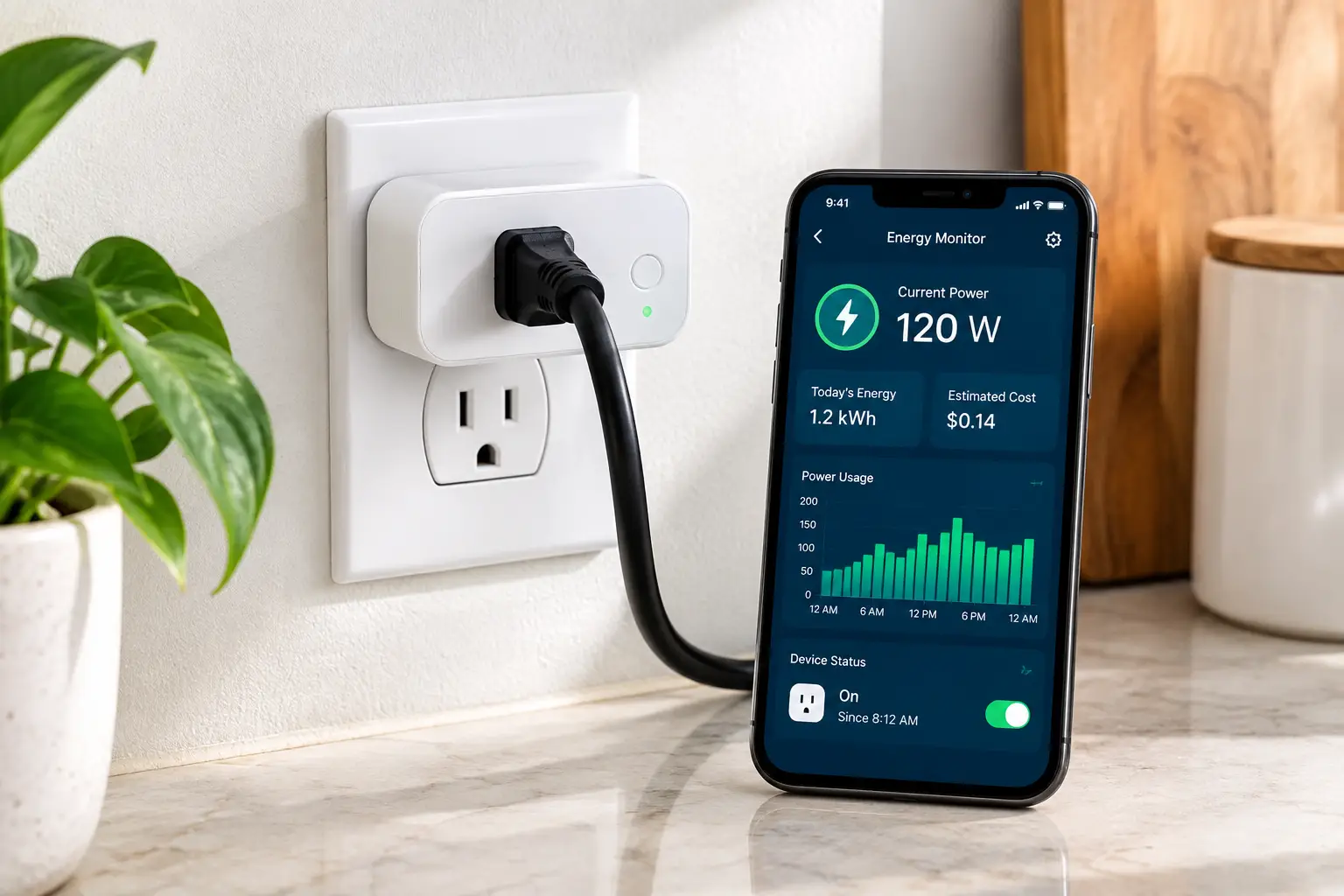
An energy monitor plug in is a small device that plugs into a standard 120V wall outlet and lets you plug an appliance into it, measuring that appliance’s real power draw in watts and its cumulative consumption in kilowatt-hours (kWh). Many models also estimate cost, and smart versions add app tracking, schedules, and remote on/off control.
Think of it as a utility meter for one device at a time. Instead of guessing from the nameplate rating, you see what the appliance actually uses — including the “off” power many electronics keep drawing. That hidden draw has a name: standby power, also called vampire or phantom load. Each watt drawn continuously adds up to roughly 9 kWh a year, so a cluster of always-on gadgets is easy to underestimate.
There are two families to know:
- ⚡ Standalone meters (like a kill a watt meter) with a built-in LCD screen. No Wi-Fi, no app, no account — just numbers.
- 📱 Smart plugs with energy monitoring, which send readings to an app, keep history, and let you automate the device.
Both measure the same core thing. The difference is what you do with the data afterward — and that’s where your choice really gets made.
Quick Comparison: The 7 Best Energy Monitor Plug In Picks at a Glance
| Product | Type | Connectivity | Max Load | Approx. Price Range | Best For |
|---|---|---|---|---|---|
| Kill A Watt P4400 | Standalone meter | None | 15A / 1875VA | Around $20–$30 | Kill A Watt P4400: one-off checks on a tight budget |
| Kill A Watt EZ P4460 | Standalone meter | None | 15A / 1875VA | Around $30–$45 | Kill A Watt EZ P4460: cost projections without an app |
| Kasa KP125M | Smart plug | Wi-Fi + Matter | 15A / 1800W | Around $15–$20 per plug in multipacks | Kasa KP125M: most households, mixed ecosystems |
| Tapo P115 | Smart plug | Wi-Fi | 15A / 1800W | Under $15 per plug in multipacks | Tapo P115: budget multi-room monitoring |
| Emporia Smart Plug | Smart plug | Wi-Fi | 10A continuous / 15A peak | Around $15–$35 depending on pack | Emporia Smart Plug: detailed graphs, Vue owners |
| Shelly Plug US Gen4 | Smart plug | Wi-Fi, Zigbee, Bluetooth, Matter | 15A / 1800W | Around $20 | Shelly Plug US Gen4: tinkerers and local control |
| Eve Energy | Smart plug | Thread + Matter | 15A / 1800W | Around $35–$45 | Eve Energy: Apple Home and privacy-first homes |
Reading the table, the first split is obvious: the two Kill A Watt units are measuring instruments, while the other five are smart plugs that happen to measure. If you only need to check a fridge once, the Kill A Watt P4400 is the leanest path; if you want to watch a device for months, the Kasa KP125M or Tapo P115 deliver far more insight per dollar. Note the Emporia Smart Plug‘s lower continuous rating — it matters for heaters and window AC units.
💬 Found your match in the table? One click on a highlighted pick helps you check current pricing — and helps other shoppers make an informed choice too! 😊
Top 7 Energy Monitor Plug In Picks: Expert Analysis
1. Kill A Watt P4400 — the no-frills classic for quick checks
The Kill A Watt P4400 is the device most people picture when they hear “electricity usage monitor,” and it earns that reputation by doing one job simply. You plug it in, plug your appliance into it, and read volts, amps, watts, VA, frequency, power factor, and accumulated kWh on the LCD.
P3 International lists accuracy at 0.2–2%, a 15A maximum current, and 1875VA maximum power, with ETL listing. In practice, that means it’s well suited to anything from a lamp to a full-size microwave — but treat the accuracy claim with nuance. Low-power measurement is hard for any inexpensive meter, and readings of a watt or two should be read as “roughly” rather than “exactly.”
Based on comparing the specs, this is the right tool for renters, skeptics of smart-home apps, or anyone doing a one-afternoon audit. The big catch: the Kill A Watt P4400 has no battery backup, so unplugging it wipes the collected data, and it won’t do cost math for you — you multiply kWh by your rate yourself.
Owner discussions consistently describe it as reliable and durable, while a recurring complaint is that the screen can be hard to read when the outlet sits low or behind furniture.
Pros:
- ✅ No Wi-Fi, app, or account required
- ✅ Shows power factor and VA, not just watts
- ✅ Simple enough for anyone in the household
Cons:
- ❌ Loses all data when unplugged
- ❌ No built-in cost calculation
💲 Typically around $20–$30 — excellent value if you just need honest numbers fast.
2. Kill A Watt EZ P4460 — built-in cost forecasting, zero apps
The Kill A Watt EZ P4460 keeps the standalone simplicity of its sibling but adds the one feature most people actually want: it turns kWh into dollars for you.
You program your utility rate, and the meter projects cost per hour, day, week, month, and year using true RMS measurement of voltage and current. The specs mirror the original — 15A max, 1875VA max power, ETL listing — so the hardware capacity is the same. The difference is the math and memory: a backup battery retains your collected data and rate setting if the unit gets unplugged or the power blinks.
Here’s what to weigh: if you plan to rotate one meter around the house over a week, the Kill A Watt EZ P4460 saves you from re-entering settings and doing arithmetic at every stop. That makes it a strong pick for older relatives, teachers, or anyone who wants a dollar figure without installing yet another app.
Long-running owner feedback praises the instant cost projection and calls it easier to read than the P4400; some owners note that very small loads (single-digit watts) may register poorly or as zero, so it’s not ideal for measuring tiny vampire draws.
Pros:
- ✅ Calculates cost from your actual rate
- ✅ Battery backup preserves readings and settings
- ✅ Works anywhere, no network needed
Cons:
- ❌ Weak at measuring very small standby loads
- ❌ No history, graphs, or remote control
💲 Usually around $30–$45 — worth the premium over the P4400 if you want dollars, not just kWh.
3. Kasa KP125M — best all-rounder for most homes
The Kasa KP125M is the smart plug with energy monitoring that fits the widest range of households, mostly because it plays nicely with everyone. It’s Matter-certified, so it works with Apple Home, Amazon Alexa, Google Home, and SmartThings.
It handles 15A/1800W general loads, is UL certified, and uses UL94 V-0 flame-retardant housing. The slim body (about 2.6 x 1.5 x 1.6 inches) is designed so two plugs can share a standard duplex outlet — a bigger deal than it sounds when you’re monitoring a TV and a soundbar side by side. In the Kasa app, you can enter a single rate or time-of-use billing, which turns raw kWh into a realistic bill estimate.
On paper, this is the safest default pick: affordable in multipacks, flexible across ecosystems, and backed by a mature app. One nuance most buyers overlook: the detailed energy charts live in the Kasa app, not in every Matter controller, so plan to keep the Kasa app installed even if you control the plug through Apple Home or Google.
Reviews consistently highlight easy setup and dependable connectivity; a common complaint is that it’s 2.4 GHz Wi-Fi only, which can trip up setup on some mesh routers.
Pros:
- ✅ Matter support across all major platforms
- ✅ Time-of-use rate support for realistic estimates
- ✅ Compact enough to share a duplex outlet
Cons:
- ❌ 2.4 GHz Wi-Fi only
- ❌ Best energy data stays in the Kasa app
💲 Around $15–$20 per plug in 2- or 4-packs — outstanding value for everyday monitoring.
4. Tapo P115 — the budget multipack champion
The Tapo P115 is TP-Link’s other energy-monitoring mini plug, and it’s the one to grab when you want to wire up several rooms without spending much.
It’s rated 15A/1800W (1/6 HP motor), ETL certified, and works with Alexa, Google Assistant, and SmartThings. Two features stand out. Charge Guard cuts power once a charging device’s draw drops below a threshold you set — handy for e-bike or tool batteries you’d rather not leave topping off overnight. Power Protection shuts the plug off if a load exceeds a wattage limit you choose, which adds a useful safety layer for heaters.
Based on comparing the specs with the Kasa KP125M, the trade-off is simple: you give up Matter (and therefore native Apple Home support) in exchange for a lower price per plug and those two clever automations. If your home runs on Alexa or Google, you lose almost nothing.
Aggregated owner feedback praises the clear daily, monthly, and yearly charts and the bill-estimate feature; the main criticisms are the 2.4 GHz-only requirement and the lack of Apple Home compatibility.
Pros:
- ✅ Lowest cost per monitored outlet here
- ✅ Charge Guard and wattage-limit protection
- ✅ Clear historical charts with bill estimates
Cons:
- ❌ No Matter or Apple Home support
- ❌ Requires a 2.4 GHz Wi-Fi network
💲 Often under $15 per plug in 4-packs — the best bang for your buck for multi-room audits.
5. Emporia Smart Plug — the data nerd’s favorite dashboard
The Emporia Smart Plug comes from the company behind the Emporia Vue whole-home monitor, and it shows. This plug is built around the energy dashboard first, smart switching second.
The Emporia app graphs usage at resolutions ranging from per-second to per-year, so you can actually see a fridge compressor kick on or a dehumidifier cycle. It works with Alexa and Google Home and, if you own a Vue, can be nested under a monitored circuit to explain what that circuit is doing. The critical spec, though, is the load rating: 10A continuous, with 15A peak allowed for up to one hour a day.
Here’s what to weigh: that 10A continuous limit (about 1,200W) means the Emporia Smart Plug isn’t the right pick for a 1,500W space heater running for hours. For lamps, electronics, fans, aquariums, dehumidifiers, and small appliances, it delivers the richest data in this roundup.
Editorial reviews consistently praise the depth of the energy reporting and the clean app; recurring drawbacks are the lack of Apple Home support and a small status LED that can’t be disabled.
Pros:
- ✅ Per-second graphs reveal appliance behavior
- ✅ Integrates with the Emporia Vue ecosystem
- ✅ Affordable, especially in multipacks
Cons:
- ❌ 10A continuous limit rules out big heaters
- ❌ No Apple Home support
💲 Around $15–$35 depending on pack size — excellent value if analytics matter more than load capacity.
6. Shelly Plug US Gen4 — maximum flexibility for tinkerers
The Shelly Plug US Gen4 is the Swiss Army knife of this list: Wi-Fi, Zigbee, Bluetooth, and Matter in one compact, UL-listed plug.
It supports 15A/1800W loads with protection against over-wattage, over-current, and over- and under-voltage. A built-in web interface allows full local control, no cloud required, and Shelly’s scripting lets advanced users build their own logic. The multicolor LED can reflect how much power is flowing — green for light loads, shifting toward red under heavy draw — and an ambient-light sensor enables dusk-to-dawn automations.
On paper, this means you can create “forgotten appliance” rules (for example, cut power if a hair straightener pulls high wattage for 30 minutes) without depending on any company’s servers. That’s a meaningful privacy and longevity advantage. The flip side: Apple Home users may not see energy data in the Home app, so you’ll rely on the Shelly app or a platform like Home Assistant for the numbers.
Early reviews consistently praise the connectivity options and power metering; the most common caveat is that the deepest features reward users comfortable with smart-home setup.
Pros:
- ✅ Works over Wi-Fi, Zigbee, Bluetooth, or Matter
- ✅ Full local control and scripting support
- ✅ Load-aware LED gives at-a-glance feedback
Cons:
- ❌ Energy data limited inside Apple Home
- ❌ Advanced features have a learning curve
💲 Around $20 — premium flexibility at a mainstream price.
7. Eve Energy — premium privacy for Apple and Thread homes
The Eve Energy is the pick for people who want their energy data to stay inside their own four walls. It connects via Matter over Thread, needs no account, and runs locally.
It’s rated 15A/1800W in the US version and reports live watts, running kWh, and projected cost. Because it uses Thread rather than Wi-Fi, each plug acts as a mesh router, strengthening the network for other Thread devices — useful in larger homes. Thread also tends to make responses feel near-instant compared with cloud-based Wi-Fi plugs.
What the spec sheet doesn’t say loudly: without a Thread border router (such as a recent Apple TV, HomePod mini, or another compatible hub), the Eve Energy can’t connect at all. And the most detailed energy history lives in the Eve app, which is designed for Apple devices, so Android-first households get less value from the price premium.
Review consensus praises fast setup, rock-solid reliability, and the no-account privacy model; the most frequent criticism is price, which often runs two to three times that of a basic Wi-Fi plug.
Pros:
- ✅ No account, no cloud, local by design
- ✅ Thread mesh improves smart-home reliability
- ✅ Fast, dependable response times
Cons:
- ❌ Requires a Thread border router
- ❌ Highest price per plug in this roundup
💲 Around $35–$45 per plug — worth it for Apple-first, privacy-focused homes, overkill for others.
Head-to-Head: Specs That Shape Real-World Use
| Product | Data History | Cost Estimates | Matter | Local Control | Best For |
|---|---|---|---|---|---|
| Kill A Watt P4400 | Session only | Manual math | No | N/A (no network) | Kill A Watt P4400: quick spot checks |
| Kill A Watt EZ P4460 | Retained (battery) | Built-in | No | N/A (no network) | Kill A Watt EZ P4460: app-free cost answers |
| Kasa KP125M | Daily/monthly in app | Yes, incl. time-of-use | Yes | Partial | Kasa KP125M: everyday monitoring |
| Tapo P115 | Daily/monthly/yearly | Yes | No | Partial | Tapo P115: budget whole-home audits |
| Emporia Smart Plug | Per-second to yearly | Yes | No | No | Emporia Smart Plug: deep analytics |
| Shelly Plug US Gen4 | Via app or local UI | Via app/integrations | Yes | Full | Shelly Plug US Gen4: automation builders |
| Eve Energy | Detailed in Eve app | Yes | Yes (Thread) | Full | Eve Energy: privacy and Apple Home |
The pattern here is that “best” depends on where you want your data to live. The Emporia Smart Plug wins on resolution, the Shelly Plug US Gen4 and Eve Energy win on local control, and the Kasa KP125M wins on balance. If you’d rather never think about networks at all, the Kill A Watt EZ P4460 remains the cleanest app-free answer.
✨ Don’t miss the right fit for your outlets!
🔍 Take control of your electric bill with this carefully curated lineup. Click a highlighted pick to check current pricing and availability — the right plug can reveal your biggest energy hogs in a single week!
How to Run a One-Weekend Outlet Energy Audit (Step by Step)
A plug in energy monitor is only as useful as the method behind it. Here’s a practical playbook that works with any of the seven picks.
🗓️ Friday evening: build your suspect list
Walk the house and list every always-plugged device: TVs, consoles, desktop PCs, routers, chargers, secondary fridges, dehumidifiers, aquarium heaters, and anything with a glowing standby light. Prioritize items that run many hours or never truly turn off.
⚡ Saturday: measure in two modes
For each device, record two numbers:
- Active watts while it’s in normal use.
- Standby watts when it’s “off” but still plugged in.
Leave cycling appliances — fridges, freezers, dehumidifiers — connected for at least 24 hours. A compressor’s on/off pattern means a five-minute snapshot can be wildly misleading.
🧮 Sunday: convert to dollars
Use the method the US Department of Energy recommends for estimating appliance and electronic energy use: wattage × hours per day ÷ 1,000 = daily kWh, then multiply by days of use and your rate. If you measured kWh directly over 24 hours, simply multiply by 365 and your rate.
🧰 Maintenance and first-30-day tips
- ✅ Enter your real rate from your bill, including delivery charges.
- ✅ Update firmware on smart plugs during setup.
- ✅ Label plugs by appliance in the app to avoid mix-ups.
Common mistakes in the first month include judging a fridge on a short reading, forgetting seasonal devices (a space heater in January tells a very different story than in May), and leaving a plug’s power-protection limit at a default that doesn’t match the appliance.
Real-World Scenarios: Matching the Right Plug to Your Life
Specs only matter when they meet a real situation. Here are three common buyer profiles and the reasoning behind each match.
🏢 The renter on a budget
Profile: a one-bedroom apartment, roughly $30–$50 to spend, no smart speaker, and a suspicion that the gaming PC and a mini fridge are inflating the bill.
Best match: the Kill A Watt EZ P4460. Because it calculates cost from your rate and keeps data through power blips, you can rotate it across five or six devices in a week without touching an app. When you move, it comes with you — no Wi-Fi reconfiguration required.
🏡 The family in a mixed-device home
Profile: a suburban house with iPhones and Android phones, an Alexa in the kitchen, about $60–$80 to spend, and a desire to automate the basement dehumidifier.
Best match: a 4-pack of the Kasa KP125M. Matter means everyone can control the plugs from their preferred app, time-of-use billing helps you schedule the dehumidifier for off-peak hours, and four plugs let you monitor multiple suspects simultaneously instead of one at a time.
🧑💻 The smart-home enthusiast
Profile: a Home Assistant setup, a Zigbee network, a home office full of gear, and strong opinions about cloud dependence.
Best match: the Shelly Plug US Gen4, with the Eve Energy as the Apple-centric alternative. Local control and scripting allow automations like “turn off the monitors and speakers when the PC’s draw drops below idle for 15 minutes” — and none of it breaks if a company changes its cloud service.
The common thread: frequency of use matters most. One-time audits favor standalone meters, while ongoing monitoring and automation favor smart plugs.
Problem → Solution: Fixing the Most Common Energy Monitor Headaches
Even the best electricity usage monitor can produce confusing results. Here are the issues buyers report most often, with practical fixes.
❌ Problem 1: “My device shows 0 watts in standby.”
✅ Solution: Many plugs struggle below a few watts. Use a fixed reference load — for example, plug in a lamp with a known wattage alongside the device via a short power strip, then subtract the lamp’s reading. This trick is a classic workaround for inexpensive meters like the Kill A Watt EZ P4460.
❌ Problem 2: “The smart plug won’t connect during setup.”
✅ Solution: Most picks here, including the Kasa KP125M, Tapo P115, and Emporia Smart Plug, require 2.4 GHz Wi-Fi. Temporarily enable a separate 2.4 GHz network name on your router, or move closer to the router during pairing.
❌ Problem 3: “My space heater keeps shutting the plug off.”
✅ Solution: Check the plug’s continuous rating. The Emporia Smart Plug is rated for 10A continuous, so a 1,500W heater running for hours exceeds it. Move high-draw heaters to a 15A/1800W plug like the Tapo P115 — and set its power-protection threshold just above the heater’s measured draw.
❌ Problem 4: “My fridge reading looks way too high or too low.”
✅ Solution: Measure for at least 24 hours, ideally 72. Defrost cycles and door openings swing results dramatically over short windows.
❌ Problem 5: “Energy data doesn’t appear in Apple Home.”
✅ Solution: Matter control and Matter energy reporting are not the same thing. Keep the manufacturer’s app — Kasa, Shelly, or Eve — for full history, even if daily control happens in Apple Home.
How to Choose an Energy Monitor Plug In
Choosing the right energy monitor plug in comes down to seven practical decisions:
- Decide: audit or ongoing monitoring? A one-time audit favors a standalone kill a watt meter; ongoing tracking favors a smart plug with history.
- Check the load rating against your appliance. Look for 15A/1800W for heaters and window AC units; a 10A continuous plug is fine for electronics.
- Match your ecosystem. Matter covers most platforms; Thread needs a border router; Alexa- or Google-only homes have the widest choice.
- Look for rate and time-of-use support. Dollar estimates based on your real tariff turn data into decisions.
- Consider data resolution. Per-second graphs help diagnose cycling appliances; daily totals are enough for basic budgeting.
- Think about local control and privacy. Local or Thread-based plugs keep working if a cloud service goes down.
- Confirm safety listing. Insist on UL or ETL certification, especially for anything powering a heating appliance.
Following this order prevents the most expensive mistake: buying a feature-rich plug that can’t safely handle the appliance you actually wanted to measure. In other words, start with the load, then your ecosystem, then the data features — not the other way around.
Plug-In Electricity Usage Monitor vs. Smart Plug With Energy Monitoring vs. Whole-Home Monitors
These three categories solve different problems, and buyers often compare the wrong pair.
A standalone plug-in electricity usage monitor like the Kill A Watt P4400 gives you instant, private readings with zero setup. A smart plug with energy monitoring, like the Tapo P115, adds history, automation, and remote control. A whole-home monitor clamps onto your electrical panel and sees every circuit — including 240V appliances like dryers, water heaters, and central AC that no energy monitor plug in can measure.
| Approach | Measures 240V Appliances | Installation | Ongoing History | Typical Cost | Best For |
|---|---|---|---|---|---|
| Standalone meter (e.g., Kill A Watt EZ P4460) | No | None — plug in | Limited | Around $20–$45 | Kill A Watt EZ P4460: quick, private audits |
| Smart plug with energy monitoring (e.g., Kasa KP125M) | No | App setup | Yes | Around $15–$45 per plug | Kasa KP125M: tracking and automating key devices |
| Whole-home panel monitor | Yes | Panel install (often an electrician) | Yes | Typically $150+ | Total-home visibility, including 240V loads |
| Reading your utility bill | Indirectly | None | Monthly only | Free | Big-picture trends, no device detail |
The analysis is straightforward: plug-in devices win on price and simplicity, but they’re blind to your biggest 240V loads. A smart combination for many homes is a whole-home monitor for the big picture plus a few smart plugs on the specific 120V devices you want to understand. If you’re not ready for panel work, start with plugs — they’ll still uncover most of your vampire loads.
Features That Actually Matter (and Ones That Don’t)
Marketing pages love long feature lists. Here’s what genuinely changes your results.
✅ Features that matter
- True continuous load rating. A plug labeled “15A” may only sustain 10A continuously. This determines whether it can safely run a heater or window AC.
- Rate entry, especially time-of-use. If your utility charges more during peak hours, a plug that understands time-of-use — like the Kasa KP125M — gives estimates that resemble your real bill.
- History you can export or review. Patterns over weeks reveal more than a single reading ever will.
- Power-based automations. Charge Guard on the Tapo P115 or scripted rules on the Shelly Plug US Gen4 turn monitoring into savings that happen automatically.
🤷 Features that matter less than you’d think
- Voice assistant support for energy readings. Asking a speaker “how much power is the TV using?” is fun once; the app dashboard is where decisions get made.
- Fancy LED colors. Useful for at-a-glance feedback, but not a reason to choose one plug over another.
- “Sub-1% accuracy” claims. For household decisions, the difference between 0.5% and 2% accuracy rarely changes what you do. Consistency over time matters more than lab precision, and low-watt readings are imprecise on almost every consumer device anyway.
The bottom line: buy for load capacity, rate support, and history first. Everything else is a nice-to-have.
Long-Term Cost, ROI, and Payback
The real question isn’t “how much does the plug cost?” but “how fast does it pay for itself?” The answer depends on what you find — and on your local rate.
Consider a quick example using a rate of about 18 cents per kWh. A device drawing 10 watts in standby, 24/7, uses roughly 88 kWh a year — about $16. A forgotten mini fridge drawing an average of 60 watts can approach $95 a year. Discovering and fixing just one of these typically recovers the cost of a $15–$20 smart plug within the first year.
| Product | Approx. Price Range | Ongoing Fees | Likely Payback if It Finds a 10W Vampire Load* | Best For |
|---|---|---|---|---|
| Kill A Watt P4400 | Around $20–$30 | None | About 1.5–2 years per single fix, but reusable across the house | Kill A Watt P4400: lowest upfront cost |
| Tapo P115 | Under $15 per plug in packs | None | Under 1 year | Tapo P115: fastest payback per plug |
| Kasa KP125M | Around $15–$20 per plug in packs | None | About 1 year | Kasa KP125M: balanced long-term value |
| Eve Energy | Around $35–$45 | None | About 2–3 years | Eve Energy: value from privacy and reliability |
*Estimates assume ~18¢/kWh and that the vampire load is eliminated; your rate and findings will vary.
The analysis reveals an important nuance: a standalone meter’s ROI multiplies because you move it around, while each smart plug’s ROI is tied to the device it lives on. For context, the US Energy Information Administration’s household electricity data shows the average home uses roughly 10,000–11,000 kWh a year, so even trimming 2–3% is meaningful. None of these plugs charge subscription fees, which keeps total cost of ownership low.
Safety, Regulations, and Standards to Know
Anything carrying household current deserves a quick safety check, and energy monitor plugs are no exception.
🛡️ Look for a recognized safety listing
In the US, UL and ETL marks indicate a product has been tested by a Nationally Recognized Testing Laboratory. The Kasa KP125M and Shelly Plug US Gen4 carry UL certification, while the Tapo P115 and both Kill A Watt models are ETL listed. Avoid unbranded plugs with no listing, especially for heating appliances.
📡 FCC compliance for smart plugs
Smart plugs contain radios, so they should carry FCC authorization. Reputable brands list it in their specifications.
🔥 Respect continuous-load limits
A standard 15A, 120V outlet handles up to 1,800W, but sustained high loads generate heat. For appliances that run for hours at high draw — space heaters especially — use a plug rated for 15A/1800W, plug directly into the wall (never through an extension cord), and periodically feel the plug for excess warmth. If it’s hot to the touch, stop using it.
🏠 Indoor use only
All seven picks are designed for indoor use. For holiday lights or patio heaters, buy an outdoor-rated plug instead.
⚠️ Standby isn’t always waste
Some devices legitimately need standby power: routers, security systems, medical equipment, and refrigerators should never be on automated shut-off schedules. Cooperative Extension guidance, such as Virginia Tech’s appliance energy estimation guide, also notes that refrigerators cycle rather than running constantly — another reason to measure them over a full day instead of switching them off.
Common Mistakes to Avoid When Buying an Energy Monitor Plug In
Even savvy shoppers fall into these traps.
❌ Mistake 1: Ignoring continuous vs. peak ratings
The headline “15A” can hide a 10A continuous limit. Always check the fine print before putting a heater or window AC on a plug.
❌ Mistake 2: Buying for the wrong ecosystem
An Eve Energy without a Thread border router is a paperweight. A Tapo P115 won’t appear natively in Apple Home. Confirm compatibility before checkout.
❌ Mistake 3: Expecting to measure 240V appliances
No plug in energy monitor can measure a dryer, electric range, or central AC. If those are your biggest worries, you need a whole-home panel monitor.
❌ Mistake 4: Buying one smart plug for a whole-home audit
Smart plugs are great for permanent monitoring but awkward to move every day. For rotating audits, a portable meter — or a multipack — is more practical.
❌ Mistake 5: Trusting short readings
Five minutes on a fridge, freezer, or dehumidifier tells you almost nothing. Give cycling appliances at least 24 hours.
❌ Mistake 6: Forgetting to enter your real rate
Default rates in apps can be years out of date. Pull the all-in cost per kWh from your latest bill — including delivery charges — so dollar estimates mean something.
Avoiding these six mistakes is the difference between an interesting gadget and a tool that actually lowers your bill.
FAQ: Energy Monitor Plug In Questions Answered
❓ Which energy monitor plug in is the most accurate for low-wattage devices?
❓ Is a smart plug with energy monitoring worth it over a basic smart plug?
❓ Can I use a kill a watt meter on a refrigerator?
❓ Do energy monitoring smart plugs work without Wi-Fi?
❓ Where can I buy an energy monitor plug in for the best value?
Conclusion: Small Plug, Big Visibility
The smartest thing about an energy monitor plug in isn’t the gadget itself — it’s the habit it builds. Once you see that a “turned-off” entertainment center draws power all night, or that a garage fridge quietly costs more than your streaming subscriptions, decisions get easy.
Here’s the quick recap:
- 🔌 Kill A Watt P4400 — simplest, cheapest spot checks.
- 💵 Kill A Watt EZ P4460 — app-free dollar estimates with battery-backed memory.
- 🏆 Kasa KP125M — the best all-rounder for most households.
- 💰 Tapo P115 — the best value for monitoring many outlets.
- 📊 Emporia Smart Plug — the richest graphs for data lovers.
- 🛠️ Shelly Plug US Gen4 — local control and automation power.
- 🍎 Eve Energy — privacy-first performance for Apple and Thread homes.
If you’re unsure where to start, match the plug to your goal: a one-weekend audit points to a Kill A Watt, while ongoing tracking and automation point to a smart plug. Either way, start with your always-on devices and anything that heats or cools — that’s where surprises usually hide. Measure, convert to dollars, fix one thing, and repeat. Your next bill will tell the story.
🚀 Ready to see where your money really goes?
⚡ Pick the plug that fits your home, click a highlighted product to check current pricing and availability, and start your outlet audit this weekend. A few days of real data can uncover savings that last for years!
Recommended for You
- Third Reality Smart Plug: 7 Smart Picks, Honestly Ranked (2026)
- Solar Power Monitor: 7 Best Picks That Actually Pay Off (2026)
- Smart Outlet USB: 7 Best Picks for 2026, Ranked Honestly
Disclaimer: This post contains affiliate links. As an Amazon Associate, I earn from qualifying purchases made through these links, at no additional cost to you.
✨ Found this article helpful? Share it with someone who needs it! 💬🤗
