
In This Article
Why a Solar Power Monitor Is the Missing Piece of Your Solar Setup
You paid a serious chunk of money for solar panels. So here’s an awkward question: do you actually know how much of that sunshine ends up powering your home, and how much quietly slips back to the grid for a fraction of what you pay at night? For most homeowners, the honest answer is “not really.” That’s exactly the gap a solar power monitor fills.
A solar power monitor turns the invisible flow of electricity into numbers you can act on. Instead of waiting 30 days for a utility bill (and squinting at it), you see production, consumption, and grid import/export second by second. That matters more in 2026 than ever, because many US utilities have moved away from full retail net metering toward time-of-use rates and lower export credits. When an exported kilowatt-hour is worth less than an imported one, when you run the dishwasher suddenly has a dollar value.
This guide covers both sides of the market. If your system is grid-tied, you want a home solar monitoring system that clamps onto your electrical panel. If you live off-grid, in an RV, or on a boat, you need a solar battery monitor built around a shunt that counts every amp flowing in and out of your batteries. We researched spec sheets, manufacturer documentation, and aggregated customer feedback for the leading options available on amazon.com, then translated all of it into plain-English recommendations.
What Is a Solar Power Monitor?
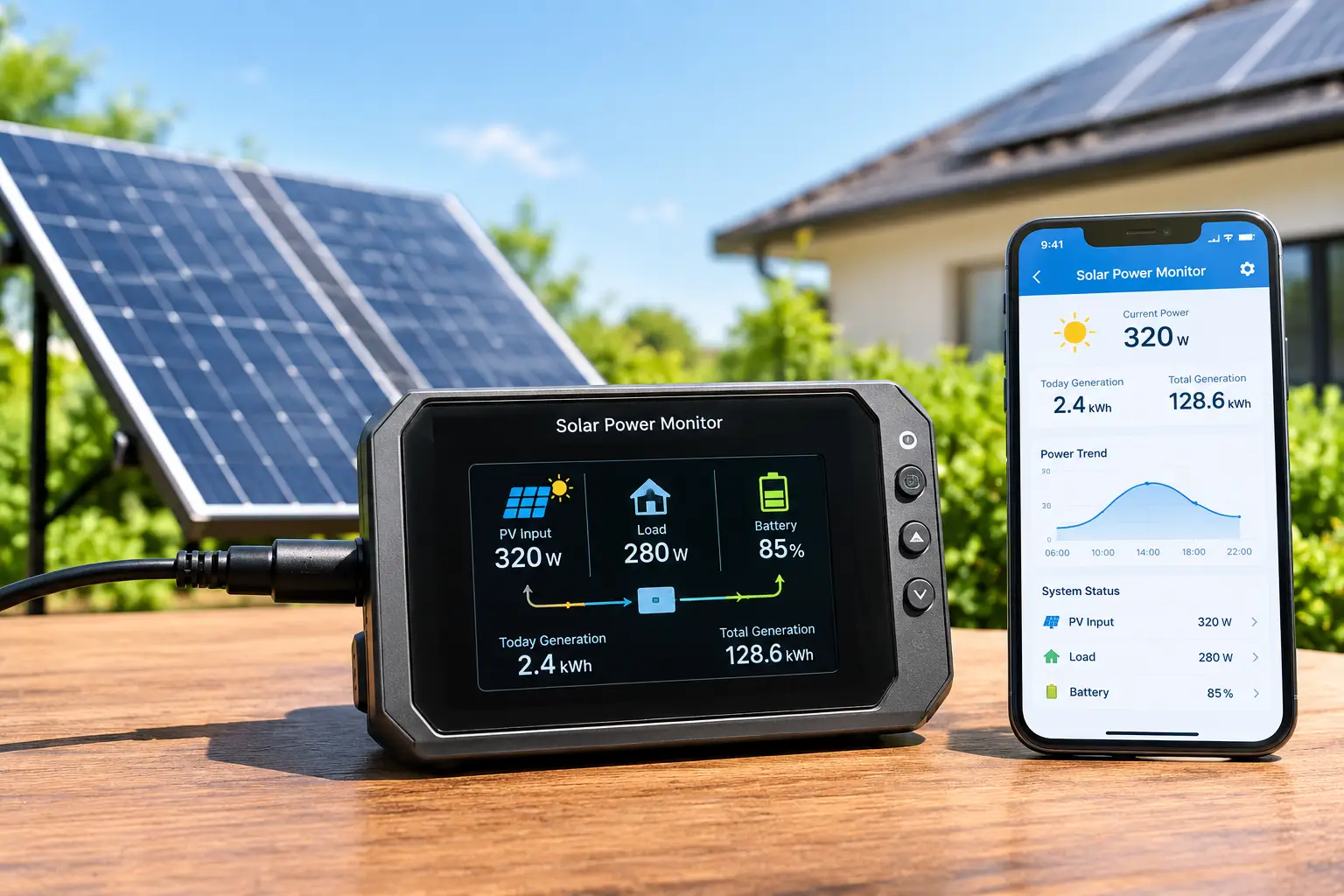
A solar power monitor is a device that measures how much electricity your solar panels produce, how much your home or battery bank consumes, and how much flows to or from the grid, usually in real time through a phone app. Grid-tied models use clamp-on current sensors; off-grid models use a battery shunt.
If you’re still early in your solar journey, the U.S. Department of Energy’s Homeowner’s Guide to Going Solar is a solid primer on how net metering and storage fit into the bigger picture.
Quick Comparison: The Best Solar Power Monitors at a Glance
| Product | Type | Key Strength | Price Range | Best For |
|---|---|---|---|---|
| Emporia Vue 3 | Grid-tied, 16 circuits | Net metering + circuit detail | Around $150–$200 (16-sensor kit) | Emporia Vue 3: most solar homes |
| Sense Energy Monitor with Solar | Grid-tied, whole-home | AI appliance detection | In the $300–$350 range | Sense Energy Monitor with Solar: hands-off insight |
| Refoss EM16P | Grid-tied, 16+ circuits | Local control, Home Assistant | Around $150–$220 | Refoss EM16P: privacy-first tinkerers |
| Shelly EM Gen3 | Grid-tied, 2 channels | Tiny, scriptable, cheap | Under $75 | Shelly EM Gen3: automation on a budget |
| Victron SmartShunt 500A | Off-grid battery shunt | Precision, app-only | Around $100–$140 | Victron SmartShunt 500A: vans and cabins |
| Victron BMV-712 Smart | Off-grid shunt + display | Alarm relay + screen | Around $160–$200 | Victron BMV-712 Smart: serious off-grid systems |
| Renogy 500A Battery Monitor | Off-grid shunt + display | Simple, wide voltage range | Around $50–$90 | Renogy 500A Battery Monitor: first-time builders |
Reading the table top to bottom, you’ll notice a clean split: the first four products watch your electrical panel, while the last three watch your batteries. That distinction matters more than any single spec, because a panel monitor can’t tell you a lithium battery’s state of charge, and a battery shunt can’t tell you what your heat pump is costing you. If you’re grid-tied with no battery, the Emporia Vue 3 offers the most capability per dollar; if you’re off-grid, the Victron SmartShunt 500A is the precision sweet spot.
💬 One click helps other shoppers make an informed choice too! Tap a highlighted product to check current pricing and availability. 😊
Top 7 Solar Power Monitors for 2026: Expert Analysis
1. Emporia Vue 3 — best all-around value for solar homes
The Emporia Vue 3 packs circuit-level monitoring and built-in solar net metering into one affordable box, which is why it keeps topping 2026 roundups.
Inside your panel, two 200A sensors clamp around the mains, and up to sixteen 50A sensors wrap individual branch circuits. In practice, that means you don’t just see “the house used 32 kWh today”; you see that the pool pump ate 9 of them. Emporia lists ±2% accuracy, 1-second data, and both Wi-Fi and Ethernet connectivity, and the unit carries UL 61010 and UL 2808 certifications. Solar sensors can be set as bi-directional, so imported and exported energy show up separately rather than as one muddled net number.
Based on comparing the specs, this is the monitor most grid-tied solar owners should start with. It’s ideal for anyone weighing time-of-use rates, an EV, or a future battery, since you can pair it with Emporia’s EV charger to charge only on excess solar. The trade-off: it’s cloud-based, so your data lives on Emporia’s servers.
Reviews and owner forums consistently praise its value and the absence of a subscription, while a common complaint is panel clutter when you install all sixteen sensors.
Pros:
- ✅ Built-in net metering with no subscription required
- ✅ Sixteen circuit sensors included in the full kit
- ✅ UL-certified hardware with Ethernet backup
Cons:
- ❌ Cloud-dependent app with no official local mode
- ❌ Crowded panels make sensor routing tedious
Expect around $150–$200 for the 16-sensor kit (check the current price), which is outstanding value for this depth of data.
2. Sense Energy Monitor with Solar — smartest hands-off appliance detection
The Sense Energy Monitor with Solar takes a completely different approach: instead of one sensor per circuit, it “listens” to your mains and learns devices by their electrical signatures.
Sense samples current roughly a million times per second through two mains clamps, and the solar version adds two more clamps for your solar feed. What that means for you is a clean install with only four sensors, plus a unified production-versus-consumption view on the app’s Now screen. The hardware meets ETL/Intertek safety standards, and Sense supports time-of-use rate plans. Note that Sense is sold for the US and Canada only.
Here’s what to weigh: Sense shines for owners who want their house interpreted, not just measured. If you love alerts like “the well pump just kicked on at 3 a.m.,” it’s genuinely helpful. However, device detection isn’t guaranteed, and large variable-speed loads like modern heat pumps can be hard for it to identify.
Aggregated owner feedback is split: many users love the polished app and whole-home trends, while a recurring complaint on solar forums is that individual device detection can be slow or incomplete.
Pros:
- ✅ Only four clamps for a simpler panel install
- ✅ Polished app with excellent real-time solar view
- ✅ Smart alerts for sump pumps and critical loads
Cons:
- ❌ Device detection can take weeks and may miss loads
- ❌ Costs roughly double a full Emporia kit
At around $300–$350, it’s fair value only if automatic device detection is your priority.
3. Refoss EM16P — best local-first monitor for Home Assistant fans
The Refoss EM16P is built for people who want their energy data on their own network, not someone else’s cloud.
It offers circuit-level monitoring across sixteen branch circuits plus mains, a local web interface, an open API, MQTT support, and native Home Assistant integration without firmware flashing. Bi-directional metering means solar production, consumption, and export are reported separately, which is what makes “run the water heater only when exporting” automations possible. In plain terms: if the internet goes down, your dashboard and automations keep working.
On paper, this is the most privacy-friendly grid-tied pick in this guide. It suits Home Assistant users, homeowners who distrust cloud-only gear, and solar owners who want zero-export logic. Buyers who’ve never touched a YAML file may find it less friendly than Emporia’s app. Be careful with naming: the older Refoss EM16 required the Refoss app for setup, which frustrated some early adopters, while the “P” version adds the local-first features.
In the Home Assistant community, owners describe the integration as reliable with few dropouts, though early EM16 buyers reported clunky app-based setup.
Pros:
- ✅ Fully local operation with open API and MQTT
- ✅ Native Home Assistant energy dashboard support
- ✅ Bi-directional sensors ready for solar automations
Cons:
- ❌ Less beginner-friendly than mainstream app-first monitors
- ❌ Easy to confuse with the older EM16 model
Around $150–$220 at the time of writing, it’s excellent value for a privacy-first setup.
4. Shelly EM Gen3 — smallest, cheapest route to solar automation
The Shelly EM Gen3 proves you don’t need a big box to watch your solar: this thing weighs under an ounce.
It measures two channels with clamp-on current transformers (one 50A clamp is included; channels are rated up to 80A with the right clamp), stores up to 10 days of 1-minute logs on the device, and supports Wi-Fi, Bluetooth, MQTT, webhooks, and scripting. It also has a dry-contact output to drive a contactor. Translated: you can point one clamp at your solar feed and one at your main, then have the device switch on a load when production exceeds consumption.
This is a power-user tool. It’s perfect for tinkerers who already run smart-home automations and want a cheap production meter, or for monitoring one subpanel. However, US homes use 120/240V split-phase service, so wiring it to capture both legs accurately takes careful planning; check Shelly’s US documentation before buying.
We couldn’t verify a large volume of US-specific customer reviews for the Gen3, so treat this as a spec-driven recommendation; expert coverage positions it as a favorite for automation-minded owners.
Pros:
- ✅ Very low price for a bi-directional meter
- ✅ Local logs and deep scripting support
- ✅ Contactor output enables real load control
Cons:
- ❌ Only two channels, no whole-panel view
- ❌ US split-phase wiring requires extra care
Under $75, it’s superb value if you’re comfortable configuring it.
5. Victron SmartShunt 500A — precision battery tracking with zero clutter
The Victron SmartShunt 500A is the go-to solar battery monitor for builders who want accuracy without another screen on the wall.
The shunt sits inline on your negative battery cable and handles 6.5–70V systems, so 12V, 24V, and 48V banks are all covered. It draws under 1 mA, which means it won’t slowly drain a parked RV. Data streams via Bluetooth to the VictronConnect app: state of charge, time-to-go, and history. An auxiliary input can monitor a starter battery, midpoint voltage, or temperature, and a VE.Direct port links it to a Victron GX device for remote access.
Based on comparing the specs, this is the sweet spot for vans, cabins, and DIY power walls. Unlike voltage-based guesses, shunt counting tells you what’s actually left in a lithium battery whose voltage curve stays nearly flat. The catch is no built-in alarm or programmable relay, so it can’t automatically shut off loads.
Off-grid communities and retailers consistently describe the SmartShunt as a reliable, set-and-forget standard, and users mainly wish it had alarm outputs.
Pros:
- ✅ Excellent accuracy for flat lithium voltage curves
- ✅ Tiny current draw protects parked batteries
- ✅ Integrates with Victron GX and VRM portal
Cons:
- ❌ No physical display; your phone is the screen
- ❌ No alarm relay for automatic load shedding
Typically around $100–$140, it’s strong value for long-term battery health.
6. Victron BMV-712 Smart — the pro choice with screen and relay
The Victron BMV-712 Smart adds what the SmartShunt leaves out: a dedicated display, audible alarms, and a programmable relay.
It shares the same 500A shunt platform, 6.5–70V range, and Bluetooth app, but adds a round display, a 10-meter RJ12 cable, and a 60V/1A bi-stable relay. Per Victron’s official BMV-712 Smart datasheet, current resolution is 10 mA. In practice, that relay can auto-start a generator or cut non-critical loads before your batteries hit a damaging low, and the bi-stable design avoids extra drain while triggered.
Here’s what to weigh: if you live off-grid full time, protection matters more than convenience. The BMV-712 suits cabins, liveaboard boats, and anyone with a generator backup. For a weekend van, it’s arguably overkill compared to the SmartShunt.
Reviewers broadly credit it with accuracy and reliability, though one off-road reviewer found cycling through its multiple display pages more tedious than simpler single-screen monitors.
Pros:
- ✅ Programmable relay for generators and load shedding
- ✅ Visible display plus Bluetooth app access
- ✅ Audible and visual alarms protect your batteries
Cons:
- ❌ Display menus take time to learn
- ❌ Costs noticeably more than the SmartShunt
Around $160–$200 (prices may vary), it’s justified for full-time off-grid living.
7. Renogy 500A Battery Monitor — easiest entry point for first builds
The Renogy 500A Battery Monitor is the friendliest on-ramp for anyone wiring their first off-grid system.
It ships with a 500A shunt, a backlit LCD, and a 20-foot shielded cable, and it accepts an unusually wide 10–120V range. Renogy lists ±1% current accuracy, programmable high and low voltage alarms, and compatibility with lead-acid (AGM, gel), LiFePO4, and lithium-ion chemistries. In practice, the 20-foot cable lets you mount the screen inside your camper while the shunt lives in the battery bay.
This is the right pick for budget-conscious beginners who want a physical “fuel gauge” for their batteries without learning a new app ecosystem. It lacks built-in Bluetooth, though Renogy sells add-on modules; confirm compatibility first.
On Renogy’s own store, it averages roughly 4.4 out of 5 across about 100 reviews at the time of writing, with buyers praising easy setup. Critical reviews cite confusing parameter setup and state-of-charge drift that only resyncs at full charge.
Pros:
- ✅ Large backlit display that’s easy to read
- ✅ Wide 10–120V range covers most systems
- ✅ Long 20-foot cable allows flexible mounting
Cons:
- ❌ No built-in Bluetooth for app monitoring
- ❌ State of charge can drift between full charges
Around $50–$90, it’s the best value for a first-time build.
Side-by-Side Specs: How the Top 7 Stack Up
| Product | Measurement Method | Channels / Range | Connectivity | Local Control | Best For |
|---|---|---|---|---|---|
| Emporia Vue 3 | CT clamps | 2 mains + 16 branch | Wi-Fi, Ethernet | No (cloud) | Emporia Vue 3: data-hungry solar homes |
| Sense Energy Monitor with Solar | CT clamps + AI | Mains + solar | Wi-Fi | No (cloud) | Sense Energy Monitor with Solar: appliance insight |
| Refoss EM16P | CT clamps | Mains + 16 branch | Wi-Fi, MQTT | Yes | Refoss EM16P: Home Assistant users |
| Shelly EM Gen3 | CT clamps | 2 channels | Wi-Fi, Bluetooth | Yes | Shelly EM Gen3: single-circuit automation |
| Victron SmartShunt 500A | Shunt | 6.5–70V, 500A | Bluetooth, VE.Direct | Yes | Victron SmartShunt 500A: vans and cabins |
| Victron BMV-712 Smart | Shunt + display | 6.5–70V, 500A | Bluetooth, VE.Direct | Yes | Victron BMV-712 Smart: full-time off-grid |
| Renogy 500A Battery Monitor | Shunt + display | 10–120V, 500A | None built in | Yes | Renogy 500A Battery Monitor: beginners |
The local control column is the sleeper detail here. Cloud-based monitors like the Emporia Vue 3 and Sense Energy Monitor with Solar are easier to set up, but they depend on someone else’s servers staying online and supported. If longevity and privacy rank high for you, the Refoss EM16P or any of the shunt-based battery monitors keep working no matter what happens to a company’s cloud.
How to Install and Set Up Your Solar Power Monitor
Installation is where most of the real-world frustration happens, so let’s walk through it honestly.
Grid-Tied Monitors (Emporia, Sense, Refoss, Shelly)
- Decide who installs it. These units mount inside your main electrical panel, where the service conductors remain live even with the main breaker off. Manufacturers strongly recommend a licensed electrician, and so do we.
- Map your circuits first. Before anyone opens the panel, label every breaker and decide which 16 circuits deserve sensors. Prioritize HVAC, water heater, EV charger, dryer, range, and pool pump; lighting circuits rarely move the needle.
- Find the solar feed. Your solar inverter’s output lands on a dedicated breaker or a line-side tap. Solar clamps go there, and the arrow direction matters. A reversed clamp shows production as consumption.
- Set channels as bi-directional. In the app, mark the solar sensors as bi-directional so the monitor can separate export from import.
- Check Wi-Fi at the panel. Garages and basements are notorious dead zones. The Emporia Vue 3 offers Ethernet as a fallback; otherwise, plan on a mesh node nearby.
Off-Grid Battery Monitors (Victron, Renogy)
- Route every negative wire through the shunt. The shunt must sit between the battery negative and everything else. Any load or charger connected directly to the battery negative bypasses the count. A negative bus bar after the shunt keeps this tidy.
- Enter your real battery capacity. Use the rated amp-hours of the full bank, not a single battery.
- Sync to 100%. Fully charge the bank once so the monitor knows its starting point.
Your First 30 Days
Watch for the classic early mistake: trusting the numbers before you’ve verified them. Compare your monitor’s monthly totals against your utility bill or inverter app. Within roughly 2–5%, you’re calibrated. Bigger gaps usually mean a reversed or misassigned clamp.
Which Solar Power Monitor Fits You? Three Real-World Scenarios
Specs only mean something when they meet real life. Here are three common buyer profiles and how the reasoning plays out.
Scenario 1: The Time-of-Use Family in California
Profile: A family of four with an 8 kW rooftop array, an EV, and a utility that pays far less for exports than it charges for evening imports. Budget: under $250. Daily use.
Best match: Emporia Vue 3. Because export credits are low, the goal is self-consumption: run the EV charger, dryer, and dishwasher while the sun is up. Circuit-level data shows exactly which loads can shift, and pairing it with an Emporia EV charger lets the car soak up surplus solar automatically. The Sense Energy Monitor with Solar could work too, but it costs more and wouldn’t add load-shifting automation for this household.
Scenario 2: The Weekend Van Builder
Profile: A 12V camper van with a 200Ah LiFePO4 battery, 400W of solar, and a $150 budget. Used two or three weekends a month.
Best match: Victron SmartShunt 500A. LiFePO4 voltage barely moves between 90% and 20% charge, so a voltage meter will lie to you. A shunt counts actual amp-hours, and the near-zero standby draw won’t drain the battery between trips. If the builder wants a screen without opening an app, the Renogy 500A Battery Monitor saves money.
Scenario 3: The Off-Grid Cabin With a Generator
Profile: A 48V battery bank, 6 kW of panels, a propane generator, and full-time occupancy. Budget is flexible because a dead battery bank costs thousands.
Best match: Victron BMV-712 Smart. The programmable relay can start the generator before batteries reach a damaging depth of discharge, and alarms warn residents even when nobody’s looking at a phone.
✨ Ready to see where every watt goes?
🔍 Take your solar setup to the next level with this carefully curated lineup. Click a highlighted product to check current pricing and availability. These picks help you squeeze more value out of every sunny hour, and the whole family will notice the difference on the bill!
Troubleshooting: Common Solar Monitoring Problems and Fixes
Even the best solar energy monitor can show confusing numbers at first. Here are the five problems owners report most often, with fixes.
1. Solar production shows as negative (or as consumption). The solar clamp is installed backward, or the channel isn’t set to bi-directional. Most apps, including the Emporia Vue 3 and Refoss EM16P, let you flip the sensor direction in software, so you won’t need to reopen the panel.
2. Monthly totals don’t match the utility bill. Small gaps are normal because utility meters and monitors use different measuring intervals. Gaps above about 5% usually point to a sensor on the wrong breaker leg or a missed circuit. Re-check which leg of your 240V service each clamp sits on.
3. Battery state of charge drifts over a week. Shunt-based monitors like the Renogy 500A Battery Monitor and Victron SmartShunt 500A accumulate small errors between full charges. Set the “charged voltage” and “tail current” values correctly, then reach 100% periodically so the monitor resyncs.
4. Device detection never finds the heat pump. That’s a known limitation of the Sense Energy Monitor with Solar. Variable-speed equipment doesn’t produce a neat on/off signature. The fix: add Sense’s dedicated circuit sensors where supported, or use smart plugs for smaller loads.
5. The app shows “offline” every evening. Weak Wi-Fi at the panel is the culprit nine times out of ten. Metal panel doors block signals, so run an Ethernet cable (supported by the Emporia Vue 3) or add a mesh node near the panel.
How to Choose a Solar Power Monitor
Use these seven steps to narrow the field quickly.
- Identify your system type. Grid-tied homes need a panel-based monitor; off-grid batteries need a shunt. Hybrid systems with batteries may benefit from both.
- Confirm net metering support. The monitor must separate imports and exports, otherwise solar just makes your usage look smaller.
- Decide on circuit detail. Sixteen-circuit kits reveal exactly which loads to shift; whole-home models give the big picture with less wiring.
- Choose cloud or local. Cloud apps are easier; local control protects privacy and survives company shutdowns.
- Check your panel’s physical space. Sixteen sensors need room. Crowded panels may need a smaller kit.
- Match the battery voltage range. For shunts, confirm your 12V, 24V, or 48V bank fits within the monitor’s input range.
- Plan for automation. If you want loads to react to surplus solar, look for relays, contactor outputs, or smart-home integrations.
Panel-Based Solar Energy Monitor vs Solar Battery Monitor (and Your Inverter App)
Many buyers assume their inverter app already does everything. It doesn’t, and understanding why helps you avoid buying the wrong tool.
Your inverter’s app (from Enphase, SolarEdge, or similar) reports production well. What it often can’t show, unless you’ve paid for the inverter brand’s optional consumption metering, is how much your house uses at any moment. Without consumption data, you can’t calculate self-consumption, which is the number that actually drives savings under modern billing. The concept behind all of this is net metering, the billing arrangement that credits exported solar energy, and its rules vary dramatically by state.
A panel-based solar energy monitor fills that gap by watching both production and consumption. A solar battery monitor solves a different problem entirely: it tells you how much energy remains in your bank and how fast you’re burning through it.
| Capability | Inverter App | Panel Monitor (e.g., Emporia Vue 3) | Battery Shunt (e.g., Victron SmartShunt 500A) |
|---|---|---|---|
| Solar production | ✅ Yes | ✅ Yes | Indirectly (charge current) |
| Home consumption | Often an add-on | ✅ Yes | ❌ No |
| Circuit-level detail | ❌ No | ✅ Yes | ❌ No |
| Battery state of charge | Brand-dependent | ❌ No | ✅ Yes |
| Best for | Basic production checks | Emporia Vue 3: grid-tied savings | Victron SmartShunt 500A: off-grid batteries |
The takeaway is that these tools overlap far less than their marketing suggests. A grid-tied home without batteries gets the biggest upgrade from a panel monitor, while an off-grid system can’t run safely without a shunt. Hybrid homes with a battery often justify one of each.
Features That Actually Matter (and Ones That Don’t)
Marketing pages love long feature lists. Here’s how we’d separate the signal from the noise.
Features That Matter
- ⚡ Bi-directional measurement. Non-negotiable for solar. Without it, exports and imports blur together.
- 🔌 Circuit-level sensors. Knowing your water heater costs more than your fridge is what changes behavior.
- 🔋 True shunt counting for batteries. Voltage-only meters are nearly useless for lithium chemistry.
- 📶 Reliable connectivity. A monitor that drops offline loses the very data you bought it for. Ethernet or local logging is a real advantage.
- 🔁 Automation hooks. Relays, contactor outputs, or smart-home integrations turn insight into savings without daily effort.
Features That Matter Less Than You’d Think
- Sub-second refresh rates beyond one second. Helpful for diagnostics, irrelevant for saving money.
- AI “energy coaching” tips. Generic advice like “turn off lights” adds little once you can see circuit data yourself.
- Voice assistant integration. Asking a smart speaker for your solar output is fun for a week.
- Carbon dashboards. Nice to know, but they’re estimates built on regional grid averages.
The pattern is clear: features that produce accurate, separable data or enable automation earn their keep. Features that merely repackage data you can already see are mostly decorative.
Long-Term Cost and Value: What You’ll Really Spend
A solar power monitor is a small purchase next to a solar array, but the total cost of ownership still deserves a look.
| Product | Upfront Range | Ongoing Fees | Install Cost Consideration | Value Verdict |
|---|---|---|---|---|
| Emporia Vue 3 | Around $150–$200 | None | Electrician recommended | Emporia Vue 3: top value |
| Sense Energy Monitor with Solar | Around $300–$350 | None for core features | Electrician recommended | Sense Energy Monitor with Solar: premium for AI |
| Refoss EM16P | Around $150–$220 | None | Electrician recommended | Refoss EM16P: best privacy value |
| Victron SmartShunt 500A | Around $100–$140 | None | Usually DIY-friendly | Victron SmartShunt 500A: best battery value |
| Renogy 500A Battery Monitor | Around $50–$90 | None | DIY-friendly | Renogy 500A Battery Monitor: lowest entry cost |
Notice that none of the leading picks require a subscription for core features, which is a big change from earlier smart-home gear. The real cost variable is installation: a licensed electrician may charge a few hundred dollars for a panel-based monitor, depending on your region, which can double the effective cost of a budget unit.
What about payback? A monitor saves nothing by itself; it saves money when it changes behavior. If seeing your data helps you shift even a few kilowatt-hours a day from evening imports to midday solar under a time-of-use plan, the device can pay for itself within a couple of years. For off-grid owners, the math is even simpler: protecting a lithium battery bank worth thousands of dollars from one deep discharge justifies the cost of a quality shunt many times over.
Safety, Regulations, and Standards
Electrical panels and large battery banks are not places for guesswork, so here’s what to know before buying or installing a home solar monitoring system.
Look for recognized safety listings. In the US, products tested by Nationally Recognized Testing Laboratories carry marks like UL or ETL. The Emporia Vue 3 lists UL 61010 and UL 2808 certifications, and the Sense Energy Monitor with Solar meets ETL/Intertek standards. Unlisted gear may still work, but it can complicate inspections and insurance claims.
Respect your local electrical code. Panel work in the US is governed by the National Electrical Code (NFPA 70), as adopted and amended by your state and municipality. Some jurisdictions require a permit for any work inside a service panel, even adding sensors. Your electrician will know the local rules.
Don’t touch the service conductors. Turning off the main breaker does not de-energize the wires coming from the utility. This is the single biggest reason manufacturers recommend professional installation.
Fuse your battery monitor leads. Shunt-based monitors include fused voltage-sense wires for good reason. A short in an unfused lead on a large battery bank can melt wiring in seconds.
Mind the utility interconnection agreement. Adding a monitor doesn’t change your solar system’s output, so it typically doesn’t affect your interconnection. However, any automation that adds batteries or changes export behavior should be checked against your utility’s rules.
Common Mistakes to Avoid When Buying a Solar Power Monitor
Most disappointing purchases trace back to one of these avoidable errors.
Buying a panel monitor for an off-grid system. CT clamps measure AC current. Your off-grid battery bank lives on DC, where you need a shunt. The two categories aren’t interchangeable.
Choosing a voltage-only battery gauge for lithium. Cheap voltmeters look like bargains, but LiFePO4’s flat voltage curve means they’ll read “fine” until the battery suddenly isn’t. A shunt like the Victron SmartShunt 500A or Renogy 500A Battery Monitor is worth the extra money.
Ignoring panel space. A sixteen-sensor kit in a packed panel becomes a rat’s nest. Check physical room before ordering the biggest bundle.
Forgetting about the US split-phase layout. Compact two-channel meters like the Shelly EM Gen3 need careful configuration on 120/240V service. Read the wiring guidance before you buy.
Assuming AI detection will find everything. If you need certainty about a specific load, circuit sensors beat machine learning every time.
Overlooking your Wi-Fi. Steel panel enclosures block signals. Plan connectivity before installation day, not after.
FAQ: Solar Power Monitor Questions Answered
❓ Can I install a solar power monitor myself?
❓ Do solar energy monitor apps require a monthly subscription?
❓ Will a home solar monitoring system work if my internet goes down?
❓ What's the best solar battery monitor for a LiFePO4 battery?
❓ Can a solar power monitor lower my electric bill?
Conclusion: Turn Sunshine Into Savings You Can See
Solar panels make energy; a solar power monitor makes that energy understandable. Once you can see production, consumption, and grid flow side by side, decisions that used to be guesses become obvious: run the EV charger at noon, catch the 3 a.m. sump pump, stop your battery bank before it dips too low.
For most grid-tied homes, the Emporia Vue 3 is the smartest starting point, combining sixteen circuits, built-in net metering, and no subscription at a fair price. If you’d rather your house interpret itself, the Sense Energy Monitor with Solar delivers the most polished experience. Privacy-minded tinkerers should look hard at the Refoss EM16P, and automation fans on a tight budget will enjoy the Shelly EM Gen3.
Off-grid, the Victron SmartShunt 500A is the precision sweet spot, the Victron BMV-712 Smart adds protection for full-time living, and the Renogy 500A Battery Monitor keeps first builds affordable and simple.
Whichever you choose, match the tool to your system type first, plan your installation carefully, and give yourself 30 days to learn your home’s rhythm. The data will do the rest.
🌞 Your solar savings are waiting!
👉 Pick the monitor that matches your setup and click a highlighted product to check current pricing and availability. A few minutes of setup today means a smarter, cheaper, sunnier energy bill for years to come!
Recommended for You
- Single Pole Smart Switch: 7 Best Picks That Actually Work (2026)
- 30 amp smart plug: 7 Best Picks That Actually Work (2026)
- Remote Control Sockets: 7 Best Picks That Actually Work (2026)
Disclaimer: This post contains affiliate links. As an Amazon Associate, I earn from qualifying purchases made through these links, at no additional cost to you.
✨ Found this article helpful? Share it with someone who needs it! 💬🤗
