
In This Article
Introduction: Why a 20 Amp Smart Outlet Is Harder to Find Than You’d Think
Walk down the smart-home aisle and you’ll find hundreds of plugs and outlets. Look closer, though, and almost every one of them says the same thing on the box: 15A, 1,800W max. That’s fine for a lamp or a coffee maker. It’s not fine for a window AC unit, a space heater, a shop compressor, or a kitchen appliance on a dedicated circuit.
That’s exactly where a 20 amp smart outlet comes in. If you’re shopping for a 20 amp smart outlet, you’re probably trying to automate something that actually pulls serious power, and you’ve likely noticed that the options thin out fast. Home-automation forums are full of people saying the same thing: nearly everything they find tops out at 15 amps.
Here’s the good news. A handful of genuine 20A smart receptacles do exist, and there are clever workarounds for heavier loads. The catch is that each one makes a different trade-off. One gives you full HomeKit control but barely fits in a shallow box. Another protects you from ground faults but deliberately refuses to switch power. A third handles 40 amps but has to be hardwired.
This guide sorts all of that out. Rather than claiming hands-on testing we haven’t done, it’s built on spec sheets, manufacturer documentation, published reviews, and the electrical rules that actually govern these devices. You’ll get seven real products, three comparison tables, an installation walkthrough, buyer scenarios, and the code basics that keep you safe.
By the end, you’ll know whether you truly need a 20A smart receptacle, a 15A smart outlet on a 20A circuit, or a hardwired smart switch instead. ⚡
What Is a 20 Amp Smart Outlet?
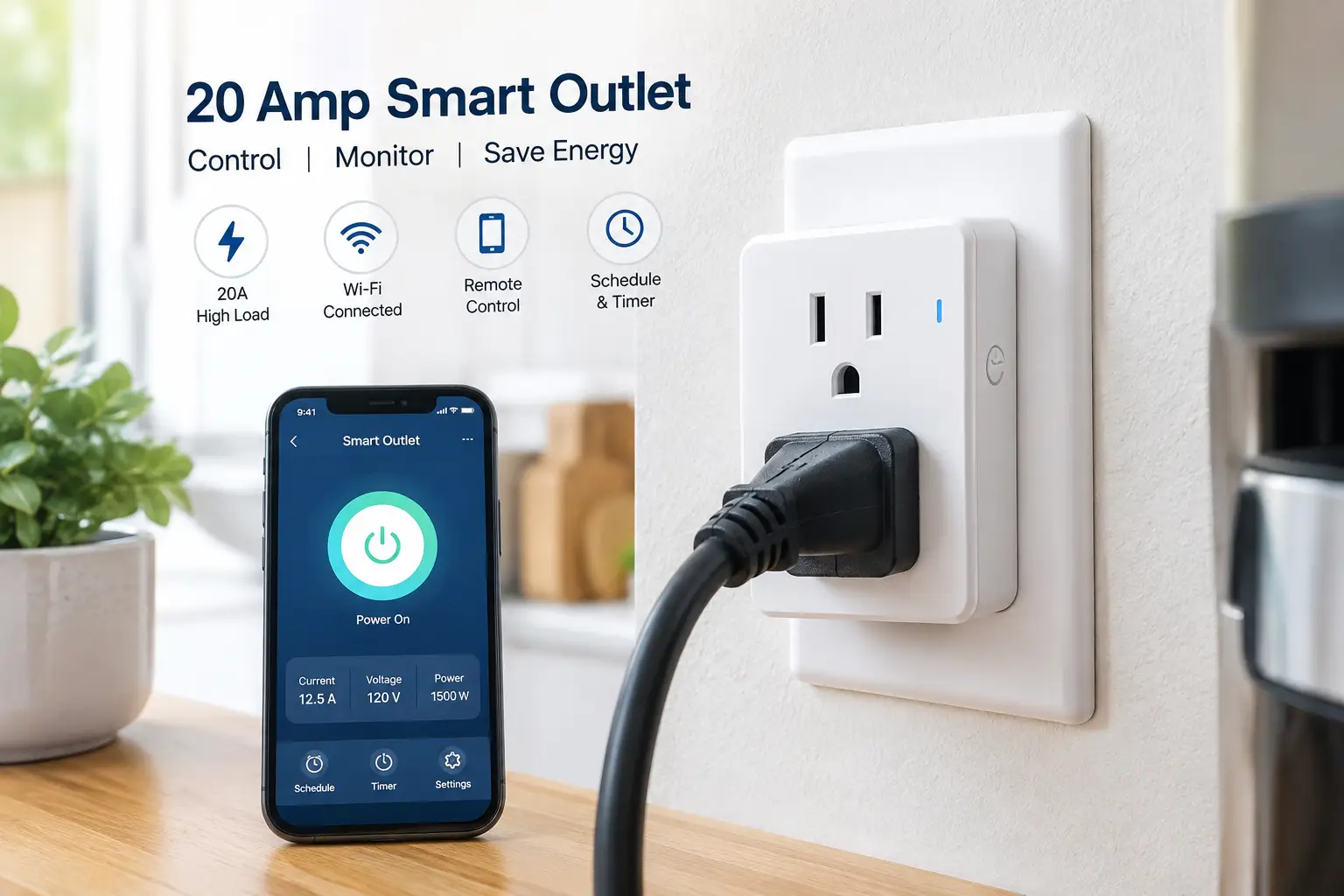
A 20 amp smart outlet is an in-wall receptacle rated for 20 amps at 125V that adds wireless control, usually over Wi-Fi, Z-Wave, or Zigbee. It lets you schedule, switch, or monitor high-draw appliances from an app or voice assistant. True 20A models use the T-slot NEMA 5-20R configuration, which accepts both standard and 20A plugs.
In plain terms, it’s the smart version of the outlet you’ll often see in kitchens, garages, and laundry rooms. That sideways “T” on one slot is the giveaway. It means the receptacle can accept a NEMA 5-20P plug, the kind with one horizontal blade found on some heavy-duty tools and appliances.
The math matters too. A 20A circuit at 120V can deliver up to 2,400 watts on paper. For loads that run three hours or more, US practice is to stay at 80% of that rating, or about 16 amps and 1,920 watts. Keep that number in mind; it shows up again in every section below.
Quick Comparison: The 7 Best 20A Smart Outlet Options at a Glance
| Product | Type | Rating | Smart control | Price range | Best for |
|---|---|---|---|---|---|
| ConnectSense Smart In-Wall Outlet (20A) | In-wall receptacle | 20A / 2,400W | Wi-Fi, HomeKit, Alexa, Google | Around $90–$110 | ConnectSense Smart In-Wall Outlet (20A): Apple Home users |
| Swidget 20A Outlet + Wi-Fi Insert | Modular receptacle | 20A | Wi-Fi (swappable inserts) | Around $55–$80 | Swidget 20A Outlet + Wi-Fi Insert: future-proofers |
| Leviton D2GF2-KW Smart GFCI | Smart GFCI receptacle | 20A | Wi-Fi alerts only | Around $40–$55 | Leviton D2GF2-KW Smart GFCI: freezers, sump pumps |
| Enerwave ZW20R | In-wall receptacle | 20A | Z-Wave (hub required) | Check current listing | Enerwave ZW20R: existing Z-Wave homes |
| Leviton Decora Smart D215R | In-wall receptacle | 15A, 20A feed-through | Wi-Fi, Matter | Under $40 | Leviton Decora Smart D215R: lamps on 20A circuits |
| Aeotec Heavy Duty Smart Switch Gen5 | Hardwired switch | 40A, up to 240V | Z-Wave Plus | Premium, $150+ | Aeotec Heavy Duty Smart Switch Gen5: water heaters, pumps |
| SURAIELEC 20A Wi-Fi Smart Timer Switch | Hardwired timer | 20A / 1HP | Wi-Fi (Smart Life) | Budget tier | SURAIELEC 20A Wi-Fi Smart Timer Switch: outdoor loads |
Looking at the table, only three products give you a true 20A receptacle you can switch remotely: the ConnectSense Smart In-Wall Outlet (20A), the Swidget 20A Outlet + Wi-Fi Insert, and the Enerwave ZW20R. The Leviton D2GF2-KW Smart GFCI is rated for 20A but intentionally offers no on/off control, while the Aeotec Heavy Duty Smart Switch Gen5 and SURAIELEC 20A Wi-Fi Smart Timer Switch trade the plug-in convenience for higher capacity and hardwired installation. Prices are ranges at the time of writing and may vary.
💬 One click helps other shoppers make an informed choice too! 😊
Top 7 20 Amp Smart Outlet Picks: Expert Analysis
Each pick below was chosen for a specific job. Read the “who it’s for” line in each entry before you look at features; a mismatch between product and use case is the most common reason people end up disappointed.
1. ConnectSense Smart In-Wall Outlet (20A) — best true 20A smart receptacle
The ConnectSense Smart In-Wall Outlet (20A) is the closest thing to a no-compromise 20 amp smart receptacle on the US market. When it launched, smart-home outlet The DMZ described it as likely the first 20A smart outlet, and it still sets the benchmark.
Key features first. It’s rated 2,400W at 125V, and both receptacles can be controlled independently, which means you can schedule a space heater on top and a dehumidifier on the bottom. Per-outlet energy monitoring shows real-time and historical wattage, so you can actually see what that garage fridge costs to run. It works with Apple Home, Alexa, and Google Assistant, and schedules are stored locally on the device.
Who is it for? Apple-centric households, first and foremost. The iMore hands-on review highlighted quick setup through HomeKit codes, a QR code, and even NFC tap-to-pair. Reviews consistently flag one practical drawback: the body is bulky, so it can be a tight fit in older or crowded boxes.
Pros:
- ✅ Both receptacles switch independently at a true 20A rating
- ✅ Per-outlet energy monitoring with usage history
- ✅ Works with Apple Home, Alexa, and Google
Cons:
- ❌ Deep body can be hard to fit in shallow boxes
- ❌ No Z-Wave or Zigbee option for hub-based homes
At around $90–$110 (check the current price), it’s the priciest receptacle here, but it’s the only one combining true 20A switching, dual control, and HomeKit.
2. Swidget 20A Outlet + Wi-Fi Insert — most future-proof design
The Swidget 20A Outlet + Wi-Fi Insert solves a problem nobody else tackles: what happens when your smart-home standard changes in five years? Its answer is to separate the wiring device from the radio.
Here’s how it works. You install a smart-ready, tamper-resistant 20A receptacle, then snap an insert into the center. The Wi-Fi insert enables remote control of the lower receptacle up to 20A, plus independent power monitoring on both receptacles. If you later move to Z-Wave or Zigbee, you swap the insert instead of rewiring. Swidget’s installation notes state that every Swidget device requires a neutral wire.
On paper, this is ideal for new construction and remodels where you want 20A outlets installed now and the “smart” part decided later. The Wi-Fi version also pairs with Alexa and Google Home for voice control.
Honest caveat: verified customer review volume for the 20A version is thin, and at least one Home Assistant forum user noted that Swidget’s Amazon reviews were mixed. Treat it as a strong concept with a smaller track record.
Pros:
- ✅ Swappable inserts protect against protocol changes
- ✅ Monitoring on both receptacles, not just one
- ✅ Same 20A rating as standard receptacles
Cons:
- ❌ Only the lower receptacle is switchable
- ❌ Smaller review base than mainstream brands
Typically around $55–$80 for the outlet-plus-insert bundle, it’s solid value if longevity matters more than polish.
3. Leviton D2GF2-KW Smart GFCI — best for appliances you can’t watch
The Leviton D2GF2-KW Smart GFCI is a different kind of smart outlet. It doesn’t turn anything on or off. Instead, it tells your phone when it trips, and that’s exactly the point.
It’s a 20A, 125V GFCI with 20A feed-through, Wi-Fi certified, and tied into the My Leviton app. The app shows protection status, whether a ground fault occurred, and whether the device is in self-test mode. Leviton intentionally omits remote on/off control for safety reasons, according to its D2GF2-KW product page. An optional audible alarm can be enabled or silenced, and a patented reset lockout prevents reset if wiring is wrong.
Think about where a silent trip costs you money: a basement chest freezer, a sump pump, a garage fridge, a vacation home. Those are the use cases this device was built for. If you want to schedule a load, look elsewhere; if you want to avoid $400 of spoiled food, this is the smarter buy.
Customer-review data specific to this 20A SKU is limited, so judge it mainly on Leviton’s documented specs and track record.
Pros:
- ✅ Instant phone alerts when a ground fault trips
- ✅ Continuous self-testing with reset lockout
- ✅ Meets current UL GFCI requirements
Cons:
- ❌ No remote on/off or scheduling at all
- ❌ Wi-Fi only, with no local hub option
At around $40–$55, it costs only modestly more than a premium standard GFCI, which makes the alerts very cheap insurance.
4. Enerwave ZW20R — best for existing Z-Wave setups
The Enerwave ZW20R is the veteran of this list, a 20A Z-Wave receptacle that’s been around for years. It still has an amazon.com listing, though availability is inconsistent.
It’s a tamper-resistant duplex receptacle where one outlet is Z-Wave controlled and the other stays always on. A blue LED shows status and doubles as a night light. Published specs list 120VAC, 20A maximum load, roughly 100 feet of open-air range, and UL/cUL listing plus FCC Part 15 compliance. Because it’s Z-Wave, it needs a hub such as Hubitat, Home Assistant with a Z-Wave stick, or a compatible SmartThings setup.
Why consider an older device? Because Z-Wave runs on its own 908.42 MHz band, it doesn’t compete with your Wi-Fi, and hub-based automations keep working locally if your internet drops. For anyone already running a Z-Wave mesh, it slots right in.
The honest flag: a SmartThings community thread reported that Enerwave stopped manufacturing this outlet, so stock is limited and support may be too. Reviews skew toward hobbyists who value its rating more than its age.
Pros:
- ✅ True 20A rating on a Z-Wave mesh
- ✅ Local control that works without internet
- ✅ Always-on second outlet for chargers
Cons:
- ❌ Reportedly discontinued, so stock is unreliable
- ❌ Older Z-Wave generation without energy monitoring
Pricing swings with limited stock, so check the current listing; it’s worth it only if you’re already invested in Z-Wave.
5. Leviton Decora Smart D215R — smartest choice when you don’t need a 20A plug
The Leviton Decora Smart D215R (Wi-Fi 2nd Gen) isn’t a 20A receptacle, and we’re including it on purpose. For a surprising number of shoppers, it’s the right answer to a 20 amp question.
Here’s why. Most 20A kitchen, garage, and bedroom circuits in US homes are fed by multiple receptacles, and on those circuits a 15A duplex receptacle is generally permitted. The D215R is a 15A tamper-resistant outlet with 20A feed-through, so it can sit on a 20A circuit and pass full current downstream. The top outlet is smart-controlled; the bottom stays always on. It supports Alexa, Google, Apple Home, and Matter via a firmware update, with no hub required.
Practically, that means if your load is a lamp, a fan, holiday lights, or a small appliance under 15A, you get a slimmer device, more ecosystem choices, and Leviton’s mature app. Leviton also notes its slim profile makes it easier to install in shallow boxes, a real advantage over the bulky ConnectSense.
What it can’t do: accept a NEMA 5-20P plug, or legally serve as the only receptacle on a dedicated 20A individual branch circuit. Owner feedback across Leviton’s Decora Smart line generally praises reliability, though D215R-specific review data wasn’t verifiable for this guide.
Pros:
- ✅ Matter, HomeKit, Alexa, and Google support
- ✅ Slim body fits crowded or shallow boxes
- ✅ 20A feed-through works on 20A circuits
Cons:
- ❌ Receptacle itself is limited to 15A loads
- ❌ Only the top outlet is switchable
Typically under $40, it’s the best value pick whenever your actual load stays under 15 amps.
6. Aeotec Heavy Duty Smart Switch Gen5 — built for loads beyond any outlet
The Aeotec Heavy Duty Smart Switch Gen5 (ZW078) is what you buy when a 20A receptacle simply isn’t enough. It’s not an outlet at all; it’s a hardwired, weather-resistant Z-Wave Plus switch rated for serious current.
The headline numbers: up to 40A resistive, 9,600W, and 5HP motor loads at 240VAC. It reports energy use in watts and kilowatt-hours in real time, uses AES-128 encryption, and its long-range antenna is rated for about 500 feet outdoors. It also acts as a Z-Wave repeater, strengthening your mesh in the yard or garage.
In practice, this is the right tool for electric water heaters, pool pumps, well pumps, and large heaters. Aeotec states that it must be installed behind a circuit breaker or air-break switch, and it needs a compatible Z-Wave gateway. That makes it an electrician-level job for most homeowners.
Customer-review details for this specific model weren’t verifiable for this guide, so lean on Aeotec’s documentation and long market history. The spec sheet is impressive; the installation is not casual.
Pros:
- ✅ Handles 40A and 240V appliances
- ✅ Real-time kWh reporting for big loads
- ✅ Outdoor-capable with long Z-Wave range
Cons:
- ❌ Hardwired installation, no plug-in receptacle
- ❌ Requires a Z-Wave hub to function
In the premium tier (often $150 and up, check the current price), it earns its cost only on heavy, energy-hungry appliances.
7. SURAIELEC 20A Wi-Fi Smart Timer Switch — cheapest way into 20A automation
The SURAIELEC 20A Wi-Fi Smart Timer Switch is the budget route to app-controlled 20A loads outdoors. It’s a hardwired timer switch rather than a receptacle, sold through amazon.com.
Specs list 20A at 120V, 2,400W, and 1HP motor capacity. It connects over 2.4GHz Wi-Fi through the Tuya Smart Life app, supports Alexa and Google voice control, and handles programmable schedules plus remote on/off. It’s marketed for pool pumps, water heaters, landscape lighting, and holiday displays installed in outdoor boxes.
Who should consider it? DIYers who already work comfortably in junction boxes and want a low-cost way to schedule a pool light or pump. Tuya’s ecosystem is broad, which helps with integrations, though cloud-dependent control means automations may stall when your internet does.
The honest picture on reviews: this is a relatively new listing, so there’s little long-term owner data yet. That’s a meaningful unknown for a device switching 2,400W outdoors. If you buy it, verify the listing shows a recognized safety certification before installing.
Pros:
- ✅ 20A and 1HP rating at budget pricing
- ✅ Works with Alexa and Google via Smart Life
- ✅ Designed for outdoor electrical boxes
Cons:
- ❌ Limited long-term reliability data so far
- ❌ 2.4GHz Wi-Fi only, cloud-dependent control
It sits in the budget tier among these picks; check the current price, and weigh the savings against the shorter track record.
Full Comparison: Features, Ratings, and Value
| Product | Max load | Switched outlets | Energy monitoring | Hub needed | Install type | Best for |
|---|---|---|---|---|---|---|
| ConnectSense Smart In-Wall Outlet (20A) | 20A / 2,400W | 2 of 2 | Yes, per outlet | No | Receptacle | ConnectSense Smart In-Wall Outlet (20A): HomeKit power users |
| Swidget 20A Outlet + Wi-Fi Insert | 20A | 1 of 2 | Yes, both outlets | No | Receptacle | Swidget 20A Outlet + Wi-Fi Insert: remodels |
| Leviton D2GF2-KW Smart GFCI | 20A | 0 (alerts) | No | No | GFCI receptacle | Leviton D2GF2-KW Smart GFCI: freezers |
| Enerwave ZW20R | 20A | 1 of 2 | No | Z-Wave | Receptacle | Enerwave ZW20R: Z-Wave meshes |
| Leviton Decora Smart D215R | 15A (20A pass-through) | 1 of 2 | No | No | Receptacle | Leviton Decora Smart D215R: small loads |
| Aeotec Heavy Duty Smart Switch Gen5 | 40A / 9,600W | Hardwired | Yes, kWh | Z-Wave | Hardwired | Aeotec Heavy Duty Smart Switch Gen5: 240V appliances |
| SURAIELEC 20A Wi-Fi Smart Timer Switch | 20A / 2,400W | Hardwired | No | No | Hardwired | SURAIELEC 20A Wi-Fi Smart Timer Switch: pool lights |
The pattern is clear once you line them up: energy monitoring and dual switching rarely come together, and only the ConnectSense Smart In-Wall Outlet (20A) offers both. If you want monitoring at a lower cost and can live with one switched outlet, the Swidget 20A Outlet + Wi-Fi Insert is the value play. For anything above 20A, skip receptacles entirely and look at the Aeotec Heavy Duty Smart Switch Gen5.
✨ Don’t miss these heavy-duty smart picks!
🔍 Take your home automation to the next level with this carefully curated lineup. Click a highlighted product to check current pricing and availability. These picks will help you control the power-hungry appliances the whole family relies on!
How to Install a 20A Smart Outlet: A Practical First-Day Guide 🔧
Installing a 20A smart outlet isn’t harder than swapping a standard receptacle, but it punishes shortcuts. If you’re not comfortable working in a live electrical box, hire a licensed electrician; local codes may require one anyway.
Before you start
- ✅ Confirm the breaker is actually 20A and the wire is 12 AWG (usually marked on the cable jacket). A 20A receptacle on 14 AWG wire is a code violation and a fire risk.
- ✅ Check for a neutral wire. Nearly every smart receptacle here, including the Swidget, requires one.
- ✅ Measure box depth. Smart outlets are bulkier than standard ones, and 12 AWG wire is stiff.
- ✅ Test your Wi-Fi signal at the outlet location with your phone before you buy.
Installation steps
- Kill the power at the breaker, then verify with a non-contact voltage tester.
- Photograph the existing wiring before disconnecting anything; it saves guesswork later.
- Identify line versus load. If the box has two cable sets, the device’s line terminals must connect to the cable bringing power in. Swapping them is the most common reason a smart outlet won’t power up.
- Connect ground, neutral, and hot per the instruction sheet, using the terminal type specified.
- Fold wires carefully into the box, accordion-style, so the device sits flush without pinching insulation.
- Restore power and pair the device in its app before mounting the wall plate.
Common first-30-day mistakes
The biggest one is plugging in a load the device can’t handle continuously. A 20A smart receptacle should run continuous loads at about 16A or less. Another is ignoring firmware updates; Matter support on the Leviton Decora Smart D215R, for example, arrives through a firmware update in the app. Finally, check your schedules after a power outage, especially on cloud-dependent devices.
Real-World Scenarios: Matching the Right Product to Your Home 🏠
Specs only make sense in context. Here are four common profiles and the reasoning behind each match.
Scenario 1: The garage workshop
You’ve got a dedicated 20A garage circuit, a shop vac, and an air compressor with a 5-20P plug. You want the compressor off automatically at night. The ConnectSense Smart In-Wall Outlet (20A) is the natural fit: the T-slot receptacle accepts the plug, and per-outlet monitoring shows when the compressor is cycling. Remember that garage receptacles generally need GFCI protection, which can be provided upstream.
Scenario 2: The basement chest freezer
Your freezer sits on a GFCI-protected 20A circuit in the basement. You don’t want to switch it; you want to know if it loses power. The Leviton D2GF2-KW Smart GFCI does precisely that, alerting your phone the moment it trips. Pair it with a cheap temperature sensor for full coverage.
Scenario 3: The bedroom window AC
Your window unit draws about 9 amps on a standard 15A plug, connected to a 20A bedroom circuit. You don’t need a 20A receptacle at all. The Leviton Decora Smart D215R handles it with Matter support and a slimmer body. Most window units under about 12,000 BTU fall in this range; check the nameplate.
Scenario 4: The pool owner on a budget
You want app-scheduled control of a 1HP pool pump in an outdoor box. The SURAIELEC 20A Wi-Fi Smart Timer Switch is the low-cost route, while the Aeotec Heavy Duty Smart Switch Gen5 is the premium choice if you already run Z-Wave and want kWh data.
Problem → Solution: Fixing the Most Common 20 Amp Smart Plug Headaches
These are the problems that show up repeatedly in owner discussions and support documentation, along with practical fixes.
Problem 1: “I can’t find a 20 amp smart plug that fits my 5-20P cord.” That’s not your imagination. Plug-in smart adapters with a true 5-20R face are rare in the US, and many listings calling themselves “20A” still have a standard 5-15 plug. ✅ Solution: switch to an in-wall 20A receptacle such as the ConnectSense Smart In-Wall Outlet (20A) or Swidget 20A Outlet + Wi-Fi Insert.
Problem 2: The device drops off Wi-Fi. In-wall outlets sit inside metal or crowded boxes, which weakens signal. ✅ Solution: add a mesh node nearby, confirm the device is on 2.4GHz, or choose a Z-Wave device like the Enerwave ZW20R, which builds its own mesh.
Problem 3: The outlet won’t fit in the box. ✅ Solution: use a deeper box extender if code allows, or choose a slimmer device like the Leviton Decora Smart D215R when your load is under 15A.
Problem 4: The breaker trips when the heater kicks on. That’s the circuit, not the smart outlet. ✅ Solution: check what else shares the circuit. A 1,500W heater uses about 12.5A, leaving little room for anything else.
Problem 5: Schedules fail during internet outages. ✅ Solution: prefer devices that store schedules locally, as ConnectSense documents in its app listing, or use a local Z-Wave hub.
How to Choose a 20 Amp Smart Outlet
Use these seven steps in order; each one narrows the field.
- Check the circuit first. Look at the breaker and the wire gauge. A 20A smart receptacle belongs only on a 20A circuit with 12 AWG copper.
- Read the appliance nameplate. If the load draws under 15A and uses a standard plug, a 15A smart outlet with 20A feed-through may be the better buy.
- Look at the plug. A horizontal neutral blade (5-20P) means you need a true T-slot 20A receptacle.
- Decide on control versus alerts. Switching a load and monitoring a GFCI are different jobs; the Leviton D2GF2-KW Smart GFCI only does the second.
- Pick your ecosystem. Apple Home, Alexa, Google, Matter, or a Z-Wave hub all narrow your options quickly.
- Measure the box. Bulky smart devices plus stiff 12 AWG wire can be a tight squeeze.
- Confirm certification. Look for a UL or ETL listing mark before anything goes in your wall.
Common Mistakes to Avoid When Buying a Smart 20 Amp Receptacle
The most expensive mistake is trusting a product title. Search results for “20 amp” smart devices are crowded with 15A plugs, 16A international models, and listings where 20A refers only to feed-through. Always read the spec sheet, not the headline.
The second mistake is ignoring continuous-load math. A space heater running all evening is a continuous load, so on a 20A circuit you should plan around roughly 16A. A smart outlet’s rating doesn’t change the circuit’s limits; it only adds control.
Third, buyers often forget the neutral wire. Older homes sometimes have switch loops or boxes without a usable neutral, and nearly every smart receptacle needs one to power its radio.
Fourth, people buy for a smart-home ecosystem they don’t use. A Z-Wave outlet like the Enerwave ZW20R is excellent with a hub and useless without one. A HomeKit-first device works well with Alexa, but setup is smoothest in the ecosystem it was designed around.
Finally, don’t buy a smart receptacle for a 240V appliance. Every receptacle in this guide is 120V. For 240V loads, the Aeotec Heavy Duty Smart Switch Gen5 is designed for that job.
20A Smart Outlet vs 15A Smart Outlet vs Smart Plug
This is the comparison most shoppers actually need, because the cheapest answer is often not a 20A device at all.
A standard 15A smart plug is easy: plug it in and you’re done. But it’s capped at 1,800W, and it hangs off the wall. A 15A in-wall smart outlet looks cleaner and, when it offers 20A feed-through, can live on a 20A circuit. A true 20A smart outlet costs more and is harder to find, but it’s the only option that accepts a 5-20P plug and supports a full 2,400W rating.
| Option | Max rated load | Accepts 5-20P plug | Install | Typical cost | Best for |
|---|---|---|---|---|---|
| Plug-in 15A smart plug | 15A / 1,800W | No | Plug-in | Lowest | Renters, lamps |
| 15A in-wall smart outlet (e.g., Leviton Decora Smart D215R) | 15A | No | Electrician or DIY | Low | Leviton Decora Smart D215R: clean installs |
| True 20A smart outlet (e.g., ConnectSense Smart In-Wall Outlet (20A)) | 20A / 2,400W | Yes | Electrician or DIY | Higher | ConnectSense Smart In-Wall Outlet (20A): heavy plug-in loads |
| Hardwired heavy-duty switch (e.g., Aeotec Heavy Duty Smart Switch Gen5) | Up to 40A | Not applicable | Electrician | Highest | Aeotec Heavy Duty Smart Switch Gen5: 240V appliances |
The table shows the trade-off in a single glance: every step up in capacity adds cost and installation complexity. If your appliance has a regular plug and draws under 15A, the Leviton Decora Smart D215R delivers most of the smart benefits for less. Reserve the ConnectSense Smart In-Wall Outlet (20A) for loads that genuinely need it.
Safety, Codes, and Standards for a Wi-Fi 20 Amp Outlet
Electrical work in US homes is governed by the National Electrical Code, published by the NFPA as NFPA 70, and adopted with local amendments by states and municipalities. A few provisions matter most here.
On a 20A circuit with more than one receptacle, both 15A and 20A receptacles are generally allowed; a duplex counts as two. But a single receptacle alone on an individual 20A branch circuit must be rated 20A. That’s why a dedicated appliance circuit may require a true 20A device.
New and replacement receptacles in dwellings generally must be tamper-resistant, and every receptacle on this list is. GFCI protection is required in kitchens, bathrooms, garages, outdoors, basements, and laundry areas, among others. AFCI requirements also apply to many living spaces, and replacing a receptacle can trigger upgrade rules in some jurisdictions.
Look for a UL or ETL listing and FCC Part 15 compliance for the radio. A wifi 20 amp outlet with no recognized listing has no business inside a wall. When in doubt, ask your local building department or a licensed electrician.
Long-Term Cost and Maintenance
A smart receptacle’s sticker price is only part of the story. The real return comes from what it lets you see and control.
Consider a 1,500W space heater left running eight extra hours a week. At roughly 17 cents per kWh, a common US residential average range, that’s about $2 a week, or roughly $50 over a six-month heating season. A schedule that prevents it covers a good share of a premium outlet’s cost in a single winter. Energy monitoring, offered by the ConnectSense Smart In-Wall Outlet (20A) and the Swidget 20A Outlet + Wi-Fi Insert, also helps spot failing appliances; a fridge drawing noticeably more than usual is often a compressor or seal issue.
Maintenance is light but real. Update firmware a few times a year, re-check schedules after outages, and press the test button on any GFCI monthly. Plan for the ecosystem to change, too; that’s where the Swidget’s swappable-insert design and Matter-capable devices tend to age best.
Features That Actually Matter (and Ones That Don’t)
Matter most: a genuine 20A rating, independent control of each receptacle, local scheduling, energy monitoring, and a recognized safety listing. These directly affect safety, reliability, and savings.
Matter less: RGB status lights, decorative finishes, and “works with 50 apps” claims. Those are nice touches, but they won’t help when your freezer trips at 3 a.m. Focus your budget on load rating and reliability first.
FAQ: 20 Amp Smart Outlet Questions Shoppers Actually Ask
❓ Can I put a 20 amp smart outlet on a 15 amp circuit?
❓ Is there a Matter-certified 20 amp smart outlet?
❓ Will a 20A smart outlet work with Alexa without a hub?
❓ Can a smart outlet control a window air conditioner?
❓ Do 20 amp smart outlets need a neutral wire?
Conclusion: The Right 20 Amp Smart Outlet Depends on the Load
The 20 amp smart outlet market is small, and that’s exactly why choosing carefully matters. There’s no single winner here, only the right tool for a specific job.
If you need a true 20A receptacle with full smart control, the ConnectSense Smart In-Wall Outlet (20A) is the benchmark, especially in Apple homes. If you’d rather invest in a platform that can change radios later, the Swidget 20A Outlet + Wi-Fi Insert is the forward-looking pick. For freezers, sump pumps, and second homes, the Leviton D2GF2-KW Smart GFCI gives you alerts instead of switching, which is precisely what those locations need.
Z-Wave households can still hunt down the Enerwave ZW20R, while anyone whose load stays under 15 amps should seriously consider the slimmer, Matter-ready Leviton Decora Smart D215R. And when the appliance outgrows any receptacle, the Aeotec Heavy Duty Smart Switch Gen5 and the budget SURAIELEC 20A Wi-Fi Smart Timer Switch take over as hardwired solutions.
Whatever you choose, start with the circuit: breaker size, wire gauge, neutral, and box depth. Then match the device to the load and your ecosystem. Get those basics right, and your smart home finally handles the appliances that matter most. ⚡
🚀 Ready to make your heavy-duty appliances smarter?
🔍 Click any highlighted product above to check current pricing and availability, and pick the 20A solution that fits your circuit, your load, and your smart-home setup!
Recommended for You
- Third Reality Smart Plug: 7 Smart Picks, Honestly Ranked (2026)
- Solar Power Monitor: 7 Best Picks That Actually Pay Off (2026)
- Smart Outlet USB: 7 Best Picks for 2026, Ranked Honestly
Disclaimer: This post contains affiliate links. As an Amazon Associate, I earn from qualifying purchases made through these links, at no additional cost to you.
✨ Found this article helpful? Share it with someone who needs it! 💬🤗
