
In This Article
Introduction: Why an Automatic Power Strip Beats Your Memory
Let’s be honest: nobody crawls under the desk every night to flip off the printer, the speakers, and the monitor. That’s exactly why an automatic power strip exists. It does the switching for you, every single time, without a sticky note or a guilty conscience.
The problem it solves has a spooky name: vampire power. TVs, game consoles, soundbars, chargers, and printers keep sipping electricity in “off” or standby mode. Federal researchers have been tracking this for years — the Department of Energy’s Better Buildings program reports that advanced power strips cut plug-load energy by up to 26% at workstations and 48% in kitchens and printer rooms. At home, the stakes are smaller per device, but they stack up quietly across an entertainment center and a home office.
Here’s the catch most shoppers miss: a regular surge protector does nothing about standby power unless you flip its switch. An automatic power strip adds a brain — a current sensor, a remote-control “eye,” a schedule, or a Wi-Fi app — so the cutting happens on its own.
In this 2026 guide, you’ll get seven real, currently sold models (from $20 budget strips to app-driven energy monitors), a clear explanation of which automation type fits which room, setup steps that Amazon listings skip, and honest notes on where each one falls short. No fake test stories — just spec sheets, aggregated review sentiment, and plain reasoning.
What Is an Automatic Power Strip?
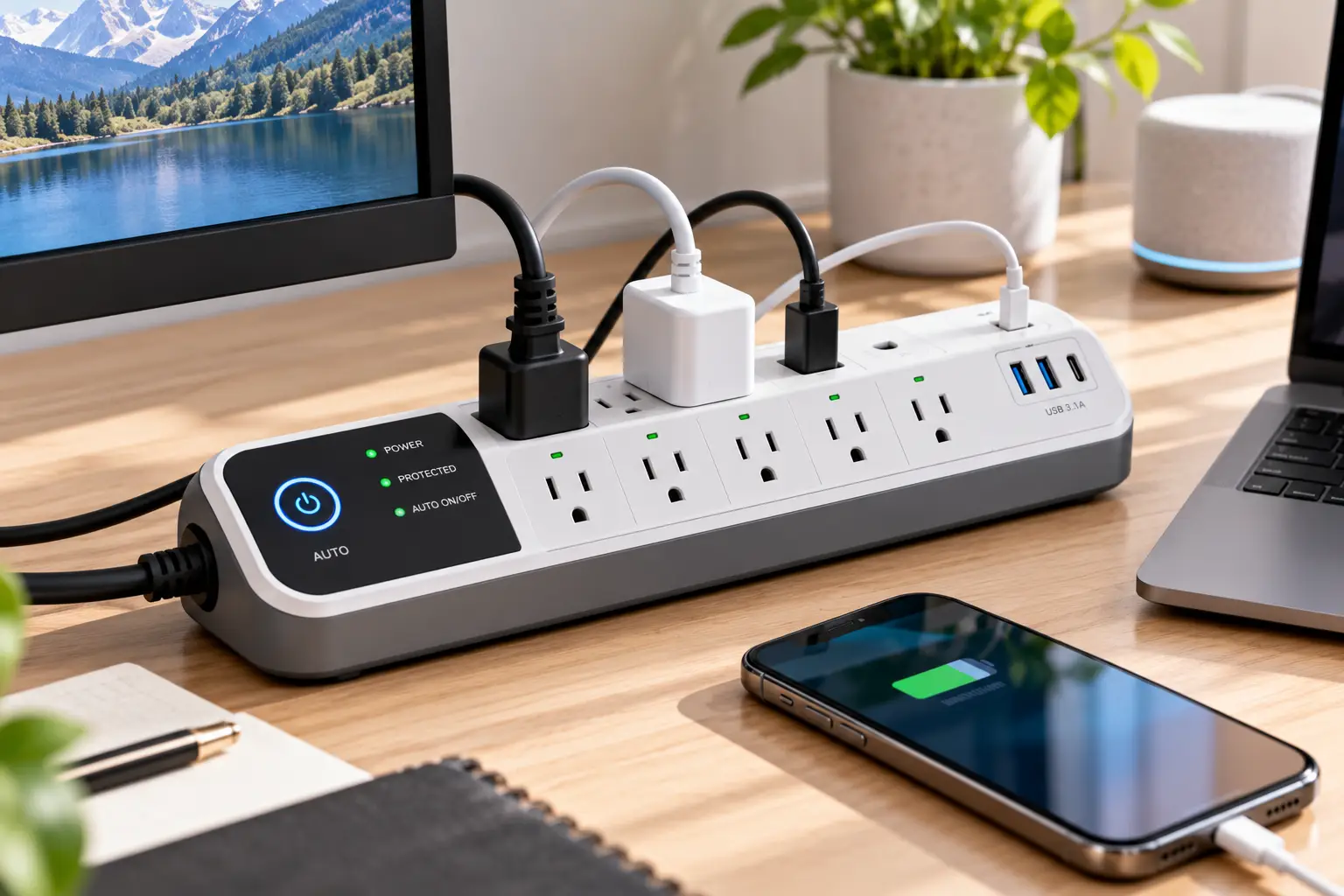
An automatic power strip is a surge-protected power strip that switches some outlets on or off by itself. It reacts to a trigger — a master device turning off, no remote-control activity, a set schedule, or an app command — to eliminate standby (phantom) power from idle electronics without you touching a switch.
You’ll also see it sold as an advanced power strip (APS), a master control power strip, or an energy saving power strip. Wi-Fi models are usually marketed as a smart power strip. Same goal, different trigger — and the trigger is what you’re really choosing.
Quick Comparison: The Best Automatic Power Strip for Every Setup
Before the deep dives, here’s the 30-second version. The “Trigger” column matters most — it decides whether the strip fits how you actually use your gear.
| Product | Trigger type | Outlets | Approx. price | Best for |
|---|---|---|---|---|
| TrickleStar TS1104 | Current sensing (Tier 1) | 7 (1 control, 4 switched, 2 always-on) | $20–$35 | TrickleStar TS1104: budget home office |
| Bits Limited Smart Strip SCG3 | Current sensing, dial threshold | 7 (1 control, 4 switched, 2 always-on) | $20–$40 | Bits Limited Smart Strip SCG3: PCs that sleep instead of shutting down |
| TrickleStar TS1006 | Current sensing, 3 thresholds | 12 (1 control, 8 switched, 3 always-on) | $45–$60 | TrickleStar TS1006: big TV or gaming setups |
| Embertec Emberstrip 8AV+ | IR remote + current sensing (Tier 2) | 8 (6 switched, 2 always-on) | $55–$75 | Embertec Emberstrip 8AV+: living rooms where the TV gets left on |
| Kasa HS300 | Wi-Fi schedules + app | 6 smart + 3 USB | $45–$80 | Kasa HS300: per-outlet energy monitoring |
| Tapo P316M | Wi-Fi + Matter schedules | 6 smart + 3 USB | $40–$55 | Tapo P316M: mixed Apple/Google/Alexa homes |
| Kasa KP303 | Wi-Fi schedules + app | 3 smart + 2 USB | $20–$40 | Kasa KP303: small loads on a timer |
Looking at the table, the split is clear: the three current-sensing strips are “set it and forget it” and never need Wi-Fi, while the Kasa and Tapo models trade that simplicity for schedules, voice control, and data. The Embertec Emberstrip 8AV+ sits alone in the middle — it’s the only pick that also catches the TV that’s on but nobody is watching. Budget buyers should start with the TrickleStar TS1104; data nerds will gravitate to the Kasa HS300. Prices are approximate at the time of writing and change often, so check the current price before you buy.
💬 One click helps other shoppers make an informed choice too! 😊
Top 7 Automatic Power Strips: Expert Analysis
Every pick below is a real, currently sold model. Specs come from manufacturer and retailer spec sheets; review notes summarize aggregated customer sentiment, not personal testing.
1. TrickleStar TS1104 — best value master control strip
If you want the classic automatic power strip without paying for extras you won’t use, this is the benchmark.
The TrickleStar TS1104 gives you seven outlets: one control, four switched, and two always-on. Plug your PC or TV into the control outlet, and when it powers down, the four switched outlets go dark too — taking the monitor, speakers, and printer with them. The two always-on outlets are where your router and modem belong. A low/medium/high threshold slider lets you tell the strip what “off” looks like for your device, which matters because modern TVs and PCs still draw a few watts while asleep.
Based on comparing the specs, the 1,080 joules of ceramic-encased surge protection and a 15 A resettable breaker are solid for a desk, not exceptional. It’s listed to UL 1363 and UL 1449 and carries a 10-year warranty. The 3-foot cord is the real limitation — great for under-desk mounting, frustrating if your wall outlet is across the room.
Review sentiment is broadly positive on reliability; the most common confusion is the threshold slider, which some buyers mistake for a breaker setting.
Pros:
- ✅ Simple, Wi-Fi-free automation that just works
- ✅ Adjustable threshold handles sleepy modern electronics
- ✅ Long 10-year warranty for the price
Cons:
- ❌ Short 3-foot cord limits placement
- ❌ Only four switched outlets
Usually in the $20–$35 range (utility rebates can drop it further), it’s the best value per switched outlet in this lineup.
2. Bits Limited Smart Strip SCG3 — fine-tune control for sleeping PCs
The original “smart strip” brand still earns its spot thanks to one small screw.
The Bits Limited Smart Strip SCG3 uses the same layout as most master control power strips: one control outlet, four automatically switched outlets, and two constant-hot outlets, with a roughly 4-foot cord. What sets it apart is a sensitivity threshold adjustment you turn with a screwdriver. In practice, that means you can tune it so a PC in sleep mode counts as “off,” not just a fully shut-down PC.
That’s exactly who it’s for: desktop users who never truly power down. The trade-off is that a dial gives you finer control but also more ways to get it wrong. Turn it too sensitive and the peripherals may flicker on and off; too dull and they never switch.
Aggregated reviews reflect that split. Owners who calibrate it praise it as a no-Wi-Fi, no-app solution, while a recurring complaint is outlet spacing — bulky adapters can block neighbors — and a handful report cycling when the dial is set too high. Joule ratings differ across listings for this model family, so confirm the figure on the specific listing you buy.
Pros:
- ✅ Dial threshold catches PCs in sleep mode
- ✅ No app, account, or Wi-Fi required
- ✅ Long-running, proven product line
Cons:
- ❌ Tight outlet spacing for bulky power bricks
- ❌ Calibration takes trial and error
Typically $20–$40, it’s worth it if your computer sleeps more than it shuts down.
3. TrickleStar TS1006 — most switched outlets for big setups
When four switched outlets aren’t enough, this 12-outlet automatic power strip scales up without adding complexity.
The TrickleStar TS1006 packs one control outlet, eight switched outlets, and three always-on outlets, several of them transformer-spaced for chunky adapters. Surge protection jumps to 4,320 joules, and it adds coax and RJ11 phone-line protection. Instead of a vague slider, it offers three defined switching thresholds — 10 W, 22 W, and 42 W — so you can match it to a TV’s standby draw with real numbers. The strip itself is rated to consume under 1 W.
Here’s what to weigh: this is the strip for a TV with a soundbar, two consoles, a streaming box, and a subwoofer, or a gaming PC with a full peripheral stack. The 4-foot cord with an angled plug helps behind furniture.
Review sentiment is more mixed than for the 7-outlet sibling — at least one utility marketplace shows a middling average — with complaints usually centering on the chosen threshold not matching the TV. Picking the right wattage setting is the fix in most cases.
Pros:
- ✅ Eight switched outlets cover large setups
- ✅ Clear 10/22/42 W threshold settings
- ✅ Big 4,320-joule surge rating
Cons:
- ❌ Mixed reviews tied to threshold setup
- ❌ Large footprint behind compact stands
At roughly $45–$60, it’s the best cost-per-outlet buy for big entertainment centers.
4. Embertec Emberstrip 8AV+ — catches the TV nobody’s watching
This is the Tier 2 pick, and it solves a problem master control strips can’t.
The Embertec Emberstrip 8AV+ has eight outlets: six power-saving and two always-on. Besides sensing power draw, it watches for infrared signals from your remote. If no remote activity is detected for 1, 2, or 8 hours (your choice), it gives a 60-second warning, then cuts the TV and its accessories. That “Active Powerdown” feature targets active waste — the TV left running while someone dozes off — not just standby waste.
What most buyers overlook: it’s built for living rooms, not desks. Long movies or game sessions with a controller (not an IR remote) can trigger the countdown, so the 8-hour setting is the safe starting point. Utility efficiency programs widely stock this model, which tells you something about how seriously the energy-savings case has been studied.
Customer feedback on utility marketplaces is generally favorable, though review volume is thin. Listings disagree on surge capacity (1,080 J vs. 1,974 J depending on version), so verify the rating on the exact listing.
Pros:
- ✅ Cuts active waste, not just standby
- ✅ Warning period before power-down
- ✅ Six switched outlets for AV gear
Cons:
- ❌ Can misfire during long remote-free viewing
- ❌ Availability on amazon.com varies
Usually $55–$75 before any rebate, it’s worth it for households that habitually leave the TV on.
5. Kasa HS300 — per-outlet energy monitoring
If you want to see exactly which device is costing you money, this smart power strip is the gold standard.
The Kasa HS300 gives you six individually controlled outlets plus three USB ports. Each outlet can be scheduled, timed, or switched remotely through the Kasa app, Alexa, or Google Assistant. Its standout is per-outlet energy monitoring: you can see live wattage and history for each socket, which turns “I think the console draws a lot” into an actual number. It’s ETL-certified, rated for 15 A / 1,875 W, and runs on 2.4 GHz Wi-Fi with no hub.
On paper, this means a different kind of automation. It won’t react to your TV turning off; it follows rules you set. That’s ideal for predictable routines — office gear off at 7 p.m., chargers off overnight — and for hunting down energy hogs.
Reviews consistently praise the monitoring accuracy and app stability. Common gripes are Wi-Fi setup hiccups and the USB ports being always-on rather than switchable. Third-party reports put surge protection around 1,710 joules.
Pros:
- ✅ Individual energy data for every outlet
- ✅ Flexible schedules, timers, and voice control
- ✅ Six independently switchable outlets
Cons:
- ❌ Needs Wi-Fi and an app account
- ❌ USB ports cannot be switched off
Typically $45–$80, it pays off most for people who’ll actually use the data.
6. Tapo P316M — Matter-ready for any ecosystem
Think of this as the HS300’s design with a newer smart-home passport.
The Tapo P316M offers six individually controlled outlets and three USB ports (4 A shared), 15 A / 1,875 W max, energy monitoring, schedules, and timers. Its key upgrade is Matter certification, so it can join Apple Home, Google Home, Alexa, or SmartThings without brand-specific bridges. Setup uses Bluetooth onboarding before switching to 2.4 GHz Wi-Fi, which tends to smooth the initial pairing.
Here’s what to weigh: if your household mixes iPhones and Android phones, Matter is a genuine convenience, and the P316M usually costs less than the HS300. Energy monitoring works in the Tapo app; however, some owners on TP-Link’s community forum report that energy data doesn’t come through Matter in their setups, so don’t buy it expecting those numbers in Apple Home.
Aggregated reviews praise the detailed usage graphs (day, month, year) and the clean app. Criticism focuses on Matter energy reporting and occasional Wi-Fi drops.
Pros:
- ✅ Works across Apple, Google, and Alexa via Matter
- ✅ Per-outlet energy tracking in the Tapo app
- ✅ Usually cheaper than the Kasa HS300
Cons:
- ❌ Energy data limited outside the Tapo app
- ❌ 2.4 GHz Wi-Fi only
At roughly $40–$55, it’s the best smart power strip value for mixed-platform homes.
7. Kasa KP303 — compact timer strip on a budget
Not every job needs six outlets — sometimes you just need a lamp, a fan, and a charger to behave.
The Kasa KP303 gives you three individually controlled smart outlets plus two always-on USB ports (2.4 A shared). It handles schedules, timers, and Alexa or Google voice control, with ETL surge protection and a 15 A / 1,875 W total rating. There’s no energy monitoring, and each outlet has a physical button for manual override.
Based on comparing the specs, this is an auto shut off power strip for small, predictable loads: nightstand chargers that cut off at 6 a.m., a fish-tank light on a schedule, or a space where you only want two or three things automated. It’s compact enough for a nightstand or a shelf.
Reviews are generally positive about reliability and value; the main complaints are the lack of energy data and the always-on USB ports. Note that TP-Link has listed some regional KP303 versions as end-of-life, so confirm the US version is in stock.
Pros:
- ✅ Low entry price for smart scheduling
- ✅ Physical buttons for manual control
- ✅ Compact enough for nightstands and shelves
Cons:
- ❌ No energy monitoring
- ❌ Only three switchable outlets
Usually $20–$40, it’s the cheapest way into schedule-based automation.
Top 7 Compared Side by Side
| Product | Surge rating | Automation | Energy monitoring | Warranty | Best for |
|---|---|---|---|---|---|
| TrickleStar TS1104 | 1,080 J | Control outlet, 3-step threshold | No | 10 years | TrickleStar TS1104: budget desks |
| Bits Limited Smart Strip SCG3 | Varies by listing | Control outlet, dial threshold | No | Check listing | Bits Limited Smart Strip SCG3: sleeping PCs |
| TrickleStar TS1006 | 4,320 J | Control outlet, 10/22/42 W | No | 10 years | TrickleStar TS1006: large AV/gaming |
| Embertec Emberstrip 8AV+ | 1,080–1,974 J (by version) | IR remote + power sensing | No | Check listing | Embertec Emberstrip 8AV+: forgotten TVs |
| Kasa HS300 | ~1,710 J (third-party) | App schedules, voice | Per outlet | 2 years | Kasa HS300: energy tracking |
| Tapo P316M | Surge protected | App, Matter, voice | Per outlet (Tapo app) | 2 years | Tapo P316M: mixed ecosystems |
| Kasa KP303 | ETL surge protected | App schedules, voice | No | 2 years | Kasa KP303: small timed loads |
The pattern is hard to miss: the current-sensing strips win on warranty length and surge capacity, while the Wi-Fi strips win on visibility and flexibility. The TrickleStar TS1006 is the outright surge-protection leader, and the Kasa HS300 and Tapo P316M are the only ones that show you what you’re saving. If you’re torn, pair them — a master control strip at the TV and a monitoring strip at the desk is a common, sensible combo.
✨ Don’t miss these smart energy-saving picks!
🔍 Take your setup to the next level with this carefully curated lineup. Click a highlighted product to check current pricing and availability — the right automatic power strip will quietly trim waste every single night. ⚡
How to Set Up an Automatic Power Strip (the Steps Listings Skip)
Most disappointment with an automatic power strip comes from a 10-minute setup done in 30 seconds. Here’s the order that avoids headaches.
🔌 For current-sensing (master control) strips
- Map your devices first. Write three lists: the “boss” device (TV or PC), the followers (monitor, speakers, printer, soundbar, console), and the never-off gear (router, modem, DVR, NAS, anything that downloads updates overnight).
- Plug the boss into the control outlet, followers into switched outlets, and never-off gear into always-on outlets. Mixing these up is the number-one reason people say “it doesn’t work.”
- Set the threshold low, then raise it. Turn the boss device off and on. If the followers stay on when the boss sleeps, step the threshold up one level. On the TrickleStar TS1006, start at 10 W and move to 22 W only if needed.
- Test standby, not just off. Put a PC to sleep or let a TV drop into standby and wait a minute. That’s the state you live in daily.
📱 For Wi-Fi strips
- Use a 2.4 GHz network — the Kasa HS300, Tapo P316M, and Kasa KP303 don’t pair on 5 GHz-only networks.
- Name every outlet (“Printer,” “Console”) so schedules and voice commands make sense later.
- Watch a week of data on monitoring models before building schedules. You’ll spot which loads are worth cutting.
⚠️ Common mistakes in the first 30 days
- Putting the router on a switched outlet, then wondering why the internet dies with the TV.
- Scheduling a DVR, console, or PC off during its overnight update window.
- Forgetting that an IR-sensing strip like the Embertec Emberstrip 8AV+ needs a clear line of sight from the sensor to your seat.
Real-World Scenarios: Which Strip Fits Your Life?
Specs are abstract. Here’s how the picks map onto three common households.
🎮 The gamer with a crowded TV stand
Picture a 65-inch TV, a soundbar and sub, two consoles, a streaming stick, and an LED strip — six followers and one boss. The TrickleStar TS1006 is the natural fit: eight switched outlets, real wattage thresholds, and 4,320 joules guarding expensive gear. Put the consoles on switched outlets only if you’re fine with them not downloading updates in rest mode; otherwise, move them to always-on. Budget: roughly $45–$60.
💼 The remote worker who never shuts down
A desktop that sleeps 16 hours a day, two monitors, desk speakers, a printer, and a webcam light. A basic control outlet may treat “sleeping” as “on.” The Bits Limited Smart Strip SCG3 with its dial threshold — or the TrickleStar TS1104 set to its highest threshold — can catch that sleep state. If you’d rather see the numbers, a Kasa HS300 on a weekday 7 p.m.–7 a.m. schedule does the same job by clock. Budget: $20–$80 depending on route.
🛋️ The family living room where the TV runs to an empty couch
Kids leave, the TV keeps going. Master control strips can’t help, because the TV is technically on. The Embertec Emberstrip 8AV+ detects the lack of remote activity and powers down after your chosen 1, 2, or 8 hours — with a 60-second warning. Pair it with a Kasa KP303 on the nightstand for chargers that shut off at dawn. Budget: about $75–$115 for both.
Problem → Solution: Fixing Common Automatic Power Strip Issues
Even a well-chosen automatic power strip can act up. These are the issues that show up most often in owner reviews, with the fixes that usually work.
Problem 1: Peripherals never turn off. ✅ Your boss device draws more in standby than the threshold. Raise the threshold one step (or use the 22 W/42 W setting on the TrickleStar TS1006). Some TVs with “quick start” modes draw a lot in standby — disabling quick start in the TV settings often fixes it and saves power on its own.
Problem 2: Peripherals flicker on and off. ✅ The threshold sits right at the boss device’s idle draw. Move it one notch in either direction. On the Bits Limited Smart Strip SCG3, small turns of the dial matter.
Problem 3: Internet drops when the TV turns off. ✅ The modem or router is on a switched outlet. Move it to always-on.
Problem 4: TV shuts off mid-movie. ✅ On the Embertec Emberstrip 8AV+, switch to the 8-hour timer, or simply press any remote button during the warning period.
Problem 5: Wi-Fi strip goes offline. ✅ Check that it’s on 2.4 GHz, give it a reserved IP in your router, and move it closer to the access point. Schedules on the Kasa HS300 and Tapo P316M may need a working connection to sync changes, so recheck them after a router reboot or outage.
How to Choose an Automatic Power Strip
Choosing an automatic power strip comes down to seven questions. Answer them in order and the right model usually picks itself.
- What triggers the cut? Master control (current sensing) suits gear used as a group around one boss device; IR/motion sensing suits TVs left running; Wi-Fi schedules suit predictable routines. Researchers at the National Renewable Energy Laboratory compared these approaches in their study on reducing office plug loads with advanced power strips, and the takeaway for homes is the same: match the control method to how the equipment is actually used.
- How many followers do you have? Count switched outlets, not total outlets. A 7-outlet strip often has only four that switch.
- Does your boss device sleep or shut down? Sleepers need an adjustable threshold — a dial, slider, or wattage settings.
- What must never lose power? Routers, modems, DVRs, and update-hungry consoles need enough always-on outlets.
- How much surge protection do you need? For a TV and consoles, higher joule ratings (like the TrickleStar TS1006‘s 4,320 J) buy more margin.
- Do you want data? Only the Kasa HS300 and Tapo P316M here show per-outlet energy use.
- Check cord length and plug shape. A 3-foot cord or a flat plug that blocks the second wall outlet can sink an otherwise perfect pick.
Automatic Power Strip vs Regular Surge Protector
A regular surge protector is a defensive tool: it absorbs voltage spikes, and that’s it. Unless you flip its switch, everything plugged into it keeps drawing standby power around the clock. An automatic power strip keeps that surge protection and adds an offensive move — it actively removes power from idle gear.
| Factor | Regular surge protector | Automatic power strip | Unplugging by hand |
|---|---|---|---|
| Stops standby power | Only if you flip the switch | Yes, automatically | Yes, if you remember |
| Effort per day | Low (but rarely done) | None after setup | High |
| Keeps router/modem on | Requires a second strip | Built-in always-on outlets | Manual juggling |
| Surge protection | Yes | Yes | No |
| Upfront cost | Lowest | Moderate | Free |
| Best for | Gear that must stay on | Grouped TV/PC setups: TrickleStar TS1104, Kasa HS300 | Rarely used single devices |
The table shows why a smart power strip wins on consistency: it delivers the savings of unplugging with none of the effort, while keeping the protection of a surge strip. A regular surge protector still makes sense for devices that genuinely need constant power, and unplugging remains fine for a single, rarely used gadget. For any cluster of four or more devices, though, automation is the only approach most people will stick with.
Features That Actually Matter (and Ones That Don’t)
Marketing pages love bullet points. Here’s what really moves the needle.
Matters ✅
- Switching threshold control. Without it, a strip can misread a sleeping PC or a quick-start TV.
- Schedules (on Wi-Fi models). The U.S. General Services Administration’s evaluation of advanced power strips for plug load control found schedule-based control especially effective at workstations — a strong argument for the Kasa HS300, Tapo P316M, or Kasa KP303 when your routine is predictable.
- Enough always-on outlets. Two is the minimum for a router plus modem.
- Transformer spacing. Bulky adapters can eat two outlets on a tightly spaced strip.
- Recognized safety listing (UL or ETL).
Matters less ❌
- USB ports. Handy, but on the Kasa HS300, Tapo P316M, and Kasa KP303 they’re always on, so they don’t contribute to automated savings.
- Voice control. Fun, but automation should run without you saying anything.
- Huge outlet counts on Wi-Fi strips. Six smart outlets you’ll schedule beats twelve you’ll forget about.
Long-Term Cost and Maintenance
How much does an energy saving power strip actually return? Public agencies put household standby waste in the range of about $100 a year on average, per figures cited by Ohio’s consumer counsel. Your share depends on how much idle draw you can cut. The table below uses simple, transparent assumptions: devices idle 20 hours a day and electricity at roughly 17 cents per kWh (check your own bill — rates vary widely by state).
| Setup (idle draw cut) | Energy saved per year | Approx. savings per year | Payback on a ~$25 strip | Payback on a ~$60 strip | Best for |
|---|---|---|---|---|---|
| Light desk (8 W) | ~58 kWh | ~$10 | ~2.5 years | ~6 years | TrickleStar TS1104, Kasa KP303 |
| Office with printer (15 W) | ~110 kWh | ~$19 | ~1.3 years | ~3.2 years | Bits Limited Smart Strip SCG3, Kasa HS300 |
| Gaming/TV stand (25 W) | ~183 kWh | ~$31 | ~10 months | ~1.9 years | TrickleStar TS1006, Embertec Emberstrip 8AV+ |
The math favors matching the strip’s price to the size of the load: a $25 strip on a light desk pays back slowly, while a $60 strip on a busy entertainment center earns its keep in under two years. Utility rebates, which often cut advanced power strip prices substantially, shorten every payback figure above — check your utility’s online marketplace before buying anywhere. And because the Embertec Emberstrip 8AV+ also cuts TVs that are left on, its real-world savings can exceed what standby math alone suggests.
Maintenance tips: dust the strip and outlets every few months, check the “protected” LED periodically (surge components wear out after big hits), and replace any strip whose protection light goes dark. A strip that has absorbed a major surge should be retired, even if the outlets still work.
Safety, Regulations, and Standards
An automatic power strip carries the same responsibilities as any surge protector, plus a few of its own.
- Look for a safety listing. UL 1449 covers surge protective devices, and UL 1363 covers relocatable power taps; the TrickleStar strips are listed to both. Kasa and Tapo strips carry ETL certification, which tests against the same UL standards, plus FCC compliance for their radios.
- Respect the load rating. Most strips here top out at 15 A / about 1,800–1,875 W. That’s plenty for electronics, but not for space heaters, hair dryers, or window AC units — those belong directly in the wall.
- Never daisy-chain one power strip into another. It’s a common fire-safety violation in workplaces and a bad idea at home.
- Use indoors only, away from water and out from under rugs.
- Mind the always-on outlets. The master switch on many strips doesn’t cut them, so a malfunctioning device plugged there needs to be unplugged at the wall.
- Medical and safety devices (CPAP machines, aquarium heaters, alarm systems) should never go on a switched or scheduled outlet.
Common Mistakes to Avoid When Buying an Automatic Power Strip
- Buying on outlet count alone. Twelve outlets with eight switched beats ten with three switched.
- Assuming every smart power strip is automatic. Wi-Fi strips only act on schedules or commands you set; they won’t notice your TV turning off.
- Ignoring your boss device’s standby draw. A TV with a power-hungry quick-start mode can fool a strip without threshold control.
- Skipping rebates. Many U.S. utilities sell advanced power strips at a steep discount.
- Choosing Wi-Fi when you have a weak signal. A strip that keeps dropping offline is worse than a dumb one.
- Expecting miracles on a light setup. If you only have a lamp and a phone charger, a Kasa KP303 schedule is plenty; a 12-outlet strip is overkill.
FAQ: Automatic Power Strip Questions Shoppers Ask
❓ Is an automatic power strip worth buying in 2026?
❓ Can an automatic power strip damage my TV or computer?
❓ Does a smart power strip work without Wi-Fi?
❓ Where can I buy an advanced power strip with a rebate?
❓ Will an auto shut off power strip work with a cable box or streaming device?
Conclusion: Pick the Trigger, Then the Strip
The best automatic power strip isn’t the one with the most outlets or the flashiest app — it’s the one whose trigger matches how you live. If your gear revolves around one boss device, a master control power strip like the TrickleStar TS1104 (best value), Bits Limited Smart Strip SCG3 (best for sleeping PCs), or TrickleStar TS1006 (best for big setups) will quietly do the job for years without an account or a password.
If the real culprit is a TV running to an empty room, the Embertec Emberstrip 8AV+ is the only pick here that addresses it directly. And if you want proof of what you’re saving, the Kasa HS300 and Tapo P316M turn guesswork into per-outlet numbers, while the Kasa KP303 brings schedule-based control to small spaces on a small budget.
Whichever you choose, spend the ten minutes on setup: map boss, followers, and always-on devices, calibrate the threshold, and test standby. That small effort is what separates a strip that saves money from one that just sits there. Check your utility for rebates, compare current prices, and give your electronics a bedtime.
🚀 Ready to stop paying for power you don’t use?
⚡ Pick the automatic power strip that fits your setup from the list above and click its highlighted name to check today’s price and availability. Your wallet — and your future self who never has to crawl under the desk again — will thank you! 🔋
Recommended for You
- Double Pole Smart Switch: 7 Best Picks That Actually Work in 2026
- Radio Controlled Switch: 7 Best Picks for 2026 (Honest Guide)
- Network Controlled Power Strip: 7 Best Picks That Save Power (2026)
Disclaimer: This post contains affiliate links. As an Amazon Associate, I earn from qualifying purchases made through these links, at no additional cost to you.
✨ Found this article helpful? Share it with someone who needs it! 💬🤗
