
In This Article
Why a Wireless Power Strip Belongs on Your Desk in 2026
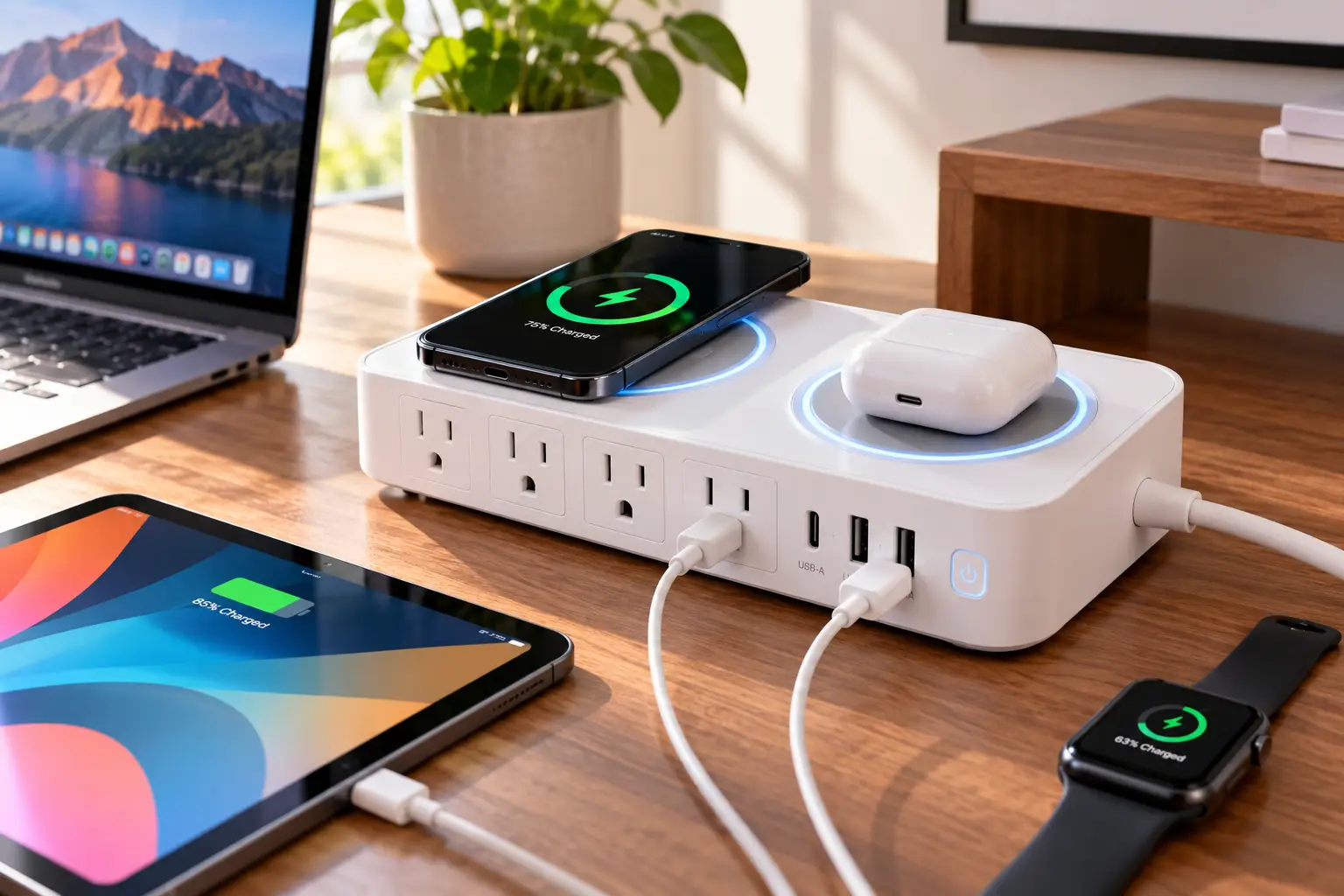
Count the cables on your desk right now. A laptop brick, a phone charger, a monitor cord, maybe a lamp and a pair of earbuds waiting for a top-up. A wireless power strip collapses most of that mess into one device: AC outlets for the big stuff, USB ports for the medium stuff, and a charging pad on top where your phone simply lands at the end of the day. ⚡
That convenience is why the category has grown up fast. Early models paired a basic 5W pad with a cheap outlet strip, and honestly, many of them charged phones more slowly than the free brick in the box. In 2026, the picture is different. Magnetic Qi2 pads lock your phone in place, GaN charging circuits squeeze 65W or more of USB-C power into a palm-sized body, and real surge protection ratings have become a selling point rather than a footnote.
Still, a wireless power strip is not automatically a good one. Pad wattage, outlet spacing, joule ratings, cord length, and safety listings vary wildly, and product titles rarely tell you which trade-offs you’re signing up for. This guide does the sorting for you. Below, you’ll find seven real models available to US shoppers, an honest breakdown of what each spec means on an actual desk or nightstand, setup and troubleshooting advice, and a clear framework for picking the right one.
What Is a Wireless Power Strip?
A wireless power strip is a power strip or surge protector with a built-in wireless charging pad, usually based on the Qi standard maintained by the Wireless Power Consortium. It combines AC outlets, USB charging ports, and cable-free phone charging in a single unit that plugs into one wall outlet.
One quick clarification: some shoppers use “wireless” to mean Wi-Fi smart strips controlled from an app. Those don’t charge phones without cables, so this guide focuses on strips with a true charging pad. If you mostly want app control, look for a “smart power strip” instead.
Quick Comparison: Wireless Power Strip Picks at a Glance
| Model | AC Outlets | Wireless Pad | Surge Rating | Cord | Best for |
|---|---|---|---|---|---|
| Anker MagGo 8-in-1 Charging Station | 3 | 15W Qi2, magnetic | Not headlined | Check listing | Anker MagGo 8-in-1 Charging Station: modern iPhone desks |
| Anker 637 Magnetic Charging Station | 3 | 7.5W magnetic | 300J | 5 ft | Anker 637 Magnetic Charging Station: laptop-first setups |
| Uncaged Ergonomics Wireless Charging Cube | 4 | 15W Qi | 320J | 10 ft | Uncaged Ergonomics Wireless Charging Cube: long reach, small footprint |
| BESTEK 40W Wireless Charging Tower | 8 | 10W Qi | 1,500J | 6 ft | BESTEK 40W Wireless Charging Tower: many-device households |
| BESTEK 12ft Wireless Charging Tower | 8 | 10W Qi | 2,100J | 12 ft | BESTEK 12ft Wireless Charging Tower: awkward outlet locations |
| BESTEK 4000J Flat Strip | 8 | 10W-class Qi | 4,000J | Varies by listing | BESTEK 4000J Flat Strip: maximum surge headroom |
| JACKYLED Wireless Charger Tower | 8 | ~5W Qi | Varies by listing | ~6.5 ft | JACKYLED Wireless Charger Tower: budget overnight charging |
Reading the table as a whole, the market splits into two camps. The Anker models trade outlet count for compact, GaN-powered USB-C output and a magnetic pad, which matters if a laptop and a recent iPhone are your main devices. The BESTEK and JACKYLED towers go the other way, with eight outlets and bigger joule ratings, but slower pads that make more sense for overnight charging than quick top-ups. The Uncaged Ergonomics Wireless Charging Cube sits in the middle, pairing a 15W pad with an unusually long 10-foot cord.
💬 One click helps other shoppers make an informed choice too! 😊
Top 7 Wireless Power Strips: Expert Analysis
Every pick below is a real model sold to US shoppers. Specs come from manufacturer and retailer listings, and review sentiment is summarized only where it could be traced to an actual source. Where something couldn’t be verified, you’ll see that stated plainly.
1. Anker MagGo 8-in-1 Charging Station — the best magnetic pad on a strip
If you own an iPhone 13 or newer, the Anker MagGo 8-in-1 Charging Station (model A91C5) is the most modern way to fold a charger into a power strip. Its front pad is Qi2-certified at up to 15W, which means the magnets snap your phone into perfect coil alignment instead of making you hunt for the sweet spot. Behind it sit three AC outlets, two USB-C ports, and two USB-A ports, with up to 67W of combined USB output. In practice, 67W is enough to keep a 13-inch or 14-inch laptop charging while your phone and earbuds top up.
Based on comparing the specs, this is the pick for people whose desk revolves around a MacBook and an iPhone. The orb shape takes up roughly a 4.3-inch square of desk space, so it fits beside a monitor stand without crowding it. The trade-off is outlet count: three AC outlets fill up quickly if you also run a monitor, lamp, and speaker.
Press and deal coverage has consistently highlighted how much cable clutter it removes, and Japanese retailer Yodobashi shows a 4.3 out of 5 satisfaction score (international, not US, data). We could not verify a large pool of US reviews independently.
Pros:
- ✅ Qi2 magnets make alignment effortless every time
- ✅ 67W USB output handles a thin-and-light laptop
- ✅ Compact orb footprint suits small desks
Cons:
- ❌ Only three AC outlets for bulky adapters
- ❌ Tops out at 15W, not the newer Qi2 25W
At the time of writing it typically lands between $50 and $100 depending on promotions, which is strong value for anyone already in the Apple ecosystem.
2. Anker 637 Magnetic Charging Station — laptop power first, phone second
The Anker 637 Magnetic Charging Station (model A9137) is the predecessor to the 8-in-1 above, and it still earns a spot for one reason: serious USB-C output. Its two USB-C ports share 65W, and when both are in use Anker splits them 45W and 20W, so a laptop and a phone can fast-charge side by side. The three AC outlets are rated for 1,250W total, and Anker lists 300J of surge protection with a 5-foot cord.
The catch is the magnetic pad. It’s limited to 7.5W and only works with MagSafe-compatible iPhones and cases. On paper, that means a phone on the pad charges at roughly half the speed of a Qi2 pad, which is fine at your desk all day but slow for a quick boost before a meeting. If you already plan to plug your phone into USB-C, this matters much less.
Hands-on coverage from 9to5Toys praised the design but noted that large wall adapters make the rear outlets feel cramped, a theme that applies to the whole orb family.
Pros:
- ✅ 65W USB-C keeps most laptops topped up
- ✅ Smart 45W/20W split for two USB-C devices
- ✅ GaN design stays compact on the desk
Cons:
- ❌ Magnetic pad limited to slow 7.5W
- ❌ Pad ignores non-magnetic phone cases
Expect a range of roughly $60 to $100 at the time of writing; it’s good value only if laptop charging is your priority.
3. Uncaged Ergonomics Wireless Charging Cube — the longest reach in the lineup
The Uncaged Ergonomics Wireless Charging Cube (WC-10) solves a problem most strips ignore: the wall outlet is often nowhere near the desk. Its 10-foot copper cord reaches across a room, and the cube itself measures about 3.1 x 3.1 x 3.3 inches. You get four grounded AC outlets rated at 1,625W, three USB-A ports, one 20W USB-C port, and a 15W Qi pad on top, with 320J of surge protection and TÜV and FCC certifications listed by retailers.
Here’s what to weigh: the outlets are spread across several sides, so two chunky adapters can sit side by side without blocking each other. That multi-sided layout is the cube’s biggest real-world advantage over flat strips. The 20W USB-C port, however, is a phone-and-tablet port, not a laptop port.
Feedback is thin but useful. At least one owner on a Woot forum reported that the pad charged more slowly than their other 15W chargers, estimating closer to 8W in practice. Treat the 15W figure as a ceiling, not a guarantee. Note that some listings show a 2 USB-C + 2 USB-A variant, so check the exact configuration before buying.
Pros:
- ✅ 10-foot cord reaches distant wall outlets
- ✅ Multi-sided outlets fit bulky adapters
- ✅ Wall-mountable cube saves desk space
Cons:
- ❌ USB-C tops out at 20W
- ❌ Real pad speed may fall below 15W
At the time of writing it sells between roughly $45 and $80, fair value for awkward rooms where cord length matters most.
4. BESTEK 40W Wireless Charging Tower — most outlets for busy households
The BESTEK 40W Wireless Charging Tower turns a vertical column into a family charging hub. It packs eight AC outlets, six USB ports sharing 40W, and a 10W Qi pad on the crown, backed by 1,500J of surge protection, a 6-foot cord, and an ETL listing. The tower layout means plugs face outward in different directions, so bulky adapters rarely block their neighbors.
Based on comparing the specs, this is a “plug everything in once” product. It fits a shared family desk, a dorm, or a kitchen counter where several phones and tablets charge at once. The 40W shared USB budget is the fine print: six devices charging together will each get a modest share, so don’t expect laptop-class speed from the USB-A ports.
One honest flag: older units in this family shipped with a 5V/1A (about 5W) pad, according to a hands-on review at The Gadgeteer. Current listings advertise 10W, so confirm the wattage on the listing you buy.
Pros:
- ✅ Eight outlets cover a crowded room
- ✅ 1,500J surge rating protects pricier gear
- ✅ ETL listing signals independent safety testing
Cons:
- ❌ Shared 40W USB budget spreads thin
- ❌ Older versions shipped with a weaker pad
It typically sits in the $30 to $50 range, excellent value per outlet.
5. BESTEK 12ft Wireless Charging Tower — built for outlets that hide behind furniture
The BESTEK 12ft Wireless Charging Tower keeps the tower formula but stretches the cord to 12 feet. It offers eight AC outlets and six USB ports, including a 20W USB-C Power Delivery port, plus a 10W Qi pad on top and a 2,100J surge rating.
What most buyers overlook is that a longer cord is often safer than the alternative. Without it, people tend to plug a power strip into an extension cord, which fire-safety guidance warns against. A single 12-foot unit avoids that daisy chain entirely. The 20W USB-C port also makes it a better pick than the 40W tower if you charge a recent phone by cable, since one fast port beats several slow ones.
We could not verify a meaningful set of US customer reviews for this specific variant, so judge it on the listed specs. The 2,100J rating is a real step up from the 300J to 320J on the compact picks.
Pros:
- ✅ 12-foot cord avoids risky extension chains
- ✅ 20W USB-C PD port charges phones quickly
- ✅ 2,100J surge rating for added peace of mind
Cons:
- ❌ Long cord needs tidy routing to avoid tripping
- ❌ Limited independent reviews for this variant
At the time of writing it falls in roughly the $35 to $55 range, a smart buy when the outlet is across the room.
6. BESTEK 4000J Flat Strip — the heaviest surge armor here
The BESTEK 4000J Flat Strip takes a traditional rectangular shape and adds a wireless pad to it. Its listing combines eight AC outlets with three USB ports sharing 30W, including a 20W USB-C PD port, plus a 4,000-joule surge rating and an ETL listing. Sibling BESTEK listings put the pad at 10W (9V/1.1A).
On paper, 4,000J is the most surge absorption in this guide by a wide margin. A joule rating describes how much energy the protector can soak up before its components wear out, so a higher number generally means a longer protective life in areas with frequent storms or flickering power. That makes this the strip for a home office with a desktop PC and monitor you’d hate to replace.
The flat shape has a downside: the pad sits on the same surface as your plugs, so you’ll want it on the desk rather than the floor. US review data for this exact listing was not verifiable at scale.
Pros:
- ✅ 4,000J surge rating leads this lineup
- ✅ 20W USB-C PD for fast phone charging
- ✅ Eight outlets in a familiar strip shape
Cons:
- ❌ Pad must live on the desk, not the floor
- ❌ Pad wattage varies across listings
It typically sells between $25 and $40, outstanding value for surge protection alone.
7. JACKYLED Wireless Charger Tower — a budget nightstand option
The JACKYLED Wireless Charger Tower is the lesser-known pick for buyers who want lots of outlets and don’t care about charging speed. Coverage of this model describes eight AC outlets, six USB ports, and a 5V/1A Qi pad on top, which works out to roughly 5W.
That 5W figure sounds weak, and for daytime use it is. Overnight, though, eight hours on a 5W pad will refill most phones, and slow charging also generates less heat. Two thoughtful touches stand out: a foreign-object indicator that flashes blue if keys or coins land on the pad, and light-sensitive USB indicators that dim in a dark bedroom.
JACKYLED sells several tower variants, and listings change often, so check that the one you pick actually includes the wireless pad and lists its surge rating. Independent reviews of the brand’s non-wireless towers praise the spacing between outlets.
Pros:
- ✅ Foreign-object warning protects keys and coins
- ✅ Dimming USB lights suit a bedroom
- ✅ Eight outlets at an entry-level price
Cons:
- ❌ About 5W pad is slow for daytime top-ups
- ❌ Variant specs change between listings
At the time of writing it typically falls between $30 and $50, decent value strictly as an overnight charger.
Top 7 Side by Side
| Model | USB Ports | Max USB-C | Pad Speed | Price Range | Best for |
|---|---|---|---|---|---|
| Anker MagGo 8-in-1 Charging Station | 2C + 2A | 67W total | 15W Qi2 | $50–$100 | Anker MagGo 8-in-1 Charging Station: iPhone + MacBook |
| Anker 637 Magnetic Charging Station | 2C + 2A | 65W | 7.5W | $60–$100 | Anker 637 Magnetic Charging Station: laptop charging |
| Uncaged Ergonomics Wireless Charging Cube | 1C + 3A | 20W | 15W | $45–$80 | Uncaged Ergonomics Wireless Charging Cube: distant outlets |
| BESTEK 40W Wireless Charging Tower | 6 total | Shared 40W | 10W | $30–$50 | BESTEK 40W Wireless Charging Tower: families |
| BESTEK 12ft Wireless Charging Tower | 6 total | 20W PD | 10W | $35–$55 | BESTEK 12ft Wireless Charging Tower: big rooms |
| BESTEK 4000J Flat Strip | 3 total | 20W PD | 10W-class | $25–$40 | BESTEK 4000J Flat Strip: surge-prone areas |
| JACKYLED Wireless Charger Tower | 6 total | Varies | ~5W | $30–$50 | JACKYLED Wireless Charger Tower: overnight charging |
The pattern here is clear: no single wireless power strip wins every column. If your laptop charges by USB-C, the two Anker models are the only ones that can realistically replace its charger. If you need protection and outlets more than speed, the BESTEK 4000J Flat Strip delivers the most joules per dollar, while the BESTEK 12ft Wireless Charging Tower is the safest answer to a faraway wall outlet.
✨ Don’t miss these smart charging picks!
🔍 Take your desk setup to the next level with this carefully curated lineup. Click a highlighted model to check current pricing and availability. These picks will help you cut the cable clutter and keep every device charged and ready! 🔋
How to Set Up a Wireless Power Strip: Your First 30 Days
A wireless power strip rewards five minutes of planning. Most frustrations people report, from slow charging to warm pads, trace back to placement and plug choices rather than the hardware itself.
Day 1: Placement and plugging in
- ✅ Plug the strip directly into a grounded wall outlet. Fire marshal guidance, such as this Yale-sourced power strip safety sheet, warns against plugging one strip into another or into an extension cord.
- ✅ Keep the pad surface clear and the unit out from under rugs, piles of paper, or bedding, since wireless charging produces some heat that needs to escape.
- ✅ Put your highest-draw device, usually the laptop, on the fastest USB-C port and leave the slow USB-A ports for earbuds, a watch, or a desk lamp.
Week 1: Find your phone’s sweet spot
On a magnetic pad like the Anker MagGo 8-in-1 Charging Station, alignment takes care of itself. On a flat Qi pad, such as the one on the BESTEK 40W Wireless Charging Tower, test where your phone actually charges. Lay it down, watch for the charging icon, then nudge it slightly in each direction. Once you know the spot, a small sticker or a strip of tape on the pad makes it repeatable in the dark.
If you use a case, check its thickness. Most Qi pads work through a few millimeters of plastic or silicone, but thick rugged cases, metal plates, and wallet cases with cards inside will block or slow charging.
Day 30: The habit check
After a month, look at how you actually use the strip. Unused outlets mean you could move it somewhere more useful. A pad that feels hot, or a strip that is warm to the touch, is a signal to unplug something and re-check your total load. A quick wipe of dust from the pad and outlets once a month keeps both charging and airflow at their best. 🧹
Which Wireless Power Strip Fits Your Life? Three Real-World Scenarios
Specs only mean something once they meet a real routine. Here are three common profiles and the reasoning behind each match.
🎓 The college student in a shared dorm
Picture a budget of about $40, a single wall outlet behind the bed, and a roommate who also needs to charge. Outlet count matters more than charging speed here, and so does reach. The BESTEK 12ft Wireless Charging Tower is the natural fit: its 12-foot cord brings power from behind the bed to the desk without a risky extension cord, eight outlets cover two people, and the 20W USB-C port handles fast phone charging. Many campuses restrict extension cords and daisy-chained strips, so a single long-cord unit also keeps you on the right side of housing rules.
💼 The remote worker with a laptop and an iPhone
This person charges a laptop daily, takes video calls with the phone nearby, and values a tidy camera background. The Anker MagGo 8-in-1 Charging Station wins because its 67W of USB output can stand in for a laptop charger, and the Qi2 magnetic pad keeps the phone aligned and charging during calls. If the laptop needs every watt, the Anker 637 Magnetic Charging Station is the alternative, accepting a slower pad in exchange for a 45W/20W USB-C split.
👨👩👧 The family charging hub in the kitchen
Four phones, two tablets, and a smartwatch all land on the counter every evening. The BESTEK 40W Wireless Charging Tower handles volume with eight outlets and six USB ports, while the top pad catches whoever gets home first. Because devices charge overnight, the shared 40W USB budget is rarely a problem.
Wireless Charging Power Strip Problems and Fixes
Even a good wireless charging power strip can misbehave. These are the problems that come up most often in reviews of wireless pads generally, along with precise fixes.
- Phone charges slowly or not at all. Remove thick or metal-backed cases and re-center the phone. On a 10W pad like the BESTEK 4000J Flat Strip, expect slower charging than a cable, by design.
- Charging starts and stops. This usually means the phone is barely on the coil’s edge. A magnetic pad, like the one on the Anker MagGo 8-in-1 Charging Station, largely eliminates this problem.
- Pad or phone gets warm. Some warmth is normal. Move the strip somewhere with airflow, take off the case, and avoid charging during heavy gaming or navigation.
- Indicator flashes and nothing charges. Check for coins, keys, or cards on the pad. The JACKYLED Wireless Charger Tower flashes blue for exactly this reason.
- Strip shuts off suddenly. You’ve likely tripped the overload protection. Unplug high-draw appliances and reset the switch; heaters and hair dryers belong in a wall outlet.
How to Choose a Wireless Power Strip
To choose a wireless power strip, match the pad standard to your phone, then size outlets, USB power, surge rating, and cord length to your space. Work through these seven steps in order:
- Check your phone’s wireless standard. Recent iPhones and a growing list of Android phones support magnetic Qi2. A Qi2 pad locks alignment in place; a plain Qi pad works with almost any wireless-capable phone, just less precisely.
- Decide how fast the pad needs to be. For overnight charging, 5W to 10W is fine. For daytime top-ups, look for 15W. The Wireless Power Consortium’s Qi2 25W announcement describes the newer tier as nearly 70% more power than original Qi2, but few power strips offer it yet.
- Count your plugs, then add two. Today’s setup always grows. A spare outlet or two prevents the temptation to daisy-chain later.
- Size the USB-C port to your laptop. A thin-and-light laptop usually needs 45W to 65W. If no port reaches that, keep the laptop’s own charger and plug it into an AC outlet.
- Compare joule ratings for your most valuable gear. A few hundred joules offers basic protection; 1,500J and up gives more headroom for desktops and monitors.
- Measure the distance to the outlet. Cord length is the most overlooked spec. Buy the reach you need instead of adding an extension cord.
- Look for an independent safety listing. UL, ETL, or a comparable mark on the product and packaging means the design was tested by a recognized lab.
Power Strip with Wireless Charger vs. a Separate Strip and Pad
Should you buy one combined power strip with wireless charger, or a regular surge protector plus a standalone pad? Both approaches work, and the right answer depends on what you value.
| Factor | Combined wireless power strip | Separate strip + charging pad | Best for |
|---|---|---|---|
| Desk space | One device, one cord to the wall | Two devices, extra cable | Combined: small desks |
| Pad speed | Usually 5W–15W | Standalone Qi2 pads reach 15W–25W | Separate: fast-charge fans |
| Upgrade path | Replace the whole unit | Swap only the pad | Separate: early adopters |
| Outlet use | Pad uses no outlet | Pad’s adapter takes an outlet or port | Combined: crowded strips |
| Upfront cost | One purchase | Two purchases | Combined: budget setups |
The table shows the real trade-off: integration versus flexibility. A combined unit like the Uncaged Ergonomics Wireless Charging Cube wins on tidiness and saves an outlet, which is exactly why it suits nightstands and small desks. A separate setup wins if you want the fastest Qi2 25W charging the moment new pads appear, since you can upgrade a $30 pad without replacing a whole surge protector.
Features That Actually Matter (and Ones That Don’t)
Product titles on surge protectors with wireless chargers are crowded with buzzwords. Here’s how to separate signal from noise.
Features that matter ✅
- Magnetic alignment. Misalignment is the most common cause of slow or interrupted wireless charging. Magnets solve it mechanically, which is why the Anker MagGo 8-in-1 Charging Station feels so much more reliable day to day.
- Outlet spacing and orientation. Towers and cubes, like the BESTEK 40W Wireless Charging Tower, let wide adapters face different directions. On flat strips, check whether at least two outlets are widely spaced.
- A real USB-C PD port. One 20W or faster Power Delivery port is worth more than four slow USB-A ports for modern phones.
- Foreign object detection. It stops the pad from heating keys or coins, a safety detail that the JACKYLED Wireless Charger Tower makes visible with its warning light.
Features that matter less than you think ❌
- Huge “total wattage” claims. A strip’s 1,625W or 1,875W rating is shared across all outlets. It doesn’t make anything charge faster.
- “Up to” pad speeds. Phones decide how much power they accept. A 15W pad won’t push 15W into a phone that only accepts 7.5W.
- Lots of USB-A ports. Unless you charge many older accessories, two USB-A ports are usually plenty.
Safety, Regulations, and Standards
Power strips are mundane, which is exactly why people forget they’re electrical equipment. The U.S. Consumer Product Safety Commission has warned about faulty extension cords, power strips, and surge protectors that pose fire and shock hazards, and it publishes recalls you can search by product type.
Here’s what to look for in a wireless power strip sold in the US:
- Safety certification marks. UL and ETL are the most common Nationally Recognized Testing Laboratory marks for US power strips; the BESTEK 40W Wireless Charging Tower and BESTEK 4000J Flat Strip list ETL, and retailers list TÜV for the Uncaged Ergonomics Wireless Charging Cube. Check that the mark appears on the product, not just the box.
- FCC compliance. Wireless charging pads emit radio-frequency energy, so a legitimate pad should carry FCC authorization.
- Qi or Qi2 certification. Certified pads have passed interoperability and safety testing. Anker states its 8-in-1 station passed Qi2-related tests.
- Built-in protections. Overload protection, over-temperature control, and short-circuit protection are standard on reputable models.
Three usage rules matter as much as the label. Never plug a strip into another strip. Keep space heaters, hair dryers, and other high-draw appliances on wall outlets. And stay at or below 80% of the strip’s rated load for anything running continuously, a common margin used in workplace safety guidance.
Long-Term Cost and Value
The sticker price is only part of what a wireless power strip costs you. Surge protection components wear out as they absorb spikes, wireless standards keep moving, and a strip that replaces a separate charger can actually save money.
| Model | Price Range | Chargers It Can Replace | Value Verdict | Best for |
|---|---|---|---|---|
| Anker MagGo 8-in-1 Charging Station | $50–$100 | Phone pad + laptop brick | High if you skip buying a laptop charger | Anker MagGo 8-in-1 Charging Station: Apple users |
| Anker 637 Magnetic Charging Station | $60–$100 | Laptop brick + phone charger | High for laptop-heavy desks | Anker 637 Magnetic Charging Station: laptop users |
| BESTEK 4000J Flat Strip | $25–$40 | Surge protector + Qi pad | Highest protection per dollar | BESTEK 4000J Flat Strip: home offices |
| JACKYLED Wireless Charger Tower | $30–$50 | Outlet strip + basic pad | Fair, mainly for overnight use | JACKYLED Wireless Charger Tower: bedrooms |
The Anker models look expensive until you subtract the laptop charger you no longer need, which often closes most of the gap. The BESTEK and JACKYLED units cost less upfront, but their real value is surge protection and outlet count rather than charging speed.
When to replace your strip
Surge protectors don’t last forever. Many models include a “protected” indicator light; if it goes dark, the surge components are spent, and the unit is just a plain power strip. Replace any strip after a major surge event, if the casing is discolored or warm, or if outlets feel loose. A five-year-old strip that still “works” may no longer be protecting anything. Budget for a replacement every several years, and treat that as part of the real cost of ownership. 💡
Common Mistakes to Avoid When Buying a Wireless Power Strip
Most buyer regret in this category comes from a handful of predictable mistakes.
- ❌ Assuming every pad is fast. A 5W pad, like the one on the JACKYLED Wireless Charger Tower, can take several hours to refill a phone. Read the pad wattage, not just the product title.
- ❌ Buying a magnetic strip for a non-magnetic phone. The Anker 637 Magnetic Charging Station pad only works with MagSafe-compatible iPhones and cases. Android owners without Qi2 should pick a flat Qi pad.
- ❌ Ignoring cord length. A strip that can’t reach the desk often ends up on an extension cord, which is exactly the setup safety guidance discourages. The BESTEK 12ft Wireless Charging Tower exists to prevent this.
- ❌ Expecting the strip to run space heaters. Heaters, microwaves, and hair dryers belong on a wall outlet, no matter what the strip’s total rating says.
- ❌ Trusting “surge protector” without a joule rating. If a listing doesn’t state joules, assume minimal protection.
- ❌ Skipping the safety mark. Unlisted, ultra-cheap strips are where most recalls happen.
Magnetic Charging Station or Flat Pad? Advice for iPhone and Android Users
The biggest fork in the road is whether you want a magnetic charging station or a flat Qi pad, and that decision mostly comes down to your phone.
For iPhone users 🍏
If you own an iPhone 12 or newer with a MagSafe-compatible case, a magnetic pad is a genuine upgrade. The magnets eliminate the “almost on the coil” problem, and on Qi2 pads they enable 15W charging. The Anker MagGo 8-in-1 Charging Station is the stronger pick for most iPhone owners; the Anker 637 Magnetic Charging Station makes sense only if its 65W USB-C output matters more to you than pad speed.
For Android users 🤖
Android support for magnetic Qi2 is growing, but many phones still lack built-in magnets. For those, a flat Qi pad, such as the one on the Uncaged Ergonomics Wireless Charging Cube or the BESTEK 40W Wireless Charging Tower, is the safer choice, and it works with nearly any Qi-enabled phone. A magnetic ring adapter can make some phones snap onto magnetic pads, but results vary, so check your phone’s support before relying on one.
For mixed households
If the family includes both iPhones and Android phones, choose a flat Qi pad. It’s the most universal option, and everyone can still plug into USB-C when they need speed.
Wireless Power Strip FAQs
❓ Is a wireless power strip worth buying?
❓ Will a wireless power strip charge my iPhone at full wireless speed?
❓ Is it safe to leave a wireless charging power strip on overnight?
❓ Do wireless power strips work through a phone case?
❓ Where can I buy a surge protector with wireless charger in the US?
Conclusion: Pick the Wireless Power Strip That Matches Your Routine
The best wireless power strip isn’t the one with the biggest numbers on the box. It’s the one whose pad matches your phone, whose USB-C port matches your laptop, and whose cord actually reaches the wall.
If you live in the Apple ecosystem, the Anker MagGo 8-in-1 Charging Station is the most complete package here, with Qi2 magnetic charging and enough USB-C power to retire a laptop brick. Laptop-first desks may prefer the Anker 637 Magnetic Charging Station for its 65W split. For awkward rooms, the Uncaged Ergonomics Wireless Charging Cube and BESTEK 12ft Wireless Charging Tower solve reach without extension cords. Families and dorms get the most outlets per dollar from the BESTEK 40W Wireless Charging Tower, surge-prone home offices should look hard at the BESTEK 4000J Flat Strip, and the JACKYLED Wireless Charger Tower covers simple overnight charging on a budget.
Whichever you choose, treat it like the electrical equipment it is: plug it straight into the wall, keep high-draw appliances off it, and replace it when its protection light goes dark. Do that, and a single wireless power strip can keep your desk tidier and your devices charged for years. 🔋
✨ Ready to clear the cable clutter for good?
🔍 Click any highlighted model above to check current pricing and availability, and find the wireless power strip that fits your space. Your tidiest desk setup is one click away! 🚀
Recommended for You
- Double Pole Smart Switch: 7 Best Picks That Actually Work in 2026
- Radio Controlled Switch: 7 Best Picks for 2026 (Honest Guide)
- Network Controlled Power Strip: 7 Best Picks That Save Power (2026)
Disclaimer: This post contains affiliate links. As an Amazon Associate, I earn from qualifying purchases made through these links, at no additional cost to you.
✨ Found this article helpful? Share it with someone who needs it! 💬🤗
