
In This Article
Why a Dimming Smart Plug Beats Another Smart Bulb 💡
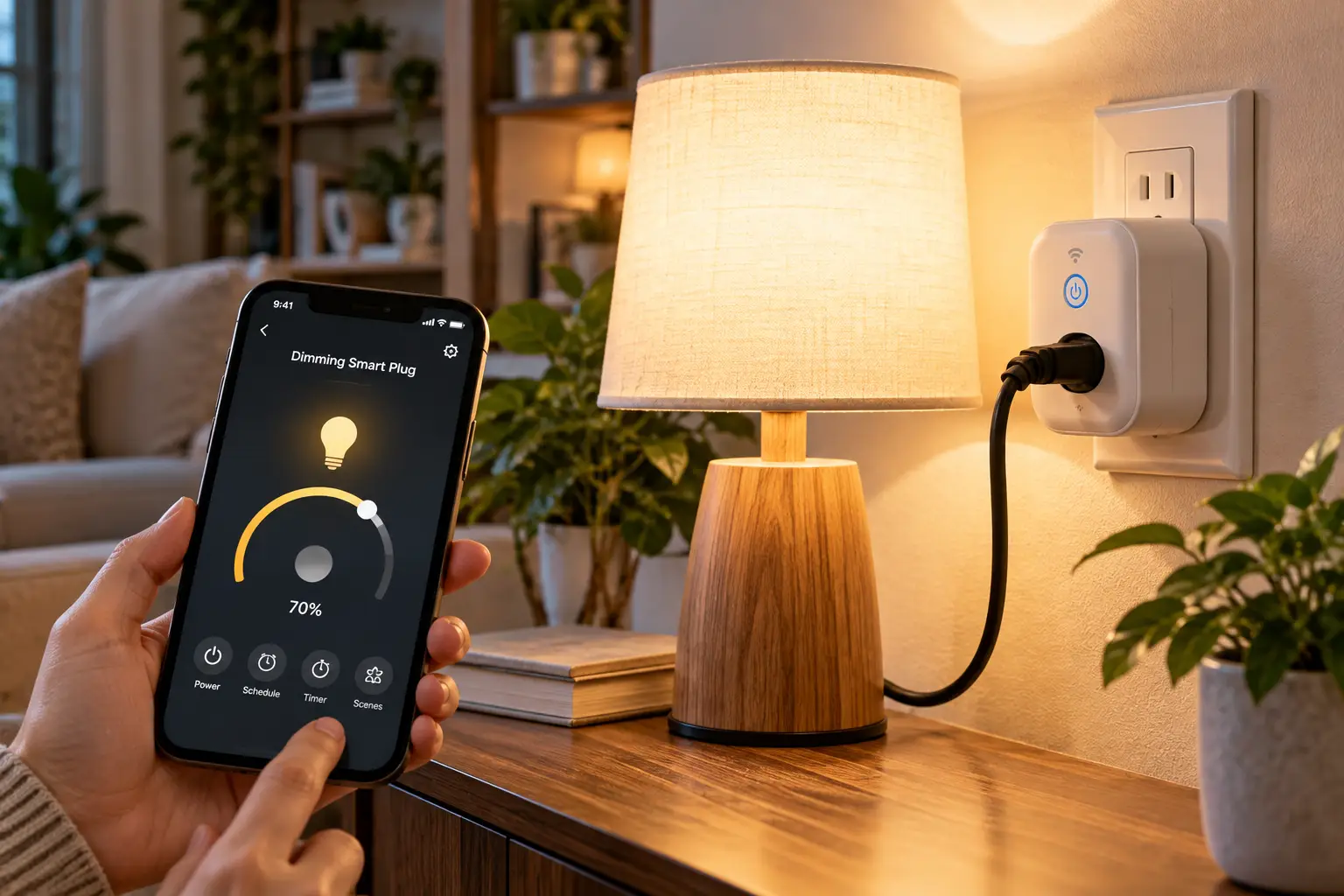
Here’s a small truth about smart lighting that nobody puts on the box: most of the lamps in your home don’t need smart bulbs at all. They need a dimming smart plug. Instead of replacing every bulb with a pricey connected one, you plug a single device into the wall, plug the lamp into it, and suddenly a $15 thrift-store table lamp dims on a schedule, answers to your voice, and fades to 10% at bedtime.
That’s the pitch. The reality is a bit more nuanced, and that’s exactly why this guide exists. A dimming smart plug is not the same thing as a regular smart plug. A regular plug is just a relay: on or off, nothing in between. A dimmer plug actually shapes the electricity going to the lamp, which means bulb type, wattage limits, and minimum load suddenly matter a lot. Pick wrong and you get the classic trio of LED complaints: flicker, buzzing, and a light that refuses to go below 30%.
So, rather than rehashing spec sheets, this guide does three things. First, it compares seven real models you can order on amazon.com, from hub-free Wi-Fi budget picks to Lutron’s famously reliable Caséta system. Second, it explains what each spec means for your lamp, your patio string lights, or your nightstand. Third, it walks you through setup, common problems, and long-term costs, so the plug you buy is the plug you keep.
What Is a Dimming Smart Plug?
A dimming smart plug is a plug-in module that sits between a wall outlet and a lamp, letting you adjust brightness, not just switch power, via an app, voice assistant, schedule, or remote. It only works with dimmable bulbs, and each model has wattage limits per bulb type that you must respect.
That last point is not a footnote. Even federal efficiency programs stress it: the ENERGY STAR guide to dimmable LED lighting advises shoppers to look for the word “dimmable” on the bulb package and to match bulbs with recommended dimmers. Keep that in mind as you read the picks below. ✅
Quick Comparison: The 7 Best Dimming Smart Plug Picks at a Glance
| Model | Connection | Max dimmable LED load | Indoor/Outdoor | Approx. price range | Best for |
|---|---|---|---|---|---|
| Lutron Caséta PD-3PCL | Lutron Clear Connect RF (Smart Bridge for app) | 100W | Indoor | $45–$65 (bridge extra) | Lutron Caséta PD-3PCL: reliability-first homes |
| Leviton Decora Smart D23LP | 2.4 GHz Wi-Fi, Matter via update | 100W | Indoor | $25–$40 | Leviton Decora Smart D23LP: Apple + Alexa mixed homes |
| Tapo P135 Kit | 2.4 GHz Wi-Fi + Bluetooth setup, Matter | Check listing (dual outlets) | Indoor | $20–$35 | Tapo P135 Kit: two lamps + a physical knob |
| Kasa KP405 | 2.4 GHz Wi-Fi, long range | 150W | Outdoor (IP64) | $18–$30 | Kasa KP405: string lights on a budget |
| Tapo P430M | 2.4 GHz Wi-Fi, Matter | 150W | Outdoor (IP65) | $20–$35 | Tapo P430M: all-weather patios + energy data |
| Enbrighten Z-Wave 14280 | Z-Wave Plus (hub required) | 100W | Indoor | $30–$45 | Enbrighten Z-Wave 14280: hub-based smart homes |
| TREATLIFE Dimmable Smart Plug (2-pack) | 2.4 GHz Wi-Fi (Smart Life) | 150W | Indoor | $25–$40 per pack | TREATLIFE Dimmable Smart Plug: sunrise wake-up lamps |
Prices are approximate ranges at the time of writing; check the current price on Amazon.
Reading the table as a whole, the split is clear: indoor lamp dimmers top out around 100W of LED, while the two outdoor models stretch to 150W, which matters once you string a long run of patio bulbs together. If you just want a dependable lamp dimmer and don’t mind a hub, the Lutron Caséta PD-3PCL is the safe bet; if you want no hub and the widest assistant support, the Leviton Decora Smart D23LP and Tapo P135 Kit are the value plays. For anything that lives outside, skip the indoor units entirely and choose between the Kasa KP405 and the newer Tapo P430M.
💬 One click helps other shoppers make an informed choice too! Tap a highlighted product to check today’s price and availability. 😊
Top 7 Dimming Smart Plug Models: Expert Analysis
Every pick below is a real, currently listed model. The commentary is based on comparing manufacturer spec sheets, retailer documentation, and the customer feedback that could actually be verified; where review data is thin, that is stated plainly rather than padded.
1. Lutron Caséta PD-3PCL — the most dependable LED dimming
The Lutron Caséta PD-3PCL earns its spot on dimming quality alone, which is the one thing a dimmer plug is supposed to do well.
It handles up to 100W of dimmable LED/CFL or 300W of incandescent/halogen, across two side outlets that dim together. In practice, that’s two bedside lamps running 9W LEDs with tons of headroom. Lutron’s support documentation lists a minimum load of 10W incandescent or just one approved dimmable LED, which is why it rarely shows the “won’t dim low” behavior cheaper plugs do. It talks over Lutron’s own 434 MHz Clear Connect RF rather than Wi-Fi, so it doesn’t clog your router, and when it sits within 30 feet of the Smart Bridge it extends the system’s range by another 30 feet.
The catch: app, schedules, and voice control (Alexa, Google, Apple Home) all require the Smart Bridge, sold separately. That makes it the best choice for people building out a whole-home Caséta system, and an expensive one for a single lamp. A Pico remote turns it into a no-app, no-Wi-Fi dimmer that guests instantly understand.
Verified feedback is mostly positive: PCWorld’s review singled out its flexibility, and buyer comments on retail sites consistently describe it as very reliable. A large pool of Amazon reviews could not be independently verified for this guide.
Pros:
- ✅ Excellent low-end LED dimming with a tiny minimum load
- ✅ Controls two lamps from one outlet
- ✅ RF network keeps working when Wi-Fi hiccups
Cons:
- ❌ Smart Bridge required for app and voice control
- ❌ Indoor use only, 32°F to 104°F
Price & value: Typically $45–$65 at the time of writing (bridge extra); worth it if Caséta is your long-term platform.
2. Leviton Decora Smart D23LP — best hub-free, assistant-agnostic pick
The Leviton Decora Smart D23LP brings a premium electrical brand’s dimming to plain 2.4 GHz Wi-Fi, with no hub required.
It’s rated for 100W LED/CFL and 300W incandescent/halogen, the same envelope as the Lutron, and Leviton says it plugs into any standard 120V, AFCI, or GFCI outlet. What that means for you: it fits both older homes and newer code-compliant bedrooms. A free firmware update via the My Leviton app enabled Matter in 2023, so it can now join Apple Home, Alexa, Google Home, or SmartThings locally, though Matter itself needs a controller such as a smart speaker or hub.
The standout trick is pairing with Leviton’s wire-free Anywhere Companions, which stick to a wall and act as a real light switch for a plug-in lamp. If your bedroom has no switched outlet, this is the cleanest fix you’ll find without an electrician. It suits renters and mixed-ecosystem households (one partner on iPhone, one on Alexa) best.
PCWorld’s review of the second-generation model called HomeKit support the big upgrade; beyond that, broad review sentiment could not be verified for this guide.
Pros:
- ✅ No hub, plus Matter support via free update
- ✅ Works on AFCI and GFCI-protected outlets
- ✅ Optional wire-free wall companion switch
Cons:
- ❌ Single controlled outlet, unlike dual-lamp rivals
- ❌ Wi-Fi only on 2.4 GHz networks
Price & value: Around $25–$40 at the time of writing; strong value for a big-name, Matter-ready dimmer.
3. Tapo P135 Kit — best for two lamps and a real knob
The Tapo P135 Kit pairs a dual-outlet dimmer plug with a small rotary Dimmer Button, so anyone in the house can dim without touching a phone.
The two outlets dim simultaneously, so a matching pair of living-room lamps behaves as one fixture. The included button is bound to the plug: click to switch, rotate to dim, no hub needed. Setup runs over Bluetooth in the Tapo app, or you can scan the Matter code straight from Apple Home, Alexa, or Google Home. Fade on/off softens transitions, which feels much less jarring at night, and Away Mode randomizes on/off times while you travel.
The honest limitation: the outlets are two-prong, which is fine for most lamps but rules out grounded three-prong cords. And because the button only works with its own plug, it isn’t a general-purpose remote. Matter Alpha, a site that tracks Matter devices, pointed out that this kit is the only Matter dimmer plug it found with two outlets.
The one owner comment found on B&H’s listing praised how smoothly the button glides when rotated; a broad set of Amazon reviews could not be verified for this guide.
Pros:
- ✅ Dual outlets dim two lamps together
- ✅ Physical rotary button included in the box
- ✅ Matter setup with any major ecosystem
Cons:
- ❌ Two-prong outlets won’t accept grounded plugs
- ❌ Dimmer Button can’t control other devices
Price & value: Roughly $20–$35 at the time of writing; arguably the most hardware for the money indoors.
4. Kasa KP405 — best budget outdoor dimmer
The Kasa KP405 is the go-to outdoor smart dimmer plug when you want string lights that fade on at sunset without spending much.
It carries an IP64 rating (protected against dust and splashing water), a 150W LED / 300W incandescent rating with a 4A maximum, and a 6-inch pigtail cable so the plug body hangs below the outlet instead of stressing it. TP-Link quotes up to 300 feet of Wi-Fi range in open areas, which is the spec that actually decides whether your back-fence lights stay online. Schedules can follow sunrise and sunset, and Away Mode randomizes lights while you’re traveling.
Two rules matter here. TP-Link states it must plug into a GFCI receptacle outdoors, and it’s designed exclusively for dimmable lights, so no pumps or heaters. Integration covers Alexa, Google, and SmartThings, but not Apple Home.
The KP405 has been on the market since 2021, so check the listing for current stock; one specialty retailer already lists it as discontinued. Reliable aggregated Amazon sentiment could not be verified for this guide.
Pros:
- ✅ 150W LED headroom handles long string-light runs
- ✅ Long-range Wi-Fi for distant outlets
- ✅ Sunrise/sunset schedules out of the box
Cons:
- ❌ No Apple Home or Matter support
- ❌ Older model with patchy availability
Price & value: Roughly $18–$30 at the time of writing; excellent value if you’re on Alexa or Google.
5. Tapo P430M — the all-weather, Matter-ready upgrade
The Tapo P430M is essentially the modern answer to the KP405: tougher, Matter certified, and smarter about energy.
Its IP65 rating adds protection against low-pressure water jets, and TP-Link rates it for -4°F to 122°F, which covers a Minnesota January and a Phoenix July. The build includes an outdoor SJTW cord, rubber gaskets, and conformal coating on the electronics. The rating is 150W LED / 300W incandescent. Energy monitoring shows real-time watts and weekly kWh, which is genuinely useful during holiday-light season.
Matter certification means it works with Apple Home, Alexa, Google Home, and SmartThings, and Matter devices can be controlled over the local network even if the internet drops. TP-Link also advertises perceptual dimming, a curve tuned to how eyes perceive brightness, so the steps between 10% and 30% feel even rather than jumpy. A double-press of the physical button cycles brightness presets (0%, 1%, 25%, 50%, 75%, 100%).
It’s a newer model, and a reliable body of aggregated customer reviews could not be verified at the time of writing.
Pros:
- ✅ IP65 with a wide -4°F to 122°F range
- ✅ Matter plus built-in energy monitoring
- ✅ Overload and overheating protection
Cons:
- ❌ Single outlet per plug
- ❌ Limited long-term reliability data so far
Price & value: Roughly $20–$35 at the time of writing; the best long-term outdoor buy for mixed-ecosystem homes.
6. Enbrighten Z-Wave 14280 — best for hub-based smart homes
The Enbrighten Z-Wave 14280 (sold under the GE/Jasco Enbrighten brand) is the pick for people who already run Home Assistant, Hubitat, or another Z-Wave controller.
It offers two simultaneously controlled outlets with a combined 2.5A limit, which works out to 300W incandescent or 100W of dimmable LED/CFL. It communicates on Z-Wave Plus (908.4/916 MHz), far from the crowded 2.4 GHz Wi-Fi band. Even better, as a plugged-in device it can act as a repeater that strengthens your Z-Wave mesh. Its side-facing outlets leave the second wall receptacle free.
The trade-off is simple: without a Z-Wave hub, it does nothing smart. Alexa and Google control arrive through your hub’s integration, not directly. For hub owners, though, local Z-Wave control is fast and keeps working without internet. Jasco backs it with a 2-year limited warranty.
A device-database snapshot of the Amazon listing showed roughly a 4.4-star average; detailed review themes beyond that could not be verified for this guide.
Pros:
- ✅ Local Z-Wave control, no cloud dependence
- ✅ Two outlets, second wall outlet stays free
- ✅ Strengthens your Z-Wave mesh as a repeater
Cons:
- ❌ Requires a Z-Wave hub to be smart
- ❌ 100W LED ceiling shared across both outlets
Price & value: Around $30–$45 at the time of writing; great value only if you already own a hub.
7. TREATLIFE Dimmable Smart Plug (2-pack) — best for sunrise wake-up lamps
The TREATLIFE Dimmable Smart Plug is a no-hub, two-pack value option with a feature most brands skip: sunrise and sunset simulation.
It dims 0–100% with a 150W LED/CFL and 300W incandescent/halogen rating, and it’s FCC certified. The sunrise mode gradually brightens a lamp before your alarm, which is a gentler wake-up than a phone buzzing in the dark. Control runs through the Smart Life/TREATLIFE app, Alexa, Google Assistant, and SmartThings over 2.4 GHz Wi-Fi.
It’s ideal for bedrooms and kids’ rooms where you want slow transitions on a budget. However, Apple Home users should look elsewhere: there’s no HomeKit support. The housing is also on the chunky side (about 3.4 x 2.4 inches), so check outlet clearance before buying.
Smart-home review roundups have flagged the missing HomeKit support as the main drawback; a verified body of Amazon reviews could not be confirmed for this guide.
Pros:
- ✅ Sunrise/sunset simulation for gentle wake-ups
- ✅ 150W LED rating at a two-pack price
- ✅ Works without any hub
Cons:
- ❌ No Apple Home or Matter support
- ❌ Bulky body can crowd duplex outlets
Price & value: Around $25–$40 per two-pack at the time of writing; the cheapest way to dim two rooms.
✨ Ready to give your lamps a glow-up?
🔍 Click any highlighted product name above to check current pricing and availability on Amazon, and pick the plug that matches your bulbs, your outlets, and your smart-home ecosystem!
How to Set Up a Dimming Smart Plug in 15 Minutes 🛠️
Setup is easy, but the order of steps matters more than the box suggests. Here’s the sequence that avoids the most common first-week headaches.
Before you plug anything in
- Check every bulb. Look for the word “dimmable” on the bulb or its package. One non-dimmable LED in a two-lamp setup can cause flicker for both lamps.
- Add up the load. Multiply bulb wattage by bulb count. Two lamps with 9W LEDs is 18W, which is well inside any plug’s 100W LED limit; 40 feet of patio string lights may not be.
- Confirm your Wi-Fi band. Every Wi-Fi model here needs 2.4 GHz. If your router merges bands under one name, setup may stall; temporarily separating them, or setting up near the router, usually fixes it.
During setup
- ✅ Turn the lamp’s own switch on and leave it on forever. The plug now controls power, and a switched-off lamp looks exactly like a dead plug.
- ✅ Set up near the router first, then move the plug to its final spot.
- ✅ Update firmware right away. For the Leviton Decora Smart D23LP, that’s also how you unlock Matter.
- ✅ Name it by room and fixture (“Bedroom Left Lamp”), so voice commands stay unambiguous.
Your first 30 days
Set a low-end trim if the app offers one. Many LEDs look fine at 20% but flicker at 3%, so cap the minimum where the light stays steady. Build one schedule (sunset on at 60%, 10 p.m. down to 20%, midnight off) and live with it for a week before adding more. Finally, for outdoor units such as the Kasa KP405 or Tapo P430M, confirm the outlet is GFCI-protected and mount the plug off the ground with the cable hanging down so water drains away from the connection.
Real-World Scenarios: Which Smart Dimmer Plug Fits Your Home?
Specs only mean something once they meet a real room. Here are three common situations and the reasoning behind each match.
🏠 The renter with no overhead light
Picture a one-bedroom apartment where the living room has no ceiling fixture and a switched outlet nobody can find. Budget: under $50. The Leviton Decora Smart D23LP plus a wire-free Anywhere Companion recreates a real wall switch by the door, with no drilling, no wiring, and nothing to lose on move-out day. If two lamps need to dim together, the Tapo P135 Kit with its rotary button is the cheaper alternative.
🌙 The light sleeper who hates alarms
Here, the goal is a lamp that brightens slowly over 20 to 30 minutes before the alarm, daily use, budget around $30. The TREATLIFE Dimmable Smart Plug two-pack covers the bedroom and a kid’s room with its built-in sunrise simulation. Apple households should instead pair the Tapo P135 Kit with a fade schedule in Apple Home via Matter.
🌳 The backyard host
Think weekend gatherings, 48 feet of LED string lights, and a winter that dips below freezing. The Tapo P430M fits best: IP65, -4°F tolerance, 150W LED capacity, and energy tracking to see what the lights actually cost. If you’re on Alexa or Google and want to spend less, the Kasa KP405 handles the same job in milder climates.
Fixing Flicker, Buzzing, and Other Dimmable Smart Plug Problems
Most “broken” dimmer plugs are actually compatibility problems. Here are the five you’re most likely to meet, and the fix for each.
1. Flicker at low brightness. The LED’s driver doesn’t like the bottom of the dimming range. Raise the low-end trim, or swap to a bulb on your plug maker’s compatibility list. The NEMA LED dimming compatibility program exists because this mismatch is so common: matching logos on bulb and dimmer packages signal tested pairs, even across brands.
2. Buzzing or humming. Usually an incompatible or overloaded LED. Reduce the number of bulbs on the plug, or try a different bulb model. Persistent buzzing from the plug itself means unplug it and contact support.
3. Lamp won’t turn on at all. Nine times out of ten, the lamp’s own switch is off. The tenth time, the bulb isn’t dimmable.
4. Plug keeps dropping offline. Wi-Fi distance is the usual culprit, especially outdoors. Move the router closer, add a mesh node, or choose an RF or Z-Wave option such as the Lutron Caséta PD-3PCL or Enbrighten Z-Wave 14280, which build their own networks.
5. Light only dims halfway. The dimming curve doesn’t suit the bulb. Try another bulb brand first; on the Tapo P430M, perceptual dimming can make the lower range feel more usable.
💡 Pro tip: Keep the receipt and the original bulbs for 30 days. If a bulb-plug pairing misbehaves, swapping the bulb is cheaper than returning the plug.
How to Choose a Dimming Smart Plug: 6 Steps
- Start with the bulb, not the plug. Only dimmable bulbs work, and LEDs vary widely in how they respond. The U.S. Department of Energy’s report on dimming LEDs with phase-cut dimmers exists precisely because not every LED behaves well with every dimmer.
- Match the LED wattage rating. Indoor lamp dimmers here max out at 100W LED; the outdoor models reach 150W. Leave roughly 20% headroom for long-term reliability.
- Pick your ecosystem. Matter (Tapo P135 Kit, Tapo P430M, Leviton Decora Smart D23LP) covers Apple, Amazon, Google, and Samsung at once. Alexa/Google-only models are cheaper but box you in.
- Decide on hub vs. no hub. Wi-Fi is easiest; RF and Z-Wave (Lutron Caséta PD-3PCL, Enbrighten Z-Wave 14280) are more robust but cost more upfront.
- Count your lamps. Dual-outlet plugs save money when two lamps should always match.
- Plan for physical control. A remote, rotary button, or wall companion keeps guests and kids from needing your phone.
Smart Plug With Dimmer vs. Smart Bulbs vs. In-Wall Dimmers
| Option | Install effort | Works with regular dimmable bulbs | Color control | Best for |
|---|---|---|---|---|
| Dimming smart plug (e.g., Tapo P135 Kit) | Plug in, 5 minutes | Yes | No | Table and floor lamps, renters |
| Smart bulbs | Screw in, 5 minutes | N/A (bulb is the smart part) | Often yes | Color scenes, single fixtures |
| In-wall smart dimmer | Wiring, often a neutral wire | Yes | No | Ceiling fixtures, homeowners |
The table shows why the dimmer plug occupies a sweet spot: it keeps your existing bulbs and lamps and needs no electrician. Smart bulbs win only if you want color, and they fail the moment someone flips the lamp switch off. In-wall dimmers are the right tool for ceiling lights, but they’re overkill for a lamp that lives on a nightstand. Notably, Lutron’s plug and in-wall dimmers share one system, which PCWorld highlighted when it reviewed the Caséta lamp dimmer kit as a flexible option.
Outdoor Smart Dimmer Plug Safety, Ratings, and Standards ⚡
Outdoors, the spec sheet becomes a safety document. Three things matter most.
Weather rating. IP64 (Kasa KP405) means dust-tight and splash-resistant; IP65 (Tapo P430M) adds protection against water jets. Neither is rated for submersion, so keep plugs off the ground and out of puddle zones.
GFCI protection. TP-Link states its outdoor dimmers must be used on GFCI receptacles outdoors or in wet locations. This matches the long-standing U.S. electrical-code approach to outdoor outlets: if your patio outlet lacks a test/reset button or a GFCI breaker, have an electrician check it before plugging in.
Third-party listing. Look for ETL, UL, or cUL marks, which show that an independent lab tested the device to North American safety standards. The Kasa KP405 and Tapo P430M list ETL certification, while Lutron lists UL, cUL, and FCC. The FCC mark relates to radio emissions, not fire safety, so treat it as a complement, not a substitute.
One more rule worth repeating: dimmer plugs are for lights only. TP-Link explicitly warns against connecting other outdoor devices to the KP405, and a dimmed pump or motor can overheat. Use a regular on/off smart plug for those.
Long-Term Cost and Energy Savings
A dimming smart plug saves money in two ways: dimmed LEDs draw less power, and schedules shut lights off when nobody’s around. The upfront math, however, varies a lot by platform.
| Setup | Approx. upfront cost | Ongoing extras | Value verdict |
|---|---|---|---|
| 2 lamps, TREATLIFE Dimmable Smart Plug 2-pack | $25–$40 | None | Cheapest entry |
| 2 lamps, Tapo P135 Kit | $20–$35 | None | Best per-lamp value |
| 2 lamps, Lutron Caséta PD-3PCL + Smart Bridge | Highest of the group | None once bridge is owned | Best if expanding Caséta |
| Patio, Tapo P430M | $20–$35 | None | Best for energy tracking |
Ranges are approximate at the time of writing; check current prices.
The pattern is clear: Wi-Fi models win on day-one cost, while Lutron’s bridge is a platform investment that pays off only as you add more devices. Because LED loads on these plugs are small, energy savings per lamp are modest in dollars; the real return is convenience and bulb longevity. That said, energy monitoring on the Tapo P430M makes holiday-light costs visible, which helps you cut wasteful hours.
Features That Actually Matter (and Ones That Don’t)
Worth paying for: low-end trim and fade rates, because they decide whether dimming feels premium; physical controls, since a household shouldn’t depend on one phone; local control (Matter, RF, Z-Wave), which keeps lights working during internet outages; and away/vacation mode, which costs nothing and adds real security value.
Don’t overpay for: headline Wi-Fi range on indoor plugs, since a lamp three rooms from the router rarely needs 300 feet; energy monitoring on a 9W bedside lamp, where the numbers are tiny; and app “scenes” you could build just as easily in Apple Home, Alexa, or Google Home for free.
Dimming Smart Plug FAQs
❓ Does a dimming smart plug work with Apple Home?
❓ Can I plug a fan or space heater into a smart dimmer plug?
❓ Is the Lutron Smart Bridge worth buying for just one lamp?
❓ Can I use an indoor dimmer plug for Christmas lights?
❓ Will my smart dimmer plug work if the internet goes down?
Conclusion: The Right Dimming Smart Plug for Your Lamps
A dimming smart plug is one of the cheapest, least invasive upgrades in smart lighting, provided you match it to your bulbs and your ecosystem. Get those two right, and a $20–$40 device can make an old lamp feel custom-installed.
If reliability is your top priority and you’re happy to invest in a platform, the Lutron Caséta PD-3PCL remains the benchmark for clean LED dimming. For hub-free homes that mix Apple and Alexa, the Leviton Decora Smart D23LP and Tapo P135 Kit deliver Matter support at friendly prices, with the Tapo winning for two-lamp setups. Outdoors, the Tapo P430M is the most future-proof choice, while the Kasa KP405 stays a solid budget option for Alexa and Google users. Z-Wave hub owners should look straight at the Enbrighten Z-Wave 14280, and anyone who wants a gentle wake-up light on a budget will appreciate the TREATLIFE Dimmable Smart Plug two-pack.
Whichever you choose, follow the basics: dimmable bulbs only, respect the LED wattage rating, set a low-end trim, and use GFCI outlets outside. Do that, and flicker becomes someone else’s problem.
✨ Don’t miss these smart lighting picks!
🔍 Take your home lighting to the next level with this carefully curated lineup. Click a highlighted product to check current pricing and availability. These picks will help you create cozy, flicker-free evenings the whole family will enjoy!
Recommended for You
- Radio Controlled Switch: 7 Best Picks for 2026 (Honest Guide)
- Network Controlled Power Strip: 7 Best Picks That Save Power (2026)
- Remote Control Mains Socket: 7 Brilliant Picks for 2026
Disclaimer: This post contains affiliate links. As an Amazon Associate, I earn from qualifying purchases made through these links, at no additional cost to you.
✨ Found this article helpful? Share it with someone who needs it! 💬🤗
