
In This Article
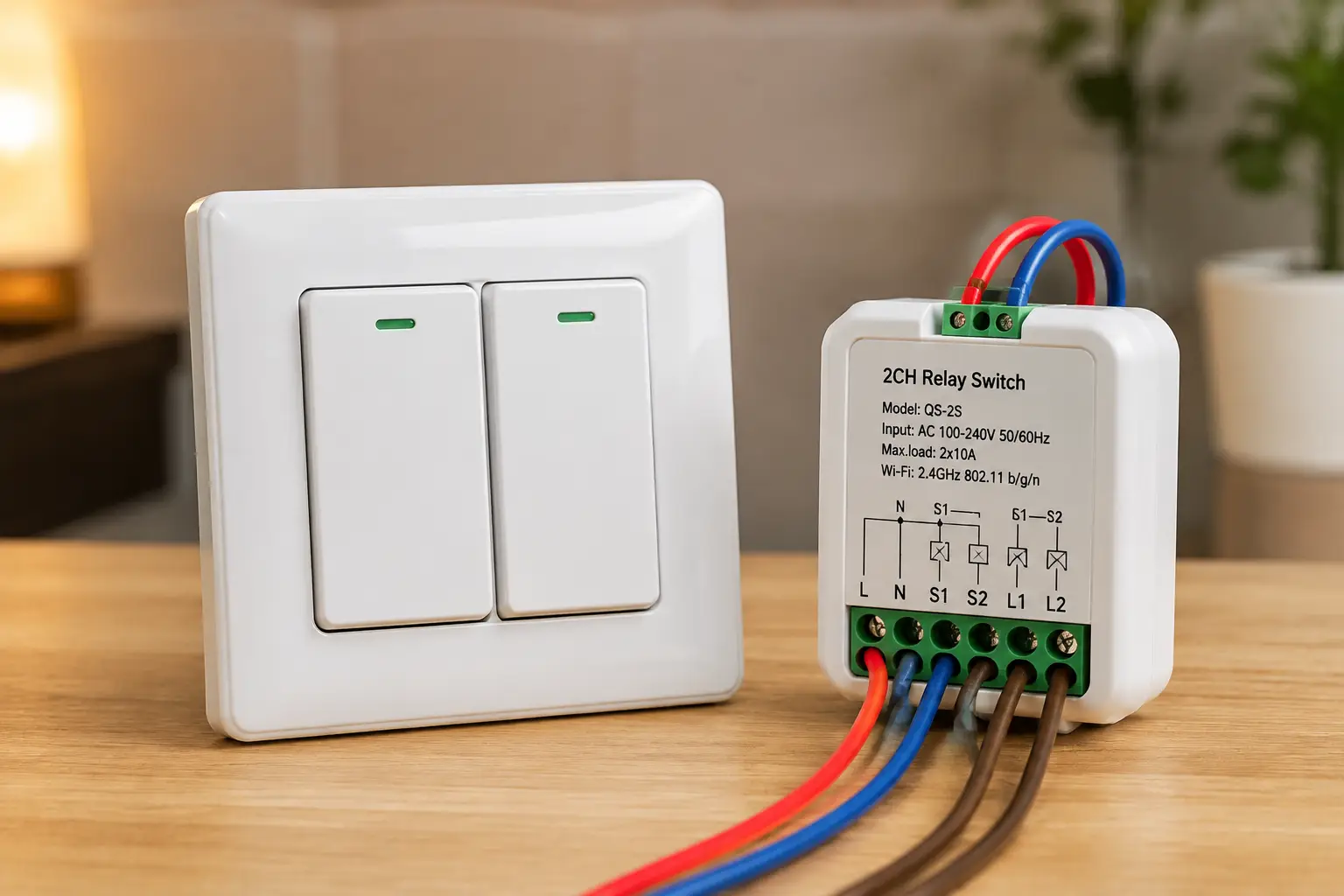
A relay light switch is any switch — traditional toggle, hidden module, or smart in-wall unit — that uses an electromechanical or solid-state relay to open and close a lighting circuit, and today the term almost always refers to Wi-Fi, Zigbee, or Z-Wave smart relay switch products that let you control that circuit from your phone or a voice assistant. If you’ve ever wished you could kill the porch light from bed or make a “dumb” ceiling fixture respond to Alexa, a relay light switch is the piece of hardware that makes it happen. The tricky part isn’t whether to get one — it’s figuring out which type actually fits your wiring, your smart home ecosystem, and your patience for a weekend project.
That’s what this guide is for. We dug into real spec sheets, verified Amazon listings, and aggregated customer feedback across seven genuinely different relay light switch models — from tiny $15 hidden modules to premium in-wall units with customizable LED bars. Along the way, we’ll walk through installation basics, the difference between Wi-Fi, Zigbee, and Z-Wave relays, what to do if your wall box lacks a neutral wire, and the mistakes that send most first-time buyers back to the return counter. Whether you’re upgrading a single bedroom switch or rewiring your whole first floor, you’ll leave with a clear shortlist and the reasoning to back it up.
Quick disclosure before we dive in: this article contains Amazon affiliate links, and prices shown are ranges rather than exact figures, since Amazon pricing changes constantly — always check the listing for current pricing and availability.
What Is a Relay Light Switch?
A relay light switch is a switch that uses a relay — a small electrically controlled gate — to turn a lighting circuit on or off, instead of (or in addition to) a manual mechanical contact. Smart versions add Wi-Fi, Zigbee, or Z-Wave radios so the relay can be triggered remotely, on a schedule, or by voice, rather than only by a physical flip.
Traditional switches and relay-based smart switches solve the same basic problem — opening and closing a circuit — but they behave very differently in daily use. The table below breaks down where each approach actually helps.
| Feature | Traditional Mechanical Switch | Smart Relay Light Switch |
|---|---|---|
| Remote/app control | No | Yes |
| Voice assistant support | No | Yes (most models) |
| Scheduling/automation | No | Yes |
| Away/vacation mode | No | Yes (most models) |
| Typical install time | 10-15 minutes | 20-45 minutes |
| Requires app/account | No | Usually |
Looking at the table, the case for switching isn’t about basic on/off reliability — a $2 toggle switch does that fine — it’s about the layer of scheduling, remote access, and automation that a relay adds on top. That said, a traditional switch never needs a firmware update or a Wi-Fi password, which matters if you value simplicity over convenience. For anyone automating even a few fixtures, though, the time investment during installation pays off every single day afterward.
Quick Comparison: Best Relay Light Switches at a Glance
Before we get into full reviews, here’s a snapshot comparing the three main relay light switch categories so you can jump straight to the section that matches your situation.
| Category | Example Product | Neutral Wire Needed | Best For |
|---|---|---|---|
| Hidden Wi-Fi relay module | Sonoff Mini R4 | Yes | DIYers on a budget |
| Hidden Zigbee relay (no-neutral) | Aqara Single Switch Module T1 | No | Older homes, HomeKit users |
| In-wall Wi-Fi paddle switch | TP-Link Kasa HS200 | Yes | First-time smart switch buyers |
| Multi-protocol dry-contact relay | Shelly 1 Gen4 | No (dry contacts) | Garage doors, tinkerers |
| Z-Wave in-wall switch | Enbrighten 800 Series | Yes | Existing Z-Wave/SmartThings homes |
| No-neutral in-wall switch | Leviton Decora Smart No-Neutral | No | Renovated older homes |
| Premium Zigbee/Matter switch | Inovelli Blue Series 2-1 | Optional | Power users, scene control |
If your top priority is cost, the hidden relay modules win outright; if your priority is compatibility with a no-neutral wall box, the Aqara Single Switch Module T1 and Leviton Decora Smart No-Neutral Switch are the two purpose-built answers. Buyers already committed to a Z-Wave or Zigbee hub ecosystem should lean toward the Enbrighten 800 Series or Inovelli Blue Series 2-1 respectively, since staying inside one protocol keeps automations simpler down the line.
💬 Bookmark this table — you’ll want to reference it again once you see the full lineup below.
Top 7 Relay Light Switches for Your Smart Home
We picked these seven specifically to cover entry-level hidden modules, mid-range in-wall switches, and premium smart relay switch options — including no-neutral solutions for older houses that can’t easily accommodate a standard install.
1. Sonoff Mini R4 — smallest hidden relay for tight boxes
The Sonoff Mini R4 earns its “Extreme” nickname mostly from its size: it’s roughly 40% smaller than the previous-generation Mini R2, which matters a lot when you’re stuffing a relay module behind an existing switch in a crowded electrical box. Under the hood it runs on an ESP32 chip, connects over 2.4GHz Wi-Fi, and controls the circuit through the eWeLink app without needing a separate hub. Its standout feature is “detach relay” mode, which decouples the physical wall switch from the relay state — meaning if you accidentally use the manual switch, your smart bulb doesn’t get stranded offline the way it would on a basic relay.
For buyers who already own a soldering iron and aren’t intimidated by wiring diagrams, this is the module that gets the job done cheaply. Reviews consistently report smooth pairing with Alexa and Google Home, though a few buyers note that advanced automation features like IFTTT triggers sit behind eWeLink’s paid Advanced subscription tier — worth knowing before you commit to that workflow.
Pros:
- ✅ Fits the smallest 86-type and EU mounting boxes
- ✅ Detach relay mode keeps app control independent
- ✅ TÜV, CE, and FCC certified for safety compliance
Cons:
- ❌ Some automation features require a paid subscription
- ❌ Wi-Fi-only design ties reliability to your router
The Sonoff Mini R4 typically runs in the $15-$25 range depending on pack size, making it one of the most affordable ways to convert a single switch into a genuine relay light switch — check the current price before buying, since multi-packs shift the per-unit cost meaningfully.
2. Aqara Single Switch Module T1 (No Neutral) — built for homes without a neutral wire
Older houses are notorious for lacking a neutral wire in the switch box, which disqualifies most Wi-Fi relay switches outright. The Aqara Single Switch Module T1 (No Neutral) exists specifically to solve that problem: it runs on Zigbee 3.0, draws power only from the live line, and still supports a 2200W resistive load ceiling when properly configured, according to Aqara’s own specifications. It requires an Aqara Zigbee hub to function, and it can be tucked inside the existing switch cassette rather than replacing the visible switch plate at all.
What most buyers overlook with no-neutral modules is that they trade a bit of load capacity and a Zigbee router role for the ability to work at all in older wiring — the with-neutral sibling handles roughly 300W more and doubles as a mesh extender, so it’s worth confirming which version your box actually needs before ordering. Aggregated reviews describe reliable pairing and stable long-term performance, particularly among Apple Home users drawn to its native HomeKit support.
Pros:
- ✅ Works in boxes with no neutral wire present
- ✅ Native HomeKit compatibility without extra bridges
- ✅ Overheat protection built into the module
Cons:
- ❌ Requires a separate Aqara hub purchase
- ❌ Lower load ceiling than the with-neutral version
Priced around $15-$20 (hub sold separately), this module delivers real value if you’re already invested in an Aqara or Zigbee 3.0 setup, but factor the hub cost into your total before comparing it against standalone Wi-Fi options.
3. TP-Link Kasa Smart Light Switch HS200 — the reliable, no-drama choice
If your goal is simply “make this switch work with Alexa without fuss,” the TP-Link Kasa Smart Light Switch HS200 is the default recommendation for a reason. It’s a single-pole, neutral-wire-required in-wall switch rated for 15A, UL certified, and controlled through the Kasa app with no hub required. Features like scheduling and an “Away Mode” that randomizes on/off timing to simulate occupancy are standard, and setup is App-guided from the first screw to the final Wi-Fi handshake.
The honest analysis here is that the HS200 doesn’t do anything flashy — it’s not dimmable, it doesn’t speak Zigbee or Matter, and it won’t win any feature comparison against the Inovelli further down this list. What it does is work, consistently, which is exactly why it has amassed an enormous volume of Amazon customer reviews over the years, with buyers repeatedly citing painless installation and dependable long-term performance as the switch’s biggest selling points.
Pros:
- ✅ UL certified single-pole switch with no hub needed
- ✅ Large installed base means abundant support resources
- ✅ Away Mode adds simple home-security value
Cons:
- ❌ Not dimmable — a separate model is required for that
- ❌ Neutral wire is mandatory, ruling out older boxes
Expect to pay in the $20-$30 range for a single unit, with multi-packs bringing the per-switch cost down — a fair value-for-money pick for anyone converting several ordinary switches at once.
4. Shelly 1 Gen4 — the multi-protocol relay for tinkerers
The Shelly 1 Gen4 stands apart because it isn’t just a Wi-Fi device — it supports Wi-Fi, Zigbee, and Matter simultaneously, plus dry contact outputs rated up to 16A that can drive not just lights but garage doors, boilers, and gate motors. It installs behind an existing switch or inside a junction box rather than replacing the visible switch plate, and it doubles as a Bluetooth gateway for pairing nearby Shelly accessories.
This is the relay module for buyers who plan to script their own automations. Its support for MQTT, HTTP webhooks, and local scripting means it plays well with Home Assistant power users, and its dry-contact design gives it flexibility that simpler on/off relays don’t have — the trade-off is that dry-contact wiring is less plug-and-play, and Shelly itself recommends professional installation for anything beyond a straightforward single-load setup. Aggregated reviews single out its overheating protection and Matter certification as reasons buyers chose it over cheaper Wi-Fi-only alternatives.
Pros:
- ✅ Works over Wi-Fi, Zigbee, and Matter simultaneously
- ✅ Dry contacts handle garage doors and boilers too
- ✅ Local scripting appeals to advanced home automation users
Cons:
- ❌ Dry-contact wiring is more complex than plug-and-play
- ❌ Setup requires more configuration than basic switches
Pricing generally lands between $25 and $35 per unit, positioning the Shelly 1 Gen4 as a mid-range pick that rewards buyers willing to spend a bit more time on setup for long-term protocol flexibility.
5. Enbrighten Z-Wave 800 Series In-Wall Smart Switch — built for existing Z-Wave homes
Manufactured by Jasco under the Enbrighten brand, this Enbrighten Z-Wave 800 Series In-Wall Smart Switch is aimed squarely at households that already run a Z-Wave hub like SmartThings, Ring Alarm, or Vivint. Its SimpleWire terminals auto-sense line and load connections, removing the classic wiring guesswork that trips up first-time installers, and its QuickFit housing is about 20% shallower than earlier Jasco switches, which helps in shallow electrical boxes.
What the spec sheet doesn’t say outright, but the design implies, is that this switch is also functioning as infrastructure: because it’s mains-powered rather than battery-operated, it acts as a Z-Wave signal repeater, extending your mesh network by roughly 150 feet per unit. That’s a meaningful side benefit if you’re filling dead zones in a larger home. Reviews commonly mention that voice control through Alexa or Google only works when routed through a compatible Z-Wave hub — this isn’t a standalone Wi-Fi switch, so buyers without an existing hub should budget for one separately.
Pros:
- ✅ SimpleWire terminals remove line/load guesswork
- ✅ Doubles as a Z-Wave signal repeater
- ✅ Compatible with a wide range of existing Z-Wave hubs
Cons:
- ❌ Requires a separate Z-Wave certified hub to operate
- ❌ Voice control depends entirely on hub compatibility
Typical pricing sits in the $35-$45 range, and the value case is strongest for households that already own a Z-Wave hub and want to extend both automation and mesh coverage in one purchase.
6. Leviton Decora Smart No-Neutral Switch — the no-rewire fix for older homes
Leviton built the Leviton Decora Smart No-Neutral Switch for the exact scenario that stops most smart switch installs cold: a wall box with no neutral wire and no appetite for rewiring the whole run. It draws power off the live line alone and pairs wirelessly with the Decora Smart Wi-Fi Bridge, a plug-in hub that can support up to 25 no-neutral Decora devices across roughly 2,500 square feet. Once bridged, it connects to the My Leviton app and works with Alexa, Google Assistant, and Apple Home/Siri.
The honest trade-off is that the smart features don’t activate until the bridge is purchased and configured — buy the switch alone and you effectively have a manual switch until the bridge joins the network. Once set up, though, the ecosystem is genuinely broad: wire-free 3-way control is available through an Anywhere Switch Companion that needs no additional wiring at all, which is a real advantage over relay modules that require a physical traveler wire for multi-location switching. Reviewers frequently flag the switch as the most straightforward fix they found for pre-1970s homes.
Pros:
- ✅ Works without a neutral wire in the box
- ✅ Wire-free 3-way expansion needs no extra wiring
- ✅ Broad platform support including Matter and HomeKit
Cons:
- ❌ Requires the separate Wi-Fi Bridge to unlock smart features
- ❌ Load capacity is lower than neutral-wired Decora models
Budget around $40-$55 for the switch, plus roughly $20 for the bridge if you don’t already own one — still cheaper than hiring an electrician to pull new neutral wiring through an older wall.
7. Inovelli Blue Series 2-1 — the premium pick for scene control
The Inovelli Blue Series 2-1 sits at the top of this list for a reason: it’s a Zigbee-based, UL-certified switch that works as either a full dimmer or a simple on/off relay, installs with or without a neutral wire, and includes a fully customizable RGB LED bar down the side of the paddle. That LED bar isn’t just decoration — it can be programmed to flash a specific color when the mail arrives, when a door sensor trips, or when the washing machine finishes, effectively turning the switch into a status display for your whole smart home.
Where this switch pulls ahead of cheaper alternatives is multi-tap scene control: up to 21 distinct tap patterns can trigger different scenes, and Inovelli’s Zigbee bindings let switches talk directly to bulbs or other Inovelli devices without routing through a hub, so core functions like on/off and dimming keep working even during a hub outage. Aggregated owner feedback is notably positive on build quality and the responsiveness of local bindings, though several reviewers note the settings menu has a real learning curve for anyone new to advanced Zigbee configuration.
Pros:
- ✅ Customizable LED bar for status notifications
- ✅ Local Zigbee bindings work even if the hub is down
- ✅ Installs with or without a neutral wire
Cons:
- ❌ Premium price compared to basic relay switches
- ❌ Advanced settings have a steep learning curve initially
Expect to pay roughly $50-$65 for the Inovelli Blue Series 2-1, positioning it as an investment pick for buyers who want a relay light switch that does far more than turn a light on and off.
Comparing the Top 7 Relay Light Switches
| Product | Protocol | Neutral Required | Hub Needed | Best For |
|---|---|---|---|---|
| Sonoff Mini R4 | Wi-Fi | Yes | No | Budget DIY installs |
| Aqara Single Switch Module T1 | Zigbee | No | Yes (Aqara) | Older homes, HomeKit |
| TP-Link Kasa HS200 | Wi-Fi | Yes | No | First-time buyers |
| Shelly 1 Gen4 | Wi-Fi/Zigbee/Matter | No (dry contact) | Optional | Advanced automation |
| Enbrighten 800 Series | Z-Wave | Yes | Yes | Existing Z-Wave homes |
| Leviton Decora Smart No-Neutral | Wi-Fi | No | Yes (bridge) | No-neutral retrofits |
| Inovelli Blue Series 2-1 | Zigbee/Matter | Optional | Optional | Power users, scenes |
Scanning the table, the clearest split is between switches that need a hub and those that don’t: the Sonoff Mini R4, TP-Link Kasa HS200, and (for basic use) Shelly 1 Gen4 work standalone, while the Aqara, Enbrighten, and Leviton picks all lean on a companion hub or bridge that adds cost but usually adds capability too. If your home already has zero smart infrastructure, starting with a standalone Wi-Fi switch avoids a second purchase; if you’re building out a Zigbee or Z-Wave mesh anyway, the hub-dependent options pay that cost back through better range and reliability.
💬 One click helps other shoppers make an informed choice too! 😊
How to Install a Relay Light Switch Safely (Getting Started Guide)
Installing a relay light switch is one of the more approachable electrical DIY projects, but “approachable” doesn’t mean “risk-free” — you’re still working with mains voltage. Here’s the process most manufacturers and installers recommend.
First, always kill power at the breaker, not just the wall switch, and confirm the circuit is dead with a non-contact voltage tester before touching any wires; the Consumer Product Safety Commission’s home wiring guide walks through exactly why relying on the switch alone isn’t sufficient. Next, take a photo of the existing wiring before disconnecting anything — this single step saves more failed installs than any other tip on this list, since it gives you a reference if the new switch’s terminal labeling differs from what you expected.
Once the switch or relay module is wired according to its manual (matching line, load, neutral, and ground correctly), tuck any hidden relay module carefully behind the switch plate, since these modules generate mild heat and need airflow space rather than being crammed against insulation. Restore power, then pair the device with its companion app before mounting the final switch plate — troubleshooting connectivity is far easier with the switch still accessible. Finally, test the switch through both the physical paddle and the app to confirm the relay responds correctly in both directions, and set your preferred “power-on state” behavior (on, off, or last-known) so the switch behaves predictably after any future power outage.
If any part of this — identifying line versus load, working in a crowded box, or dealing with aluminum wiring — feels uncertain, hiring a licensed electrician for a single switch typically costs far less than a failed DIY attempt and a service call to fix it.
Real-World Scenarios: Which Relay Light Switch Fits Your Home
Rather than a generic recommendation, here’s how three different households might actually choose between these seven options.
The renter in a 1960s apartment. With a single bedroom switch, no neutral wire, and a strict no-rewiring lease clause, the Aqara Single Switch Module T1 (No Neutral) or Leviton Decora Smart No-Neutral Switch are the realistic paths forward — both install without adding a new wire, and both can be removed and taken along at move-out if the landlord permits swapping switches back.
The DIY tinkerer with a Home Assistant server. Someone running a self-hosted smart home hub and comfortable with dry-contact wiring gets the most mileage from the Shelly 1 Gen4, thanks to its local scripting support and multi-protocol flexibility — it’s the pick most likely to still be relevant in five years as new integrations arrive.
The family upgrading a whole first floor. For eight or ten switches at once, budget matters more than any single feature, which tilts the decision toward the TP-Link Kasa HS200 for straightforward rooms and the Sonoff Mini R4 for spots where a hidden module behind an existing decorative switch makes more sense than a full swap.
✨ Ready to start your own upgrade? 🔍 Compare the full lineup above, click through to check current pricing, and pick the relay light switch that matches your wiring and your smart home setup. A small weekend project now means a noticeably smarter home tonight!
Common Problems With Relay Light Switches (and How to Fix Them)
Even well-reviewed relay light switches run into a handful of recurring issues. Here’s how to address the five most common ones.
Problem 1: The switch won’t pair with Wi-Fi. This is almost always a 5GHz-vs-2.4GHz mismatch, since nearly every relay switch on this list only supports 2.4GHz. Temporarily create a 2.4GHz-only guest network on your router during setup if your main network is combined.
Problem 2: LED bulbs flicker or glow faintly when “off.” This happens when a relay switch’s standby power leaks a tiny current through LED driver circuits. Most switches, including the Sonoff Mini R4 and Shelly 1 Gen4, include a “detach relay” or similar bypass setting specifically to eliminate this.
Problem 3: A no-neutral switch won’t hold its Zigbee connection. No-neutral relays like the Aqara Single Switch Module T1 draw parasitic power through the bulb itself, so incompatible LED bulbs can starve the switch of power. Swapping to a bulb explicitly rated for no-neutral switch compatibility usually resolves this.
Problem 4: Voice commands work sometimes but not others. For hub-dependent switches like the Enbrighten 800 Series, this is typically a mesh range issue — adding a second mains-powered repeater switch nearby usually restores consistent response.
Problem 5: The physical paddle stops matching the app’s on/off state. Check the switch’s “power-on state” or “detach relay” setting; most units default to syncing state on every physical press, and toggling this setting to match your actual usage pattern fixes the mismatch.
How to Choose the Right Relay Light Switch
Working through these seven criteria in order will narrow the field fast:
- Check for a neutral wire first. Use a non-contact tester or consult an electrician before shopping — this single fact eliminates most of the seven options above immediately.
- Decide on a protocol. Wi-Fi needs no hub but adds load to your router; Zigbee and Z-Wave need a hub but generally offer better mesh reliability at scale.
- Match load capacity to your fixture. LED fixtures draw far less than the old incandescent ratings printed on most switches, so check actual wattage rather than assuming.
- Confirm voice assistant compatibility. Alexa, Google Home, and Apple Home/Siri support varies by model — verify before buying if a specific assistant is a dealbreaker.
- Consider multi-location (3-way) needs. Traditional 3-way wiring, wire-free companions, and dry-contact bindings all solve this differently — pick a switch whose 3-way method matches your wiring reality.
- Factor in hub costs honestly. A $15 module that needs a $50 hub isn’t actually cheaper than a $35 standalone switch if you don’t already own that hub.
- Look for independent safety certification. UL, ETL, or CE marks indicate third-party testing to recognized safety standards — a genuine baseline, not just marketing language.
Wi-Fi vs. Zigbee vs. Z-Wave: Which Relay Switch Protocol Wins?
There’s no single winner here — each protocol solves a different problem, and the Zigbee wireless standard was specifically designed as a low-power mesh network rather than a general internet protocol, which explains a lot of the practical differences below.
Wi-Fi relay switches like the TP-Link Kasa HS200 and Sonoff Mini R4 are the easiest entry point: no hub, immediate app control, and broad voice assistant support. Their weakness shows up at scale — a dozen Wi-Fi switches on an already-busy router can cause congestion and dropped connections, something mesh protocols were built to avoid. Zigbee switches like the Aqara Single Switch Module T1 and Inovelli Blue Series 2-1 form their own low-power mesh network that strengthens as you add devices, and pairing with the Matter smart home standard increasingly lets Zigbee devices work across ecosystems that once required separate apps. Z-Wave, represented here by the Enbrighten 800 Series, trades a slightly higher per-device cost for guaranteed interference-free operation, since Z-Wave doesn’t share spectrum with Wi-Fi at all.
For a single switch or two, Wi-Fi is genuinely the simpler and often cheaper choice. Once you’re past five or six connected devices, though, both Zigbee and Z-Wave start paying for themselves through better reliability — and Matter’s growing cross-compatibility means locking into Zigbee today no longer means being locked out of other ecosystems tomorrow.
Common Mistakes to Avoid When Buying a Relay Light Switch
The single most common mistake is buying a neutral-wire-required switch like the TP-Link Kasa HS200 before checking whether a neutral wire actually exists in the box — this alone accounts for a large share of smart switch returns industry-wide. A close second is underestimating dimmer compatibility: not every LED bulb plays nicely with every dimming relay, and pairing an incompatible bulb with a dimmer-capable switch like the Inovelli Blue Series 2-1 can cause buzzing or flickering that looks like a defective switch but is actually a bulb mismatch.
Buyers also frequently skip verifying voice assistant support for their specific setup, discovering only after installation that a hub-dependent switch like the Enbrighten 800 Series needs infrastructure they don’t yet own. And finally, many first-time buyers ignore load capacity entirely, assuming any relay handles any fixture — high-wattage fixtures, ceiling fans, and shared-circuit setups all have specific compatibility requirements worth checking against the switch’s datasheet before purchase, not after.
Long-Term Cost and Maintenance of Smart Relay Switches
A relay light switch is a one-time hardware purchase, but the total cost of ownership includes a few things buyers rarely budget for upfront. Hub-dependent switches carry a hidden cost if you don’t already own compatible infrastructure — a $20 Z-Wave switch paired with a $60 hub is a $80 first purchase, even though only the switch shows up in the product listing. Cloud-dependent apps like eWeLink (used by Sonoff) sometimes gate advanced features behind subscription tiers, so it’s worth checking whether a switch’s core scheduling and voice control work on the free tier before assuming otherwise.
On the maintenance side, relay switches are largely fire-and-forget: firmware updates typically install automatically, and the mechanical relay inside most models is rated for tens of thousands of switching cycles, which translates to well over a decade of typical household use. The main long-term consideration is ecosystem churn — if a hub manufacturer discontinues support, switches that rely heavily on cloud features can lose functionality even though the hardware itself still works, which is part of why models with local control options, like the Inovelli Blue Series 2-1‘s Zigbee bindings, tend to age better than fully cloud-dependent alternatives.
Safety, Regulations, and Standards for Relay Light Switches
Every switch on this list carries independent safety certification — UL, ETL, or CE — which means it has been tested against recognized electrical safety standards rather than relying solely on the manufacturer’s own claims. That distinction matters because switches and receptacles are involved in a meaningful share of home electrical fires every year, and the FTC’s endorsement guidance is exactly why review content like this one discloses affiliate relationships clearly rather than presenting recommendations as unbiased advice with no financial interest attached.
Beyond certification marks, a few practical safety habits matter more than the switch brand itself. Never exceed a switch’s rated load, even briefly. Confirm local electrical code requirements before starting — some jurisdictions require permits for switch replacement involving line-voltage wiring, and homes built before the 1970s occasionally have aluminum wiring that needs switches specifically rated for that material. When in doubt about wiring condition, age, or code compliance, a licensed electrician’s assessment costs far less than the alternative.
Relay Light Switches for Renters and Older Homes (No-Neutral Wiring Explained)
A huge share of relay light switch shopping trouble traces back to one wiring detail: whether a neutral wire exists in the switch box. Homes built before the mid-1980s frequently ran only a hot and a switched line to the switch, with the neutral wire staying at the fixture instead — perfectly fine for a mechanical switch, but a dealbreaker for switches that need constant low-level power to run their smart electronics.
That’s precisely the gap products like the Aqara Single Switch Module T1 (No Neutral) and Leviton Decora Smart No-Neutral Switch fill, drawing their standby power through the load itself rather than requiring a dedicated neutral connection. Renters face an additional wrinkle: many leases restrict rewiring but allow swapping switch hardware, which makes no-neutral relay switches — reversible without any wall modification — one of the few smart upgrades that’s realistically lease-compliant. If you’re unsure whether your box has a neutral wire, look for a bundle of wires capped with a wire nut and tucked to the back of the box; that’s usually the unused neutral waiting to be found, and confirming it before ordering saves an unnecessary return.
Frequently Asked Questions
❓ How much does it cost to install a relay light switch?
❓ Can a relay light switch control a ceiling fan?
❓ Do relay light switches work during a Wi-Fi outage?
❓ Is a relay light switch worth it for a single room?
❓ What's the difference between a relay module and an in-wall smart switch?
Recommended for You
- 7 Best Wireless Switch and Receiver Kits (2026 Picks)
- 7 Best Remote Receptacle Switch Options for 2026: Expert Tested
- 7 Best Remote Controlled Outdoor Light Options for 2026 (Tested & Reviewed)
Conclusion
Choosing a relay light switch really comes down to answering two questions honestly: does your wall box have a neutral wire, and how much smart home infrastructure do you already own? Answer those first, and the seven options above sort themselves quickly — the TP-Link Kasa HS200 and Sonoff Mini R4 for straightforward neutral-wire installs, the Aqara Single Switch Module T1 and Leviton Decora Smart No-Neutral Switch for older homes and renters, the Enbrighten 800 Series for existing Z-Wave households, and the Shelly 1 Gen4 or Inovelli Blue Series 2-1 for buyers who want a genuinely future-proof relay switch with room to grow into.
None of these are the wrong choice for the right home — the real mistake is buying based on price or reviews alone without first checking your own wiring. Take five minutes with a voltage tester before you order, match the protocol to whatever hub (or lack of one) you already run, and the relay light switch you choose should keep working reliably for a decade or more of daily use.
Disclaimer: This post contains affiliate links. As an Amazon Associate, I earn from qualifying purchases made through these links, at no additional cost to you.
✨ Found this article helpful? Share it with someone who needs it! 💬🤗
