
In This Article
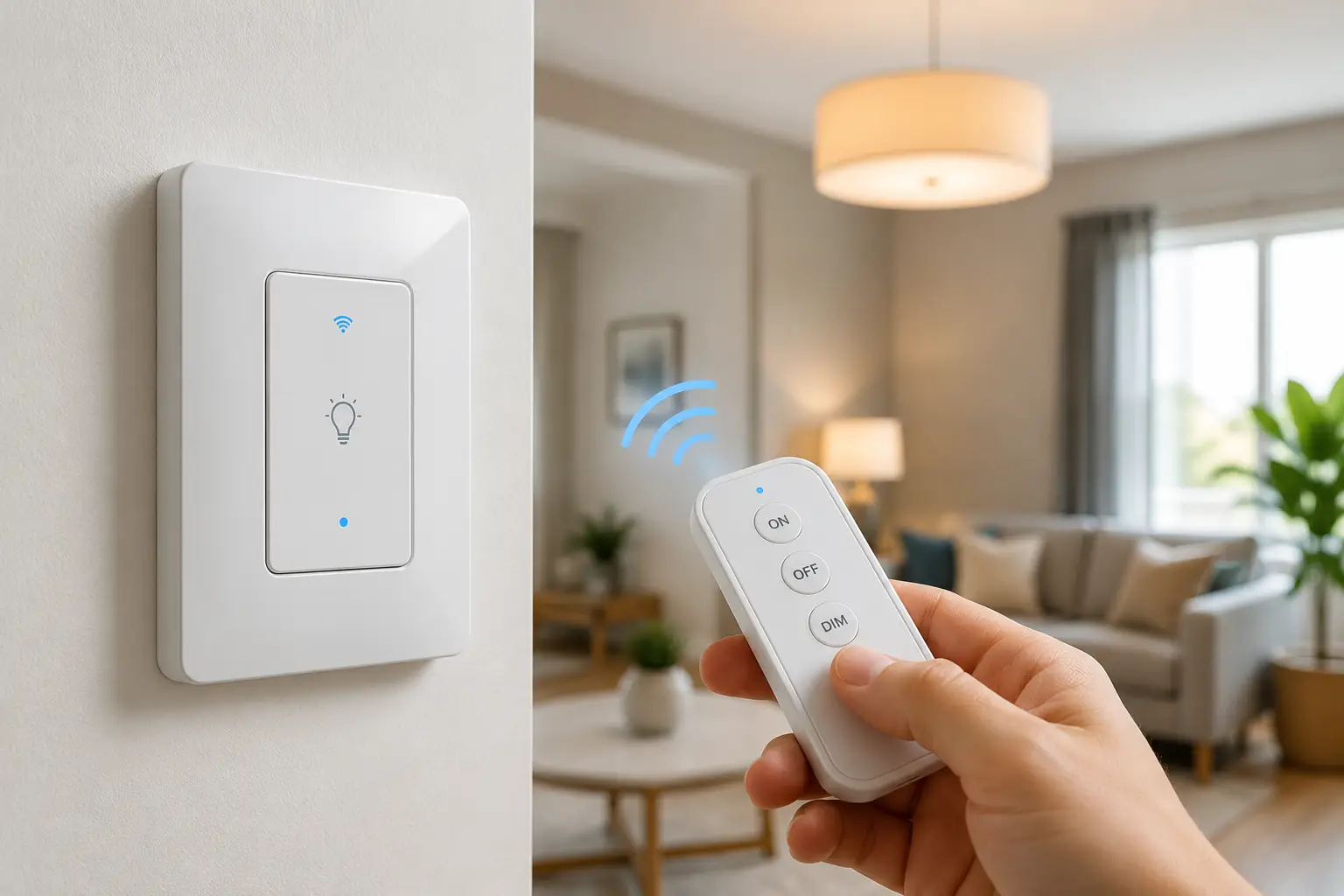
If you’ve ever fumbled for a light switch in the dark, or wished you could kill the porch light from your couch, a smart switch with remote is the upgrade you didn’t know you needed. Unlike a smart bulb, which only controls one fixture, a smart switch with remote takes over the wiring itself, so every bulb on that circuit — old incandescent, new LED, it doesn’t matter — instantly becomes controllable from an app, a voice assistant, or an actual handheld remote you can leave on the nightstand.
The catch is that “remote control” means something different depending on which switch you buy. Some rely entirely on a smartphone app. Some pair with Alexa or Google Assistant. Others ship with a genuine battery-powered remote, similar to a TV clicker, that never touches Wi-Fi at all. That distinction matters more than most retail listings let on, and it’s the first thing we’ll untangle below.
We researched real, currently available products, cross-referenced their spec sheets against aggregated user feedback, and built this guide around what actually matters when you’re standing in front of your breaker box deciding what to buy. Whether you rent and can’t touch the wiring, or you’re ready to build a whole-home lighting system, there’s a genuinely good option ahead — plus the comparison data, installation guidance, and cost breakdown to help you pick the right one the first time.
Quick Comparison: Smart Switches With Remote at a Glance
| Product | Price Range | Remote Type | Neutral Wire? | Best For |
|---|---|---|---|---|
| Amazon Basics Smart Light Switch | Under $20 | App / Alexa voice | Required | Tightest budget |
| Tapo Smart Light Switch S505 | Around $20-$25 | App / voice, Matter | Required | Multi-ecosystem homes |
| Kasa Smart Wi-Fi Light Switch HS200 | Around $15-$25 | App / voice | Required | No-hub simplicity |
| Leviton Decora Smart Wi-Fi Switch (D215S) | Around $35-$45 | App / voice, Matter | Required | Older/narrow wall boxes |
| Lutron Caseta Smart Switch | Around $60-$100 (system) | Pico handheld remote | Not required (dimmer) | Whole-home reliability |
| BN-LINK Wireless Remote Control Outlet Switch | Around $13-$30 | Handheld RF remote | No wiring at all | Renters, zero rewiring |
| DEWENWILS Wireless Light Switch and Receiver Kit | Around $20-$35 | Detachable wall/handheld remote | No wiring at all | No-neutral, hard-to-reach fixtures |
Looking at the table, the split is really between two philosophies: in-wall Wi-Fi switches that replace your existing switch and lean on an app or voice assistant, and no-wiring RF kits that hand you a literal physical remote. The Kasa Smart Wi-Fi Light Switch HS200 and Amazon Basics Smart Light Switch win on simplicity and price if you’re comfortable with neutral-wire installation, while the BN-LINK Wireless Remote Control Outlet Switch and DEWENWILS Wireless Light Switch and Receiver Kit are the only two here you can install in about five minutes without ever opening a breaker panel. If whole-home reliability and a dedicated Pico remote matter more than upfront cost, the Lutron Caseta Smart Switch system justifies the premium.
💬 Found the right category already? Scroll down to see current pricing and availability on today’s top pick! 😊
Top 7 Smart Switches With Remote: Expert Analysis
We picked these seven specifically to cover every real-world wiring situation — homes with a neutral wire, homes without one, and renters who can’t touch the wall at all — while spanning entry-level to premium price points.
1. Amazon Basics Smart Light Switch — cheapest way into voice control
If your only goal is turning lights on and off with your voice for the least money possible, this is the switch that gets you there. It’s a bare-bones single-pole switch built specifically around the Alexa ecosystem.
Key features include 2.4GHz Wi-Fi with no hub required, Alexa routine scheduling, and a guided video/app installation flow. In practice, the “remote control” here is entirely app- and voice-based — there’s no physical clicker in the box, so you’re trading a tangible remote for rock-bottom pricing. Because it requires a neutral wire, this isn’t the switch to buy if your home is older and doesn’t have one; check that first.
Based on comparing the spec sheet to competitors twice its price, the feature set is genuinely thin (no Google Home or Apple Home support, no 5GHz Wi-Fi, no dimming on the base model), but for a single-family household already living inside Alexa routines, that’s an acceptable trade. Reviews consistently report straightforward installation and reliable day-to-day performance, with the most common complaint being the Alexa-only lock-in rather than any hardware defect.
Pros:
- ✅ Lowest price point of any Wi-Fi switch on this list
- ✅ Guided video installation makes wiring less intimidating
- ✅ Deep integration with existing Alexa routines and schedules
Cons:
- ❌ Alexa-only — no Google Home or Apple Home support
- ❌ No physical handheld remote included in the box
At under $20, this is hard to beat for a first smart switch in an Alexa household, though buyers who want a literal remote in hand should look further down this list.
2. Tapo Smart Light Switch S505 — Matter-ready for under $25
The Tapo S505 is what we’d point budget-conscious shoppers toward if they want to keep their options open across smart-home ecosystems rather than betting everything on one voice assistant.
It connects via the Tapo app, supports voice commands through both Alexa and Google Assistant, and — critically — TP-Link also sells a Matter-certified variant of the Tapo switch line, meaning it can bridge into Apple Home and SmartThings setups too. What that means in practice: you’re not locked into a single app if you switch phones, ecosystems, or add a HomeKit hub down the line. It also works with Tapo’s own motion and contact sensors for local automations that don’t depend on cloud round-trips.
What most buyers overlook with switches at this price is Matter compatibility — it’s usually reserved for $40+ switches, so finding it on a sub-$25 model is a genuine standout. Reviews consistently report easy setup through the Tapo app and stable Wi-Fi performance, though a handful of users note the companion sensors are sold separately and add to the real cost of a full automation setup.
Pros:
- ✅ Matter compatibility bridges into Apple Home and SmartThings
- ✅ Works with both Alexa and Google Assistant out of the box
- ✅ Can automate locally with optional Tapo sensors
Cons:
- ❌ Sensors and extra accessories are sold separately
- ❌ Neutral wire required, so older homes may not qualify
Priced in the $20-$25 range, it’s one of the best value-for-features picks here, especially for anyone who isn’t sure which smart-home platform they’ll settle on long-term.
3. Kasa Smart Wi-Fi Light Switch HS200 — best all-around no-hub switch
This is the switch we’d recommend to someone who just wants a reliable, no-nonsense smart switch without researching ecosystems for an hour first.
The HS200 connects directly to 2.4GHz Wi-Fi, no bridge or hub required, and works with Alexa, Google Assistant, and even Microsoft Cortana-based routines. Its Away Mode randomizes on/off timing to simulate occupancy while you’re traveling, and front-panel reset/restart buttons make troubleshooting simple without pulling the switch out of the wall. The app also supports grouping the switch with other Kasa devices for one-tap “scenes.”
Based on comparing specs across this list, the HS200’s main strength is maturity — TP-Link has iterated on this switch for years, and it shows in the polish of the companion app and the consistency of its Wi-Fi reconnect behavior after outages, an area where cheaper switches often struggle. Reviews consistently report that multi-packs offer excellent value, with the most common critique being that the switch body sits slightly deeper in the wall box than a standard “dumb” switch, occasionally requiring extra wire-tucking during install.
Pros:
- ✅ No hub needed, connects straight to home Wi-Fi
- ✅ Away Mode adds a real home-security benefit
- ✅ Mature app with grouping and reliable reconnects
Cons:
- ❌ Slightly deeper switch body than standard switches
- ❌ No native Apple HomeKit/Matter support
Multi-packs commonly land in the $15-$25 per-switch range, and for straightforward no-hub reliability, it’s tough to find better value-for-money in this category.
4. Leviton Decora Smart Wi-Fi Switch (D215S) — slimmest fit for older wall boxes
Leviton has made the Decora switch shape for decades, and the D215S is the modern, connected version — built with a reduced product depth specifically so it fits crowded or older electrical boxes that trip up bulkier smart switches.
It connects over 2.4GHz Wi-Fi with no hub required, supports Matter for cross-platform control, and works through the My Leviton app with Alexa, Google Assistant, and Apple Siri. It’s rated for LED/CFL loads up to 600W, incandescent up to 1,800W, and fluorescent up to 15A, which is a wider load range than most competitors on this list, meaning it can handle ceiling fans and heavier fixtures that would trip a lower-rated switch. A separate wire-free “Anywhere Companion” accessory lets you add true 3-way control from a second location without running new wire.
What the spec sheet doesn’t say, but the accessory ecosystem reveals, is that Leviton designed this switch as a system, not a one-off — the same Anywhere Companion, Matter bridging, and My Leviton scheduling extend across their whole Decora Smart line. Reviews consistently report that the slimmer housing solves fitment complaints seen with earlier smart switches, though the switch does sit toward the pricier end of the no-hub category.
Pros:
- ✅ Reduced depth fits older or crowded wall boxes
- ✅ Matter support plus native Apple Siri compatibility
- ✅ Higher load rating handles fans and heavier fixtures
Cons:
- ❌ Priced higher than Kasa or Tapo equivalents
- ❌ Wire-free 3-way requires a separate accessory purchase
Typically priced in the $35-$45 range, it’s the pick for anyone whose wall box is too shallow for chunkier competitors, or who wants day-one Apple Home support.
5. Lutron Caseta Smart Switch — gold standard for whole-home remotes
If you want an actual physical remote — not just an app icon — paired with the most dependable whole-home lighting system on the market, this is the one the rest of this list gets measured against.
The Caseta system pairs a wired in-wall switch with Lutron’s proprietary Clear Connect RF technology and a Pico remote: a small, wall-mountable or handheld clicker rated for a 10-year battery life. The dimmer version of the switch doesn’t require a neutral wire, which opens it up to older homes that disqualify most of the switches above, though the standard on/off switch does need one. A Pico remote can be paired to control multiple Caseta switches at once, effectively turning one remote into a whole-room lighting control.
Based on comparing the ecosystem rather than just the switch, what most buyers overlook is that Caseta’s real advantage isn’t the switch itself — it’s cross-platform depth. It works with Alexa, Google Assistant, Apple HomeKit, and SmartThings simultaneously, something almost nothing else on this list can claim. Reviews consistently report it as the easiest system to install and the most reliable day-to-day, with the recurring complaint being that the Smart Bridge hub and Pico remotes are sold separately, meaning the “real” starter cost is higher than the switch price alone suggests.
Pros:
- ✅ Genuine handheld Pico remote with 10-year battery life
- ✅ Works simultaneously with Alexa, Google, HomeKit, and SmartThings
- ✅ Dimmer version needs no neutral wire
Cons:
- ❌ Smart Bridge hub sold separately, adding to total cost
- ❌ Pico remotes and wall brackets are separate purchases too
Individual switches run roughly $50-$70, with the hub adding another $60-$80 — a full starter kit often lands between $100-$150, but for anyone building a serious whole-home system, the reliability premium is worth weighing seriously.
6. BN-LINK Wireless Remote Control Outlet Switch — zero rewiring, plug-and-click
For anyone who wants a working remote-controlled switch this afternoon, with no electrician, no app download, and no Wi-Fi network involved, this is the fastest path there.
This is a plug-in outlet kit, not an in-wall switch: you plug the receiver into an existing outlet, plug your lamp or appliance into the receiver, and control it with an included handheld RF remote rated for up to 100 feet through walls and doors. It’s rated at 1200W/10A, ETL and FCC certified, and is pre-paired at the factory so it works the moment you unbox it. Multiple outlets can be linked to one remote, or multiple remotes to one outlet, letting the whole family control the same lamp.
Here’s what to weigh: because this isn’t a Wi-Fi device, it can’t be scheduled from a phone or triggered by a voice assistant on its own — you’re trading smart-home integration for genuinely zero-installation simplicity. Reviews consistently report that the RF signal reliably penetrates walls and doors without interfering with Wi-Fi, and that the outlets default to “off” after a power outage, a safety-minded detail parents of young kids and pet owners tend to appreciate.
Pros:
- ✅ No wiring, no app, no Wi-Fi — works instantly out of the box
- ✅ 100-foot RF range reliably passes through walls
- ✅ Defaults to off after a power outage for added safety
Cons:
- ❌ No voice assistant or smartphone app control
- ❌ Not rated for high-draw devices like shop vacuums
Kits typically run $13-$30 depending on how many outlets and remotes are included, making this the cheapest legitimate “smart switch with remote” on this entire list, provided you don’t need app or voice control.
7. DEWENWILS Wireless Light Switch and Receiver Kit — handheld remote doubles as the switch
This kit solves a specific, common problem: a hard-to-reach light — a ceiling fixture, an attic light, a fixture with no accessible in-wall switch — that you want to control without an electrician touching the wiring at all.
The receiver wires between the power source and the light fixture itself (not the wall), while the included wall-mountable switch is fully detachable and doubles as a handheld remote with up to 100 feet of RF range. It’s rated for 1,000W of tungsten load, 600W fluorescent, or 200W LED on the standard kit, with a higher-capacity 15A/1,800W version also available for heavier fixtures, and higher-capacity versions carry an IP65 waterproof rating for outdoor use. No neutral wire, no Wi-Fi, and no in-wall wiring are required at any point.
What the spec sheet doesn’t say, but the accessory lineup makes clear, is that this is designed to be expandable: you can add more wall switches, receivers, or handheld remotes to the same pre-programmed system as your needs grow, all using the same model line. Reviews consistently report that installation takes minutes rather than hours, with occasional feedback that range drops noticeably through multiple dense walls or metal framing, consistent with RF-based systems generally.
Pros:
- ✅ Detachable switch works as a genuine handheld remote
- ✅ No neutral wire or in-wall wiring required anywhere
- ✅ Expandable system for adding more switches later
Cons:
- ❌ No app, voice assistant, or smartphone scheduling
- ❌ RF range can shrink through metal framing or many walls
Priced around $20-$35 depending on the kit size, it’s the strongest pick here for renters or homeowners dealing with a genuinely no-neutral, no-wiring situation.
What Is a Smart Switch With Remote?
A smart switch with remote is a light switch upgrade that lets you control connected lights or outlets from somewhere other than the switch itself — through a smartphone app, a voice assistant like Alexa or Google Assistant, or an actual handheld RF remote, depending on the model you choose. Some replace your existing wall switch; others need no wiring at all…
How to Choose a Smart Switch With Remote
- Check for a neutral wire first. Most Wi-Fi in-wall switches, including the Kasa Smart Wi-Fi Light Switch HS200 and Leviton Decora Smart Wi-Fi Switch (D215S), require one — if your junction box doesn’t have a spare white wire, a no-wiring RF kit is your realistic option.
- Decide what “remote” actually means to you. If you want a literal handheld clicker, narrow your search to the Lutron Caseta Smart Switch, BN-LINK Wireless Remote Control Outlet Switch, or DEWENWILS Wireless Light Switch and Receiver Kit — app-only switches don’t ship with one.
- Match your existing smart-home ecosystem. Apple Home users should prioritize Matter-certified options like the Tapo Smart Light Switch S505 or Leviton Decora Smart Wi-Fi Switch (D215S); Alexa-only households can save money with the Amazon Basics Smart Light Switch.
- Confirm the load rating fits your fixture. Ceiling fans and heavier fixtures need a switch rated well above their wattage, which is where the Leviton Decora Smart Wi-Fi Switch (D215S)‘s higher rating has an edge.
- Factor in the real starter cost, not just the switch price. Hub-based systems like the Lutron Caseta Smart Switch require a bridge purchased separately, which can double the effective entry cost.
- Consider whether you rent. Renters generally can’t legally rewire a switch, making the BN-LINK Wireless Remote Control Outlet Switch or DEWENWILS Wireless Light Switch and Receiver Kit the compliant, damage-free choice.
- Look for independent safety certification. UL, ETL, and FCC marks (present on every product in this guide) indicate the device has passed recognized US safety and radio-interference testing — worth confirming before you buy any brand not covered here.
Smart Switch With Remote vs. Traditional Wall Switch
A traditional wall switch does exactly one thing: complete or break a circuit when a human physically flips it. That’s reliable, cheap, and requires zero setup — but it also means every light stays on the schedule of whoever remembers to flip it, and there’s no way to control it from another room, let alone another city.
A wireless remote light switch changes that equation in three concrete ways. First, remote operation: whether through an app, a voice assistant, or a handheld RF remote like the one included with the DEWENWILS Wireless Light Switch and Receiver Kit, you’re no longer tied to physical proximity. Second, scheduling and automation: switches like the Kasa Smart Wi-Fi Light Switch HS200 can turn lights on at sunset and off at a set time without any human involvement, which is both a convenience and, per the U.S. Department of Energy’s ENERGY STAR program, a legitimate way to cut wasted lighting energy. Third, integration: a smart switch becomes one node in a larger system — grouped with other devices, triggered by sensors, or included in “away mode” routines that traditional switches simply can’t participate in.
The trade-off is real, though: traditional switches never lose Wi-Fi, never need an app update, and never get bricked by a cloud outage. A no-wiring RF kit like the BN-LINK Wireless Remote Control Outlet Switch splits the difference nicely, offering true remote control with none of the cloud dependency.
Getting Started: Installation and Your First 30 Days
Before you touch any in-wall switch, confirm two things: that the circuit breaker is off (test with a non-contact voltage tester, not just the wall switch), and that your junction box actually has a neutral wire if you’re installing a Wi-Fi switch like the Amazon Basics Smart Light Switch or Tapo Smart Light Switch S505. Skipping this step is the single most common reason DIY installs go wrong — the switch either won’t power on or will behave erratically.
Once wired in, most switches walk you through app pairing over 2.4GHz Wi-Fi specifically — note that 5GHz-only networks won’t connect, so you may need to temporarily enable a 2.4GHz band on your router. For hub-based systems like the Lutron Caseta Smart Switch, pair the Smart Bridge to your router first, then add switches and Pico remotes one at a time rather than all at once, which makes troubleshooting far easier if one device misbehaves.
In the first 30 days, resist the urge to automate everything immediately. Set up basic on/off and voice control first, confirm it survives a Wi-Fi router restart and a brief power outage, and only then layer in schedules, away mode, or grouping. The most common early mistake is naming devices inconsistently across rooms, which makes voice commands (“turn off the switch”) ambiguous once you own more than two or three.
Real-World Scenarios: Which Smart Switch With Remote Fits Your Home
The renter with a two-year lease. No wiring changes are allowed, and the security deposit is non-negotiable. The BN-LINK Wireless Remote Control Outlet Switch or DEWENWILS Wireless Light Switch and Receiver Kit solve this completely — no tools beyond a screwdriver for the optional wall mount, and everything unplugs cleanly at move-out.
The budget-conscious Alexa household. Already has a few Echo devices, doesn’t care about Google or Apple integration, and wants the cheapest real upgrade. The Amazon Basics Smart Light Switch or a multi-pack of the Kasa Smart Wi-Fi Light Switch HS200 covers this at the lowest realistic per-switch cost, assuming a neutral wire is present.
The whole-home tinkerer. Owns an older house, wants dimmers throughout, and doesn’t want three different apps for three different switch brands. The Lutron Caseta Smart Switch system, paired with Pico remotes in rooms that need a second control point, is the one built specifically for this scale — the upfront hub cost pays for itself in consistency once you’re past six or seven switches.
Common Problems and Solutions
Problem: The switch won’t reconnect after a power outage. Solution: most in-wall Wi-Fi switches, including the Leviton Decora Smart Wi-Fi Switch (D215S), are designed to auto-reconnect to saved Wi-Fi credentials; if it doesn’t within a few minutes, a manual app-guided re-pair usually resolves it.
Problem: No neutral wire in the box. Solution: choose a no-wiring RF kit like the BN-LINK Wireless Remote Control Outlet Switch, or a dimmer from the Lutron Caseta Smart Switch line, which doesn’t require one.
Problem: The RF remote’s range feels shorter than advertised. Solution: this is normal — rated ranges like the 100 feet quoted for the DEWENWILS Wireless Light Switch and Receiver Kit assume open line-of-sight; expect meaningfully less through multiple interior walls or metal stud framing.
Problem: Voice commands control the wrong light. Solution: rename devices to unambiguous, room-specific names in the app before adding more switches — this is far easier to fix at three switches than at fifteen.
Problem: The switch is too deep for the wall box. Solution: the Leviton Decora Smart Wi-Fi Switch (D215S) was specifically engineered with reduced depth for this scenario; it’s worth the price difference over fighting a too-tight box.
<div style=”text-align:center”>
🔍 Ready to upgrade your lighting?
Take your smart home to the next level with this carefully curated lineup. Click a highlighted pick above to check current pricing and availability. These switches will help you get hands-free, remote-controlled lighting the whole household will actually use!
</div>
Common Mistakes to Avoid When Buying a Smart Switch With Remote
The most frequent mistake is buying a Wi-Fi switch before confirming a neutral wire exists in the box — this alone accounts for a large share of returned smart switches. A close second is assuming “remote control” means a physical clicker is included, when for switches like the Amazon Basics Smart Light Switch, it actually means app and voice control only.
Buyers also frequently underestimate total system cost with hub-based products; the Lutron Caseta Smart Switch line is excellent, but pricing out just the switch and ignoring the Smart Bridge and Pico remote leads to sticker shock at checkout. On the opposite end, some shoppers choose a no-wiring RF kit like the BN-LINK Wireless Remote Control Outlet Switch expecting Alexa integration, then are disappointed to learn RF remotes don’t talk to voice assistants at all.
Finally, don’t skip checking load ratings against your actual fixture wattage — pairing an underrated switch with a ceiling fan or a bank of halogen bulbs is a preventable way to trip the switch’s internal protection repeatedly.
Smart Switches With Remote for Renters and No-Neutral-Wire Homes
If you’ve read this far and still aren’t sure a neutral wire exists behind your switch plate, assume it doesn’t and shop accordingly — a licensed electrician can confirm it in minutes if you want certainty, but a no-wiring remote control light switch sidesteps the question entirely.
Both the BN-LINK Wireless Remote Control Outlet Switch and DEWENWILS Wireless Light Switch and Receiver Kit fall into this category, and they solve slightly different problems. The BN-LINK kit is an outlet-level solution — perfect for lamps, holiday lighting, or any plug-in fixture. The DEWENWILS kit wires directly to the light fixture itself rather than the outlet, which makes it the better fit for ceiling lights, fans, or ceiling-mounted fixtures that don’t run through a standard outlet at all. Neither requires touching your building’s existing wall switch or breaker panel wiring in a way a landlord would object to, and both fully remove at move-out without a trace.
The trade-off, worth repeating, is that neither integrates with Alexa, Google Assistant, or Apple Home — you’re getting genuine physical remote convenience without smart-home ecosystem integration. For most renters, that’s a fair exchange for a five-minute, damage-free install.
Long-Term Cost and Maintenance
Wi-Fi in-wall switches like the Kasa Smart Wi-Fi Light Switch HS200 have essentially no ongoing cost beyond electricity — no batteries, no subscriptions, and firmware updates are free through the manufacturer’s app. RF remote kits like the BN-LINK Wireless Remote Control Outlet Switch and DEWENWILS Wireless Light Switch and Receiver Kit do require periodic battery replacement in the handheld remote, typically every year or two of normal use, which is a minor but real recurring cost worth budgeting for.
The Lutron Caseta Smart Switch system carries the highest total cost of ownership up front — switch, hub, and Pico remotes purchased separately — but Lutron’s Pico remotes are rated for a 10-year battery life, meaning the long-term maintenance burden is actually lower than cheaper RF alternatives once the initial investment is made. Across the category, none of these products require a paid subscription, which distinguishes smart switches favorably from some smart cameras or thermostats that increasingly gate features behind monthly fees.
Safety, Regulations, and Standards
Every product covered in this guide carries either UL, ETL, or FCC certification, which matters more than it might seem. UL and ETL certification means the device has been independently tested against US electrical safety standards for fire and shock risk; FCC certification confirms the device’s radio emissions (Wi-Fi or RF remote signals) won’t interfere with other equipment in your home. Products without any of these marks are worth avoiding regardless of price.
Beyond certification, the Consumer Product Safety Commission’s electrical safety guidance is worth reviewing before any in-wall switch installation: always confirm the circuit is de-energized at the breaker, not just switched off at the wall, before removing a switch plate, and never install a Wi-Fi switch rated below your fixture’s actual wattage draw. If you’re at all unsure about wiring — particularly in a home built before the 1990s, where wiring standards and materials differ — hiring a licensed electrician for the install is a reasonable and inexpensive precaution rather than an unnecessary expense.
Features That Actually Matter (and Ones That Don’t)
Matter certification, present on the Tapo Smart Light Switch S505 and Leviton Decora Smart Wi-Fi Switch (D215S), genuinely matters if you’re not fully committed to one smart-home ecosystem — it future-proofs the switch against platform changes down the road. Load rating matters, especially for anything beyond a basic LED bulb. Neutral-wire requirements matter enormously, since they determine whether a switch is even installable in your home at all.
What doesn’t matter nearly as much as marketing suggests: color-changing LED indicator rings, which look nice but add nothing functional; app “themes” or cosmetic customization; and claims of “AI-powered” scheduling, which in nearly every case is just a standard sunrise/sunset timer with a new name. Reviews consistently reward the boring stuff — reliable Wi-Fi reconnects, honest load ratings, and straightforward apps — over flashy features that rarely get used past the first week.
Frequently Asked Questions
❓ Does a smart switch with remote need a neutral wire?
❓ Can I use a smart switch with remote without Wi-Fi?
❓ What's the difference between a smart switch and a smart plug?
❓ Are smart switches with remote safe to install myself?
❓ Do smart switches with remote work during a Wi-Fi outage?
Conclusion
The right smart switch with remote really comes down to two questions: does your wall box have a neutral wire, and what do you actually mean by “remote”? If you’ve got the wiring and want deep voice-assistant integration, the Kasa Smart Wi-Fi Light Switch HS200 and Tapo Smart Light Switch S505 are both excellent, affordable no-hub choices, while the Leviton Decora Smart Wi-Fi Switch (D215S) is worth the extra cost for tight wall boxes and Matter/Apple Home support.
If you want an honest-to-goodness handheld remote and don’t mind paying for whole-home reliability, the Lutron Caseta Smart Switch system remains the category benchmark, and its Pico remotes are genuinely excellent. And if wiring isn’t an option at all — because you rent, or your fixture has no neutral — the BN-LINK Wireless Remote Control Outlet Switch and DEWENWILS Wireless Light Switch and Receiver Kit deliver real remote control in about five minutes flat, no electrician required.
Whichever category fits your home, always check current pricing and availability before buying, since prices on all of these fluctuate regularly — and confirm your specific fixture’s wattage against the switch’s load rating before installation.
Recommended for You
- Best Smart Wifi Outlet 2026: 7 Picks That Actually Save You Money
- Smart Light Switch Timer: 7 Best Picks & Buying Guide (2026)
- Remote Lamp Switch Wireless: 7 Best Picks for 2026
Disclaimer: This post contains affiliate links. As an Amazon Associate, I earn from qualifying purchases made through these links, at no additional cost to you.
✨ Found this article helpful? Share it with someone who needs it! 💬🤗
