
In This Article
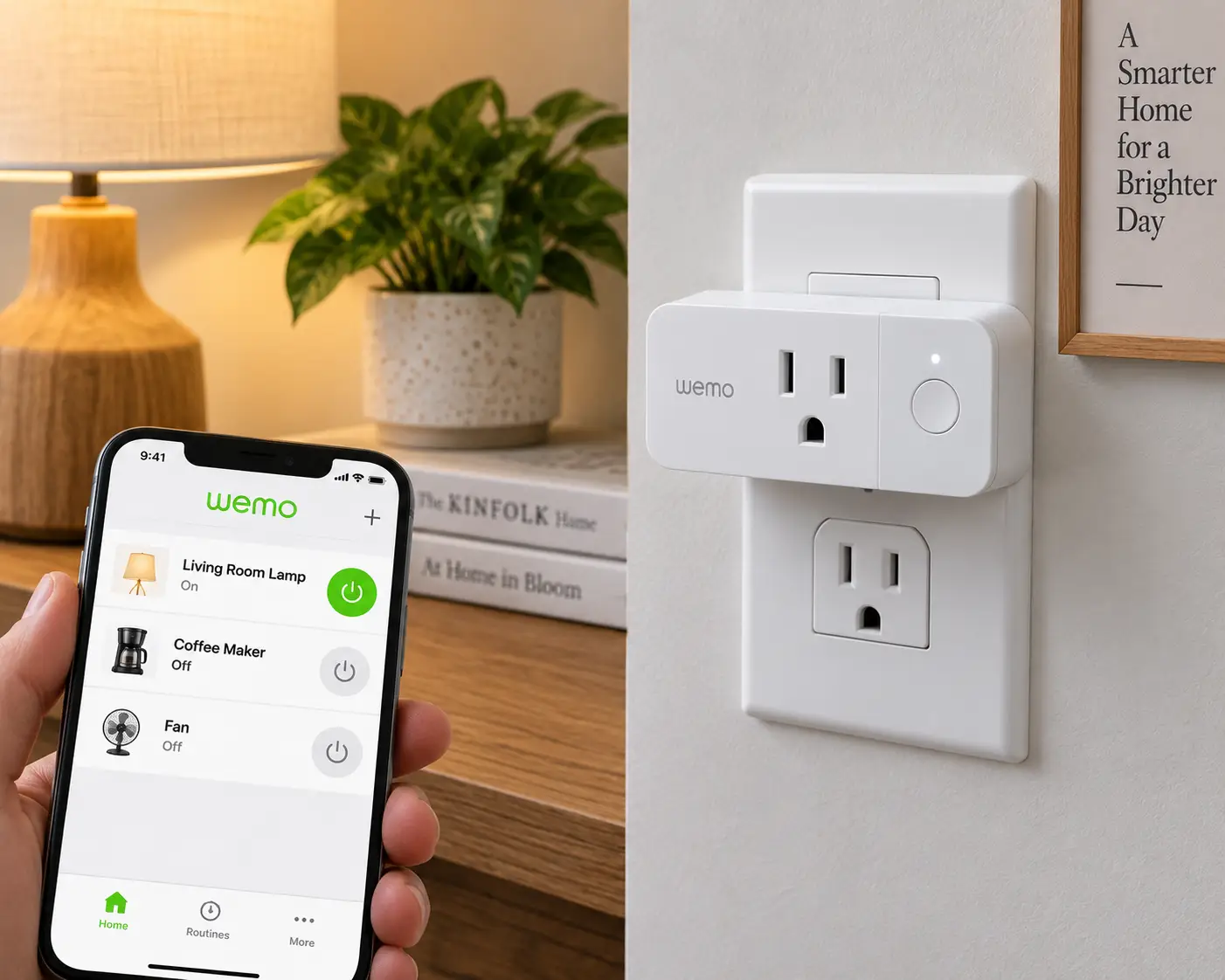
If you searched for a wemo wifi smart plug expecting a straightforward buying guide, there’s something you need to know first: Belkin officially shut down the Wemo app and cloud services on January 31, 2026. A wemo wifi smart plug is a small device that plugs into a standard outlet and lets you turn connected lamps, fans, or appliances on and off from a phone app or a voice assistant — and that’s exactly the functionality Belkin just pulled the plug on for most of its lineup. According to Belkin’s own support page, the Wemo app no longer functions, and cloud-based features like remote access and Amazon Alexa or Google Assistant integration have stopped working entirely for devices that weren’t migrated to Apple HomeKit before the cutoff.
That means if you already own a Wemo plug, it’s likely sitting in your outlet as an expensive dumb switch right now. And if you’re shopping for one new, buying a Wemo product today would mean purchasing a device that can no longer even be set up through its own app. This guide covers both situations honestly: what actually happened to Wemo, what still works (briefly), and — more usefully — seven real, currently available Wi-Fi smart plugs that do everything the old Wemo promised, without the abandonment risk. Whether you’re replacing a single Wemo plug or outfitting an entire apartment, you’ll find an option here that fits your budget and your existing smart home ecosystem.
What Actually Happened to the Wemo Wifi Smart Plug?
In short: Belkin discontinued cloud support for most Wemo products, including the standard Wemo Wifi Smart Plug (model WSP080), on January 31, 2026. After that date, the app stopped receiving updates, remote access broke, and Alexa and Google Assistant integrations went dark for any device not already configured with Apple HomeKit before the deadline — and new HomeKit setup is no longer possible either. A small number of Thread-based Wemo devices, plus HomeKit-paired units set up in time, kept working locally. Everything else became effectively unusable for smart control.
Quick Comparison: 7 Wemo Wifi Smart Plug Alternatives
Before diving into the full breakdown, here’s a fast side-by-side of the seven replacements covered in this guide.
| Product | Voice Assistants | Matter Support | Energy Monitoring | Best For |
|---|---|---|---|---|
| Amazon Smart Plug | Alexa only | No | No | Simplicity in an Alexa home |
| Kasa Smart Wi-Fi Plug Mini (EP10) | Alexa, Google | No | No | Budget single-plug upgrade |
| Kasa Smart Wi-Fi Plug 4-Pack (HS103P4) | Alexa, Google | No | No | Whole-apartment rollout |
| Kasa Smart Wi-Fi Plug Slim w/ Energy Monitoring (KP125M) | Alexa, Google, Apple Home | Yes | Yes | Best overall replacement |
| Tapo Mini Smart Wi-Fi Plug (P125M) | Alexa, Google, Apple Home | Yes | No | Budget Matter option |
| Govee Smart Plug (4-Pack) | Alexa, Google | No | No | Group control across rooms |
| Eve Energy Smart Plug | Apple Home (Matter/Thread) | Yes | Yes | Apple HomeKit households |
Looking at this table, the pattern that jumps out is ecosystem lock-in versus future-proofing: the Amazon Smart Plug and Govee Smart Plug are the easiest to set up but tie you to a single ecosystem, while the Kasa Smart Wi-Fi Plug Slim and Eve Energy Smart Plug use the Matter standard, which is explicitly designed so a shutdown like Wemo’s can’t strand you again. If avoiding vendor lock-in is your top priority after this experience, weight your decision toward the Matter-certified options even if they cost a few dollars more.
💬 Bookmark this table — it’ll make comparing the full product breakdowns below much faster.
The 7 Best Wemo Wifi Smart Plug Replacements
Each of these plugs was selected to cover a different budget tier and use case — from the cheapest possible single-plug swap to a premium, ecosystem-proof option. All are real, currently listed products you can find on amazon.com.
1. Amazon Smart Plug — simplest setup for Alexa households
If your old Wemo plug was mainly voice-controlled through an Echo speaker, the Amazon Smart Plug is the most direct one-to-one replacement in terms of simplicity. Key features include a no-hub design, automatic Wi-Fi reconnection after outages, and native pairing directly inside the Alexa app without a separate companion app — in practice, this means setup takes under two minutes and you never have to remember which app controls which device. What most buyers overlook is that this simplicity is also its biggest limitation: the Amazon Smart Plug works with Alexa and Alexa only, so if you ever add a Google Nest speaker or an Apple HomeKit hub to your home, this plug won’t follow you there. Reviews consistently report rock-solid reliability and a review base in the hundreds of thousands, with the most common complaint being the lack of any companion app for scheduling outside of Alexa Routines.
Pros:
- ✅ Fastest setup of any plug in this list
- ✅ Extremely large, consistently positive review base
- ✅ Auto-reconnects after Wi-Fi or power outages
Cons:
- ❌ Alexa-only — no Google Home or Apple Home support
- ❌ No energy monitoring or Matter compatibility
At around $15-25 depending on pack size, the Amazon Smart Plug is a strong value pick specifically for single-ecosystem Alexa households, though check the current price before buying since it fluctuates with sales.
2. Kasa Smart Wi-Fi Plug Mini (EP10) — best budget single-plug upgrade
The Kasa Smart Wi-Fi Plug Mini is TP-Link’s answer to exactly the gap Wemo left behind: a compact, no-hub Wi-Fi plug that costs less than a fast-food combo meal. Its ultra-compact housing sits flush against the wall so it doesn’t block the second outlet on a duplex receptacle — a small detail, but one that matters if you’re plugging in a lamp next to a phone charger. The Kasa app supports scheduling, away-mode randomization (the same “make it look like you’re home” trick Wemo advertised), and grouping multiple plugs into scenes. Based on comparing the spec sheets, this is essentially a modernized, still-supported version of what the Wemo Wifi Smart Plug used to be, right down to the away-mode feature. Reviews consistently highlight fast pairing and dependable Alexa/Google response times, with occasional complaints about the app requiring an account and internet connection even for local control.
Pros:
- ✅ Works with both Alexa and Google Assistant
- ✅ Compact design doesn’t block the second outlet
- ✅ Away-mode scheduling mimics Wemo’s old feature set
Cons:
- ❌ No energy monitoring on this specific model
- ❌ Requires a TP-Link account for full functionality
Priced in the $10-15 range per plug, the Kasa Smart Wi-Fi Plug Mini delivers the closest experience to the original Wemo plug at a comparable or lower price point.
3. Kasa Smart Wi-Fi Plug 4-Pack (HS103P4) — best value for whole-home replacement
If you owned more than one Wemo plug, replacing them one at a time gets expensive fast — which is where the Kasa Smart Wi-Fi Plug 4-Pack earns its spot. Each plug in the pack is UL-certified, rated for 15 amps, and includes the same touch-actuator design that lets you toggle power manually if your Wi-Fi ever goes down, something the original Wemo plug also offered. The practical benefit of buying as a 4-pack rather than four singles is meaningful savings per unit, plus consistent firmware across every plug in the house, which avoids the frustrating mismatch of different app versions. Based on aggregated customer feedback, this bundle is frequently cited as the go-to recommendation for apartment-wide smart plug rollouts, with tens of thousands of reviews averaging in the mid-4-star range. A recurring theme in reviews is that setup for each additional plug in the same house gets progressively faster once the app is already configured.
Pros:
- ✅ Meaningful per-unit savings over buying individually
- ✅ UL-certified with manual touch-actuator backup
- ✅ Consistent firmware across every plug in your home
Cons:
- ❌ Bulkier housing than the Mini or Slim models
- ❌ No Matter or Apple HomeKit support
Expect to pay somewhere between $30 and $45 for the 4-pack, which works out to a lower per-plug price than almost any single-unit alternative — a genuinely strong value for anyone replacing multiple Wemo units at once.
4. Kasa Smart Wi-Fi Plug Slim w/ Energy Monitoring (KP125M) — best overall replacement
This is the pick to reach for if you want the single best all-around answer to “what do I buy instead of a Wemo plug.” The Kasa Smart Wi-Fi Plug Slim adds Matter certification on top of the standard Kasa feature set, meaning it isn’t locked to TP-Link’s app or cloud the way the entry-level Kasa plugs are — it can be added directly to Apple Home, Google Home, or Amazon Alexa’s Matter-compatible controllers, which is precisely the kind of platform independence that would have prevented the Wemo shutdown from stranding anyone. It also includes real-time energy monitoring, letting you see actual watt-hours consumed by whatever’s plugged in, which turns “is this old space heater costing me money” from a guess into a data point. Based on comparing this to the rest of the field, the combination of Matter support plus energy monitoring at this price is genuinely hard to beat in 2026. Reviews consistently praise the responsiveness and app polish, while a minority of buyers note that Matter setup can be fussier than TP-Link’s native Kasa pairing flow.
Pros:
- ✅ Matter-certified — not locked to one company’s cloud
- ✅ Real-time energy monitoring built in
- ✅ Works natively across Alexa, Google, and Apple Home
Cons:
- ❌ Matter onboarding can be slower than native app pairing
- ❌ Costs more than the non-Matter Kasa Mini
Typically priced in the $20-25 range, the Kasa Smart Wi-Fi Plug Slim is worth the small premium over the basic Mini specifically because Matter certification protects you from a repeat of the exact situation that brought you to this article.
5. Tapo Mini Smart Wi-Fi Plug (P125M) — budget Matter option
TP-Link’s Tapo sub-brand exists to undercut Kasa on price while keeping most of the important features, and the Tapo Mini Smart Wi-Fi Plug is a good example of that strategy done right. It’s Matter-certified like its pricier Kasa sibling, meaning it plugs directly into Apple Home, Google Home, or Alexa’s Matter framework rather than requiring a dedicated Tapo account for voice control — a real advantage over the original Wemo’s Alexa/Google skill-based integration, which is exactly what broke when Belkin’s cloud went dark. What the spec sheet doesn’t say, but user feedback suggests, is that the smaller Tapo app ecosystem means slightly fewer advanced automation options than Kasa offers, though basic scheduling and away-mode are both present. For buyers who mainly want reliable on/off control and don’t need energy monitoring, this is one of the least expensive ways to get genuine Matter compatibility. Aggregated reviews are positive on reliability, with a common note that first-time setup benefits from having the Tapo app already installed before starting Matter pairing.
Pros:
- ✅ Matter certification at a genuinely budget price
- ✅ Compact single-plug design, no second outlet blocked
- ✅ Simple scheduling and away-mode included
Cons:
- ❌ No energy monitoring on this model
- ❌ Fewer advanced automations than the Kasa app offers
At roughly $10-15 per plug, the Tapo Mini Smart Wi-Fi Plug is the best pick for anyone who wants Matter’s future-proofing without paying Kasa Slim pricing.
6. Govee Smart Plug (4-Pack) — best for group control across rooms
Govee built its reputation on smart lighting, and that lighting-first DNA shows up in the Govee Smart Plug through unusually strong group and scene controls — you can bundle plugs from different rooms into a single “movie night” or “morning routine” scene inside the Govee Home app, then trigger all of them with one voice command. Dual Wi-Fi and Bluetooth connectivity means the plug can be configured and controlled locally over Bluetooth even if your router hiccups, which is a meaningful reliability advantage over Wi-Fi-only competitors. Based on comparing the feature set to the rest of this list, Govee’s plug is less about individual-device polish and more about orchestrating several plugs together — a genuine strength for anyone whose old Wemo setup involved syncing multiple lamps to “away mode” simultaneously. Reviews consistently mention easy multi-plug grouping as the standout feature, with occasional feedback that the companion app pushes notifications for other Govee product lines beyond smart plugs.
Pros:
- ✅ Strong scene and group-control features across rooms
- ✅ Dual Wi-Fi + Bluetooth connectivity for local backup control
- ✅ Comes as a 4-pack, ideal for multi-room setups
Cons:
- ❌ App occasionally promotes unrelated Govee products
- ❌ No Matter or energy-monitoring support on this model
The 4-pack typically runs $25-35, making the Govee Smart Plug a strong value pick if scene-based, multi-room control was the feature you’ll miss most from Wemo’s Away Mode.
7. Eve Energy Smart Plug — premium pick for Apple HomeKit households
If your old Wemo plugs were already set up through Apple HomeKit — the one integration that survived the shutdown — the Eve Energy Smart Plug is the natural upgrade path, and arguably the most future-proof plug on this entire list. It communicates over Matter via Thread rather than standard Wi-Fi, which in practice means faster response times and a more resilient mesh network as you add more Thread devices to your home, instead of every plug competing for the same 2.4GHz Wi-Fi bandwidth. It also includes precise, continuously logged energy monitoring accessible right inside Apple’s Home app, with historical usage graphs that go well beyond simple on/off tracking. Honestly, this is the closest thing to a guarantee against another Wemo-style shutdown: Eve has built its entire brand around local-first, no-cloud-required Matter and HomeKit control, so losing internet access doesn’t disable your plugs the way it did with Wemo’s cloud-dependent design. Reviews consistently rate build quality and HomeKit reliability highly, while noting the price sits well above the Wi-Fi-only competitors on this list.
Pros:
- ✅ Thread-based Matter connectivity, no cloud dependency
- ✅ Detailed, continuously logged energy monitoring
- ✅ Local-first design resistant to future shutdowns
Cons:
- ❌ Meaningfully pricier than Wi-Fi-only alternatives
- ❌ Full Thread benefits require a Thread border router (many newer Apple TVs/HomePods qualify)
Expect to pay in the $35-45 range per plug, and while that’s a premium over the rest of this list, the Eve Energy Smart Plug is the pick for buyers who specifically want to never have this shopping experience again.
Full Feature Comparison: Ecosystem, Power, and Price
| Product | Max Load | Connectivity | Manual Override | Price Range |
|---|---|---|---|---|
| Amazon Smart Plug | 15A | Wi-Fi (2.4GHz) | No | $15-25 |
| Kasa Smart Wi-Fi Plug Mini (EP10) | 15A | Wi-Fi (2.4GHz) | No | $10-15 |
| Kasa Smart Wi-Fi Plug 4-Pack (HS103P4) | 15A | Wi-Fi (2.4GHz) | Yes (touch button) | $30-45 |
| Kasa Smart Wi-Fi Plug Slim (KP125M) | 15A | Wi-Fi + Matter | No | $20-25 |
| Tapo Mini Smart Wi-Fi Plug (P125M) | 15A | Wi-Fi + Matter | No | $10-15 |
| Govee Smart Plug (4-Pack) | 15A | Wi-Fi + Bluetooth | No | $25-35 |
| Eve Energy Smart Plug | 15A | Thread/Matter | No | $35-45 (each) |
Every product here matches or exceeds the original Wemo Wifi Smart Plug’s 15-amp rating, so raw power handling isn’t a differentiator — the real decision comes down to connectivity philosophy and manual backup. Notice that only the Kasa Smart Wi-Fi Plug 4-Pack includes a physical touch-actuator for manual override if Wi-Fi drops, which matters more than people expect during a router outage. If avoiding future lock-in outweighs saving a few dollars, the Matter-based rows — Kasa Smart Wi-Fi Plug Slim, Tapo Mini Smart Wi-Fi Plug, and Eve Energy Smart Plug — are the safer long-term bets.
🔍 Ready to stop relying on a discontinued app?
Take your smart home off life support with one of these seven currently supported plugs. Click through to check today’s price and availability, and get back to hands-free lighting and scheduling the whole household can rely on.
How to Replace a Wemo Plug Without Losing Your Existing Automations
Swapping out a discontinued device doesn’t have to mean rebuilding your smart home from scratch. Here’s how to make the transition with minimal disruption.
Start by documenting your current routines before you unplug anything. If you had schedules, away-mode settings, or Alexa Routines built around your Wemo plug, write down the trigger times and actions — the old Wemo app may not even open anymore, so do this from memory or from your voice assistant’s routine list if it’s still accessible there.
Choose a replacement based on your dominant ecosystem, not just price. If everything else in your house already runs through Alexa, the plain Amazon Smart Plug or Kasa Smart Wi-Fi Plug Mini will feel the most familiar. If you’re on Apple HomeKit, prioritize Eve Energy or the Matter-certified Kasa and Tapo models.
Physically swap one plug at a time rather than all at once. This keeps troubleshooting simple — if plug two doesn’t pair correctly, you’ll know it’s an issue with that specific device or outlet rather than a network-wide problem.
Rebuild schedules and away-mode settings inside the new app before relying on them. Most replacements on this list include an away-mode or vacation feature comparable to Wemo’s, but the randomization intervals and settings menus differ slightly, so test a schedule for a day before trusting it while you’re actually away.
Re-link voice assistant skills last. Add the new plug’s skill to Alexa or Google Home only after you’ve confirmed the plug itself responds correctly in its own app — this avoids voice commands controlling a half-configured device.
Real-World Scenarios: Which Replacement Fits Your Situation
Different households had very different reasons for owning a Wemo plug in the first place. Here’s how three common profiles map onto the replacements above.
The renter with one lamp and one Echo speaker. If your entire smart home setup was a single lamp on a timer controlled by voice, you don’t need Matter, energy monitoring, or scene grouping — you need something cheap and fast. The Amazon Smart Plug or single Kasa Smart Wi-Fi Plug Mini covers this completely for under $25, and setup takes less time than unboxing did.
The family replacing four or five plugs across a whole house. Buying individually here adds up fast, and consistency across devices matters more than any single premium feature. The Kasa Smart Wi-Fi Plug 4-Pack is built exactly for this — one app, one firmware version, and a lower per-plug cost than almost anything else on this list.
The Apple Home household that already avoided most of the Wemo pain. If you’d set up your Wemo plugs in HomeKit before the cutoff, you already know the value of local, non-cloud-dependent control. Upgrading to Eve Energy Smart Plug extends that same philosophy with better range, energy tracking, and Thread’s improved mesh reliability — a natural next step rather than a lateral move.
How to Choose a Wifi Smart Plug in 2026 (Post-Wemo)
- Confirm Matter certification if future-proofing matters to you. A Matter-certified plug like the Kasa Smart Wi-Fi Plug Slim, Tapo Mini Smart Wi-Fi Plug, or Eve Energy Smart Plug isn’t tied to one company’s servers, which is the single biggest lesson from the Wemo shutdown.
- Match the plug to your existing voice assistant. An Alexa-only plug like the Amazon Smart Plug is fine in an all-Alexa house, but becomes a dead end the moment you add a Google or Apple device.
- Check the amp rating against what you’re plugging in. Every plug on this list handles 15A, which covers lamps, fans, and small appliances, but always verify against the device’s own nameplate rating before use.
- Decide whether energy monitoring is worth the premium. It’s genuinely useful for identifying power-hungry devices like space heaters, but it adds cost you don’t need if you’re only controlling a lamp.
- Consider manual override for critical devices. A plug with a physical touch button, like the Kasa Smart Wi-Fi Plug 4-Pack, means you’re never locked out of a device just because Wi-Fi is down.
- Read the actual warranty and support timeline, not just the box. Wemo’s shutdown is a reminder that “works with Alexa” today doesn’t guarantee support in three years — established, actively updated product lines are a safer long-term bet.
- Buy one unit before committing to a multi-pack. Test pairing, app responsiveness, and voice assistant integration with a single plug before you commit to outfitting an entire house.
Wi-Fi Smart Plug vs. Matter Smart Plug: What’s the Real Difference?
A standard Wi-Fi smart plug, like the original Wemo Wifi Smart Plug or the plain Kasa Smart Wi-Fi Plug Mini, connects directly to your home router and typically relies on the manufacturer’s own cloud service for remote access and voice assistant integration. That’s efficient and cheap to build, but it creates exactly the single point of failure that stranded Wemo owners: when the company’s cloud goes away, so does the plug’s smart functionality, even though the hardware itself still works fine.
A Matter smart plug, like the Kasa Smart Wi-Fi Plug Slim or Eve Energy Smart Plug, is certified against an open, industry-backed connectivity standard rather than a single company’s proprietary app. In practice, this means the plug can be controlled directly by Apple Home, Google Home, or Amazon’s Matter-compatible hub without routing every command through the original manufacturer’s servers. The tradeoff is a slightly more involved initial setup and, in Thread-based devices like Eve Energy, the need for a compatible border router already present in your home. For most households replacing a Wemo plug specifically because of the shutdown, that small extra setup step is a reasonable price for real independence from any one company’s business decisions.
Advantages Over Traditional Timers and Manual Switches
| Feature | Mechanical Timer | Manual Switch | Wi-Fi/Matter Smart Plug |
|---|---|---|---|
| Remote control from anywhere | No | No | Yes |
| True random “away mode” scheduling | No | No | Yes |
| Voice assistant control | No | No | Yes |
| Energy usage tracking | No | No | Yes (select models) |
| Works during internet outage | Yes | Yes | Partial (local/Matter only) |
The table makes the tradeoff clear: mechanical timers and manual switches are dumb but genuinely can’t be “shut down” by a company decision, while smart plugs add remote control, real away-mode randomization, and energy visibility at the cost of some dependency on connectivity. This is precisely why Matter-based options land in the “partial” row for outage resilience — Thread and Matter devices can often still be controlled locally over your home network even without internet access, unlike cloud-only designs. If uninterrupted reliability matters more to you than smart features, a basic timer remains a reasonable backup for critical devices even alongside a smart plug upgrade.
Common Mistakes to Avoid When Buying a Smart Plug
Buyers coming from a Wemo setup tend to repeat a few avoidable mistakes when shopping for a replacement. First, don’t assume “works with Alexa” on the box guarantees long-term cloud support — as this entire guide demonstrates, that claim can become false without warning. Second, avoid buying a large multi-pack before testing a single unit in your specific outlets and Wi-Fi environment; older homes with thick walls or 5GHz-only routers can cause pairing issues that a single test unit reveals cheaply. Third, don’t ignore the amp rating on higher-draw devices like space heaters or window AC units — plugging a 1500-watt heater into a plug rated for lighter loads is a genuine fire risk, not just a warranty issue. Fourth, resist the urge to buy the cheapest unbranded plug you find in a search result; off-brand plugs with no UL or ETL certification and minimal review history are far more likely to be abandoned exactly like Wemo, often with even less warning.
Long-Term Cost and Maintenance
A single smart plug is inexpensive, but outfitting a house adds up, so it’s worth thinking in terms of total cost of ownership rather than sticker price alone. Buying four individual Kasa Smart Wi-Fi Plug Mini units, for example, typically costs more in total than one Kasa Smart Wi-Fi Plug 4-Pack, even though the per-unit hardware is nearly identical — packaging and multi-unit discounts matter here. Beyond the purchase price, smart plugs themselves draw a small amount of standby power to stay connected to Wi-Fi, generally a fraction of a watt continuously, which is negligible compared to what you’ll save by scheduling lights and appliances to avoid running unnecessarily. The bigger long-term cost consideration, post-Wemo, is support longevity: a plug backed by an actively updated ecosystem with millions of existing users, like Kasa, Tapo, or Amazon’s own line, is statistically less likely to face an abrupt shutdown than a smaller or already-fading brand. Maintenance itself is minimal — firmware updates happen automatically through the app, and the only real physical upkeep is occasionally wiping dust from the housing and confirming the plug still seats snugly in the outlet.
Features That Actually Matter (and Ones That Don’t)
Marketing copy on smart plug packaging tends to bury the genuinely useful features under a pile of buzzwords, so here’s an honest cut. Matter certification actually matters, for the future-proofing reasons already covered — it’s the single feature most directly relevant to anyone reading this because of the Wemo shutdown. A physical manual-override button, as seen on the Kasa Smart Wi-Fi Plug 4-Pack, also genuinely matters if you’re controlling anything you might need to reach quickly, like a space heater. Energy monitoring is useful but situational — worth paying extra for on a plug controlling an appliance you suspect is expensive to run, unnecessary for a simple lamp. On the other hand, features like app-based “mood lighting” color effects for plugs (a Govee specialty on some of its other products) rarely apply to basic outlet control and shouldn’t sway your decision on a plain plug purchase. Similarly, marketing claims about “AI-powered scheduling” on some budget plugs typically just mean basic time-of-day automation dressed up in newer language — worth verifying against the actual feature list rather than taking the phrase at face value.
Safety, Regulations, and Standards for Wi-Fi Smart Plugs
Every plug recommended in this guide should carry UL or ETL certification, which confirms the device has been independently tested against US electrical safety standards rather than simply claiming compliance on the packaging. That certification matters more than it might seem: the U.S. Consumer Product Safety Commission has repeatedly flagged overloaded outlets and uncertified electrical accessories as a leading cause of preventable residential fires. Before plugging in any smart plug, check its printed amp rating against the device you intend to run through it — all seven products in this guide are rated for 15 amps, which comfortably covers lamps, fans, and most small appliances, but not high-draw equipment like window air conditioners or space heaters rated above that threshold. It’s also worth noting that smart plugs are not a substitute for GFCI protection in kitchens, bathrooms, or outdoor outlets, which remains a separate, code-required safety feature. Finally, because Wi-Fi smart plugs connect to your home network, use a unique account password and keep the manufacturer’s app updated, since network-connected devices are a documented target for opportunistic attacks on outdated firmware.
Wi-Fi Smart Plugs for Renters and Apartment Dwellers
If you’re renting, a smart plug is one of the few smart-home upgrades that requires zero permanent modification and travels with you when you move — a meaningful advantage over smart switches, which require rewiring. For apartment dwellers specifically, prioritize compact models like the Kasa Smart Wi-Fi Plug Mini or Tapo Mini Smart Wi-Fi Plug that don’t block the second outlet on a shared duplex receptacle, since apartments often have fewer outlets per room than houses. Renters relying on shared or restricted Wi-Fi networks should also double-check whether their building’s internet setup allows device pairing at all — some managed networks block the peer-to-peer discovery smart plugs use during initial setup, which is worth testing with a single inexpensive unit before buying a multi-pack for the whole unit.
Frequently Asked Questions
❓ Is the Wemo Wifi Smart Plug still worth buying in 2026?
❓ Can I still use my old Wemo plug at all?
❓ What's the best wifi smart plug alternative for an Alexa-only home?
❓ Do Matter smart plugs work with both Alexa and Google Home?
❓ How much does a good wifi smart plug replacement cost?
Conclusion
The Wemo Wifi Smart Plug’s shutdown is a genuinely useful case study in why platform independence matters when you’re building out a smart home — a device is only as reliable as the company standing behind its cloud service, and Belkin’s decision to retreat from the smart home market left a lot of otherwise-functional hardware stranded. The good news is that the replacement market has matured considerably since Wemo’s early-2010s heyday, and options like the Matter-certified Kasa Smart Wi-Fi Plug Slim and Eve Energy Smart Plug are specifically designed to avoid a repeat of this exact situation. Whether you prioritize rock-bottom price with the Amazon Smart Plug, whole-house value with the Kasa Smart Wi-Fi Plug 4-Pack, or long-term platform independence with a Matter device, every option in this guide is a currently supported, actively updated product rather than a discontinued one. Take the time to match your pick to your actual voice assistant ecosystem, verify the amp rating against what you’re plugging in, and you’ll end up with a smart plug setup that’s more resilient than the one you’re replacing.
✨ Don’t let a discontinued app leave your smart home half-working. Compare the seven replacements above, check today’s price on the one that fits your ecosystem, and get your lamps, fans, and schedules back under real control.
Recommended for You
- Wall Outlet USB Power Adapter: 7 Best Picks for 2026 (Fast & Safe)
- Receptacle with USB Ports: 7 Best Picks for 2026 (Pros & Cons)
- Plug Size Guide 2026: 7 Best Travel Adapters for Any Country
Disclaimer: This post contains affiliate links. As an Amazon Associate, I earn from qualifying purchases made through these links, at no additional cost to you.
✨ Found this article helpful? Share it with someone who needs it! 💬🤗
