
In This Article
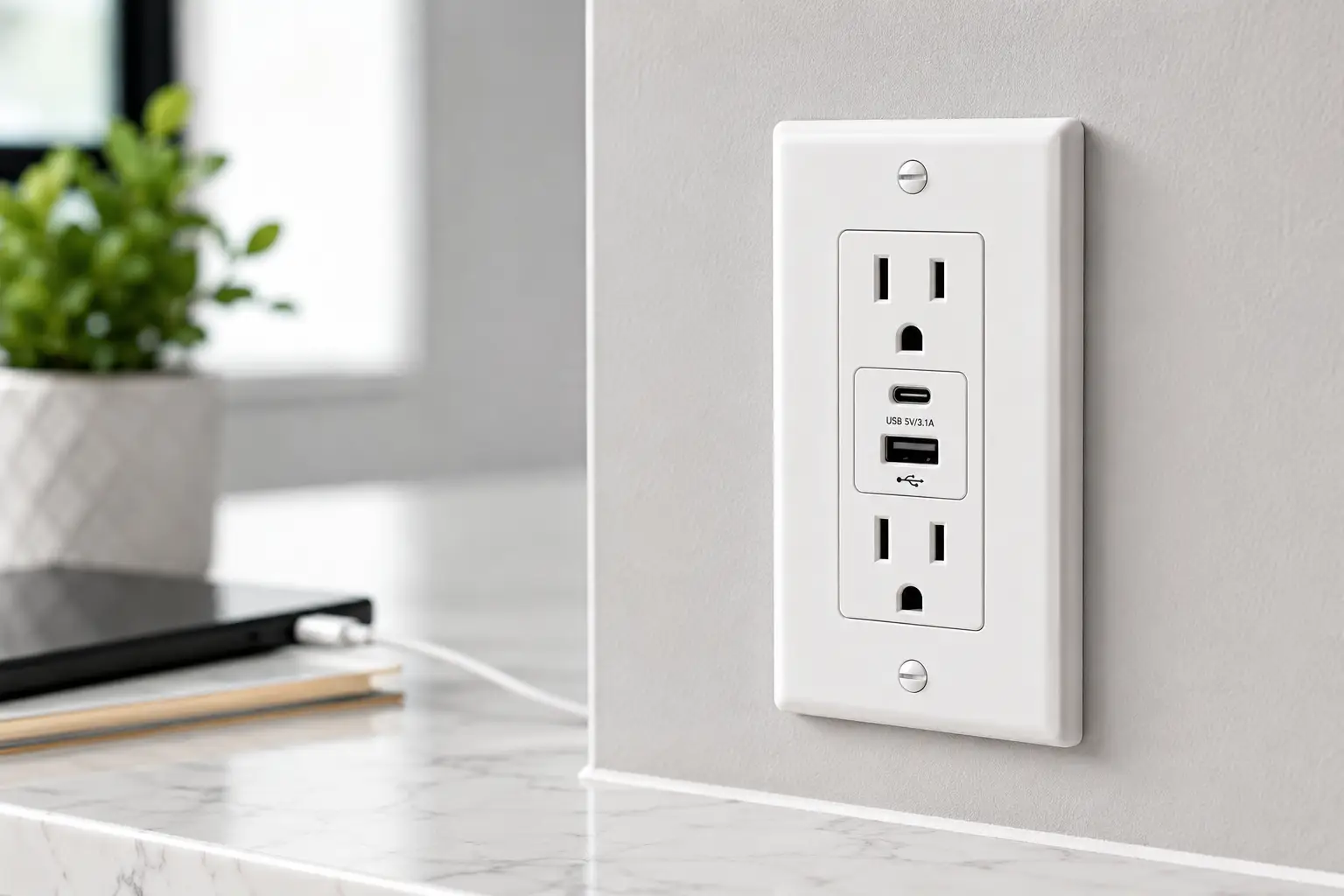
A receptacle with USB ports is a wall outlet that combines standard AC plug slots with one or more built-in USB charging ports, so you can power a lamp and charge a phone from the exact same faceplate. In plain terms: no more juggling bulky charging blocks, no more fighting your family for the one outlet behind the nightstand. If you’ve ever unplugged a lamp just to free up a spot for your phone charger, you already understand the appeal.
This category has quietly become one of the most requested upgrades in home electrical work, and it’s easy to see why. Nightstands, kitchen islands, home offices, and guest rooms all tend to run out of usable outlets long before they run out of gadgets that need power. A receptacle with USB ports solves that math problem permanently, folding the charger into the wall itself.
Below, you’ll find seven real, currently available models spanning budget-friendly picks to laptop-charging powerhouses, honest analysis of who each one is actually built for, a full breakdown of installation and safety considerations, and answers to the questions people ask most before they buy. This article contains affiliate links, and as an Amazon Associate, this site may earn from qualifying purchases.
Quick Comparison: Our Top Picks at a Glance
| Product | Port Type | Combined Output | Best For |
|---|---|---|---|
| TOPGREENER TU21536AC | USB-A + USB-C | 3.6A / 18W | Best overall value |
| Leviton T5632-W | Dual USB-A | 3.6A | Trusted budget classic |
| Legrand radiant 65W | Dual USB-C (PD) | 65W | Best for laptops |
| ENERLITES 61501-TR2USB-1A1C | USB-A + USB-C | 5.8A / 29W | Best commercial-grade budget |
Even at a glance, the spread here tells a story: wattage varies by nearly 4x between the cheapest and most powerful options, and that gap matters enormously depending on what you’re actually plugging in. A phone barely notices the difference between 3.6A and 5.8A, but a laptop absolutely does — which is exactly why the Legrand radiant 65W model exists in a different price tier than the others. Buyers replacing a nightstand outlet for phone charging can comfortably shop the lower end of this table, while anyone hoping to retire a separate laptop charging brick needs to look toward Power Delivery-rated hardware specifically.
I’ll help you compare all seven of these side by side, so you can spend less time researching and more time enjoying charged devices. 💬
The 7 Best Receptacles with USB Ports for 2026
Each of these seven models is a real, currently sold product with verifiable specs. Below, you’ll find what the spec sheet says, what that actually means for daily use, and where real buyer feedback lines up (or doesn’t) with the marketing copy.
1. TOPGREENER TU21536AC — best all-around value
The TOPGREENER TU21536AC pairs a USB-A and a USB-C port on a single 15-amp tamper-resistant duplex outlet, and it’s the model most reviewers point to first when someone asks for a straightforward, no-drama upgrade. The combined 3.6A/18W output won’t set speed records, but it comfortably covers phones, earbuds cases, and most tablets without the ports fighting each other for power. Both side- and back-wire terminals are included, which matters more than it sounds: back-wiring alone can be finicky in shallow electrical boxes, so having both options gives a DIYer more flexibility during installation.
Based on comparing the specs against its closest competitors, this is the outlet to buy if you want the concept of a receptacle with USB ports without paying for features you won’t use, like Power Delivery or a smart display. It’s aimed squarely at renters and first-time buyers upgrading a bedroom or living room outlet, not power users charging a laptop overnight. Reviews consistently report reliable long-term performance and easy back-wire installation, with the most common criticism being that the wall plate ships separately and needs to be purchased on its own.
Pros:
- ✅ Reliable dual-port charging for everyday devices
- ✅ Easy back-wire or side-wire installation
- ✅ UL listed with tamper-resistant safety shutters
Cons:
- ❌ Wall plate sold separately in most listings
- ❌ 3.6A combined output is modest for larger devices
Pricing typically falls in the $15 to $25 range depending on pack size, and at that price, this is one of the easiest upgrades to justify for anyone replacing a tired old outlet with a wall outlet with USB ports for the first time.
2. Leviton T5632-W — trusted classic pick
The Leviton T5632-W is a 15-amp tamper-resistant duplex receptacle with two USB-A ports rated at a combined 3.6A. Leviton has manufactured wiring devices in the U.S. for over a century, and that legacy shows up in the build quality here: solid contact points, a rigid faceplate mount, and the kind of straightforward wiring diagram that licensed electricians appreciate on repeat jobs.
What most buyers overlook with this model is that its built-in smart chip actually reads each connected device’s charging profile individually, rather than splitting power evenly regardless of what’s plugged in — a small detail that keeps a phone from being throttled just because a second, lower-draw accessory shares the outlet. This is a strong pick for anyone who prioritizes brand reliability and long-term parts availability over cutting-edge charging speed; it’s less compelling if you’re specifically shopping for USB-C or higher wattage. Reviews are broadly positive on reliability, though a subset of buyers report USB port failure after several months of heavy daily use, which is worth factoring into any warranty decision.
Pros:
- ✅ Backed by a well-established, century-old US brand
- ✅ Smart chip optimizes power per connected device
- ✅ Straightforward wiring for DIY or professional install
Cons:
- ❌ USB-A only, no USB-C port
- ❌ Some reports of port failure after months of use
Expect to pay somewhere in the $18 to $28 range. Given the brand’s reputation and typical multi-year warranty coverage, the value proposition holds up even against newer, flashier competitors.
3. Leviton T5633-W — most versatile port mix
Stepping up from the T5632, the Leviton T5633-W swaps one USB-A port for a USB-C port, delivering a combined 5.1A (about 25W) across the pair. That extra headroom, plus the addition of a modern USB-C connector, makes this the more future-proof of the two Leviton options, since most new phones, earbuds cases, and portable speakers have already standardized on USB-C cables.
The practical upshot: you get one port each of the two connector types nearly every household already owns cables for, at a wattage that noticeably shortens charging time compared to the base T5632. Based on comparing the specs, this model earns its higher price by targeting mixed-device households — think one family member with an iPhone and Lightning-to-USB-A habits, another with an Android phone that’s gone all-in on USB-C. It is explicitly not built for laptop charging, so buyers hoping to skip a laptop brick entirely should look elsewhere on this list. Reviews highlight the smart chip’s device recognition as genuinely useful in daily use, with occasional complaints about tight wire clearance in older, shallower electrical boxes.
Pros:
- ✅ One USB-A and one USB-C port for mixed households
- ✅ 5.1A combined output charges devices noticeably faster
- ✅ Smart chip tailors output to each connected device
Cons:
- ❌ Not rated for laptop charging or Power Delivery
- ❌ Tight fit in some shallow, older electrical boxes
Typical pricing lands around $20 to $32. For a mixed-device household, the jump from the T5632 is easy to justify.
4. ENERLITES 61501-TR2USB-1A1C — best commercial-grade budget pick
The ENERLITES 61501-TR2USB-1A1C is a bit of a sleeper pick: a dual USB-A/USB-C charger rated at a combined 5.8A paired with two full 15-amp tamper-resistant receptacles, built to the same 2017 NEC Article 406.12 tamper-resistance standard used in hospitality and commercial installs. That commercial pedigree is the real story here — ENERLITES builds this line for hotels, dorms, and salons where devices get plugged and unplugged dozens of times a day, and that durability transfers directly to home use.
What the spec sheet doesn’t say, but the product’s commercial-grade design implies, is that this outlet is engineered to tolerate far more wear-and-tear cycles than typical consumer-grade competitors at a similar price. The interchangeable face cover is also a genuine convenience: instead of buying a whole new outlet to match a room’s color scheme, you swap just the cover. This is the pick for anyone who wants near-Leviton output specs (5.8A beats both Leviton models above) without paying Leviton or Legrand pricing. Aggregated buyer sentiment skews positive for reliability in high-traffic spaces, with the main critique being that the interchangeable cover system takes a beat to figure out on a first install.
Pros:
- ✅ 5.8A combined output, higher than most rivals here
- ✅ Commercial-grade build rated for heavy daily use
- ✅ Interchangeable face cover for easy color matching
Cons:
- ❌ Interchangeable cover system has a learning curve
- ❌ Brand recognition is lower than Leviton or Legrand
Price generally runs $16 to $24, making the output-per-dollar ratio one of the strongest on this list.
5. GE UltraPro USB-C and USB Outlet — best for matching your decor
The GE UltraPro USB-C and USB Outlet delivers 27 total watts across a USB-C port (up to 15W) and a USB-A port (up to 12W), alongside two grounded, tamper-resistant AC outlets. GE’s UltraPro line ships with snap-on faceplates in both white and light almond, and additional colors are sold separately, which is a small but meaningful detail for anyone renovating a specific room rather than doing a whole-house swap.
Here’s what to weigh: the 27W total output sits comfortably in the middle of this list, enough to fast-charge most modern phones on the USB-C side while the USB-A port handles a second, lower-priority device simultaneously. It’s aimed at buyers who care as much about the outlet blending into their wall color as they do about raw charging speed, which is a legitimate priority in kitchens and living rooms where the outlet is constantly visible. GE backs this model with a 90-day limited warranty, shorter than some competitors, so buyers who value longer coverage windows should factor that into the decision. Feedback on the changeable faceplate system is largely favorable, with the most common complaint being that the wall plate itself must be purchased separately.
Pros:
- ✅ Changeable faceplates match multiple room color schemes
- ✅ 27W combined output handles fast phone charging
- ✅ Two full grounded, tamper-resistant AC outlets included
Cons:
- ❌ Only a 90-day limited warranty
- ❌ Wall plate not included in most listings
Expect a price range of roughly $17 to $27. For decor-conscious buyers, the faceplate flexibility alone can tip the decision in GE’s favor.
6. Legrand radiant 15W USB Outlet — premium designer pick
The Legrand radiant 15W USB Outlet combines a USB-A and USB-C port for a combined 6.0A of charging power, wrapped in Legrand’s radiant design language, which is built to pair with screwless wall plates and coordinating switches across an entire room. Legrand’s Smart Chip technology reads each connected device’s charging requirements individually, similar in concept to Leviton’s approach but tuned to a noticeably higher combined output ceiling.
What most buyers overlook with this model is the patented tamper-resistant shutter system, which Legrand calls “invisi-shutters” — a design that blocks foreign-object insertion without the visible spring-loaded flaps found on cheaper outlets, so it looks cleaner on the wall while still meeting the same NEC 406.12 safety requirement. This is squarely a pick for buyers already invested in (or planning) a coordinated radiant Collection room, where switches, dimmers, and outlets all share one finish. It’s a harder sell as a single, isolated outlet swap given the premium over TOPGREENER or ENERLITES. Reviews are largely enthusiastic about the finish quality and install speed, with a recurring critique that 6.0A, while strong for phones, still isn’t enough to fast-charge a laptop.
Pros:
- ✅ Premium, design-matched finish across the radiant lineup
- ✅ 6.0A combined output tops most USB-A/C rivals
- ✅ Discreet “invisi-shutter” tamper-resistant safety design
Cons:
- ❌ Premium price relative to comparable output elsewhere
- ❌ Not rated for laptop-level Power Delivery charging
Pricing generally sits in the $35 to $50 range, reflecting both the design tier and the backing Lifetime Warranty.
7. Legrand radiant 65W USB-C Power Delivery Outlet — best for charging laptops
The Legrand radiant 65W USB-C Power Delivery Outlet is in a different league entirely: a single USB-C port delivering up to 65 watts with true Power Delivery support, enough to charge most ultrabooks and many full-size laptops directly from the wall, no brick required. This is the outlet to reach for if the entire goal of upgrading to a receptacle with USB ports is eliminating a laptop charger from your desk setup for good.
Based on comparing the specs, 65W PD puts this model in a completely different performance category than every other product on this list — the next closest competitor here tops out at 6.0A (roughly 30W), less than half the output. That’s a meaningful, practical difference: a 65W PD outlet can charge a MacBook Air or similarly rated ultrabook at close to full brick speed, while lower-wattage combo outlets will charge the same laptop far more slowly, if at all, depending on the laptop’s minimum power draw. This is a niche pick, worth the premium only for home offices or desks where laptop charging is the actual bottleneck; anyone just charging phones would be overpaying for capability they’ll never use. Reviewers who installed it specifically for laptop charging report it performing exactly as advertised, describing it as solving the “adapter plugged into the outlet” clutter problem for good.
Pros:
- ✅ True 65W USB-C Power Delivery, laptop-capable
- ✅ Eliminates the need for a separate laptop charger
- ✅ Backed by Legrand’s radiant Lifetime Warranty
Cons:
- ❌ Meaningful price premium over standard USB outlets
- ❌ Overkill if you’re only charging phones or tablets
Price typically runs in the $65 to $85 range — a real jump, but one that pays for itself the moment it replaces a $60-plus laptop charging brick you’d otherwise still be carrying around.
Side-by-Side: All 7 Picks Compared
| Product | Ports | Output | Price Range | Best For |
|---|---|---|---|---|
| TOPGREENER TU21536AC | USB-A + USB-C | 3.6A / 18W | $15–$25 | Best overall value |
| Leviton T5632-W | 2x USB-A | 3.6A | $18–$28 | Brand reliability |
| Leviton T5633-W | USB-A + USB-C | 5.1A / 25W | $20–$32 | Mixed-device households |
| ENERLITES 61501-TR2USB-1A1C | USB-A + USB-C | 5.8A / 29W | $16–$24 | Best budget/commercial-grade |
| GE UltraPro | USB-A + USB-C | 27W | $17–$27 | Matching room decor |
| Legrand radiant 15W | USB-A + USB-C | 6.0A | $35–$50 | Premium/design-focused |
| Legrand radiant 65W PD | USB-C only | 65W | $65–$85 | Laptop charging |
Laid out this way, a clear pattern emerges: price climbs steadily with wattage and finish quality, but the jump between the Legrand radiant 15W and the Legrand radiant 65W PD is disproportionately large relative to the wattage gap, because that top model is solving an entirely different problem (laptop charging, not just phone top-ups). For most households, the ENERLITES 61501-TR2USB-1A1C or TOPGREENER TU21536AC deliver the best output-per-dollar, while the Legrand radiant 65W is a justified splurge only if a laptop is actually part of the daily charging routine.
How to Install a Receptacle with USB Ports
Swapping a standard outlet for an in-wall USB outlet is a common weekend DIY project, but it’s still electrical work, and getting it wrong risks a tripped breaker at best and a fire hazard at worst. Here’s the general process most of these seven products share, along with the mistakes that trip people up in the first attempt.
Start by killing power at the breaker, not just flipping the wall switch, and confirm the circuit is dead with a non-contact voltage tester before touching any wires — this single step prevents the overwhelming majority of DIY electrical injuries. Next, remove the old outlet’s cover plate and mounting screws, then gently pull the receptacle from the box to expose the wiring. Take a photo before disconnecting anything; modern USB receptacles typically use the same black (hot), white (neutral), and bare or green (ground) wire configuration as a standard outlet, but having a reference photo eliminates any guesswork.
Most of the models above support both back-wire (push-in) and side-wire (screw terminal) connections. Side-wire terminals generally create a more secure, long-term connection and are worth the extra two minutes compared to push-in connections, especially in a box that will see heavy plug/unplug cycles over the years. Once wired, gently fold the receptacle into the box, screw it in place, test power at the breaker before installing the cover plate, and confirm both the AC outlets and USB ports work before calling the job done.
The most common first-time mistakes: forcing wires into push-in terminals without stripping enough insulation, over-tightening screw terminals until the wire nicks, and mismatching a receptacle rated for a shallower box than what’s actually installed (a problem several reviewers of the Legrand radiant line specifically flagged). If a box feels unusually shallow or you’re not fully confident identifying hot, neutral, and ground, this is a reasonable moment to call a licensed electrician rather than risk it — a basic outlet swap is typically a low-cost service call.
Which USB Outlet Fits Your Household? 3 Real-World Scenarios
The renter upgrading one bedroom outlet. Budget matters more than raw wattage here, and a landlord may require the outlet to be swapped back at move-out, so a straightforward, inexpensive model like the TOPGREENER TU21536AC or Leviton T5632-W makes the most sense — both install cleanly, both are easy to reverse, and neither locks you into features you won’t use for a single-room upgrade.
The family with a busy kitchen island. Multiple people, multiple device types, and heavy daily plug/unplug cycles call for a commercial-grade build like the ENERLITES 61501-TR2USB-1A1C, which is engineered for exactly that kind of repeated wear. The mixed USB-A/USB-C ports also mean whichever kid left their old cable at a friend’s house can still charge something.
The remote worker replacing a desk charging brick. If the actual goal is decluttering a desk that currently has a laptop charger, a phone charger, and a power strip all fighting for space, only the Legrand radiant 65W USB-C Power Delivery Outlet genuinely solves that problem. Every other model on this list, however good, simply isn’t rated to replace a laptop’s OEM charger.
How to Choose a Receptacle with USB Ports: 7 Things to Check
- Confirm the amperage rating matches your box. Most residential circuits run 15A or 20A; check your existing outlet or panel before ordering a 20A-rated receptacle for a 15A circuit.
- Match port type to your actual devices. If everything you own already charges over USB-C, a USB-A-only outlet like the base Leviton T5632-W is the wrong choice no matter how good its reviews are.
- Add up combined wattage, not per-port wattage. Many listings advertise per-port peak output that drops once a second device is plugged in; the combined figure is the honest number.
- Decide if you need Power Delivery. Only PD-rated ports, like the Legrand radiant 65W, can fast-charge laptops; standard USB charging chips cannot.
- Check box depth before buying a premium, feature-dense model. Higher-wattage outlets often pack more internal circuitry and need a slightly deeper electrical box.
- Verify it’s UL listed and tamper-resistant. Every model on this list meets that bar, but not every no-name option sold online does — don’t assume.
- Factor in warranty length. Coverage on these seven ranges from 90 days to a Lifetime Warranty, and that gap should influence a decision between two closely priced options.
Common Mistakes to Avoid When Buying a USB Wall Outlet
The single most common mistake is buying based on the highest advertised amperage without checking whether that number is per-port or combined — a “4.8A” outlet that splits evenly between two ports delivers roughly 2.4A to each simultaneously, not 4.8A to both. A close second is assuming any USB outlet can fast-charge a laptop; unless the listing explicitly says Power Delivery (PD) and states a wattage of 30W or higher on a single port, it almost certainly cannot.
Buyers also frequently overlook wall plate compatibility, ordering a receptacle without realizing the plate is sold separately, then discovering their existing plate doesn’t fit a wider USB-equipped faceplate. Finally, skipping the box-depth check before ordering a feature-dense model like the Legrand radiant series is a recurring theme in negative reviews across this entire product category — always measure before buying anything beyond a basic drop-in replacement.
✨ Ready to Upgrade Your Outlets?
🔍 Compare current pricing on any of these seven picks and find the exact match for your household’s charging needs. A few minutes now saves years of hunting for a charger block.
Receptacle with USB Ports vs. Plug-In USB Wall Chargers
| Factor | Built-In Receptacle | Plug-In USB Wall Charger |
|---|---|---|
| Outlet space used | Frees up the outlet | Occupies one full outlet slot |
| Install effort | Requires basic wiring | Plug-and-use, no tools |
| Typical cost | $15–$85 | $8–$25 |
| Aesthetic | Blends into the wall | Visibly protrudes |
| Portability | Permanent, stays with the home | Movable between rooms/homes |
The built-in versus plug-in decision usually comes down to permanence and outlet scarcity. If a room already has ample outlets and you’re renting short-term, a plug-in USB charging outlet is the lower-commitment, zero-tools option, and it travels with you at move-out. But in any room where outlets are already scarce — a nightstand with one plug shared between a lamp and a phone, for example — a built-in receptacle wins decisively, because it doesn’t consume a plug slot to add charging capability in the first place. For a permanent home, the built-in route also tends to be more cost-effective over several years, since it eliminates the need to repeatedly replace cheaper plug-in adapters as they wear out.
What to Expect: Everyday Charging Performance
On paper, wattage numbers are easy to compare; in daily use, the differences show up in how long you actually wait. A phone at roughly 80% battery plugged into a 3.6A combined outlet like the TOPGREENER TU21536AC will typically reach a full charge in a similar window to a standard OEM phone charger, since most phones cap their own charging speed regardless of available amperage beyond a certain point. Step up to the 5.8A ENERLITES 61501-TR2USB-1A1C or the 6.0A Legrand radiant 15W, and the advantage becomes more noticeable when two devices are charging simultaneously, since neither port has to throttle as aggressively to share the total budget.
The real everyday difference shows up with laptops specifically. A standard USB-A/USB-C combo outlet, even a strong one like the Leviton T5633-W, will trickle-charge a laptop at best, and many laptops simply won’t accept a charge at all below their minimum wattage threshold. Only the Legrand radiant 65W PD outlet crosses that threshold reliably for most ultrabook-class laptops, which is exactly why it occupies its own tier on this list rather than competing directly with the other six.
Safety, Regulations, and Standards
Every receptacle featured in this guide is built to meet NEC Article 406.12, the tamper-resistant receptacle requirement the National Electrical Code adopted in 2008 specifically to reduce child injuries from foreign objects inserted into outlets; as of the most recent published guidance, the large majority of U.S. states now require tamper-resistant receptacles in new residential construction and in most replacement installations in areas accessible to children. That requirement is why every model reviewed here, from the budget TOPGREENER to the premium Legrand radiant, ships with internal shutters that block insertion unless both slots are engaged simultaneously by an actual plug.
Beyond tamper resistance, look for the UL Listed mark specifically, which means the product has been independently tested by Underwriters Laboratories against nationally recognized safety standards for fire and shock risk, and continues to be spot-checked after certification. The National Electrical Code’s Article 406.12 also spells out where tamper-resistant receptacles are legally required versus optional, including exceptions for outlets mounted more than 5.5 feet above the floor. Finally, the U.S. Consumer Product Safety Commission has repeatedly emphasized that outlets showing warmth, discoloration, or a burning smell should be inspected by a licensed electrician immediately rather than continuing in service — advice that applies just as much to a newly installed USB outlet as an older standard one.
Long-Term Cost and Maintenance
A receptacle with USB ports is largely a set-it-and-forget-it purchase, but the total cost of ownership isn’t just the sticker price. Factor in the price of the outlet itself, a wall plate if it’s not included, and either your own time or an electrician’s service call if you’re not comfortable with the install. Even accounting for a $50 to $100 electrician visit, most buyers still come out ahead within a year or two compared to repeatedly buying and eventually replacing plug-in USB wall chargers, which typically wear out faster since their internal components see more physical stress from being handled and moved.
Maintenance itself is minimal: periodically check that the USB ports still deliver their rated output (a cheap USB power meter makes this a 30-second check), and keep an eye out for any of the warning signs the CPSC flags above. Warranty coverage varies meaningfully across this list, from GE’s 90-day limited warranty up to Legrand’s Lifetime Warranty on the radiant line, and that gap is worth weighing seriously if you’re installing in a high-traffic spot like a kitchen island where the outlet will see years of daily use.
Features That Actually Matter (and Ones That Don’t)
Combined wattage, port type match to your actual devices, and UL/tamper-resistant certification are the three specs that genuinely determine whether an outlet will satisfy you a year from now — everything else is largely marketing polish. LED charging indicators, for instance, look nice on a spec sheet but rarely change the day-to-day experience of using the outlet. Similarly, “smart chip” branding across nearly every manufacturer on this list describes a fairly standard feature at this point (dynamically matching output to the connected device), so it shouldn’t be treated as a rare differentiator worth paying a premium for on its own.
What does matter more than most buyers expect: wire gauge compatibility and box depth, both of which determine whether an otherwise perfect outlet on paper will actually fit and wire cleanly into your specific wall. No amount of charging wattage matters if the unit doesn’t physically fit the box behind your wall plate.
FAQs
❓ Is a receptacle with USB ports safe to install myself?
❓ Can a USB wall outlet charge a laptop?
❓ Do I need a separate wall plate for a USB outlet receptacle?
❓ What's the difference between USB-A and USB-C outlet ports?
❓ How much does it cost to have an electrician install a USB outlet?
Conclusion
A receptacle with USB ports is one of the rare home upgrades that’s both genuinely useful and refreshingly affordable, provided you match the model to the job. For a simple bedroom or living room refresh, the TOPGREENER TU21536AC and Leviton T5632-W deliver reliable, no-fuss charging at a fair price. Households juggling mixed device types and heavier daily use are better served by the Leviton T5633-W or the commercial-grade ENERLITES 61501-TR2USB-1A1C. Buyers who care about matching their existing decor should look at the GE UltraPro, and anyone chasing a coordinated, premium look across a whole room should consider the Legrand radiant 15W. If the entire goal is finally ditching a laptop charging brick, only the Legrand radiant 65W USB-C Power Delivery Outlet actually gets the job done.
Whichever you choose, confirm the amperage matches your circuit, measure your box depth before ordering a feature-dense model, and don’t skip the UL-listed, tamper-resistant checkboxes — they’re not optional extras, they’re the baseline for a safe installation.
Recommended for You
- Plug Size Guide 2026: 7 Best Travel Adapters for Any Country
- Best Smart Switch With Remote in 2026: 7 Top Picks
- Best Smart Wifi Outlet 2026: 7 Picks That Actually Save You Money
Disclaimer: This post contains affiliate links. As an Amazon Associate, I earn from qualifying purchases made through these links, at no additional cost to you.
✨ Found this article helpful? Share it with someone who needs it! 💬🤗
