
In This Article
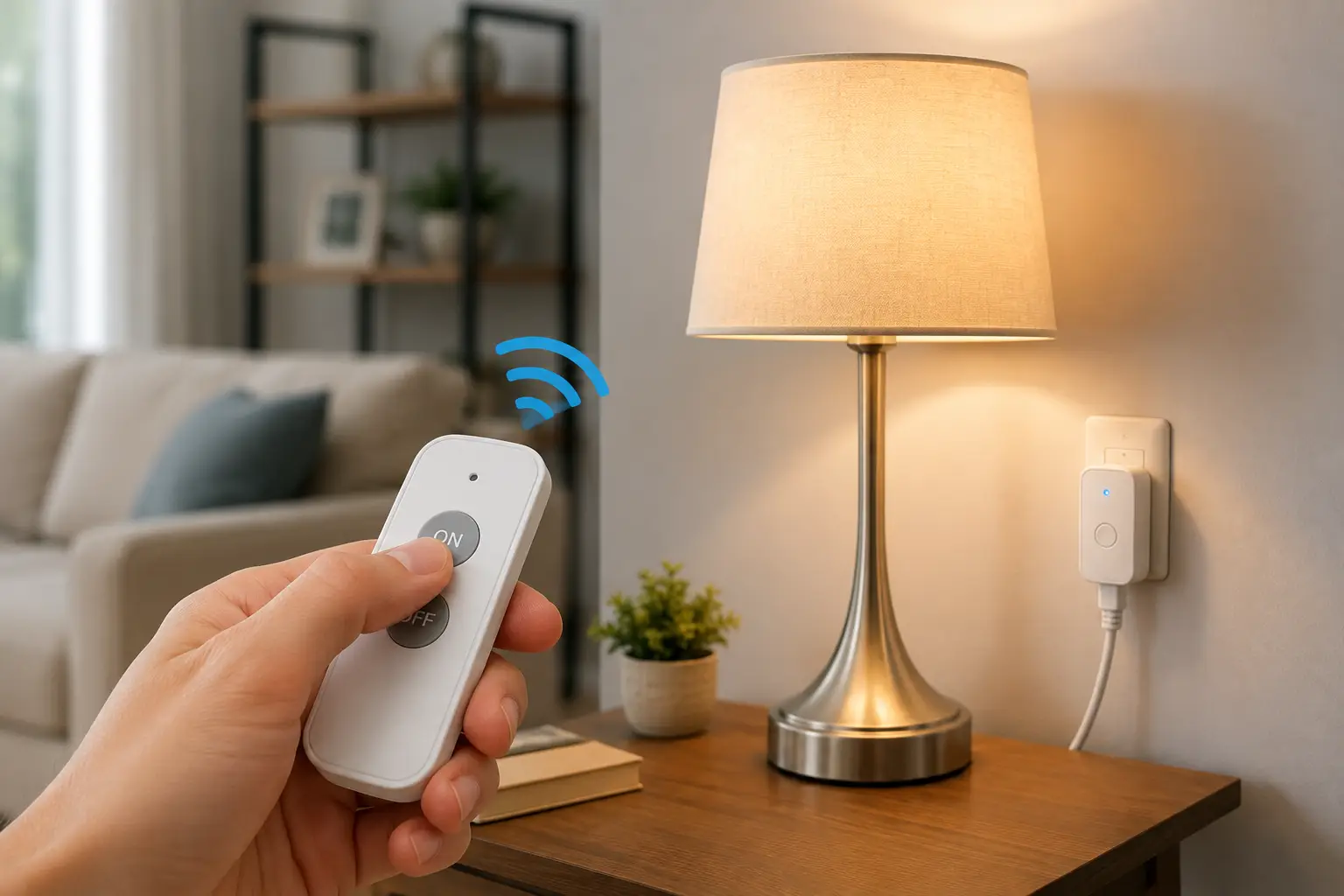
A remote lamp switch wireless is a small plug-in device that sits between your lamp and the wall outlet, letting you turn the light on or off from a handheld remote, a wall-mounted button, or a smartphone app instead of walking across the room. It’s one of those upgrades that sounds minor until you’ve actually used one at 11 p.m. with your feet already under the covers.
If you’ve ever done the classic bedtime shuffle — get into bed, remember the lamp is still on, groan, get back up — you already understand the appeal. A wireless remote lamp switch turns that whole routine into a single click. The category has grown well beyond the old “clapper” gimmick from decades past. Today’s options range from simple $15 RF remote outlets that work with zero wiring and zero apps, all the way up to Wi-Fi smart plugs and dimmers that respond to Alexa, Google Assistant, or Apple Home.
This guide breaks down seven real, currently available products, compares how they perform against traditional wall switches, and walks through exactly how to pick the right one for your bedroom, living room, nursery, or home office. We’ll also cover setup, common mistakes, safety certifications, and a few scenarios where one type of remote switch clearly beats another. As an Amazon Associate, this page contains affiliate links, and we may earn a commission on qualifying purchases at no extra cost to you — more on that in the disclaimer below.
Quick Comparison: Top Wireless Remote Lamp Switches at a Glance
Before diving into the full breakdown, here’s a fast snapshot of how the standout picks stack up against each other on the criteria that matter most: range, control method, and who each one is really built for.
| Product | Control Type | Range | Best For |
|---|---|---|---|
| DEWENWILS Wireless Remote Control Outlet | RF remote | 100 ft | Best overall pick |
| BN-LINK Wireless Remote Control Outlet | RF remote | 100 ft | Best value multi-room kit |
| TP-Link Kasa Smart Wi-Fi Plug Slim (KP125) | Wi-Fi app + voice | Anywhere with internet | Best smart/voice control |
| Lutron Caseta Wireless Plug-In Lamp Dimmer | RF remote + app/hub | 30–60 ft to hub | Best for dimming |
| TESSAN Remote Control Outlet | RF remote | 100 ft | Best budget single-lamp pick |
Looking at this table, the split really comes down to whether you want something that works instantly out of the box or something that plugs into a broader smart-home routine. The DEWENWILS Wireless Remote Control Outlet and BN-LINK Wireless Remote Control Outlet need no app, no Wi-Fi, and no account — you pull a battery tab and you’re done, which is why they dominate the “just make my lamp remote-controlled” segment. If you already run Alexa or Google Assistant routines, though, the TP-Link Kasa Smart Wi-Fi Plug Slim or the Lutron Caseta Wireless Plug-In Lamp Dimmer unlock scheduling, away-mode simulation, and voice commands that a basic RF remote simply can’t match.
💬 Ready to stop crossing the room just to flip a lamp switch? Compare the full lineup below and find your match.
Top 7 Wireless Remote Lamp Switches: Expert Picks and Analysis
We researched real spec sheets, aggregated customer feedback, and manufacturer documentation to build this lineup. It spans true budget RF remotes, mid-range multi-outlet kits, and smart, app-connected options — entry-level through premium, so there’s a realistic pick here regardless of your budget or your smart-home ambitions.
1. TESSAN Remote Control Outlet — cheapest way to try wireless lamp control
If you just want to test the waters with one lamp before committing to a whole-house system, this is where most people start. The single remote-and-outlet kit plugs directly into any standard outlet, and the compact housing means it won’t block the second socket next to it.
Key features worth noting: it’s rated for up to 15A/1875W (some listings show a 1200W variant, so check the specific SKU before buying), runs on a 100-foot RF range, and includes a magnetic-back remote that sticks to metal surfaces like a fridge door or a bed frame’s steel rail. In practice, that magnetic mount matters more than it sounds — a remote that’s always within arm’s reach on your nightstand is a remote you’ll actually use, instead of one that ends up lost in a drawer.
Based on comparing the specs against pricier competitors, this is squarely an entry-level pick: one outlet, one remote, no expansion, no app. Reviews consistently report that setup takes under two minutes and that the range comfortably covers a bedroom-to-hallway distance, though a few buyers note the remote’s plastic buttons feel less substantial than on step-up models.
Pros:
- ✅ Lowest price point in this roundup for a full kit
- ✅ Magnetic remote back for easy nightstand or fridge mounting
- ✅ Setup requires no tools, wiring, or app download
Cons:
- ❌ Only one outlet per kit, so it doesn’t scale for multiple lamps
- ❌ Button build quality trails higher-priced RF remotes
Price generally runs in the $10–$20 range depending on the exact bundle. For a single bedside lamp, it’s hard to argue with the value here.
2. BN-LINK Wireless Remote Control Outlet — best value multi-room bundle
BN-LINK built its reputation on exactly this category, and the 5-outlet, 2-remote bundle shows why. Instead of buying separate single-outlet kits for each room, you get five independently controllable receivers and two keychain-style remotes in one purchase, which brings the effective per-outlet cost down noticeably.
The kit runs on a learning-code RF system rated at 125V and up to 10A/1200W per outlet (some BN-LINK bundles rate higher, closer to 1875W, so match the listing to your appliance’s wattage). What that means in practice: it comfortably handles LED and incandescent lamps, small fans, and holiday lighting, but you shouldn’t plug in anything that pulls serious current, like a space heater. The “learning code” tech is the real differentiator — it lets you sync remotes to specific outlets without worrying about interference from a neighbor’s identical BN-LINK system next door.
Reviews consistently report that the outlets default to “off” after a power outage, which matters more than it sounds like for lamps you don’t want blazing at 3 a.m. after a brief blackout. What most buyers overlook with kits like this is that the five outlets don’t have to all go to lamps — pairing one remote to a floor lamp, a fan, and a string of accent lights from a single handheld is exactly the kind of flexibility that makes the extra cost worth it over a single-outlet kit.
Pros:
- ✅ Five outlets and two remotes cover a whole apartment
- ✅ Power-outage memory keeps lamps off after a blackout
- ✅ Learning-code system avoids cross-talk with neighbors’ units
Cons:
- ❌ Bulkier housing than single-outlet competitors
- ❌ Wattage caps vary by bundle, so double-check before buying
Expect to pay in the $25–$35 range for the multi-outlet bundle, which works out to real savings per socket compared to buying single kits individually.
3. DEWENWILS Wireless Remote Control Outlet — best overall pick
DEWENWILS has one of the deepest product lines in this category, and the standard indoor kit (commonly sold as a 1-remote, 3-outlet set) is the one we’d point most shoppers toward first. It strikes the clearest balance between price, range, and reliability across the aggregated feedback we reviewed.
Spec-wise, it’s rated 125VAC/60Hz with a 15A resistive load (1875W max), uses 433.92MHz RF transmission, and claims a 100-foot open-area range. The practical upshot of that spec sheet: it will comfortably control a lamp two rooms away through drywall, which is the single most common complaint people have about cheaper “clapper”-era remotes that lose signal the moment there’s a wall in the way. The CR2032 coin-cell remote battery is a nice touch, too, since those are cheap and easy to find at any drugstore instead of a proprietary rechargeable pack.
What the spec sheet doesn’t say, but reviews reveal, is how well this holds up for buyers with mobility limitations — DEWENWILS explicitly markets several SKUs toward elderly users and people managing back pain, and the aggregated sentiment backs that framing up: reviewers frequently mention using it so they don’t have to bend down to floor-level outlets. The pre-programmed, plug-and-play design means there’s genuinely no learning curve here.
Pros:
- ✅ 100 ft RF range holds up through multiple interior walls
- ✅ Expandable — add more DEWENWILS remotes to the same system
- ✅ Non-interference tech avoids conflicts with neighboring units
Cons:
- ❌ 3-outlet housing is larger than a single mini-outlet design
- ❌ Learning-code re-pairing can be fiddly if you add units later
Pricing typically falls between $20 and $30 depending on the outlet count you choose. For most households wanting one reliable, no-fuss remote lamp switch wireless kit, this is the pick to beat.
4. TREEWELL Remote Control Outlet, 200FT Long Range — best for larger homes
Every product on this list claims “100 feet,” but TREEWELL is one of the few that doubles that spec to a claimed 200 feet, which starts to matter once you’re trying to control a lamp from an upstairs bedroom down to a first-floor porch or a detached garage.
The unit is rated 15A/1875W, carries ETL and FCC certification, and ships pre-programmed, so it’s plug-and-play out of the box, same as its DEWENWILS and BN-LINK peers. Here’s what most buyers overlook with long-range RF remotes: the advertised range is measured in open, unobstructed air, so real-world performance through two or three interior walls will land closer to what a 100-foot unit achieves anyway. That said, aggregated reviews suggest the effective range genuinely edges out standard kits, particularly in homes with fewer interior walls, like open-concept layouts or larger single-story ranch homes.
Based on comparing this against the shorter-range competitors, TREEWELL earns its spot specifically for buyers in bigger homes or anyone who wants to control an outdoor porch lamp from well inside the house. It’s not a meaningful upgrade for a studio apartment or small bedroom, where the standard 100-foot units already cover every corner with margin to spare.
Pros:
- ✅ Claimed 200 ft range, roughly double most competitors
- ✅ ETL and FCC listed for verified electrical and RF safety
- ✅ Pre-programmed for immediate plug-and-play use
Cons:
- ❌ Real-world indoor range gains are modest versus 100 ft kits
- ❌ Premium over standard-range competitors isn’t huge, but it exists
Price generally sits in the $20–$30 range, similar to other mid-tier RF kits, making the extra range essentially a free upgrade if you’re already shopping this price bracket.
5. TP-Link Kasa Smart Wi-Fi Plug Slim (KP125) — best smart and voice control
This is where the category shifts from “remote in your hand” to “remote in your pocket, or no remote at all.” The Kasa KP125 connects to your home Wi-Fi and is controlled through the free Kasa Smart app, with support for Amazon Alexa, Google Assistant, and Apple Siri — meaning you can turn your lamp on with your voice from across the house, not just within RF range of a physical clicker.
Feature-wise, it’s rated for 15A/1800W max, includes real-time and historical energy monitoring so you can actually see how much your lamp costs to run, and supports the Matter smart-home standard, which means it plays nicely across ecosystems instead of locking you into one app. The slim, low-profile design also avoids the classic smart-plug problem of blocking the second outlet on a duplex receptacle — a small detail, but reviewers flag it constantly as a pain point on bulkier competing plugs.
What the spec sheet doesn’t say is how the scheduling and “Away Mode” features change daily habits: Away Mode randomizes on/off times to simulate occupancy while you’re traveling, which a basic RF remote simply cannot replicate. CNET’s independent testing of the smart plug category has consistently ranked TP-Link’s Kasa and Tapo lines among the more reliable options for app responsiveness and setup ease, which lines up with what we found in aggregated user feedback — the main complaint is the initial Wi-Fi pairing step, not day-to-day reliability.
Pros:
- ✅ Voice control via Alexa, Google Assistant, and Siri
- ✅ Built-in energy monitoring shows real electricity costs
- ✅ Matter certified for broad smart-home compatibility
Cons:
- ❌ Requires a stable 2.4GHz Wi-Fi network to function
- ❌ No physical remote included — phone or voice only
Expect to pay around $15–$25 for a single plug, or less per unit in multi-packs. For anyone already living in an Alexa or Google Home household, this is the natural upgrade path.
6. Leviton Decora Smart Plug (D215P-1RW) — premium, Matter-certified pick
Leviton is a name most people already recognize from wall switches and outlets, and its Decora Smart Plug line brings that same build quality to the plug-in category. The D215P-1RW is Wi-Fi 2nd generation, Matter certified, and works across My Leviton, Alexa, Google Assistant, and Apple Home/Siri — plus it’s compatible with Leviton’s wire-free “Anywhere Companion” switches, letting you add a wall-mounted remote button without ever cutting into drywall.
The practical benefit of that compatibility list: households with a mixed smart-home setup — some Apple devices, some Android, a HomeKit hub in one room — don’t have to pick a single ecosystem and hope it sticks. Leviton’s broader reputation in the licensed-electrician space also means the physical build (plug housing, prong spacing, internal relay) tends to hold up under sustained daily switching cycles better than some of the newer no-name RF brands.
Honest analysis here: this isn’t the cheapest option, and if you only want a basic on/off remote for one lamp, it’s arguably overkill. But for buyers who want a smart plug from an established electrical-hardware company — not just a smart-home startup — rather than a generic RF outlet, the extra cost buys brand accountability, a more polished app experience, and long-term firmware support that budget RF kits simply don’t offer.
Pros:
- ✅ Matter certified, works across Apple, Google, and Amazon ecosystems
- ✅ Pairs with wire-free Anywhere Companion switches for wall control
- ✅ Backed by Leviton’s decades of electrical-hardware experience
Cons:
- ❌ Higher price than basic RF remote kits
- ❌ Requires Wi-Fi setup, so it’s not truly “instant” out of the box
Pricing typically lands in the $25–$35 range for a single unit. It’s the pick for buyers who see this as the first plug in a larger smart-home build-out, not a one-off gadget.
7. Lutron Caseta Wireless Plug-In Lamp Dimmer (PD-3PCL-WH) — best for dimming, not just on/off
Every other product on this list is a binary on/off switch. The Caseta plug-in dimmer is the outlier, and it’s here specifically because a huge number of people searching for a wireless lamp switch actually want dimming control, not just a remote power button — and that’s a meaningfully different product.
The PD-3PCL-WH plugs into a standard outlet and offers two side plugs for controlling up to two lamps at once, supporting dimmable LED and CFL bulbs up to 100 watts, plus incandescent and halogen bulbs up to 300 watts. Control comes via the included Lutron Pico remote, which communicates over Lutron’s proprietary Clear Connect RF protocol — a longer-range, more interference-resistant signal than the generic 433MHz chips used in most budget remote outlets. Here’s what most buyers overlook: full app and voice control (Alexa, Google Assistant) requires a separate Lutron Smart Bridge, sold on its own, so the true “smart” experience is really a two-part purchase, not a single box.
Reviews consistently report that the dimming curve feels smoother than cheaper dimmer switches, with none of the buzzing or flickering that can plague low-end dimmable-LED pairings. On paper, this means Lutron’s engineering pays off specifically in bulb compatibility — a detail that matters enormously if you’ve already invested in dimmable LED bulbs and don’t want to replace them.
Pros:
- ✅ True dimming control, not just binary on/off switching
- ✅ Long-range Clear Connect RF protocol resists interference
- ✅ Doubles as a Caseta system range extender near the hub
Cons:
- ❌ Full app/voice features require a separately sold Smart Bridge
- ❌ Highest up-front cost of any pick in this lineup
Expect around $35–$45 for the dimmer alone, with the optional Smart Bridge typically adding $60–$80 more. For anyone who specifically wants ambiance control over a floor or table lamp, it’s worth the premium.
Wireless Remote Switches vs. Traditional Wired Light Switches
A fair question before committing to any of the seven picks above: why not just have an electrician install a real wall switch on that outlet? It’s a legitimate alternative, and the honest answer is that it depends heavily on your living situation.
| Factor | Wireless Remote Lamp Switch | Traditional Wired Wall Switch |
|---|---|---|
| Installation | Plug in, no tools | Requires an electrician, cutting into walls |
| Renter-friendly | Yes, fully removable | No, permanent modification |
| Typical cost | $10–$45 | $150–$400+ with labor |
| Setup time | Under 5 minutes | Hours to a full day |
| Portability | Moves with you | Fixed to the property |
The gap in upfront cost and installation time is the whole story here. A wired switch is a permanent electrical modification that typically requires pulling a permit in many jurisdictions and hiring a licensed electrician, which is exactly why most renters and even a lot of homeowners skip it entirely for something as low-stakes as a bedside lamp. A remote lamp switch wireless kit gets you 90% of the same day-to-day convenience — flip it on or off without walking over — for a fraction of the cost, and it comes with you when you move.
Where a hardwired switch still wins is long-term reliability and resale value; it’s part of the house’s electrical system, not a battery-powered accessory that eventually needs a coin-cell swap. For a permanent primary light source in a home you own long-term, a licensed electrician is still the right call. For a lamp, a rental, or anything you want flexibility on, the wireless route is the more practical choice for the overwhelming majority of shoppers.
<br>
✨ Don’t miss these exclusive deals!
🔍 Take your home lighting setup to the next level with this carefully curated lineup. Click a highlighted product above to check current pricing and availability. These picks will help you get hands-free, hassle-free lighting control the whole household will actually use!
How to Set Up Your Wireless Remote Lamp Switch for the First Time
Most of these devices are genuinely plug-and-play, but a few first-30-days habits make a real difference in how well they perform long-term.
Start by matching the outlet’s wattage rating to your lamp before you plug anything in — most RF remote outlets top out at 1200W to 1875W, which is far more than any standard lamp needs, but it matters if you’re also running a small space heater or fan off the same unit. Next, place the remote somewhere you’ll actually reach for it; the magnetic backs and keychain loops included with most kits exist precisely because a remote buried in a drawer defeats the entire purpose. If you’re setting up more than one kit in the same home, program them one at a time and test each before moving to the next — cross-programming two units simultaneously is the single most common setup mistake reported in aggregated reviews.
For Wi-Fi smart plugs specifically, connect to your router’s 2.4GHz band rather than 5GHz, since most budget and mid-range smart plugs (including the Kasa line) don’t support 5GHz at all. Within the first week, set up at least one schedule or automation — even something as simple as “lamp off at midnight” — since that’s the feature that actually differentiates a smart plug from a basic RF remote in daily use. Finally, replace the remote’s battery proactively around the one-year mark rather than waiting for a failure; CR2032 and similar coin cells are inexpensive, and a dead remote at 11 p.m. defeats the whole point of the upgrade.
Real-World Scenarios: Who Actually Needs a Wireless Remote Lamp Switch
Not every household needs the same setup, so here’s how three common situations map to different picks from this list.
If you’re a college student or young renter furnishing a first apartment on a tight budget, a single TESSAN Remote Control Outlet covers the one lamp you actually care about — usually a bedside or desk lamp — without asking you to learn an app or commit to a smart-home ecosystem you might abandon in six months.
If you’re a parent managing a household with kids’ rooms, a living room, and a nursery, the BN-LINK Wireless Remote Control Outlet 5-outlet bundle is built for exactly this use case: one remote that can kill the nursery night-light, another that handles the living room floor lamp, all synced without cross-interference between rooms.
If you or a family member deal with limited mobility, chronic back pain, or simply don’t want to bend down to floor-level outlets every night, the DEWENWILS Wireless Remote Control Outlet is the pick aggregated reviews point to most consistently for this exact scenario — it’s explicitly marketed toward that use case, and the feedback backs it up. For a household that’s already deep into Alexa or Google Home routines and wants lamps woven into “Good Night” or “I’m Home” voice commands, the TP-Link Kasa Smart Wi-Fi Plug Slim is the more natural fit than any RF-only kit.
Problem → Solution: Fixing the Most Common Remote Lamp Switch Issues
Even reliable kits run into a handful of predictable snags. Here’s how to fix the ones that come up most often in aggregated customer feedback.
Problem: The remote works up close but loses connection through walls. This is almost always a range issue rather than a defect. Try the TREEWELL Remote Control Outlet, 200FT Long Range if you’re consistently pushing past a standard kit’s 100-foot rating, or simply reposition the receiver closer to an interior wall rather than tucked behind furniture, which can shield the RF signal.
Problem: Two remote outlet kits in the same house interfere with each other. Most modern kits, including BN-LINK and DEWENWILS models, use learning-code technology specifically to prevent this, but it still requires re-syncing if you buy kits at different times. Re-pair each remote to its receiver one at a time, with the other kit’s receiver unplugged during programming, to avoid cross-registration.
Problem: A smart Wi-Fi plug won’t connect during setup. This is almost always the 5GHz-vs-2.4GHz issue mentioned earlier. Temporarily create a 2.4GHz-only guest network if your router broadcasts a combined band, complete pairing, then switch back.
Problem: A dimmer-capable plug flickers or buzzes with a specific LED bulb. Not all “dimmable” LED bulbs are created equal. The Lutron Caseta Wireless Plug-In Lamp Dimmer maintains a published compatibility list of tested bulbs; checking your specific bulb model against it before assuming the dimmer itself is defective saves a lot of frustration.
How to Choose a Wireless Remote Lamp Switch
Here’s a simple decision framework for narrowing down which type of remote lamp switch wireless kit actually fits your household.
- Start with wattage. Add up the total wattage of everything you’ll plug into one outlet and make sure it stays comfortably under the unit’s rated max, typically 1200W to 1875W on RF kits.
- Decide if you need an app. If you don’t use Alexa, Google Home, or Apple Home already, a basic RF remote does everything you need for less money and less setup time.
- Measure your realistic range. Count the walls between where you’ll sit and where the lamp plugs in; anything beyond two or three interior walls calls for a long-range option like TREEWELL.
- Consider dimming versus on/off. If ambiance matters — a reading lamp, a living room floor lamp — a dimmer like the Lutron Caseta is worth the premium over a binary switch.
- Check certification. Look for ETL, UL, or FCC listing on the packaging or listing page; this isn’t optional if you care about basic electrical safety.
- Plan for expansion. If you’ll eventually want more than one or two remote outlets, buy into a system (DEWENWILS or BN-LINK) that supports adding compatible units later rather than mixing incompatible brands.
- Match the remote’s physical design to your habits. A magnetic-back or keychain remote gets used; a loose remote that slides under the couch gets forgotten.
Working through these seven steps in order takes most shoppers under five minutes and reliably points toward one of the picks covered above.
RF Remote Outlets vs. Wi-Fi Smart Plugs: Which Wireless Lamp Control Is Right for You
This is the single biggest fork in the road in this entire category, and it deserves more than a spec comparison.
| Factor | RF Remote Outlet | Wi-Fi Smart Plug |
|---|---|---|
| Setup | Plug in, done | Requires app + Wi-Fi pairing |
| Voice control | No | Yes, with Alexa/Google/Siri |
| Works during internet outage | Yes | No (loses remote/app control) |
| Scheduling & automation | No | Yes |
| Typical price | $10–$30 | $15–$35 |
RF remote outlets like the DEWENWILS Wireless Remote Control Outlet and BN-LINK Wireless Remote Control Outlet win on simplicity and resilience — they don’t care if your router reboots or your internet goes down, because the remote talks directly to the receiver over radio frequency. That reliability is exactly why so many buyers with mobility concerns or elderly parents specifically choose RF over Wi-Fi: there’s no app to relearn, no account to create, and no dependency on a home network staying online.
Wi-Fi smart plugs like the TP-Link Kasa Smart Wi-Fi Plug Slim trade that simplicity for genuine automation — voice commands, schedules, energy monitoring, and away-mode simulation that an RF remote structurally cannot offer, since it has no concept of time or location. The honest trade-off: if your home Wi-Fi is spotty, or you specifically want something that “just works” without any digital dependency, RF wins outright. If you’re already living inside a voice-assistant ecosystem and want your lamp folded into existing routines, the smart plug’s extra setup step pays for itself within the first week of use.
Common Mistakes to Avoid When Buying a Remote Control Lamp Switch
The most frequent buying mistake is ignoring wattage entirely. Shoppers frequently assume “it’s just a lamp” and don’t check the rated max, then run into problems when the same outlet also powers a small fan or space heater that pushes past the 1200W or 1875W ceiling most kits carry.
A second common misstep is buying a single-outlet kit like the TESSAN Remote Control Outlet when the real need is two or three rooms — buying three separate single kits almost always costs more than a single multi-outlet bundle like BN-LINK, and you end up juggling three different remotes instead of one.
Third, buyers frequently skip certification checks entirely. A remote outlet without ETL, UL, or FCC listing might work fine for months, then fail unpredictably — and unlike a certified product, there’s no standards body backing its safety claims. Fourth, people occasionally buy a Wi-Fi smart plug expecting instant, tool-free simplicity equal to an RF remote, then get frustrated by the pairing process; if simplicity is the top priority, RF is genuinely the better starting point, and the smart-home upgrade can always come later.
What to Expect: Everyday Performance of a Wireless Lamp Switch
Specs on a box only tell part of the story, so here’s what daily use actually looks like based on aggregated review patterns across the products covered above.
Response time on RF remote outlets is near-instant — press the button, the lamp reacts within a fraction of a second, since there’s no network round-trip involved. Wi-Fi smart plugs like the Kasa KP125 introduce a small, usually sub-second delay when triggered via the app, since the command travels to TP-Link’s cloud service and back, though voice commands through a nearby smart speaker feel similarly instant in practice. Battery life on RF remotes is typically measured in years, not months, since the remote only draws power the instant a button is pressed; reviewers commonly report going 12–18 months on the included coin cell before needing a replacement.
Range performance in real homes consistently comes in below the box specs once you factor in interior walls, which is normal RF physics rather than a defect — plan for roughly 60–70% of the advertised open-air range once drywall, plumbing, and framing are factored in. On the smart-plug side, once initial Wi-Fi pairing succeeds, day-to-day reliability is generally solid; the complaints that do surface tend to cluster around router firmware updates temporarily dropping the connection, which is a home-network issue more than a product flaw.
Wireless Remote Lamp Switches for Seniors and People with Limited Mobility
This is one of the most common — and most legitimate — reasons people search for a remote lamp switch wireless in the first place, and it deserves dedicated attention rather than a passing mention.
For someone managing arthritis, recovering from surgery, living with chronic back pain, or simply finding it harder to bend toward a floor-level outlet, the value proposition here isn’t convenience so much as genuine daily-life accessibility. Products like the DEWENWILS Wireless Remote Control Outlet explicitly market toward this use case, and it shows in the product design: large, simple buttons, a bright indicator light, and a remote that can be Velcro-mounted to a nightstand, wheelchair armrest, or walker handle.
Practical setup advice for this audience specifically: choose a kit with a single, large “ALL ON/OFF” button rather than one requiring you to remember which numbered button controls which outlet, since simplicity reduces cognitive load during a middle-of-the-night bathroom trip. Mount the receiver at counter height rather than floor level if you’re also swapping which outlet the lamp is plugged into, since the outlet itself still needs to be reachable for the very first setup step and for the eventual coin-cell battery swap in the remote. For households with a caregiver, a Wi-Fi smart plug adds a meaningful extra layer: a family member can check or control the lamp remotely from their own phone, which isn’t possible with a battery remote alone.
Safety, Regulations, and Standards for Remote Control Outlets
Because these products plug directly into your home’s electrical system, certification isn’t a nice-to-have — it’s the baseline that separates a legitimate product from a fire-safety gamble.
Look specifically for ETL or UL listing, both of which indicate the product passed independent third-party testing against recognized US safety standards for electrical devices. Separately, FCC certification confirms the RF transmitter inside the remote meets federal limits on radio interference, which matters both for your own other wireless devices and for avoiding cross-talk with a neighbor’s identical remote outlet. All seven products covered in this guide carry at least one of these certifications, and most carry both ETL and FCC listing.
The Consumer Product Safety Commission maintains detailed guidance on the broader category of plug-in electrical accessories, including the kinds of readily observable defects — undersized wiring, missing outlet covers, poor strain relief — that separate a compliant product from a hazard. It’s worth a skim if you’re buying from a less-established brand you haven’t heard of before. Practically speaking: never exceed the printed wattage rating, don’t daisy-chain a remote outlet into an extension cord or power strip, and unplug the unit rather than the lamp’s own cord when you eventually need to swap it out, to avoid excess wear on the internal relay.
Long-Term Cost and Maintenance
The ongoing cost of owning a remote lamp switch wireless kit is genuinely low compared to almost any other smart-home category, but it isn’t zero.
RF remote outlets need essentially no maintenance beyond an occasional coin-cell battery swap in the handheld remote — typically once every 12 to 18 months, costing a couple of dollars. Wi-Fi smart plugs like the TP-Link Kasa Smart Wi-Fi Plug Slim and Leviton Decora Smart Plug carry a small, often-overlooked ongoing electricity cost of their own: the plug itself draws a trickle of standby power to stay connected to Wi-Fi, sometimes called phantom or vampire power. Local energy offices such as Fairfax County’s Office of Environmental and Energy Coordination note that devices with a remote control or standby indicator light are classic vampire-power culprits — a smart plug included — though the amount is small enough that the convenience and any energy savings from scheduling typically outweigh it for most households.
Total cost of ownership over a three-year window: a basic RF kit like TESSAN or DEWENWILS typically costs $15–$30 upfront with near-zero ongoing expense. A Wi-Fi smart plug runs $15–$35 upfront with a marginal electricity cost, usually cents per month. The Lutron Caseta system, once you add the required Smart Bridge, represents the highest upfront investment in this guide, but it’s also the only option here that extends into a full whole-home lighting-control ecosystem if you decide to add more Caseta devices down the line.
Frequently Asked Questions
❓ Do wireless remote lamp switches need Wi-Fi to work?
❓ What's the maximum range for a remote lamp switch wireless kit?
❓ Can I use a remote lamp switch on a dimmable LED bulb?
❓ Are wireless remote lamp switches safe to leave plugged in permanently?
❓ How much does a wireless remote lamp switch cost?
Conclusion
A wireless remote lamp switch is one of the cheapest, lowest-commitment upgrades you can make to a room, and the right pick really does come down to how you actually live. If you want the simplest possible setup with zero apps and rock-solid reliability, the DEWENWILS Wireless Remote Control Outlet or BN-LINK Wireless Remote Control Outlet cover the vast majority of households well. If you’re already deep into a voice-assistant ecosystem, the TP-Link Kasa Smart Wi-Fi Plug Slim or Leviton Decora Smart Plug fold your lamp into routines an RF remote can’t replicate. And if ambiance and dimming matter more than a binary on/off, the Lutron Caseta Wireless Plug-In Lamp Dimmer is worth the added cost.
Whichever category fits your household, the underlying math is the same: a $15–$45 plug-in device replaces what would otherwise be a $150-plus electrician visit, and it comes with you if you move. For a lamp you already own, that’s about as low-risk an upgrade as home electronics get.
✨ Ready to make bedtime a one-click routine?
🔍 Check current pricing and availability on any of the seven picks above, and pick the one that actually matches how you use your lamp — not just the one with the flashiest spec sheet.
Recommended for You
- Power Cut Monitor: 7 Best Picks to Stop Blackout Surprises (2026)
- 7 Best Plug In Dimmers for 2026: Brighter Choices, Fewer Regrets
- Exterior Timer Switch: 7 Best Picks for 2026 (Pros & Cons)
Disclaimer: This post contains affiliate links. As an Amazon Associate, I earn from qualifying purchases made through these links, at no additional cost to you.
✨ Found this article helpful? Share it with someone who needs it! 💬🤗
