
In This Article
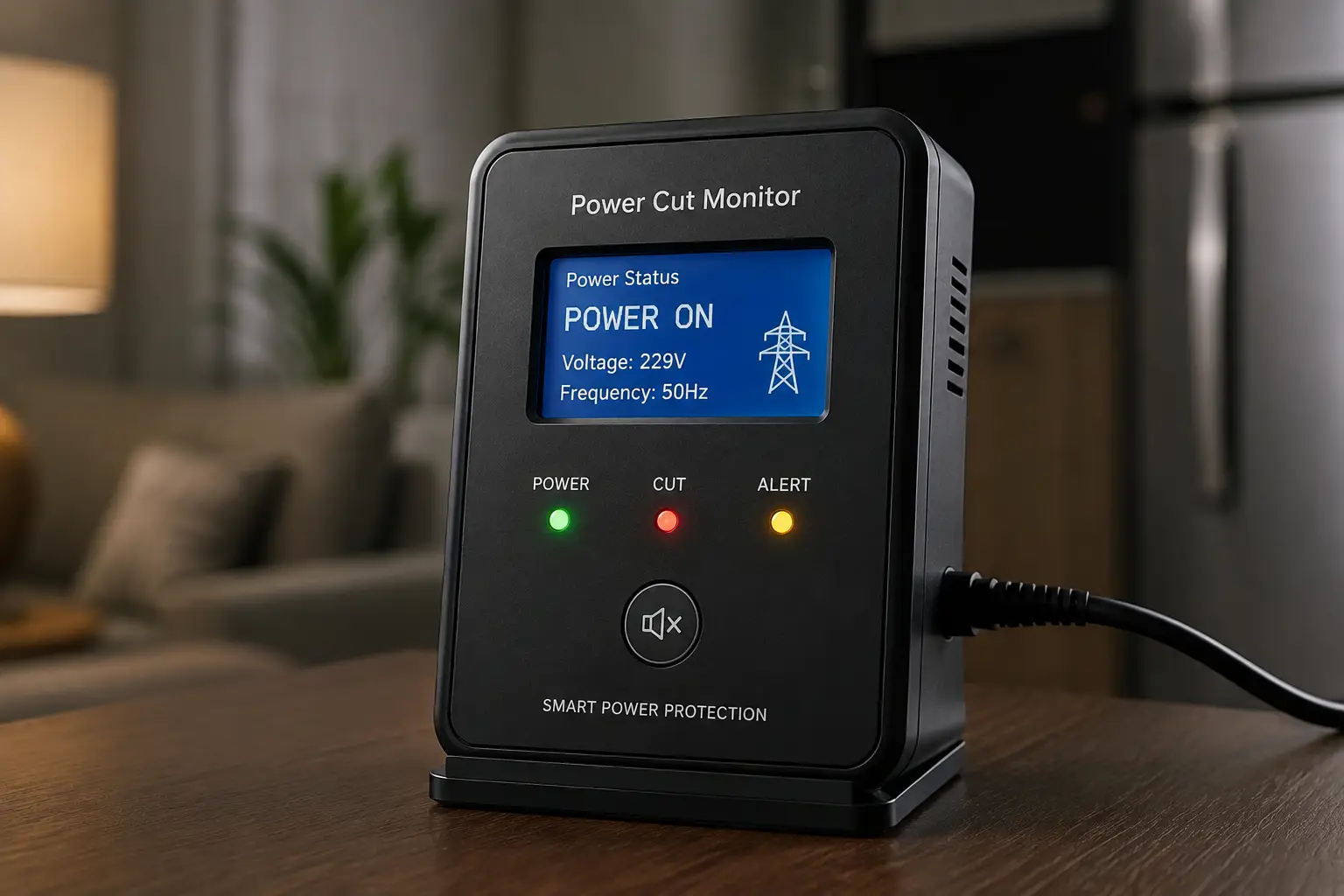
A power cut monitor is a small device that watches your electrical line and tells you the instant it goes dark — even if you’re at the grocery store, at work, or three states away visiting family. Instead of coming home to a warm freezer and a soggy carpet from a dead sump pump, you get a push notification, a text, or a screaming siren the second the lights go out.
That distinction matters more than it sounds. A power cut monitor is not the same thing as a whole-home battery backup or a generator — it doesn’t keep anything running. What it does is buy you time to react: call a neighbor to check the basement, grab the cooler and ice before the freezer thaws, or simply know you need to head home a little earlier than planned. For renters, vacation-home owners, RV owners, and anyone with a freezer full of a summer’s worth of garden produce, that early warning is the whole ballgame.
Storm-driven outages have become a routine part of life in much of the country, and utilities themselves acknowledge that planned and unplanned outages are increasingly common during extreme weather. Below, we’ve dug into seven real, currently available options — from $20 plug-in sirens to cellular-connected smart hubs — and broken down exactly who each one is built for, what it does well, and where it falls short.
Quick Comparison: 7 Power Cut Monitors at a Glance
| Product | Alert Method | Backup Power | Best For | Price Range |
|---|---|---|---|---|
| Briidea Power Failure Outage Alarm | Local siren only | Battery | Budget freezer protection | Under $25 |
| PFA-1 Power Failure Alarm | Local siren + plug-detect | 72-hr lithium | No-app, no-subscription users | $20–$35 |
| Satisure Power Failure Alarm WiFi | App + siren | Battery | Renters, small apartments | $25–$35 |
| MySpool Power Failure Detector | SMS + email | Battery | Two-person households | $30–$45 |
| Risinglink WiFi Power Outage Alarm | SMS + email + siren | 5-year battery | Long-term, low-maintenance use | $30–$45 |
| YoLink Smart Power Fail Alarm & Hub Kit | App + SMS + email | Battery (needs UPS on hub) | Whole-property, multi-sensor homes | $45–$70 |
| YoLink Smart Power Fail Alarm & Cellular Hub Kit | App + SMS + email over cellular | Battery + cellular hub | Rural homes, cabins, storm-prone areas | $80–$130 |
(Prices reflect the range typically seen at the time of writing and may vary — always check the current price before buying.)
Looking at the table, the split really comes down to how much you’re willing to spend on redundancy. The Briidea Power Failure Outage Alarm and PFA-1 Power Failure Alarm cover the basics for almost nothing, but they only work if you’re standing close enough to hear them. Everything from the Satisure Power Failure Alarm WiFi up adds remote notification, and the two YoLink kits go a step further by surviving the exact scenario that breaks most WiFi alarms: your router losing power along with everything else.
💬 Ready to stop guessing whether the power’s still on? Compare your top pick below and check today’s availability before storm season hits.
Top 7 Power Cut Monitor Picks for 2026
We researched real spec sheets, verified current availability on Amazon, and pulled aggregated customer sentiment for each pick below. Every product here is a genuine, purchasable device — no invented models, no fabricated reviews.
1. Briidea Power Failure Outage Alarm — cheapest real protection you can buy
If your only goal is a loud noise the second a freezer or sump pump loses power, the Briidea Power Failure Outage Alarm is about as close to “set it and forget it” as this category gets. It plugs directly into any standard outlet near the appliance you’re protecting.
The adjustable 80–120 dB siren means you can dial the volume up for a detached garage or down for a bedroom-adjacent utility closet, and the built-in LED indicator gives you a silent visual check when you walk by. There’s no app, no WiFi setup, and no firmware to update — the trade-off is that it only alerts people who are physically in the house.
For a garage freezer, a basement sump pump, or a backup fridge nobody checks daily, this is honestly enough. What most buyers overlook is that a purely local alarm still beats no alarm at all — most freezer losses happen not because people didn’t care, but because nobody knew until it was too late.
Reviews consistently report that the alarm is loud enough to hear through a closed door and that setup takes under a minute. A recurring complaint in customer feedback is that the alarm requires a battery that isn’t included, and that a small number of units haven’t held their loud volume as long as expected.
Pros:
- ✅ Extremely low cost of entry
- ✅ No app, subscription, or WiFi required
- ✅ Adjustable volume for different room types
Cons:
- ❌ No remote alert if you’re not home
- ❌ Battery sold separately in most listings
Typically priced under $25, this is the easiest “yes” in the lineup if all you need is a loud local warning and you’re almost always within earshot.
2. PFA-1 Power Failure Alarm — the only one that detects its own unplugging
The PFA-1 Power Failure Alarm solves a problem the rest of this list doesn’t even attempt: what happens if the alarm itself gets accidentally unplugged, not the power grid. It electrically senses a disconnected plug and sounds the same alert as a genuine outage.
Under the hood, it runs on a long-life lithium battery rated for 72 straight hours of alarming, with a selectable snooze that re-triggers every 30 minutes until power returns — useful if you’re asleep the first time it goes off. A silence/test button lets you confirm it’s working without waiting for an actual outage.
Based on comparing the spec sheet against WiFi competitors, the PFA-1’s real advantage is reliability under simple conditions: no router to reboot, no app account to expire, no cloud service to discontinue. That makes it a strong pick for a CPAP machine, an aquarium heater, or any single circuit where you want a dead-simple physical safeguard rather than a smart-home integration.
Reviews commonly praise the plug-detection feature as genuinely unique in this price bracket, while some feedback notes the alarm tone is less loud than dedicated 120 dB freezer sirens.
Pros:
- ✅ Unique plug-detection safeguard
- ✅ 72-hour lithium battery backup
- ✅ Snooze/repeat alarm every 30 minutes
Cons:
- ❌ No smartphone notification of any kind
- ❌ Alarm volume trails louder dedicated sirens
At roughly $20–$35, the PFA-1 earns its keep as the most “fail-safe” simple option on this list — it even watches itself.
3. Satisure Power Failure Alarm WiFi — the easiest first smart upgrade
The Satisure Power Failure Alarm WiFi is built for the person who’s ready to leave local-only alarms behind but doesn’t want to overthink the setup. It connects over 2.4GHz WiFi to a companion app and includes two outlet sockets, so you can monitor two circuits — say, a fridge and a sump pump — from one unit.
The custom alert-time feature lets you set how long the power has to be out before you get notified, which practically means fewer false alarms from a half-second blip versus a real outage. The app remote-cancel option is a small but appreciated touch: if you already know the power’s out during a forecasted storm, you can silence the local siren without disabling future alerts.
What the spec sheet doesn’t say, but the way it’s built implies, is that this is an apartment-friendly design — nothing to hardwire, nothing that needs an electrician, and small enough to tuck behind furniture. For renters who can’t install hardwired monitoring, that matters.
Aggregated customer sentiment describes setup through the Smart Life/Tuya app as straightforward for most users, with a recurring theme in reviews that free app alerts work well while some advanced notification options require a subscription.
Pros:
- ✅ Two outlet sockets for dual-circuit monitoring
- ✅ Custom alert-delay reduces false alarms
- ✅ Renter-friendly, no installation required
Cons:
- ❌ Loses connectivity if home WiFi/router itself is down
- ❌ Some notification tiers require a paid subscription
Generally found in the $25–$35 range, it’s a sensible step up for anyone who wants app alerts without committing to a full smart-home ecosystem.
4. MySpool Power Failure Detector — no hub, no subscription, two phones covered
The MySpool Power Failure Detector is aimed squarely at two-person households who both want to know the moment the power drops — it sends SMS text and email alerts to two separate phone numbers without requiring a hub or a recurring subscription fee.
It also monitors your internet connection status separately from power status, which is a subtle but genuinely useful distinction: a WiFi outage and a power outage look identical to most smart alarms, but MySpool tells you which one actually happened. That’s the kind of detail that saves you from driving home for a router hiccup.
Based on comparing this against subscription-gated competitors, the standout commentary here is value: getting SMS alerts (not just app push notifications) without a monthly fee is unusual in this category, where many brands reserve text alerts for paid tiers. For a couple sharing responsibility for a vacation home or an aging parent’s house, dual-recipient alerts mean nobody has to be the sole point of failure.
Review feedback commonly highlights the no-subscription SMS alerts as the main selling point, while some customers note that initial WiFi pairing can take a couple of attempts to complete.
Pros:
- ✅ SMS and email alerts to two phones
- ✅ No subscription fee for core alerts
- ✅ Separately reports WiFi vs. power outages
Cons:
- ❌ Requires stable 2.4GHz WiFi to send alerts
- ❌ Initial pairing can be fiddly for some users
Priced roughly $30–$45, this is a strong pick specifically because it treats text alerts as standard rather than a premium upsell.
5. Risinglink WiFi Power Outage Alarm Detector — built for the “I forgot it existed” household
The Risinglink WiFi Power Outage Alarm Detector is designed around a simple insight: most people buy an outage alarm, set it up once, and then don’t think about it again for years — so the battery backup needs to last that long. Its pre-installed backup battery is rated for over five years of typical use.
Feature-wise, it layers a local 85 dB audible alarm on top of remote SMS, email, and app alerts, and it also tells you about low battery and device-offline (WiFi loss) events — not just power status. In practice, that means you’re not just told the power went out; you’re told if the monitor itself has gone silent for any reason, closing a blind spot most competitors leave open.
Here’s what to weigh: because it needs a few seconds of active WiFi and internet before an outage to send that first alert, it behaves like most WiFi-based monitors during an instantaneous total blackout — the physical 85 dB siren is what actually saves you in that split second, with the remote alert following once power (and router) partially recovers or if you’re on a UPS-backed router.
Reviews consistently mention the long battery life and the dual local/remote alerting as differentiators, with a smaller number of customers noting the app interface feels basic compared to more polished smart-home apps.
Pros:
- ✅ 5-year rated backup battery
- ✅ Local siren plus SMS, email, and app alerts
- ✅ Also alerts on low battery and WiFi loss
Cons:
- ❌ Full remote alerting still depends on WiFi/internet
- ❌ App design is functional rather than polished
Typically listed between $30 and $45, it’s arguably the most “install once, trust for years” option on this list.
6. YoLink Smart Power Fail Alarm & Hub Kit — the whole-property option
The YoLink Smart Power Fail Alarm & Hub Kit steps outside standard WiFi range limitations entirely by using LoRa long-range wireless — a technology built to punch through basements, detached garages, and thick exterior walls where ordinary WiFi sensors regularly lose signal.
Because it runs through a dedicated YoLink Hub rather than your home WiFi directly, it can be expanded with additional YoLink sensors (leak detectors, door sensors, motion sensors) on the same hub, all controllable through one app with Alexa, Google, and IFTTT integration. A built-in 110 dB sounder and four LED indicators handle local alerting the moment power drops, independent of the app.
What most buyers overlook with this model is that remote app, SMS, and email alerts depend entirely on the hub and router staying online — which means the single most important accessory is a small UPS battery backup for your router and hub, something YoLink’s own support documentation explicitly recommends. Skip that step and you’ve effectively bought a very well-built local alarm.
Aggregated reviews frequently praise the long range and multi-device ecosystem for larger properties, while a common piece of feedback is that first-time buyers are sometimes surprised the hub is sold separately from the standalone sensor and must be purchased as part of a kit or added on.
Pros:
- ✅ LoRa range far exceeds typical WiFi sensors
- ✅ Expandable into a full smart-home sensor system
- ✅ Local 110 dB sounder works without internet
Cons:
- ❌ Remote alerts fail if hub/router loses power without a UPS
- ❌ Ecosystem lock-in requires a YoLink hub
Kits generally run $45–$70, a fair ask for anyone monitoring a larger home, a detached structure, or multiple appliances at once.
7. YoLink Smart Power Fail Alarm & Cellular Hub Kit — the one that survives when everything else goes dark
The YoLink Smart Power Fail Alarm & Cellular Hub Kit solves the single biggest weakness shared by every WiFi-based monitor on this list: what happens when the outage takes your router down with it. This version pairs the same LoRa sensor with a cellular-connected hub, so it can send alerts over a cell network even when your home internet is completely dead.
That’s a meaningful architectural difference, not a minor upgrade. Every WiFi alarm on this page — however good its battery backup — ultimately needs some internet path to reach your phone. A cellular hub removes that single point of failure, which is exactly the failure mode that matters most during the kind of severe storm or extended grid outage that knocks out both power and local internet infrastructure at once.
For rural properties, cabins, vacation homes without a caretaker, or storm-prone regions where extended multi-day outages are common, this is the pick that’s actually built for the worst-case scenario rather than the everyday blip. Based on comparing it to the standard hub kit, the extra cost buys genuine redundancy rather than convenience features.
Reviews describe the cellular failover as the main reason buyers choose this kit over the standard hub version, particularly among rural and vacation-property owners, while some customer feedback notes that cellular hub kits typically involve a higher upfront cost than WiFi-only alternatives.
Pros:
- ✅ Alerts work even if home internet is down
- ✅ Same long-range LoRa sensor as the standard kit
- ✅ Ideal for rural, storm-prone, or unattended properties
Cons:
- ❌ Highest upfront price in this lineup
- ❌ Overkill for a small apartment or single appliance
Expect a price range roughly between $80 and $130 depending on kit configuration — a premium, but one that buys the only true “power AND internet are both out” solution on this list.
How to Choose a Power Cut Monitor
What is a power cut monitor? It’s a device that detects when household electricity stops flowing and immediately alerts you — through a local siren, a smartphone app, SMS text, or email — so you can respond before food spoils, pipes freeze, or a sump pump failure floods a basement.
Picking the right one comes down to matching the device’s alerting method to how you actually live in — or away from — the property:
- Decide who needs to know. A single local siren is enough if someone’s almost always home; remote alerts matter the moment the property is sometimes empty.
- Check your internet dependency. WiFi alarms only send remote alerts if your router has its own power backup — factor that in before you buy.
- Match backup battery life to how often you’ll check it. A 5-year battery beats a 6-month one for a monitor you’ll realistically forget about.
- Count your circuits. A single-outlet freezer alarm won’t cover a sump pump in a different room — some models offer dual sockets or hub expansion for that.
- Weigh cellular against WiFi for remote properties. If the property has spotty or no reliable internet, a cellular hub is the only option that reliably reaches you.
- Consider integration needs. If you already run Alexa, Google Home, or other smart-home sensors, a hub-based ecosystem like YoLink adds more long-term value than a standalone plug.
- Confirm the alarm volume fits the space. A 120 dB siren makes sense for a detached garage; it’s overkill — and annoying — for a bedroom-adjacent closet.
Power Cut Monitor vs. Whole-Home Battery Backup
It’s worth being upfront about what a power cut monitor is not: it is not a substitute for a whole-home battery backup system or a standby generator. A monitor tells you the power is out; a battery backup or generator actually keeps things running through the outage.
| Factor | Power Cut Monitor | Whole-Home Battery Backup |
|---|---|---|
| Typical cost | $20–$130 | $10,000–$20,000+ installed |
| What it does | Alerts you to an outage | Keeps power flowing during one |
| Installation | Plug-in, minutes | Professional electrical install |
| Best for | Early warning, food/pipe protection | Uninterrupted power for critical loads |
The analysis here is straightforward: these two categories solve different problems and, for most households, aren’t competing purchases — they’re complementary ones. A monitor is the cheap, fast layer of protection nearly everyone can justify; a battery backup is a much larger investment reserved for homes with medical equipment, frequent multi-day outages, or a strong preference for uninterrupted comfort. Many owners of whole-home battery systems still run a simple monitor as a redundant check that the transfer switch actually engaged as expected.
✨ Not sure which tier of protection fits your home? Start with a power cut monitor — it’s the cheapest way to know you have a problem in the first place.
Common Mistakes to Avoid When Buying a Power Outage Detector
Even a good device fails to protect you if it’s set up wrong. A few recurring mistakes show up across customer reviews and forum discussions of this entire product category:
Buying a WiFi-only alarm for a property with unreliable internet is the single most common misstep — the alarm still works locally, but the remote notification you actually bought it for silently fails. Skipping a small UPS for the router and smart hub is a close second; without it, a whole-home WiFi network typically goes offline within minutes of a power cut, taking your remote alerts down with it. Placing the alarm too far from the appliance it’s meant to protect — plugging a freezer alarm into a hallway outlet instead of directly powering the freezer’s circuit — also blunts its usefulness, since some models only detect loss of power to their own outlet.
Another overlooked issue is never testing the alarm after the initial setup. Batteries fail silently, apps get logged out after phone updates, and WiFi credentials change when routers are replaced — a monitor nobody has tested in a year is a monitor nobody can fully trust.
Getting Started: Installing and Testing Your Power Cut Monitor in the First 30 Days
Getting real, lasting protection out of any of these devices comes down to a handful of habits in the first month, not the unboxing itself.
Start by placing the monitor on the exact circuit or outlet you care about most — directly at the freezer, sump pump, or aquarium heater rather than a nearby wall outlet, unless the model is explicitly designed to monitor whole-home power. Pair the app immediately (for WiFi and hub-based models) rather than deferring it, since first-time setup issues are far easier to troubleshoot with the manual and packaging still on hand.
In week one, deliberately trip the circuit breaker for a few seconds — with appliances unplugged from that circuit if needed for safety — to confirm both the local siren and any remote alert actually fire. This single test catches the majority of setup errors reviewers report, from wrong app accounts to misconfigured alert thresholds.
By week two, add a small UPS battery backup for your router and any smart hub if you’re relying on WiFi-based remote alerts — this is the fix for the single biggest blind spot in this entire category. Set your alert-delay threshold (if the model offers one) to filter out momentary blips without missing real outages; 30–60 seconds is a reasonable starting point for most households.
By the 30-day mark, replace or check the battery once, confirm notification settings survived any app updates, and share access with a second household member or trusted neighbor if the device supports multiple recipients — redundant eyes on the alert matter as much as the hardware itself.
Real-World Scenarios: Which Power Outage Alarm Fits Your Household
Matching the device to how you actually live makes this decision much easier than comparing spec sheets in isolation.
A renter in a mid-size apartment building, budget-conscious and without permission to modify wiring, is typically best served by something like the Satisure Power Failure Alarm WiFi — plug-in, app-based, no installation, and inexpensive enough that losing it in a future move isn’t a big deal. A dual-income household managing a vacation cabin two hours away, checked on only every few weekends, is a textbook case for the YoLink Smart Power Fail Alarm & Cellular Hub Kit — the cellular failover is worth the extra cost specifically because nobody’s nearby to notice a dead WiFi router during an extended outage. A retiree living alone with a garage chest freezer full of home-canned goods, home most of the time but hard of hearing in another room, benefits most from the Briidea Power Failure Outage Alarm‘s adjustable high-decibel siren paired with the PFA-1 Power Failure Alarm‘s plug-detection as a low-cost backup on a second circuit.
A young family sharing childcare duties across two working parents, both wanting visibility without paying for a monthly subscription, fits well with the MySpool Power Failure Detector‘s dual-phone SMS alerts. And a homeowner with a finished basement, a sump pump, and a standing fear of flood damage from past experience should prioritize the Risinglink WiFi Power Outage Alarm Detector‘s combination of a long-life battery and layered local-plus-remote alerting, since sump pump failures during storms are exactly the multi-day, “will the battery last” scenario that device is built around.
Problem → Solution: Fixing the Most Common Power Failure Alarm Complaints
Problem: “My alarm never sent a text during the last outage.” This almost always traces back to the router or hub losing power at the same moment — solution: add a small UPS backup for your networking equipment, or move to a cellular-hub model if outages regularly take down your whole internet connection.
Problem: “The siren is too loud (or too quiet) for the room.” Solution: choose a model with adjustable decibel levels, like the Briidea alarm, and match the setting to the room — high for a detached garage, low-to-mid for anywhere people sleep nearby.
Problem: “I keep getting false alerts from tiny power blips.” Solution: use a model with a configurable alert-delay threshold, and set it to 30–60 seconds so momentary utility fluctuations don’t trigger unnecessary notifications.
Problem: “The battery died and I didn’t know until it was too late.” Solution: prioritize models that specifically alert on low battery status as a separate notification, not just power loss, and put a recurring reminder on your calendar to test units without that feature twice a year.
Problem: “I only found out days later that the freezer had thawed.” Solution: pair any power alarm with a simple appliance thermometer as recommended by the FDA’s food safety guidance — the alarm tells you power is out, but a thermometer tells you exactly how much time and food safety margin you actually have left.
Features That Actually Matter (and Ones That Don’t)
Cutting through the marketing language in this category, a handful of features consistently separate genuinely useful monitors from ones that look good on a product page but underdeliver in practice.
What actually matters: a local physical siren that works with zero internet dependency, since that’s your only guaranteed alert during a true blackout; a configurable alert delay to cut down false positives; separate low-battery and device-offline notifications, so the monitor tells you when it needs attention, not just the power; and — for anyone relying on remote alerts — a realistic plan for keeping the router or hub powered, since that single point of failure undermines otherwise excellent hardware.
What matters far less than the marketing suggests: an extremely high maximum decibel rating beyond what your space actually needs (120 dB in a small apartment is more likely to annoy neighbors than help you); an enormous list of supported smart-home integrations you’ll never actually use if you don’t already own that ecosystem; and glossy companion apps with elaborate dashboards, when what you actually need from the app is a reliable push notification and nothing more. The spec sheet doesn’t say this outright, but the pattern across reviews is consistent: buyers regret missing alerts far more often than they regret a plain-looking app.
Safety, Regulations, and Standards for Power Outage Monitor Devices
Power cut monitors themselves are simple, low-voltage plug-in electronics and generally aren’t subject to the kind of heavy federal certification that applies to major appliances, but a few standards and safety practices are still worth knowing. Look for UL or ETL listing on the packaging, which indicates the device has been independently tested for basic electrical safety — a reasonable baseline expectation for anything you’re leaving plugged in unattended for months at a time.
The bigger safety picture is what you do after the alert fires. Federal guidance from Ready.gov’s power outage safety page is clear that food exposed to 40°F or higher for two hours or more should be discarded, and that generators should only ever be run outdoors, away from windows, due to carbon monoxide risk. The CDC’s food safety guidance for emergencies adds that a full freezer generally holds a safe temperature for about 48 hours if the door stays closed, while a half-full one holds it for roughly 24 — numbers worth knowing so your monitor’s alert actually translates into the right decision, not just a moment of panic.
For anyone in a state with frequent Public Safety Power Shutoffs or hurricane-driven outages, pairing a power cut monitor with a broader household emergency plan — flashlights, a battery radio, nonperishable food — is consistently recommended by state and county emergency management agencies as baseline preparedness, not overkill.
Long-Term Cost and Maintenance of a Power Cut Monitor
Sticker price is only part of the real cost of ownership here, and it’s worth running the numbers before assuming the cheapest option is actually the best value.
| Cost Factor | Budget Local Alarm | Smart WiFi Alarm | Cellular Hub System |
|---|---|---|---|
| Upfront price | $20–$35 | $25–$45 | $80–$130 |
| Ongoing subscription | None | Sometimes (advanced alerts) | Sometimes (cellular plan) |
| Battery replacement | Every 1–3 years | Every 1–5 years | Every 1–5 years |
| Added UPS for router/hub | Not applicable | Recommended (~$30–$60) | Not required |
The analysis worth pulling out of that table is simple: a “cheap” WiFi alarm that needs a $40 UPS to actually deliver on its remote-alert promise isn’t necessarily cheaper in practice than a cellular hub that skips that requirement entirely. Factor in any subscription fees for advanced notification tiers, since several budget models reserve SMS and phone-call alerts for a paid plan while marketing free app notifications up front. For most households, total realistic first-year cost lands somewhere between $25 and $90 once batteries, and — if applicable — a router UPS, are accounted for.
📲 Don’t wait for the next storm advisory to start comparing options — check today’s availability on your top pick now.
What to Expect: Everyday Performance
Translating spec sheets into daily reality, the honest expectation for most of these devices is that they’ll sit quietly and do nothing for months at a time — which is exactly the point. A well-chosen power cut monitor is boring by design: it should require zero daily attention and simply work on the rare day it’s actually needed.
Local sirens fire within seconds of a genuine outage, no meaningful lag. WiFi-based remote alerts typically reach your phone within thirty seconds to a couple of minutes of an outage being detected, assuming the router and hub have independent backup power — without that, the remote alert simply won’t arrive, which is why that single detail gets repeated throughout this guide. Cellular-hub alerts behave similarly in timing but with dramatically better reliability during larger-scale outages that take down local internet infrastructure along with home power.
Battery life claims are generally realistic for normal standby use, though extreme temperature swings — a monitor living in an unheated garage through a hard winter — can shorten real-world battery performance compared to lab-rated figures. None of that undermines the core value proposition; it just means the “set it and forget it” promise still benefits from the light annual check-in described earlier in this guide.
FAQs
❓ What is the best power cut monitor for a small apartment?
❓ Do power outage alarms work without WiFi?
❓ How long does a power failure alarm battery last?
❓ Can a power cut monitor text me during a real blackout?
❓ How much does a power outage detector typically cost?
Conclusion
A power cut monitor is one of the cheapest, lowest-effort ways to protect a freezer full of food, a finished basement, or a vacation property you can’t check on daily — and as this guide shows, the right pick depends far more on your living situation than on chasing the highest decibel rating or the longest feature list.
If you’re watching a budget and you’re usually home, the Briidea Power Failure Outage Alarm or PFA-1 Power Failure Alarm covers the basics honestly and cheaply. If you want a smart-home step up without overcomplicating things, the Satisure Power Failure Alarm WiFi, MySpool Power Failure Detector, and Risinglink WiFi Power Outage Alarm Detector each solve slightly different priorities — dual sockets, dual-phone SMS, and long battery life, respectively. And if the property genuinely needs to survive a worst-case scenario where both power and internet go down together, the YoLink Smart Power Fail Alarm & Hub Kit and especially the YoLink Smart Power Fail Alarm & Cellular Hub Kit are built specifically for that.
Whichever tier fits your household, the real value isn’t the device itself — it’s the extra hour, day, or weekend of warning that turns a ruined freezer or a flooded basement into a problem you caught in time. As detailed on Wikipedia’s overview of freeze and power alarm technology, this entire product category exists because early warning is consistently cheaper than the damage it prevents — and that math hasn’t changed.
Recommended for You
- Exterior Timer Switch: 7 Best Picks for 2026 (Pros & Cons)
- Light Switch LED Light: 7 Best Picks & Buying Guide for 2026
- Best Outdoor Light Timer 2026: 7 Top Picks & Costly Mistakes
Disclaimer: This post contains affiliate links. As an Amazon Associate, I earn from qualifying purchases made through these links, at no additional cost to you.
✨ Found this article helpful? Share it with someone who needs it! 💬🤗
