
In This Article
What Is a Power Loss Alarm? (And Why You Need One in 2026)
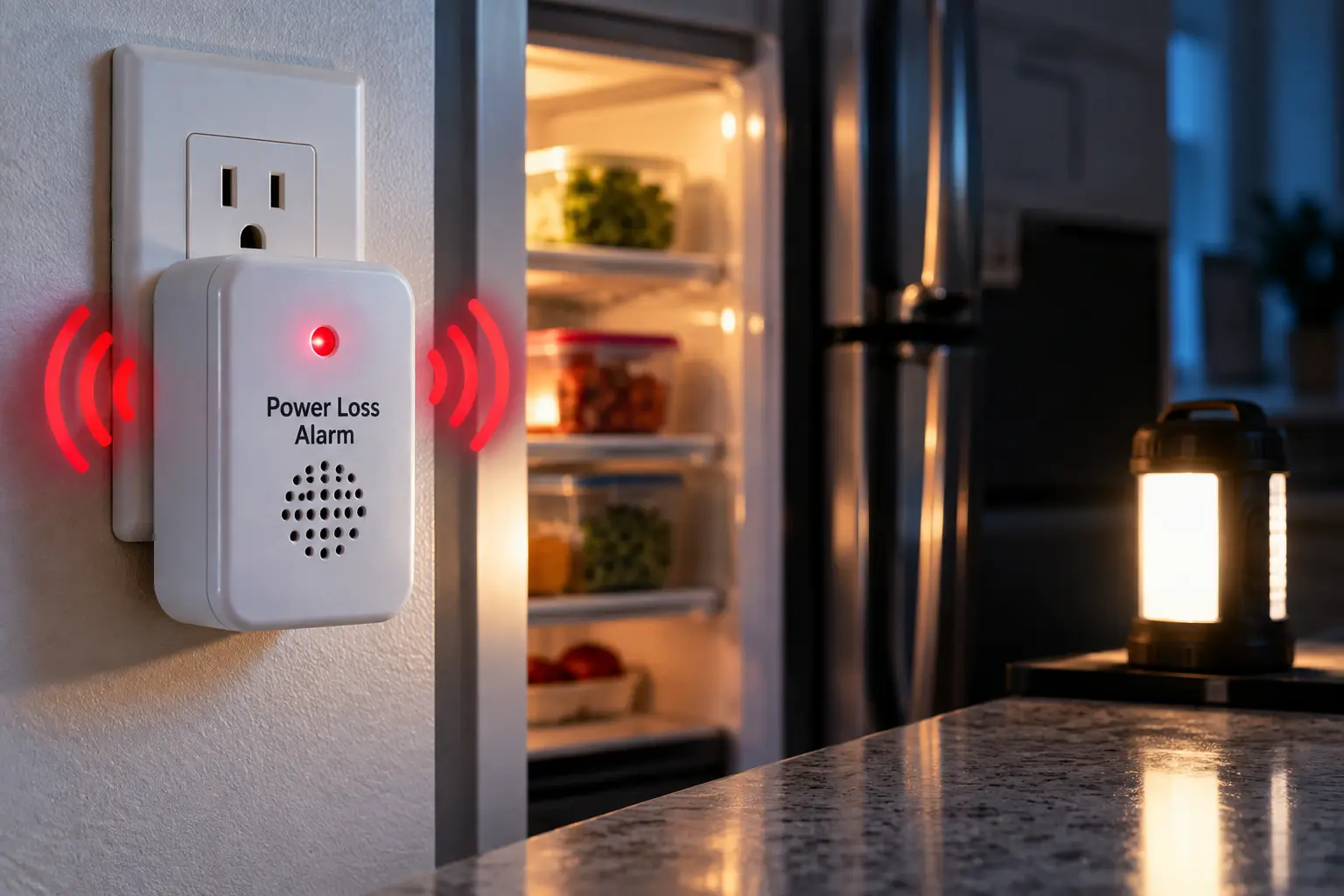
A power loss alarm is a small device that plugs into a wall outlet and warns you the moment that outlet stops delivering electricity. Depending on the model, it sounds a battery-powered siren, flashes LEDs, or sends a text, email, or phone call so you can act before food spoils, basements flood, or equipment fails.
Here’s the uncomfortable truth: most expensive outage damage isn’t caused by the outage itself — it’s caused by not knowing about it. A tripped GFCI in the garage can silently kill a chest freezer for two days while the rest of your house hums along happily. A storm knocks out power to your lake cabin, and the sump pump sits idle while the water table rises. By the time you notice, the damage is already done.
The clock is surprisingly short. According to the FDA’s guidance on food safety during power outages, an unopened refrigerator keeps food cold for only about 4 hours, while a full freezer holds its temperature for roughly 48 hours (about 24 if it’s half full). A power loss alarm turns that window into usable time instead of a surprise.
In this guide, you’ll find seven real, currently sold models — from a $30-ish plug-in siren to cellular and landline systems built for remote properties. Each pick is analyzed based on its published specs, manufacturer documentation, and the customer feedback we could actually verify. No invented test results, no fake star ratings — just an honest breakdown of what each power failure alarm does well, where it falls short, and who should buy it. You’ll also get setup tips, troubleshooting fixes, and a cost-of-ownership analysis that no Amazon listing will give you.
Quick Comparison: Power Loss Alarm Picks at a Glance
| Product | Alert Type | Needs Internet? | Approx. Price Range | Best For |
|---|---|---|---|---|
| Gizmo Engineering PFA-1 | Local siren (~103 dB) | No | Roughly $50–$90 | Gizmo Engineering PFA-1: set-and-forget local alerts |
| Briidea Power Failure Alarm | Local siren (80–120 dB) | No | Under $40 | Briidea Power Failure Alarm: budget garage freezers |
| Risinglink PD201W | Text + email + 85 dB buzzer | Yes (2.4GHz Wi-Fi) | Roughly $40–$60 | Risinglink PD201W: remote alerts without an app |
| Power Pal | Text + email (server heartbeat) | Yes (Wi-Fi) | Around $50 | Power Pal: alerts even when the router dies |
| YoLink YS7106 | 110 dB siren + app/text/email | Hub + internet | Around $35–$40 (+ hub) | YoLink YS7106: smart-home households |
| MarCELL Cellular Monitor | Text + email + phone call | No (4G LTE) | Roughly $170–$230 + plan | MarCELL Cellular Monitor: vacation homes and RVs |
| Sensaphone 400 | Voice calls via landline | No (landline) | Several hundred dollars | Sensaphone 400: rural properties with a phone line |
Looking at the table above, the real dividing line isn’t price — it’s how the alert reaches you. The Gizmo Engineering PFA-1 and Briidea Power Failure Alarm only help if someone is close enough to hear them, while the MarCELL Cellular Monitor and Sensaphone 400 keep working when both power and home internet go down. The Wi-Fi models sit in the middle, and as you’ll see, the Power Pal‘s heartbeat design quietly solves the biggest weakness of that category.
💬 One click helps other shoppers make an informed choice too! 😊
Top 7 Power Loss Alarms for 2026: Expert Analysis
1. Gizmo Engineering PFA-1 — the most dependable local siren
The Gizmo Engineering PFA-1 is the “smoke detector” of power failure alarms: plug it in, plug your appliance into it, and forget about it for years. The manufacturer says it continuously monitors a 120V AC outlet and, when power drops, flashes an LED and sounds a beeping alarm of roughly 103 dB. Its ultra-low power draw lets the included lithium battery last up to 10 years in passive monitoring — meaning you won’t be swapping batteries every spring like a cheap kitchen timer.
Its standout feature is plug detection. If your freezer’s (three-prong) plug gets knocked out of the alarm itself, the unit notices and alarms — a failure mode almost every competitor ignores. Internal jumpers let you choose between catching millisecond power blips (useful for computer or lab equipment) or only reporting outages longer than about 10 seconds, plus a snooze that re-sounds every 30 minutes until power returns.
Based on the specs, this is the pick for anyone who wants zero apps, zero accounts, and zero Wi-Fi drama — think a chest freezer in a mudroom or a medical fridge in a clinic back room. The tradeoff is obvious: it can’t reach your phone. Customer review data is thinner than for mass-market brands; independent retailer listings we checked showed few or no reviews, so weigh the manufacturer’s long track record over crowd ratings here.
Pros:
- ✅ Up to 10-year lithium battery in passive monitoring
- ✅ Unique plug detection catches accidental unplugging
- ✅ Adjustable sensitivity for blips or longer outages
Cons:
- ❌ No remote notifications of any kind
- ❌ Limited public customer review data to verify
Price range: roughly $50–$90 at the time of writing (check the current price) — strong value if a local alarm is all you need.
2. Briidea Power Failure Alarm — best budget pick for garage freezers
The Briidea Power Failure Alarm is the affordable, plug-and-go option that covers the most common scenario: a freezer or fridge on a circuit prone to tripping. It combines flashing LEDs with a siren you can set to three levels — 80, 100, or 120 dB — so you can match the volume to a basement workshop versus a bedroom-adjacent laundry room.
A built-in rechargeable lithium battery tops itself up automatically while plugged in, which in practice means you never discover a dead battery at the worst possible moment. The unit has its own pass-through socket, so it doesn’t eat an extra outlet. Briidea rates that socket at 16A, but your wall receptacle is almost certainly on a 15A or 20A circuit, so the circuit — not the alarm — sets the real limit. The alarm stops automatically when power returns, or you can silence it with one button.
Here’s what most buyers overlook: because it sits on the specific outlet, it catches a tripped GFCI or breaker on that one circuit even when the rest of the house has power — exactly the “silent freezer death” scenario. Aggregated feedback is mixed but useful: reviews on the brand’s own store include a buyer who credits it with saving a full freezer, alongside complaints about a wrong item shipped and non-working LEDs on one unit.
Pros:
- ✅ Adjustable 80/100/120 dB siren for any room
- ✅ Self-charging battery removes maintenance worries
- ✅ Pass-through socket saves outlet space
Cons:
- ❌ Local alert only — useless if nobody is home
- ❌ Some reports of quality-control inconsistencies
Price range: typically under $40 (prices may vary) — excellent value as a first line of defense.
3. Risinglink PD201W — best Wi-Fi alarm with no app required
The Risinglink PD201W is a power failure alarm wifi model that skips the whole smart-home ecosystem: no hub, no app, no subscription. Instead, it sends SMS texts and emails directly, and the company says it detects an outage in as little as 3 seconds — fast enough to catch brief interruptions that slower devices ignore.
You can register two phone numbers and four email addresses per device, which matters more than it sounds: when you’re on a flight, your neighbor or spouse gets the alert too. Beyond outages, it notifies you on power restoration, low battery, and “device offline.” A local 85 dB buzzer sounds even without Wi-Fi, and its internal backup battery is rated for over five years.
The critical caveat — which Risinglink states openly — is that during a whole-house outage your router dies too, so the device can’t send a true “power off” alert unless your router and modem sit on a small UPS. Without one, you’ll typically get only an “offline” notice. An independent electronics teardown blog described the unit as reasonably designed and simple to use, while suggesting an easier battery access panel as an improvement. Based on the specs, it’s ideal for sump pumps and freezers in homes where you’ll add a $60–$100 UPS for the router.
Pros:
- ✅ Direct texts and emails with no app or fees
- ✅ Fast detection catches brief interruptions
- ✅ Alerts up to six recipients per device
Cons:
- ❌ Supports only 2.4GHz Wi-Fi networks
- ❌ Needs a router UPS for whole-house outage alerts
Price range: roughly $40–$60 at the time of writing — very good value for remote alerts without recurring costs.
4. Power Pal — smartest way around the dead-router problem
The Power Pal from Keep Connect (Johnson Creative) solves the biggest weakness of Wi-Fi alarms with a clever inversion. Instead of trying to send a message after power fails, it continuously sends a “heartbeat” signal to the company’s servers. When that heartbeat stops, the server sends your configured text or email alerts.
In practice, that means you still get notified during a whole-house outage — the router going dark doesn’t matter, because the server is noticing the silence, not waiting for a message. Setup uses a built-in Wi-Fi configuration page (like connecting to airport Wi-Fi), with no app required and no fees for text or email notifications. It works as a standalone monitor, with or without an appliance plugged in, and you’ll also get a follow-up alert when power is restored.
The honest limitation of any heartbeat design: it can’t tell “power failed” from “Wi-Fi failed” — both look like silence. For a vacation home that’s usually fine, since either problem deserves a phone call to a neighbor. Customer reviews on Amazon’s UK storefront include owners using it to watch a stored caravan, reporting that they receive both a text and an email when it goes offline and again when power returns. The listing doesn’t advertise a local siren, so pair it with a Briidea Power Failure Alarm if you want sound on-site too.
Pros:
- ✅ Heartbeat design alerts even when the router dies
- ✅ No app, no fees for texts or emails
- ✅ Sends restoration alerts as well as outages
Cons:
- ❌ Can’t distinguish power loss from Wi-Fi loss
- ❌ No local audible alarm advertised
Price range: around $50 (the manufacturer lists it at $49.99; a metered MAX version is around $75) — top value for remote monitoring.
5. YoLink YS7106 — best for smart-home households
The YoLink YS7106 Power Fail Alarm is the pick if you already live in (or want to build) a sensor-rich smart home. It pairs a loud 100–110 dB sounder and four bright LEDs on-site with remote alerts through the YoLink app: push notifications, email, text, optional automated calls, and even optional central-station monitoring.
It runs on LoRa, a long-range, low-power radio. That’s why a single hub can reach an outbuilding or detached garage where Wi-Fi sensors struggle. YoLink’s “Control-D2D” pairing lets the alarm trigger a separate Siren Alarm up to about a quarter-mile away in open air, even without internet — handy for ringing a siren in the house when the barn freezer loses power. Two AA batteries keep it alarming when AC drops, and because it monitors power through a USB adapter, it works on any voltage outlet.
Two caveats from YoLink’s own support pages: the hub is required for remote alerts (without it, you only get the local siren), and the alarm doesn’t integrate with Alexa, Google Assistant, or IFTTT. Put your hub and router on a UPS for whole-house outages; YoLink says it sends a hub-offline notice within about 5 minutes if the hub disconnects. Aggregated reviews consistently praise easy setup and seamless app integration, and the device carries a 2-year warranty.
Pros:
- ✅ Very loud siren plus multi-channel remote alerts
- ✅ LoRa range reaches barns and detached garages
- ✅ No subscription required for the app
Cons:
- ❌ Hub required for any remote notification
- ❌ No Alexa, Google, or IFTTT support
Price range: around $35–$40 for the alarm (the hub is extra, typically adding $25–$50) — great value if you’ll add more YoLink sensors.
6. MarCELL Cellular Monitor — best for vacation homes and RVs
The MarCELL Cellular Monitor is a power outage monitor that doesn’t care whether your internet is working, because it doesn’t use it. It carries its own pre-activated SIM and talks over Verizon or AT&T 4G LTE, sending texts, emails, and even voice phone calls when power drops — and again when it returns.
It also tracks temperature and humidity, checking readings every 10 seconds, which is why it’s so popular for cabins, RVs, greenhouses, and pet spaces. An integrated backup battery keeps it monitoring through outages for up to 48 hours, and an optional water sensor adds leak detection. Remote properties are exactly where this category shines: Wikipedia’s overview of the freeze alarm category notes that cellular multi-sensor units now dominate the remote-property segment precisely because they keep working through power and internet outages.
The catch is ongoing cost. A subscription is required; for the MarCELL PRO, the company lists $24.95 month-to-month or $14.95 per month when paid annually. Based on comparing the specs, that fee buys you what Wi-Fi models can’t: guaranteed delivery when the whole property is dark. Detailed aggregated customer review data wasn’t something we could verify at scale, but the company offers a 90-day risk-free trial, which lowers the stakes of trying it.
Pros:
- ✅ Works with no Wi-Fi, landline, or hub
- ✅ Phone call alerts are hard to miss
- ✅ Adds temperature and humidity monitoring
Cons:
- ❌ Mandatory monthly or annual subscription
- ❌ Requires decent Verizon or AT&T coverage
Price range: roughly $170–$230 for hardware at the time of writing, plus the plan — worth it when the property sits empty for weeks.
7. Sensaphone 400 — the veteran for landline properties
The Sensaphone 400 (model FGD-0400) is the grandfather of this category — Wikipedia credits it, also marketed as “CottageSitter,” as one of the first telephone freeze alarms to reach consumers in the late 1980s. It’s still sold because, for some properties, a landline remains the most reliable connection available.
It has built-in power failure monitoring plus an included temperature probe, and it calls up to four phone numbers with voice messages you record yourself — so the alert literally says “The barn has lost power” in your own voice. An internal battery backup provides 24 hours of monitoring during an outage, and four inputs accept extra sensors for water, humidity, or door contacts. A relay output can switch a local device on or off based on alarms, and there are no monthly fees.
Based on the spec sheet, it’s best for farms, kennels, and rural cottages with a working copper phone line. The dealbreaker is equally clear: no landline, no alerts (Sensaphone points cellular buyers to its Sentry line). We couldn’t verify a meaningful volume of recent consumer reviews, so treat this as a proven-architecture choice rather than a crowd favorite.
Pros:
- ✅ No monthly fees after purchase
- ✅ Custom voice alerts to four numbers
- ✅ Four sensor inputs for whole-property monitoring
Cons:
- ❌ Requires a traditional landline to call out
- ❌ Highest upfront cost in this lineup
Price range: generally several hundred dollars (check the current price) — fair value only if you truly need landline reliability.
Detailed Spec Comparison of the Top 7
| Product | Local Siren | Remote Alerts | Backup Power | Ongoing Cost | Best For |
|---|---|---|---|---|---|
| Gizmo Engineering PFA-1 | ~103 dB | None | Lithium, up to 10 yrs passive | None | Gizmo Engineering PFA-1: clinics, workshops |
| Briidea Power Failure Alarm | 80/100/120 dB | None | Rechargeable lithium | None | Briidea Power Failure Alarm: tripping GFCI circuits |
| Risinglink PD201W | 85 dB | Text, email | Internal battery, 5+ yrs | None | Risinglink PD201W: sump pumps with router UPS |
| Power Pal | Not advertised | Text, email | N/A (server heartbeat) | None (optional cloud) | Power Pal: whole-house outage alerts on a budget |
| YoLink YS7106 | 100–110 dB | App, text, email, calls | 2× AA | None (app) | YoLink YS7106: barns and outbuildings |
| MarCELL Cellular Monitor | None advertised | Text, email, calls | Up to 48 hrs | Subscription | MarCELL Cellular Monitor: RVs, cabins |
| Sensaphone 400 | Relay option | Voice calls | 24 hrs | Landline bill | Sensaphone 400: rural landline sites |
Reading across the “Ongoing Cost” and “Backup Power” columns tells you more than any feature bullet. The Power Pal and Risinglink PD201W deliver remote alerts with no recurring fees, but only the Power Pal‘s heartbeat design survives a dead router without extra hardware. If you need both a loud on-site siren and remote alerts, the YoLink YS7106 is the only single device here that does both at a sub-$100 total.
✨ Don’t miss these top-rated protectors!
🔍 Take your home’s outage protection to the next level with this carefully curated lineup. Click a highlighted product name to check current pricing and availability. These picks will help you save food, pumps, and peace of mind the whole family will enjoy!
Getting Started: How to Set Up and Test a Power Outage Alarm
Buying a power outage alarm is step one; trusting it is step two. Here’s a practical first-week routine that no product listing spells out.
Day 1: Place it where failure actually happens
Plug the alarm into the same outlet as the appliance you’re protecting — not a nearby one. A tripped GFCI often kills only one outlet (and anything downstream of it), so an alarm two feet away on a different circuit can stay silent while your freezer dies. For pass-through models like the Briidea Power Failure Alarm and Gizmo Engineering PFA-1, plug the appliance directly into the alarm.
Day 1: Run a real test
Don’t trust the “power on” LED. Press the GFCI “test” button or flip the breaker for that circuit and confirm three things: the siren sounds, the text or email arrives, and a restoration alert arrives after you reset it. Time how long the remote alert takes — if it’s slower than a few minutes, investigate before you need it.
Week 1: Close the router gap
If you chose a Wi-Fi model like the Risinglink PD201W, or a hub-based one like the YoLink YS7106, put your modem, router, and hub on a small UPS. Then repeat the test by shutting off the main breaker (briefly!) to simulate a whole-house outage.
Monthly: A 60-second check
Once a month, trip the circuit again. It’s the same logic as testing a smoke detector: batteries age, Wi-Fi passwords change, and phone numbers get updated. Add a second recipient — a neighbor who can check your freezer — while you’re at it.
Common first-30-days mistakes
- ✅ Forgetting to re-enter Wi-Fi credentials after changing your router
- ✅ Muting the siren “just for testing” and never turning it back on
- ✅ Using a 5GHz-only network name with a 2.4GHz-only device
Real-World Scenarios: Matching the Right Power Failure Alarm to Your Home
Specs only matter in context. Here are three common profiles and the reasoning behind each match.
Profile 1: The suburban family with a garage chest freezer
Budget: under $60. Situation: a GFCI outlet in the garage trips a few times a year during heavy rain. Someone is usually home in the evening.
Best match: the Briidea Power Failure Alarm, possibly paired with the Power Pal. The siren alone solves the “tripped GFCI nobody noticed” problem when the family is home, and at under $40 it pays for itself the first time it saves a stocked freezer. Adding the Power Pal for around $50 covers the weekend-away scenario without any subscription.
Profile 2: The homeowner with a finished basement and sump pump
Budget: around $100–$150. Situation: finished basement, sump pump in a pit, both parents travel for work.
Best match: the YoLink YS7106 with a hub, plus a UPS for the router. The 110 dB siren alerts anyone home, while app, text, and call alerts reach you on the road. If the pump runs on a battery backup, you’ll know you’re on borrowed time before the basement floods — which matters, because flooding damage often costs far more than the entire system.
Profile 3: The owner of a lake cabin or stored RV
Budget: $200–$400 upfront plus a monthly fee. Situation: property sits empty for weeks, spotty or no internet, winter freeze risk.
Best match: the MarCELL Cellular Monitor. It’s the only pick here that alerts over cellular, adds temperature monitoring for freeze protection, and keeps working up to 48 hours on battery. If the cabin has a reliable landline instead, the Sensaphone 400 avoids the subscription entirely.
How to Choose a Power Loss Alarm (7 Steps)
Choosing the right power loss alarm comes down to seven decisions, made in this order:
- Decide who needs to hear it. If someone is always nearby, a local siren is enough; if not, you need remote alerts. This single question eliminates half the market.
- Check what fails alongside power. In most homes, internet dies with the electricity. Choose a heartbeat model, a cellular unit, or budget for a router UPS.
- Match the siren to the room. A 120 dB siren in a detached garage makes sense; 85 dB is plenty in a laundry room next to the kitchen.
- Confirm your network. Many Wi-Fi alarms support only 2.4GHz. Check your router settings before buying, not after.
- Look at backup power. Long-life lithium or self-charging batteries beat disposable ones you’ll forget to replace.
- Count recurring costs. Subscriptions can double the lifetime cost — worth it for remote properties, overkill for a garage freezer.
- Consider expansion. If you’ll want water leak or freeze sensors later, an ecosystem like YoLink or a multi-sensor like MarCELL saves money long-term.
Following this order prevents the most common buying regret: purchasing a loud, cheap siren for a property where no one is ever around to hear it.
Power Failure Alarm WiFi vs Cellular vs Standalone Siren
Before comparing individual models, it helps to compare the three architectures — and the “do nothing” alternatives people rely on today.
| Approach | Works in Whole-House Outage? | Reaches You Remotely? | Ongoing Cost | Best For |
|---|---|---|---|---|
| Standalone siren (Briidea Power Failure Alarm) | Yes (locally) | No | None | Occupied homes |
| Wi-Fi alarm (Risinglink PD201W) | Only with router UPS | Yes | None | Homes with UPS |
| Heartbeat Wi-Fi (Power Pal) | Yes (via server) | Yes | None | Budget remote alerts |
| Cellular (MarCELL Cellular Monitor) | Yes | Yes | Subscription | Empty properties |
| Utility outage texts | Grid outages only | Yes | None | Neighborhood outages |
| Smart plug “offline” alerts | Unreliable | Sometimes | None | Not recommended |
The table highlights why utility outage texts and smart plugs aren’t substitutes: your utility knows nothing about a tripped GFCI or breaker inside your home, and most smart plugs simply go “offline” in an app you may not check. A dedicated power outage notification device is the only option that monitors the specific outlet you care about. For most households, the sweet spot is a heartbeat or cellular model for remote alerts, backed by a cheap local siren.
In practical terms, standalone sirens win on simplicity and reliability — no firmware, no passwords, no servers. Wi-Fi alarms win on price-to-reach ratio but inherit every weakness of your home network. Cellular units are the premium tier: they’re essentially dedicated cell phones watching your property, which is why they carry a monthly bill. Think of it like home security: a loud siren deters, but monitoring is what actually summons help.
Power Outage Alarm for Freezer: Protecting Your Food Budget
A power outage alarm for freezer use is where most buyers start — and for good reason. A fully stocked chest freezer can easily hold several hundred dollars of meat, hunting harvest, or batch-cooked meals.
How much time do you really have?
The CDC’s food safety guidance for emergencies says that with doors closed, food stays safe up to 4 hours in a refrigerator, 48 hours in a full freezer, and 24 hours in a half-full freezer. It also recommends keeping appliance thermometers inside, with the fridge at 40°F or below and the freezer at 0°F or below.
That means an alert is only valuable if it reaches you well within those windows. A siren in the garage while you’re on a three-day trip gives you zero hours of response time. A text within minutes gives you the full window to call a neighbor, move food to a cooler, or buy dry ice.
Practical freezer tips an alarm makes possible
- ✅ Keep the freezer full — frozen mass holds cold longer, so fill gaps with jugs of frozen water.
- ✅ Group packages together so they insulate each other during an outage.
- ✅ Leave a cheap appliance thermometer inside so you can judge safety after power returns.
- ✅ Keep one trusted neighbor on your alert list for days you’re away.
Based on comparing the specs, the Briidea Power Failure Alarm or Gizmo Engineering PFA-1 covers freezers when you’re home, while the Power Pal or MarCELL Cellular Monitor covers the times you’re not. Remember: never taste food to judge safety — when in doubt, throw it out.
Long-Term Cost and Maintenance
The sticker price of a power loss alarm is only part of the story. Here’s a realistic five-year view, based on published pricing and subscription terms at the time of writing.
| Product | Upfront (approx.) | Extra Hardware | 5-Year Recurring | Best For |
|---|---|---|---|---|
| Briidea Power Failure Alarm | Under $40 | None | $0 | Briidea Power Failure Alarm: lowest total cost |
| Power Pal | Around $50 | None | $0 | Power Pal: cheapest remote alerts |
| Risinglink PD201W | $40–$60 | Router UPS ($60–$100) | $0 | Risinglink PD201W: homes already owning a UPS |
| YoLink YS7106 | $35–$40 | Hub ($25–$50) + UPS | $0 | YoLink YS7106: multi-sensor homes |
| MarCELL Cellular Monitor | $170–$230 | None | ~$900 (PRO, annual plan) | MarCELL Cellular Monitor: high-value remote sites |
The numbers make one thing clear: the MarCELL Cellular Monitor costs roughly ten times more over five years than a Wi-Fi option, so it only makes sense where a single missed outage could cost thousands — a frozen pipe in an empty cabin, for example. For a suburban freezer, the Power Pal delivers remote alerts at the lowest lifetime cost.
Maintenance is refreshingly light across the board. Test monthly, replace disposable batteries on schedule (the YoLink YS7106 uses two AAs), and re-verify alerts after any router change. Self-charging and long-life lithium designs, like the Briidea Power Failure Alarm and Gizmo Engineering PFA-1, essentially eliminate battery chores. The one hidden cost is the router UPS: a modest unit is a smart investment anyway, since it also keeps your security cameras and Wi-Fi alive during short outages.
Features That Actually Matter (and Ones That Don’t)
Marketing copy for power failure alarms loves big numbers. Here’s how to separate signal from noise.
Features that genuinely matter
- ✅ Restoration alerts. Knowing when power came back tells you exactly how long the freezer was without it — the key number for food safety decisions.
- ✅ Multiple recipients. An alert that reaches only you fails when you’re on a plane. The Risinglink PD201W‘s six-recipient setup is a real advantage.
- ✅ Whole-house outage handling. Heartbeat, cellular, or UPS-backed designs; anything else can go silent exactly when you need it.
- ✅ Plug or circuit awareness. The Gizmo Engineering PFA-1‘s plug detection covers a failure mode other devices miss.
Features that are mostly marketing
- ❌ Chasing maximum decibels. Past about 100 dB, extra volume rarely helps — a 120 dB siren in an empty house still reaches no one.
- ❌ “Seven siren tones.” Multiple tones are nice, but they don’t change whether anyone hears the alert.
- ❌ Voice-assistant integration. A smart speaker announcing an outage is useless when the smart speaker itself has no power.
The takeaway: prioritize reach and reliability over volume and gimmicks. An 85 dB alarm that also texts your neighbor beats a 120 dB siren in an empty garage every time.
Safety, Standards, and Smart Placement
A power loss alarm is part of a broader outage plan, not a replacement for one. The federal Ready.gov power outage guide recommends preparing for outages with backup power for medical devices, keeping food cold, and never running generators indoors — advice that pairs naturally with an early-warning device.
Electrical safety basics
- ✅ Respect the circuit rating. Even if a pass-through alarm lists a 16A socket, a standard US receptacle sits on a 15A or 20A circuit — don’t plug space heaters and freezers into the same strip.
- ✅ Keep it indoors and dry. Consumer units like the Briidea Power Failure Alarm are intended for indoor use only; choose a weatherproof enclosure for outdoor or damp locations (Gizmo sells a weatherproof wall-mounted variant, the PFA-6).
- ✅ Look for recognized safety marks. When comparing any plug-in device, check the listing or packaging for a UL or ETL mark and FCC compliance for wireless models; if you can’t confirm it, ask the seller.
Medical equipment warning
If someone in your home relies on oxygen concentrators or other powered medical devices, an alarm is a helpful early warning, but it is not a medical safety system. Talk to your equipment supplier about battery backups and register with your utility’s medical priority program if one exists.
Placement tips
- ✅ Put sirens where people actually are — hallway, not behind the freezer.
- ✅ Keep Wi-Fi models within strong 2.4GHz range; test signal before committing.
- ✅ Check cellular coverage on-site before buying the MarCELL Cellular Monitor.
Common Mistakes to Avoid When Buying a Power Outage Notification Device
Most disappointing experiences with a power outage notification device trace back to a handful of avoidable errors.
Mistake 1: Assuming Wi-Fi works during an outage
This is the big one. A standard Wi-Fi alarm can’t send “power off” if the router is also off. Either buy a heartbeat model like the Power Pal, go cellular, or budget for a router UPS.
Mistake 2: Protecting the wrong outlet
Your freezer is on the garage GFCI; your alarm is plugged into the kitchen. When the GFCI trips, the alarm stays happy. Always monitor the exact outlet feeding the appliance.
Mistake 3: Ignoring subscription math
A cellular unit’s hardware price looks reasonable until you add five years of plans. That’s fine for a vacation home — but for a freezer in an occupied house, it’s paying premium prices for coverage you don’t need.
Mistake 4: Buying a siren for an empty property
A Gizmo Engineering PFA-1 or Briidea Power Failure Alarm is excellent — when someone can hear it. For rental units, cabins, or stored RVs, only remote alerts make sense.
Mistake 5: Never testing after setup
Networks change, batteries age, and phone numbers get updated. Devices that “worked when I bought it” fail silently. Schedule a monthly breaker test, just like a smoke alarm check.
Mistake 6: Skipping the backup recipient
Your phone will be on silent, in airplane mode, or dead at the worst moment. Add a partner, neighbor, or property manager to every alert list.
Troubleshooting: Common Power Outage Monitor Problems and Fixes
Even good devices misbehave. Here are the five problems owners run into most, with fixes.
Problem 1: “I got an offline alert, not a power-off alert”
Solution: your router lost power at the same time. With the Risinglink PD201W, add a UPS to the modem and router so the true outage alert can go out. Alternatively, treat any “offline” alert as a possible outage and call someone to check.
Problem 2: The device won’t join Wi-Fi
Solution: many power outage monitors support only 2.4GHz. If your router broadcasts one combined network name, temporarily enable a separate 2.4GHz network during setup. Also double-check the password — captive setup pages rarely show typos.
Problem 3: False alarms from brief flickers
Solution: choose a device with a delay setting. The Gizmo Engineering PFA-1 can be jumpered to report only outages longer than about 10 seconds, which filters out the momentary flicker from a storm or a motor starting.
Problem 4: YoLink alarm sounds but no phone alert arrives
Solution: the YoLink YS7106 needs its hub online for remote notifications. Verify the hub is connected and on backup power, and update both firmware and the app — YoLink notes that updates are also required for remote silencing.
Problem 5: No cellular alerts from a remote property
Solution: check the MarCELL Cellular Monitor‘s signal on the carrier you selected (Verizon or AT&T), confirm the subscription is active, and move the unit closer to a window. In a metal RV, placement near glass often makes a noticeable difference.
Frequently Asked Questions About Power Loss Alarms
❓ Which power loss alarm works if the internet goes out too?
❓ Is a power outage alarm worth buying for a single freezer?
❓ Do Wi-Fi power failure alarms need a monthly subscription?
❓ Can a power loss alarm detect a tripped GFCI outlet?
❓ Which power outage monitor is best for a vacation home?
Conclusion: The Right Power Loss Alarm Is the One That Reaches You
The best power loss alarm isn’t the loudest or the most expensive — it’s the one whose alert actually reaches a person who can act in time. That single idea sorts every product in this guide.
If someone is usually home, the Briidea Power Failure Alarm (budget) or Gizmo Engineering PFA-1 (long-life, plug detection) delivers dependable local protection with zero setup headaches. If you want remote alerts without subscriptions, the Power Pal is the smartest value because its heartbeat design keeps working when your router goes dark, while the Risinglink PD201W excels when paired with a router UPS. Smart-home fans and anyone with outbuildings will get the most flexibility from the YoLink YS7106. And for cabins, RVs, and rural properties, the MarCELL Cellular Monitor and Sensaphone 400 justify their higher cost by working when everything else is offline.
Whatever you choose, the setup routine matters as much as the hardware: plug it into the exact outlet you’re protecting, test it by tripping the circuit, add a backup recipient, and repeat monthly. A few minutes of prep turns a four-hour food-safety window from a hidden countdown into time you can actually use.
Your freezer, sump pump, and peace of mind are worth far more than any device on this list.
🛡️ Protect what matters before the next storm!
⚡ Pick the power loss alarm that fits your home, click the highlighted product name to check current pricing and availability, and set it up this weekend. Future you — and your freezer — will thank you!
Recommended for You
- Digital Outdoor Timers: 7 Best Weatherproof Picks for 2026
- Smart Timer for Outdoor Lights: 7 Brilliant Picks for 2026
- Weatherproof Timer Guide 2026: 7 Best Picks That Survive Any Storm
Disclaimer: This post contains affiliate links. As an Amazon Associate, I earn from qualifying purchases made through these links, at no additional cost to you.
✨ Found this article helpful? Share it with someone who needs it! 💬🤗
