
In This Article
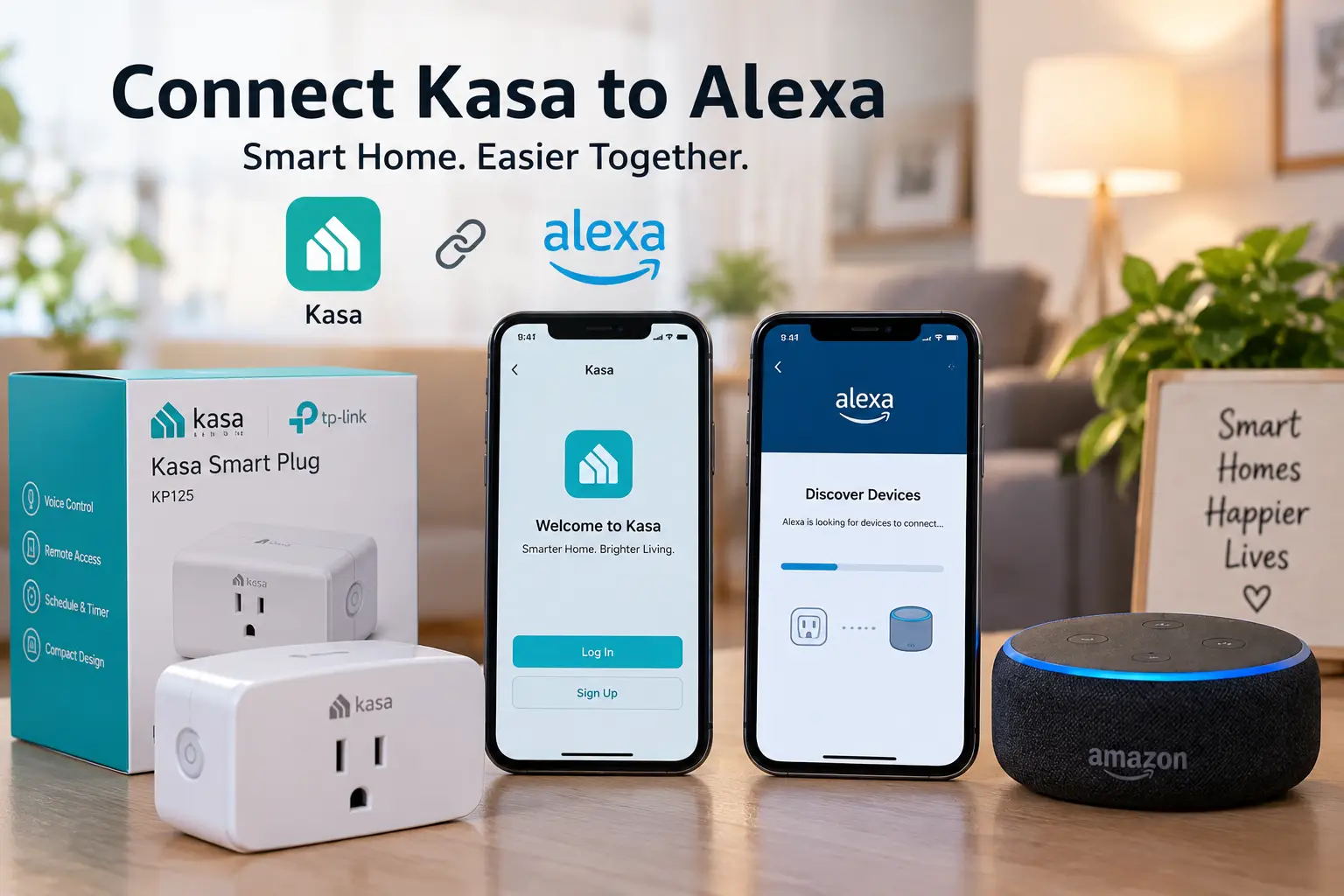
If you just unboxed a Kasa smart plug, switch, or bulb and you’re staring at your Echo wondering what comes next, you’re in the right place. Connect kasa to alexa is a five-minute job once you know the order of operations, and getting it right the first time saves you from the most common headache in smart home setup: Alexa saying “I couldn’t find that device” on a loop. In short, connecting Kasa to Alexa means linking your Kasa account through the Alexa app’s Skills menu so Alexa can discover, name, and voice-control every Kasa device on your Wi-Fi network — no separate hub required.
This guide walks through the exact setup process, then goes further than most tutorials by helping you pick the right Kasa hardware in the first place. Not every Kasa device behaves the same way once Alexa is involved — some pair instantly and respond in under a second, others need a firmware update first, and a couple of models add tricks (energy tracking, color control, outdoor durability) that change how useful your routines actually become. We’ve researched real TP-Link Kasa spec sheets, aggregated customer feedback, and current smart home standards to help you build a setup that just works.
Below, you’ll find seven real, currently available Kasa devices worth pairing with Alexa, a step-by-step connection walkthrough, honest comparisons against alternatives like the Amazon Smart Plug, and answers to the setup problems people run into most. Let’s get your smart home talking to Alexa the right way.
Quick Comparison: Best Kasa Devices for Alexa at a Glance
| Device | Best For | Alexa Setup | Price Range |
|---|---|---|---|
| Kasa Smart Plug Ultra Mini (EP10P2) | Tight, crowded outlets | Kasa Skill, no hub | Around $15–$20 |
| Kasa Smart Wi-Fi Plug Slim (KP125M) | Energy tracking + Matter | Matter or Kasa Skill | Around $20–$25 |
| Kasa Smart Wi-Fi Power Strip (HS300) | Controlling several devices in one room | Kasa Skill, no hub | Around $45–$55 |
| Kasa Smart Dimmer Switch (HS220) | Voice-adjustable room lighting | Kasa Skill, no hub | Around $20–$25 |
| Kasa Smart Bulb (KL130) | Color and mood lighting | Kasa Skill, no hub | Around $15–$20 |
Looking at the table above, the Kasa Smart Plug Ultra Mini (EP10P2) is the easiest entry point if you just want “Alexa, turn off the lamp” working tonight, while the Kasa Smart Wi-Fi Plug Slim (KP125M) is the smarter long-term buy since its Matter certification means it’ll keep working with Alexa even if you eventually add Google Home or Apple Home devices to the mix. If your goal is whole-room control rather than a single outlet, the Kasa Smart Wi-Fi Power Strip (HS300) replaces four or five individual plugs at a lower combined cost.
💬 Ready to build your Alexa-connected setup? Check current availability and pricing before you buy — smart home deals shift often!
Top 7 Kasa Devices That Work Seamlessly with Alexa
Kasa’s catalog spans plugs, switches, dimmers, power strips, and bulbs, and every one of them connects to Alexa the same way — through the free Kasa Smart app and the Alexa Skill. What differs is which device actually solves your problem. Here’s an honest breakdown of seven real, current Kasa products, from budget-friendly to feature-loaded.
1. Kasa Smart Plug Ultra Mini (EP10P2) — smallest footprint for crowded outlets
The distinguishing feature here is size: this plug is built short and squat specifically so it doesn’t swallow the second socket on a duplex outlet. That matters more than it sounds like it should once you’re trying to run a lamp, a phone charger, and a diffuser off one wall plate.
Under the hood, it’s a straightforward 15-amp Wi-Fi switch with no hub required and 2.4GHz-only connectivity, which keeps setup simple but means it won’t join a 5GHz-only network. Scheduling, countdown timers, and an “Away Mode” that randomizes on/off times to simulate occupancy are all built into the Kasa app, and every one of those functions becomes voice-triggerable the moment you link Alexa.
This is the pick for renters, dorm rooms, and anyone automating a single lamp or fan without wanting to think about it further. Based on comparing the spec sheet against pricier Kasa plugs, what you’re giving up here is energy monitoring — this model reports on/off status only, not wattage. Reviews consistently report that voice response through Alexa is near-instant, generally under a second from command to action, and that the compact shape genuinely does prevent the “blocked outlet” problem that plagues bulkier smart plugs.
Pros:
- ✅ Compact shape frees up the second outlet
- ✅ Sub-second Alexa voice response in most reviews
- ✅ No hub needed, simple 5-minute pairing
Cons:
- ❌ No energy monitoring on this model
- ❌ 2.4GHz Wi-Fi only, won’t join 5GHz-only networks
At around $15–$20 for a 2-pack, it’s one of the least expensive ways to get real voice control into a room, and for anyone just testing whether smart plugs are worth the habit change, the value here is hard to beat.
2. Kasa Smart Wi-Fi Plug Slim (KP125M) — Matter-ready with real energy tracking
What sets the KP125M apart is Matter certification paired with genuine energy monitoring, a combination most budget smart plugs still don’t offer. That means it reports real-time and historical power draw for whatever’s plugged into it, and because it speaks Matter, it isn’t locked into a single voice assistant.
In practice, the energy monitoring dashboard inside the Kasa app lets you see, in kWh, what a space heater or window AC unit is actually costing you — something a basic on/off plug simply can’t tell you. The Matter layer means the same physical plug can be controlled by Alexa, Google Home, Apple Home, or Samsung SmartThings without buying a different model for each ecosystem, which is a meaningful hedge if your household runs more than one smart speaker brand.
This is the device for anyone who wants their Kasa setup to survive a future ecosystem change, or who’s specifically trying to track energy costs on power-hungry appliances. What most buyers overlook with this model is that you can pair it two ways: through the traditional Kasa Skill for Alexa, or natively through Matter, and the two methods can behave slightly differently in terms of how fast routines trigger — Kasa Skill pairing tends to be marginally more consistent for complex routines today.
Pros:
- ✅ Real kWh energy monitoring, not just on/off
- ✅ Matter certified for Alexa, Google, and Apple Home
- ✅ Slim body still leaves the second outlet clear
Cons:
- ❌ Costs more than the basic Ultra Mini plug
- ❌ Matter pairing can occasionally be less stable than the native Kasa Skill
Priced around $20–$25, this is the “buy once” option — the extra few dollars over a basic plug buys real future-proofing and data most people don’t get until they upgrade twice.
3. Kasa Smart Wi-Fi Power Strip (HS300) — six outlets, one voice command
The HS300’s whole pitch is consolidation: six individually addressable AC outlets plus USB charging ports, all controllable separately by voice or app, from a single physical strip. Instead of buying six plugs for a media console or home office, you buy one strip.
Each outlet reports its own energy usage, and because every outlet is independently named in the Kasa app, “Alexa, turn on the TV” and “Alexa, turn off the router” can control two different sockets on the exact same physical strip without interfering with each other. Surge protection is built in, which basic smart plugs don’t typically offer. Based on comparing per-outlet economics, six Kasa Mini plugs would run you noticeably more than one HS300 covering the same six outlets, so for multi-device rooms this is usually the better value, not just the more convenient one.
This is the pick for home offices, entertainment centers, and holiday lighting setups where you’re already juggling more devices than outlets. Reviews consistently point out one physical quirk: the strip itself is bulkier than a standard power strip, so measure your space (especially behind furniture) before buying.
Pros:
- ✅ Six independently controlled, voice-addressable outlets
- ✅ Per-outlet energy monitoring built in
- ✅ Cheaper per-outlet than buying six individual plugs
Cons:
- ❌ Physically bulkier than a standard power strip
- ❌ One Wi-Fi credential covers the whole strip, so a dropped connection affects all six outlets at once
At around $45–$55, the value math works out well for anyone consolidating four or more devices, though a single-lamp household doesn’t need this much strip.
4. Kasa Smart Outdoor Plug (KP400) — weatherproof control for porches and holiday lights
The standout trait here is the IP64-rated weatherproof housing, built to sit outside through rain and temperature swings without the electronics failing — something none of the indoor plugs on this list are rated to survive.
Two independently controlled outlets let you run, say, porch lights on one schedule and a fountain pump on another, from the same unit. Like the indoor Kasa plugs, it pairs with Alexa through the Kasa Skill with no hub, and its scheduling features are particularly well suited to seasonal use: sunrise/sunset-based automation for holiday lighting is a genuinely practical feature rather than a marketing checkbox, since it adjusts the on/off time automatically as daylight hours shift through the season.
This is the device for anyone tired of manually plugging and unplugging holiday lights or fountain pumps, and it’s a smart safety upgrade for outdoor circuits generally, since a Wi-Fi-controlled outdoor plug means you’re not relying on a timer that drifts out of sync twice a year. What the spec sheet doesn’t say, but outdoor-use reviews reveal, is that signal strength matters more here than with indoor plugs — if your router is far from the porch or patio, expect more occasional dropped connections than you’d see indoors.
Pros:
- ✅ IP64 weatherproof rating for year-round outdoor use
- ✅ Two independently controlled outlets on one unit
- ✅ Sunrise/sunset scheduling adjusts automatically by season
Cons:
- ❌ Weaker Wi-Fi signal outdoors can cause occasional dropped connections
- ❌ Only two outlets, so larger light displays may need more than one unit
Typically found in the $30–$40 range for a 2-pack, it’s a reasonable investment for anyone who strings lights every winter and is tired of the annual re-timer routine.
5. Kasa Smart Light Switch (HS200) — a real in-wall replacement, not just a plug
Unlike everything above, the HS200 replaces your existing wall switch rather than plugging into an outlet, which means it controls hardwired ceiling and wall fixtures directly — including ones no smart plug could ever reach.
Installation requires a neutral wire in the switch box, which most homes built after the mid-1980s have, but it’s worth checking before buying since older homes sometimes lack it. Once installed, it behaves like a normal wall switch physically (so guests and family members who ignore the “Alexa” part can still flip it manually) while also responding to voice commands and app control. Reviews consistently flag the physical installation as the main hurdle — it’s a standard single-pole swap for anyone comfortable with basic electrical work, but nervous first-timers often hire an electrician for the first one and do the rest themselves afterward.
This is the device for anyone automating a room’s main overhead lighting rather than a single lamp, and it’s the more elegant long-term solution compared to smart bulbs if you want the physical switch itself to still work normally. What most buyers overlook is that this is a simple on/off switch, not a dimmer — if you want voice-adjustable brightness, you’ll want the HS220 covered next.
Pros:
- ✅ Controls hardwired ceiling and wall fixtures directly
- ✅ Physical switch still works normally for non-app users
- ✅ No bulb-shopping required, works with your existing fixtures
Cons:
- ❌ Requires a neutral wire; not every older home has one
- ❌ Installation involves basic electrical work, unlike plug-in devices
At around $15–$20 per switch, it’s a strong value against buying smart bulbs for every fixture in a room, especially for multi-bulb ceiling fixtures where smart bulbs would cost far more in aggregate.
6. Kasa Smart Dimmer Switch (HS220) — voice-adjustable brightness, not just on/off
The HS220 does everything the HS200 does, plus true dimming — “Alexa, set the living room lights to 40%” is the whole point of this device, and it’s a command the basic switch simply can’t execute.
Like its non-dimming sibling, it requires a neutral wire and a standard in-wall installation. The dimming curve is smooth rather than steppy in most reviews, avoiding the flickery feel some cheaper dimmers have at low brightness. Based on comparing this to smart bulb dimming, a single HS220 dims an entire fixture at once — useful for multi-bulb ceiling fixtures where color-changing smart bulbs would require buying and syncing several individually.
This is the pick for living rooms, dining rooms, and bedrooms where mood lighting matters but color-changing isn’t a priority. What the spec sheet doesn’t say, but user feedback suggests, is that dimmer switches are pickier about bulb compatibility than plain on/off switches — non-dimmable LED bulbs can buzz or flicker on a dimmer circuit, so it’s worth confirming your existing bulbs are dimmable-rated before installing.
Pros:
- ✅ True voice-adjustable dimming, not just on/off
- ✅ Dims an entire multi-bulb fixture at once
- ✅ Smooth dimming curve reported across most reviews
Cons:
- ❌ Requires dimmable-rated bulbs to avoid flicker or buzz
- ❌ Same neutral-wire requirement and install complexity as the HS200
Priced around $20–$25, it’s a modest premium over the basic switch for a genuinely useful capability, particularly in rooms where you already dim lights manually.
7. Kasa Smart Bulb (KL130) — full-color mood lighting with zero wiring
The KL130’s whole appeal is that it needs no electrical work at all: it’s a standard E26 bulb that screws into any existing fixture and adds full RGB color plus adjustable white tones, all controllable by Alexa the moment it’s paired.
At roughly 800 lumens, it’s bright enough for most table lamps and smaller fixtures, and the Kasa app lets you save custom color scenes — a static “reading” white, a dim “movie night” amber, or a full-color “party” preset — all triggerable by name through Alexa (“Alexa, turn on movie night”). Because it needs no neutral wire and no switch replacement, it’s the fastest of all seven products here to get running: screw it in, pair it in the app, done.
This is the device for renters who can’t modify wiring, or anyone who wants color and mood options rather than a fixed brightness switch. Reviews consistently note one caveat worth knowing upfront: if the physical wall switch controlling the fixture gets flipped off, the bulb loses power entirely and can’t respond to Alexa until someone flips the switch back on — a limitation every smart bulb shares, not unique to Kasa.
Pros:
- ✅ No wiring or electrician needed, just screw it in
- ✅ Full RGB color plus adjustable white tones
- ✅ Fastest setup of any device on this list
Cons:
- ❌ Loses smart function if the wall switch is turned off
- ❌ Multiple bulbs in one fixture all need individual pairing
Single bulbs typically run around $15–$20, or $25–$35 for a 2-pack, making this one of the more affordable ways to add real personality to a room’s lighting.
How to Connect Kasa to Alexa: Step-by-Step Setup Guide
Once you’ve picked your hardware, linking it to Alexa follows the same process regardless of which Kasa device you bought. Here’s the order that avoids the most common failure points.
Step 1: Set up the device in the Kasa app first. Download the free Kasa Smart app, create an account, and add your new plug, switch, or bulb by following the in-app pairing instructions (usually holding a button until an LED blinks, then connecting your phone to the device’s temporary Wi-Fi signal). Confirm the device works from the Kasa app itself — toggling it on and off — before touching Alexa at all. This isolates whether a problem, if one shows up later, is a Wi-Fi issue or an Alexa-linking issue.
Step 2: Open the Alexa app and enable the Kasa Skill. In the Alexa app, go to More, then Skills & Games, and search “Kasa.” Select the official TP-Link Kasa Smart skill and tap Enable to Use.
Step 3: Sign in with your Kasa account credentials. Alexa will prompt you to log in using the same email and password you used to set up the Kasa app. This step is what actually links the two accounts — Alexa isn’t finding devices directly on your network, it’s asking your Kasa account which devices exist.
Step 4: Let Alexa discover your devices. After linking, Alexa automatically searches for Kasa devices, or you can trigger it manually by saying “Alexa, discover my devices” or tapping Discover Devices in the app. This typically takes 20–45 seconds per device.
Step 5: Rename devices for natural voice commands. Kasa device names (“Plug 1,” “Switch 3”) rarely match how you’ll actually talk to Alexa. Rename each one in the Alexa app to something you’d naturally say — “porch light,” “office fan,” “bedroom lamp” — since Alexa matches voice commands to these exact names.
Step 6: Group devices and build routines. In the Alexa app’s Devices tab, create Groups (like “Living Room”) so one command controls several devices at once, and set up Routines for actions you repeat daily, like a “Good Morning” routine that turns on the coffee maker plug and a lamp together.
Step 7: Test every device by voice before you consider setup finished. Run through each renamed device with a direct command. If one doesn’t respond, it’s almost always a Wi-Fi band mismatch (remember, most Kasa devices need 2.4GHz) or a skill account link that needs re-authenticating.
📱 Grab the Kasa devices you need before starting setup — having everything on hand makes the process faster!
Real-World Scenarios: Which Kasa Setup Fits Your Home
Reading specs is one thing; matching them to your actual life is another. Here’s how three different households might reasonably shop this lineup.
The apartment renter. If you’re in a one-bedroom apartment and can’t modify wiring, skip the switches entirely. A Kasa Smart Plug Ultra Mini (EP10P2) for the floor lamp, a Kasa Smart Bulb (KL130) for the overhead fixture (assuming it’s not controlled by an unreliable wall switch), and you’ve got full voice control without touching a single wire. Budget: under $40 total, setup time: about 15 minutes for both devices.
The homeowner consolidating a home office. If you’ve got a desk with a monitor, a lamp, a space heater, and a printer all fighting for two outlets, the Kasa Smart Wi-Fi Power Strip (HS300) solves the physical crowding problem while giving you per-device voice control and energy monitoring on the space heater specifically — useful for catching a heater that’s been left on by accident. Pair it with a Kasa Smart Dimmer Switch (HS220) on the overhead light for a complete voice-controlled office. Budget: around $70–$80 combined.
The family managing a full smart home. If you’re building out multiple rooms and want a system that survives future ecosystem changes (maybe someone in the household prefers Google Home), standardize on Matter-certified devices where possible, starting with the Kasa Smart Wi-Fi Plug Slim (KP125M) for any outlet where you also want energy data, and add a Kasa Smart Outdoor Plug (KP400) for exterior lighting. This setup costs more upfront but avoids re-buying hardware later if your voice assistant preferences change.
How to Choose the Right Kasa Device for Your Alexa Setup
Matching hardware to your actual situation prevents the most common buyer’s regret in this category: buying a plug when you needed a switch, or a switch when you didn’t have a neutral wire.
- Identify what you’re actually controlling. A lamp or small appliance needs a plug. A ceiling fixture needs a switch or a bulb. A multi-device desk needs a power strip.
- Check for a neutral wire before buying any in-wall switch. Homes wired before roughly the mid-1980s sometimes lack one, which rules out the HS200 and HS220 without an electrician’s help.
- Decide if you need energy monitoring. If you’re trying to catch phantom power draw or track a specific appliance’s cost, prioritize the KP125M or HS300 over the basic EP10P2.
- Consider your Wi-Fi layout. Most Kasa devices are 2.4GHz-only; confirm your router broadcasts a 2.4GHz band your Kasa devices can join, especially for outdoor or far-from-router placements.
- Think about your voice command habits before renaming devices. Names you’ll actually say out loud, not generic labels, make routines feel natural rather than clunky.
- Weigh Matter certification if you might add other ecosystems later. It costs a little more but avoids re-buying hardware if your household’s assistant preferences shift.
- Match quantity to your real usage, not a bundle discount. A 4-pack of plugs is cheaper per unit, but only if you’ll actually use all four soon — unused smart plugs don’t save money.
Common Mistakes to Avoid When Connecting Kasa to Alexa
Even straightforward setups go sideways in predictable ways. Here are the ones that generate the most frustrated searches.
Trying to connect to 5GHz Wi-Fi. Most Kasa devices only support 2.4GHz networks. If your router broadcasts a combined or 5GHz-only SSID by default, either split the bands in your router settings or connect to the 2.4GHz network by name during Kasa setup.
Skipping the Kasa app step and going straight to Alexa. Alexa’s Kasa Skill links to your Kasa account, not directly to the device. If the device was never successfully added in the Kasa app first, there’s nothing for Alexa to discover.
Forgetting to rename devices before building routines. Building a routine around “Plug 3” instead of “porch light” makes the whole system harder to use and more error-prone when you add more devices later.
Assuming Alexa auto-discovers new devices instantly. After adding a new Kasa device to your account, Alexa doesn’t always find it automatically — say “Alexa, discover devices” or trigger discovery manually in the app.
Ignoring firmware updates. Kasa devices occasionally need a firmware update, pushed through the Kasa app, to maintain smooth Alexa integration, especially after Amazon updates the Alexa Skills platform.
Kasa vs Amazon Smart Plug: Which Should Control Your Outlets
For Alexa-only households, the Amazon Smart Plug is a legitimate alternative worth understanding before you commit to a full Kasa lineup.
| Feature | Kasa Smart Plugs | Amazon Smart Plug |
|---|---|---|
| Ecosystem compatibility | Alexa, Google, Apple Home (Matter models) | Alexa only |
| Device variety | Plugs, switches, dimmers, strips, bulbs, cameras | Plugs only |
| Energy monitoring | Yes, on select models (KP125M, HS300) | No |
| Setup process | Kasa app, then Alexa Skill link | Direct Alexa app pairing, no separate app |
| Outdoor-rated options | Yes (KP400) | No |
Looking at the comparison above, the Amazon Smart Plug wins on setup simplicity if you’re strictly an Alexa household and never plan to add another voice assistant — there’s no second app to manage. But the Kasa Smart Plug Ultra Mini (EP10P2) and its siblings win on almost everything else: device variety, energy monitoring on select models, and cross-platform flexibility if your household’s tech ever diversifies. For anyone planning to expand beyond simple plugs into switches, dimmers, or bulbs, standardizing on Kasa from the start avoids juggling two apps.
🔌 Compare current prices on Kasa devices and the Amazon Smart Plug before you decide!
What to Expect: Everyday Voice Control Performance
Specs are one thing; daily use is another. Here’s what the aggregated review data suggests about actually living with a Kasa-and-Alexa setup.
Response time is consistently reported as fast — generally under a second from voice command to action for devices on a stable Wi-Fi connection, which is fast enough that it doesn’t feel like a gimmick after the first week. Where performance degrades is almost always Wi-Fi related: devices placed far from the router, especially outdoor plugs, show up in reviews with more frequent “device unresponsive” errors than indoor devices near the router.
Group commands (“Alexa, turn off all the lights”) tend to have slightly more latency than single-device commands, since Alexa has to sequence multiple device calls, but the delay is usually under two seconds even for five or six devices. Routines that combine Kasa devices with non-Kasa smart home gear (thermostats, locks) generally work fine, since Alexa handles the orchestration regardless of brand, once every device is individually linked and discovered.
One recurring theme in aggregated feedback: households that skip the renaming step in Step 5 above report more voice-recognition frustration than those that rename devices to natural phrases, which suggests the setup quality matters as much as the hardware itself.
Long-Term Cost and Reliability
Smart plugs and switches are a small upfront cost, but it’s worth thinking past the purchase price.
Kasa devices don’t carry a subscription fee — the app, scheduling, energy monitoring, and Alexa integration are all included with the hardware purchase, which is a meaningful advantage over some smart home ecosystems that gate features behind a monthly plan. The main ongoing cost is electricity for standby Wi-Fi power draw, which is negligible per device (well under $1/year at typical rates) but adds up modestly across a dozen or more devices.
Reliability-wise, in-wall switches (HS200, HS220) tend to outlast plug-in devices simply because they’re not handled or unplugged repeatedly, while plugs in high-traffic areas — kitchens, entryways — see more physical wear over a few years. Firmware support has historically continued for several years after a device’s release, though as with any connected hardware, very old models eventually lose active development priority. Budgeting for occasional replacement every five to seven years, rather than expecting decade-long service from any single smart plug, is the realistic long-term view.
Safety, Regulations, and Standards You Should Know
Smart plugs and switches sit directly on your home’s electrical circuits, so a few practical safety points matter beyond just the voice control convenience.
Every device covered here carries UL or ETL certification, the independent safety testing that confirms a device meets US electrical safety standards — worth confirming on any smart plug you buy, since uncertified plugs from lesser-known brands have been linked to overheating incidents. More broadly, the U.S. Consumer Product Safety Commission has repeatedly flagged overloaded outlets and worn cords as leading causes of home electrical fires, which is a good reminder that a smart plug rated for 15 amps should never be treated as a way to safely run more devices than your circuit was designed for — it adds convenience, not extra capacity.
On the connectivity side, the National Institute of Standards and Technology has published guidance specifically on consumer IoT device security, recommending that smart home users change default passwords, keep device firmware current, and understand what data their connected devices transmit. Kasa’s setup process requires an account password from the start, which aligns with that baseline recommendation, but it’s still worth using a unique password rather than reusing one from another account.
Finally, if you’re buying Matter-certified hardware like the KP125M specifically for cross-platform flexibility, it’s worth understanding what that certification actually guarantees. The Connectivity Standards Alliance, which manages the Matter standard, describes it as a royalty-free, IP-based protocol built for exactly this kind of interoperability — meaning a Matter-certified plug is tested to work across ecosystems, not just marketed that way.
Frequently Asked Questions
❓ Does Kasa work with Alexa without a hub?
❓ How do I link my Kasa account to Alexa?
❓ Why isn't Alexa finding my Kasa devices?
❓ Can I control Kasa devices with Alexa routines?
❓ Is Kasa or Amazon Smart Plug better for Alexa users?
Conclusion
Connecting Kasa to Alexa isn’t complicated once you understand the actual sequence: set the device up in the Kasa app first, link accounts through the Alexa Skill, discover devices, then rename and group them so voice commands feel natural. Where people run into trouble is almost always Wi-Fi band mismatches or skipping the account-linking step, both of which are easy to avoid once you know to look for them.
On the hardware side, the right Kasa device depends entirely on what you’re actually trying to control. The Kasa Smart Plug Ultra Mini (EP10P2) and Kasa Smart Bulb (KL130) are the fastest, lowest-commitment ways to get started, especially for renters. The Kasa Smart Wi-Fi Plug Slim (KP125M) and Kasa Smart Wi-Fi Power Strip (HS300) make more sense once you’re consolidating several devices or want real energy data. And the Kasa Smart Light Switch (HS200), Kasa Smart Dimmer Switch (HS220), and Kasa Smart Outdoor Plug (KP400) solve specific problems — hardwired fixtures, dimming, and weatherproof exterior control — that plugs and bulbs simply can’t reach.
Whichever device you start with, the setup process and the payoff are the same: a home that responds to your voice instead of a scattered collection of light switches and timers.
✨ Ready to see which Kasa devices fit your home? Check current prices and availability to get started!
Recommended for You
- 3 Gang Smart Switch: 7 Best Picks for 2026 (Pros & Cons)
- 7 Best 2 Gang Smart Light Switches in 2026: Complete Guide
- Smart Switch With Remote Control: 7 Best Picks for 2026
Disclaimer: This post contains affiliate links. As an Amazon Associate, I earn from qualifying purchases made through these links, at no additional cost to you.
✨ Found this article helpful? Share it with someone who needs it! 💬🤗
