
In This Article
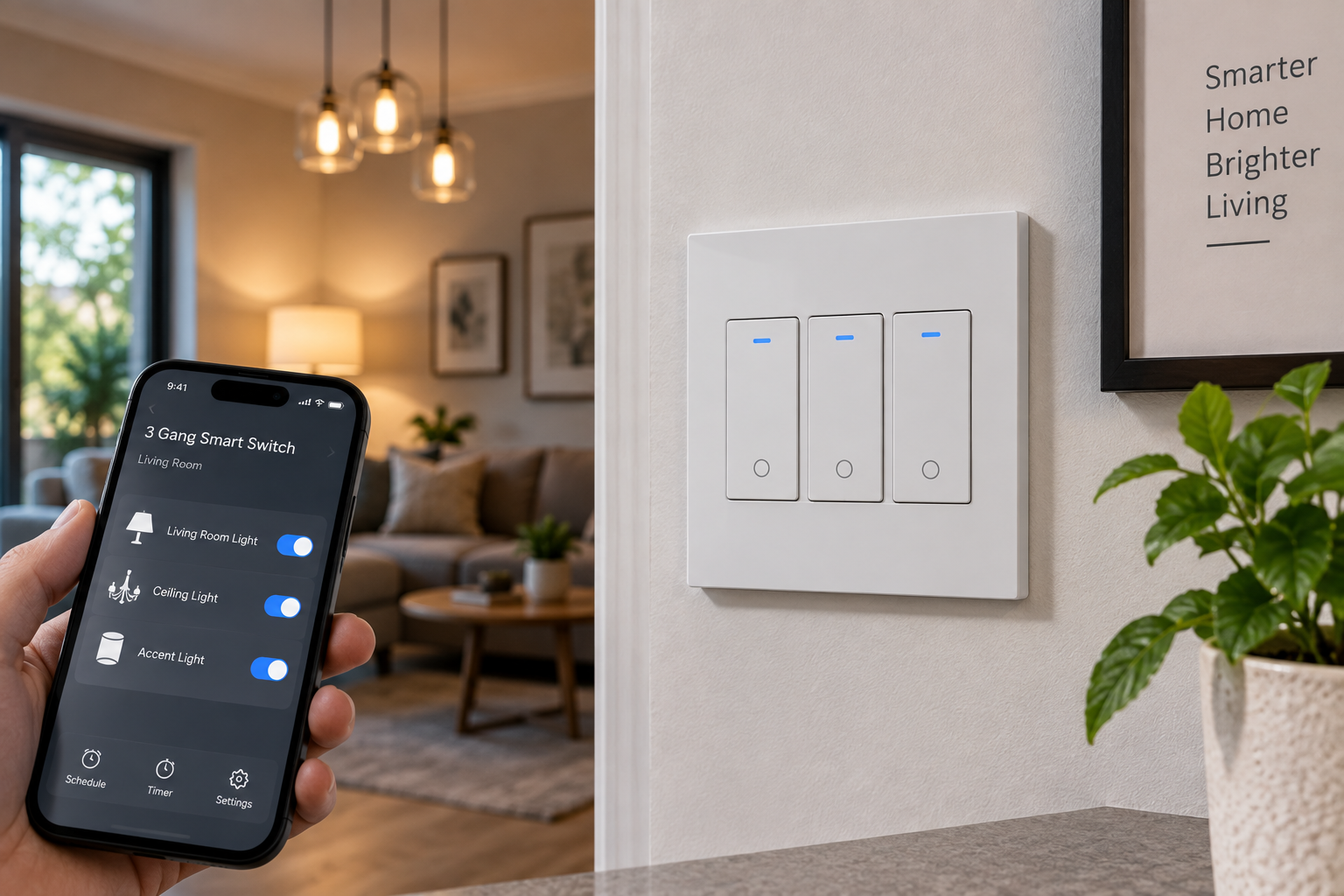
If you’ve got three light switches crammed into one wall plate — a kitchen with overheads, under-cabinet lights, and a pantry light, say — a 3 gang smart switch is probably the single most useful smart home upgrade you haven’t made yet. Instead of three separate dumb toggles, you get one panel that lets you control every circuit from your phone, your voice, or a schedule that runs itself.
A 3 gang smart switch is a wall-mounted control panel that replaces three individual light switches with three Wi-Fi-connected switches under a single faceplate, typically compatible with Amazon Alexa and Google Home. Most models require a neutral wire and a 2.4GHz Wi-Fi connection, and none of them work as true dimmers unless specifically labeled as such.
Here’s what most buyers overlook: not every “3 gang” product is actually one unified device. Some are a single glass touch panel with three built-in switches (what most people picture). Others are three individual single-gang smart switches you combine yourself with a separate 3-gang wall plate — a more modular, DIY-friendly approach that’s often cheaper and easier to service one switch at a time. Below, we’ve researched seven real products covering both approaches, at prices from budget to premium, so you can pick the setup that actually fits your kitchen, hallway, or home office.
Quick housekeeping: this article contains affiliate links. As an Amazon Associate, I earn from qualifying purchases made through these links, at no additional cost to you.
Quick Comparison: 7 Top 3 Gang Smart Switch Picks
| Product | Style | Wiring | Voice Assistants | Price Range | Best For |
|---|---|---|---|---|---|
| Lesim Smart WiFi Light Switch 3-Gang | Unified glass panel | Neutral required | Alexa, Google | $35–$45 | Best overall |
| MOES Star Feather 3-Gang Smart Light Switch | Unified glass panel | Neutral required | Alexa, Google | $40–$52 | Premium touch feel |
| HQL Smart Switch 3 Gang | Unified panel | Neutral required | Alexa, Google | $30–$38 | Tightest budget |
| bekca Smart Switch 3 Gang | Unified panel | Neutral required | Alexa, Google | $28–$36 | Basic scheduling |
| Kasa Smart Wi-Fi Light Switch KS200P3 | Modular (3-pack) | Neutral required | Alexa, Google, Siri | $55–$70 (plate extra) | Apple HomeKit households |
| TREATLIFE Smart Switch 4-Pack | Modular (4-pack) | Neutral required | Alexa, Google, SmartThings | $45–$58 (plate extra) | Mainstream DIY setups |
| Lutron Caseta Smart Switch (3-Way Kit) | Modular, per-switch | No neutral needed | Alexa, Google, Apple Home | $180–$230 for 3 | Older homes, premium reliability |
Looking at the table, the split between “unified glass panel” and “modular single-gang” products is the single biggest decision you’ll make before you even compare specs. The Lesim Smart WiFi Light Switch 3-Gang wins on value for a true one-panel installation, while the Lutron Caseta Smart Switch costs roughly four to six times more per gang but solves a wiring problem — no neutral wire — that the other six products can’t touch. If your home was built before the late 1980s, that single spec might matter more than every other row combined.
💬 One click helps other shoppers make an informed choice too! 😊
What Is a 3 Gang Smart Switch, Exactly?
A 3 gang smart switch controls three separate lighting circuits from one wall location, connecting each switch to your home Wi-Fi so you can operate them from an app, a voice assistant, or an automated schedule — without needing a smart home hub for most models.
The “gang” terminology comes from standard electrical wall-plate sizing: a single-gang box holds one switch, a double-gang holds two, and a 3 gang (or triple-gang) box holds three devices side by side under a shared cover plate. When manufacturers say “3 gang smart switch,” they’re describing a product engineered to fit that same footprint while adding Wi-Fi radios, an app connection, and (on touch models) a capacitive glass panel in place of a mechanical rocker.
Two configurations dominate the US market right now. The first is a unified 3-gang panel — a single tempered-glass faceplate with three touch zones wired as one assembly, like the products from Lesim, MOES, HQL, and bekca below. The second is a modular setup: three (or four) individual single-gang smart switches, each wired and configured separately, paired with a generic 3-gang wall plate. Kasa, TREATLIFE, and Lutron all take this modular route. Neither approach is objectively better — the U.S. Consumer Product Safety Commission has long emphasized that any switch or outlet installed correctly and rated for the load it’s carrying is safe, regardless of brand or form factor — but the trade-offs (serviceability, aesthetics, and price per gang) differ enough that it’s worth understanding before you buy.
How to Choose a 3 Gang Smart Switch
- Confirm you have a neutral wire. Pull the existing wall plate and look for a white (or occasionally gray) wire bundled into the box, separate from the black hot wire and bare copper ground. Most Wi-Fi smart switches, including six of the seven products below, require it to keep their radio powered at all times.
- Decide between a unified panel and a modular kit. A single glass panel looks cleaner and is usually cheaper up front, but if one of the three switches fails, you may need to replace the whole unit. Modular single-gang switches cost a bit more per gang but let you swap one bad unit without touching the other two.
- Check the maximum load per gang. Most models top out around 10A (1200W resistive load) per switch — plenty for LED and incandescent fixtures, but worth double-checking if you’re powering a bathroom heater or a large fan on one of the gangs.
- Match the voice ecosystem you already use. Alexa and Google Home are near-universal across this category; Apple HomeKit and Matter support is the exception, not the rule, so check explicitly if you’re an iPhone household.
- Look for UL or ETL certification. These are the two nationally recognized testing labs the US market relies on for electrical safety compliance; a switch without either mark hasn’t been independently verified against US safety standards.
- Consider whether you actually need a hub. Nearly every product here connects directly over 2.4GHz Wi-Fi with no separate smart home hub required, which keeps setup costs down but also means your switches go offline if your router does.
- Factor in dimming needs separately. None of the seven picks below are dimmers — if you want brightness control on any of the three gangs, you’ll need a dedicated smart dimmer switch instead, which is a different product category entirely.
Top 7 3 Gang Smart Switches: Expert Analysis
1. Lesim Smart WiFi Light Switch 3-Gang — best overall value
The Lesim Smart WiFi Light Switch 3-Gang earns the top spot mostly because it does the basics extremely well without charging a premium for extras you may never use. It’s a single tempered-glass panel housing three independently controllable touch switches, finished with a soft blue LED backlight strip that stays visible in a dark hallway without being distracting.
Each of the three zones responds to a light tap in roughly 40 milliseconds, according to the manufacturer’s listing, and in practice that translates to a switch that doesn’t feel like you’re waiting on an app to catch up — a common complaint with cheaper touch panels. The single 3-gang wall plate ships in the box rather than as a separate purchase, which quietly saves you the $10–$15 that several competitors expect you to spend afterward. It connects over 2.4GHz Wi-Fi only, requires a neutral wire, and works with both Amazon Alexa and Google Home without a separate hub.
This is the switch to buy if you want the “one panel, three lights” look without paying premium-brand pricing, and if you’re comfortable managing your smart home entirely through a phone app plus voice commands rather than physical remotes. It’s less ideal if you specifically want Apple HomeKit compatibility, since Lesim doesn’t currently support it.
Reviews consistently report reliable Wi-Fi reconnection after router reboots and praise the glass panel’s fingerprint resistance compared to glossy plastic competitors; a recurring theme in aggregated feedback is that the companion app’s scheduling menu takes a few tries to fully understand on first setup.
Pros:
- ✅ Wall plate included, unlike several competitors
- ✅ Fast 40ms touch response in real-world use
- ✅ Works with both Alexa and Google Home out of the box
Cons:
- ❌ No Apple HomeKit or Matter support
- ❌ 2.4GHz Wi-Fi only, so it won’t join a 5GHz-only network
At a price generally landing around $35–$45, the Lesim Smart WiFi Light Switch 3-Gang delivers strong value for a first-time unified 3-gang installation, especially once you factor in the bundled wall plate.
2. MOES Star Feather 3-Gang Smart Light Switch — best touch feel and design
The MOES Star Feather 3-Gang Smart Light Switch leans hard into the idea that a light switch shouldn’t just work, it should look like it belongs on a wall you’re proud of. Its distinguishing feature is an anti-glare tempered-glass panel that stays readable even in direct sunlight — a genuinely useful detail for switches installed near west-facing windows or foyers with skylights.
Under the hood, it runs on the Tuya-based Smart Life app, the same ecosystem underpinning a large share of budget smart home devices, which means it inherits both the pros (broad third-party integrations) and cons (a less polished interface than single-brand apps like Kasa’s) of that platform. A “Multi-Trigger” feature lets you link each of the three gangs to different automations — one on a sunset schedule, one on a motion trigger, one purely manual — a level of per-gang customization that budget competitors like HQL and bekca don’t offer.
Who should buy this: homeowners doing a visible renovation where the switch plate itself is part of the design, and anyone who’s been frustrated by glossy touch panels that turn into a mirror at high noon. Who should skip it: buyers who just want the cheapest functional option, since the anti-glare coating and Multi-Trigger logic push the price above more basic unified panels.
Aggregated customer feedback frequently highlights the anti-glare coating as the standout feature that differentiates it from cheaper Tuya-based competitors, and several reviewers note that the Multi-Trigger automations required more time in the app’s menus to configure than a simple on/off schedule.
Pros:
- ✅ Anti-glare panel stays readable in direct light
- ✅ Multi-Trigger lets each gang run its own automation logic
- ✅ Works with Alexa and Google Home via Smart Life app
Cons:
- ❌ Smart Life app interface is less polished than single-brand apps
- ❌ Priced above most budget unified 3-gang panels
Typically priced in the $40–$52 range, the MOES Star Feather 3-Gang Smart Light Switch is worth the premium specifically for the anti-glare panel and per-gang automation flexibility — features that translate to real everyday usability rather than just marketing copy.
3. HQL Smart Switch 3 Gang — best tight-budget pick
The HQL Smart Switch 3 Gang distinguishes itself mainly by being UL certified while still landing near the bottom of the price range for unified 3-gang panels — a combination that’s harder to find than it should be in this category, where plenty of budget competitors skip US-specific safety certification entirely to save a few dollars.
Functionally, it covers the basics: app control, voice commands through Alexa or Google Home, and schedule/timer support, all over 2.4GHz Wi-Fi with a required neutral wire. What it doesn’t offer is anything beyond that — no motion sensing, no energy monitoring, no per-gang automation logic distinct from a simple schedule. That’s a deliberate trade-off, and for a lot of buyers it’s the right one: if all you actually want is “three lights I can turn on and off from my phone,” paying extra for features you won’t touch doesn’t make sense.
This is the switch for a rental property, a guest room, or any install where reliability and a fair price matter more than a feature checklist. It’s not the switch for someone who wants scene-building, per-gang triggers, or a premium touch feel — for those, the MOES Star Feather above is the better match even at a higher price.
Reviews consistently describe setup as straightforward for anyone who’s configured a smart plug before, with the most common complaint in customer reviews being that the touch surface, while responsive, feels noticeably more plastic than glass-panel competitors in this list.
Pros:
- ✅ UL certified at a genuinely budget price point
- ✅ Straightforward app setup with no extra hub
- ✅ Solid choice for rental or low-fuss installations
Cons:
- ❌ No per-gang automation triggers beyond basic scheduling
- ❌ Touch surface feels more plastic than glass-panel rivals
Priced around $30–$38 in most listings, the HQL Smart Switch 3 Gang is the pick if UL certification and a low price matter more to you than premium materials or advanced automation.
4. bekca Smart Switch 3 Gang — solid backup budget alternative
The bekca Smart Switch 3 Gang occupies nearly the same price tier as the HQL model above but earns its spot for a different reason: built-in sunrise-and-sunset scheduling that doesn’t require you to manually calculate or update times as the seasons change, something surprisingly rare at this price point.
Beyond that scheduling feature, the spec sheet reads similarly to other budget entries — 2.4GHz Wi-Fi only, neutral wire required, single-pole applications only (meaning it’s not built for 3-way staircase or hallway setups where two switches control the same light), and CE/FCC approval rather than the UL mark you’ll find on the HQL. That distinction matters if US-specific certification is a hard requirement for you; CE and FCC cover different testing scopes than UL, and buyers who want the broadest US safety-testing pedigree should lean toward UL- or ETL-listed alternatives instead.
Where this switch makes practical sense is for anyone automating outdoor-adjacent lighting — a porch light gang, a garage-facing fixture — where “turn on near dusk, off near dawn” is genuinely more useful than a fixed clock schedule that drifts out of sync with actual sunset times across the year.
Specific verified customer comments for this exact model are limited in the available product information; what’s consistently reported across similar budget Tuya-based switches in this bracket is straightforward app pairing balanced against a companion app that feels noticeably more basic than premium competitors.
Pros:
- ✅ Automatic sunrise/sunset scheduling built in
- ✅ Competitive budget pricing similar to HQL
- ✅ FCC and CE approved for electrical safety
Cons:
- ❌ No UL certification, only CE/FCC
- ❌ Single-pole only, not rated for 3-way setups
At roughly $28–$36, the bekca Smart Switch 3 Gang is a reasonable second budget option, particularly if the sunrise/sunset scheduling feature genuinely fits how you’d use one of the three gangs.
5. Kasa Smart Wi-Fi Light Switch KS200P3 — best for Apple HomeKit households
The Kasa Smart Wi-Fi Light Switch KS200P3 takes the modular route: it’s a three-pack of individual single-pole smart switches from TP-Link’s well-established Kasa line, meant to be installed side by side under a separate 3-gang wall plate rather than shipping as one pre-built panel.
What that trade-off buys you is meaningful. Each switch runs on TP-Link’s own Kasa app — widely regarded as one of the more stable and better-supported smart home apps on the market — and, critically, the KS200 line supports Apple HomeKit alongside Alexa, Google Home, and Samsung SmartThings. That’s a real differentiator in this list: outside of the Lutron Caseta below, none of the unified glass-panel products here offer Siri or Apple Home compatibility at all. Input voltage runs 100–120VAC at up to 15A per switch, comfortably covering standard residential lighting loads.
Buy this if you’re an iPhone household that wants a name-brand app ecosystem and doesn’t mind buying the wall plate separately (typically another $10–$15). Skip it if you specifically want the seamless look of a single glass touch panel, since three individual Kasa switches under a generic plate will look more like three switches than one integrated device — because that’s exactly what it is.
Reviews of the Kasa switch line frequently cite dependable Wi-Fi reconnection and a genuinely easy setup flow as its strongest points, while a recurring theme in customer feedback is that the traditional rocker-style paddle (rather than a flat touch surface) feels dated next to glass-panel competitors, even though it’s arguably more tactile in the dark.
Pros:
- ✅ Apple HomeKit support, rare in this category
- ✅ Backed by TP-Link’s well-reviewed Kasa app
- ✅ Modular design lets you replace one switch at a time
Cons:
- ❌ 3-gang wall plate sold separately in most listings
- ❌ Traditional paddle style, not a glass touch panel
Running around $55–$70 for the three-pack before the wall plate, the Kasa Smart Wi-Fi Light Switch KS200P3 costs more per gang than the budget unified panels, but the HomeKit support and brand reliability justify it for the right household.
6. TREATLIFE Smart Switch 4-Pack — best mainstream DIY bundle
The TREATLIFE Smart Switch 4-Pack takes the same modular philosophy as Kasa but leans into value: you get four individual single-pole smart switches (one more than you strictly need for a 3-gang install, useful as a spare or for a nearby single switch elsewhere in the house) plus broader third-party compatibility through SmartThings alongside the expected Alexa and Google Home support.
Each switch supports up to 1250W (10A) per gang, requires a neutral wire, and explicitly is not a dimmer — Treatlife sells a separate dimmer line for that use case, so don’t accidentally order the wrong SKU if brightness control matters to you. A screwless snap-on wall plate ships with each single-pole switch individually, but for a true 3-gang look you’ll still want to purchase Treatlife’s dedicated screwless 3-gang wall plate separately to house all three switches under one faceplate.
This bundle makes the most sense for buyers who are equipping multiple rooms at once, not just one 3-gang wall — the extra fourth switch and the brand’s broader catalog of matching plates make it easy to standardize your whole house on one ecosystem rather than mixing brands room to room.
A common thread in customer reviews is straightforward wiring thanks to clearly labeled terminals, while some feedback flags that the companion Treatlife app’s automation builder is less intuitive than Kasa’s for anyone setting up more advanced scenes.
Pros:
- ✅ Four switches for the price of most 3-packs elsewhere
- ✅ SmartThings compatibility beyond just Alexa and Google
- ✅ Clearly labeled terminals ease DIY installation
Cons:
- ❌ 3-gang wall plate is a separate purchase
- ❌ App automation builder is less refined than some rivals
At approximately $45–$58 for the four-pack before the matching plate, the TREATLIFE Smart Switch 4-Pack is a strong pick for anyone standardizing several rooms on one modular smart switch brand rather than buying a single pre-built panel.
7. Lutron Caseta Smart Switch (3-Way Kit) — best for older homes without a neutral wire
The Lutron Caseta Smart Switch (3-Way Kit) is the clear premium outlier on this list, and the reason comes down to one spec that changes the entire buying calculation: it doesn’t require a neutral wire to operate. Every other product here needs one, which rules them out for a meaningful share of homes built before the late 1980s where neutral wires often weren’t run to switch boxes.
Lutron achieves this using its own Clear Connect RF protocol rather than relying purely on your home Wi-Fi for every switch — a small Lutron Smart Hub (sold separately in some kits, bundled in others) bridges the switches to Wi-Fi for app and voice control, while the switches themselves talk to each other and the hub over a dedicated radio band. That hub requirement is a genuine departure from the hub-free products above, and it’s worth knowing upfront: Lutron isn’t a pure Wi-Fi switch, it’s a small RF-based smart lighting system with a Wi-Fi bridge on top.
What most buyers overlook with this model is that it’s priced per switch, not per 3-gang set — building out a true 3-gang installation means buying three individual Caseta switches (plus the hub, if not already owned), which is why the total cost for three switches can run two to four times higher than a unified glass panel from Lesim or MOES. That premium buys genuinely best-in-class reliability, official Apple HomeKit and Matter support, and compatibility with Lutron’s well-regarded Pico wireless remotes for secondary control points without any extra wiring.
This is the switch for anyone in an older home who has been told by an electrician that pulling a neutral wire to a switch box isn’t worth the wall damage and cost, and for smart home enthusiasts who prioritize dependability over saving $100. It’s not the switch for a tight budget or a straightforward new-construction install where a neutral wire is already present and the no-neutral advantage doesn’t apply.
Aggregated reviews of the Caseta line consistently rank it among the most reliable smart switch brands for connection stability, a reputation that’s been built over roughly a decade in the category, while the most common complaint in customer feedback across Caseta products is the added cost and complexity of needing a separate hub compared to fully Wi-Fi-only competitors.
Pros:
- ✅ No neutral wire required, unlike every other pick here
- ✅ Native Apple HomeKit and Matter support
- ✅ Industry-leading connection reliability, per aggregated reviews
Cons:
- ❌ Priced per switch, making three gangs notably expensive
- ❌ Requires a separate Lutron hub for full app and voice control
Expect to pay roughly $60–$80 per individual switch, putting a full 3-gang setup around $180–$230 before the hub — a serious premium, but one that solves a wiring limitation none of the other six products here can address.
✨ Don’t miss these exclusive deals! 🔍 Take your smart home upgrade to the next level with this carefully curated lineup. Click a highlighted item to check current pricing and availability. These picks will help you get hands-free, voice-controlled lighting the whole family will enjoy!
Getting Started: Your First 30 Days With a 3 Gang Smart Switch
Installing the hardware is genuinely the easy part; the mistakes that frustrate new owners almost always happen in the first month of actually living with the switch. Start by confirming your neutral wire situation before you order anything — pulling the existing wall plate and photographing the wiring takes five minutes and can save you from returning an incompatible switch. If you’re unsure what you’re looking at, a licensed electrician can confirm it faster and more safely than trial and error.
Once installed, resist the urge to name every gang something generic like “Switch 1.” Spend the first evening actually renaming each gang in the app to match its real function — “Kitchen Overhead,” “Under Cabinet,” “Pantry” — because vague names are the single biggest reason people stop using voice control within the first two weeks; asking Alexa to turn off “Switch 2” every night gets old fast. Next, set up an away-mode or vacation schedule even if you don’t travel often, since it’s typically a one-time five-minute setup that then runs itself indefinitely.
A common early mistake is over-scheduling: setting rigid on/off times for lights that people actually walk past at inconsistent hours. Favor sunrise/sunset-based automation (built into the bekca switch above, and available as an option in most companion apps) over fixed clock times, since it self-adjusts across seasons instead of leaving your porch light on in broad daylight every June. Finally, budget 15–20 minutes in week one to link the switch with any other smart home devices you own — smart plugs, bulbs, or a video doorbell — since most of the real value of a 3 gang smart switch shows up once it’s part of a broader routine, not as a standalone gadget.
Real-World Scenarios: Which 3 Gang Smart Switch Fits Your Home
The budget-conscious renter. You’re in a two-bedroom apartment with a kitchen 3-gang panel controlling overhead, under-cabinet, and pantry lights, and you want smart control without a big investment or a complicated install. Use context: light, occasional evening automation. Best fit: the HQL Smart Switch 3 Gang or bekca Smart Switch 3 Gang — both land under $40, install in an evening, and cover the essentials without asking you to learn a complex app.
The design-focused homeowner mid-renovation. You’re redoing a kitchen or living room and the switch plate itself is visible from the main sightline of the room. Use context: daily, high-visibility. Best fit: the MOES Star Feather 3-Gang Smart Light Switch, whose anti-glare glass panel and Multi-Trigger scenes justify the higher price when the switch is essentially part of the room’s design.
The Apple-first smart home family. Everyone in the house uses iPhones and already controls lights through the Home app and Siri. Use context: daily, multi-user, voice-heavy. Best fit: the Kasa Smart Wi-Fi Light Switch KS200P3, since it’s one of only two products on this list with genuine Apple HomeKit support, and its brand reliability matters when three or four family members are all triggering it independently.
The whole-house automator. You’re not just doing one 3-gang wall — you’re standardizing five or six switches across the house over the next few months. Use context: frequent, expanding system. Best fit: the TREATLIFE Smart Switch 4-Pack, since buying in modular packs of four keeps your per-switch cost down as the installation scales beyond a single wall plate.
The older-home owner without a neutral wire. Your electrician confirmed there’s no neutral in your 1970s switch boxes, and running one means opening drywall. Use context: budget is secondary to solving a hard wiring constraint. Best fit: the Lutron Caseta Smart Switch (3-Way Kit) — it’s the only product here engineered specifically around not needing that wire.
Common Mistakes to Avoid When Buying a 3 Gang Smart Switch
Skipping the neutral-wire check is the single most common and most expensive mistake, leading directly to a returned switch and a wasted weekend. A close second is assuming every “3 gang” listing ships a wall plate — as this list shows, Kasa and Treatlife both expect you to buy one separately, and forgetting that turns a simple order into a second Amazon trip. Buyers also frequently overlook the 2.4GHz-only limitation and try to connect a smart switch to their router’s 5GHz band, which will fail silently and look like a defective unit when it’s actually a network setting.
Another recurring mistake is buying a dimmer-capable bulb setup and pairing it with a non-dimming switch like six of the seven products above, which either does nothing or, worse, can damage the bulbs’ internal driver over time. Finally, people regularly underestimate how much the companion app matters day to day — a switch with slightly weaker hardware but a genuinely well-built app (Kasa is the standout example here) often ends up more pleasant to live with than a spec-sheet winner attached to a clunky, ad-cluttered app.
Features That Actually Matter (and Ones That Don’t)
Neutral-wire requirement (or the lack of it) matters more than almost any other spec on this page, because it’s the one thing that can outright disqualify a product for your specific home before you even get to compare features. UL or ETL certification matters for genuine safety assurance, not just marketing — these are independent US testing labs, distinct from a manufacturer simply claiming “safe” on a listing. Voice assistant compatibility matters if you actually use Alexa, Google Home, or Siri daily, but is close to irrelevant if you’ve never once asked a smart speaker to turn off a light.
On the “doesn’t matter much” side: touch-response speed claims (the difference between 30ms and 60ms is imperceptible in daily use, whatever the marketing copy implies), and glass panel color options, which are purely aesthetic. Energy monitoring — a feature none of the seven products above actually include — sounds valuable on paper but, per the U.S. Department of Energy’s ENERGY STAR smart lighting guidance, the bulk of real energy savings from smart lighting controls comes from simple scheduling and geofencing, not from watching a live wattage readout most people check once and then ignore.
Safety, Regulations, and Standards for Smart Switches
Any switch installed in a US home should carry either UL (Underwriters Laboratories) or ETL (Intertek) certification, the two nationally recognized independent testing marks that verify a device meets US electrical safety standards for fire and shock hazards — among the seven products above, HQL explicitly advertises UL listing, while several budget competitors rely on the broader but distinct CE and FCC marks instead. FCC certification, which every product on this list carries, verifies the device’s wireless radio doesn’t cause harmful interference; it is not itself an electrical safety certification and shouldn’t be mistaken for one.
The CPSC’s long-running consumer electrical safety guidance remains directly relevant here: switches or outlets that feel warm to the touch, buzz, or trip a breaker repeatedly should be shut off and inspected by a licensed electrician rather than continued to be used, smart or not. Installation itself should always begin with the breaker off and confirmed dead with a non-contact voltage tester, and any wiring you’re not fully confident about is worth handing to a licensed electrician — smart switches don’t change the underlying electrical code requirements your home is subject to, they just add a Wi-Fi radio on top of a standard single-pole switch circuit.
Long-Term Cost and Maintenance
The upfront price gap between the cheapest unified panel (roughly $30 for the HQL Smart Switch 3 Gang) and the priciest premium kit (upward of $200 for three Lutron Caseta switches) is the most visible number, but it isn’t the only cost worth planning around. Modular products like Kasa and Treatlife have a genuine long-term advantage here: if one of three switches eventually fails, you replace a single ~$20 unit instead of an entire panel, whereas a unified glass panel from Lesim, MOES, HQL, or bekca typically means replacing the whole assembly if even one of the three zones stops working.
Ongoing costs are otherwise minimal — none of these products carry a subscription fee, and the electricity draw of the switches’ own radios is negligible, typically under half a watt of standby power per gang. The Lutron Caseta system is the one exception worth budgeting for upfront: its optional hub is a one-time purchase (often bundled with a starter kit) rather than a recurring cost, but it is an additional line item that pure Wi-Fi switches don’t require. Over a five-year horizon, a modular setup from a well-supported brand generally comes out ahead on total cost of ownership specifically because of that per-switch replaceability, even though the sticker price per gang can look similar to a unified panel at purchase time.
3 Gang Smart Switch vs. Traditional Mechanical Switches
A traditional 3-gang mechanical switch plate costs a fraction of any product on this list — often under $15 for three basic toggles — and never needs Wi-Fi, an app, or a firmware update to function. That simplicity is a genuine advantage for buyers who just want reliable, unglamorous light control and nothing more. What it can’t do is anything remote: no scheduling, no voice control, no away-mode simulation, and no way to double-check from your phone whether you left the porch light on before falling asleep.
The comparison isn’t really about which is “better” in the abstract — it’s about whether remote and automated control is worth the added cost and setup time for your specific rooms. A 3 gang smart switch earns its premium fastest in high-traffic areas you interact with daily (kitchens, entryways, primary living spaces) and in circuits you genuinely forget to turn off (outdoor or garage-adjacent lighting, where the bekca model’s sunrise/sunset scheduling shown above solves a real recurring annoyance). For a rarely used closet or a guest bathroom, the upgrade delivers far less day-to-day value, and a traditional mechanical switch remains the more sensible choice.
Looking at that trade-off, most households land on a hybrid approach: smart switches on the two or three walls they touch constantly, and ordinary mechanical switches everywhere else — which is exactly why the modular products in this list (Kasa, Treatlife) can be genuinely more cost-effective than they first appear, since you can buy exactly as many single-gang switches as you need rather than committing to a full 3-gang panel everywhere at once.
Long-Term Cost and Maintenance in Multi-Gang vs. Single-Gang Installs
Choosing a full 3 gang smart switch over three separate single-gang installs concentrates both convenience and risk in one wall location. On the convenience side, one panel means one app entry to manage, one physical location to interact with, and (for the unified models above) one set of screws to remove for any future maintenance. On the risk side, it also means one Wi-Fi radio serving three circuits — if that radio drops offline, all three lose remote control simultaneously, whereas three genuinely independent single-gang switches from different install dates would only lose the one experiencing a fault.
For most residential buyers, this distinction is more theoretical than practical: Wi-Fi outages typically affect the whole home’s network anyway, not one switch’s radio specifically, so the reliability gap between unified and modular setups tends to matter less in daily use than the serviceability and aesthetic trade-offs already discussed above. It’s a genuinely minor factor worth knowing about, not a deciding one for the vast majority of households.
3 Gang Smart Switch for Beginners vs. Experienced Smart Home Users
If this is your first smart home purchase, prioritize the products with the simplest app and the fewest configuration steps — the Lesim Smart WiFi Light Switch 3-Gang and HQL Smart Switch 3 Gang both fit that description well, since their feature sets are intentionally narrow and their setup flows are close to “scan a QR code, name the switch, done.” Resist the urge to buy the most feature-dense option first; a Multi-Trigger automation system is far more useful once you already understand the basics of scheduling and voice pairing.
Experienced smart home users who already run a broader ecosystem — SmartThings, Home Assistant, or an existing Kasa or Lutron footprint — should weight brand consistency heavily. Adding a fifth different app to your phone for one more switch creates real day-to-day friction, even if that switch’s individual spec sheet looks appealing. In that case, the TREATLIFE Smart Switch 4-Pack (for SmartThings households) or the Kasa Smart Wi-Fi Light Switch KS200P3 (for existing Kasa users) will almost always deliver a better real-world experience than the objectively “better” product from an unfamiliar brand.
What to Expect: Everyday Performance
In daily use, the difference between the seven products above shows up less in raw specs and more in small friction points you’ll notice within the first week. Touch response across every glass-panel product here — Lesim, MOES, HQL, and bekca — is fast enough that you won’t consciously notice a delay, though the MOES Star Feather’s anti-glare coating genuinely does make a visible difference if your switch sits near a window. Voice control latency (the gap between saying “Alexa, turn off the kitchen lights” and the light actually going off) generally runs under two seconds across all seven, well within the range most people find acceptable.
Where performance diverges more meaningfully is Wi-Fi reconnection after a router reboot or a brief internet outage — a scenario every household hits eventually. Aggregated reviews consistently rank Kasa and Lutron ahead of the budget Tuya-based options (HQL, bekca) on this specific point, with the budget switches occasionally requiring a manual re-pair after an extended outage rather than reconnecting automatically. It’s a minor annoyance rather than a dealbreaker, but worth setting expectations for if reliability is a top priority for you.
Frequently Asked Questions
❓ Do I need a neutral wire for a 3 gang smart switch?
❓ Can I install a 3 gang smart switch myself?
❓ Will a 3 gang smart switch work without Wi-Fi?
❓ Are 3 gang smart switches compatible with dimmable LED bulbs?
❓ How much does a 3 gang smart switch cost on average?
Conclusion
A 3 gang smart switch is one of the rare smart home upgrades that pays off in convenience almost immediately, because it replaces switches you were already touching every single day rather than adding a gadget you might forget to use. The right pick genuinely depends on your wiring, your existing voice assistant, and how much you value a unified glass panel versus a modular, swap-one-switch-at-a-time setup.
If you just want a reliable, good-looking panel at a fair price, the Lesim Smart WiFi Light Switch 3-Gang is the safest starting point on this list. If your home lacks a neutral wire, skip straight to the Lutron Caseta Smart Switch (3-Way Kit) and don’t waste time comparing the other six. And if you’re an Apple household or already standardizing on one smart home brand, let that ecosystem — not the lowest price tag — make the final call between the Kasa Smart Wi-Fi Light Switch KS200P3 and TREATLIFE Smart Switch 4-Pack.
Whichever you choose, confirm your wiring before you buy, check current pricing and availability at the time of purchase since prices shift regularly, and give yourself that first 30 days to actually rename, schedule, and integrate the switch rather than leaving it running on default settings.
✨ Ready to upgrade your walls? Compare today’s pricing on any of the seven picks above and get your new 3 gang smart switch installed this weekend!
Recommended for You
- 7 Best Wifi Operated Light Switches in 2026 (Buying Guide)
- HBN Smart App Guide 2026: 7 Best Compatible Smart Plugs
- Energy Efficient Power Strips: 7 Smart Picks to Cut Bills in 2026
Disclaimer: This post contains affiliate links. As an Amazon Associate, I earn from qualifying purchases made through these links, at no additional cost to you.
✨ Found this article helpful? Share it with someone who needs it! 💬🤗
