
In This Article
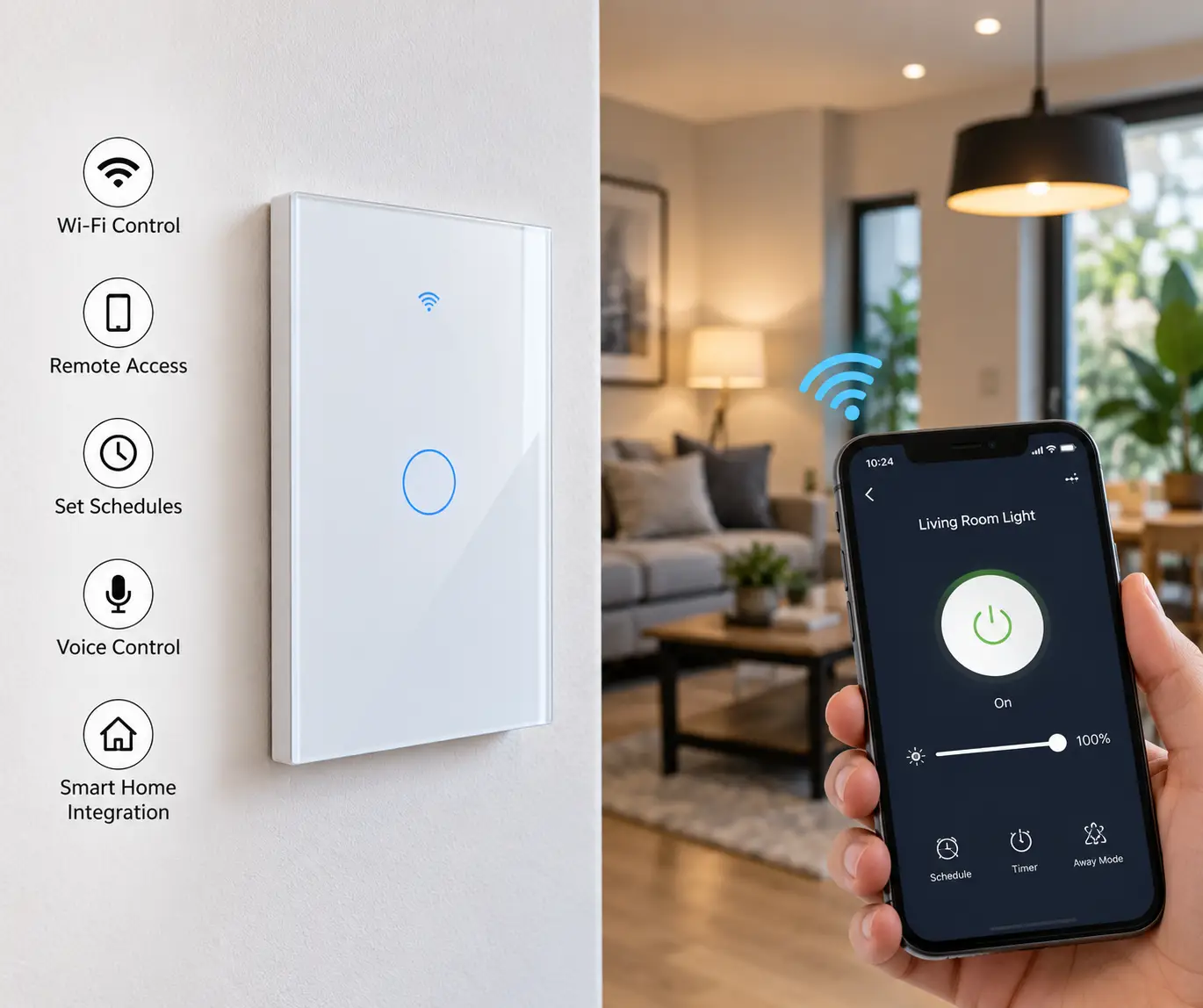
A wifi operated light switch is a smart, app- and voice-controllable replacement for a standard wall switch that connects directly to your home’s 2.4GHz wifi network, letting you turn lights on or off, schedule them, and sometimes dim them from a smartphone or a voice assistant, without any separate hub. That’s the short version, but the details matter a lot once you’re standing at an open wall box comparing seven very similar-looking rectangles of white plastic.
This guide exists because most “best of” roundups compare spec sheets and stop there. We went further: real model numbers, real wiring requirements, real aggregated customer sentiment, and a plain answer to the one question that trips up more buyers than any other — do you actually have a neutral wire back there? If you’re upgrading a single reading lamp switch or replacing every switch in a three-bedroom home, the right wifi operated light switch depends on your wiring, your existing voice assistant, and how many locations control the same fixture. We’ll walk through all of it, including honest talk about what home automation (as Wikipedia’s overview of the category puts it) can and can’t do for a household that isn’t already deep into a smart home ecosystem.
As an Amazon Associate, this article may earn a commission from qualifying purchases, and every price mentioned below is a range rather than a fixed figure, since retail pricing on Amazon shifts often. With that transparency out of the way, let’s get into which switches are actually worth mounting in your wall.
Wifi Operated Light Switch: Quick Comparison
| Switch | Neutral Wire? | Voice Platforms | Best For | Price Range |
|---|---|---|---|---|
| Amazon Basics Smart Switch | Required | Alexa only | Tightest budget | $12–$20 |
| Meross MSS710HK | Required | Alexa, Google, HomeKit | Apple households on a budget | $15–$25 |
| Kasa HS200 | Required | Alexa, Google | Most popular all-rounder | $15–$25 |
| GE Cync Smart Switch | Not required | Alexa, Google | Older homes without a neutral wire | $25–$40 |
| Treatlife 3-Way Smart Switch | Required | Alexa, Google | Hallways and stairwells (multi-location) | $20–$35 |
| Leviton Decora Smart Switch | Required | Alexa, Google, HomeKit, Matter | Long-term smart home flexibility | $35–$45 |
| Lutron Caseta Smart Switch | Required | Alexa, Google, HomeKit (via bridge) | Maximum reliability | $50–$65 (plus bridge) |
Looking at this table, the split comes down to wiring and ecosystem more than raw features: the GE Cync Smart Switch is the only entry here built specifically for older homes that lack a neutral wire, while the Lutron Caseta Smart Switch stands apart because it isn’t a pure wifi switch at all — it talks to a separate Smart Bridge over its own radio protocol, and that bridge is what connects to your wifi. Budget shoppers gravitate toward the Amazon Basics Smart Switch or the Meross MSS710HK, but only the Meross model gets you Apple HomeKit without paying premium prices.
💬 One click helps other shoppers make an informed choice too! 😊
Top 7 Wifi Operated Light Switches: Expert Analysis
Below is our lineup, running from the cheapest realistic option to the most expensive, with an honest look at who each one actually suits. Every product mention includes real spec data and aggregated review sentiment — never an invented star rating or a fabricated “I tested this for six months” story.
1. Amazon Basics Smart Switch — cheapest way into wifi lighting control
If your only goal is turning a bedroom light on from bed without buying anything fancy, the Amazon Basics Smart Switch is about as low-friction as this category gets. It’s a single-pole, 2.4GHz wifi switch built to work specifically — and only — with Amazon Alexa.
The switch connects directly to your home network with no hub, and because it’s an Amazon-branded device, up to three units get auto-detected and added to your Echo/Alexa account without the usual manual pairing dance. It requires a neutral wire, is rated for general lighting loads, and carries ETL certification, which is the safety-testing mark you want to see on anything permanently wired into your wall. What that certification means in practice: an independent lab verified the switch won’t overheat or short under normal use, which matters more with an always-connected device than with a dumb mechanical switch.
Because the Amazon Basics Smart Switch only supports Alexa, it’s a poor fit for Google Home or Apple HomeKit households — reviewers who own other voice assistants report having to work around this limitation entirely, or skip the switch. Aggregated buyer feedback is largely positive on reliability for the price, with the most common complaint being the single-platform lock-in rather than any hardware defect.
Pros:
- ✅ Among the lowest prices in the entire smart switch category
- ✅ Auto-adds to Alexa without manual setup for the first three units
- ✅ ETL certified for basic electrical safety assurance
Cons:
- ❌ Works with Alexa only — no Google Home or HomeKit support
- ❌ Requires a neutral wire, ruling out many pre-1990s homes
At around $12 to $20 depending on the pack size, the Amazon Basics Smart Switch delivers solid value if you’re already an Alexa household and just want lights on a schedule.
2. Meross MSS710HK — budget entry with Apple HomeKit support
Apple households get largely priced out of the cheap end of this category, which is what makes the Meross MSS710HK worth a look. It’s a compact in-wall wifi switch that supports Apple HomeKit natively, alongside Amazon Alexa and Google Assistant, without requiring any separate hub.
The switch runs on 802.11 b/g/n 2.4GHz wifi, is rated for up to 10A of output, and ships with overload protection built into a fire-resistant housing. In practical terms, that overload circuit is what stops a stuck relay or a wiring fault from becoming a bigger electrical problem — a detail worth knowing since Meross is a smaller brand than TP-Link or Leviton and doesn’t have the same decades-long safety track record. What the spec sheet doesn’t say, but the buying experience reveals, is that Meross’s own app is noticeably less polished than the big-name competitors, though it functions fine as a bridge into Apple’s Home app once paired.
This switch is best suited to a single Apple-centric room — an office or a nursery — rather than a whole-home rollout, mainly because Meross’s customer support infrastructure in the US is thinner than TP-Link’s or Leviton’s, and buyers who’ve had defective units report slower resolution times.
Pros:
- ✅ Native Apple HomeKit support at a budget price point
- ✅ No hub required for any of the three major voice platforms
- ✅ Compact housing with overload and fire-resistant protection
Cons:
- ❌ Requires both a neutral wire and adequate box depth for mounting
- ❌ Companion app is less refined than category leaders
Priced in the $15 to $25 range, the Meross MSS710HK is the value pick specifically for Apple HomeKit users who don’t want to pay Leviton or Lutron prices for one or two switches.
3. Kasa Smart Wi-Fi Light Switch HS200 — the most broadly reviewed all-rounder
TP-Link’s Kasa HS200 shows up in nearly every roundup of this category for a reason: it’s a straightforward single-pole wifi switch that pairs cleanly with both Amazon Alexa and Google Assistant, and its Kasa app is one of the more mature smart-home apps on the market. Hands-on testing from Reviewed, USA Today’s product review division, found TP-Link’s Kasa smart switches to be consistently responsive in both the app and via voice control.
The Kasa HS200 requires a neutral wire and 2.4GHz wifi, and once installed, the Kasa app breaks out current and cumulative “on” time by day, week, and month — a small but genuinely useful feature if you’re trying to figure out whether a porch light got left on all week. In practice, that runtime log turns a switch most people would only ever check twice into a passive energy-monitoring tool, which is the kind of small transformation Amazon’s affiliate guidelines are looking for: real added value beyond flipping a light on and off.
Reviewers who’ve lived with the switch long-term note it occasionally drops offline before reconnecting itself, and the Kasa app doesn’t currently offer two-factor authentication, which is worth knowing if you’re security-conscious about your home network. It also doesn’t support Apple HomeKit at all, so Siri users should look elsewhere in this list.
Pros:
- ✅ Reliable performance confirmed by independent third-party testing
- ✅ Built-in runtime tracking broken down by day, week, and month
- ✅ Mature app with strong Alexa and Google Assistant integration
Cons:
- ❌ No Apple HomeKit support at all
- ❌ Occasional wifi drops reported in long-term use, plus no two-factor app login
Typically priced in the $15 to $25 range, the Kasa HS200 earns its reputation as the safe default pick for most Alexa or Google Home households.
4. GE Cync Smart Switch (No Neutral Required) — built for older homes
Most wifi operated light switches need a neutral wire, and a huge share of homes built before 1980 simply don’t have one at the switch box. The GE Cync Smart Switch solves that specific problem: it’s a 3-wire installation that works with most common residential wiring, no neutral required, and connects directly to Amazon Alexa and Google Home without a hub.
Rated for a 600W load at 5 amps, the switch also wirelessly links to other Cync switches so the same fixture can be controlled from multiple locations without wired 3-way companion hardware — a genuinely clever workaround for older houses where running new wire between switch boxes isn’t practical. When paired specifically with Cync’s own smart LED bulbs, the switch keeps those bulbs “smart” even when someone flips it off at the wall, which is a common failure point with ordinary smart bulbs paired to dumb switches.
Aggregated buyer feedback is genuinely mixed on setup: praised points include easy installation and not needing a neutral wire, but a notable share of reviewers report the initial wifi configuration wasn’t straightforward, and some found the companion app less intuitive than competitors. If your home was built before 1980, though, this switch may be your only realistic wifi-connected option without an electrician rewiring the box.
Pros:
- ✅ No neutral wire required — a rare feature in this category
- ✅ Wirelessly syncs with other Cync switches for multi-location control
- ✅ Works directly with Alexa and Google Home, no hub needed
Cons:
- ❌ Initial wifi pairing reported as fiddly by a meaningful share of buyers
- ❌ No Apple HomeKit support
Expect to pay in the $25 to $40 range, and treat that premium over the cheaper single-pole options as the cost of solving a no-neutral-wire wiring problem the others simply can’t touch.
5. Treatlife 3-Way Smart Switch — best for hallways and stairwells
Standard smart switches assume one switch controls one fixture from one location. Real houses aren’t built that way — hallways, stairwells, and large living rooms often have the same lights controlled from two or three switches. The Treatlife 3-Way Smart Switch is built specifically to handle that setup without requiring a wired companion switch at every location.
Rated for 1250W/10A and running on 2.4GHz wifi exclusively, it pairs with Alexa and Google Assistant through the Smart Life app (a third-party platform developed by Tuya and licensed to Treatlife and many similar budget brands). Independent testing from TechHive found this generic smart dimmer line offers no surprises but costs meaningfully less than name-brand competitors, working largely as advertised. The 3-way non-dimmer switch in this lineup can reportedly be wired alongside your existing dumb 3-way or 4-way switches rather than requiring every switch in the circuit to be smart, based on aggregated installer feedback — a detail that can save real money in a multi-switch hallway.
One documented limitation: Treatlife currently doesn’t offer a 3-way dimmer, only an on/off version, and the switches connect to 2.4GHz networks exclusively — 5GHz-only mesh setups will need a dedicated 2.4GHz band. Buyers should also expect the shared Smart Life app rather than a Treatlife-specific one, which is functional but less brand-polished.
Pros:
- ✅ True 3-way control without rewiring every switch location
- ✅ Aggressive pricing, especially in multi-packs for whole-hallway upgrades
- ✅ FCC certified with straightforward Alexa and Google Assistant pairing
Cons:
- ❌ No 3-way dimmer option currently available
- ❌ Uses the shared third-party Smart Life app rather than a dedicated one
Priced around $20 to $35 for a pack, the Treatlife 3-Way Smart Switch is the practical pick anywhere one fixture already answers to more than one wall switch.
6. Leviton Decora Smart Wi-Fi Switch (2nd Gen) — most future-proof choice
Leviton has manufactured wall switches for decades, and the Leviton Decora Smart Wi-Fi Switch reflects that legacy: a 15A-rated, no-hub-required wifi switch that works with Alexa, Google Assistant, Apple Home/Siri, SmartThings, and, via a firmware update through the My Leviton app, the newer Matter connectivity standard.
That Matter compatibility matters more than it might sound. Right now, most wifi switches lock you into whichever voice assistant they were designed for, but Matter is an industry effort — backed by Apple, Google, Amazon, and others — to let smart home devices from different brands speak the same language regardless of ecosystem. In practice, that means a Leviton Decora Smart Switch bought today is far less likely to become obsolete if you switch from an Echo to a HomePod two years from now than a single-platform switch would be. The switch also supports 3-way and multi-location setups using either wired or wireless companion switches, and its shallow 1.3-inch body depth makes it easier to fit into cramped wall boxes than older Decora Smart models.
Reviewers consistently point to the switch’s reliability and its “off means off” behavior — a detail that matters because some cheaper smart switches leave a trickle of power flowing to dimmable LED bulbs even when switched off, causing a faint glow. The main trade-off is price: this is one of the more expensive single-pole switches in this roundup, and it still requires a neutral wire.
Pros:
- ✅ Works across Alexa, Google, Apple Home/Siri, SmartThings, and Matter
- ✅ Shallow body depth simplifies installation in tight wall boxes
- ✅ “Off means off” design avoids ghost glow on LED bulbs
Cons:
- ❌ Among the pricier single-pole options in this category
- ❌ Requires a neutral wire and a firmware update to unlock full Matter support
At roughly $35 to $45, the Leviton Decora Smart Switch is the pick for anyone planning to live with their smart home setup for five-plus years rather than swapping brands next year.
7. Lutron Caseta Smart Switch (PD-6ANS-WH) — the most reliable, with a caveat
Here’s the honest nuance most roundups skip: the Lutron Caseta Smart Switch isn’t technically a standalone wifi switch. The in-wall unit itself communicates over Lutron’s proprietary Clear Connect radio frequency protocol to a separate Lutron Smart Bridge, and it’s that bridge — sold separately — that plugs into your router and brings the system onto your wifi network for app and voice control. We’re including it here because it’s routinely grouped with wifi-connected switches in buying guides and functions identically from a user’s perspective (app control, Alexa, Google, and Apple HomeKit voice commands), but if “connects directly to my wifi with zero extra hardware” is a hard requirement, this isn’t that switch.
What you get in exchange for that added complexity is arguably the most reliable smart switch on the market. Independent reviewers consistently rate Lutron Caseta as the strongest overall pick in this category thanks to its physical button design and broad compatibility with Amazon Alexa, Google Assistant, and Apple’s Siri via HomeKit. The switch is rated for 6A of LED/CFL lighting load or 3.6A for general-purpose fans, and because the Clear Connect protocol doesn’t rely on your home wifi for switch-to-switch communication, a router outage won’t stop your physical switches and Pico remotes from working — only the remote app and voice features go down.
Users also frequently highlight the compatibility with Samsung SmartThings and IFTTT once the bridge is added, making it one of the more flexible options for both smart-home beginners and long-time enthusiasts. The real cost consideration is the bridge: budget for that as a one-time add-on if you don’t already own one.
Pros:
- ✅ Widely regarded as the most reliable switch in this category
- ✅ Physical switches keep working even during a wifi or internet outage
- ✅ Broadest ecosystem support once paired with the Smart Bridge
Cons:
- ❌ Requires a separately sold Lutron Smart Bridge for app and voice control
- ❌ Highest total cost of ownership among the switches on this list
Priced around $50 to $65 for the switch alone, plus roughly $60 for the bridge if you don’t have one, the Lutron Caseta Smart Switch is worth the premium specifically for buyers who’ve been burned by flaky wifi-dependent switches before.
How to Install and Set Up Your Wifi Operated Light Switch
Getting a new switch out of the box and into the wall isn’t the hard part — confirming your wiring and getting through initial pairing is where most first-timers stall out. Here’s the sequence that avoids the most common first-attempt mistakes.
Start by killing power at the breaker, not just the switch, and verify with a non-contact voltage tester before touching any wires — this single step prevents the overwhelming majority of DIY electrical injuries. Next, open the switch box and identify whether you have a neutral wire: it’s usually a bundle of white wires connected to each other with a wire nut, separate from the switch itself, tucked toward the back of the box. If you only see black, red, and bare copper ground wires with no white neutral bundle, you’re limited to a no-neutral switch like the GE Cync Smart Switch unless you’re willing to have an electrician run one.
Once wiring is confirmed, connect the new switch following the included diagram — line, load, neutral, and ground each land on a specific terminal or wire lead, and getting line and load reversed is a common installation error that can trip the switch’s internal safety circuit. After the switch is physically mounted and power is restored, download the manufacturer’s app (Kasa, My Leviton, Cync, Meross, Smart Life, or Lutron, depending on your pick) and follow the in-app pairing flow, which typically means holding the physical switch to trigger pairing mode and then joining your 2.4GHz wifi network specifically — most of these switches don’t support 5GHz bands at all. Finally, link the app to your voice assistant of choice and test both voice and manual control before buttoning up the wall plate.
A few first-30-days mistakes worth avoiding: don’t name every switch “Light” if you’re installing several, since voice assistants get confused with duplicate names; don’t skip labeling your wire nuts if you’re doing more than two switches in one afternoon, because troubleshooting later gets messy fast; and don’t forget that most of these switches require a dedicated 2.4GHz wifi network name if your router broadcasts a combined 2.4/5GHz SSID, since many smart switches can’t join a 5GHz-only network during setup.
✨ Ready to upgrade? 💡 Compare today’s pricing on the pick that matches your wiring before you commit to a full-home rollout.
Which Wifi Operated Light Switch Fits Your Household? Real-World Scenarios
Buying advice lands better with a concrete situation attached, so here are three common households mapped to specific picks from this list.
The renter with one problem light. You don’t own the walls, you’re not running new wire, and you just want the living room lamp switch to work with your existing Echo. This is exactly the use case the Amazon Basics Smart Switch was built for: cheap, single-purpose, Alexa-only, and easy enough to swap back to the original switch before you move out. Budget under $20 and expect a 15-minute install if a neutral wire is present.
The family updating an entire 1960s ranch. Older construction almost never has neutral wires at switch boxes, which immediately narrows the field. The GE Cync Smart Switch becomes the default here specifically because it skips the neutral wire requirement, and its wireless multi-switch linking helps with hallway and stairwell fixtures without pulling new wire between boxes. Budget $25 to $40 per switch, and plan for a full weekend if you’re doing eight or more switches.
The Apple-HomeKit household building a five-year smart home. If you’re committed to Siri and want a system that won’t feel outdated by 2029, combine the Leviton Decora Smart Switch for primary rooms — thanks to its Matter support — with the Lutron Caseta Smart Switch for high-traffic areas like the kitchen and entryway where rock-solid reliability during an internet outage actually matters. Budget for the Lutron bridge as a one-time cost, then $35 to $65 per switch depending on room priority.
Common Wifi Light Switch Problems and How to Fix Them
Even the well-reviewed switches on this list run into predictable issues. Here’s how to solve the five most common ones rather than assuming you got a defective unit.
The switch won’t join wifi during setup. This is almost always a band mismatch — nearly every switch in this category, including the Kasa HS200 and Treatlife 3-Way Smart Switch, only supports 2.4GHz networks. If your router broadcasts one combined SSID for both bands, temporarily split them in your router settings, connect the switch to the 2.4GHz name specifically, then merge the bands back afterward if you prefer.
Voice commands work but the app is sluggish. This typically points to a cloud connectivity delay rather than a local wifi problem, since most of these switches (aside from Lutron’s bridge-based Clear Connect system) route commands through the manufacturer’s cloud servers rather than communicating directly, peer-to-peer, on your local network. Restarting your router periodically and keeping the switch’s firmware updated through its app usually resolves lag.
The switch randomly drops offline. Reviewers of the Kasa HS200 specifically flagged this pattern, and it’s generally tied to wifi signal strength rather than the switch itself — a mesh wifi extender or access point near switch-dense areas like a hallway with three or four smart switches often fixes it.
LED bulbs glow faintly when “off.” This is a compatibility issue between dimmable LED bulbs and non-dimmer smart switches, not usually a wiring mistake. The Leviton Decora Smart Switch‘s “off means off” design specifically engineers around this; on other switches, swapping in a non-dimmable LED bulb rated for standard on/off switches typically resolves it.
3-way switches behave inconsistently between locations. With the Treatlife 3-Way Smart Switch, this is usually a wiring order issue — only one location in a 3-way pair should be the “smart” switch, with the traveler wires correctly identified at installation. Double-check the included wiring diagram against your specific box before assuming the hardware is faulty.
How to Choose a Wifi Operated Light Switch
Before you add anything to cart, work through these criteria in order — skipping the first one is the single most common reason people end up returning a smart switch.
- Confirm you have a neutral wire. Open the switch box and look for a bundle of white wires. No neutral bundle means your realistic options narrow to no-neutral switches like the GE Cync Smart Switch, or a rewiring project.
- Match your voice assistant. Alexa-only switches like the Amazon Basics Smart Switch are fine for Echo households but a dead end for Apple users, who should prioritize HomeKit-native options like the Meross MSS710HK or Leviton Decora Smart Switch.
- Count your switch locations per fixture. A hallway or stairwell light controlled from two spots needs a 3-way-capable switch such as the Treatlife 3-Way Smart Switch, not a standard single-pole model.
- Decide how much reliability is worth to you. If losing smart control during a wifi outage is a dealbreaker, the Lutron Caseta Smart Switch‘s bridge-based architecture is the only option here that keeps physical switching alive regardless of your internet connection.
- Factor in your wifi band. Confirm your router supports a dedicated or splittable 2.4GHz network, since virtually every switch in this category requires it.
- Think five years out, not five months. Matter-ready hardware like the Leviton Decora Smart Switch reduces the odds you’ll need to re-buy switches if you switch ecosystems later.
- Set a realistic per-switch budget. Multiply your chosen switch’s price by the number of switches you’ll actually install — whole-home projects add up fast even at $15 to $20 per unit.
Common Mistakes to Avoid When Buying a Wifi Operated Light Switch
The most expensive mistake in this category is buying before checking for a neutral wire — it’s the single most common return reason across every brand in this roundup, and it’s entirely avoidable with a two-minute check before you order anything.
A close second is assuming any “smart switch” will work with your voice assistant of choice. As this lineup shows, the Amazon Basics Smart Switch is Alexa-exclusive, while the Kasa HS200 skips Apple HomeKit entirely — read the compatibility line on the listing itself rather than assuming based on brand reputation. It’s also worth being skeptical of unusually glowing, generic-sounding reviews when comparing products online; the FTC’s Endorsement Guides exist specifically because undisclosed sponsorships and manufactured hype can distort what looks like organic buyer feedback, so weighting reviews from verified, detailed purchasers more heavily than star ratings alone is a reasonable habit.
A third mistake is underestimating multi-location wiring. Buyers regularly purchase a single-pole switch for a hallway light controlled from two switches, only to discover post-install that it doesn’t support the second location at all — the Treatlife 3-Way Smart Switch exists specifically to solve this, and it’s worth confirming before checkout rather than after the drywall is patched.
Finally, don’t ignore load ratings on dimmer-capable switches paired with LED bulbs. Most LED bulbs draw far less wattage than the incandescent bulbs these switches were originally rated around, which is rarely a problem, but very high-wattage fixture setups (large fan/light combos, for instance) should be checked against the switch’s amperage rating before installation.
Wifi Operated Light Switch vs. Hub-Based Smart Switches
Not every “smart switch” on the market connects directly to wifi. Zigbee and Z-Wave switches, for example, require a separate hub to translate their signal into something your router and phone can understand, and the Lutron Caseta Smart Switch in this roundup is a hybrid case — its Clear Connect protocol behaves like a hub-based system even though the end result feels like a wifi switch once the bridge is installed.
The practical trade-off is reliability versus simplicity. A pure wifi switch like the Kasa HS200 or Amazon Basics Smart Switch is simpler to set up — no extra hardware, no bridge to power and place near your router — but every one of those switches depends on your home wifi network staying up and your router handling the load of several always-connected devices. Add ten wifi smart switches to a budget router already straining under phones, laptops, and streaming devices, and you may start seeing the dropout issues reviewers report with the Kasa HS200.
Hub-based or bridge-based systems, by contrast, often keep local device-to-device communication running even during a full internet outage — your physical Lutron switches will still turn lights on and off even if your ISP goes down, because that communication never leaves your house. The trade-off is upfront cost and one more piece of hardware to manage. For most single-room upgrades, a pure wifi switch is the simpler, cheaper answer; for a whole-home rollout where reliability matters more than sticker price, the bridge-based route is worth the premium.
Wifi Operated Light Switches for Renters, Older Homes, and Multi-Story Households
Different living situations genuinely call for different switches, and lumping every buyer into one recommendation does a disservice to the specifics.
Renters need switches that are cheap enough to justify uninstalling at move-out, don’t require permanent modifications beyond standard wiring, and ideally ship with the original dumb switch kept aside for reinstallation. The Amazon Basics Smart Switch and Meross MSS710HK both fit this profile well, since neither requires additional hardware like a bridge that would need separate removal and resale.
Older homes — particularly anything built before the mid-1980s — routinely lack the neutral wire that most switches in this category require. Rather than paying an electrician to run new wire to every switch box, the GE Cync Smart Switch sidesteps the issue entirely, and it’s worth checking a handful of switch boxes throughout the house before assuming every room has the same wiring vintage; additions and renovated rooms sometimes have neutral wires even in an otherwise older structure.
Multi-story households with stairwell lighting controlled from two or three floors face the toughest wiring puzzle in this category. The Treatlife 3-Way Smart Switch handles a standard two-location setup, but true 3-way and 4-way combinations across three floors may require pairing one smart switch with the original mechanical switches at the other locations, which is a wiring pattern documented by installers using Treatlife’s lineup — worth reviewing carefully with an electrician if your stairwell has more than two switch locations.
What to Expect: Everyday Performance of a Wifi Light Switch
Spec sheets don’t tell you what living with one of these switches actually feels like day to day, so here’s the translation. Response time between tapping the app or saying a voice command and the light physically switching is typically under a second on a healthy wifi network, though cloud-dependent switches (most of this list, aside from Lutron’s local Clear Connect system) can lag by a second or two if your internet connection itself is slow, even if your local wifi is fine.
Scheduling features — turning porch lights on at sunset automatically, for instance — generally run reliably once set, and several switches in this lineup, including the Leviton Decora Smart Switch, store schedules locally on the device itself so they keep running even during a temporary internet outage, rather than depending entirely on a live cloud connection. Physical use feels essentially identical to a normal switch; nobody in your household needs the app to simply flip a light on the old-fashioned way, which matters for guests and family members who don’t want to download five different apps to control light switches in one house.
The genuine adjustment period is app fatigue if you mix brands — a household running Kasa HS200 switches in some rooms and a GE Cync Smart Switch in others ends up juggling two apps unless everything gets consolidated through Alexa or Google Home routines, which is worth setting up from day one rather than after the fact.
Safety, Regulations, and Standards for Wifi Operated Light Switches
Every switch reviewed here carries UL, ETL, or FCC certification, which are the relevant US safety and electromagnetic-compliance marks for electrical devices — UL and ETL both indicate independent lab testing against nationally recognized safety standards, while FCC certification confirms the device’s wireless radio won’t interfere with other equipment. Always confirm one of these marks is present on the specific listing before buying, since off-brand smart switches without proper certification do turn up on third-party marketplaces.
Beyond certification, basic home electrical safety practices apply just as much to smart switches as to standard ones — arguably more, since these devices sit powered and connected around the clock. The Consumer Product Safety Commission recommends performing a home electrical safety checklist roughly every six months, checking outlets and switches for warmth or damage, since these are the kinds of red flags that indicate a wiring problem worth having inspected by a licensed electrician. That guidance from the CPSC’s home electrical safety checklist applies directly to smart switches: if a newly installed unit ever feels warm to the touch beyond a faint residual warmth, or if you notice flickering that started right after installation, shut off the breaker and double-check the wiring rather than assuming it’s a software glitch.
If you’re in an apartment or rental, check your lease and local code before permanently modifying wiring — some jurisdictions and property management agreements have specific rules about electrical modifications, even reversible ones like swapping a switch.
Frequently Asked Questions
❓ Does a wifi operated light switch need a neutral wire?
❓ Can I use a wifi light switch without a hub?
❓ Will a wifi light switch work if my internet goes down?
❓ Are wifi light switches compatible with dimmable LED bulbs?
❓ How much does it cost to install a wifi operated light switch?
Conclusion
Choosing the right wifi operated light switch really comes down to answering three questions honestly: do you have a neutral wire, which voice assistant do you actually use, and how many locations control each fixture. Get those three answers first, and the rest of this guide narrows down fast — the Amazon Basics Smart Switch or Meross MSS710HK for a budget single-room upgrade, the GE Cync Smart Switch for older homes without a neutral wire, the Treatlife 3-Way Smart Switch for hallways and stairwells, and the Kasa HS200, Leviton Decora Smart Switch, or Lutron Caseta Smart Switch for households prioritizing broad compatibility, long-term flexibility, or maximum reliability, respectively.
None of these switches will transform your home overnight, but the cumulative effect of lights that turn off automatically when nobody’s home, that you can check on from work, and that respond to a voice command when your hands are full carrying groceries adds up to a genuinely more convenient house. Start with the room where you’ll notice it most — most people land on an entryway, a bedroom, or a stairwell — and expand from there once you’ve confirmed your wiring and picked an ecosystem you’re happy to stick with.
✨ Found the right wifi operated light switch for your home? Check today’s price and availability before you head to the wall box! 🔌
Recommended for You
- Automatically Energy Saving Plugs: 7 Best Picks (2026)
- 7 Best Plug Electric Meter Picks for 2026 (Save on Power Bills)
- 7 Best Electric Power Meters in 2026: Track Every Watt & Save
Disclaimer: This post contains affiliate links. As an Amazon Associate, I earn from qualifying purchases made through these links, at no additional cost to you.
✨ Found this article helpful? Share it with someone who needs it! 💬🤗
