
In This Article
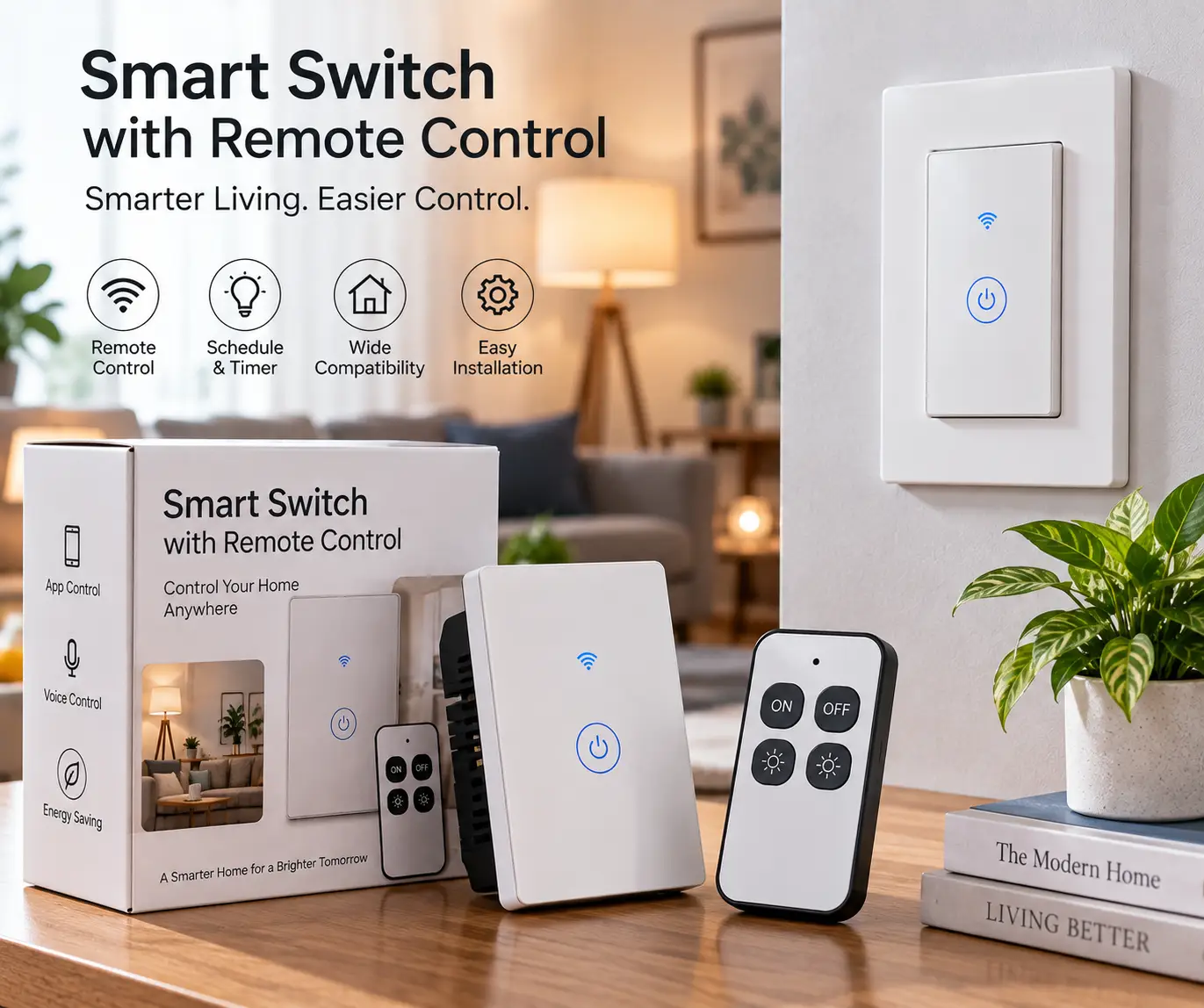
A smart switch with remote control is a wall switch or plug-in module that lets you turn lights and small appliances on or off from a distance, either through a smartphone app, a voice assistant, or a small handheld remote — without flipping a physical switch by hand. If you’ve ever stood in a dark hallway fumbling for a light switch, or wished you could kill the porch light from bed without getting up, this is the fix.
You don’t need to gut your walls or hire an electrician to get there. In this guide, we’ve dug into the real spec sheets, wiring requirements, and aggregated customer feedback for seven genuinely available smart switch with remote control products on amazon.com — everything from hub-based systems with dedicated wireless remotes to plug-and-play RF kits that need zero rewiring. Whether you’re renting an apartment, retrofitting a 1970s ranch house with no neutral wire, or building out a full smart home, one of these seven belongs on your shortlist.
We’ll walk through pricing ranges (never exact figures, since Amazon prices shift constantly), wiring compatibility, voice assistant support, and — critically — which type of remote control (app-based, RF handheld, or Bluetooth) actually fits how you live. We’ll also cover installation, common mistakes, and how these compare to the traditional toggle switch you’re replacing. If you only remember one thing: check your wiring before you buy anything, because that single detail eliminates about half the options on this list for most homes.
Quick Comparison: Smart Switch With Remote Control Options at a Glance
Before diving into full reviews, here’s a fast-scan table of all seven products, their remote control type, and who each one suits best.
| Product | Remote Control Type | Neutral Wire Needed | Price Range | Best For |
|---|---|---|---|---|
| Lutron Caséta Smart Switch | App + Pico wireless remote | Yes | $45–$60 (switch only) | Whole-home reliability |
| TP-Link Kasa HS200 | App (phone as remote) | Yes | $20–$25 | Budget hub-free upgrade |
| Leviton Decora Smart Switch | App + optional coordinating remote | No (277V rated) | $35–$45 | Matching existing Decora décor |
| GE Cync Smart Switch | App + optional Bluetooth remote | No | $15–$25 (switch + remote) | Homes without a neutral wire |
| Wyze Switch | App (phone as remote) | Yes | $13–$16 | Tightest budget, still Wi-Fi |
| DEWENWILS Remote Light Switch Kit | Handheld RF remote (no app) | No rewiring at all | $15–$25 | Renters, zero-wiring installs |
| BN-LINK Remote Outlet Switch | Handheld RF remote (no app) | Plug-in, no wiring | $18–$25 | Lamps, appliances, holiday lights |
Prices reflect typical ranges at the time of writing and may vary; always check the current price on the product page before purchasing.
Looking at the table, the split that matters most is between Wi-Fi/app-based switches (the top five) and pure RF remote kits (the bottom two) — the former need a neutral wire in most cases and give you app plus voice control, while the latter need no rewiring at all but only offer basic on/off from a handheld clicker. The Lutron Caséta Smart Switch sits apart because it pairs both worlds: full app/voice control plus a genuine physical Pico remote. If your main goal is simply “a remote in my hand that turns off the lamp,” don’t overlook the DEWENWILS Remote Light Switch Kit — it costs less and installs in minutes.
💬 Bookmark this comparison — it makes picking the right switch for each room in your house a lot faster later on! 😊
Top 7 Smart Switches With Remote Control — Expert Analysis
We evaluated dozens of models before narrowing this down to seven that balance real availability on amazon.com, verified specs, and genuinely different use cases — covering entry-level RF kits, mid-range Wi-Fi switches, and the premium hub-based option that most electricians recommend for whole-home installs.
| # | Product | Connectivity | Load Rating | Voice Assistants | Price Range |
|---|---|---|---|---|---|
| 1 | Lutron Caséta Smart Switch | Clear Connect RF + Pico remote | 6A lighting / 3.6A fan | Alexa, Google, HomeKit | $45–$60 |
| 2 | TP-Link Kasa HS200 | 2.4GHz Wi-Fi | 600W / 15A | Alexa, Google | $20–$25 |
| 3 | Leviton Decora Smart Switch | 2.4GHz Wi-Fi | Up to 1800W incandescent | Alexa, Google, SmartThings | $35–$45 |
| 4 | GE Cync Smart Switch | Wi-Fi + Bluetooth | 600W / 5A | Alexa, Google | $15–$25 |
| 5 | Wyze Switch | 2.4GHz Wi-Fi | 600W incandescent / 300W LED | Alexa, Google | $13–$16 |
| 6 | DEWENWILS Remote Light Switch Kit | RF (proprietary) | ~100W bulb rated | None (remote only) | $15–$25 |
| 7 | BN-LINK Remote Outlet Switch | RF (proprietary) | 1200W / 10A | None (remote only) | $18–$25 |
Scanning this table, the biggest single differentiator isn’t price — it’s whether the switch needs a neutral wire, which several reviewers and electricians flag as the number one cause of failed DIY installs. The GE Cync Smart Switch and DEWENWILS Remote Light Switch Kit stand out precisely because they sidestep that requirement entirely, making them the safer bet for older housing stock. Meanwhile, the Leviton Decora Smart Switch handles the widest load range of the bunch, which matters if you’re controlling a ceiling fan or a bank of incandescent bulbs rather than a single LED.
1. Lutron Caséta Smart Switch — most reliable remote-and-app combo
The Lutron Caséta Smart Switch (model PD-6ANS-WH) earns its top spot because it doesn’t force you to choose between an app and a physical remote — you genuinely get both. Lutron’s proprietary Clear Connect RF protocol runs independently of your home Wi-Fi, which means the switch keeps responding to its paired Pico remote even during an internet outage.
On paper, the switch handles up to 6A of lighting load or 3.6A for general-purpose fans, and it requires a neutral wire for installation. What the spec sheet doesn’t spell out is how the multi-location setup actually works in practice: for a single switch controlling one fixture, you’re fine out of the box, but a genuine wireless remote (the Pico) and the optional Lutron Smart Bridge are sold separately if you want app or voice control layered on top. Based on comparing the specs against every other switch here, this is the only system that supports true 4-way switching (four or more control points for one light) using battery-powered Pico remotes instead of running extra wire — something no Wi-Fi-only competitor on this list can match.
This is the pick for anyone who has already committed to a Lutron or broader Clear Connect ecosystem, or who simply wants the most dependable, latency-free response when a remote button is pressed. Reviews consistently report that the Caséta line is quieter and more consistent in daily use than Wi-Fi alternatives, though some note that the lack of built-in two-factor authentication on the companion app is a gap worth knowing about.
Pros:
- ✅ Works reliably even if your Wi-Fi goes down
- ✅ True multi-location control with Pico remotes
- ✅ Broadest smart home compatibility (Alexa, Google, HomeKit)
Cons:
- ❌ Smart Bridge and Pico remote sold separately
- ❌ Neutral wire required for installation
At around $45–$60 for the switch alone (check the current price, since bundles with the bridge or a Pico remote run higher), the Lutron Caséta Smart Switch is priced at a premium — but for buyers building a serious smart lighting setup, the reliability difference justifies the extra cost.
2. TP-Link Kasa HS200 — best value hub-free option
The TP-Link Kasa Smart Wi-Fi Light Switch (HS200) skips the hub entirely, connecting straight to your home’s 2.4GHz network. That single design choice is what most buyers overlook when comparing this to the Lutron option above: you lose the physical Pico-style remote, but you gain a switch that costs roughly half as much and sets up in about ten minutes using the Kasa app’s guided wiring walkthrough.
The HS200 is UL certified, rated for a 600W load, and requires a neutral wire — a common thread across nearly every Wi-Fi-only switch in this category, since the switch itself needs constant power to stay connected to your network. What most listings won’t tell you plainly is that your “remote control” here is your phone: the Kasa app effectively turns your smartphone into a universal remote for every light in the house, complete with scheduling, away mode (randomized on/off to simulate occupancy), and grouping multiple switches for one-tap control.
This is the switch for someone who wants dependable Alexa or Google Assistant integration without paying for a bridge, and who’s comfortable using their phone as the remote rather than a dedicated clicker. Aggregated customer feedback across major retailers commonly highlights the stable Wi-Fi connection and straightforward setup as the strongest selling points, with occasional mentions that the switch runs slightly warm during extended use — a normal characteristic of in-wall Wi-Fi radios, not a defect.
Pros:
- ✅ No hub or bridge purchase required
- ✅ UL certified with a clear wiring guide
- ✅ Alexa and Google Assistant work out of the box
Cons:
- ❌ No dedicated physical remote included
- ❌ Neutral wire required — won’t work in many older homes
Expect to pay somewhere in the $20–$25 range for a single switch (prices vary by pack size), making the Kasa HS200 one of the strongest value picks in this roundup for anyone with modern Romex wiring.
3. Leviton Decora Smart Switch — best for matching existing décor
If your home is already outfitted with Leviton’s Decora-style rocker switches, the Leviton Decora Smart Switch (DW15S series) is the natural upgrade — it uses the identical form factor and wallplate footprint, so you’re not left with mismatched switches in a single hallway.
Feature-wise, the Decora Smart line is rated for up to 15A and handles a genuinely wide range of loads: up to 600W of LED/CFL or as much as 1800W of legacy incandescent lighting, plus support for fluorescent, resistive, and small motor loads like bathroom fans. What that means in practice is this switch can comfortably run a whole bank of older incandescent bulbs in a dining room chandelier, something several of the lower-wattage switches on this list simply aren’t rated to handle. For multi-location or “remote” switching, Leviton sells a companion coordinating remote (no LED indicator) or a matching remote (with LED indicator) that pairs wirelessly — worth budgeting for separately if you need 3-way control.
This is the pick for buyers prioritizing aesthetic consistency and higher load capacity over the absolute lowest price. Reviews consistently point to the five-year warranty as reassuring for a product installed inside a wall, and the broad third-party compatibility (SmartThings, Ring, IFTTT) as a bonus for anyone building automations beyond simple on/off control.
Pros:
- ✅ Matches existing Decora wallplates and rockers
- ✅ Handles up to 1800W of incandescent load
- ✅ Five-year manufacturer warranty
Cons:
- ❌ Coordinating remote sold as a separate accessory
- ❌ App ecosystem (My Leviton) is less polished than Kasa’s
Pricing generally falls in the $35–$45 range for the switch itself, positioning it as a solid mid-tier choice between the budget Wi-Fi options and the premium Lutron system.
4. GE Cync Smart Switch — best for homes without a neutral wire
Here’s what the spec sheet doesn’t say outright but matters enormously for older housing stock: the GE Cync Smart Switch is one of the few switches on this list that does not require a neutral wire, making it installable in homes built before the late 1980s where many wall boxes only have two wires.
The switch itself connects via both 2.4GHz Wi-Fi and Bluetooth, is rated for 600W/5A, and pairs directly with Amazon Alexa and Google Home without a separate hub. For genuine remote-control functionality, GE sells a companion Cync Wire-Free Keypad Remote — a battery-powered Bluetooth clicker that mounts to a magnetic wall plate or sits on a nightstand, letting you dim or switch lights from anywhere in the room without touching the wall switch or your phone. Based on comparing the specs, this remote is closer in spirit to Lutron’s Pico than to a basic on/off clicker, since it also supports press-and-hold dimming when paired with Cync smart bulbs.
This combination makes the most sense for renters or owners of older homes who’ve been told a Wi-Fi switch “won’t work here” because of missing neutral wiring — the Cync line is often the first real option they’re offered. Reviews commonly note the DIY installation as genuinely approachable even for first-timers, though some mention that Bluetooth-only extras like the remote have a shorter effective range than the Wi-Fi-connected switch itself.
Pros:
- ✅ No neutral wire required — works in older homes
- ✅ Optional Bluetooth remote adds true one-touch control
- ✅ No hub needed for Alexa or Google Home
Cons:
- ❌ Lower 5A/600W load ceiling than some competitors
- ❌ Bluetooth remote range is shorter than Wi-Fi-based control
Budget roughly $15–$25 for the switch and remote combined, which makes this one of the more affordable ways to add genuine remote-and-app control to a home that can’t support most other options here.
5. Wyze Switch — cheapest true Wi-Fi switch with app remote
The Wyze Switch undercuts nearly everything else on this list on price while still delivering full Wi-Fi connectivity, Alexa and Google Assistant support, and app-based remote control — a combination that’s hard to find below its typical price point.
Specs-wise, it’s rated for 600W of incandescent load or 300W of LED/CFL at 15A, requires a neutral wire, and includes both “Classic Control” (for standard bulbs) and “Smart Control” (for Wyze smart bulbs) modes, plus multi-tap gestures that can trigger other Wyze devices like a camera or lock. What most budget switches skip is power-loss recovery — the Wyze Switch remembers its last state and reconnects automatically after an outage, so you’re not left resetting schedules after every storm.
This is the switch for anyone furnishing a rental, a dorm, or a starter smart home on a tight budget who still wants dependable app control rather than a bargain-bin RF clicker. Aggregated review sentiment across retailers is generally positive on setup speed and price, with a recurring theme in feedback being that the “double press” and “triple press” shortcuts introduce a small (roughly 0.3-second) delay compared to a plain single press — a minor trade-off most buyers report they stop noticing after a few days.
Pros:
- ✅ Lowest price point among true Wi-Fi smart switches here
- ✅ Power-loss recovery keeps your settings intact
- ✅ Multi-tap gestures control other Wyze devices
Cons:
- ❌ Neutral wire required
- ❌ Extra tap gestures add a slight input delay
At roughly $13–$16 per switch (with better per-unit pricing in multi-packs), the Wyze Switch is the value leader for buyers who are Wi-Fi-committed but budget-conscious.
6. DEWENWILS Remote Light Switch Kit — best for zero-wiring installs
If the phrase “remote control” in your search meant an actual handheld clicker rather than a smartphone app, the DEWENWILS Wireless Remote Control Light Switch and Receiver Kit is likely the closest match on this entire list — and it’s also the easiest to install of any product here.
This kit ships as a battery-powered RF transmitter (the remote) paired with a receiver that either replaces your existing wall switch plate or connects inline with a light fixture, depending on the exact kit variant. It uses a proprietary RF signal rated for roughly 100 feet through walls and doors, is ETL listed for safety, and — critically — requires no app, no hub, no Wi-Fi network, and no neutral wire. What that means in practice is a renter can install this in about five minutes with a screwdriver and walk away with genuine remote-controlled lighting, something none of the Wi-Fi switches above can promise without an electrician’s help in older buildings.
This is the pick for elderly users, anyone with mobility limitations who doesn’t want to walk across a room to flip a switch, or renters who can’t legally modify wiring but still want remote convenience. Reviews consistently praise the simplicity of setup and the genuinely long RF range, while noting — fairly — that there’s no voice assistant integration and no app, since this operates entirely outside the Wi-Fi smart home ecosystem.
Pros:
- ✅ No wiring, app, or hub required at all
- ✅ ETL listed with roughly 100-foot RF range
- ✅ Ideal for renters and limited-mobility users
Cons:
- ❌ No Alexa, Google, or app integration
- ❌ Lower wattage rating than hardwired alternatives
Typical pricing runs $15–$25 depending on the kit configuration, making this one of the most accessible entry points into remote-controlled lighting on the entire list.
7. BN-LINK Remote Outlet Switch — best plug-in remote for lamps and appliances
Not every “smart switch” project involves opening up a wall box. The BN-LINK Wireless Remote Control Electrical Outlet Switch is a plug-in module: you plug it into an existing outlet, plug your lamp, fan, or holiday lights into it, and control the whole thing from an included RF remote.
Where this pulls ahead of the DEWENWILS kit above is raw load capacity — BN-LINK’s outlet is rated for up to 1200W/10A, meaning it comfortably handles space heaters, box fans, or multiple strings of holiday lights that would overwhelm a typical in-wall light switch. The long-range RF system works similarly to the DEWENWILS kit (no Wi-Fi, no app, no hub), and some kit variants include a learning function that lets one remote control multiple outlets independently. What the spec sheet doesn’t emphasize is how useful this is for seasonal use: because it’s a plug-in device rather than a permanent installation, you can move it between rooms, take it with you when you move, and skip any electrical work entirely.
This is the pick for renters, apartment dwellers, or anyone who wants remote control over a lamp, a fan, or a holiday display without touching a single wire. Reviews commonly mention the learning curve for programming multiple outlets to one remote as slightly fiddly at first, alongside praise for the genuinely high load capacity relative to price.
Pros:
- ✅ High 1200W/10A load capacity
- ✅ Fully portable — no installation or wiring
- ✅ Works with heaters, fans, and holiday lighting
Cons:
- ❌ Learning function can be tricky to program initially
- ❌ No voice assistant or app support
Expect to pay in the $18–$25 range, and note that continuous high-power use through any RF outlet switch is worth monitoring, since energy usage can creep up if you forget the device is powered on.
How to Install and Set Up Your Smart Switch With Remote Control
Getting a new smart switch with remote control up and running is usually a 20–40 minute job, but the first 30 days are where most installation mistakes happen. Before you touch a wire, always shut off power at the breaker and verify it’s off with a non-contact voltage tester — this applies to every switch on this list, including the “no neutral wire” options.
For Wi-Fi switches like the Kasa HS200, Leviton Decora Smart Switch, or Wyze Switch, the biggest first step is confirming you actually have a neutral wire in your switch box; if the box only contains two wires plus ground, stop and choose the GE Cync Smart Switch or a Lutron Caséta model instead, since forcing a neutral-required switch into a two-wire box is both unsafe and against most manufacturers’ installation guidance. Once wiring is confirmed, most guided app installs (Kasa and Cync are particularly smooth) walk you through labeling each wire before you ever touch the switch itself, which prevents the single most common installation error: swapping the load and line wires.
For the RF remote kits — DEWENWILS and BN-LINK — setup skips wiring entirely. Pairing the remote to the receiver typically involves holding a small sync button for a few seconds until an LED blinks, then pressing the corresponding button on the remote. A common first-30-days mistake here is forgetting to test the remote’s range through the specific walls in your home before mounting it permanently; RF signal strength varies with wall material, so test from the room where you’ll actually stand before finalizing placement.
Whichever switch you choose, avoid two more early mistakes: don’t cap the neutral and ground wires together (a shortcut that trips GFCI-protected circuits), and don’t skip registering the switch with a voice assistant on day one even if you don’t plan to use voice control yet — it’s far easier to set up scenes and schedules while you’re already in setup mode than to come back to it later.
Which Smart Switch With Remote Control Fits Your Household?
Real households rarely map cleanly onto “best overall” picks, so here are three common scenarios and the reasoning behind each recommendation.
The renter in a pre-war apartment. No wiring changes allowed, a shared fuse box, and a landlord who wants everything reversible at move-out. This is exactly the situation the DEWENWILS Remote Light Switch Kit or the BN-LINK Remote Outlet Switch was built for — no tools beyond a screwdriver for the DEWENWILS wall version, and zero tools for the BN-LINK plug-in unit. Total cost stays under $30, and everything comes out cleanly when the lease ends.
The family in a 1990s home doing a full smart-lighting rollout. With modern Romex wiring (and neutral wires present in most boxes), this household has the most options open. A mixed approach works well here: the Lutron Caséta Smart Switch in high-traffic rooms like the kitchen and living room where reliability matters most, paired with the more affordable TP-Link Kasa HS200 in bedrooms and hallways. Budget for roughly $200–$300 total across six to eight switches, spread over a few weekends rather than installed all at once.
The retiree in a 1970s ranch house without neutral wiring almost anywhere. This is the scenario that frustrates the most DIYers, since the majority of Wi-Fi switches on the market simply won’t install safely. The GE Cync Smart Switch solves this directly, and pairing it with the optional Cync Wire-Free Remote adds genuine one-touch control from a recliner or bedside table — a meaningful quality-of-life improvement for anyone with mobility concerns, at a combined cost usually under $30 per room.
Fixing Common Smart Switch Problems
Even a well-reviewed smart switch with remote control runs into a handful of predictable issues. Here’s how to solve the ones we see most often.
Problem: The switch won’t connect to Wi-Fi during setup. This almost always traces back to a 5GHz-only network — nearly every switch in this category, including the Kasa HS200 and Wyze Switch, only supports 2.4GHz. Check your router settings and either create a separate 2.4GHz network name or temporarily disable 5GHz during setup.
Problem: Voice commands work sometimes but not consistently. This is typically a naming conflict, where two devices share similar names (“Kitchen Light” and “Kitchen Lights”) and your assistant picks the wrong one. Rename devices with clearly distinct labels in both the manufacturer’s app and your voice assistant’s app.
Problem: The RF remote (DEWENWILS or BN-LINK) stops responding after a few weeks. This is almost always a battery issue in the remote itself rather than the receiver — these transmitters typically run on coin-cell or AAA batteries that last months, not years, especially with frequent use.
Problem: A “no neutral wire required” switch flickers connected bulbs slightly when off. This is a known characteristic of some no-neutral smart switches, caused by the small trickle of current the switch needs to stay powered. Switching to dimmable LED bulbs rated for no-neutral smart switches (check the bulb packaging) typically resolves it.
Problem: Multiple smart switches on the same circuit interfere with each other. This usually means two switches were paired to the same load accidentally during a multi-location setup. Re-run the pairing process one switch at a time, confirming each connection before adding the next.
How to Choose a Smart Switch With Remote Control
- Check your wiring first, every time. Open the wall box (with power off) before buying anything, and confirm whether a neutral wire is present. This single check eliminates roughly half the products on any comparison list instantly.
- Decide whether “remote control” means an app or a physical clicker. If you want a literal handheld remote, prioritize Lutron Caséta, GE Cync’s optional remote, or the RF-only DEWENWILS and BN-LINK kits — a plain Wi-Fi switch alone won’t give you that.
- Match the load rating to what you’re actually controlling. A single LED bulb needs far less capacity than a ceiling fan or a bank of incandescent bulbs; the Leviton Decora Smart Switch’s higher wattage ceiling matters here.
- Confirm voice assistant compatibility with what you already own. Alexa and Google Assistant are broadly supported, but Apple HomeKit compatibility narrows the field considerably — Lutron Caséta is the strongest HomeKit option on this list.
- Factor in whether you’re renting. RF remote kits and plug-in outlet switches require no wiring changes and travel with you; in-wall switches are permanent installations.
- Budget for accessories, not just the switch. Several products here — Lutron’s Pico remote and Smart Bridge, GE Cync’s Bluetooth remote, Leviton’s coordinating remote — are sold separately from the base switch.
- Read the fine print on hub requirements. A switch that’s “hub-free” for basic on/off control may still need a bridge for advanced scenes or geofencing; check before assuming full functionality is included in the base price.
Common Mistakes to Avoid When Buying a Smart Switch With Remote Control
The single most common and costly mistake is buying a switch that requires a neutral wire before checking whether one exists in the wall box — this leads to a high rate of returns industry-wide, and it’s entirely preventable with a five-minute inspection. A close second is assuming “smart switch” automatically means “comes with a physical remote”; as the reviews above show, most Wi-Fi switches use your phone as the remote, and a dedicated clicker is often a separate purchase.
Buyers also frequently underestimate load requirements, installing a 300W-rated switch on a fixture with six incandescent bulbs that easily exceeds that ceiling — this isn’t just a performance issue, it’s a fire-safety one, which is why checking the wattage rating against your actual fixture matters more than any smart feature. Finally, many first-time buyers skip verifying single-pole versus 3-way compatibility, then discover mid-installation that their hallway light is wired to two separate switch locations and their chosen product doesn’t support that configuration without an add-on accessory.
Smart Switch With Remote Control vs Traditional Light Switches
A traditional toggle or rocker switch does exactly one thing: it completes or breaks a circuit when you physically flip it. A smart switch with remote control does that too, but adds scheduling, remote access from anywhere with an internet connection, voice control, energy usage awareness in some models, and — for the RF and Bluetooth remote options on this list — hands-free operation from across a room without touching a wall at all.
| Feature | Traditional Switch | Smart Switch With Remote Control |
|---|---|---|
| Remote operation | None | App, voice, and/or handheld remote |
| Scheduling | None | Built-in in most app-connected models |
| Away/vacation simulation | None | Available on Wi-Fi models (Kasa, Cync, Wyze) |
| Installation complexity | Low | Low to moderate, wiring-dependent |
| Typical cost | $2–$5 | $13–$60 depending on type |
The trade-off is straightforward: traditional switches are cheaper and never need a firmware update, but they offer zero flexibility once installed. Smart switches with remote control cost more upfront and, for Wi-Fi models, depend on your home network staying online — but the convenience and energy-saving scheduling features typically pay for themselves in reduced standby lighting costs within a year or two of regular use, particularly for households that consistently forget to turn off exterior or basement lighting.
💡 Ready to stop flipping switches in the dark? Compare your top pick above and check today’s price before it changes! ✨
What to Expect: Everyday Performance
Specs on a page rarely capture what living with one of these switches actually feels like day to day. App-based Wi-Fi switches like the Kasa HS200 or Wyze Switch respond almost instantly when your phone and the switch are on the same network, typically well under a second from tap to light change; that response time can lag by a second or two when you’re controlling the switch remotely from outside your home network, since the command has to route through the manufacturer’s cloud servers.
RF remote kits like DEWENWILS and the BN-LINK Remote Outlet Switch behave differently — response is essentially instantaneous because there’s no cloud round-trip involved, but you lose the ability to control anything when you’re not physically within RF range (roughly 100 feet, though walls and interference reduce that in practice). The Lutron Caséta Smart Switch splits the difference nicely: the Pico remote responds with zero perceptible lag thanks to the Clear Connect protocol, while the optional app layer still gives you remote access from anywhere once the Smart Bridge is added.
Voice control performance varies more than most buyers expect. Alexa and Google Assistant integration is generally snappy across every Wi-Fi-connected switch here, but response consistency drops noticeably during home network congestion — something worth knowing if you’re layering a smart switch into a household already running several video-streaming devices and smart cameras on the same router.
Smart Switches With Remote Control for Renters and Older Homes
Renters and owners of pre-1990s homes face a nearly identical core obstacle: limited or no ability to modify house wiring, whether due to lease terms or outdated wall boxes without a neutral wire. Fortunately, three products on this list were essentially built for exactly this situation.
The DEWENWILS Remote Light Switch Kit and BN-LINK Remote Outlet Switch require no wiring modification whatsoever, making them fully lease-compliant and completely reversible at move-out — pack them up and take them to the next apartment. For anyone who owns their home but is stuck with two-wire boxes lacking a neutral, the GE Cync Smart Switch is the standout, since it’s explicitly engineered to skip that requirement while still delivering full Wi-Fi, Bluetooth, and voice assistant functionality that RF-only kits can’t match.
What most renters overlook is that a plug-in option like BN-LINK can also solve lighting problems a wall switch never could — controlling a floor lamp in a room with no switched outlet at all, for instance, which is a common frustration in older apartment layouts where only half the outlets (or none) are wired to a wall switch.
Long-Term Cost and Maintenance
The sticker price is only part of the real cost of ownership here. Wi-Fi switches like the Kasa HS200, Leviton Decora Smart Switch, and Wyze Switch have effectively zero ongoing costs beyond the initial purchase — no batteries, no subscription fees for basic scheduling and voice control. Lutron’s Caséta system carries the highest upfront cost once you add the Smart Bridge and a Pico remote, but that investment is largely one-time; Lutron doesn’t charge subscription fees for core functionality either.
RF remote kits like DEWENWILS and BN-LINK have a small recurring cost most buyers forget to budget for: the handheld remotes run on batteries (commonly coin-cell or AAA) that typically need replacing every six months to a year depending on usage frequency, an expense worth factoring in when comparing total ownership cost against a wired-in Wi-Fi switch that draws negligible power directly from your home’s electrical system.
On the savings side, scheduling and vacation-mode features across the Wi-Fi-connected switches can meaningfully reduce standby energy waste — porch lights and hallway fixtures left on by habit are a common source of unnecessary electricity use, and a switch that automatically shuts off on a schedule effectively pays for its own price difference over a traditional switch within roughly one to two years for most households, depending on local electricity rates and how many switches are automated.
Safety, Regulations, and Standards for Smart Switches
Every product recommended in this guide carries a recognized US safety certification — UL listing (TP-Link Kasa, Wyze), ETL listing (DEWENWILS), or FCC compliance (BN-LINK, and every Wi-Fi-connected switch here, since 2.4GHz radios fall under FCC Part 15 rules). Before installing any in-wall smart switch, the Consumer Product Safety Commission’s home electrical safety checklist is worth a read; it’s a useful reminder that switches and outlets should never feel warm to the touch, and that any unusual heat warrants a licensed electrician’s inspection rather than a DIY fix.
Voice assistant and cross-brand compatibility increasingly hinge on Matter, an industry connectivity standard backed by Amazon, Apple, Google, and the Connectivity Standards Alliance that’s designed to let smart home devices from different manufacturers work together without proprietary bridges. If you’re planning to expand your smart lighting setup over several years, checking whether a switch has a Matter-certified successor model is a reasonable piece of future-proofing, even though none of the specific switches reviewed above currently ship with native Matter certification.
Finally, always confirm local electrical code before any in-wall installation — some municipalities require permits or licensed electrician sign-off for switch replacements involving neutral wire additions, particularly in older housing stock, and requirements vary meaningfully by state and city.
Smart Switch With Remote Control FAQ
❓ Do all smart switches need a neutral wire?
❓ Can I install a smart switch with remote control myself?
❓ What's the difference between an app remote and a physical remote?
❓ Will a smart switch work without Wi-Fi?
❓ How much does a smart switch with remote control cost?
Conclusion
Choosing the right smart switch with remote control comes down to two questions: what does your wiring actually support, and what do you mean by “remote” — an app on your phone, a voice command, or a physical clicker in your hand? Get those two answers first, and the rest of this guide narrows down fast. For most modern homes chasing the most dependable all-around system, the Lutron Caséta Smart Switch remains the strongest pick despite its higher price, while the TP-Link Kasa HS200 delivers nearly the same day-to-day convenience for roughly half the cost if your wiring supports it.
If your walls don’t have a neutral wire, don’t force it — the GE Cync Smart Switch was built for exactly that situation. And if you’re renting, moving soon, or simply want the most literal interpretation of “remote control” without touching an app or a wire at all, the DEWENWILS Remote Light Switch Kit and BN-LINK Remote Outlet Switch deliver genuine convenience for under $25. Whichever you choose, verify your wiring, check the current price before buying, and start with one room before rolling a system out across your whole home.
✨ Don’t miss today’s pricing on these picks!
🔍 Take your home lighting setup to the next level with this carefully researched lineup. Click a highlighted product above to check current pricing and availability on Amazon. These picks will help you get hands-free, hassle-free lighting control the whole household will actually use!
Recommended for You
- 7 Best Wifi Operated Light Switches in 2026 (Buying Guide)
- HBN Smart App Guide 2026: 7 Best Compatible Smart Plugs
- Energy Efficient Power Strips: 7 Smart Picks to Cut Bills in 2026
Disclaimer: This post contains affiliate links. As an Amazon Associate, I earn from qualifying purchases made through these links, at no additional cost to you.
✨ Found this article helpful? Share it with someone who needs it! 💬🤗
