
In This Article
2 Gang Smart Light Switch: What It Is and Why Your Wall Deserves an Upgrade
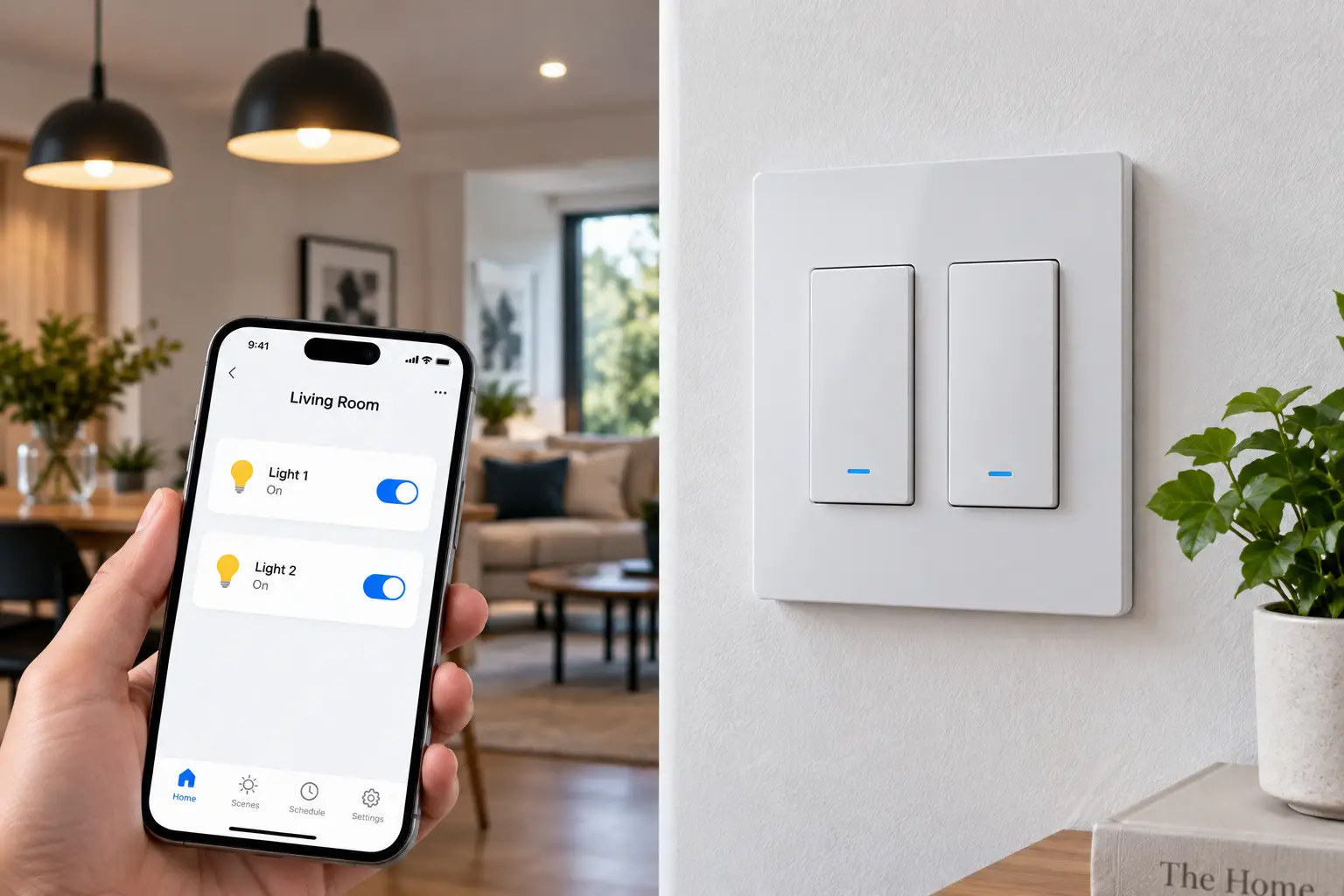
If you’ve got a single wall plate controlling two lights — say, a ceiling fixture and a closet light, or the overheads in two connected rooms — you already know the specific annoyance a 2 gang smart light switch is built to solve. You want both of those circuits to answer to your phone, your voice, and a schedule, without mounting two separate gadgets that don’t talk to each other or clash visually on the plate.
What Is a 2 Gang Smart Light Switch?
A 2 gang smart light switch is a wall-mounted control — either a single unit with two paddles/buttons, or two individual smart switches sharing one wallplate — that lets you operate two independent lighting circuits over WiFi, Z-Wave, or Bluetooth, typically through a smartphone app and voice assistants like Amazon Alexa or Google Assistant.
The category splits into two genuinely different product types, and mixing them up is the single most common buying mistake: some manufacturers sell a true one-plate double smart switch (two rockers, one faceplate, one device), while others sell a two-pack of single-gang smart switches meant to be installed side by side in a double-gang electrical box. Both get marketed under the “2 gang” label, and both are legitimate solutions — but they behave differently at install time and in the app, which is exactly why this guide walks through both.
Beyond convenience, a double smart switch for two lights genuinely changes daily behavior. It lets you set a “goodnight” scene that kills the living room and the hallway together, run vacation-mode randomization on both circuits at once, and check from your phone whether you left the garage light on. It’s a modest hardware swap with an outsized effect on how a home actually feels to live in — and we build every recommendation here on real spec sheets and real aggregated customer feedback, following the transparency standard laid out in the FTC’s endorsement guidelines, rather than manufactured hands-on claims.
Quick Comparison: 2 Gang Smart Light Switch Options at a Glance
Before diving into the full lineup, here’s a fast snapshot of how the seven picks stack up on the two questions that matter most before you buy anything: do you have a neutral wire, and do you want a hub.
| Switch | Format | Neutral Wire | Hub Required | Best For |
|---|---|---|---|---|
| Treatlife Smart Switch | 2 single-gang units | Yes | No | Tightest budget |
| Nexete Smart Wi-Fi Double Light Switch | True 2-in-1 plate | Yes | No | Genuine one-plate double switch on a budget |
| Kasa Smart Wi-Fi Light Switch KS205 | 2 single-gang units | Yes | No | Matter/multi-app users |
| GE Cync Smart Switch | 2 single-gang units | No | No | Older homes, no neutral wire |
| Leviton Decora Smart Wi-Fi 2nd Gen | 2 single-gang units | Yes | No | Polished whole-home ecosystem |
| Lutron Caséta Smart Switch | 2 single-gang units | Varies by model | Yes (Smart Bridge) | Long-term reliability, RF mesh |
| Zooz 800 Series ZEN30 | True 2-in-1 plate | Yes | Yes (Z-Wave hub) | Smart-home enthusiasts, Home Assistant |
Looking at the table, the split comes down fast: if you don’t have a neutral wire in the box, your realistic short list shrinks to the GE Cync Smart Switch, and if you want the mesh-network reliability that a WiFi-only home network can’t match, the Lutron Caséta Smart Switch and Zooz 800 Series ZEN30 are the two worth a hard look. Everyone shopping strictly on price should start with the Treatlife Smart Switch or the Nexete Smart Wi-Fi Double Light Switch, both of which land in the budget tier without cutting core functionality like scheduling or voice control.
💬 One click helps other shoppers make an informed choice too! 😊
Top 7 2 Gang Smart Light Switches for 2026: Expert Analysis
We pulled this lineup from real, currently-produced products sold on amazon.com, covering entry-level, mid-range, and premium tiers, plus both major product formats (true one-plate double switches and matched pairs of single-gang switches). Every product mention below reflects manufacturer spec sheets and aggregated review themes — never a fabricated hands-on test.
1. Treatlife Smart Switch — best budget entry point into smart double-switch control
If you’re outfitting more than one room and want to keep the per-switch cost as low as possible, this is where most budget-conscious buyers land first. Treatlife’s WiFi switches are sold in multi-packs (commonly four at a time), which works out well for a 2 gang install since you’re buying two units for the double box and banking spares for other rooms in the same order.
On the spec sheet, each switch is rated for up to 1250W/10A on general loads, connects over 2.4GHz WiFi only (no 5GHz, so keep that in mind if your router broadcasts a combined network), and needs a neutral wire in the box. In practice, that wattage ceiling is more than enough for LED fixtures and even most incandescent setups, and the app supports scheduling, random on/off for vacation mode, and family sharing so more than one household member can control the switch. What most buyers overlook with a budget pick like this is that the core feature set — scheduling, remote control, Alexa/Google integration — is functionally identical to switches costing two or three times as much; you’re mainly trading away build polish and a companion ecosystem, not smart functionality.
Reviews consistently report straightforward installation and reliable day-to-day performance, with the most common complaint centering on switch depth in older, shallow electrical boxes — worth checking before you order if your home is pre-1990s construction.
Pros:
- ✅ Lowest cost per switch in this roundup
- ✅ Multi-packs make outfitting several rooms affordable
- ✅ Full scheduling and family-sharing features included
Cons:
- ❌ 2.4GHz-only WiFi can be finicky on combined networks
- ❌ Bulkier body may not fit shallow older boxes
Treatlife switches typically run in the $15-$25 range per unit when bought in a multi-pack (check the current price, as multi-pack pricing shifts often), making this the best value-for-money pick for anyone furnishing multiple double-gang boxes on a single budget.
2. Nexete Smart Wi-Fi Double Light Switch — true one-plate double switch on a budget
This is the pick for anyone who specifically wants the “one plate, two paddles” form factor rather than two separate switch bodies crowded into a shared box. The Nexete is built as a genuine 2-in-1 single-pole unit, which simplifies both the physical install (one faceplate opening, one set of mounting screws) and the visual result on the wall.
Feature-wise, it connects over 2.4GHz WiFi with no hub required, supports remote control and timing schedules through its companion app, and works with Alexa, Google Assistant, and IFTTT for more advanced automation chaining — a detail that separates it from several of the pricier pairs in this list, none of which mention IFTTT support. That IFTTT compatibility means you can, in practice, trigger this switch from other services (a security camera event, a weather API, a calendar entry) without needing a full smart-home hub in between, which is a meaningfully more flexible automation story than voice-only control.
Aggregated reviews for genuine two-gang single-unit switches in this price bracket tend to praise the cleaner look and simpler install, while flagging that firmware and app polish from newer, smaller brands can lag behind the household names — something to weigh if app reliability matters more to you than a tidy wall plate.
Pros:
- ✅ True single-plate double switch, not two separate bodies
- ✅ IFTTT support adds automation flexibility beyond voice
- ✅ No hub required, simple WiFi setup
Cons:
- ❌ Smaller brand means less mature app support than Kasa or Leviton
- ❌ Neutral wire required, so it won’t help older homes
Expect to pay in the $30-$45 range for the single double-gang unit (check the current price) — a fair value-for-money trade for the cleaner one-plate design if you don’t need a bigger-brand ecosystem.
3. Kasa Smart Wi-Fi Light Switch KS205 — best for Matter and multi-platform households
TP-Link’s Kasa line has quietly become one of the more future-proofed choices in this category because the KS205 is Matter-certified, meaning it plays natively with Apple Home, Amazon Alexa, Google Home, and Samsung SmartThings from one device rather than locking you into a single app ecosystem.
Under the hood, it runs on 2.4GHz WiFi with Bluetooth used only for initial setup, requires a neutral wire, and uses interchangeable load/line terminals that TP-Link specifically calls out as reducing wiring mistakes during install — a small detail that matters more than it sounds like when you’re working inside a cramped double-gang box. The Kasa app layers on scheduling, an away mode that randomizes on/off timing to simulate occupancy, and smooth local LAN control via Matter, meaning the switch keeps responding to local commands even if your internet connection drops.
What most buyers overlook here is that Matter’s “smooth LAN control” isn’t just a checkbox spec — it’s the difference between your switch still working during an ISP outage versus going fully unresponsive, which matters a lot more for a light switch than for, say, a smart plug. Aggregated feedback on the Kasa switch line broadly describes dependable long-term connectivity, with occasional notes about the shallow body still needing standard box depth to sit flush.
Pros:
- ✅ Matter-certified for cross-platform compatibility
- ✅ Local LAN control keeps working during internet outages
- ✅ Interchangeable terminals simplify installation
Cons:
- ❌ Requires a neutral wire, ruling out many pre-1980s homes
- ❌ 2.4GHz-only WiFi like most switches in this class
Multi-packs commonly land between $45 and $60 for three units (check the current price), which puts the effective per-switch cost in the mid-range tier — solid value if Matter compatibility is a priority for your household.
4. GE Cync Smart Switch, No Neutral Wire Required — the pick for older homes
This is the single most important entry on this list for anyone who opened their switch box, found only two wires plus a ground, and immediately worried their smart-switch shopping was over. Most WiFi switches, including several others in this roundup, simply won’t function without a neutral wire — and a huge share of homes built before the 1980s don’t have one at the switch location.
GE’s Cync line is specifically engineered around that gap: it’s a 3-wire install rated for 600W/5A that works without a neutral connection, using Bluetooth for local setup plus 2.4GHz WiFi for remote control, and it connects directly to Alexa and Google Home without a hub. The trade-off for skipping the neutral requirement is that these switches lean on the presence of Cync-compatible smart bulbs for full smart-bulb-style behavior (app control even with the switch physically off); with ordinary LED bulbs, you still get complete on/off scheduling and remote control, just without that specific always-on smart-bulb trick.
Reviews of the no-neutral Cync switch consistently flag it as one of very few reliable options for pre-1980s wiring, with GE explicitly recommending professional installation in homes from that era given the ground-wire nuances involved — a detail worth taking seriously rather than treating as boilerplate caution.
Pros:
- ✅ Works without a neutral wire, unlike most competitors here
- ✅ No hub required for Alexa or Google Home control
- ✅ Two-year manufacturer warranty
Cons:
- ❌ Full smart-bulb integration needs Cync-branded bulbs
- ❌ Bluetooth-plus-WiFi setup can be fussier than pure WiFi models
GE Cync switches generally sit in the $18-$30 range per unit (check the current price), making this both the best fit for no-neutral installs and a genuinely strong value pick even outside that use case.
5. Leviton Decora Smart Wi-Fi 2nd Gen Switch — the polished whole-home ecosystem pick
Leviton has been making the physical Decora switch shape since long before “smart home” was a category, and that legacy shows in the fit and finish here — the rocker action, the shallow body depth, and the screwless wallplate option all feel closer to a premium wired switch than a repurposed IoT gadget.
Specs-wise, it’s rated for 600W of LED/CFL load, 1500W of incandescent/halogen, 15A resistive loads, and 3/4 HP motor loads, runs on 2.4GHz WiFi, requires a neutral wire, and is Matter-certified via firmware update, meaning it connects to Alexa, Google Assistant, Apple Home/Siri, SmartThings, and Schlage — a wider named-integration list than most competitors publish. The genuinely useful trick here is the wire-free “Anywhere Switch Companion,” an accessory that adds 3-way or multi-location control without pulling new wire, which most competing brands only offer as a wired add-on.
Based on comparing the spec sheets across this whole category, Leviton’s load ratings are consistently among the highest listed here, which matters if you’re switching anything beyond a basic LED fixture — a ceiling fan motor or a higher-wattage halogen load, for instance. Aggregated reviews describe the physical build quality and app stability as standout strengths, with the main friction point being that the whole-home Decora Smart ecosystem is most rewarding once you own several of their devices, not just one switch.
Pros:
- ✅ Highest published load ratings in this roundup
- ✅ Wire-free multi-location control via Anywhere Switch Companion
- ✅ Matter, Alexa, Google, Apple Home, and SmartThings support
Cons:
- ❌ Premium build comes at a premium price
- ❌ Neutral wire required
Individual switches typically run in the $35-$50 range (check the current price), putting the pair needed for a double-gang box toward the higher end of mid-range — justified, based on the spec comparison, by the load headroom and the ecosystem depth.
6. Lutron Caséta Smart Switch — the reliability pick for whole-home smart lighting
Lutron built its reputation on Clear Connect RF, a proprietary wireless protocol that runs independently of your home WiFi network — which is precisely why Caséta shows up on so many “most reliable” smart-switch lists. Because the switches talk to a dedicated Smart Bridge over RF rather than competing for bandwidth on your router, they tend to keep working through WiFi congestion and router reboots that can knock other switches offline temporarily.
The catch, and it’s an important one for a 2 gang install: Lutron’s on/off switch models (the ones best suited to two independent circuits) generally require a neutral wire, while it’s specifically Lutron’s dimmer models that are famous for working without one — so don’t assume “Caséta” automatically means no-neutral without checking the exact model number you’re buying. Either way, the Smart Bridge is a required purchase (sold separately or bundled in a starter kit), and Pico wireless remotes can be wall-mounted to create 3-way control without pulling wire, similar in spirit to Leviton’s Anywhere Companion.
What the spec sheet doesn’t say, but aggregated reviews reveal, is that Caséta’s biggest advantage shows up months into ownership rather than on day one: buyers repeatedly note that Caséta switches simply keep working reliably over years of use, at the cost of a higher upfront investment for the bridge and a second app if you’re not already inside the Lutron ecosystem. A recurring complaint, worth flagging honestly, involves buyers assuming any Caséta switch supports a simple two-wire swap and then discovering their model requires the third neutral wire after purchase — so verify wiring compatibility for your specific model before ordering.
Pros:
- ✅ RF mesh doesn’t compete with home WiFi for bandwidth
- ✅ Long-term reliability is a consistent review theme
- ✅ Wire-free Pico remotes enable easy 3-way control
Cons:
- ❌ Smart Bridge is a required, separate purchase
- ❌ Model lineup is confusing on neutral-wire requirements
A Caséta switch plus bridge starter kit for two switches commonly runs in the $150-$200 range (check the current price), which is a real premium — but based on comparing the reliability data across brands, it’s a defensible one for anyone treating this as a long-term, whole-home investment rather than a one-room fix.
7. Zooz 800 Series ZEN30 — the true double-switch pick for smart-home enthusiasts
Zooz markets the ZEN30 as the first Z-Wave double wall switch, and it earns that description: it’s a genuine single-plate unit combining a dimmer (for lighting, rated up to 150W LED / 250W incandescent) with a separate on/off relay (ideal for a ceiling fan, exhaust fan, or a second light circuit) — a light-and-fan combo switch built into one two-gang-style faceplate.
It runs on the newer 800-series Z-Wave chip, which Zooz says delivers stronger range and faster signal than earlier generations, plus Z-Wave Long Range support that can extend coverage up to roughly a mile when paired with a compatible hub — dramatically further than any WiFi switch in this list can realistically reach through walls and floors. It requires both a neutral wire and a Z-Wave hub (Zooz sells its own Z-Box, though the ZEN30 works with Home Assistant, Hubitat, SmartThings, and most major Z-Wave controllers), plus S2 security for encrypted communication and built-in signal repeating that strengthens your broader Z-Wave mesh network as you add more devices.
Based on comparing this against the WiFi-based switches in this roundup, the trade-off is straightforward: you give up hub-free simplicity in exchange for a mesh network that doesn’t rely on — or add load to — your home WiFi, plus the only true single-plate dimmer-and-relay combo switch on this list. Reviews and community discussion around Zooz’s 800-series line consistently describe the brand as a favorite among Home Assistant and Hubitat users specifically because of its transparent, well-documented advanced settings, which matters if you like fine-tuning ramp rates and scene control rather than accepting factory defaults.
Pros:
- ✅ Only true dimmer-plus-relay double switch in this lineup
- ✅ Z-Wave Long Range extends mesh coverage significantly
- ✅ Deep advanced-settings support favored by Home Assistant users
Cons:
- ❌ Requires a separate Z-Wave hub, adding upfront cost
- ❌ Steeper learning curve than a plug-and-play WiFi switch
Expect to pay roughly $45-$60 for the switch itself (check the current price), plus the cost of a hub if you don’t already run one — a worthwhile investment specifically for households already building out a Z-Wave smart home rather than a first smart-switch purchase.
Top 7 2 Gang Smart Light Switches: Full Feature Comparison
| Switch | Connectivity | Price Range | Rating Tier | Best For |
|---|---|---|---|---|
| Treatlife Smart Switch | 2.4GHz WiFi | Under $25/unit | Budget | Multi-room budget installs |
| Nexete Smart Wi-Fi Double Light Switch | 2.4GHz WiFi + IFTTT | $30-$45 | Budget-mid | True one-plate design |
| Kasa Smart Wi-Fi Light Switch KS205 | WiFi + Matter | $45-$60 (3-pack) | Mid | Matter/multi-app users |
| GE Cync Smart Switch | WiFi + Bluetooth | $18-$30/unit | Budget-mid | No-neutral installs |
| Leviton Decora Smart Wi-Fi 2nd Gen | WiFi + Matter | $35-$50/unit | Mid-premium | Ecosystem, load capacity |
| Lutron Caséta Smart Switch | RF (Clear Connect) | $150-$200 (2-pack kit) | Premium | Long-term reliability |
| Zooz 800 Series ZEN30 | Z-Wave 800 series | $45-$60 | Premium | Home Assistant/Hubitat users |
Reading across this table, the value story isn’t a straight line from cheap-to-expensive — the GE Cync Smart Switch delivers premium-feeling utility (it’s the no-neutral fix most other switches here can’t offer) at a budget price, while the Lutron Caséta Smart Switch commands the highest cost mainly because you’re buying network infrastructure (the bridge) alongside the switch itself. Anyone assembling a whole-house plan should also note that the Zooz 800 Series ZEN30 and Lutron Caséta Smart Switch both reward you more as you add additional devices to the same hub or bridge, so their real value is easier to judge at the household level than the single-switch level.
How to Choose a 2 Gang Smart Light Switch
Picking the right double-gang smart switch for your home really comes down to answering these questions, roughly in this order of importance:
- Check for a neutral wire first. Before comparing features, pull the existing switch and look for a bundle of white wires capped together in the back of the box. If you don’t see one, your list narrows immediately to no-neutral options like the GE Cync Smart Switch, or to Lutron’s specific no-neutral dimmer models (not the on/off switch featured above).
- Decide between a true 2-in-1 unit and a matched pair. A single-plate double switch like the Nexete Smart Wi-Fi Double Light Switch or Zooz 800 Series ZEN30 looks cleaner and installs as one unit; a matched pair like the Kasa Smart Wi-Fi Light Switch KS205 or Leviton Decora Smart Wi-Fi 2nd Gen gives you more flexibility to mix brands or replace just one circuit’s switch later.
- Match connectivity to your existing smart home. If you already run Alexa or Google Home and nothing else, a straightforward WiFi switch covers you. If you’re building toward Home Assistant, SmartThings, or a broader Z-Wave/Matter setup, prioritize Matter certification (Kasa, Leviton) or Z-Wave (Zooz).
- Confirm the load rating fits your fixtures. Ceiling fans, higher-wattage halogen fixtures, and motor loads need higher amp ratings than a basic LED overhead light — check the switch’s published wattage/amp ceiling against what’s actually on that circuit.
- Weigh hub-free simplicity against mesh reliability. WiFi switches are easier to set up but share bandwidth with everything else on your router; RF (Lutron) and Z-Wave (Zooz) switches need a hub or bridge but build a dedicated wireless mesh that tends to be more resilient at range.
- Budget for the pair, not the unit. A 2 gang install means buying two switches (or one double unit) plus, potentially, a hub or bridge — price the whole kit before comparing per-switch costs across brands.
- Read the installation depth notes. Older homes with shallower electrical boxes should double-check body depth specs; several switches in this category, including budget WiFi models, run noticeably deeper than a traditional mechanical switch.
2 Gang Smart Switch vs Two Single-Gang Switches
This is the comparison most first-time buyers skip, and it’s worth 60 seconds of thought before you order anything. A true 2 gang smart light switch — one faceplate, two integrated controls, like the Zooz 800 Series ZEN30 or the Nexete Smart Wi-Fi Double Light Switch — installs as a single device, meaning one app pairing, one firmware to keep updated, and one physical footprint that fits neatly under a standard double-gang wallplate.
Two single-gang switches sharing a double box, on the other hand — the approach used by the Kasa Smart Wi-Fi Light Switch KS205, Leviton Decora Smart Wi-Fi 2nd Gen, GE Cync Smart Switch, Treatlife Smart Switch, and Lutron Caséta Smart Switch in this list — means pairing and updating two separate devices, but it also means you can mix brands, replace one switch without touching the other, or later swap just one circuit to a dimmer while leaving the other as on/off. The trade-off is largely about flexibility versus simplicity: a single 2-in-1 unit is tidier and has one less point of app-pairing friction, while two independent switches give you more room to upgrade, troubleshoot, or replace piecemeal over the years without ripping out a working device.
For most buyers replacing an existing double switch with no future plans to mix and match, either approach works fine — but if you already know one circuit will eventually need dimming and the other won’t, buying two independent single-gang switches like the Kasa Smart Wi-Fi Light Switch KS205 now saves you from replacing a paired unit entirely later.
Common Mistakes to Avoid When Buying a 2 Gang Smart Light Switch
Even careful shoppers trip over the same handful of issues with this specific product category:
Skipping the neutral-wire check. This is, by a wide margin, the most common return reason cited across smart-switch reviews. Confirm wiring before ordering, not after the box arrives.
Assuming “2 gang” means the same thing across every listing. As covered above, some “2 gang” products are a single double-switch unit and others are two single switches sold together for a double box — read the listing description carefully, since the physical install differs.
Ignoring the amp/wattage rating for the actual fixture. A switch rated for 600W of LED load is not automatically fine for a ceiling fan or a higher-draw halogen fixture; check the specific load type, not just the headline wattage number.
Overlooking hub costs on RF and Z-Wave switches. The Lutron Caséta and Zooz ZEN30 both look reasonably priced until you factor in a bridge or hub purchase — price the full system, not just the switch.
Forgetting box depth in older homes. Several WiFi switches, including budget models, are noticeably deeper than a traditional mechanical switch; a shallow retrofit box can make installation a real headache.
What to Expect: Everyday Performance
On paper, every switch in this roundup promises app control, voice commands, and scheduling — but the real day-to-day experience varies more than the spec sheets suggest. WiFi-only switches like the Treatlife Smart Switch or Kasa Smart Wi-Fi Light Switch KS205 respond essentially instantly when your home network is healthy, but can lag by a second or two, or occasionally miss a voice command entirely, if your router is congested or the switch sits at the edge of your WiFi range.
RF and Z-Wave switches behave differently in daily use: because the Lutron Caséta Smart Switch and Zooz 800 Series ZEN30 run on dedicated wireless protocols instead of your home WiFi, response times tend to stay consistent regardless of how many streaming devices, laptops, and phones are also fighting for router bandwidth — a real advantage in larger, busier households, though it does mean you’re managing a second hub alongside your router.
Physically, expect the rocker or paddle action itself to feel close to a normal switch on nearly every pick here — none of these require you to relearn basic manual operation, which matters for household members (or guests) who’d rather just flip a switch than open an app.
Double Gang Smart Switch for Older Homes Without a Neutral Wire
If there’s one recurring theme across smart-switch buyer forums and reviews, it’s confusion — and frustration — over the neutral wire requirement, so this section is worth reading closely if your home predates the 1990s. Most WiFi smart switches, including the Kasa Smart Wi-Fi Light Switch KS205, Leviton Decora Smart Wi-Fi 2nd Gen, Treatlife Smart Switch, and the standard on/off Lutron Caséta Smart Switch, need a neutral wire present in the switch box to power the switch’s internal WiFi radio continuously.
Older homes frequently wired switches with only a hot and a switched (traveler) wire, routing the neutral directly to the fixture instead of looping it through the switch box — which is exactly the wiring pattern that makes most smart switches a non-starter without an electrician’s involvement. The GE Cync Smart Switch exists specifically to solve this: its 3-wire design doesn’t require that neutral connection, making it the most straightforward drop-in option for pre-1980s wiring in this entire lineup. Separately, Lutron’s dimmer-specific Caséta models (distinct from the on/off switch featured in position 6 above) are also built to skip the neutral wire, which is worth investigating if you specifically need dimming rather than simple on/off control and don’t have a neutral available.
If neither route fits your situation, a licensed electrician can typically pull a neutral wire to the switch box, which then opens up the full lineup in this guide — a worthwhile one-time cost if you’re planning to smarten up several switches in the same home over time rather than just one.
Long-Term Cost and Maintenance
Total cost of ownership on a 2 gang smart light switch breaks into three buckets worth thinking through before you buy: the switch itself, any required hub or bridge, and the ongoing time cost of firmware updates and app maintenance.
For pure WiFi switches like the Treatlife Smart Switch, Nexete Smart Wi-Fi Double Light Switch, Kasa Smart Wi-Fi Light Switch KS205, and GE Cync Smart Switch, there’s no recurring hub cost — you’re paying once for the hardware and your existing router does the rest. The Lutron Caséta Smart Switch and Zooz 800 Series ZEN30 both carry a real upfront premium in the form of a required bridge or hub, but that cost amortizes fast if you’re planning to add more switches, sensors, or dimmers to the same system over the next few years, since one bridge or hub typically supports dozens of devices.
On maintenance, nearly every switch here receives periodic firmware updates over the air, and reviews across brands broadly describe this as a low-friction background process rather than a recurring chore — the main long-term maintenance consideration is less about the switch itself and more about app account continuity: brands do occasionally deprecate older apps or require account migrations, so sticking with an established manufacturer (TP-Link, Leviton, GE, Lutron) rather than a smaller no-name brand modestly reduces the risk of losing app support down the road.
Safety, Regulations, and Standards
Every switch featured in this guide is rated for standard US residential 120V circuits and should carry UL or ETL certification — always confirm that certification mark on the specific listing before purchasing, since it’s the baseline signal that the device has passed independent electrical safety testing. WiFi-based smart switches also require FCC certification for their wireless radios, which every switch in this roundup publishes in its spec documentation.
Installation itself is standard electrical work: kill power at the breaker (never trust the switch’s own off position), verify the circuit is dead with a non-contact voltage tester before touching any wires, and if your home’s wiring is older, unusual, or you’re not fully comfortable working inside a live panel, hire a licensed electrician rather than improvising. The U.S. Consumer Product Safety Commission’s home electrical safety checklist is a genuinely useful resource here — it’s aimed at general home electrical safety rather than smart switches specifically, but the underlying wiring, outlet, and switch safety guidance applies directly to any switch-replacement project, smart or not.
One practical safety note specific to this category: because several 2 gang smart switches (especially true one-plate double units) run deeper or run warmer than a mechanical switch due to the internal radio and standby electronics, make sure your electrical box has adequate depth and isn’t packed with excess wire that could create a pinch point once the new switch is seated.
How to Install a 2 Gang Smart Switch: A Step-by-Step Guide
Installing a double-gang smart switch is a manageable DIY project for anyone comfortable with basic home electrical work, and it typically takes 20-40 minutes per switch once you’ve confirmed neutral-wire availability.
Before you start: turn off power at the breaker (not just the switch), and confirm the circuit is dead using a non-contact voltage tester at the switch box.
Remove the old switch(es) and take a photo of the existing wiring before disconnecting anything — this single habit prevents the vast majority of “which wire goes where” confusion during reinstall.
Identify your wires: you’re looking for line (power in, often black), load (power out to the fixture, often black or another color), neutral (white, bundled with other neutrals in the box), and ground (bare copper or green). If you can’t identify a neutral bundle, stop and either choose a no-neutral switch like the GE Cync or call an electrician.
Connect according to the manufacturer’s diagram, using wire nuts rated for the gauge of wire in your home, and double-check every connection is snug before tucking wires back into the box.
Mount the switch, attach the wallplate, and restore power at the breaker.
Pair the switch in its app, following the manufacturer’s WiFi or hub-pairing flow, then set up your first schedule or voice-assistant integration.
If you’re installing a true 2-in-1 unit like the Zooz 800 Series ZEN30 or Nexete Smart Wi-Fi Double Light Switch, expect one pairing process instead of two; if you’re installing a matched pair like the Kasa Smart Wi-Fi Light Switch KS205, budget time to pair each switch individually.
Real-World Scenarios: Which 2 Gang Smart Switch Fits Your Home
The renter in a 1970s apartment with two wires and no neutral in the box: the GE Cync Smart Switch is the realistic option here — it’s specifically built for exactly this wiring situation, and since it doesn’t need a hub, it’s also easy to take with you when the lease ends.
The growing family on a tight renovation budget, outfitting five double-gang boxes across a new build: the Treatlife Smart Switch, bought in multi-packs, keeps the per-switch cost low enough to smarten the whole house rather than just one or two rooms, without giving up scheduling or voice control.
The Home Assistant hobbyist who already runs a Z-Wave mesh for locks and sensors: the Zooz 800 Series ZEN30 is the natural fit — it extends the existing mesh, exposes granular advanced settings, and combines a dimmer and relay in the single double-switch form factor this whole category is named for.
The household that wants the single most dependable long-term system and doesn’t mind paying for it: the Lutron Caséta Smart Switch consistently earns the strongest long-term reliability reputation in aggregated reviews, and its RF mesh sidesteps WiFi congestion entirely — a real advantage in a busy household with dozens of connected devices.
Problem → Solution: Fixing Common 2 Gang Smart Switch Issues
Problem: The switch won’t connect to WiFi during setup. Solution: confirm your router is broadcasting a 2.4GHz network (most smart switches, including every WiFi model in this guide, don’t support 5GHz), and temporarily move closer to the router during the initial pairing step.
Problem: One paddle works, the other doesn’t, on a true 2-in-1 unit. Solution: check that both load wires are connected to the correct terminals — on double-switch units like the Zooz 800 Series ZEN30, it’s easy to accidentally swap the two load connections during install.
Problem: The switch shows as “offline” intermittently. Solution: this is usually a WiFi congestion or range issue rather than a hardware fault; try relocating your router or adding a mesh WiFi node, or consider an RF/Z-Wave switch like the Lutron Caséta Smart Switch if the problem persists across multiple WiFi devices.
Problem: Voice commands work for one switch but not its paired partner. Solution: re-run device discovery in your voice assistant’s app — this is a common hiccup after firmware updates on paired-switch setups like the Kasa Smart Wi-Fi Light Switch KS205.
Problem: No neutral wire, and every switch you’ve researched requires one. Solution: the GE Cync Smart Switch is built precisely for this scenario, or budget for an electrician to pull a neutral wire if you want broader switch compatibility long-term.
✨ Ready to upgrade your wall switches? 🔍 Take your smart lighting setup to the next level with this carefully curated lineup. Click a highlighted item to check current pricing and availability. These picks will help you get reliable, voice-controlled lighting the whole family will enjoy!
Advantages Over Traditional Double Switches
| Feature | Traditional Mechanical Double Switch | 2 Gang Smart Light Switch |
|---|---|---|
| Remote/app control | No | Yes |
| Voice assistant integration | No | Yes (most models) |
| Scheduling | No | Yes |
| Vacation/away simulation | No | Yes |
| Energy usage insight | No | Varies by model |
| Upfront cost | Lowest | Moderate to premium |
The gap here isn’t close on functionality, but the table also makes the honest trade-off visible: a traditional mechanical double switch costs a fraction of any smart option and needs zero setup, so the case for upgrading really rests on whether scheduling, remote access, and voice control are worth the added cost and install time to you. For most households juggling forgotten lights, unpredictable schedules, or an interest in energy-conscious automation — the kind of use case the ENERGY STAR smart lighting program highlights as a real source of household energy savings — the smart upgrade tends to pay for itself in convenience well before it pays for itself in electricity savings alone.
Features That Actually Matter (and Ones That Don’t)
Cutting through the marketing language on smart-switch listings, a handful of specs genuinely predict day-to-day satisfaction, and a few common bullet points mostly don’t move the needle.
What actually matters: neutral-wire requirement (determines whether you can install it at all), load rating for your specific fixture type, WiFi-versus-hub-based connectivity (determines reliability under network congestion), and app-ecosystem maturity from the manufacturer. What matters less than it sounds like: exact standby power consumption figures (the difference between switches is negligible on a typical electric bill), color/finish options beyond basic white (nice, but shouldn’t drive the core decision), and headline claims like “works with 10,000+ devices” (what matters is whether it works with the specific voice assistant and hub you actually own).
The technical distinction between WiFi-based switches and hub-based protocols like Z-Wave and Matter is also worth understanding on its own terms rather than through marketing copy — a useful, vendor-neutral breakdown of how Matter and Z-Wave actually differ explains why Z-Wave switches like the Zooz 800 Series ZEN30 build a dedicated mesh network while Matter-certified switches like the Kasa Smart Wi-Fi Light Switch KS205 and Leviton Decora Smart Wi-Fi 2nd Gen aim to unify multiple ecosystems on your existing WiFi and Thread infrastructure instead.
Frequently Asked Questions
❓ What's the difference between a 2 gang smart light switch and two single smart switches?
❓ Do I need a neutral wire for a 2 gang smart light switch?
❓ Can I install a 2 gang smart light switch myself?
❓ Will a 2 gang smart light switch work with Alexa and Google Home at the same time?
❓ How much does a 2 gang smart light switch cost?
Conclusion
Choosing the right 2 gang smart light switch really comes down to two decisions made in the right order: confirm whether you have a neutral wire, and decide whether you want a true single-plate double switch or a matched pair of single-gang units. From there, the seven picks in this guide cover every realistic scenario — the Treatlife Smart Switch and Nexete Smart Wi-Fi Double Light Switch for tight budgets, the GE Cync Smart Switch for older homes without a neutral wire, the Kasa Smart Wi-Fi Light Switch KS205 and Leviton Decora Smart Wi-Fi 2nd Gen for polished, ecosystem-friendly WiFi installs, and the Lutron Caséta Smart Switch or Zooz 800 Series ZEN30 for households ready to invest in a dedicated wireless mesh for long-term reliability.
None of these require guesswork if you work through the checklist in this guide in order: wiring first, format second, ecosystem third, budget last. Whichever double-gang smart switch you land on, the upgrade itself — turning one wall plate into a scheduled, voice-controlled, remotely accessible piece of your smart home — is a small project with a genuinely outsized payoff in daily convenience.
✨ Ready to make the switch? Compare the picks above, confirm your wiring, and bring smart control to both circuits on that wall plate today. 💡
Recommended for You
- 7 Best Wifi Operated Light Switches in 2026 (Buying Guide)
- HBN Smart App Guide 2026: 7 Best Compatible Smart Plugs
- Energy Efficient Power Strips: 7 Smart Picks to Cut Bills in 2026
Disclaimer: This post contains affiliate links. As an Amazon Associate, I earn from qualifying purchases made through these links, at no additional cost to you.
✨ Found this article helpful? Share it with someone who needs it! 💬🤗
