
In This Article
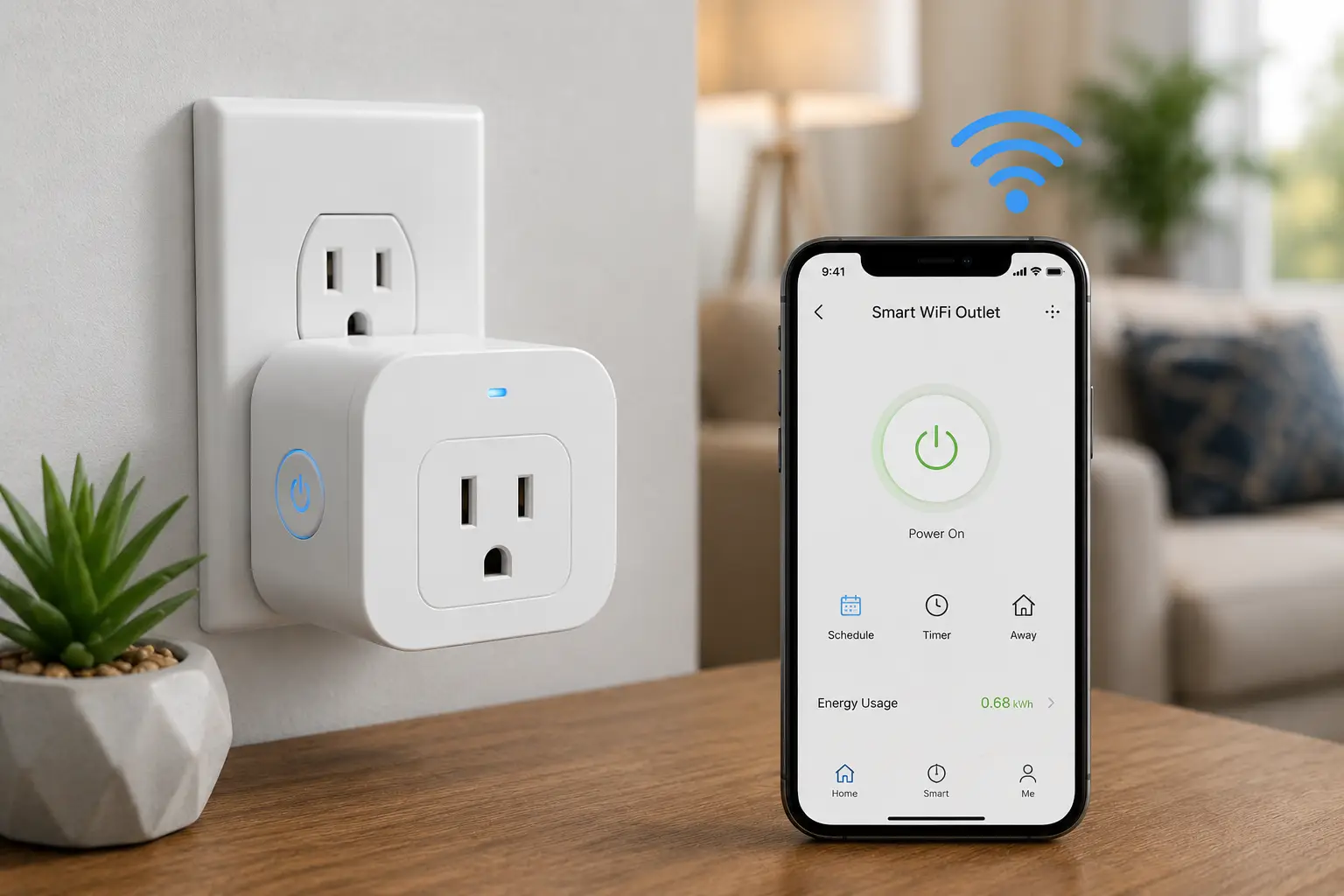
A smart wifi outlet is a device that plugs into an existing wall receptacle and lets you turn a lamp, fan, or small appliance on and off from a phone app, a voice assistant, or an automated schedule, without any rewiring or electrician needed. It’s the fastest, cheapest way to make a “dumb” device smart, and in 2026 it’s arguably the single best entry point into home automation for anyone on a budget.
If you’ve shopped for one recently, you already know the problem: the market is flooded with lookalike white plastic cubes, half of them claiming “Matter compatible,” most of them missing energy monitoring, and almost none of them telling you what actually separates a good smart wifi outlet from a mediocre one. Some need a separate smart home hub. Some only talk to one voice assistant. Some will show you exactly how many watts your space heater is pulling; others will only tell you on/off.
This guide skips the marketing copy. We researched real spec sheets, cross-checked genuine customer feedback, and picked seven smart wifi outlets that actually earn a spot in your outlet — from a $10 basic plug to a $40 energy-monitoring model built on the Thread mesh protocol. Along the way, you’ll get a breakdown of what Matter support actually buys you, when energy monitoring is worth paying extra for, how to avoid the most common buying mistakes, and a full FAQ covering the questions people ask most before hitting “buy.” Whether you’re automating a single lamp or wiring up a whole apartment, you’ll walk away knowing exactly which smart wifi outlet fits your setup — and why.
Quick Comparison: 7 Best Smart Wifi Outlets at a Glance
| Product | Price Range | Works With | Best For |
|---|---|---|---|
| Amazon Basics Smart Plug (Matter) | Under $15/plug | Alexa, Google Home, Apple Home (via hub) | Alexa households on a tight budget |
| TP-Link Kasa EP25 | Around $10-15/plug | Alexa, Google Home, SmartThings | Best all-around energy monitoring |
| TP-Link Tapo P125M | Around $15-20/plug | Matter, Alexa, Google Home, Apple Home | Cheapest true Matter plug |
| TP-Link Tapo P110M | Around $18-22/plug | Matter, Alexa, Google Home, SmartThings | Matter plus energy monitoring |
| Meross Matter Smart Wi-Fi Plug Mini | Around $12-18/plug | Matter, Alexa, Google Home, Apple Home | Budget HomeKit households |
| Govee Smart Plug with Energy Monitoring | Around $10-13/plug (4-pack) | Alexa, Google Assistant | Cheapest bulk energy-monitoring bundle |
| Eve Energy (Matter/Thread) | Around $35-45/plug | Matter over Thread, Alexa, Google Home, Apple Home | Most accurate energy data, full local control |
Looking at the table above, the TP-Link Kasa EP25 is the strongest general-purpose pick if you don’t care about Matter certification and just want dependable scheduling with real energy numbers. If cross-platform flexibility matters more than energy tracking, the TP-Link Tapo P125M gets you into the Matter ecosystem for the least money. Buyers who want both — Matter certification and energy monitoring in one plug — should look at the TP-Link Tapo P110M or step up to the Eve Energy for Thread-level responsiveness and local control.
💬 One click helps other shoppers make an informed choice too! 😊
Top 7 Smart Wifi Outlets: Expert Analysis
1. Amazon Basics Smart Plug (Matter Compatible) — cheapest way into Matter
If you already have Alexa running your household and just want the least expensive way to add Matter-certified smart outlets, the Amazon Basics Smart Plug is built for exactly that. This model is Matter-compatible out of the box, meaning it can theoretically join Alexa, Google Home, Apple Home, or SmartThings, but it requires a Matter-compatible hub to actually bridge those ecosystems together — this isn’t a standalone Matter device the way some competitors are. Once connected, it supports basic scheduling, sunrise/sunset automation, and voice control, and its compact housing won’t block the second socket on a duplex outlet.
In practice, that hub requirement is the catch: buyers who already own an Echo device with a built-in smart home hub, or a dedicated Matter controller like an Apple TV or Google Nest Hub, get a nearly seamless setup experience. Buyers without one of those in place should expect the plug to fall back to Alexa-only functionality until a hub is added. What most first-time buyers overlook is that “Matter compatible” and “works with Matter out of the box, no extra hardware” are two different claims, and this plug is the former.
Reviews of Amazon’s smart plug lineup consistently describe the setup process as fast and largely trouble-free for Alexa users, with the most common friction point being confusion over the hub requirement rather than the hardware itself.
Pros:
- ✅ Among the cheapest Matter-labeled plugs on the market
- ✅ Zero-touch setup if you already use Alexa
- ✅ Compact design that doesn’t block the second outlet
Cons:
- ❌ Full Matter functionality needs a separate hub
- ❌ No energy monitoring of any kind
Expect to pay under $15 per plug when buying in a multi-pack; check the current price before ordering, as multi-packs frequently rotate in and out of promotional pricing. For a pure Alexa household without other smart home ambitions, it’s a reasonable value, though buyers wanting the flexibility of true hub-free Matter should look further down this list.
2. TP-Link Kasa Smart Wi-Fi Plug Slim EP25 — best all-around energy monitoring
The Kasa EP25 is TP-Link’s mainstream energy-monitoring smart plug, rated for 1,800 watts and 15 amps, and it’s UL certified with a fireproof shell designed to reduce burn hazards. It connects natively to Amazon Alexa, Google Assistant, and Samsung SmartThings, and a HomeKit-enabled variant (EP25P4) adds Siri support for Apple households. The headline feature is real-time and historical energy monitoring inside the Kasa Smart app, which breaks down usage by day, week, and month.
What that energy data means in practice: instead of guessing which appliance is spiking your bill, you can plug a space heater, window AC unit, or old refrigerator into the Kasa EP25 and watch exactly how many kilowatt-hours it burns over a week. Pair that with the app’s away mode, which randomizes on/off timing to simulate occupancy, and scheduling that can trigger scenes across multiple Kasa devices at once. The compact, stackable body also means it won’t eat your second outlet the way bulkier plugs do.
Reviews and hands-on comparisons of the smart plug category consistently rank the Kasa line among the more dependable options for schedule reliability, and TP-Link backs the EP25 with a 2-year warranty, a longer commitment than most budget competitors offer.
Pros:
- ✅ Real-time and historical energy monitoring included
- ✅ UL certified with a 2-year manufacturer warranty
- ✅ Works with Alexa, Google Assistant, and SmartThings natively
Cons:
- ❌ Standard EP25 does not support Apple HomeKit or Matter
- ❌ Requires the Kasa app for full functionality, even with voice control
Pricing typically lands around $10-15 per plug when purchased in a 4-pack, making it one of the better value-for-money picks if energy monitoring is a priority and you’re not tied to Apple’s ecosystem.
3. TP-Link Tapo P125M — cheapest true Matter plug
Where the Amazon Basics plug needs a hub to unlock cross-platform Matter support, the Tapo P125M is a genuinely Matter-certified device that pairs directly with Apple Home, Google Home, Alexa, or any other Matter controller without a bridge. It’s rated for 15 amps and 1,800 watts, UL certified, and roughly the size of a large thumb drive, which lets it stack on power strips more easily than boxier competitors.
The trade-off for that low price and small footprint is feature depth: the P125M has no energy monitoring at all, and its narrow body can crowd adjacent outlets on a standard surge protector strip. What it does well is exactly what most buyers actually need — reliable on/off control, scheduling, and an auto-off timer, all through whichever smart home app you already use, since it speaks Matter natively rather than depending on the Tapo app.
Hands-on reviews of the P125M have found the setup and day-to-day switching reliable across Apple Home and Alexa alike, with commands executing quickly regardless of which ecosystem app initiated them. That cross-platform consistency is the entire point of Matter, and this plug delivers on it at one of the lowest price points in the category.
Pros:
- ✅ True Matter certification, no separate hub required
- ✅ Works identically across Apple Home, Google Home, and Alexa
- ✅ Compact, UL-certified, budget-friendly
Cons:
- ❌ No energy monitoring
- ❌ Wide body can block adjacent outlets on some power strips
Around $15-20 per plug is typical, though multi-packs often lower the per-unit cost. If a Matter smart plug without energy data is all you need, this is one of the cheapest ways to get it.
4. TP-Link Tapo P110M — Matter plus energy monitoring
The Tapo P110M solves the biggest limitation of its sibling above: it’s Matter certified and, following a firmware update that brought Matter 1.3 support, it now surfaces real-time and historical energy usage data directly inside any Matter-compatible app, not just Tapo’s own. That’s a meaningful upgrade, since one of Matter’s long-standing weaknesses has been inconsistent support for anything beyond simple on/off control.
In practical terms, this means Apple Home users can finally see wattage and kilowatt-hour data for a plug without needing a proprietary app open, something that wasn’t possible with earlier-generation Matter plugs. It’s still rated for 15 amps and 1,800 watts and carries UL certification, and it supports Alexa, Google Home, and SmartThings alongside Apple Home. For anyone building a Matter-first smart home who doesn’t want to sacrifice energy insights, this is currently one of the more capable options on the market.
Community discussion around TP-Link’s energy-monitoring plugs has noted that the unified, cross-app energy view is still maturing — Matter’s energy reporting features are new, and not every hub app displays the data identically — but the underlying hardware and metering have been described as consistent with TP-Link’s non-Matter Kasa line, which has a longer track record.
Pros:
- ✅ Matter certified with real-time and historical energy monitoring
- ✅ Works across Apple Home, Google Home, Alexa, and SmartThings
- ✅ UL certified, 15A/1,800W rated
Cons:
- ❌ Matter’s energy-data display still varies by which app you’re using
- ❌ Costs more than the non-monitoring P125M
Expect to pay roughly $18-22 per plug, which puts it squarely in the mid-range tier — worth the premium over the P125M if you actually plan to use the wattage data.
5. Meross Matter Smart Wi-Fi Plug Mini (MSS115) — budget HomeKit households
Meross has built a loyal following among Apple Home users looking for cheaper alternatives to first-party accessories, and the Matter-certified Smart Wi-Fi Plug Mini continues that pattern. It works with Alexa, Apple HomeKit/Home, Google Home, and SmartThings via native Matter, connects over 2.4GHz Wi-Fi with no separate hub needed, and is ETL listed for safety.
The honest trade-off here is capacity: the MSS115 is rated for 10 amps and 1,200 watts, noticeably lower than the 15A/1,800W rating on most competitors in this list. That’s plenty for lamps, fans, humidifiers, and phone chargers, but it rules out higher-draw appliances like space heaters or window air conditioners. Buyers who don’t need that extra headroom get a genuinely inexpensive, hub-free Matter plug in return.
Independent testing of the Matter-certified Meross plug found the initial setup process could be inconsistent — a known growing pain across early Matter hardware generally, not unique to this device — but reported that day-to-day performance, once configured, was solid. That’s a fair characterization of budget Matter plugs across the category in 2026: setup friction has improved but isn’t fully ironed out yet, and Meross’s pricing reflects that it’s competing primarily on cost rather than polish.
Pros:
- ✅ Genuinely hub-free Matter certification
- ✅ Compact design, works with Apple Home natively
- ✅ Among the least expensive Matter plugs available
Cons:
- ❌ Lower 10A/1,200W capacity than most competitors
- ❌ Initial Matter pairing can be less consistent than pricier alternatives
Typical pricing runs $12-18 per plug depending on pack size. It’s a smart budget pick specifically for low-draw devices in an Apple-first household.
6. Govee Smart Plug with Energy Monitoring (4-Pack) — cheapest bulk energy-monitoring bundle
If your goal is outfitting an entire apartment with energy-tracking outlets without breaking $50, the Govee Smart Plug with Energy Monitoring 4-pack is built for volume. Each plug is rated for 15 amps, connects over Wi-Fi and Bluetooth, supports group control and multiple timers through the Govee Home app, and carries both ETL and FCC certification. No hub is required for setup.
The catch is ecosystem breadth: Govee’s smart plugs work with Amazon Alexa and Google Assistant, but there’s no Apple HomeKit or Matter support on this model, so Apple-first households will need to look elsewhere on this list. What you gain in exchange is one of the lowest per-plug costs for energy monitoring in the entire category, plus Govee’s group-control feature, which lets you flip multiple plugs simultaneously from a single app tile — handy for anyone automating several rooms at once rather than one outlet at a time.
Aggregated customer feedback on Govee’s smart plug lineup tends to highlight straightforward setup and reliable Alexa/Google voice response as consistent strengths, while noting that the Govee Home app’s energy-monitoring dashboard is more basic than what you’ll find in TP-Link’s Kasa app or Eve’s app below.
Pros:
- ✅ Energy monitoring included at one of the lowest per-plug prices around
- ✅ Group control across multiple plugs in one tap
- ✅ No hub required, ETL and FCC certified
Cons:
- ❌ No Apple HomeKit or Matter support
- ❌ Energy dashboard is more basic than premium competitors
A 4-pack typically runs in the $40-55 range, or roughly $10-13 per plug — genuinely one of the better bulk-buy values if you’re standardizing an entire home and don’t need Apple compatibility.
7. Eve Energy (Matter/Thread) — most accurate energy data, full local control
The Eve Energy sits at the premium end of this list, and the spec sheet explains why. Rather than relying purely on Wi-Fi, it runs Matter over Thread — a low-power mesh protocol — and doubles as a Thread router node, meaning each unit you add actually strengthens the mesh network for every other Thread device in your home. US units are rated up to 15A/1,800W at 120V, and the plug reports live wattage, running kilowatt-hours, and a projected cost estimate, all processed locally with no cloud account required.
That local-first architecture is the plug’s real differentiator. Because commands travel over the Thread mesh instead of a cloud round-trip, response times tend to feel closer to instant, and the plug continues to function even if your internet connection drops — a meaningful advantage over cloud-dependent competitors when a device needs to reliably switch on a set schedule regardless of Wi-Fi hiccups. Eve, a German smart home brand now owned by ABB, has built its reputation on privacy-first, Apple-friendly hardware, and the Energy line reflects that: no tracking, no account requirement, and genuinely detailed power data.
The trade-off is setup complexity and cost. Eve Energy requires a Thread border router or Matter-compatible hub to function, and real-world reviews — including a cluster of feedback noting connectivity problems with certain third-party hubs — suggest that Matter-over-Thread pairing can be less plug-and-play than a simple Wi-Fi-only device, particularly across multiple ecosystems at once. Buyers already running a Thread border router (many recent Apple TVs, HomePods, and some routers include one) report a much smoother experience than those starting from scratch.
Pros:
- ✅ Most detailed energy data of any plug on this list, fully local
- ✅ Acts as a Thread router, strengthening your whole mesh network
- ✅ Continues working locally even if the internet goes down
Cons:
- ❌ Requires a Thread border router or Matter hub — no true hub-free option
- ❌ Some reported hub-compatibility friction during initial setup
Expect to pay roughly $35-45 per plug, well above the rest of this list. It’s the right call for privacy-conscious, Apple-leaning households that already have Thread infrastructure and want the deepest energy insight available in a smart wifi outlet.
Getting Started: Your First 30 Minutes With a Smart Wifi Outlet
Unboxing a new smart wifi outlet is simple, but a few early decisions determine whether it works flawlessly for years or becomes a source of constant frustration. Start by confirming your router broadcasts a 2.4GHz network with a distinct name from your 5GHz band — nearly every plug on this list, including budget and premium models alike, connects exclusively over 2.4GHz, and combined-band “smart” SSIDs are the single most common cause of failed pairing.
Next, plug the outlet directly into a wall socket rather than a power strip for the initial setup; some devices, particularly Matter-based plugs, are picky about the handshake process and behave more reliably on a direct connection before you relocate them. During the first week, resist the urge to schedule complex automations immediately — instead, use manual on/off control and basic timers to confirm the connection holds up under normal daily use, including a full overnight period, before layering on routines, sunrise/sunset triggers, or grouped scenes.
Common first-30-days mistakes include naming multiple plugs generically (“Plug 1,” “Plug 2”), which makes voice commands unreliable once you own more than two or three; skipping firmware updates, which frequently patch Matter-pairing bugs in the first few months after a plug’s release; and mounting outdoor-rated plugs in genuinely exposed locations without checking the IP rating first, since most indoor plugs on this list are explicitly not weatherproof.
✨ Don’t miss these exclusive deals!
🔍 Take your home automation to the next level with this carefully curated smart wifi outlet lineup. Click a highlighted item to check current pricing and availability. These picks will help you cut standby power waste and get peace of mind the whole family will enjoy!
Real-World Scenarios: Which Smart Wifi Outlet Fits Your Home
The renter automating a first apartment. Budget is tight, there’s no existing smart home hub, and the goal is simple: control a lamp and a fan from a phone, plus set a vacation-mode schedule. The Amazon Basics Smart Plug or a basic Tapo P125M covers this without requiring any additional hardware purchase, and either can be unplugged and taken along at move-out with zero installation to undo.
The family trying to lower their electric bill. Here, energy monitoring stops being a nice-to-have and becomes the entire point. Plugging the Kasa EP25 or the Govee Smart Plug with Energy Monitoring into an old chest freezer, a window AC unit, or a home office setup lets the household see, in real numbers, which device is driving up the bill — often revealing that a single space heater run daily costs more per month than expected, which is exactly the kind of insight that turns into a genuine changed habit.
The Apple Home household building toward Matter and Thread. For anyone who already owns an Apple TV or HomePod acting as a Thread border router, the Eve Energy delivers the deepest data and the most resilient local control, while the Meross Matter Smart Wi-Fi Plug Mini offers a cheaper hub-free entry point for lower-draw devices like lamps and humidifiers. Mixing both tiers — premium Eve plugs on high-value appliances, budget Meross plugs on everything else — is a common and cost-effective strategy.
How to Choose a Smart Wifi Outlet
- Confirm your voice assistant and hub situation first. Alexa-only households have the widest, cheapest selection; Apple Home users should prioritize genuine Matter certification or HomeKit-native support rather than assuming compatibility.
- Decide if energy monitoring actually matters to you. If you’re trying to identify a specific power-hungry appliance, it’s worth the extra cost; if you just want remote on/off control, skip it and save money.
- Check the amp and wattage rating against what you’ll plug in. A 10A/1,200W plug is fine for a lamp but undersized for a space heater or window AC unit; always match the rating to your highest-draw intended device.
- Look for genuine safety certification. UL or ETL listing on the outlet itself, not just the packaging, indicates independent third-party testing rather than a manufacturer’s own claims.
- Weigh true hub-free Matter against hub-dependent “Matter compatible.” These are marketed almost identically but behave very differently out of the box — read the fine print before assuming plug-and-play cross-platform support.
- Consider indoor versus outdoor needs separately. None of the plugs featured in this guide’s main lineup are weatherproof; outdoor use requires an IP-rated model built specifically for exposure to moisture.
- Factor in app quality, not just hardware specs. A plug with excellent hardware but a clunky, ad-heavy app will be more frustrating day-to-day than a slightly less capable plug with a clean, reliable interface.
Smart Wifi Outlets vs. Mechanical Timers and Manual Switches
| Factor | Mechanical Timer | Manual Switch | Smart Wifi Outlet |
|---|---|---|---|
| Remote control from anywhere | No | No | Yes |
| Voice assistant integration | No | No | Yes |
| Energy usage data | No | No | Available on select models |
| Schedule flexibility | Fixed, limited slots | None | Fully customizable, app-based |
| Typical cost | $8-15 | $0 (built-in) | $10-45 |
The comparison above makes the trade-off clear: a mechanical timer costs less upfront but locks you into rigid on/off slots with no remote access, while a manual switch offers zero automation at all. A smart wifi outlet costs more than a basic timer but delivers remote control, voice integration, and — on the right model — real energy data that a timer simply cannot provide. For most households automating more than one or two devices, the added cost of a smart wifi outlet pays for itself in flexibility alone, before even factoring in potential energy savings from better scheduling and standby-power awareness.
Common Mistakes to Avoid When Buying a Smart Wifi Outlet
The single most common mistake is buying a plug advertised as “Matter compatible” and assuming it works hub-free across every ecosystem out of the box — as covered above, some models genuinely do, while others require a separate Matter controller to unlock that functionality, and the difference isn’t always obvious from the product listing alone.
A second frequent error is overlooking amperage. Plugging a space heater or window AC unit into a plug rated for only 10A/1,200W creates a genuine safety risk and can trip the plug’s internal overload protection repeatedly, or in worse cases, degrade the internal relay over time. Always match the rated capacity to your highest-draw device, not your average one.
Third, many buyers skip checking whether a plug requires the manufacturer’s proprietary app for full functionality even after Matter or voice-assistant pairing. Some models restrict scheduling, energy data, or firmware updates to their native app regardless of which ecosystem you primarily use — worth confirming before you commit to a brand across an entire home.
Finally, shoppers frequently buy indoor-rated plugs for porches, garages, or covered patios without checking the IP rating, exposing hardware that isn’t designed for humidity or temperature swings and voiding the warranty in the process.
Safety, Regulations, and Standards for Smart Wifi Outlets
Every smart wifi outlet in this guide carries either UL or ETL certification, both independent testing lab designations that verify a device meets recognized US electrical safety standards for fire and shock hazards — a genuinely important detail, since uncertified plugs sold through third-party marketplace listings have historically shown far higher failure rates in lab testing. The Consumer Product Safety Commission’s electrical safety guidance recommends checking that outlets and connected devices aren’t unusually warm to the touch, and the same logic applies directly to smart plugs: a plug that feels hot under normal load should be unplugged and inspected rather than left running.
FCC certification, present on every model featured here, confirms the wireless radio inside the plug meets US interference and emissions standards — a baseline requirement for any Wi-Fi or Thread-enabled device sold legally in the US market. For households with young children, standard outlet-safety practices still apply regardless of whether the outlet is “smart”: keep unused sockets covered, and never treat a smart plug’s app-based lockout as a substitute for a physical childproofing cover.
One regulatory nuance worth understanding: standby power, sometimes called phantom load, refers to the electricity a device draws even while switched off, and it’s precisely the waste that energy-monitoring smart wifi outlets are designed to expose. The concept of standby power has been a target of efficiency regulation in many developed countries for over a decade, and a monitoring-capable plug is one of the few consumer tools that lets you actually measure it in your own home rather than relying on generic estimates.
Long-Term Cost and Maintenance: Is a Smart Wifi Outlet Worth It
The upfront cost of a smart wifi outlet ranges from around $10 for a basic non-monitoring plug to $45 for a premium Thread-based model like the Eve Energy — but the more relevant number for most buyers is total cost of ownership over several years. None of the plugs featured here carry a subscription fee; the app, scheduling, and (where included) energy monitoring are free with purchase, which meaningfully changes the math compared to some smart home categories that lock features behind paid tiers.
Where ongoing “cost” shows up is in two places: electricity itself, and eventual replacement. A smart wifi outlet typically draws only 1-2 watts of its own standby power, a negligible add to your bill. The bigger financial upside comes from what the plug reveals about everything else plugged into it — households using energy-monitoring models like the Kasa EP25 or Govee Smart Plug with Energy Monitoring commonly discover a specific appliance quietly running longer or hotter than assumed, and correcting that single habit often recoups the plug’s purchase price within months.
On the maintenance side, expect occasional firmware updates (handled automatically through the app in nearly every case), and a realistic hardware lifespan of 5-7 years for models from established brands with UL/ETL certification, based on typical relay-cycle ratings in this product category. Since none of these plugs contain a battery, there’s no degradation concern beyond the internal relay itself, which is rated for tens of thousands of on/off cycles under normal household use.
Frequently Asked Questions
❓ Do smart wifi outlets need a separate hub?
❓ Are smart wifi outlets safe to leave plugged in permanently?
❓ Do smart wifi outlets work with both Alexa and Google Home?
❓ How much does it cost to run a smart wifi outlet itself?
❓ What's the actual difference between a 'smart plug' and a 'smart wifi outlet'?
Conclusion
A smart wifi outlet remains one of the cheapest, lowest-commitment ways to start automating a home, and the seven picks in this guide cover nearly every situation you’re likely to run into. If you’re just getting started on a budget with no existing hub, the Amazon Basics Smart Plug or Tapo P125M gets you in the door affordably. If energy monitoring is the whole point, the Kasa EP25 and Govee Smart Plug with Energy Monitoring deliver real, actionable data without a premium price tag. And for households already invested in Apple Home and Thread infrastructure who want the most detailed, fully local energy insight available, the Eve Energy is worth the extra cost.
What matters most is matching the plug to your actual ecosystem and use case rather than chasing whichever model has the most features on paper — a $12 plug that fits your setup perfectly beats a $45 plug that fights your smart home every day. Check the current price on any of the models above before buying, since smart home pricing shifts frequently with promotions, and always confirm UL or ETL certification on the specific listing you’re purchasing from. Per the FTC’s endorsement guidelines, we want to be upfront: this article contains affiliate links, and the recommendations above reflect our own independent research rather than any sponsorship from the brands mentioned.
Recommended for You
- Power Cut Monitor: 7 Best Picks to Stop Blackout Surprises (2026)
- 7 Best Plug In Dimmers for 2026: Brighter Choices, Fewer Regrets
- Exterior Timer Switch: 7 Best Picks for 2026 (Pros & Cons)
Disclaimer: This post contains affiliate links. As an Amazon Associate, I earn from qualifying purchases made through these links, at no additional cost to you.
✨ Found this article helpful? Share it with someone who needs it! 💬🤗
