
In This Article
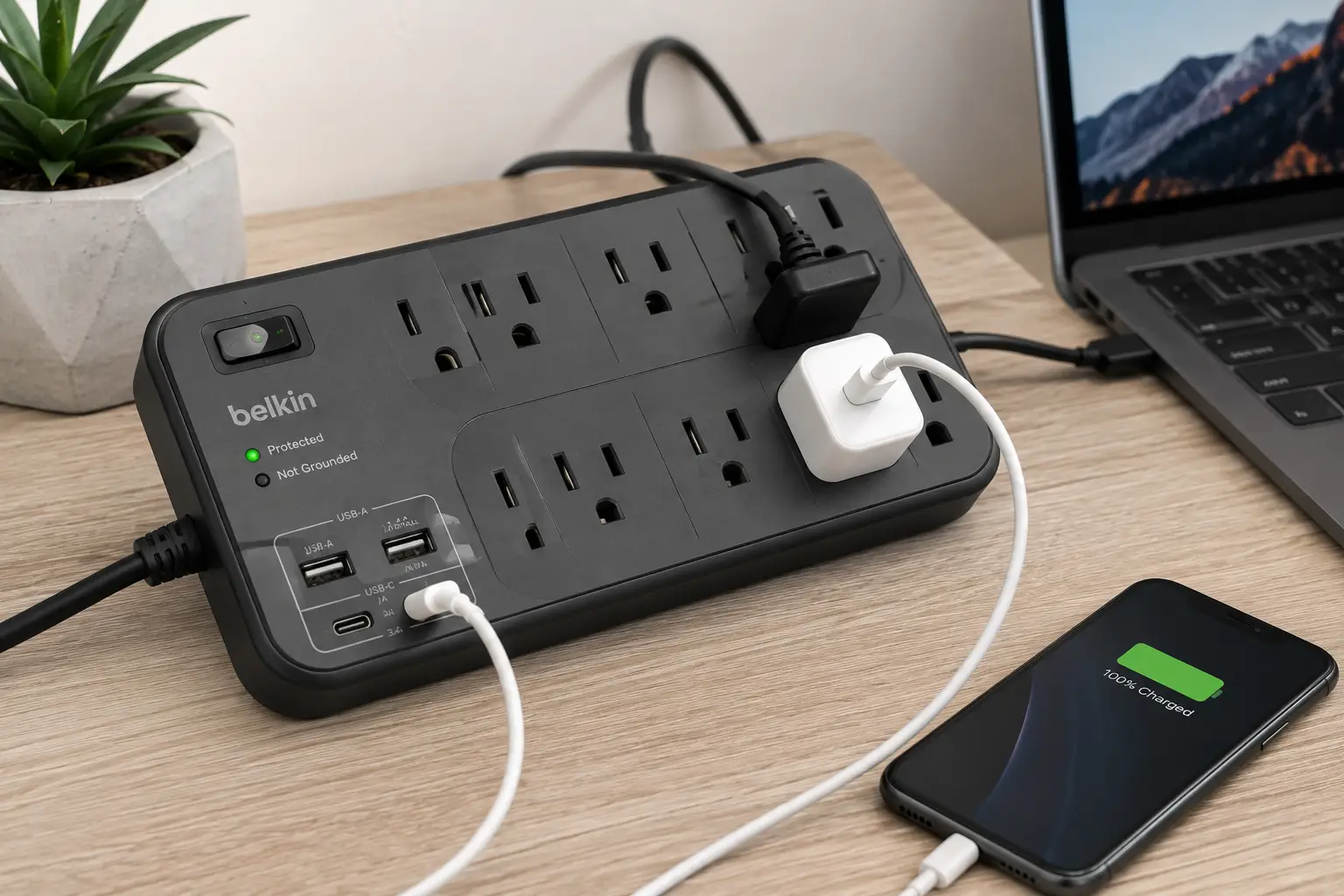
If you’ve ever hunted for an open wall outlet while three phones, a laptop, and a lamp all fought for the same power strip, you already understand the appeal of surge protectors with USB ports. They solve two problems in one device: they shield your electronics from voltage spikes, and they free up outlet space by letting you charge phones and tablets directly, without a drawer full of bulky wall adapters. That second part matters more than it sounds — a single misplaced adapter brick can block two or three adjacent outlets on a standard power strip.
This guide breaks down what actually separates a good surge protector with USB ports from a flimsy one, and it walks through seven real, currently available models spanning entry-level, mid-range, and premium builds. You’ll see how joule ratings, USB-C Power Delivery, and safety certifications like UL and ETL listing translate into real-world protection — not just marketing copy. Whether you’re setting up a dorm desk, a home office, or an entertainment center, you’ll find a model here that fits your outlet count, your charging speed needs, and your budget.
We’ll also cover the safety side, because a surge protector that’s improperly used or poorly built can become a hazard itself, according to guidance from the U.S. Consumer Product Safety Commission. By the end, you’ll know exactly how to choose a surge protector with USB charging ports that matches your setup — and which of the seven picks below is the right one for you.
Quick Comparison: Best Surge Protectors With USB Ports at a Glance
| Product | Outlets | USB Ports | Joule Rating | Best For |
|---|---|---|---|---|
| Anker 351 Power Strip | 12 | 2 USB-A + 1 USB-C | 2,100J | Best overall |
| Anker 321 Power Strip | 3 | 2 USB-A + 1 USB-C | 300J | Best compact/travel |
| Eaton Tripp Lite Protect It! 12-Outlet | 12 | 2 USB-A | 4,320J | Best heavy-duty protection |
| Belkin 12-Outlet Surge Protector (BV112050-06) | 12 | 2 USB-A | 3,996J | Best warranty |
| ALESTOR 12-Outlet Surge Protector | 12 | 3 USB-A + 1 USB-C | 2,700J | Best value |
| SUPERDANNY QR2260-U | 22 | 5 USB-A + 1 USB-C | Not disclosed | Best for large setups |
| Eaton Tripp Lite TLP104USB | 1 | 2 USB-A | 450J | Best ultra-budget pick |
Looking at the table above, the Anker 351 Power Strip earns its “best overall” spot by balancing outlet count, USB-C charging, and a mid-range joule rating at a price most shoppers find reasonable. If your priority is raw protection for an expensive home theater or gaming rig, the Eaton Tripp Lite Protect It! 12-Outlet and its 4,320-joule rating pull ahead, while anyone short on desk space should look at the Anker 321 Power Strip or the single-outlet Eaton Tripp Lite TLP104USB. Budget-conscious buyers furnishing a whole apartment will find the ALESTOR 12-Outlet Surge Protector hard to beat on a per-outlet basis.
💬 Bookmark this page — you’ll want to reference the full breakdown below before you check out.
What Is a Surge Protector With USB Ports?
A surge protector with USB ports is a power strip that combines built-in voltage-spike protection — typically through metal oxide varistor (MOV) components — with one or more USB-A or USB-C outputs for charging phones, tablets, and other devices directly, without a separate wall adapter. Unlike a basic power strip, it’s designed to absorb excess electrical energy during a surge and divert it away from your connected devices.
That distinction matters more than most shoppers realize. Not every power strip with USB ports offers real surge protection — some are simply outlet extenders with charging ports bolted on, and no MOV components inside at all. Look for a labeled joule rating and a safety certification (UL or ETL) before assuming a product actually protects anything.
Top 7 Surge Protectors With USB Ports for 2026
Each of the following models was evaluated for outlet layout, USB output quality, surge energy rating, safety certification, and real customer feedback. We’ve grouped commentary by what each unit does best, so you can match a product to your specific setup rather than just picking the highest joule number on the page.
1. Anker 351 Power Strip — best all-around balance of outlets and USB-C
The Anker 351 earns its reputation as one of the most recommended surge protectors with USB ports on the market, and the reason comes down to layout discipline as much as raw specs. You get 12 AC outlets plus three USB ports — two USB-A and one USB-C — arranged so that bulky plugs don’t block their neighbors, a detail cheaper strips routinely botch. The 2,100-joule rating sits comfortably in the range recommended for everyday electronics like laptops, monitors, and routers, and the flat plug slides in easily behind furniture. What most buyers overlook is the toggle that lets you switch some outlets between “always-on” grounded power and full surge-protected power, which is handy if you want a modem or router to stay online during a protective outlet cutoff. This model suits home office setups and entertainment centers where you need real outlet density without sacrificing charging speed. Reviews consistently report that the outlets are well-spaced for large chargers and that the USB-C port delivers noticeably faster charging than older USB-A-only strips, though a handful of buyers note the evenly spaced layout can still feel tight with oversized power bricks on every side. At around $30-$40, it delivers strong value for the outlet count and USB-C inclusion.
Pros:
- ✅ USB-C port charges modern phones and small laptops faster
- ✅ 12 outlets cover a full desk setup with room to spare
- ✅ Toggle lets you keep select devices always powered
Cons:
- ❌ Evenly spaced outlets can crowd with oversized adapters
- ❌ 5-foot cord may be short for larger rooms
2. Anker 321 Power Strip — smallest footprint for travel or tight desks
The Anker 321 trades outlet count for portability, and it does that trade well. This cube-style unit packs three AC outlets and three USB ports (two USB-A, one USB-C) into a body small enough to toss in a backpack or tuck into a hotel nightstand drawer. Its outlets sit on separate sides of the cube rather than in a single row, which is a smart design choice — spreading them out means one bulky plug won’t block the others, even in this compact a shell. Based on comparing the specs against similarly sized travel strips, the 300-joule rating is modest, which is expected at this size, but it’s still meaningfully better than plugging directly into an unprotected wall outlet. This is the pick for students, frequent travelers, or anyone who just needs to power a lamp, a laptop charger, and a phone from one crowded hotel or dorm outlet. Reviews consistently praise the compact build and the inclusion of a genuine USB-C port at this price point, though some buyers note the unit can feel bulky when plugs are inserted on all four sides simultaneously. Expect a price in the $15-$25 range, which is reasonable for a travel-focused surge protector with USB charging ports.
Pros:
- ✅ Genuinely pocket-sized for backpacks or carry-ons
- ✅ USB-C port included despite the small form factor
- ✅ Outlets spread across sides to avoid plug crowding
Cons:
- ❌ 300-joule rating is low for sensitive electronics
- ❌ Can get bulky with plugs on every face at once
3. Eaton Tripp Lite Protect It! 12-Outlet Surge Protector — heaviest-duty protection rating
If raw surge-absorption capacity is your priority, this Eaton Tripp Lite model leads the group with a 4,320-joule rating — nearly double what most 12-outlet consumer strips offer. Twelve NEMA outlets (six spaced wide enough for oversized transformers) sit alongside two USB-A charging ports, and the unit also includes phone-line, modem, and coaxial protection, which matters if you still run a cable box or landline into your setup. What the spec sheet doesn’t say, but the design implies, is that this unit is built for people protecting genuinely expensive gear — a home theater receiver, multiple monitors, a gaming PC — where a single unprotected surge could mean a four-figure repair bill. The 8-foot cord with a right-angle plug is long enough to reach behind large furniture without an extension cord, which the FTC and CPSC both caution against daisy-chaining. This is the pick for buyers who’ve priced out their connected equipment and decided joules matter more than USB speed. The main tradeoff is that both USB ports are USB-A only, with no USB-C option, so modern phones and laptops won’t charge as fast as they would on a USB-C-equipped strip. Expect this unit in the $45-$60 range, which is a fair trade for the protection level if you’re guarding a full media center or workstation.
Pros:
- ✅ 4,320 joules is among the highest in this class
- ✅ Includes coax and phone-line surge protection
- ✅ 8-foot cord reaches behind large furniture easily
Cons:
- ❌ No USB-C port for faster modern-device charging
- ❌ Bulkier housing than compact alternatives
4. Belkin 12-Outlet Surge Protector (BV112050-06) — strongest connected-equipment warranty
The Belkin 12-Outlet Surge Protector pairs a 3,996-joule rating with what might be the most reassuring backstop in this lineup: a Connected Equipment Warranty worth up to $300,000, meaning Belkin will repair or replace devices damaged by a surge while properly connected. Six standard outlets plus six of Belkin’s wider “Blockspace” outlets handle oversized power bricks without blocking neighboring plugs, and two USB-A ports round out the charging options. Here’s what to weigh: the warranty figure sounds dramatic, but it’s a real, documented policy — not a marketing footnote — and it’s worth factoring into your decision if you’re protecting several thousand dollars of electronics. This model suits home offices and family entertainment centers where peace of mind matters as much as the spec sheet. Reviews consistently report that the widely spaced Blockspace outlets genuinely solve the “one giant adapter blocks three sockets” problem common on cheaper strips, and the recessed power switch prevents accidental shutoffs — a small but appreciated detail among long-term owners. Expect a price in the $35-$45 range for this model, which lands in the middle of the pack but comes with above-average warranty coverage.
Pros:
- ✅ Up to $300,000 Connected Equipment Warranty
- ✅ Wide Blockspace outlets prevent plug crowding
- ✅ Recessed switch avoids accidental power-offs
Cons:
- ❌ USB-A only, no USB-C charging option
- ❌ 6-foot cord is shorter than some 12-outlet rivals
5. ALESTOR 12-Outlet Surge Protector with 4 USB — best value for the outlet and USB count
The ALESTOR strip is a lesser-known name compared to Anker or Belkin, but the spec sheet holds up well against pricier competitors. You get 12 AC outlets, four USB ports (three USB-A and one USB-C), and a 2,700-joule rating built on a three-stage protection design — MOV, gas discharge tube, and transient voltage suppression working together rather than relying on a single component. Based on comparing the specs, that layered approach is typically found on higher-end units, which makes its inclusion here at a lower price point notable. The USB ports negotiate charging speed automatically, delivering up to 2.4A per USB-A port and 3A on the USB-C port, for a combined 3.4A/17W across all four. What most buyers overlook with lesser-known brands is checking for real safety certification — this unit is ETL-listed, which carries the same testing rigor as UL, just from a different accredited lab. This is a strong pick for anyone furnishing a first apartment or home office who wants USB-C charging without paying Anker or Belkin pricing. Reviews consistently mention the layered surge protection and note the fire-resistant shell as a reassuring build detail, though a smaller number of owners point out that customer support response times can be slower than with the bigger brands. Expect this model in the $25-$35 range — arguably the strongest dollar-for-outlet value in this roundup.
Pros:
- ✅ Three-stage surge protection (MOV, GDT, TVS)
- ✅ Four USB ports including one USB-C
- ✅ ETL-listed with a fire-resistant housing
Cons:
- ❌ Smaller brand means fewer long-term reliability reports
- ❌ Customer support reportedly slower than major brands
6. SUPERDANNY QR2260-U — most outlets for power-hungry, multi-device setups
When 12 outlets aren’t enough, the SUPERDANNY QR2260-U jumps to 22 grounded AC outlets plus six USB ports, including USB-C, with smart charging that delivers up to 5V/3A per device. This is the pick for anyone running a genuinely large setup — multiple monitors, a docking station, networking gear, speakers, and several charging devices all at once — where even a 12-outlet strip runs out of room. The sheer outlet count also means less reliance on daisy-chaining additional strips together, a practice both the CPSC and fire-safety officials warn against because it can overload a single circuit. On paper, this means fewer separate strips plugged into fewer wall outlets, which is itself a small safety win. Reviews consistently highlight the sheer convenience of not running out of plugs, particularly among gamers and streamers with multi-monitor setups, though some buyers note the unit’s large footprint requires real desk or floor space to accommodate. Because the manufacturer doesn’t publicly disclose a joule rating for every SKU, it’s worth confirming the specific rating on the listing before buying if raw surge-absorption capacity is your top priority. Expect a price in the $50-$70 range given the outlet and USB count.
Pros:
- ✅ 22 outlets dramatically reduce the need for extra strips
- ✅ Six USB ports including USB-C smart charging
- ✅ Reduces daisy-chaining, a common fire-safety concern
Cons:
- ❌ Large footprint needs real desk or floor space
- ❌ Joule rating isn’t clearly disclosed on every listing
7. Eaton Tripp Lite TLP104USB — smallest and most affordable single-outlet option
Not every setup needs 12 outlets. The Eaton Tripp Lite TLP104USB packs surge protection and two USB-A ports (2.1A shared) into a single-outlet, right-angle-plug design with a 4-foot cord and a 450-joule rating. This is a practical solution for a nightstand, a single-monitor desk, or anywhere you just need to protect one device while charging a phone or tablet nearby, without committing desk space to a full-size strip. What the spec sheet doesn’t say, but the compact housing implies, is that this model is meant to supplement — not replace — a larger strip elsewhere in your home; it’s a specialist tool for a single tight outlet, not a whole-room solution. The right-angle plug is a small but genuinely useful detail for placing it directly behind furniture without the cord folding awkwardly. Reviews consistently describe the build as simple and reliable for its narrow use case, with the diagnostic LED called out repeatedly as a helpful way to confirm protection status at a glance, though the single outlet obviously limits it to light-duty use. Expect a price in the $12-$20 range, making it one of the most affordable genuine surge protectors with USB ports available.
Pros:
- ✅ Extremely affordable for genuine surge protection
- ✅ Right-angle plug fits tight spaces behind furniture
- ✅ Diagnostic LED confirms protection status
Cons:
- ❌ Single outlet limits it to one connected device
- ❌ 450-joule rating is low for sensitive electronics
Full Comparison: How the Top 7 Stack Up
| Product | Cord Length | Certification | Price Range | Best For |
|---|---|---|---|---|
| Anker 351 Power Strip | 5 ft | UL Listed | $30-$40 | Home office, entertainment centers |
| Anker 321 Power Strip | ~3 ft | UL Listed | $15-$25 | Travel, dorms, tight desks |
| Eaton Tripp Lite Protect It! 12-Outlet | 8 ft | UL Listed | $45-$60 | Home theaters, expensive gear |
| Belkin 12-Outlet Surge Protector | 6 ft | UL Listed | $35-$45 | Home offices, families |
| ALESTOR 12-Outlet Surge Protector | 6 ft | ETL Listed | $25-$35 | Budget-conscious apartments |
| SUPERDANNY QR2260-U | 6 ft | ETL Listed | $50-$70 | Multi-monitor, gaming setups |
| Eaton Tripp Lite TLP104USB | 4 ft | UL Listed | $12-$20 | Single-device, nightstands |
The table above makes one pattern clear: joule rating and price don’t move in a straight line. The Eaton Tripp Lite Protect It! 12-Outlet carries the highest joule rating in the lineup while sitting in the middle of the price range, while the SUPERDANNY QR2260-U costs more not because of raw surge capacity but because of sheer outlet and USB count. If you’re protecting a handful of everyday devices, the Anker 351 Power Strip or ALESTOR 12-Outlet Surge Protector deliver plenty of protection without paying for capacity you won’t use.
✨ Ready to upgrade your setup? Compare current pricing on any model above before you check out.
Surge Protectors With USB Ports vs Traditional Power Strips
The core difference is simple but easy to overlook while shopping: a power strip only adds outlets, while a surge protector with USB ports adds outlets, absorbs voltage spikes through internal MOV components, and charges USB devices without adapters. As the Belkin surge protector resource page puts it, every surge protector is technically a power strip, but most power strips are not surge protectors — a distinction that only shows up on the packaging as a joule rating and a UL 1449 listing, not in how the product looks on a store shelf.
That distinction matters most during the moment a power strip can’t help you with: a lightning-adjacent grid spike, a large appliance cycling on, or a utility-side fluctuation. A basic power strip passes that spike straight through to whatever’s plugged in. A genuine surge protector clamps the voltage and diverts the excess, protecting your laptop, TV, or router from damage. The tradeoff is that surge protection isn’t permanent — MOV components degrade with each absorbed surge, so a protector that’s taken a big hit may offer less protection afterward even though it still passes power normally, which is exactly why the diagnostic LEDs on models like the Eaton Tripp Lite line matter more than they might seem to at first glance.
How to Choose a Surge Protector With USB Ports
- Check the joule rating against your equipment’s value. A 300-450 joule strip is fine for lamps and chargers; protect a TV, gaming PC, or home theater with 2,000+ joules.
- Confirm UL or ETL certification. According to the NEMA Surge Protection Institute, UL 1449 testing verifies safe operation both during normal use and at the unit’s end of life — a certification mark, not a joule number, is your real safety signal.
- Match USB port type to your devices. If you own a recent phone or a USB-C laptop, prioritize a strip with USB-C Power Delivery rather than USB-A-only ports.
- Count your outlets honestly, then add two. Underestimating outlet needs is the single most common reason shoppers end up daisy-chaining strips, which safety officials specifically warn against.
- Measure your cord length need before buying. A 4-foot cord is fine at a nightstand; a home theater setup usually needs 6-8 feet to avoid an extension cord.
- Look for a real Connected Equipment Warranty. Models like the Belkin 12-Outlet Surge Protector back their protection with a documented dollar figure, not just a marketing claim.
- Check outlet spacing, not just outlet count. A strip with 12 tightly packed outlets can functionally offer fewer usable slots than one with 8 well-spaced ones once bulky chargers go in.
Common Mistakes to Avoid When Buying a Surge Protector With USB Ports
Most buying mistakes come down to focusing on the wrong number. Shoppers frequently choose the highest joule rating without checking whether it’s actually paired with UL or ETL certification — and unfortunately, some products market big joule numbers without any independent safety testing behind them at all. Verify certification first, then compare joules among certified products.
Another common error is buying based on USB port count alone without checking port type or shared amperage. A strip advertising “4 USB ports” that only delivers a combined 3.4A across all four will charge every device slower if you use them simultaneously — that’s a shared power budget, not four independent fast chargers. Finally, plenty of buyers underestimate outlet spacing and end up needing an extension strip anyway, which reintroduces the daisy-chaining risk a surge protector was supposed to eliminate in the first place.
What to Expect: Everyday USB Charging Performance
On paper, USB-A ports typically top out around 2.4A (about 12W), while USB-C ports with Power Delivery can reach 18-20W or more on a good strip — enough to meaningfully speed up phone charging and even trickle-charge some lightweight laptops. What the spec sheet doesn’t always make obvious is that most surge protectors share a total amperage budget across all USB ports. Plug in one device and it may charge at full speed; plug in three simultaneously, and each one may slow down to stay within that shared limit.
In everyday use, this means the Anker 351 Power Strip and ALESTOR 12-Outlet Surge Protector — both with dedicated USB-C output — will charge a modern phone noticeably faster than the USB-A-only Belkin 12-Outlet Surge Protector or Eaton Tripp Lite Protect It! 12-Outlet, especially if you’re used to a wall-mounted USB-C fast charger. If charging speed is your top priority, look specifically for a listed USB-C wattage rather than assuming any “USB-C port” charges at the same rate.
Safety, Regulations, and Standards for Surge Protectors With USB Ports
Surge protectors are regulated primarily through voluntary safety certification rather than a single federal mandate, but that certification is far from optional in practice. The CPSC has issued multiple recalls over the decades covering surge protectors and power strips with undersized wires, loose connections, or counterfeit safety labels — problems concentrated almost entirely among uncertified, off-brand units sold without a traceable manufacturer.
Look for a genuine UL or ETL mark, not just the letters printed somewhere on the box — counterfeit labels do exist. Beyond certification, basic safe use matters just as much as the product itself: never daisy-chain multiple power strips together, never plug a surge protector into an extension cord, and unplug and discard any unit that feels warm to the touch during normal use. Every product featured in this guide carries a real UL or ETL listing, which is a non-negotiable filter we applied before including any model here.
Long-Term Cost and Maintenance
A surge protector isn’t a lifetime purchase, even though nothing about its appearance changes as it ages. Every absorbed surge degrades its internal MOV components slightly, and after enough cumulative surges — or one large one — the unit may continue passing power normally while offering little to no actual protection. That’s exactly what the diagnostic or “protection present” LEDs found on models like the Eaton Tripp Lite lineup are designed to flag; when that light goes dark, replace the unit even if the outlets still work.
As a rough guideline, plan to replace a household surge protector every 3-5 years, or immediately after a known major surge event like a nearby lightning strike or utility fluctuation. Given that most models in this guide cost well under $70, replacement is a minor expense compared to the cost of even a single damaged laptop or TV — which is the entire value proposition of buying a certified, higher-joule unit like the Eaton Tripp Lite Protect It! 12-Outlet in the first place rather than treating a surge protector as a disposable commodity.
Getting Started: Setup Tips for the First 30 Days
Once your new surge protector with USB ports arrives, resist the urge to just plug it in and forget about it. Start by placing it somewhere with airflow — never behind thick fabric, inside a closed cabinet, or under a rug — since heat buildup is the leading contributor to power strip failures. Confirm the outlet you’re using is properly grounded; most models include a “not grounded” indicator light specifically because plugging into a two-prong or ungrounded outlet defeats much of the surge protection.
In the first week, note which outlets you’re actually using and whether bulky plugs are blocking neighboring sockets — this is the point to rearrange devices rather than living with an awkward layout for years. If your model includes a diagnostic LED, check it periodically rather than assuming it’s working; a dead LED after a storm is your cue to test or replace the unit. Finally, register your product if the manufacturer offers a Connected Equipment Warranty, like Belkin’s — an unregistered warranty can be harder to claim later.
Real-World Scenarios: Matching a Surge Protector to Your Life
Consider a college student sharing a small dorm room with one accessible outlet, three devices to charge nightly, and zero tolerance for bulky gear eating up desk space. For that use case, the compact Anker 321 Power Strip makes the most sense — its cube design and USB-C port cover phone, laptop, and lamp without dominating a shared desk.
Now consider a remote worker running two monitors, a laptop dock, a desk lamp, a printer, and a phone charger from a single home-office wall outlet. Here, outlet spacing and USB-C speed both matter, which points toward the Anker 351 Power Strip or, for buyers who want the strongest warranty backstop, the Belkin 12-Outlet Surge Protector. Finally, picture a household protecting a full entertainment center — a TV, a receiver, a game console, a streaming box, and a soundbar — where a single bad surge could mean thousands in damage. That’s the scenario the Eaton Tripp Lite Protect It! 12-Outlet, with its 4,320-joule rating and coax/phone-line protection, was specifically built for.
Problem → Solution: Fixing Common Surge Protector Headaches
Problem: USB devices charge slowly even though the port is USB-C. Solution: check whether the strip’s total USB amperage is shared across all ports — plugging in fewer devices at once, or choosing a model like the ALESTOR 12-Outlet Surge Protector with a higher combined USB output, solves this.
Problem: Bulky chargers block adjacent outlets. Solution: look for widely spaced outlets like Belkin’s Blockspace design, or a strip with outlets on multiple sides, like the Anker 321 Power Strip.
Problem: You’ve run out of outlets and are tempted to daisy-chain another strip. Solution: upgrade to a genuinely higher-capacity unit like the SUPERDANNY QR2260-U instead — daisy-chaining strips is a documented fire-safety risk, not a workaround.
Problem: You’re not sure if your surge protector still works after a storm. Solution: check the diagnostic or “protection present” LED; if it’s dark or the manufacturer doesn’t offer one, replace the unit as a precaution rather than guessing.
Surge Protector With USB Ports for Home Offices and Remote Workers
Remote workers have a specific set of needs that differ from a casual living-room setup: a surge protector with USB charging ports needs to handle a laptop dock, at least one monitor, a desk lamp, and daily phone charging, often for eight or more hours a day without interruption. That daily-use pattern makes outlet spacing and a documented warranty more important than they might be for occasional use.
For this audience, the Anker 351 Power Strip and Belkin 12-Outlet Surge Protector stand out for different reasons — the Anker for its USB-C speed and outlet toggle, the Belkin for its $300,000 Connected Equipment Warranty, which matters more when a strip is running expensive work equipment continuously rather than occasionally. Either way, a USB surge protector power strip with at least 2,000 joules is a reasonable minimum for anyone whose income depends on the equipment plugged into it.
Frequently Asked Questions
❓ Do surge protectors with USB ports actually protect against power surges, or just add charging ports?
❓ How many joules do I need for a home office setup?
❓ What's the difference between USB-A and USB-C charging ports on a surge protector?
❓ Can I plug a surge protector into an extension cord?
❓ How long does a surge protector with USB ports actually last?
Conclusion
Choosing among surge protectors with USB ports really comes down to matching three numbers to your actual setup: outlet count, joule rating, and USB output type. For most households, the Anker 351 Power Strip hits that balance best, pairing 12 well-spaced outlets with USB-C charging at a reasonable price. If you’re protecting genuinely expensive gear, the extra joules on the Eaton Tripp Lite Protect It! 12-Outlet are worth the higher price tag, while travelers and students will get more day-to-day use out of the compact Anker 321 Power Strip.
Whichever model you choose, don’t treat certification as optional — a UL or ETL mark, confirmed on the manufacturer’s own listing rather than assumed from the box art, is what separates genuine surge protection from a glorified extension cord with charging ports bolted on. Combine that with basic safe usage — no daisy-chaining, good airflow, and periodic checks of the diagnostic LED — and any of the seven picks above should protect your electronics reliably for years.
✨ Found the right pick above? Check current pricing and availability before it changes! 🔌
Recommended for You
- Relay Light Switch: 7 Best Picks for a Smarter Home (2026)
- Wireless Switch and Wall Switch: 7 Best Picks for 2026
- 7 Best Wireless Switch and Receiver Kits (2026 Picks)
Disclaimer: This post contains affiliate links. As an Amazon Associate, I earn from qualifying purchases made through these links, at no additional cost to you.
✨ Found this article helpful? Share it with someone who needs it! 💬🤗
