
In This Article
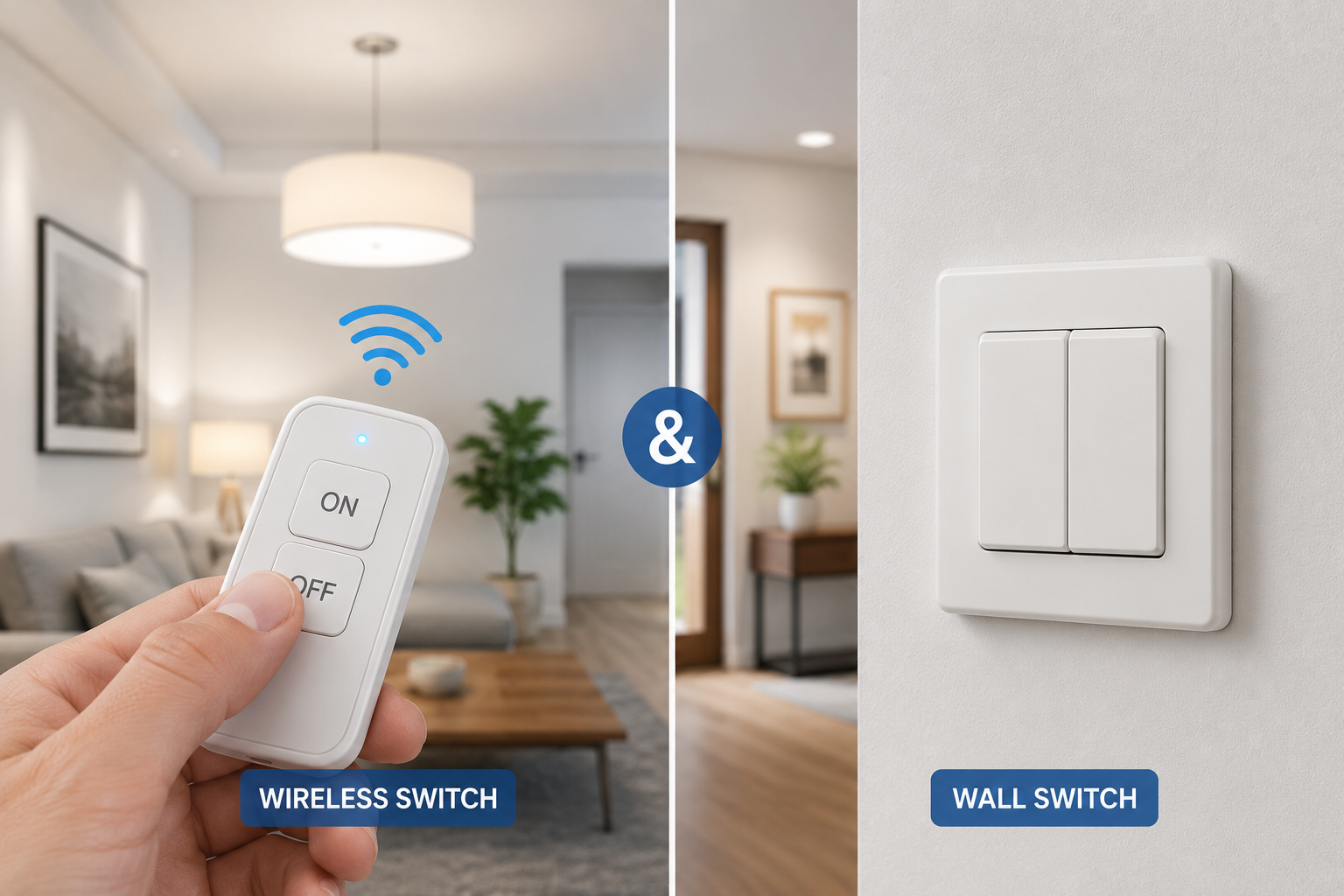
A wireless switch and wall switch might sound like the same thing, but they solve two different problems. A wireless switch and wall switch each let you control lights without flipping a traditional toggle, but one skips your electrical box entirely while the other replaces what’s already inside it. Choosing wrong means either paying an electrician you didn’t need or fighting with a battery-powered remote that never quite feels permanent enough for a room you use every day.
This guide breaks down both categories honestly — no fluff, no invented reviews, just real products, real specs, and straightforward advice on which type fits your walls, your budget, and your patience for a Saturday-afternoon install. Whether you’re renting an apartment where drilling into drywall is off-limits, or you own a home with a fresh neutral wire waiting behind every switch plate, there’s a genuinely good option below.
Here’s the quick version: a battery-powered RF or Zigbee switch is the fastest way to add lighting control anywhere, no electrician required, while a hardwired smart wall switch delivers a more permanent, app-and-voice-connected upgrade. We’ll walk through seven real products, show you exactly how they compare, and help you build a setup that actually matches how you live.
Quick Comparison: Wireless Switch and Wall Switch Options at a Glance
| Product | Type | Wiring Needed | Price Range | Best For |
|---|---|---|---|---|
| DEWENWILS Wireless Remote Control Light Switch Kit | Wireless (RF) | None | Around $20–$30 | Renters, quick fixes |
| TP-Link Tapo Smart Wi-Fi Light Switch | Wall (Wi-Fi) | Neutral wire | Under $25 | Budget smart upgrades |
| Philips Hue Smart Button | Wireless (Zigbee) | None | Between $25–$45 | Hue bulb owners |
| Leviton Decora Smart Wi-Fi Switch | Wall (Wi-Fi/Matter) | Neutral wire | Between $35–$50 | Whole-home consistency |
| Lutron Caseta Wireless Smart Lighting Dimmer | Wall (RF) | No neutral required | Between $55–$70 | Best overall dimming |
Looking at this table, the split is really about permanence versus flexibility: the DEWENWILS Wireless Remote Control Light Switch Kit and Philips Hue Smart Button win when you can’t or won’t touch house wiring, while the TP-Link Tapo Smart Wi-Fi Light Switch and Leviton Decora Smart Wi-Fi Switch win when you want a switch that looks and behaves exactly like the one it replaced. The Lutron Caseta Wireless Smart Lighting Dimmer splits the difference nicely, since it’s hardwired for reliability but skips the neutral-wire requirement that trips up a lot of older homes.
💬 Bookmark this table — you’ll want to compare it again once you’ve read the full breakdown below!
Top 7 Wireless and Wall Switch Picks — Expert Analysis
1. DEWENWILS Wireless Remote Control Light Switch Kit — zero wiring, plug-and-play setup
If the idea of opening an electrical box makes you nervous, the DEWENWILS kit is built specifically to avoid that entirely. It pairs a battery-powered wireless transmitter with a relay receiver that sits inline between your power source and the light fixture or lamp, so there’s no rewiring of your existing switch plate.
The kit uses RF (radio frequency) signaling rather than Wi-Fi, which means it doesn’t need your home network and, according to the manufacturer, can reach through walls and doors at up to 100 feet. That range matters in practice — it’s the difference between reliably controlling a garage light from your kitchen and getting spotty, drop-out performance. The receiver is rated for 15A/1875W, which comfortably covers most household lighting loads, and ETL listing gives you a real (not marketing-only) third-party safety certification to look for.
This is the pick for renters, anyone adding a switch to a lamp or fixture without existing control, or a household that just wants a working solution this weekend rather than next month. Reviews consistently report that setup takes under ten minutes and that the remote’s dynamic/rolling code prevents interference when neighbors run similar RF devices nearby. A recurring complaint in customer feedback is that the plastic remote housing feels less premium than the reliability of the RF connection itself — a cosmetic gripe more than a functional one.
Pros:
- ✅ No electrical wiring or app account required
- ✅ Strong RF range through walls and doors
- ✅ ETL-listed for verified electrical safety
Cons:
- ❌ Remote build quality feels basic to some buyers
- ❌ No voice assistant or smartphone app integration
Priced around $20 to $30 for a full kit, this is one of the most affordable ways to add real lighting control anywhere in your home, and the value holds up well against pricier wireless alternatives.
2. TP-Link Tapo Smart Wi-Fi Light Switch — Matter-ready wall switch on a budget
The Tapo switch takes the opposite approach: it physically replaces your existing wall switch and connects straight to your home Wi-Fi, no hub required. It’s Matter-certified, meaning it’s designed to work across Apple Home, Google Home, Amazon Alexa, and Samsung SmartThings without locking you into one ecosystem.
Installation does require a neutral wire in the switch box, which most homes built after the late 1990s have, but it’s worth confirming before buying. Once wired in, the switch supports scheduling, an “Away Mode” that randomizes on/off timing to make an empty house look occupied, and standard voice commands. Because it replaces the physical switch rather than sitting alongside it, anyone in the house — including guests who’ve never touched a smart home app — can still just flip it like a normal switch.
For buyers comparing wall-mounted smart switches on price alone, this is hard to beat. Reviews describe the flame-retardant housing and UL certification as reassuring for anyone cautious about no-name electronics near household wiring, and most buyers report the app pairing process is genuinely quick. A common theme in feedback is that the physical paddle feels slightly stiffer than premium decora-style switches like the ones from Leviton.
Pros:
- ✅ Matter certified for broad ecosystem compatibility
- ✅ No hub purchase needed to get started
- ✅ Flame-retardant housing with UL certification
Cons:
- ❌ Requires a neutral wire in the switch box
- ❌ Paddle action feels stiffer than premium alternatives
At under $25, this is one of the least expensive ways to get a genuinely hub-free, Matter-certified smart wall switch, and the price-to-feature ratio is genuinely strong for a first smart home purchase.
3. Philips Hue Smart Button — the simplest wireless companion for Hue bulbs
The Hue Smart Button is a small, battery-powered accessory that pairs over Zigbee with a Philips Hue Bridge, letting you press a physical button to control Hue smart bulbs without touching your phone. It mounts with adhesive tape or a magnetic base, so it can live on a wall, a nightstand, or a shelf — total flexibility, zero drilling.
Because it talks to bulbs through the Hue ecosystem rather than switching mains power directly, it’s best understood as a companion control rather than a replacement for your existing switch. What this means in practice: it’s ideal for rooms where you’ve already committed to Hue bulbs and want a tactile, app-free way to turn them on, off, or cycle through saved scenes, especially for household members (kids, older relatives, guests) who don’t want to open an app. Reviews frequently mention the satisfying physical click and long battery life — Philips estimates years of use on a single coin-cell battery for typical daily presses.
Pros:
- ✅ Genuinely wireless — sticks anywhere, no wiring
- ✅ Long battery life rated in years, not months
- ✅ Works for anyone who dislikes smart home apps
Cons:
- ❌ Only controls Hue-connected bulbs, not standard fixtures
- ❌ Requires a Hue Bridge for full functionality
Expect to pay between $25 and $45 depending on bundle, and for existing Hue households, this is a small purchase that meaningfully improves everyday usability.
4. Leviton Decora Smart Wi-Fi Switch — the most consistent whole-home wall switch
Leviton has been making the physical Decora paddle switch shape for decades, and its smart version keeps that familiar look while adding Wi-Fi and, in newer models, Matter support. That consistency matters more than it sounds — when every room uses the same paddle style and finish, a smart home upgrade doesn’t end up looking like a mismatched patchwork of switch plates.
It requires a neutral wire, standard for smart wall switches, and installs the same way a traditional switch replacement would: kill the breaker, swap the switch, restore power, pair through the app. Once connected, it supports scheduling, remote access, and voice control through major assistants. What sets it apart from cheaper competitors is the range of companion models — motion-sensor versions, dimmers, and fan-speed controllers — all sharing the same decora faceplate, so a whole-house rollout stays visually uniform.
Reviews highlight easy pairing and reliable Wi-Fi performance as consistent strengths, and it’s frequently cited by independent smart-home review outlets as a top pick specifically for buyers prioritizing broad ecosystem support. A recurring critique in user feedback is that the companion app’s scene-building tools feel less polished than competitors like Lutron’s.
Pros:
- ✅ Wide range of matching companion switches
- ✅ Matter support on newer models for flexibility
- ✅ Reliable pairing and consistent Wi-Fi performance
Cons:
- ❌ Requires a neutral wire for installation
- ❌ App’s automation tools trail some competitors
Priced between $35 and $50 per switch, it sits comfortably in the mid-range and is the switch most likely to look and feel identical across every room in your house.
5. Lutron Caseta Pico Smart Remote — the true wireless companion switch
The Pico remote is Lutron’s answer to “I need a switch here, but there’s no wiring.” It’s a small, battery-powered remote — Lutron rates its coin-cell battery life in years under typical use — that mounts to a wall using an included pedestal or wallplate adapter, making it look and feel like a real switch even though nothing behind it is hardwired.
It pairs with Lutron’s Clear Connect RF protocol to control a Caseta dimmer or switch elsewhere in the circuit, which means you can add functional 3-way, 4-way, or even bedside/nightstand control to a room without ever opening a wall. This is genuinely one of the few “wireless switch that behaves like a wall switch” products on the market that doesn’t feel like a compromise — reviewers regularly note that guests can’t tell it isn’t hardwired. The tradeoff is that it needs a Caseta dimmer or switch already installed somewhere in the circuit to control; it isn’t a standalone lighting control model.
Pros:
- ✅ Mounts on any wall like a real switch
- ✅ Multi-year battery life on a single coin cell
- ✅ Enables 3-way and 4-way control with no wiring
Cons:
- ❌ Requires a paired Caseta switch to function
- ❌ Pedestal mount is an extra accessory purchase
Priced around $20 to $30 including the pedestal mount, it’s the cleanest way to add extra wireless control points to an existing Caseta setup.
6. Lutron Caseta Wireless Smart Lighting Dimmer Switch — best overall smart dimmer
This is the wall switch Lutron built its reputation on, and it’s frequently cited by independent smart-home reviewers as the top overall pick specifically because it doesn’t require a neutral wire — a real advantage in older homes where rewiring gets expensive fast. It handles dimmable LED, CFL, incandescent, and halogen bulbs up to a rated wattage, and communicates over Lutron’s proprietary Clear Connect RF mesh instead of Wi-Fi or Zigbee.
What that RF-based design means in practice: it doesn’t compete with your home Wi-Fi for bandwidth, and it tends to stay reliably connected even in homes where mesh Wi-Fi struggles to reach every room. Full app control, scheduling, and voice assistant integration require pairing with the separate Caseta Smart Bridge hub, which is a genuine limitation worth knowing before you buy — basic pairing with a Pico remote works without it, but the smartphone app does not.
Reviews are consistently positive about dimming smoothness (no flicker at low brightness, a common complaint with cheaper dimmers) and about long-term reliability, with some users reporting years of daily use without a single dropped connection. The most frequent criticism is the added cost of the required hub for full functionality.
Pros:
- ✅ No neutral wire required for installation
- ✅ Smooth, flicker-free dimming performance
- ✅ Broad voice assistant and platform compatibility
Cons:
- ❌ Full app control requires a separate hub purchase
- ❌ Higher cost than basic Wi-Fi switch alternatives
Expect to pay between $55 and $70 per switch, with the optional hub sold separately — a real investment, but one that reviewers and independent buying guides repeatedly rank as worth it for reliability alone.
7. Inovelli Blue Series 2-1 Switch — the most advanced option for power users
The Inovelli Blue Series is built for the segment of buyers who want more than “on, off, dim” — think custom LED status bars that can glow different colors for different notifications (a red bar when the front door’s unlocked, for example), and deep integration with local automation platforms like Home Assistant, in addition to standard voice assistants.
It’s available in Zigbee and Z-Wave versions, giving buyers flexibility in which mesh protocol their smart home already relies on, and the “2-1” naming reflects its ability to function as either a single-pole or auxiliary switch in multi-location setups. What this means for a real household: if you’re the type of person who already has a smart home hub and enjoys tuning automations rather than just flipping a switch, this device rewards that time investment far more than a basic Wi-Fi paddle switch ever could.
Reviews from the enthusiast smart-home community consistently praise the customization depth and the responsiveness of the LED notification bar, while noting that the setup process is noticeably more involved than plug-and-play competitors — this is not the switch for someone who wants zero configuration.
Pros:
- ✅ Customizable RGB LED status notification bar
- ✅ Deep local automation platform support
- ✅ Available in both Zigbee and Z-Wave versions
Cons:
- ❌ Steeper setup curve than beginner-friendly switches
- ❌ Requires an existing smart hub ecosystem
Priced in the $50 to $65 range, it’s a premium pick that earns its cost only if you’re already invested in a hub-based smart home — casual buyers will likely get more everyday value from the Caseta or Decora options above.
Comparing All 7 Products Side by Side
| Product | Wiring | Protocol | Voice Assistants | Price Range | Best For |
|---|---|---|---|---|---|
| DEWENWILS Wireless Remote Control Light Switch Kit | None | RF | None | $20–$30 | No-wiring fixes |
| TP-Link Tapo Smart Wi-Fi Light Switch | Neutral wire | Wi-Fi / Matter | Alexa, Google, Apple, SmartThings | Under $25 | Budget wall upgrade |
| Philips Hue Smart Button | None | Zigbee | Via Hue Bridge | $25–$45 | Hue bulb households |
| Leviton Decora Smart Wi-Fi Switch | Neutral wire | Wi-Fi / Matter | Alexa, Google, Apple | $35–$50 | Whole-home uniformity |
| Lutron Caseta Pico Smart Remote | None | Clear Connect RF | Via Caseta hub | $20–$30 | Extra wireless control points |
| Lutron Caseta Wireless Smart Lighting Dimmer | No neutral needed | Clear Connect RF | Via Caseta hub | $55–$70 | Best overall dimming |
| Inovelli Blue Series 2-1 Switch | Neutral wire (varies) | Zigbee / Z-Wave | Via smart hub | $50–$65 | Power users, custom automation |
Read across this table and a pattern shows up fast: the wireless options ( DEWENWILS Wireless Remote Control Light Switch Kit , Philips Hue Smart Button , Lutron Caseta Pico Smart Remote ) all skip wiring entirely but depend on batteries and, in two cases, a paired hub device to function. The wall-mounted options trade that installation flexibility for a more permanent, no-battery-to-replace setup that anyone in the household can operate without thinking about it. If reliability and voice control matter more than install speed, the Lutron Caseta Wireless Smart Lighting Dimmer and Leviton Decora Smart Wi-Fi Switch are the strongest all-around performers here.
✨ Ready to compare pricing on the models above? 🔍 Check current availability and see which fits your walls best!
How to Install a Wireless Switch or Smart Wall Switch in Your Home
Getting either type running correctly comes down to prep more than skill. For a wireless switch — RF or Zigbee, like the DEWENWILS kit or a Hue Smart Button — the whole process usually takes under 15 minutes: install the receiver or bridge connection, insert batteries into the remote, and run the pairing sequence described in the manual. No breaker needs to be touched.
A wall switch replacement is a different job entirely, and it does involve live household wiring, so treat it with real caution. First, confirm you have a neutral wire in the box (a plain white wire capped off or connected to other neutrals) unless you’ve chosen a no-neutral-required model like the Lutron Caseta. Second, always shut off power at the breaker — not just the switch — before removing the old switch plate, and verify with a non-contact voltage tester before touching any wires. Third, photograph the existing wiring before disconnecting anything, so you have a reference if something looks unfamiliar when reconnecting the new switch.
The most common first-30-days mistake isn’t electrical at all — it’s skipping the manufacturer’s firmware update during initial setup, which can cause intermittent Wi-Fi drops that get mistaken for a defective unit. Update first, pair second, and most connectivity complaints disappear before they start.
Real-World Scenarios: Matching the Right Switch to Your Household
Consider a renter in a studio apartment who isn’t allowed to modify wiring under their lease. For them, the DEWENWILS Wireless Remote Control Light Switch Kit or Philips Hue Smart Button solves the exact problem: full lighting control added in an afternoon, removed cleanly at move-out, with zero landlord conversation required.
Now consider a family in a single-family home built in the 2010s, with neutral wires already present in every switch box and a mix of Alexa and Google devices already in use. The TP-Link Tapo Smart Wi-Fi Light Switch or Leviton Decora Smart Wi-Fi Switch fits naturally — budget-conscious, Matter-certified, and simple enough that every family member can use it without a learning curve.
Finally, picture a tech-focused homeowner who already runs Home Assistant and wants granular automation — different lighting scenes for movie night, morning routines, and away-mode security. The Inovelli Blue Series 2-1 Switch rewards exactly that kind of setup, while the Lutron Caseta Wireless Smart Lighting Dimmer offers a more turnkey alternative for the same household if some rooms need less customization and more plug-and-play reliability.
Problem → Solution: Fixing the Most Common Wireless Switch and Wall Switch Issues
Problem: The remote or switch stops responding intermittently. This is almost always a range or interference issue with RF devices, or a Wi-Fi congestion issue with Wi-Fi switches. Relocating the receiver or router, or switching the device to a less crowded Wi-Fi channel, resolves most cases.
Problem: A newly installed wall switch won’t pair with the app. Double-check that power was fully restored at the breaker and that the switch has had a few minutes to boot; most pairing failures happen because the app was opened before the device finished its internal startup sequence.
Problem: Dimming causes flickering at low brightness. This is usually a bulb compatibility issue, not a switch defect — LED bulbs vary widely in how they behave with phase-cut dimming, so checking the switch manufacturer’s compatible bulb list before buying replacement bulbs solves it.
Problem: A wireless remote’s battery drains faster than advertised. Extreme temperature exposure (an uninsulated exterior wall, for instance) shortens battery life significantly; relocating the remote to an interior wall typically restores expected battery performance.
How to Choose a Wireless Switch or Wall Switch
- Check for a neutral wire first. Open your existing switch plate (with power off) and look for a white wire; its presence or absence determines whether most wall-mounted smart switches will even work in that box.
- Decide how permanent you need the install to be. Renters and anyone in a temporary living situation should lean wireless; homeowners planning to stay put benefit more from a hardwired replacement.
- Match the ecosystem you already use. If you own Alexa or Google devices, prioritize Matter-certified or natively compatible switches; if you’re using Hue bulbs already, a Hue-specific accessory makes more sense than a generic universal remote.
- Weigh hub requirements honestly. Some of the best-performing switches, including the Lutron Caseta line, need a separate hub purchase for full app and voice functionality — factor that into your real budget.
- Confirm load compatibility. Dimmers, LED-only switches, and standard on/off switches aren’t interchangeable; check your bulb type and total wattage before buying.
- Look for real safety certification. UL or ETL listing on the packaging is a genuine, independently verified safety marker — not just a manufacturer’s claim.
- Read the return policy before installing. Once a wall switch is wired in and used, some retailers treat it as a non-returnable electrical item, so confirm the policy before you commit.
Wireless Switch vs. Wall Switch: Which One Actually Wins?
There’s no universal winner here — the right choice depends entirely on what you’re solving for. A wireless switch wins on install speed, reversibility, and total lack of electrical risk, since nothing behind the wall changes. It’s the clear choice for renters, temporary setups, or adding a second control point (like a bedside remote) to a room that already has a working switch.
A wall switch wins on permanence and simplicity for other household members — nobody has to remember there’s a battery involved, and there’s no remote that can get lost under a couch cushion. It also tends to offer deeper integration: scheduling, geofencing, and voice control are generally more robust on hardwired smart switches than on standalone wireless remotes, because the hardwired versions are built to be a home’s primary lighting control point rather than a companion accessory.
| Factor | Wireless Switch | Wall Switch |
|---|---|---|
| Install time | Minutes, no wiring | 20–40 minutes, involves wiring |
| Renter-friendly | Yes | No |
| Battery dependency | Yes | No |
| Voice assistant depth | Varies, often via hub | Generally more robust |
| Best use case | Renters, extra control points | Primary permanent control |
For most households, the honest answer is: use both. A hardwired wall switch as the primary control, paired with a wireless remote like the Lutron Caseta Pico Smart Remote for a nightstand or second doorway, covers nearly every real-world lighting scenario without over-buying.
Common Mistakes to Avoid When Buying a Wireless Switch or Wall Switch
The single most common mistake is buying a wall switch before checking for a neutral wire — a frustrating and entirely avoidable return trip to the store. A close second is underestimating hub requirements: several well-reviewed switches, including Lutron Caseta and Inovelli’s Zigbee/Z-Wave models, need a separate hub for full smart functionality, and skipping that step leaves buyers with a switch that works locally but never connects to an app or voice assistant.
Buyers also frequently overlook load ratings, pairing a dimmer switch with non-dimmable bulbs (or the reverse), which causes flickering, buzzing, or premature bulb failure. Finally, don’t assume every “smart” switch works with every voice assistant — Matter certification solves this for newer models, but older or budget switches sometimes lock you into a single ecosystem, so always confirm compatibility with what you actually own before buying.
What to Expect: Everyday Performance
On paper, the spec sheets for these devices look similar — most claim ranges of 50 to 150 feet and near-instant response times. In everyday use, the differences show up more in consistency than in raw numbers. RF-based products like the Lutron Caseta line tend to feel more consistently responsive indoors because RF signals penetrate drywall and framing better than Wi-Fi at the same power level, especially in homes with plaster walls or metal ductwork that interferes with 2.4GHz signals.
Wi-Fi-based wall switches, meanwhile, perform best when placed within strong range of your router or a mesh extender — a switch on the far side of a large home may show a half-second lag on voice commands that a nearer switch won’t. Battery-powered wireless remotes hold up well in daily use, but cold garages or uninsulated exterior walls will shorten battery life noticeably faster than an interior living room wall.
Features That Actually Matter (and Ones That Don’t)
Neutral-wire flexibility, real safety certification (UL/ETL), and dimmer compatibility with your actual bulbs are the features worth prioritizing — they determine whether the switch works reliably in your specific home at all. Matter certification matters more than it did a couple of years ago, since it protects your purchase against future ecosystem changes.
What matters less than marketing suggests: exotic color-changing status LEDs (nice, rarely essential for most households) and app aesthetics, which get redesigned periodically regardless of the hardware underneath. A sleek app today doesn’t guarantee a sleek app in two years, but a UL-listed switch with the correct wiring compatibility will still work exactly the same.
Long-Term Cost and Maintenance
Wireless RF and Zigbee remotes have close to zero ongoing cost beyond an occasional coin-cell battery, typically once every one to several years depending on usage. Hardwired Wi-Fi and RF wall switches have no batteries to replace at all, but several of the best-performing options — notably the Caseta line — require an upfront hub purchase that should be factored into total cost of ownership, not treated as a hidden add-on discovered after checkout.
Over a five-year span, a household that buys three or four hardwired switches plus one shared hub will typically land in a similar total cost to buying the same number of premium wireless remotes individually, since wireless devices rarely need replacement while batteries add small recurring costs. The practical takeaway: buy the hub once, share it across every compatible switch in the house, and the per-switch cost drops significantly with each additional unit.
Safety, Regulations, and Standards for Wireless and Wall Switches
Any switch you’re wiring directly into household current should carry UL or ETL listing — both are recognized third-party testing labs, and their mark means the device has actually been evaluated against US electrical safety standards, not just self-certified by the manufacturer. According to the U.S. Consumer Product Safety Commission, consumers should periodically check that switches and outlets aren’t unusually warm to the touch, since that can signal an unsafe wiring condition worth having a licensed electrician inspect.
For homes with wiring older than a few decades, it’s worth confirming your circuits use standard copper wiring before installing any wall switch — older aluminum wiring requires switches specifically rated for it. Wireless remotes and Zigbee accessories carry lower installation risk since they never touch line voltage directly, but should still be kept away from water exposure and extreme heat sources for reliable long-term operation.
Choosing ENERGY STAR-recognized smart lighting products, as the EPA’s ENERGY STAR program outlines, can also meaningfully reduce standby and active energy use compared to non-certified alternatives — a detail worth checking on the product listing before you buy.
Frequently Asked Questions
❓ Do wireless switches work without any wiring at all?
❓ What's the difference between a wireless switch and a wall switch?
❓ Do I need a neutral wire for a smart wall switch?
❓ How much does a wireless switch and wall switch setup cost?
❓ Can I install a wireless switch or wall switch myself?
Conclusion
Choosing between a wireless switch and wall switch really comes down to one honest question: do you want flexibility, or do you want permanence? The DEWENWILS Wireless Remote Control Light Switch Kit and Philips Hue Smart Button deliver genuinely no-wiring convenience that fits renters and quick fixes perfectly. The TP-Link Tapo Smart Wi-Fi Light Switch and Leviton Decora Smart Wi-Fi Switch offer dependable, budget-friendly permanence for homeowners with standard wiring. And for buyers who want the best of both worlds — no neutral wire required, rock-solid RF reliability, and the option to add wireless companion remotes like the Lutron Caseta Pico Smart Remote — the Lutron Caseta Wireless Smart Lighting Dimmer Switch remains the strongest all-around pick, with the Inovelli Blue Series 2-1 Switch waiting in the wings for anyone ready to go deeper into home automation.
Whichever direction you go, check current specs and confirm wiring compatibility before buying — the right choice here isn’t about spending the most, it’s about matching the switch to the walls you actually have.
Recommended for You
- 7 Best Remote Receptacle Switch Options for 2026: Expert Tested
- 7 Best Remote Controlled Outdoor Light Options for 2026 (Tested & Reviewed)
- 7 Best Outlet Timer Programmable Units (2026 Expert Review)
Disclaimer: This post contains affiliate links. As an Amazon Associate, I earn from qualifying purchases made through these links, at no additional cost to you.
✨ Found this article helpful? Share it with someone who needs it! 💬🤗
