
In This Article
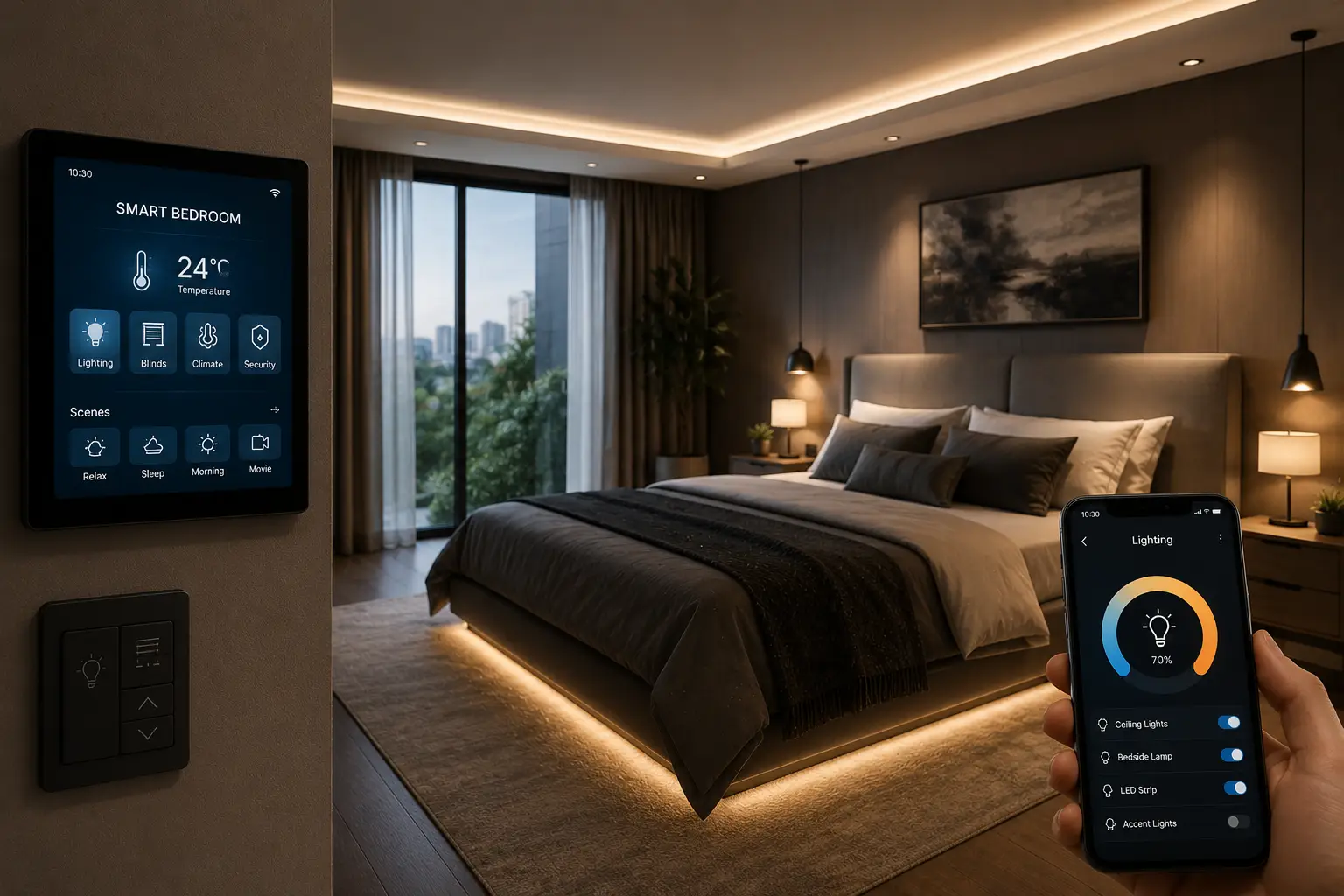
A smart bedroom is a sleeping space where lighting, temperature, sound, and window coverings are automated and voice- or app-controlled so the room adjusts itself around your sleep schedule instead of the other way around. Rather than fumbling for a light switch or squinting at a thermostat at 11 p.m., you set routines once and let the room do the rest — dimming lights at 9:30, dropping the temperature a couple of degrees before bed, and easing you awake with a gradual sunrise instead of a jarring alarm.
The appeal isn’t just novelty. Sleep Foundation’s research on light exposure points to a direct link between evening light levels and how quickly your body produces melatonin, which is exactly the kind of variable a smart bedroom setup is built to control. Add a curtain motor that opens with the sunrise, a mattress sensor that tells you why you woke up at 3 a.m., and a thermostat that knows your bedroom runs five degrees colder than the hallway, and you start to see why “smart bedroom” has become one of the fastest-growing categories in home tech for 2026.
This guide covers seven real, currently available products spanning entry-level to premium, how to choose between them, common setup mistakes, and honest answers to the questions people actually search before buying.
Quick Comparison: Smart Bedroom Devices at a Glance
| Product | Category | Price Range | Best For |
|---|---|---|---|
| Amazon Echo Dot (5th Gen) with Clock | Voice hub & alarm | around $35–$60 | Budget-first automation hub |
| Kasa Smart Plug Mini | Outlet automation | around $15–$25 | Automating existing lamps/fans |
| Philips Hue White and Color Ambiance Starter Kit | Smart lighting | between $130 and $180 | Full-color wind-down lighting |
| SwitchBot Curtain 3 | Curtain automation | between $90 and $150 | Sunrise-triggered wake-ups |
| Withings Sleep Analyzer | Sleep tracking | between $130 and $150 | Wearable-free sleep data |
| Hatch Restore 3 | Sunrise alarm & sound | between $170 and $200 | All-in-one wake/wind-down routine |
| Ecobee Smart Thermostat Premium | Climate control | between $230 and $280 | Whole-bedroom temperature tuning |
Looking at this lineup, the split is deliberate: the Amazon Echo Dot (5th Gen) with Clock and Kasa Smart Plug Mini get you started for well under $100 combined, the Philips Hue White and Color Ambiance Starter Kit, SwitchBot Curtain 3, and Withings Sleep Analyzer occupy the mid-range where most of the actual sleep-quality gains happen, and the Hatch Restore 3 and Ecobee Smart Thermostat Premium represent the higher-end picks for buyers who want one device to do more of the work automatically. None of these prices are fixed — always check the current price at the time of purchase, since Amazon pricing fluctuates.
💬 One click helps other shoppers make an informed choice too! 😊
Top 7 Smart Bedroom Devices: Expert Analysis
1. Amazon Echo Dot (5th Gen) with Clock — the cheapest way to start automating
If you own zero smart bedroom devices right now, this is the logical first purchase. The built-in LED display shows the time without forcing you to reach for your phone, which matters more than it sounds like at 3 a.m.
Key features worth knowing: a built-in temperature sensor lets you trigger routines like “turn on the fan when the room hits 74°F,” and the Alexa voice assistant becomes the control hub for every other Alexa-compatible device on this list. The redesigned spherical speaker also handles white noise or a wind-down playlist reasonably well for a device this size.
Who it’s for: first-time smart home buyers who want to test the waters before investing in pricier gear. Based on comparing the spec sheet against pricier smart displays, the Dot’s temperature sensor is the standout feature at this price — most budget speakers skip it entirely, and it’s what turns this from “a speaker with a clock” into an actual automation hub.
Reviews consistently mention the compact size as a strength for nightstands with limited space, while a common complaint is that the speaker’s audio quality is noticeably thinner than the step-up Echo models when used for anything beyond ambient sound or voice responses.
Pros:
- ✅ Compact size fits even the smallest nightstands
- ✅ Built-in temperature sensor unlocks automated routines
- ✅ Low price makes it an easy entry point into automation
Cons:
- ❌ Speaker audio is thin compared to larger Echo models
- ❌ Needs other Alexa-compatible gear to unlock full bedroom automation
Priced around $35 to $60 depending on promotions, the Amazon Echo Dot (5th Gen) with Clock delivers strong value simply because it’s the cheapest way to unlock voice-triggered routines for everything else in this guide.
2. Kasa Smart Plug Mini — turns any lamp into a smart device
Before buying anything else, this $20 plug is often the highest-leverage purchase in a smart bedroom setup, because it makes existing lamps, fans, and humidifiers schedulable without replacing them.
The compact Wi-Fi plug connects directly to your router with no separate hub required, and the companion app supports scheduling, away-mode randomization for security, and voice control once paired with Alexa or Google Assistant. What most buyers overlook with a device this simple is that it’s also the cheapest way to add a “sunrise-adjacent” wake-up: schedule a warm-toned lamp to switch on ten minutes before your alarm and you get a softer wake-up without buying a dedicated sunrise clock.
Who it’s for: renters, budget-conscious buyers, and anyone who wants to automate a device they already own rather than replace it. It’s also a smart complement to the pricier picks on this list — pairing a Kasa plug with a white noise machine or humidifier means your entire wind-down routine can run on a single schedule.
Reviews consistently highlight the low price and simple setup, while a recurring criticism is that the compact design can crowd out the outlet next to it on a shared power strip or wall plate.
Pros:
- ✅ Works with virtually any lamp, fan, or humidifier
- ✅ No smart hub required — connects straight to Wi-Fi
- ✅ Scheduling and away-mode add convenience and security
Cons:
- ❌ Only controls power on/off, not dimming or speed
- ❌ Compact shape can block a neighboring outlet
At around $15 to $25 for a single unit (multi-packs bring the per-unit cost down further), the Kasa Smart Plug Mini is arguably the best dollar-for-dollar upgrade on this entire list.
3. Philips Hue White and Color Ambiance Starter Kit — the gold standard for wind-down lighting
Once you’re ready to move past on/off automation, this kit is where most smart bedroom builds level up — full-color, precisely dimmable lighting that can shift color temperature automatically as the evening progresses.
The kit includes a Hue Bridge and two A19 bulbs capable of roughly 800 lumens and 16 million colors, and the Bridge is what unlocks the deeper automation: gradual sunset simulations, geofenced routines, and compatibility across Alexa, Google Assistant, Apple Home, and Matter. Here’s what the spec sheet doesn’t say outright: the meaningful upgrade over a basic color smart bulb isn’t the color count, it’s the Bridge-enabled reliability and local automation speed, which matters when you’re trying to trigger a bedtime scene at the exact same time every night.
Who it’s for: buyers who’ve already tried a basic smart plug or bulb and want a lighting setup that actually shifts warmth and brightness on a schedule rather than just turning on and off. Reviews consistently point to the ecosystem breadth as the main draw — few competitors match Hue’s compatibility across every major smart home platform.
A frequently cited downside in aggregated feedback is the upfront cost of the Bridge, which adds roughly $60 on top of the bulbs themselves, and some buyers note that bulb-only starter kits without the Bridge sacrifice the more advanced automations.
Pros:
- ✅ 16 million colors enable precise, gradual wind-down lighting
- ✅ Broadest smart home compatibility of any bulb in this guide
- ✅ Native sunrise/sunset automation without third-party apps
Cons:
- ❌ Hue Bridge purchase adds to the upfront cost
- ❌ Premium pricing versus basic single-color smart bulbs
Expect to pay between $130 and $180 for the two-bulb starter kit with Bridge included, which is a fair value for buyers planning to expand the Philips Hue White and Color Ambiance Starter Kit into a whole-room lighting scheme over time.
4. SwitchBot Curtain 3 — automated sunrise without replacing your curtain rod
For anyone who’s tried a sunrise alarm clock and still finds it doesn’t replicate real daylight, this motor solves the problem at the source by opening your actual curtains on schedule.
The third-generation motor clips onto most existing curtain rods (both rod and U-rail types are supported with the right adapter) without requiring new hardware, and an optional solar panel keeps it charged indefinitely so you’re not pulling it down to recharge every few weeks. Based on comparing this to blackout-curtain-plus-separate-alarm setups, the practical advantage is real daylight exposure at a consistent time, which several sleep researchers argue does more for circadian alignment than any screen-based light source.
Who it’s for: anyone using blackout curtains who wants a genuinely gradual, natural wake-up instead of an artificial light box, and anyone with a home office adjacent to the bedroom who wants curtains to close automatically for afternoon glare. Reviews consistently praise how quiet the motor is during nighttime operation — a common concern with earlier curtain automation attempts.
The most frequent complaint in aggregated feedback involves needing the separate SwitchBot Hub Mini (sold separately) to unlock full voice control and remote scheduling, and heavier drapery sometimes requires the higher-torque variant of the motor.
Pros:
- ✅ Retrofits most existing curtain rods without new hardware
- ✅ Optional solar panel removes manual recharging
- ✅ Motor is rated quiet enough for nighttime operation
Cons:
- ❌ Full voice/app control requires the separate Hub Mini
- ❌ Heavy drapes may need the stronger, pricier motor variant
Pricing typically falls between $90 and $150 depending on the rod adapter and whether the solar panel is bundled, making the SwitchBot Curtain 3 one of the more distinctive picks in this guide simply because nothing else on the list replicates real daylight.
5. Withings Sleep Analyzer — sleep tracking without wearing anything to bed
For buyers who’ve tried a sleep-tracking ring or watch and found it uncomfortable to sleep in, this under-mattress sensor pad solves the “I forgot to wear it” problem entirely by requiring nothing on your body.
The thin sensor pad slides under your mattress and tracks sleep cycles, snoring, heart rate, and breathing disturbances overnight, syncing automatically to the Health Mate app each morning. What most buyers overlook with under-mattress sensors is that couples sharing a bed each get individually tracked data — the pad distinguishes between two sleepers rather than averaging the whole bed, which wearable-based competitors handle less gracefully when partners share a mattress.
Who it’s for: light sleepers who don’t want to wear anything to bed, couples who want individual data without buying two wearables, and anyone whose partner has mentioned snoring or restless movement they’d like documented before a doctor’s visit. Reviews consistently mention that the passive, wearable-free design is the single biggest reason buyers choose it over a ring or watch.
A recurring theme in aggregated feedback is that some of the deeper respiratory and sleep-stage metrics sit behind an optional subscription, and getting accurate per-person data requires careful initial placement under each side of the mattress.
Pros:
- ✅ Under-mattress design means nothing to wear or charge nightly
- ✅ Tracks snoring, heart rate, and breathing disturbances
- ✅ Automatically syncs data each morning with no manual steps
Cons:
- ❌ Some advanced metrics require an optional subscription
- ❌ Couples need careful placement for accurate individual tracking
At a price range between $130 and $150, the Withings Sleep Analyzer earns its spot as the most practical entry point into sleep tracking for anyone who has already given up on wearables.
6. Hatch Restore 3 — the closest thing to an all-in-one bedroom device
If you’d rather buy one device than stack three, this is the pick — a sunrise alarm, white noise/sound machine, reading light, and guided wind-down content player combined into a single nightstand unit.
The gesture-based touch controls let you silence an alarm or adjust volume without fumbling for a tiny button in the dark, and a built-in battery backup keeps your morning routine running even through a power outage, which is a detail competitors in this price range frequently skip. Based on comparing feature sets, what sets this apart from a basic sunrise lamp is the layered routine: dimming reading light, then sound, then gradual sunrise, all on one adjustable schedule rather than three separate devices you’d need to coordinate manually.
Who it’s for: buyers who’ve already tried stacking a white noise machine, a lamp, and a basic alarm clock and are tired of coordinating three separate schedules. It’s also a strong pick for anyone who struggles with jarring alarm sounds, since the gradual light-then-sound wake sequence is gentler by design.
Reviews consistently cite the combined functionality as the top reason people upgrade from cheaper standalone devices, while a recurring frustration in aggregated feedback is that the full content library of guided routines and soundscapes requires an optional Hatch+ subscription — the base alarm and sound-machine functions work without it.
Pros:
- ✅ Combines sunrise alarm, sound machine, and reading light in one device
- ✅ Touch-free gesture controls work well for late-night adjustments
- ✅ Battery backup keeps routines running through power outages
Cons:
- ❌ Full content library requires an optional Hatch+ subscription
- ❌ Touch-sensitive base can occasionally register accidental taps
Expect a price range between $170 and $200, which puts the Hatch Restore 3 at the higher end of this guide but justified by genuinely replacing three separate nightstand devices.
7. Ecobee Smart Thermostat Premium — whole-bedroom comfort, not just a wall dial
Temperature is arguably the most-cited factor in sleep quality research, and this thermostat is the pick for buyers who want to actually solve it rather than just glance at a wall display.
Built-in air quality and occupancy sensors let the system fine-tune based on whether the bedroom is actually occupied, and it’s ENERGY STAR certified, meaning its efficiency claims are independently verified rather than marketing copy. Here’s what most buyers overlook: the optional SmartSensor accessories are what actually solve the “bedroom always runs colder than the thermostat reads” problem, since they measure temperature and occupancy in the room itself rather than wherever the main thermostat happens to be mounted, often in a hallway.
Who it’s for: homeowners (renters should confirm HVAC compatibility with their landlord first) who’ve noticed their bedroom runs noticeably warmer or colder than the rest of the house, and anyone who wants pre-bedtime temperature drops — often cited as helpful for sleep onset — automated rather than manually adjusted every night.
Reviews consistently praise the room-by-room sensor accuracy as the standout differentiator versus basic single-sensor thermostats, while a common concern in aggregated feedback is that installation on older or non-standard HVAC wiring is complex enough that professional installation is genuinely recommended rather than optional.
Pros:
- ✅ Built-in air quality and occupancy sensors fine-tune comfort automatically
- ✅ ENERGY STAR certified for independently verified efficiency
- ✅ Optional room sensors fix inaccurate whole-house temperature readings
Cons:
- ❌ Professional installation is recommended for complex HVAC wiring
- ❌ Price sits well above basic non-sensor smart thermostats
Priced in the $230 to $280 range, the Ecobee Smart Thermostat Premium is the biggest single investment in this guide, but it’s also the device most likely to pay for itself through verified energy savings over a few winters.
Smart Bedroom Devices at a Glance: Features and Fit
| Product | Standout Feature | Works With | Price Range |
|---|---|---|---|
| Amazon Echo Dot (5th Gen) with Clock | Built-in temperature sensor | Alexa ecosystem | around $35–$60 |
| Kasa Smart Plug Mini | No hub required | Alexa, Google Assistant | around $15–$25 |
| Philips Hue White and Color Ambiance Starter Kit | 16-million-color scenes | Alexa, Google, Apple Home, Matter | between $130 and $180 |
| SwitchBot Curtain 3 | Real daylight wake-up | SwitchBot app, Hub Mini (optional) | between $90 and $150 |
| Withings Sleep Analyzer | No wearable required | Health Mate app | between $130 and $150 |
| Hatch Restore 3 | 3-in-1 wind-down/wake device | Hatch app | between $170 and $200 |
| Ecobee Smart Thermostat Premium | Room-by-room sensors | Alexa, Google, Apple Home | between $230 and $280 |
Reading across this table, the clearest pattern is that price scales with how much manual effort a device eliminates: the Kasa Smart Plug Mini still requires you to pick which lamp or fan to automate, while the Hatch Restore 3 and Ecobee Smart Thermostat Premium handle multi-step routines with essentially no ongoing input from you. If budget is the main constraint, pairing the Amazon Echo Dot (5th Gen) with Clock with a couple of Kasa Smart Plug Mini units gets you real automation for under $100 total.
How to Set Up Your Smart Bedroom in a Weekend
You don’t need to buy all seven devices at once, and trying to configure everything in one sitting is how most people abandon the project halfway through. Spread it across a weekend instead.
Saturday morning, start with your Wi-Fi hub device — the Amazon Echo Dot (5th Gen) with Clock if you’re going the Alexa route — and get it fully set up before touching anything else, since every other device will need to pair with it. Saturday afternoon, add one or two Kasa Smart Plug Mini units on your existing lamps and set a basic on/off schedule; this is the fastest visible win and builds momentum for the rest of the project.
Sunday, tackle lighting and window automation together since they interact: install the Philips Hue White and Color Ambiance Starter Kit and set a wind-down scene for 30 minutes before your target bedtime, then, if you’re adding the SwitchBot Curtain 3, mount it on your existing rod and schedule it to open 15–20 minutes before your alarm. Save the thermostat and sleep tracker for a separate weekend if you’re new to this — the Ecobee Smart Thermostat Premium in particular benefits from unhurried installation, especially if your HVAC wiring isn’t a standard setup.
A common first-30-days mistake is over-scheduling everything immediately. Start with one or two automated routines (lights off at bedtime, curtains open at wake time) and add more only after those feel reliable — stacking five new routines at once makes it hard to tell which one is misfiring if something doesn’t trigger correctly.
Real Bedrooms, Real Setups: 3 Smart Bedroom Scenarios
The budget-conscious renter. A student or early-career renter with a $150 total budget and no interest in modifying fixtures gets the most value from the Amazon Echo Dot (5th Gen) with Clock paired with two Kasa Smart Plug Mini units — one for a lamp, one for a fan or humidifier. Nothing requires drilling or a hub purchase, and the whole setup can move to a new apartment in one trip.
The light sleeper sharing a bed. Someone whose partner keeps different hours, or who suspects snoring is disrupting their sleep, gets the most out of the Withings Sleep Analyzer paired with the Philips Hue White and Color Ambiance Starter Kit for a color-shifted, low-disruption wind-down that doesn’t wake a partner on a different schedule. The sleep data also gives them something concrete to bring to a doctor if disturbances continue.
The homeowner optimizing long-term comfort. A homeowner who’s lived in the house for a few years and noticed the bedroom runs consistently colder than the thermostat reads is the ideal buyer for the Ecobee Smart Thermostat Premium with a bedroom SmartSensor, paired with the Hatch Restore 3 for a genuinely automated wind-down-to-wake-up routine. This is the highest upfront cost of the three scenarios, in the $400–$480 combined range, but it’s also the setup most likely to show measurable energy savings within a year.
Problem → Solution: Fixing Common Bedroom Sleep Issues
Problem: You wake up to a jarring alarm and feel groggy for an hour. A sudden loud alarm triggers a stress response that can leave you feeling worse than gradual waking. Solution: pair the Hatch Restore 3 or a Philips Hue White and Color Ambiance Starter Kit sunrise routine with the SwitchBot Curtain 3 for layered, gradual light exposure instead of sound-only alarms.
Problem: Your bedroom is consistently too warm or too cold relative to the rest of the house. Whole-house thermostats average temperature across rooms, which rarely matches what one specific bedroom actually needs. Solution: the Ecobee Smart Thermostat Premium with a room-specific SmartSensor accessory measures and adjusts based on the bedroom itself, not a hallway reading.
Problem: You don’t know why you’re waking up at 3 a.m. Without objective data, it’s guesswork whether it’s noise, temperature, or a breathing disturbance. Solution: the Withings Sleep Analyzer logs heart rate, movement, and breathing overnight so you can actually identify a pattern instead of guessing.
Problem: You forget to turn off a lamp or humidifier and it runs all night. Manual habits fail eventually, especially when you’re already half-asleep. Solution: a scheduled Kasa Smart Plug Mini handles the shutoff automatically, every night, without relying on memory.
How to Choose Smart Bedroom Devices
Not every buyer needs all seven categories covered above. Work through these criteria in order to figure out where your money actually matters:
- Start with your biggest sleep complaint, not the flashiest device. If waking up groggy is the issue, prioritize light-based wake devices over a sleep tracker — data alone doesn’t fix the problem, it only documents it.
- Check hub compatibility before buying anything. Confirm whether a device needs a separate hub (like SwitchBot’s Hub Mini) or works standalone, since hidden hub costs change the real price significantly.
- Match voice ecosystem to what you already own. If your phone and other smart devices are already Google-based, don’t buy Alexa-first gear and fight compatibility issues later.
- Weigh subscription costs into the real price. Devices like the Hatch Restore 3 have a lower base price but richer features behind a subscription — factor that into your actual annual cost, not just the sticker price.
- Consider retrofit vs. replacement. The SwitchBot Curtain 3 works with existing curtains; other systems require replacing hardware entirely. Retrofit options are almost always the better first purchase for renters.
- Buy the thermostat last, not first. It’s the highest-cost item and the one most likely to need professional installation — get comfortable with simpler automations before tackling it.
- Plan for how devices work together, not just individually. A lamp on a schedule and a curtain on a separate, uncoordinated schedule can actually conflict — plan routines as a system from the start.
Common Mistakes to Avoid When Buying Smart Bedroom Tech
Buyers new to this category tend to repeat the same handful of errors. Skipping hub requirements is the most common — buying a device like the SwitchBot Curtain 3 without realizing full voice control needs a separate Hub Mini leads to disappointment during setup, not because the product is flawed but because the buyer expected voice control to be included from day one.
Another frequent mistake is buying redundant devices before establishing a real routine — some buyers purchase both a sunrise lamp and a separate sound machine, then also buy the Hatch Restore 3, which already replicates both. Read the full feature list of any all-in-one device before stacking single-purpose gadgets around it.
Ignoring ecosystem lock-in is a subtler issue: mixing Alexa-first and Google-first devices works in most cases now thanks to Matter support, but not universally, and buyers who don’t check compatibility before purchasing sometimes end up running two separate apps for what should be one coordinated bedroom. Finally, underestimating installation complexity — particularly with the Ecobee Smart Thermostat Premium on older HVAC systems — leads to buyers attempting a DIY install that a professional would have finished in twenty minutes without risking a wiring mistake.
Smart Bedroom vs. Traditional Bedroom Setup
| Factor | Traditional Bedroom | Smart Bedroom |
|---|---|---|
| Wake-up method | Manual alarm sound | Gradual light + sound, curtain-triggered |
| Lighting control | Wall switch, fixed brightness | App/voice-controlled, scheduled, color-adjustable |
| Temperature | Whole-house average | Room-specific sensors and schedules |
| Sleep insight | None — guesswork | Objective overnight data |
| Ongoing effort | Manual every night | Automated after initial setup |
The core trade-off is upfront effort versus nightly effort: a traditional bedroom requires zero setup but demands a manual action every single night (flip the switch, set the alarm, adjust the thermostat), while a smart bedroom setup requires a weekend of configuration in exchange for those actions happening automatically going forward. For most buyers, the break-even point is somewhere around 4–6 weeks of consistent use — after that, the automated routine becomes the default and the manual version starts to feel like the extra work.
The exception is unreliable Wi-Fi: in a household with a spotty connection, a traditional bedroom’s manual switches will always work, while smart devices depend on network stability. If your home Wi-Fi drops frequently, address that before investing heavily in automation-dependent gear.
✨ Don’t miss these exclusive deals!
🔍 Take Your Bedroom to the Next Level
Whether you’re starting with a single smart plug or building out the full seven-device lineup, click any highlighted pick above to check current pricing and availability. These devices are designed to work together, so even one or two additions can meaningfully improve how consistently — and comfortably — you fall asleep and wake up.
Safety, Regulations, and Standards
Smart bedroom devices intersect with a few real regulatory areas worth knowing about, not just marketing claims. Motorized window coverings like the SwitchBot Curtain 3 fall under updated federal rules: the CPSC’s safety standard on window covering cords was strengthened specifically to address strangulation hazards from corded coverings, which is one more reason a cordless, motorized retrofit is often the safer long-term choice for households with young children, independent of the automation convenience.
On the connectivity side, any Wi-Fi-connected bedroom device is technically part of your home’s IoT footprint, and the NIST IoT device cybersecurity guidance outlines baseline practices worth applying at home even though it’s written primarily for manufacturers and federal agencies: use unique, strong passwords for each device’s app account, keep firmware updated, and review what data a device actually collects (particularly relevant for sleep trackers like the Withings Sleep Analyzer, which log health-adjacent data overnight).
For electrical devices plugged directly into outlets, like the Kasa Smart Plug Mini, look for UL or ETL listing on the packaging — this indicates the product has been independently tested for basic electrical safety, which matters more for something left plugged in and unattended overnight than for most other household electronics.
Long-Term Cost and Maintenance
The upfront price tag is only part of the real cost of a smart bedroom setup. Subscription costs are the most overlooked factor: the Hatch Restore 3‘s full content library and some of the Withings Sleep Analyzer‘s advanced metrics sit behind optional monthly fees, so a buyer comparing sticker prices alone might miss $60–100 a year in ongoing costs across a couple of devices.
On the savings side, the Ecobee Smart Thermostat Premium is the one device in this guide with a genuine, independently verified payback period — its ENERGY STAR certification means the efficiency claims behind it have been validated rather than self-reported, and households with inconsistent bedroom temperatures tend to see the clearest savings since the room-specific sensors stop the system from over-heating or over-cooling a room nobody’s using during the day.
Maintenance is minimal across this lineup but not zero: Hue bulbs and the Hatch device need occasional firmware updates (usually automatic), the SwitchBot Curtain motor’s solar panel should be wiped free of dust every few months for consistent charging, and the Sleep Analyzer’s pad should be checked periodically to confirm it hasn’t shifted out of position under the mattress. None of this amounts to real upkeep burden, but budgeting a few minutes a month for updates and physical checks keeps the whole system running reliably.
Smart Bedroom Devices for Different Sleepers
Couples with mismatched schedules benefit most from devices with per-side or per-person data and control — the Withings Sleep Analyzer‘s dual-zone tracking and the Philips Hue app’s ability to set independent bedside lighting scenes matter more here than for a single sleeper.
Light sleepers and anyone sensitive to sound should prioritize the SwitchBot Curtain 3 and light-based wake methods over sound-based alarms entirely, since gradual daylight is inherently less disruptive to a partner than an audible alarm. Heavier sleepers, by contrast, may find the Hatch Restore 3‘s combination of sound and light more effective than either alone, since a single stimulus is easier to sleep through.
Shift workers and anyone with an irregular schedule get outsized value from the Philips Hue White and Color Ambiance Starter Kit specifically, since blackout-simulating color scenes and daytime “sunset” routines can help manufacture a consistent light cycle even when your actual sleep hours don’t match daylight. Older adults managing temperature sensitivity are the clearest fit for the Ecobee Smart Thermostat Premium‘s room-specific sensors, since age-related changes in temperature regulation make a consistently comfortable bedroom more directly tied to sleep quality than for younger sleepers.
Frequently Asked Questions
❓ Do I need a smart hub to build a smart bedroom?
❓ What's the best smart bedroom device for someone on a tight budget?
❓ Are smart bedroom devices safe for data privacy?
❓ Will a smart thermostat actually lower my energy bill?
❓ Can I automate my existing curtains without buying new ones?
Conclusion
Building a smart bedroom doesn’t require buying all seven devices covered here, and trying to do so in one weekend is the fastest way to abandon the project. Start with the highest-leverage, lowest-cost pieces — the Amazon Echo Dot (5th Gen) with Clock and a Kasa Smart Plug Mini or two — get comfortable with basic scheduling, and expand toward lighting, curtains, sleep tracking, or climate control only once the fundamentals feel reliable.
The honest throughline across every product in this guide is that automation works best when it solves a specific, named problem rather than being bought for novelty. If grogginess on waking is the real complaint, the Hatch Restore 3 or a Philips Hue sunrise scene addresses it directly. If temperature inconsistency is the issue, the Ecobee Smart Thermostat Premium solves that specific problem. Matching the device to the actual complaint — rather than buying the most popular product in the category — is what separates a smart bedroom that gets used every night from one that gets abandoned after a month.
✨ Ready to build your smart bedroom?
🔍 Start with one device, build a routine that sticks, and expand from there — click any highlighted pick above to check current pricing and availability before your next sleep-focused upgrade.
Recommended for You
- France Wall Socket Adapters: 7 Best Picks for Travelers (2026)
- German Electrical Plug Type: 7 Best Adapters to Buy in 2026
- GE Cync Smart Light Switch: 7 Best Picks for 2026
Disclaimer: This post contains affiliate links. As an Amazon Associate, I earn from qualifying purchases made through these links, at no additional cost to you.
✨ Found this article helpful? Share it with someone who needs it! 💬🤗
