
In This Article
Introduction: Why the best matter devices Finally Make Smart Homes Simple
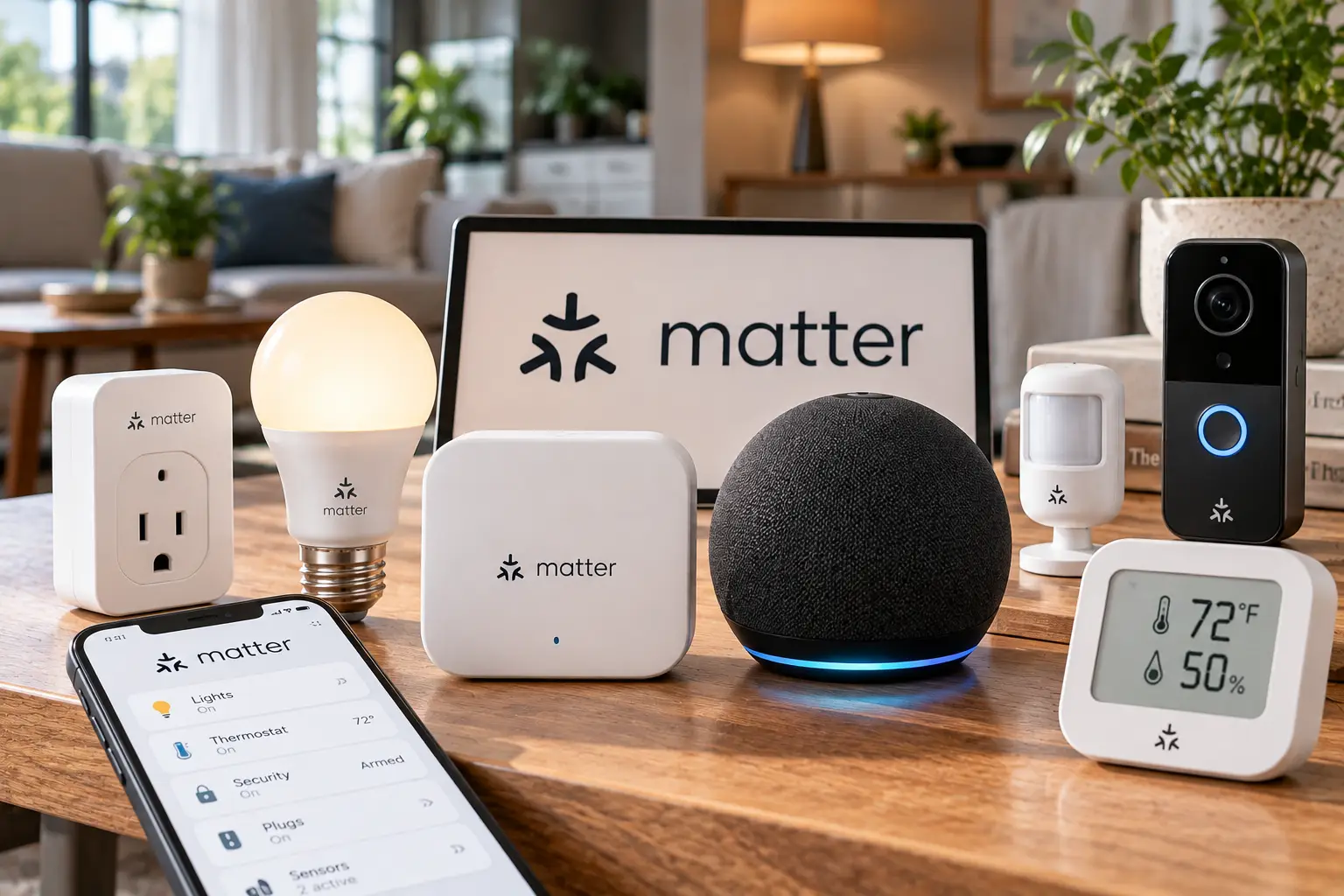
What are the best matter devices? They’re smart home products certified under Matter, the open connectivity standard from the Connectivity Standards Alliance that lets a single plug, bulb, lock, or sensor work with Apple Home, Google Home, Amazon Alexa, and Samsung SmartThings at the same time, locally, over Wi-Fi or Thread, without brand-specific bridges or cloud workarounds.
If you’ve ever bought a smart plug that “works with Alexa” only to find it ignores your partner’s iPhone, you already understand the problem Matter was built to fix. The first version of the spec shipped in October 2022, and the standard has been updated roughly twice a year since. According to the Matter standard overview on Wikipedia, version 1.5 (November 2025) brought cameras and closures into the fold, and version 1.6 followed in June 2026. ⚡
Here’s what most buyers overlook, though: the Matter logo is a floor, not a guarantee. Some products run over Wi-Fi and pair in seconds. Others run over Thread and quietly need a border router you may or may not own. Some expose every feature through Matter, while others still hide advanced settings inside the maker’s app.
That’s why this guide doesn’t just list gadgets. It breaks down seven real products across hubs, lighting, plugs, sensors, locks, and climate control, from a sub-$20 plug to a premium thermostat. Each pick is analyzed against published spec sheets, professional reviews, and aggregated owner feedback, then matched to the household it actually suits.
You’ll also get a setup playbook, a troubleshooting cheat sheet, and a cost breakdown. The goal is simple: a smart home that keeps working when you switch phones, add a roommate, or change voice assistants. 🏠
Quick Comparison: The best matter devices at a Glance
In a hurry? This table sums up all seven picks by category, connection type, price range, and the buyer each one fits best. Prices are approximate ranges at the time of writing and change often, so check the current price before you buy.
| Product | Category | Matter connection | Approx. price | Best for |
|---|---|---|---|---|
| Aqara Hub M3 | Hub / controller | Thread border router + Aqara Zigbee, Wi-Fi, Ethernet (PoE) | $100–$130 | Aqara Hub M3: power users building a sensor-heavy home |
| Nanoleaf Essentials Matter A19 | Color smart bulb | Matter over Thread (+ Bluetooth) | Around $20 per bulb | Nanoleaf Essentials Matter A19: affordable color in every room |
| Eve Energy (Matter) | Smart plug | Matter over Thread | $30–$40 | Eve Energy (Matter): energy tracking with strong privacy |
| TP-Link Tapo P125M | Mini smart plug | Matter over Wi-Fi | Under $20 | TP-Link Tapo P125M: your very first Matter device, no hub |
| Aqara Door and Window Sensor P2 | Contact sensor | Matter over Thread | $20–$30 | Aqara Door and Window Sensor P2: door- and window-based automations |
| Aqara Smart Lock U200 | Retrofit smart lock | Matter over Thread (+ Bluetooth, NFC) | $230–$270 | Aqara Smart Lock U200: keeping your existing deadbolt and keys |
| Google Nest Learning Thermostat (4th Gen) | Smart thermostat | Matter (shared from Google Home) | Around $280 | Google Nest Learning Thermostat (4th Gen): premium climate control in any ecosystem |
Reading across the table, the split that matters most isn’t price; it’s the connection column. The TP-Link Tapo P125M is the only pick that works with nothing more than your Wi-Fi router and a phone, which makes it the safest first purchase. Every Thread-based pick, from the Nanoleaf Essentials Matter A19 to the Aqara Smart Lock U200, rewards you with faster, more battery-friendly performance, but only once a Thread border router (a HomePod mini, Apple TV 4K, recent Nest hub, compatible Echo, or the Aqara Hub M3) is in place.
💬 Tap any highlighted product name to check current pricing and availability. One click helps other shoppers make an informed choice too! 😊
Top 7 best matter devices: Expert Analysis
The seven picks below cover the core jobs of a modern smart home: a controller, lighting, two plugs, a sensor, a lock, and a thermostat. Each one is assessed on what its specs mean in daily use, what owners consistently report, and who should (and shouldn’t) buy it.
1. Aqara Hub M3 — the multi-protocol brain for power users
The Aqara Hub M3 earns its spot by doing jobs that normally take three separate boxes.
It’s a Matter controller, a Matter bridge, a Thread border router, and a Zigbee 3.0 coordinator in one square unit, with dual-band Wi-Fi, Ethernet with Power over Ethernet (PoE), and a built-in IR blaster. In practice, your Thread sensors get a border router, your existing Aqara Zigbee gear shows up in Apple Home, Google Home, or Alexa through Matter, and an old window AC can join automations via infrared. The PoE port is quietly brilliant: wiring the hub to your router removes Wi-Fi as a failure point, and Aqara designs it to keep local automations running when your internet drops.
Based on comparing the specs, this is the hub for anyone planning dozens of sensors; Aqara rates it for up to 127 Thread/Zigbee devices with repeaters. If you only own a few Wi-Fi plugs, though, it’s overkill, since a HomePod mini, Apple TV, or Nest hub already acts as your controller.
Owner feedback is consistent on one caveat: the “Zigbee” support covers Aqara’s own Zigbee devices, not third-party ones. Reviewers who migrated from older Aqara hubs praise how smoothly devices and automations transfer, while PCWorld’s Aqara Hub M3 review singled out the price as the main drawback.
Pros:
- ✅ Thread border router, Matter controller, and bridge in one
- ✅ PoE and Ethernet for a rock-steady wired connection
- ✅ Local automations keep running during internet outages
Cons:
- ❌ Zigbee pairing limited to Aqara-branded devices
- ❌ Expensive if you only need a basic controller
💰 Typically in the $100–$130 range (check the current price); excellent value only if you’ll grow into its feature set.
2. Nanoleaf Essentials Matter A19 — fast, bright color on a budget
The Nanoleaf Essentials Matter A19 is the cheapest way to get snappy, full-color Thread lighting into every lamp.
On paper, it pushes up to 1,100 lumens with a 2700K–6500K white range. That brightness matters: a standard “60W-equivalent” bulb sits near 800 lumens, so this one can actually light a living room instead of just tinting it. Because it runs on Thread, commands land almost instantly, and Bluetooth gives you a fallback through the Nanoleaf app if you don’t own a border router yet.
It’s ideal for budget-conscious buyers outfitting multiple rooms, and for Apple or Google households that already own a border router. Apple fans should know one thing the box doesn’t spell out: the Matter version doesn’t support Apple’s Adaptive Lighting, which the older HomeKit-only Essentials did.
Reviews consistently report strong brightness, rich color, and fair pricing. The most common complaint is intermittent “no response” states, and at least one long-term reviewer linked the bulb’s return rate to buyers who didn’t have a Thread border router.
Pros:
- ✅ Brighter than most standard smart bulbs
- ✅ Thread speed with a Bluetooth fallback
- ✅ Low per-bulb cost, especially in multipacks
Cons:
- ❌ No Adaptive Lighting support in Apple Home
- ❌ Occasional “no response” hiccups on weak Thread meshes
💰 Around $20 per bulb, less in multipacks; hard to beat for color lighting value.
3. Eve Energy (Matter) — privacy-first plug with real energy data
The Eve Energy (Matter) is the plug to buy when you care where your data goes as much as whether your lamp turns on.
It runs Matter over Thread, monitors power draw in detail through the Eve app, and requires no account or cloud registration. Because it’s mains-powered, it also acts as a Thread router, so every Eve Energy (Matter) you add strengthens the mesh for battery-powered sensors elsewhere. That energy data isn’t a gimmick, either: it tells you what a space heater or old fridge really costs to run.
Here’s what to weigh: this plug shines in Apple-centric homes and for anyone tracking energy use, but you’ll pay a premium over basic Wi-Fi plugs. If you just want to switch a lamp, a cheaper option does that job fine.
Aggregated reviews highlight five-minute QR setup and near-instant switching. Recurring complaints include the price, a somewhat bulky housing, and the fact that detailed energy history lives in the Eve app rather than every Matter platform.
Pros:
- ✅ Detailed energy monitoring without a cloud account
- ✅ Extends your Thread mesh as a router
- ✅ Fast, reliable switching across all major platforms
Cons:
- ❌ Costs more than basic smart plugs
- ❌ Full energy history requires the Eve app
💰 Usually in the $30–$40 range per plug; worth it if privacy and energy insight matter to you.
4. TP-Link Tapo P125M — the easiest first Matter device
The TP-Link Tapo P125M is the frictionless entry point: no hub, no Thread, no learning curve.
It’s Matter-certified over 2.4GHz Wi-Fi, uses Bluetooth only for quick onboarding, and is UL-certified for loads up to 15A/1800W. At roughly 2.4 x 1.5 x 1.3 inches, two fit side by side on a standard duplex outlet, which matters more than it sounds behind a crowded TV stand. You scan one QR code in Apple Home, Google Home, Alexa, or SmartThings, and you’re done.
It’s the right pick for beginners, renters, and anyone automating lamps, fans, or holiday lights. What the spec sheet doesn’t say, but reviews reveal, is that it skips energy monitoring entirely, so look elsewhere if you want consumption data.
Owner sentiment consistently praises the size and ease of setup across ecosystems. The main complaints are the 2.4GHz-only Wi-Fi and a quick-start guide that confused some early buyers during Matter onboarding.
Pros:
- ✅ No hub or border router required
- ✅ Compact enough to share a duplex outlet
- ✅ Works with every major Matter platform
Cons:
- ❌ No energy monitoring on this model
- ❌ 2.4GHz Wi-Fi only, no Thread support
💰 Typically under $20, cheaper per plug in multipacks; the best value starter device on this list.
5. Aqara Door and Window Sensor P2 — set-and-forget automation trigger
The Aqara Door and Window Sensor P2 turns every door, window, or cabinet into a reliable automation trigger without needing an Aqara hub.
It runs Matter over Thread and connects directly to any compatible border router. Power comes from a CR123A battery; Aqara doesn’t publish a firm battery-life figure, but reviewers commonly expect around two years thanks to Thread’s low-power design. Practically, that means you can automate “window open → pause the thermostat” or “front door opens after sunset → hallway lights on” and then forget the sensor exists.
It suits anyone building security or comfort automations in a Thread home. The trade-off is size: at 77 x 22 x 22 mm, it’s one of the chunkier contact sensors around, so measure narrow window frames first.
Reviews describe it as rock-solid once paired, with quick notifications. Common complaints include the bulky body, the mandatory border router, and tamper alerts that don’t surface in every platform, such as Alexa.
Pros:
- ✅ Native Matter over Thread, no proprietary hub
- ✅ Long-lasting CR123A battery
- ✅ Fast, dependable open/close reporting
Cons:
- ❌ Bulky compared to Zigbee contact sensors
- ❌ Requires a Thread border router to work with Matter
💰 Usually in the $20–$30 range; fair value for a sensor you won’t babysit.
6. Aqara Smart Lock U200 — retrofit lock that keeps your keys
The Aqara Smart Lock U200 upgrades your existing deadbolt without replacing it, which is great news for renters and anyone who likes their current hardware.
It mounts over your deadbolt’s interior side, adds an exterior keypad with fingerprint, NFC, and passcode entry, and connects over Thread, Bluetooth 5.1, and NFC. Matter over Thread means you can control it from Apple Home, Google Home, Alexa, or SmartThings without an Aqara hub. It also supports Apple Home Key, so iPhone and Apple Watch users can tap to unlock. Aqara cites up to about six months per charge of its rechargeable 7.4V battery, based on eight lock/unlock cycles a day.
It’s best for Apple households wanting Home Key and for renters who can’t swap locks. Advanced settings, like fingerprint management, still live in the Aqara app.
Professional reviews are mixed but positive: TechHive’s hands-on review found it rough around the edges yet praised its ecosystem support, while other reviewers named it their favorite retrofit lock. A recurring complaint is a frustrating Matter pairing process with some hubs.
Pros:
- ✅ No drilling or full lock replacement
- ✅ Apple Home Key plus fingerprint and NFC
- ✅ Works across ecosystems via Matter over Thread
Cons:
- ❌ Bulky interior unit on the door
- ❌ Matter pairing can be finicky
💰 Generally in the $230–$270 range; strong value for a cross-platform retrofit lock.
7. Google Nest Learning Thermostat (4th Gen) — premium comfort for any ecosystem
The Google Nest Learning Thermostat (4th Gen) is the first flagship Nest that plays nicely outside Google’s world.
Through Matter, it can be controlled in Apple Home, Alexa, and SmartThings. Every unit includes a Nest Temperature Sensor (2nd Gen), so you can prioritize the bedroom at night instead of the hallway where the thermostat hangs. It works with most 24V systems, including gas, electric, forced air, heat pumps, oil, and radiant, and its AI-driven Smart Schedule learns your routine to cut wasted heating and cooling.
It’s the pick for homeowners in mixed-phone households who want premium design and genuinely useful automation. One catch: setup must start in the Google Home app, and you then share it to other platforms through its Matter settings.
Professional reviewers widely rate it among the best smart thermostats available, and several reported easy linking to Apple Home. The common complaints are the premium price and the Google Home setup requirement.
Pros:
- ✅ Remote temperature sensor included in the box
- ✅ Works with most 24V HVAC systems
- ✅ Matter access for Apple, Alexa, and SmartThings users
Cons:
- ❌ Premium price versus basic smart thermostats
- ❌ Initial setup requires Google Home
💰 Around $280 at the time of writing; premium, but justified if you’ll use the learning features.
Side-by-Side: How the Top 7 Compare on What Matters
| Product | Transport | Needs Thread border router? | Power source | Extends Thread mesh? | Best for |
|---|---|---|---|---|---|
| Aqara Hub M3 | Thread, Wi-Fi, Ethernet | Is one | USB-C or PoE | Yes | Aqara Hub M3: whole-home controller |
| Nanoleaf Essentials Matter A19 | Thread | Yes (Bluetooth fallback) | Mains | Yes | Nanoleaf Essentials Matter A19: lighting |
| Eve Energy (Matter) | Thread | Yes | Mains | Yes | Eve Energy (Matter): energy tracking |
| TP-Link Tapo P125M | Wi-Fi | No | Mains | No | TP-Link Tapo P125M: beginners |
| Aqara Door and Window Sensor P2 | Thread | Yes | CR123A battery | No (end device) | Aqara Door and Window Sensor P2: automations |
| Aqara Smart Lock U200 | Thread, BLE, NFC | Yes, for Matter | Rechargeable battery | No | Aqara Smart Lock U200: entry security |
| Google Nest Learning Thermostat (4th Gen) | Wi-Fi | No | 24V HVAC | No | Google Nest Learning Thermostat (4th Gen): climate |
This table reveals a strategy most buyers miss: mains-powered Thread devices like the Eve Energy (Matter) and the Nanoleaf Essentials Matter A19 are the backbone of a healthy mesh, while battery devices like the Aqara Door and Window Sensor P2 depend on them. Buy a couple of powered Thread products before you scatter battery sensors around the house, and your network will be far more reliable.
✨ Don’t miss these smart home upgrades!
🔍 Take your smart home to the next level with this carefully curated lineup. Click a highlighted product to check current pricing and availability. These picks will help you build a home that responds instantly, whichever phone or speaker your family uses!
Getting Started: Setting Up matter compatible devices the Right Way
The smoothest Matter homes are built in the right order. Follow this sequence for your first 30 days and you’ll avoid most of the headaches people blame on the standard itself. 🛠️
- Pick a primary platform first. Decide whether Apple Home, Google Home, Alexa, or SmartThings will be “home base.” Matter’s multi-admin feature lets you share devices to other platforms later, but one platform should own your automations.
- Confirm your controller and border router. A HomePod mini, Apple TV 4K, recent Google Nest hub, compatible Echo, or the Aqara Hub M3 can fill this role. Without a border router, Thread devices simply won’t join Matter.
- Start with powered devices. Install plugs like the Eve Energy (Matter) and bulbs like the Nanoleaf Essentials Matter A19 before battery sensors, so your Thread mesh has routers to lean on.
- Photograph every QR code. Snap the Matter setup code on each device and its manual before installation. Codes on bulbs and sensors become very hard to reach once mounted.
- Update firmware in week one. Most matter compatible devices receive important reliability fixes after launch, so run updates through the maker’s app right after pairing.
- Name devices by room and function. “Kitchen Lamp” beats “Plug 3” when you’re talking to a voice assistant at 6 a.m.
The most common first-month mistake? Pairing the same device separately in three apps instead of using multi-admin sharing. Pair once in your primary platform, then share outward; you’ll get cleaner device lists and fewer duplicate automations fighting each other.
Real-World Scenarios: Matching Devices to Your Home
Specs only mean something in context, so here are three common US households and the picks that fit each one. 🏡
The renter on a $100 budget
Maya rents a one-bedroom apartment, uses an iPhone, and can’t drill holes or swap fixtures. A pair of TP-Link Tapo P125M plugs handles her lamp and fan with no hub, and a Nanoleaf Essentials Matter A19 in her reading lamp adds color. If she already owns a HomePod mini, that’s her border router; if not, the bulb still works over Bluetooth in the meantime.
The mixed-phone family
The Garcias have two iPhones, two Android phones, and an Echo in the kitchen. The Google Nest Learning Thermostat (4th Gen) goes into Google Home first, then gets shared to Apple Home via Matter. Eve Energy (Matter) plugs control holiday lights and the coffee maker, and everyone uses whatever app or speaker they prefer. Total spend lands around $350–$450 depending on how many plugs they add, and it’s used daily by four people.
The automation enthusiast
Dev wants everything to react on its own. The Aqara Hub M3 anchors the system over Ethernet, Aqara Door and Window Sensor P2 units trigger lights and pause HVAC when windows open, and the Aqara Smart Lock U200 unlocks with Home Key and turns on the entry lights after dark. Budget runs $500+, but the house runs itself.
Troubleshooting Matter: Common Problems and Quick Fixes
Matter is far more reliable in 2026 than at launch, but a few problems still come up. Here’s how to solve the five that owners report most often. 🔧
Problem 1: “Device not found” during pairing. Your phone must be on the same network as the controller, with Bluetooth on. For Thread gear like the Aqara Door and Window Sensor P2, confirm your border router is online and updated before retrying.
Problem 2: A Thread device keeps showing “No Response.” This usually signals a weak mesh. Add a mains-powered Thread device, such as the Eve Energy (Matter), between the border router and the problem device.
Problem 3: A Wi-Fi plug won’t connect. The TP-Link Tapo P125M needs 2.4GHz. If your router merges bands under one name, temporarily enable a separate 2.4GHz network during setup.
Problem 4: A feature is missing in Apple Home or Alexa. Matter exposes standard functions; extras like the Aqara Smart Lock U200‘s fingerprint management or Eve’s energy history may still need the maker’s app.
Problem 5: You need to re-pair a device. Remove it from every platform first, then factory reset it. Leftover pairings are a top cause of ghost devices and failed re-adds.
How to Choose the best matter devices for Your Home
Choosing well comes down to seven questions. Answer them in order and the right products almost pick themselves. ✅
- Which platform runs your home? Every pick here works with all four major platforms, but your primary app decides where automations live and which extras (like Home Key) you can use.
- Do you have a Thread border router? If yes, prioritize Thread products for speed and battery life. If not, start with Wi-Fi gear like the TP-Link Tapo P125M or budget for a router-capable hub.
- Powered or battery? Mains-powered Thread devices strengthen your mesh; battery devices rely on it. Balance the two.
- Which features must work through Matter? Basic on/off, dimming, locking, and temperature are well supported. Advanced extras often stay in the maker’s app, so check before you buy.
- What’s the install reality? Renters should favor plugs, bulbs, and retrofit locks like the Aqara Smart Lock U200 over hardwired switches.
- How strong is the update track record? Brands that ship regular firmware updates tend to fix Matter bugs quickly. Favor them.
- What’s the true total cost? Add any required hub, border router, batteries, or professional installation to the sticker price.
If you remember just one rule, make it question two. Most “Matter doesn’t work” stories trace back to a Thread device bought for a home with no border router.
matter over thread devices vs Matter over Wi-Fi (and Zigbee)
Matter is the language; Thread and Wi-Fi are the roads it travels on. Understanding the difference saves you money and frustration, especially as more matter over thread devices hit shelves. 📶
| Feature | Matter over Thread | Matter over Wi-Fi | Classic Zigbee |
|---|---|---|---|
| Needs extra hardware | Thread border router | No | Brand-specific hub |
| Battery friendliness | Excellent | Poor | Excellent |
| Mesh networking | Yes, self-healing | No | Yes |
| Cross-platform without bridge | Yes | Yes | No |
| Typical device types | Sensors, locks, bulbs, plugs | Plugs, thermostats, appliances | Sensors, bulbs |
| Best for | Aqara Door and Window Sensor P2, Aqara Smart Lock U200 | TP-Link Tapo P125M, Google Nest Learning Thermostat (4th Gen) | Existing setups bridged via Aqara Hub M3 |
The table makes the trade-off clear: Thread wins on battery life and mesh resilience, while Wi-Fi wins on simplicity. Classic Zigbee still has excellent, inexpensive sensors, but it needs a bridge to join Matter, which is exactly the role the Aqara Hub M3 plays for Aqara’s own Zigbee gear.
In plain terms, matter over thread devices are best for anything running on batteries or needing instant response, like locks and motion-triggered lighting. Wi-Fi Matter suits always-powered devices that move more data, such as thermostats and appliances. One more practical point: each Wi-Fi device takes a slot on your router, so a home with 60 Wi-Fi gadgets can strain cheaper routers. Thread devices avoid that entirely, because they talk to each other and reach your network through the border router.
Features That Actually Matter (and Ones That Don’t)
Marketing copy loves long feature lists. Here’s where to focus your money and where to shrug. 💡
Features that genuinely matter:
- Local control. Devices that work without the internet keep your lights and locks responsive during outages. Matter is local by design, so this is a core benefit.
- Thread router capability. A mains-powered Thread device that routes traffic, like the Eve Energy (Matter), improves the reliability of everything around it.
- Energy monitoring. Useful on plugs feeding heaters, dehumidifiers, or aging appliances, where the data can pay for the plug.
- Physical fallback controls. A button on a plug or a keypad on a lock means guests and power users aren’t stranded when an app misbehaves.
Features you can mostly ignore:
- “16 million colors.” Virtually every color bulb claims it. Brightness and white quality matter far more for daily use.
- App-only extras you’ll never open. If you live in Apple Home or Google Home, a maker’s app features count only if you’ll actually use them.
- Vague “AI” labels. The learning schedule on the Google Nest Learning Thermostat (4th Gen) saves real energy; a smart plug calling itself “AI-powered” rarely does anything meaningful.
The bottom line: pay for reliability, local control, and features you’ll touch weekly, not spec-sheet bragging rights.
Common Mistakes to Avoid When Buying Matter Devices
Even savvy shoppers trip over these five pitfalls. Each one is easy to dodge once you know it’s there. ⚠️
- Assuming “Matter” means “no hub.” Thread devices need a border router. Check your existing speakers and streamers first; you may already own one.
- Buying all battery sensors first. Without powered Thread routers nearby, sensors like the Aqara Door and Window Sensor P2 can drop offline. Install plugs or bulbs first.
- Expecting every feature in every app. Matter standardizes the basics. Fingerprint enrollment on the Aqara Smart Lock U200 or detailed energy logs on Eve plugs still need their own apps.
- Ignoring Wi-Fi band requirements. Many Wi-Fi Matter devices, including the TP-Link Tapo P125M, connect on 2.4GHz only.
- Overbuying hubs. If you own an Apple TV or Nest hub, you may not need the Aqara Hub M3 at all, unless you want its Zigbee bridge, PoE, or IR features.
Avoiding these mistakes typically saves more money than hunting for discounts, because returns and replacement hardware add up fast.
matter smart home devices for Apple, Google, and Alexa Households
Matter promises universal compatibility, yet each platform still has personality. Here’s tailored advice for choosing matter smart home devices based on where your family lives digitally. 📱
Apple Home households get the most from Thread, since HomePod mini and Apple TV 4K units double as border routers. The Aqara Smart Lock U200 is especially appealing here thanks to Home Key, and the Eve Energy (Matter) fits Apple’s privacy-first approach.
Google Home households benefit from Nest hubs acting as border routers and from native setup of the Google Nest Learning Thermostat (4th Gen). Google Home’s automation editor has matured considerably, making sensor-based routines easy to build.
Alexa households often already own compatible Echo devices that support Matter, and some Echo models also act as Thread border routers. Check your specific model before buying Thread gear, then start with simple Wi-Fi options like the TP-Link Tapo P125M.
Mixed households are where Matter shines brightest. Use multi-admin sharing so the same device appears in each person’s preferred app; one plug, one bulb, many controllers. Just keep automations in one primary platform to avoid conflicting routines.
Long-Term Cost and Value: What You’ll Really Spend
The sticker price is only the start. Here’s how the picks compare on total cost of ownership over roughly three years. 💵
| Product | Upfront range | Ongoing costs | Value verdict |
|---|---|---|---|
| TP-Link Tapo P125M | Under $20 | None | TP-Link Tapo P125M: best value starter |
| Nanoleaf Essentials Matter A19 | Around $20 | Minimal; LED energy use | Nanoleaf Essentials Matter A19: best value lighting |
| Aqara Door and Window Sensor P2 | $20–$30 | CR123A battery replacements | Aqara Door and Window Sensor P2: low-maintenance |
| Eve Energy (Matter) | $30–$40 | None; may cut energy waste | Eve Energy (Matter): pays back via insights |
| Aqara Hub M3 | $100–$130 | None | Aqara Hub M3: value scales with device count |
| Aqara Smart Lock U200 | $230–$270 | Electricity to recharge | Aqara Smart Lock U200: avoids locksmith costs |
| Google Nest Learning Thermostat (4th Gen) | Around $280 | Possible pro install | Google Nest Learning Thermostat (4th Gen): savings potential via scheduling |
The pattern is clear: the cheapest devices have the lowest ongoing costs, while the premium picks justify themselves through savings or convenience. The Google Nest Learning Thermostat (4th Gen) can offset part of its price through smarter scheduling, and the Eve Energy (Matter) helps you spot energy-hungry appliances, but neither guarantees a specific dollar figure.
One more cost factor is often ignored: firmware support. Devices from brands with active update histories tend to stay useful longer, which is the real secret to long-term value.
Security, Privacy, and Standards to Know
Security is one of Matter’s quiet advantages. Every certified device goes through the Connectivity Standards Alliance’s certification process, uses device attestation to prove it’s genuine, and encrypts communication between devices and controllers. 🔐
Newer versions of the standard keep raising the bar. As Silicon Labs explains in its Matter 1.4 overview, version 1.4 added enhanced multi-admin features and certification paths for home routers and access points, which should make Thread infrastructure easier to identify and manage.
For US buyers, a few practical checks go a long way:
- Look for UL or ETL marks on anything plugged into mains power, such as the UL-certified TP-Link Tapo P125M.
- Confirm FCC compliance on any wireless device sold in the US; reputable brands list it on packaging or support pages.
- Review account requirements. The Eve Energy (Matter) works without a cloud account, while other brands may require one for advanced features.
- Use strong entry codes on smart locks and enable two-factor authentication on platform accounts.
- Keep firmware current. Security patches only protect you if they’re installed.
The takeaway: Matter’s built-in security is a genuine upgrade over older smart home gear, but your own habits still matter just as much.
FAQ: Your Top Questions About the best matter devices
❓ Are the best matter devices worth buying in 2026?
❓ Can Matter devices work without an internet connection?
❓ Will my older smart home gear work with Matter?
❓ Do Matter devices require a monthly subscription?
❓ Can iPhone and Android users control the same Matter device?
Conclusion: Build a Smart Home That Just Works
The best matter devices aren’t the flashiest gadgets; they’re the ones that quietly work across every phone, speaker, and app in your home. After comparing specs, professional reviews, and aggregated owner feedback, a clear pattern emerges.
If you’re just starting out, the TP-Link Tapo P125M is the risk-free first step, and the Nanoleaf Essentials Matter A19 adds bright, affordable color. Privacy-minded buyers will appreciate the Eve Energy (Matter), while the Aqara Door and Window Sensor P2 turns doors and windows into automation triggers. For bigger upgrades, the Aqara Smart Lock U200 delivers cross-platform security without replacing your deadbolt, and the Google Nest Learning Thermostat (4th Gen) brings premium climate control to any ecosystem. Tying it all together for power users, the Aqara Hub M3 acts as a true multi-protocol brain.
Whatever you choose, follow the order that works: pick your primary platform, secure a border router, add powered Thread devices, then expand with sensors and locks. Do that, and your home will feel less like a collection of gadgets and more like one responsive system. 🏠✨
🚀 Ready to upgrade your smart home?
🛒 Click any highlighted product above to check current pricing and availability, and start building a home where every device finally speaks the same language!
Recommended for You
- Outdoor Rated Light Bulbs: 7 Best Weatherproof Picks for 2026
- LED Light Bulbs for Outside Fixtures: 7 Brilliant Picks for 2026
- Exterior LED Bulbs: 7 Best Picks That Won’t Quit in 2026
Disclaimer: This post contains affiliate links. As an Amazon Associate, I earn from qualifying purchases made through these links, at no additional cost to you.
✨ Found this article helpful? Share it with someone who needs it! 💬🤗
