
In This Article
What Is a Matter Compatible Smart Home Hub?
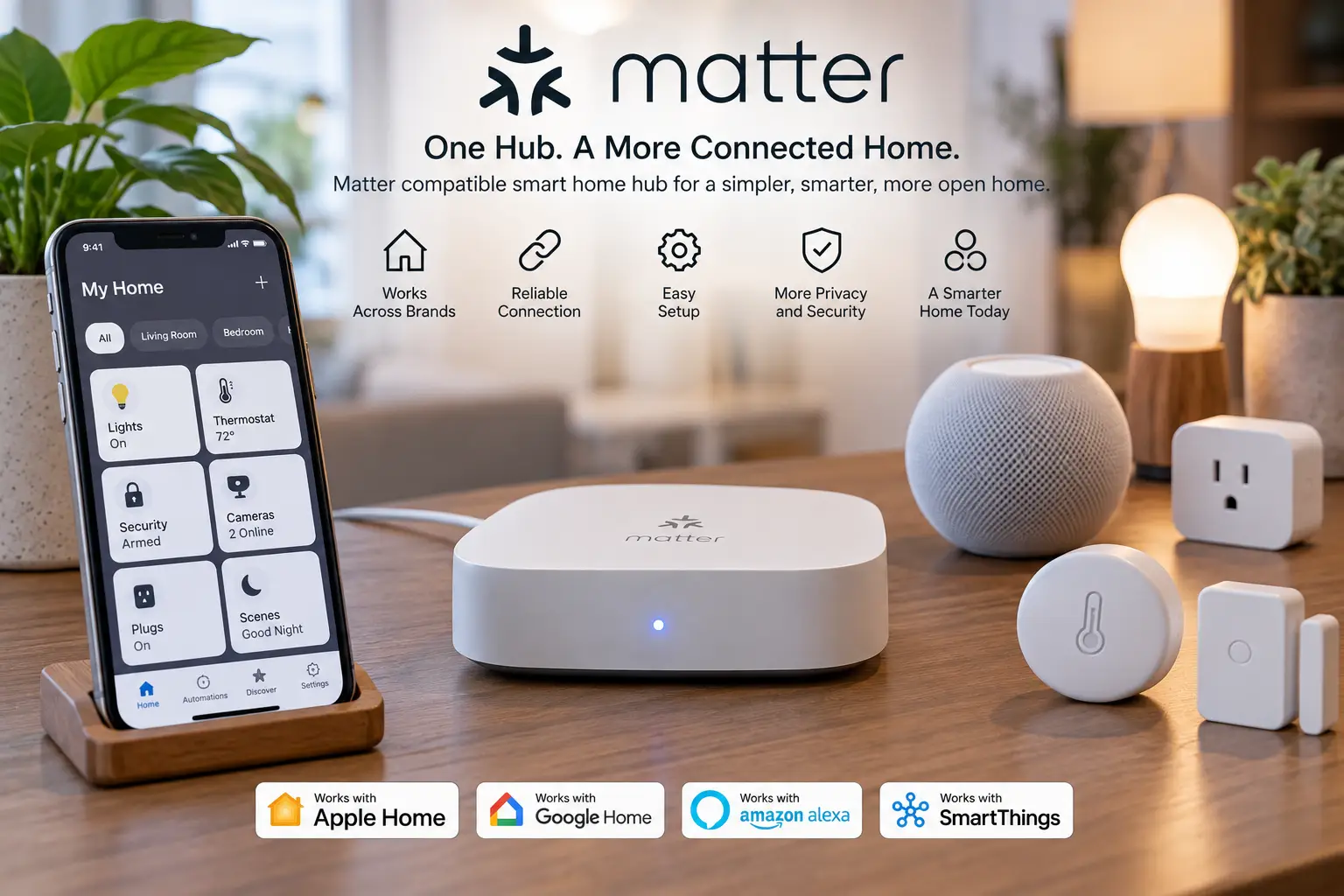
A matter compatible smart home hub is a central device that commissions, controls, and automates Matter-certified gadgets, usually while also acting as a Thread border router and bridging older Zigbee or Z-Wave devices. It lets products from different brands work together locally, under one app, and keeps automations running during internet outages.
Matter itself is an open, royalty-free standard owned and certified by the Connectivity Standards Alliance. If you want the official background, the CSA’s Matter handbook explains who maintains the specification and how product certification works. Here’s the catch most buyers miss, though: Matter is only the shared language. The hub decides which radios your home can use, whether automations run on the device or in someone’s cloud, and whether your old Zigbee motion sensors survive the upgrade or end up in a drawer.
That’s why this guide goes beyond “does it say Matter on the box?” We compared spec sheets, manufacturer documentation, professional reviews, and aggregated buyer feedback for seven real hubs, from a roughly $100 Alexa speaker to a roughly $400 enthusiast box. You’ll get honest analysis of who each one suits, a 30-day setup plan, fixes for the most common Matter headaches, and a realistic look at long-term cost. By the end, you’ll know which hub fits your home, not just which one has the loudest marketing.
Quick Comparison: The Best Matter Hub for Every Budget
Short on time? This table sums up how each hub handles Matter, Thread, and older protocols, so you can shortlist in about 30 seconds.
| Hub | Matter Role | Thread Border Router | Legacy Radios | Price Range | Best For |
|---|---|---|---|---|---|
| Amazon Echo Dot Max | Controller | ✅ Yes | Zigbee | Around $100 | Alexa homes wanting a speaker and hub in one |
| Aeotec Smart Home Hub 2 | Controller | ✅ Yes | Zigbee 3.0 | Roughly $80–$130 | New SmartThings setups with no Z-Wave gear |
| Aqara Hub M3 | Controller + bridge | ✅ Yes | Aqara Zigbee, IR | $120–$160 | Apple Home users with Aqara sensors |
| Home Assistant Green | Controller | ✅ With add-on adapter | Zigbee or Thread via adapter | $100–$160 (+ about $50 adapter) | Tinkerers who want total local control |
| Aeotec Smart Home Hub (V3) | Controller | ✅ Yes | Zigbee, Z-Wave (500 series) | $130–$170 | SmartThings homes with existing Z-Wave devices |
| Hubitat Elevation C-8 Pro | Controller | ❌ Needs another device | Zigbee 3.0, Z-Wave 800 LR | Around $200 | Privacy-first power users |
| Homey Pro (Early 2023) | Controller + bridge | ✅ Yes | Zigbee, Z-Wave, IR, BLE | Around $400 | Mixed-brand homes that want polish |
Reading across the rows, the real dividing line isn’t Matter support, since every hub here has it. It’s Z-Wave and the automation engine. If you own Z-Wave locks or switches, only the Aeotec Smart Home Hub (V3), Hubitat Elevation C-8 Pro, and Homey Pro (Early 2023) keep them in play natively, while budget-minded Alexa or SmartThings users will get more for their money from the Amazon Echo Dot Max or the Aeotec Smart Home Hub 2.
💬 Found your match in the table? Click a highlighted hub to check current pricing, and share this comparison so other shoppers can choose smarter too! 😊
Top 7 Matter Compatible Smart Home Hubs: Expert Analysis
Each pick below is ordered from entry-level to premium. For every hub, you’ll find what the specs mean in daily life, who it genuinely suits, what real reviews tend to say, and whether it’s worth the money.
1. Amazon Echo Dot Max — cheapest way to get hub radios
The Amazon Echo Dot Max proves you don’t need a dedicated box to get serious smart home radios; you get them hidden inside a compact speaker.
Under the fabric sits a Zigbee radio, a Matter controller, and a Thread border router. In practice, that means Zigbee bulbs and Matter-over-Thread locks pair directly to Alexa with no extra bridge on your shelf. Amazon’s AZ3 chip and built-in sensors (ambient temperature, ambient light, and presence detection) let routines react to conditions, such as switching on a smart fan once the room passes 78°F. It also supports Wi-Fi 6E and doubles as a repeater for compatible eero mesh networks.
Based on the spec sheet, this is the smartest first hub for Alexa-first households building around lights, plugs, and a handful of sensors. The trade-off is depth: automations live inside Alexa Routines, which are simpler than what dedicated hubs offer, and there’s no Z-Wave radio. PCWorld’s Echo Dot Max review flags exactly that missing Z-Wave support as the key gap.
Professional reviews single out the built-in hub radios as the headline upgrade over the standard Echo Dot; because it’s a fairly recent model, check the latest customer reviews for long-term reliability patterns.
Pros:
- ✅ Zigbee, Matter, and Thread in one small speaker
- ✅ Presence and temperature sensors enable smarter routines
- ✅ Easiest setup of any hub on this list
Cons:
- ❌ No Z-Wave support for older locks and switches
- ❌ Automation options are basic compared with dedicated hubs
Usually around $100 (check the current price), it’s excellent value because you’re effectively getting the speaker for free with the hub.
2. Aeotec Smart Home Hub 2 — fastest SmartThings hub for new homes
The Aeotec Smart Home Hub 2 is the new official SmartThings hardware, rebuilt for Matter and Thread rather than legacy protocols.
It pairs a 900 MHz CPU with 512MB of RAM, double the memory of the previous model, which Aeotec says makes complex automations up to 70% faster. For you, that translates to snappier scenes once your device count climbs past a few dozen. It supports Matter, acts as a Thread border router, and handles up to 150 Zigbee devices. Wi-Fi or Ethernet connects it to your network, Bluetooth LE speeds up onboarding, and USB-C power plus an included wall mount make placement flexible.
Here’s what to weigh: SmartThings runs many automations locally through Edge drivers, and its app is one of the friendliest in the category. That makes this a strong choice for newcomers who want more automation power than Alexa without a learning curve. The deal-breaker is Z-Wave. It’s gone entirely, so Z-Wave owners should look at pick #5 instead.
Because it’s still new in the US, long-term customer review data is limited; early coverage focuses mostly on the Z-Wave removal rather than reliability complaints.
Pros:
- ✅ Double the RAM of the previous SmartThings hub
- ✅ Thread border router plus room for 150 Zigbee devices
- ✅ Beginner-friendly SmartThings app with local Edge automations
Cons:
- ❌ No Z-Wave radio at all
- ❌ Limited long-term review history so far
Expect roughly $80–$130 at the time of writing (prices may vary), which is solid value for a modern Matter hub with a mature app.
3. Aqara Hub M3 — best all-rounder for Apple Home fans
The Aqara Hub M3 packs more connectivity per dollar than almost anything else here, and it plays especially nicely with Apple Home.
It’s a Matter controller, Matter bridge, and Thread border router, plus a Zigbee 3.0 hub for Aqara devices, Bluetooth 5.1, dual-band Wi-Fi, and Power over Ethernet. That PoE port matters more than it sounds: one network cable delivers both power and a rock-solid connection, so you can mount it high on a wall. A 360° bidirectional IR blaster also controls “dumb” air conditioners and TVs, and the hub can track status when someone uses the original remote.
On paper, this is the ideal hub for iPhone households already using Aqara’s inexpensive sensors, since the bridge exposes them to Apple Home, Google Home, and Alexa. What most buyers overlook, though, is that its Zigbee radio only supports Aqara-branded Zigbee devices, not third-party ones.
Review sentiment consistently praises fast local automations and the sheer number of radios, while the most common complaints are Aqara’s closed Zigbee ecosystem and an app that feels clunky.
Pros:
- ✅ Matter controller, bridge, and Thread border router in one
- ✅ PoE and dual-band Wi-Fi for flexible, stable placement
- ✅ Built-in IR blaster modernizes older appliances
Cons:
- ❌ Zigbee support is limited to Aqara devices
- ❌ App experience draws frequent criticism
Typically $120–$160 (check current price), it offers strong value if you live in the Aqara ecosystem.
4. Home Assistant Green — most control, zero lock-in
The Home Assistant Green is the plug-and-play way to run Home Assistant, the open-source platform that integrates with thousands of devices and services.
Inside, a quad-core Rockchip RK3566, 4GB of RAM, and 32GB of eMMC storage run everything locally, so your automations keep working even when your internet doesn’t. The hub itself has no smart home radios; you add the official Home Assistant Connect ZBT-2 adapter (around $50), built on a Silicon Labs MG24 chip, to run either a Zigbee network or a Thread network. Want both? Plan for two adapters. Matter support comes through Home Assistant’s built-in Matter integration.
Here’s the honest assessment: nothing else on this list lets you build automations this detailed, mix this many brands, or avoid cloud dependency this completely. However, you’ll spend weekends learning dashboards, integrations, and occasionally troubleshooting updates. It’s for curious DIYers, not for anyone who wants a “set it and forget it” appliance.
Community and professional reviews consistently describe it as the most powerful option at its price, with a steeper learning curve than SmartThings or Alexa; availability on amazon.com varies by seller, so check the listing.
Pros:
- ✅ Fully local automations with no required subscription
- ✅ Integrates with a huge range of brands and services
- ✅ Open-source platform avoids vendor lock-in
Cons:
- ❌ Needs a separate adapter for Zigbee or Thread
- ❌ Real learning curve for non-technical users
Roughly $100–$160 plus an adapter (prices may vary), it’s unbeatable value for anyone willing to learn.
5. Aeotec Smart Home Hub (V3) — last SmartThings hub with Z-Wave
The Aeotec Smart Home Hub (V3) remains the go-to SmartThings hub if your home already relies on Z-Wave devices.
It supports Matter, works as a Thread border router, and handles up to 100 Zigbee devices plus up to 100 Z-Wave devices with S2 security. In real-world terms, your older Z-Wave deadbolts, in-wall dimmers, and garage door controllers keep working alongside new Matter gear, all inside one SmartThings app. The limitation is its 500-series Z-Wave chip, which means no Z-Wave Long Range support.
Based on comparing the two Aeotec models, this one makes sense for existing SmartThings users with a Z-Wave collection, since the newer Aeotec Smart Home Hub 2 can’t talk to those devices at all. Starting from scratch? Then the faster Hub 2 is the smarter long-term purchase, because you’d be buying into aging Z-Wave hardware here.
Buyer feedback on retailer listings frequently reports smooth migrations from older SmartThings hubs using the app’s transfer tools, though some owners note that not every device moved over automatically.
Pros:
- ✅ Rare mix of Z-Wave, Zigbee, Thread, and Matter
- ✅ S2 security for Z-Wave locks and sensors
- ✅ Smooth upgrade path from older SmartThings hubs
Cons:
- ❌ No Z-Wave Long Range with the 500-series chip
- ❌ Older, slower hardware than the Hub 2
Usually $130–$170 (check current price), it’s worth it mainly if it saves you from replacing Z-Wave devices.
6. Hubitat Elevation C-8 Pro — most private, all-local automation
The Hubitat Elevation C-8 Pro is built for people who want every automation to run inside their walls, never in someone else’s data center.
A 2.0 GHz Cortex-A55 processor and 2GB of RAM (double the standard C-8) drive a Z-Wave 800 radio with Long Range, a Zigbee 3.0 radio, Wi-Fi, Ethernet, and two external antennas. Translation: Z-Wave Long Range devices can reach a detached garage or backyard gate without repeaters, and the external antennas help signals push through plaster and brick. Recent platform updates advertise support for Matter 1.5.
Here’s what the spec sheet doesn’t say loudly: Hubitat is a Matter controller only, and it has no Thread radio. To use Matter-over-Thread devices, you’ll need a Thread border router from another ecosystem, such as an Apple TV, a Nest Hub, or the Amazon Echo Dot Max. That makes the C-8 Pro ideal for privacy-focused power users with Zigbee and Z-Wave collections, and less ideal for Thread-heavy newcomers.
Reviews consistently praise near-instant local automations and the lack of a required subscription, while the most common complaint is a steep learning curve.
Pros:
- ✅ Everything runs locally, with no required cloud
- ✅ Z-Wave 800 Long Range covers large properties
- ✅ Powerful rules engine for complex automations
Cons:
- ❌ No built-in Thread border router
- ❌ Not beginner-friendly out of the box
Around $200 at the time of writing, it’s good value for power users, but overkill for simple setups.
7. Homey Pro (Early 2023) — widest device support, premium polish
The Homey Pro (Early 2023) aims to be the one hub that speaks nearly every smart home language, wrapped in a genuinely polished app.
It combines Wi-Fi, Bluetooth LE, Zigbee 3.0, Z-Wave Plus (700 series), infrared, Matter, and Thread in one device, running on a quad-core 1.8 GHz processor with 2GB of RAM and 8GB of storage. Homey says it supports 50,000+ devices from more than 1,000 brands. In practice, that means your Z-Wave locks, Zigbee sensors, IR fans, and new Matter plugs can all live in visual “Flows” without code. Ethernet requires an optional adapter, and its 433 MHz radio isn’t activated in the US.
Honestly, the Homey Pro sits between SmartThings’ simplicity and Home Assistant’s depth: more capable than the former, far easier than the latter. It’s best for households with a messy mix of brands and a budget to match. Budget buyers should know that cheaper hubs cover most of the same ground.
Professional reviewers praise its breadth, local processing, and design, while the most frequent criticism is price; one review noted that a SmartThings hub covers roughly 90% of its abilities for about a third of the cost.
Pros:
- ✅ Broadest radio lineup of any hub here
- ✅ Visual automations that don’t require coding
- ✅ Local processing with no required subscription
Cons:
- ❌ Premium price is hard to justify for small setups
- ❌ Wired Ethernet requires a separate adapter
Around $400 (check current price), it’s worth it only if you’ll truly use its extra radios.
Side-by-Side: The Specs That Separate the Seven
| Hub | Local Automations | Z-Wave | Wired Ethernet | Subscription Required? | Review Sentiment |
|---|---|---|---|---|---|
| Amazon Echo Dot Max | Limited (Alexa Routines) | ❌ | ❌ | No | Praised as a hub upgrade; Z-Wave missed |
| Aeotec Smart Home Hub 2 | ✅ Edge drivers | ❌ | ✅ | No | Early coverage positive; limited long-term data |
| Aqara Hub M3 | ✅ On-hub | ❌ | ✅ PoE | No | Fast automations; app criticized |
| Home Assistant Green | ✅ Fully local | Via add-on stick | ✅ | No (optional cloud) | Powerful; learning curve |
| Aeotec Smart Home Hub (V3) | ✅ Edge drivers | ✅ 500 series | ✅ | No | Smooth migrations; aging hardware |
| Hubitat Elevation C-8 Pro | ✅ Fully local | ✅ 800 LR | ✅ | No (optional services) | Very fast; steep learning curve |
| Homey Pro (Early 2023) | ✅ Local | ✅ 700 series | Optional adapter | No (optional backups) | Broad support; price concern |
This table shows why “Matter support” alone tells you very little. The Home Assistant Green and Hubitat Elevation C-8 Pro give you the most local independence, while the Aqara Hub M3 is the only pick with PoE for a single-cable install. If you want Z-Wave Long Range specifically, the Hubitat Elevation C-8 Pro stands alone in this lineup.
✨ Ready to Unify Your Smart Home?
🔍 Take your smart home to the next level with this carefully curated lineup. Click a highlighted hub to check current pricing and availability, and start enjoying one app, faster automations, and fewer “why won’t this connect?” moments for the whole family! 🏠⚡
Getting Started: Your First 30 Days With a New Matter Hub
A new hub can feel like a blank canvas, and that’s exactly where most early frustrations begin. Follow this sequence to build a stable network from day one.
Day 1: Update and Place It Well
Before pairing a single device, install every firmware update the app offers; Matter and Thread fixes arrive frequently. Then place the hub centrally, off the floor, and a few feet away from your Wi-Fi router. Zigbee shares the 2.4 GHz band with Wi-Fi, so a little distance reduces interference. PoE-capable hubs like the Aqara Hub M3 can go high on a hallway wall, which usually improves coverage.
Week 1: Build the Mesh From the Inside Out
Pair mains-powered devices first, such as smart plugs, in-wall switches, and bulbs. Most of these act as repeaters, strengthening the Zigbee, Z-Wave, or Thread mesh for the battery-powered sensors you’ll add later. Also photograph every Matter QR code and store the images in a notes app. You’ll need those codes if you ever reset a device or share it with another ecosystem.
Weeks 2–4: Automate Slowly
Start with three dependable automations, like lights on at sunset, a leak alert, and an “away” scene. Watch them for a week before adding more. When something misbehaves, you’ll know exactly which change caused it.
Ongoing Maintenance
Check for updates monthly, replace sensor batteries on a schedule rather than waiting for failures, and back up your configuration. The Home Assistant Green and Hubitat Elevation C-8 Pro offer local backups, so download one before every major update.
Real-World Scenarios: Matching Hubs to Real Households
Specs are easier to judge once you see them attached to real lives. Here are three common buyer profiles and the reasoning behind each match.
The Apartment Renter on a $150 Budget
Maya rents a one-bedroom, uses Alexa daily, and wants smart lights, two plugs, and a door sensor she can take with her when she moves. The Amazon Echo Dot Max is the obvious fit. It covers Zigbee and Thread devices, replaces a speaker she’d buy anyway, and requires no drilling. With about $50 left over, she can add a Matter smart plug and a sensor or two. Her usage is light, so Alexa Routines are more than enough.
The iPhone Family With Aqara Sensors
The Johnsons own a three-bedroom house, use Apple Home on four iPhones, and already have eight Aqara door and motion sensors. With a budget of about $200, the Aqara Hub M3 is the match. It bridges those Aqara sensors into Apple Home, adds a Thread border router, and its IR blaster brings the old window AC into their “Summer Evening” scene. Because they use automations daily, fast on-hub processing matters.
The Privacy-Minded Homeowner With Z-Wave Gear
Dan’s 1960s house has 14 Z-Wave switches, two Z-Wave deadbolts, and a detached garage. He’s wary of cloud services and comfortable with technical tools. The Hubitat Elevation C-8 Pro keeps his Z-Wave gear working, its Long Range radio reaches the garage, and everything runs locally. For future Thread devices, he’ll lean on the Thread border router built into a streaming box he already owns.
Problem → Solution: Fixing the Most Common Matter Headaches
Even a great hub runs into snags. These are the problems buyers report most often, along with practical fixes.
Problem 1: “Device Not Found” During Pairing
Solution: Matter commissioning uses Bluetooth for setup, so keep your phone within a few feet of the device. Also confirm your phone is on the same Wi-Fi network as the hub, and temporarily disable VPN apps, which can block local discovery.
Problem 2: Thread Devices Keep Going Offline
Solution: This often happens when multiple ecosystems create separate Thread networks that don’t share credentials. Choose one primary Thread border router, such as the Aeotec Smart Home Hub 2 or Aqara Hub M3, and add mains-powered Thread devices to strengthen the mesh.
Problem 3: Zigbee Sensors Drop After a Router Upgrade
Solution: Your new Wi-Fi router may be broadcasting on a channel that overlaps your Zigbee channel. Move Wi-Fi to channel 1 or 6 on 2.4 GHz, or change the Zigbee channel in your hub’s settings, then give the mesh about 24 hours to settle.
Problem 4: Automations Lag by Several Seconds
Solution: Cloud-based routines are usually the culprit. Rebuild time-sensitive automations, like motion-activated lights, on a hub that runs them locally, such as the Hubitat Elevation C-8 Pro or Home Assistant Green.
Problem 5: A Device Won’t Join a Second Ecosystem
Solution: Open the device in its current app and generate a new pairing code with the “share” or “multi-admin” option. The original QR code usually won’t work for a second controller.
How to Choose the Best Matter Hub (7 Steps)
Choosing the best Matter hub comes down to matching the hub to devices you already own and the ones you plan to buy. Work through these seven steps in order.
- Inventory your existing devices. List every Zigbee, Z-Wave, and Wi-Fi device you own. If Z-Wave appears on that list, your realistic options shrink to three hubs on this list.
- Pick your main app first. Your family will live in the app every day, so choose Alexa, SmartThings, Apple Home, Home Assistant, Hubitat, or Homey before comparing hardware.
- Confirm a Thread border router. Many newer locks and sensors use Matter-over-Thread, so make sure your hub, or another device in your home, provides one.
- Decide how much local control you want. Local automations respond faster and survive internet outages; cloud automations are often easier to set up.
- Match complexity to your patience. The Home Assistant Green rewards tinkering, while the Amazon Echo Dot Max rewards not tinkering.
- Check bridging needs. If you want older devices to appear in other ecosystems, prioritize a hub that works as a Matter bridge.
- Budget for add-ons. Adapters, extra repeaters, and optional subscriptions can raise your real cost well above the sticker price.
Matter Controller vs. Matter Bridge: What Your Hub Actually Does
These two terms appear on nearly every box, but they describe very different jobs, and confusing them is the most common reason buyers end up disappointed.
What a Matter Controller Does
A Matter controller adds, controls, and automates Matter devices. Think of it as the conductor: it tells your Matter plug to turn on and your Matter lock to engage. Every hub on this list is a Matter controller, and so are many devices you may already own, such as smart speakers and streaming boxes.
What a Matter Bridge Does
A Matter bridge works in the other direction. It takes non-Matter devices connected to the hub, like Zigbee sensors, and presents them as Matter devices so other ecosystems can see them. That’s how Aqara Zigbee sensors show up in Apple Home through the Aqara Hub M3, and how the Homey Pro (Early 2023) can share non-Matter devices with other Matter platforms.
Why the Difference Matters for You
Not every hub does both. Hubitat’s own documentation spells out that its hubs act as a Matter controller but not a Matter bridge, so Zigbee and Z-Wave devices paired to the Hubitat Elevation C-8 Pro won’t automatically appear in Google Home or Apple Home as Matter devices. If your goal is to use one hub while your spouse uses Apple Home and you use Alexa, bridging is the feature to verify before buying.
Features That Actually Matter (and Ones That Don’t)
Marketing copy loves big numbers. Here’s how to separate features that change your daily experience from the ones that mostly decorate the box.
Worth Paying For: A Thread Border Router
A Thread border router connects low-power Thread devices, like door sensors and locks, to your home network. Thread devices form a self-healing mesh, and battery-powered sensors on Thread often last a long time between battery changes. Without a Thread border router somewhere in your home, many new Matter devices simply won’t work. Newer Thread 1.4 devices are designed to share network credentials across ecosystems more smoothly, but support still varies by brand.
Worth Paying For: Local Processing
Local automations respond almost instantly and keep running during internet outages. For motion lighting and security alerts, that difference is noticeable every single day.
Worth Paying For: Wired Ethernet or PoE
A wired connection removes one common failure point. The Aqara Hub M3‘s PoE support is especially useful if you want to mount the hub centrally.
Mostly Marketing: Huge “Supported Devices” Counts
Claims of tens of thousands of compatible devices sound impressive, but what matters is whether your devices, and the brands you’ll buy next, are supported.
Mostly Marketing: The Latest Matter Version Number
Version updates do add device types, but firmware updates usually deliver them over time. A hub’s update track record matters more than the number on the box.
Matter Hub with Z-Wave vs. Matter-Only Hubs and Other Alternatives
The biggest fork in the road for many buyers is whether they need a Matter hub with Z-Wave or can go Matter-only. Here’s how the main approaches compare.
| Approach | Example | Handles Old Z-Wave Gear | Future-Readiness | Best For |
|---|---|---|---|---|
| Matter hub with Z-Wave | Hubitat Elevation C-8 Pro, Homey Pro (Early 2023) | ✅ Yes | High | Homes with existing Z-Wave devices |
| Matter-only hub with Thread | Aeotec Smart Home Hub 2 | ❌ No | High | Fresh starts with new devices |
| Single-brand bridge | A lighting-only bridge | ❌ No | Moderate | One-brand lighting setups |
| No dedicated hub | Wi-Fi Matter devices plus phone | ❌ No | Limited | One or two simple devices |
The pattern is clear: a Matter hub with Z-Wave protects your past investment, while a Matter-only hub like the Aeotec Smart Home Hub 2 is leaner and cheaper if you’re buying all-new gear. Single-brand bridges and hubless setups work for tiny installations but quickly hit a ceiling once you want cross-brand automations.
When Z-Wave Still Earns Its Place
Z-Wave runs on a sub-GHz band in the US, separate from crowded 2.4 GHz Wi-Fi, which is one reason many pros still favor it for locks and in-wall switches. If you own a dozen Z-Wave devices, replacing them could easily cost more than the hub itself. In that case, a Matter hub with Z-Wave is the financially sensible choice.
When You Can Skip It
If you’re starting fresh, Matter-over-Thread devices now cover most categories, including locks, sensors, blinds, and switches. Skipping Z-Wave simplifies your setup and your shopping list.
Long-Term Cost and Maintenance
The sticker price is only the opening bid. Adapters, subscriptions, and hardware lifespan all shape what a hub truly costs over five years.
| Hub | Up-Front Range | Likely Add-Ons | Recurring Costs | Five-Year Outlook |
|---|---|---|---|---|
| Amazon Echo Dot Max | Around $100 | None for Zigbee/Thread | None required | Good; tied to Alexa’s direction |
| Aeotec Smart Home Hub 2 | Roughly $80–$130 | None | None required | Strong; newest SmartThings hardware |
| Aqara Hub M3 | $120–$160 | Aqara sensors | None required | Good within Aqara’s ecosystem |
| Home Assistant Green | $100–$160 | One or two adapters (about $50 each) | Optional remote-access plan | Excellent; open-source updates |
| Aeotec Smart Home Hub (V3) | $130–$170 | None | None required | Fair; aging 500-series Z-Wave |
| Hubitat Elevation C-8 Pro | Around $200 | Thread border router elsewhere | Optional services | Strong for Z-Wave homes |
| Homey Pro (Early 2023) | Around $400 | Ethernet adapter (optional) | Optional cloud backups | Strong; broad radio coverage |
Once you add adapters, the Home Assistant Green can cost about as much as the Hubitat Elevation C-8 Pro, but it still comes out far below the Homey Pro (Early 2023). Meanwhile, the Aeotec Smart Home Hub (V3) looks affordable today but carries the most hardware-aging risk. Across a five-year horizon, hubs with no required subscription and an active update history deliver the best return.
Maintenance Costs People Forget
Battery replacements for sensors, occasional repeater purchases for larger homes, and a small UPS (uninterruptible power supply) to keep the hub and router alive during brief outages all add up. Budget roughly 10–20% of your hub’s price per year for these extras if you plan to grow your system.
Safety, Security, and Standards
A hub controls your locks, garage door, and cameras, so security isn’t optional. Here’s what to check.
Cybersecurity Labels and Updates
The FCC’s voluntary U.S. Cyber Trust Mark program is designed to help shoppers identify connected devices that meet baseline cybersecurity criteria developed with NIST. Adoption across hubs is still uneven, so don’t reject a hub for lacking the label yet; instead, favor brands with a consistent history of security updates. Matter itself requires device attestation and encrypted communication, which is a meaningful step up from many older proprietary systems.
Electrical and Radio Compliance
Look for UL or ETL marks on power adapters and PoE injectors, and make sure the hub is sold for the US market so its radios operate on FCC-authorized frequencies. That matters for Z-Wave in particular, since the frequency differs by region.
Physical Safety Habits
Keep a mechanical key or keypad backup for smart locks, test garage door automations with obstruction sensors active, and never create routines that unlock doors based on presence alone.
Privacy Considerations
If microphones concern you, hubs without them, such as the Aqara Hub M3, avoid the issue entirely. For voice-based hubs like the Amazon Echo Dot Max, use the physical microphone-off button and review voice history settings in the app.
FAQ About Matter Compatible Smart Home Hubs
❓ Do I need a separate hub if I already own a HomePod mini or Nest Hub?
❓ Can I use two Matter hubs in the same home?
❓ Will my old Zigbee sensors work with Apple Home through a Matter hub?
❓ Is Home Assistant Green worth it over a Raspberry Pi?
❓ Does a matter compatible smart home hub work without internet?
Conclusion: Choosing Your Matter Compatible Smart Home Hub
The right matter compatible smart home hub isn’t the one with the most logos on the box. It’s the one that matches the devices you already own, the app your household will actually use, and how much tinkering you enjoy.
If you want the easiest start, the Amazon Echo Dot Max delivers Zigbee, Matter, and a Thread border router for about the price of a speaker. New SmartThings users should look at the Aeotec Smart Home Hub 2, while existing SmartThings households with Z-Wave gear are better served by the Aeotec Smart Home Hub (V3). Apple Home fans with Aqara sensors will get the most from the Aqara Hub M3.
For maximum control, the Home Assistant Green offers unmatched flexibility at a modest price, and the Hubitat Elevation C-8 Pro is the privacy champion for Z-Wave homes. If budget isn’t the constraint and your home is a patchwork of brands, the Homey Pro (Early 2023) ties it all together with the most polish.
Whichever you choose, follow the 30-day plan above: update first, build your mesh with powered devices, and automate gradually. Do that, and your smart home will feel less like a collection of gadgets and more like a home that simply works.
🚀 Build a Smart Home That Just Works!
🔍 Your perfect hub is one click away. Tap a highlighted pick to check current pricing and availability, and get lights, locks, and sensors working together seamlessly for the whole family! ✨🏠
Recommended for You
- Connect Kasa to Alexa: 7 Best Devices for a Smarter 2026 Home
- Dual Smart Switch: 7 Best Picks for 2026 You Can Trust
- 3 Gang Smart Switch: 7 Best Picks for 2026 (Pros & Cons)
Disclaimer: This post contains affiliate links. As an Amazon Associate, I earn from qualifying purchases made through these links, at no additional cost to you.
✨ Found this article helpful? Share it with someone who needs it! 💬🤗
