
In This Article
Defiant Smart Plug Setup: Why It’s Easier Than You Think
You bought a Defiant smart plug because it was cheap, it was sitting right there in the Home Depot aisle, and it promised to turn your “dumb” lamp into something you can boss around with your phone. Fair enough. Then you opened the box, saw a QR code, and wondered: now what?
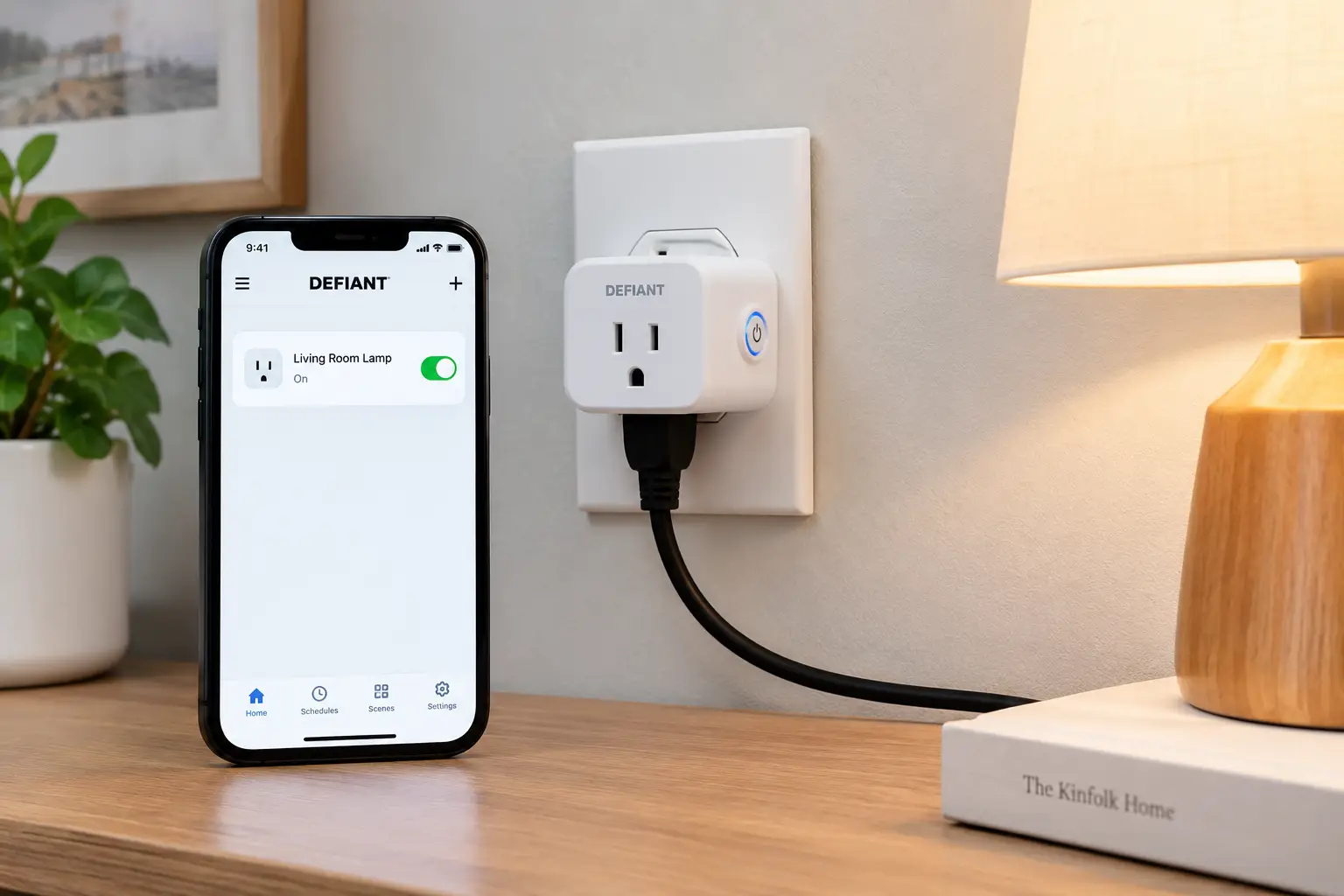
Good news: a Defiant smart plug setup is one of the gentler entry points into the smart home world. Defiant is one of The Home Depot’s in-house brands, and its plugs run on the Hubspace platform — a free app that handles pairing, schedules, timers, and voice-assistant linking. Despite the name, Hubspace doesn’t need a physical hub. Your phone, your Wi-Fi, and a few minutes are all it takes.
That said, “easy” isn’t the same as “foolproof.” The single biggest snag people hit during a defiant smart plug setup is Wi-Fi band confusion — these plugs only talk to 2.4GHz networks, and many modern routers blend 2.4GHz and 5GHz under one name. Add Bluetooth permissions, a QR code that won’t scan, or a plug that’s a little too far from the router, and a 60-second job can turn into a 30-minute headache.
This guide fixes that. You’ll get a clear step-by-step setup walkthrough, a troubleshooting section built around the plug’s actual LED codes, and an honest comparison of seven smart plugs — four Defiant models plus three popular alternatives you can find on amazon.com — so you can decide whether Defiant is the right fit or whether another ecosystem suits your home better. Everything here is based on manufacturer documentation, published reviews, and aggregated customer feedback, not marketing copy. Let’s get your outlet smart.
What Is Defiant Smart Plug Setup?
A defiant smart plug setup is the process of pairing a Defiant-brand smart plug with the Hubspace app: you plug it in, scan its QR code over Bluetooth, connect it to a 2.4GHz Wi-Fi network, and optionally link it to Amazon Alexa or Google Assistant for voice control and schedules.
Here’s what’s happening behind the scenes, in plain English. Bluetooth handles the “handshake” — your phone finds the plug nearby and passes along your Wi-Fi credentials. Once the plug joins your network, Wi-Fi takes over for everyday control, including when you’re away from home. This Bluetooth-assisted onboarding is why reviewers generally describe Hubspace setup as fast; in its hands-on review of the Defiant outdoor plug, PCWorld noted that if your phone can reach your Wi-Fi near the outlet, getting reliable service is straightforward.
What a Defiant setup does not include is just as important to know up front: there’s no Apple HomeKit support, no 5GHz Wi-Fi, and — per that same review — no IFTTT integration. If those matter to you, keep reading; the comparison below shows which alternatives cover those gaps.
Quick Comparison: Defiant Smart Plugs vs. Top Alternatives
Before diving into each model, here’s the 30-second overview.
| Plug | Indoor/Outdoor | Outlets | App | Voice Assistants | Energy Monitoring | Best for |
|---|---|---|---|---|---|---|
| Defiant Indoor Smart Plug (HPPA11AWB) | Indoor | 1 | Hubspace | Alexa, Google | No | Lamps on a budget |
| Defiant Outdoor Smart Plug, 2-Outlet (HPPA52CWB) | Outdoor | 2 (independent) | Hubspace | Alexa, Google | No | Holiday + landscape lights |
| Defiant Outdoor Smart Plug, Single Outlet (HPPA51CWB) | Outdoor | 1 | Hubspace | Alexa, Google | No | One porch or patio device |
| Defiant Smart Stackable Dimmer Plug (HPPA81CWB) | Indoor | 1 (stackable) | Hubspace | Alexa, Google | No | Dimmable lamps |
| Kasa Smart Plug Slim KP125M | Indoor | 1 | Kasa + Matter | Alexa, Google, Apple Home | Yes (Kasa app) | Mixed ecosystems |
| Wyze Plug Outdoor (WLPPO1-1) | Outdoor (IP64) | 2 (independent) | Wyze | Alexa, Google | Yes | Outdoor energy tracking |
| Amazon Smart Plug | Indoor | 1 | Alexa | Alexa only | No | All-in Alexa homes |
Looking at the table, the four Defiant plugs share one big strength — a single, simple Hubspace setup flow — and one shared limitation: none of them tracks energy use. If you already own other Hubspace gear (lights, fans, locks), staying with Defiant Indoor Smart Plug (HPPA11AWB) and its siblings keeps everything in one app. If you run an iPhone-centric home or want kilowatt-hour data, the Kasa Smart Plug Slim KP125M or Wyze Plug Outdoor (WLPPO1-1) fills those gaps.
💬 One click helps other shoppers make an informed choice too! 😊
Top 7 Smart Plugs for a Smooth Defiant Smart Plug Setup (and Smart Alternatives): Expert Analysis
1. Defiant Indoor Smart Plug (HPPA11AWB) — the easiest Hubspace starter
This is the plug most people mean when they search for a defiant smart plug setup, and it’s the friendliest first step into Hubspace. It’s a 15-amp, 120-volt indoor plug with both Wi-Fi and Bluetooth radios, and it’s sold singly as well as in 2-packs (HPPA11AWB2) and 4-packs.
The dual radios matter more than they sound. Bluetooth makes pairing nearly automatic — the app detects the plug, you scan the QR code, and it pulls your Wi-Fi details across. The compact body is designed so it doesn’t block the second socket on a standard duplex outlet, which sounds trivial until you’ve fought a bulky plug for wall space behind a nightstand. The Hubspace app adds schedules, auto-off timers, and grouping, so one tap (or one “Alexa, turn off the living room”) can kill several lamps at once.
Based on the specs, this plug is best for beginners who want to automate lamps, fans, or a coffee maker without learning a new platform. It’s less ideal if you need HomeKit or energy data.
Customer reviews on Home Depot consistently report quick pairing — many owners say setup took only a couple of minutes — and several describe the app as intuitive for building schedules.
Pros:
- ✅ Bluetooth-assisted pairing is fast and forgiving
- ✅ Slim design leaves the second outlet free
- ✅ Multi-packs make whole-room automation affordable
Cons:
- ❌ No energy monitoring for tracking consumption
- ❌ No Apple HomeKit or 5GHz Wi-Fi support
Expect to pay roughly $10–$15 per plug, with multi-packs often bringing the per-unit cost lower (check the current price) — excellent value if you’re staying inside Hubspace.
2. Defiant Outdoor Smart Plug, 2-Outlet (HPPA52CWB) — two schedules from one outlet
Two independently controlled outlets in one weather-resistant housing is the headline here, and it’s genuinely useful: your deck lights and landscape lighting can run on completely different schedules from a single exterior receptacle.
The plug is rated at 15 amps, which works out to 1,800 watts of total capacity — plenty for LED string lights, a fountain pump, or a patio fan. Each outlet has its own physical on/off button, so you’re never locked out if your phone is dead. Sunrise/sunset scheduling means you can set “on at dusk, off three hours later” once and forget about seasonal time changes. PCWorld measured the plug’s own idle draw at roughly 1.3 watts with both outlets on — a negligible cost.
Comparing it to the competition, the trade-off is clear: unlike the Wyze Plug Outdoor (WLPPO1-1), it doesn’t track energy usage. If you just want reliable, schedule-driven outdoor lighting, that’s no loss.
Aggregated reviews frequently mention holiday lights as the main use, and owners commonly highlight easy setup and dependable schedules; PCWorld’s testing found it reliably followed sunset schedules and both Alexa and Google commands.
Pros:
- ✅ Two outlets with fully independent control
- ✅ Sunrise/sunset scheduling handles seasonal changes automatically
- ✅ Physical buttons on each outlet for manual override
Cons:
- ❌ No energy monitoring or IFTTT support
- ❌ Needs a 2.4GHz signal that reaches outdoors
Typically priced in the $20–$30 range (prices may vary) — strong value for anyone replacing a mechanical outdoor timer.
3. Defiant Outdoor Smart Plug, Single Outlet (HPPA51CWB) — simplest outdoor upgrade
If you only need to control one thing outside — a porch lamp post, a single string of lights, a bug zapper — the single-outlet version keeps things lean.
Setup mirrors the indoor model: download Hubspace, create an account, plug in, tap “+”, and scan the QR code on the plug or in the Quick Start Guide. The manual is explicit that Bluetooth access is required during setup and that the app only displays Wi-Fi networks the plug can actually use, which quietly filters out 5GHz bands and prevents a common mistake. It also notes you can still control the plug through Hubspace over Bluetooth in a spot without Wi-Fi — handy for a detached shed at the edge of your network, as long as your phone is within Bluetooth range.
Based on comparing the two outdoor models, the single-outlet version makes sense when you want a smaller profile on a crowded exterior box or simply don’t need a second circuit.
Verified review volume for this specific model is thinner than for the dual-outlet version, so treat sentiment cautiously; available listings and the user guide point to the same Hubspace experience and the same feature set, minus the second outlet.
Pros:
- ✅ Compact footprint for tight exterior outlets
- ✅ Bluetooth fallback when Wi-Fi is weak
- ✅ Same easy QR-code onboarding as indoor models
Cons:
- ❌ Only one controllable device per plug
- ❌ Fewer verified reviews than the dual model
Usually found in the $15–$25 range at the time of writing — fair value, though the dual model often costs only a little more.
4. Defiant Smart Stackable Dimmer Plug (HPPA81CWB) — dimming without rewiring
Most smart plugs are strictly on/off. This one adds app-controlled dimming, which turns a basic table lamp into a mood light without touching a wall switch.
The “stackable” label refers to its narrow body: you can install one plug above another on a standard duplex outlet, so both sockets stay usable. Dimming and timers are controlled through Hubspace, and you can schedule a lamp to fade to a lower brightness at bedtime rather than snapping off. A key practical caveat: dimming only works properly with dimmable bulbs. A non-dimmable LED on a dimmer plug may flicker or buzz — that’s the bulb, not the plug.
Who’s it for? Renters and anyone with switchless outlets who want ambient lighting without hiring an electrician.
Home Depot reviewers commonly praise the dimming function and the space-saving stackable shape, with several noting it’s convenient to turn virtually any outlet into a timer and dimmer.
Pros:
- ✅ True dimming control from the app
- ✅ Narrow, stackable body keeps both outlets usable
- ✅ Schedules can include brightness, not just on/off
Cons:
- ❌ Requires dimmable bulbs to avoid flicker
- ❌ Not intended for motors or high-wattage loads
Typically in the $15–$25 range (check the current price) — good value if dimming is the goal; overkill if it isn’t.
5. Kasa Smart Plug Slim KP125M — the best non-Defiant pick for mixed ecosystems
If your household mixes iPhones and Android phones — or you want energy data — this TP-Link plug fills the two biggest gaps in the Defiant lineup.
The KP125M supports Matter, the cross-platform smart home standard, so it works with Apple Home, Alexa, Google Home, and SmartThings. It’s rated at 15A/1800W and adds energy monitoring with hourly and daily usage views. Reviewed named it an Editors’ Choice, citing straightforward setup and broad platform support. Here’s the nuance the spec sheet doesn’t spell out: energy data lives in the Kasa app, not in Apple Home or Google Home, because the plug doesn’t pass power readings through Matter.
Compared to the Defiant Indoor Smart Plug (HPPA11AWB), you trade Hubspace integration for wider compatibility and real usage numbers.
Reviews broadly praise reliability and Matter support; the most common complaint, echoed on TP-Link’s own community forum, is frustration that energy readings still aren’t exposed through Matter.
Pros:
- ✅ Matter support covers Apple, Alexa, and Google
- ✅ Built-in energy monitoring in the Kasa app
- ✅ Compact enough for duplex outlets
Cons:
- ❌ Energy data not visible in third-party platforms
- ❌ Won’t appear in the Hubspace app
Usually around $15–$25 each, with 4-packs often lowering the per-plug cost (prices may vary) — the strongest all-rounder for mixed homes.
6. Wyze Plug Outdoor (WLPPO1-1) — outdoor plug with energy tracking
Think of this as the Defiant Outdoor Smart Plug, 2-Outlet (HPPA52CWB) with a meter bolted on: two independent outlets, weatherproofing, and usage tracking.
It carries an IP64 rating — meaning it’s dust-tight and protected against splashing water from any direction — and includes rubberized covers for unused sockets. Energy monitoring is the standout feature: Wyze can send alerts if monthly consumption crosses a threshold you set, useful for catching a heated birdbath or holiday display that’s quietly running up your bill. PCWorld noted the meter measures both sockets combined and reports in kilowatt-hours, so small loads look coarse. It also offers vacation mode, which randomizes on/off times to simulate occupancy, plus IFTTT support.
Best for homeowners who want to know what outdoor gear actually costs to run.
Aggregated Best Buy and Home Depot reviews commonly highlight easy setup, independent outlets, and the energy feature; a recurring minor complaint involves the app occasionally showing an outdated on/off status.
Pros:
- ✅ IP64 weather resistance with socket covers
- ✅ Energy monitoring with consumption alerts
- ✅ Vacation mode and IFTTT support
Cons:
- ❌ Energy readings combine both outlets
- ❌ Lives in the Wyze app, not Hubspace
Generally priced around $15–$25 at the time of writing — excellent value for an outdoor plug with metering.
7. Amazon Smart Plug — zero-effort setup for Alexa homes
If your home already runs on Echo speakers, this plug offers the one setup experience that’s arguably even simpler than Hubspace.
Through Amazon’s Frustration-Free Setup, the plug can configure itself automatically when you’re signed into the Alexa app with a compatible Echo on your network — reviewers describe plugging it in and getting a ready-to-use notification within seconds. There’s no separate brand app to install; schedules and routines live inside Alexa. Like Defiant, it’s 2.4GHz-only.
The limitation is total: it works with Alexa only. No Google Assistant, no Apple Home, and it’s indoor-only with no surge protection. Compared to the Defiant Indoor Smart Plug (HPPA11AWB), you gain an almost invisible setup but lose cross-assistant flexibility.
Reviews from outlets like Android Central and Android Authority consistently praise reliability and the near-instant setup while flagging the Alexa-only design as the main drawback.
Pros:
- ✅ Automatic setup with compatible Echo devices
- ✅ No extra app or account required
- ✅ Very reliable within Alexa routines
Cons:
- ❌ Works with Alexa only
- ❌ Indoor use only, no energy dashboard depth
Typically around $20–$25 (check the current price; it’s frequently discounted during Amazon events) — great value only if you’re committed to Alexa.
✨ Don’t miss these smart upgrades!
🔍 Take your home automation to the next level with this carefully curated lineup. Click a highlighted plug to check current pricing and availability — these picks will help you build schedules and voice controls the whole family will actually use!
Step-by-Step Defiant Smart Plug Setup With the Hubspace App
Here’s the full hubspace smart plug setup process, distilled from Defiant’s user guides, with the small tips that save the most time.
Before you start (2 minutes)
- ✅ Confirm you know your 2.4GHz Wi-Fi network name and password.
- ✅ Turn on Bluetooth and location permissions on your phone.
- ✅ Stand near the outlet you’ll actually use — not at the kitchen table.
The setup itself
- Download the Hubspace app (the official defiant smart plug app) from the App Store or Google Play.
- Create an account or sign in. If someone else in your home already uses Hubspace, consider sharing their “home” rather than making a second one.
- Plug in the Defiant plug. Look for the blinking indicator light — that means it’s ready to pair.
- Tap “+” in the upper-right corner, then choose Add Device.
- Scan the QR code printed on the plug or the Quick Start Guide. Can’t scan it? Tap “Enter Code” and type it manually.
- Pick your Wi-Fi network. Hubspace only lists networks the plug can use, so if yours is missing, it’s probably broadcasting 5GHz only.
- Name the plug and assign a room. Use names you’ll naturally say aloud — “Porch Lights” beats “Plug 3.”
- Link voice assistants from the Hubspace app or from the Alexa/Google Home app.
First-week optimization tips
Set a sunset schedule for outdoor plugs instead of fixed clock times. Group lamps in the same room so one command controls them all. And within the first week, unplug and re-plug the device once to confirm it reconnects on its own — better to discover a weak signal now than during a holiday party.
Defiant Smart Plug Not Connecting? Problem → Solution Guide
When a defiant smart plug not connecting is the issue, the LED is your best diagnostic tool. Defiant’s user guides define these states:
| LED State | What It Means | What to Do |
|---|---|---|
| Orange quick blink (plug off) | Wi-Fi not connected | Run Wi-Fi setup in the app, or wait for it to reconnect |
| Orange/green quick blink (plug on) | Wi-Fi not connected | Same as above; check connectivity status in Hubspace |
| Red | Wi-Fi error | Re-run Wi-Fi setup in device settings; check router isn’t blocking new devices |
| Green | Plug on, connected | Nothing — you’re good |
Problem 1: Your network doesn’t appear. Your router likely uses “band steering” under a single network name. Log into your router and create a separate 2.4GHz network (or temporarily disable 5GHz), complete the setup, then switch back if you like.
Problem 2: QR code scanned, but the app can’t connect. Defiant’s troubleshooting guide recommends toggling your phone’s Bluetooth off and back on, then rescanning. If that fails, restart the phone and try again.
Problem 3: Plug was working, now it’s offline. Check that other devices are online, then power-cycle the plug (unplug for about 10 seconds). Changed routers or passwords? You’ll need to set up Wi-Fi for the plug again in device settings.
Problem 4: Weak signal outdoors. Exterior walls — especially brick and stucco — absorb a lot of 2.4GHz signal. A mesh node or extender near that wall usually fixes it.
Problem 5: Nothing works. Before searching for how to reset defiant smart plug instructions online, use the reset procedure in your specific model’s Quick Start Guide — procedures can differ between Defiant models — then remove the plug from Hubspace and re-add it from scratch.
Which Plug Fits Your Home? Real-World Scenarios
Specs only go so far. Here’s how the lineup maps to three common households.
Scenario 1: The first-time apartment renter
Budget: under $40 · Use: daily · Ecosystem: Alexa and Google mixed among roommates
A 2-pack or 4-pack of the Defiant Indoor Smart Plug (HPPA11AWB) is the efficient choice. Both Alexa and Google users in the apartment can link the same plugs, nothing gets installed in the walls, and the plugs go with you when you move. Add one Defiant Smart Stackable Dimmer Plug (HPPA81CWB) for the bedroom lamp if you want a dimmed “wind-down” scene.
Scenario 2: The holiday-lights enthusiast
Budget: $40–$60 · Use: seasonal, nightly · Ecosystem: Google Home
Two Defiant Outdoor Smart Plug, 2-Outlet (HPPA52CWB) units give you four independently scheduled circuits — roofline, shrubs, inflatable, and pathway lights — all on sunset timers. If you also want to see what that display costs to run each month, swap one unit for a Wyze Plug Outdoor (WLPPO1-1) and use its energy alerts.
Scenario 3: The iPhone household
Budget: $50–$70 · Use: daily · Ecosystem: Apple Home
Defiant plugs won’t show up in Apple Home, so this family is better served by a 4-pack of the Kasa Smart Plug Slim KP125M. Matter lets every plug appear in the Home app, and the Kasa app adds energy tracking for the space heater nobody remembers to turn off — though space heaters are a load to think twice about, as the safety section explains.
How to Choose a Defiant Smart Plug
Picking the right model before your defiant smart plug setup saves you a return trip. Work through these seven steps:
- Decide indoor or outdoor. Outdoor models are built for weather exposure; indoor plugs should never be used outside, even under a covered porch.
- Count your devices. Two outdoor things to control? A dual-outlet plug costs less than two singles and uses one receptacle.
- Check your Wi-Fi band. All Defiant plugs need 2.4GHz. Confirm your router can broadcast it before buying.
- Confirm your voice assistant. Alexa and Google work; Apple Home doesn’t. If Siri runs your home, look at Matter plugs instead.
- Think about dimming. Need brightness control? Only the dimmer model does it — and only with dimmable bulbs.
- Consider your ecosystem. Already own Hubspace lights or a Defiant lock? Staying in one app is a real convenience.
- Decide if energy data matters. If you want to measure consumption, Defiant plugs won’t do it; Kasa or Wyze will.
Head-to-Head: The Specs That Shape Your Setup Experience
| Plug | Max Load | Setup Method | Wi-Fi Band | Apple Home | IFTTT | Approx. Price | Best for |
|---|---|---|---|---|---|---|---|
| Defiant Indoor Smart Plug (HPPA11AWB) | 15A | Bluetooth + QR | 2.4GHz | No | No | $10–$15 | Budget lamps |
| Defiant Outdoor Smart Plug, 2-Outlet (HPPA52CWB) | 15A / 1,800W | Bluetooth + QR | 2.4GHz | No | No | $20–$30 | Dual outdoor circuits |
| Defiant Outdoor Smart Plug, Single Outlet (HPPA51CWB) | 15A | Bluetooth + QR | 2.4GHz | No | No | $15–$25 | Single porch device |
| Defiant Smart Stackable Dimmer Plug (HPPA81CWB) | Lighting loads | Bluetooth + QR | 2.4GHz | No | No | $15–$25 | Ambient lighting |
| Kasa Smart Plug Slim KP125M | 15A / 1,800W | Kasa app or Matter code | 2.4GHz | Yes | Via Kasa | $15–$25 | Mixed ecosystems |
| Wyze Plug Outdoor (WLPPO1-1) | 15A | Wyze app | 2.4GHz | No | Yes | $15–$25 | Metered outdoor use |
| Amazon Smart Plug | 15A | Frustration-Free Setup | 2.4GHz | No | No | $20–$25 | Alexa-only homes |
Reading across the rows, every plug here shares the same 2.4GHz requirement, so Wi-Fi planning matters regardless of brand. The real differentiators are setup method and ecosystem reach: Defiant’s Bluetooth-plus-QR flow is among the most forgiving, while the Kasa Smart Plug Slim KP125M is the only one that bridges into Apple Home. Price differences are small enough that compatibility, not cost, should drive your decision.
Smart Plugs vs. Mechanical Outlet Timers
Plenty of people buying a Defiant outdoor smart plug are replacing an old dial timer with little plastic pins. Is the upgrade worth it?
| Factor | Mechanical Timer | Defiant Smart Plug |
|---|---|---|
| Setup | Push pins, set dial | App + Wi-Fi |
| Sunrise/sunset scheduling | No | Yes |
| Remote control | No | Yes, from anywhere |
| Voice control | No | Alexa, Google |
| Power-outage recovery | Clock drifts, needs resetting | Re-syncs over Wi-Fi |
| Best for | Set-and-forget, no Wi-Fi | Changing schedules, remote access |
The analysis here is simple: the smart plug wins on nearly everything except “works without Wi-Fi.” PCWorld noted the Defiant outdoor smart plug cost only about $6 more than Defiant’s own comparable mechanical timer at the time of its review, and the sunset scheduling alone eliminates the twice-yearly ritual of re-pinning a dial after daylight saving time changes. A mechanical timer still makes sense for a barn or outbuilding with no network coverage.
Features That Actually Matter (and Ones That Don’t)
Smart plug boxes are crowded with badges. Here’s the honest cut.
Features that matter
- ⚡ Independent outlet control on dual plugs — this is what lets one outdoor receptacle run two different schedules.
- 🌅 Sunrise/sunset scheduling — for anything outdoors, it’s the single most useful automation.
- 🔘 A physical button — when Wi-Fi drops or a guest has no app, manual control matters.
- 📶 Bluetooth-assisted setup — it makes pairing more forgiving than older “blinking light” Wi-Fi-only methods.
- 🔌 Slim form factor — blocking the second outlet is a daily annoyance you’ll notice far more than any spec.
Features that matter less than marketing suggests
- “Works with” logo walls. Almost every plug works with Alexa and Google now. What’s actually differentiating is Apple Home support and Matter.
- “Setup in under 60 seconds.” True in ideal conditions. Your actual time depends on your router’s band settings, not the plug.
- Energy monitoring for small loads. For a single LED lamp, the numbers are too small to change behavior. It earns its place on space heaters, dehumidifiers, and big holiday displays — and only when the meter resolves small values well.
Common Mistakes to Avoid With Your Defiant Smart Plug Setup
- Pairing in the wrong room. Setting up at the kitchen counter, then moving the plug to the far bedroom, is how you get a plug that’s “online” one day and offline the next. Pair where it will live.
- Ignoring the 2.4GHz rule. It’s the number-one cause of failed setups. Hubspace hides incompatible networks, so if yours isn’t listed, that’s your answer.
- Using indoor plugs outdoors. Even under an awning, humidity and condensation reach places you wouldn’t expect. Use an outdoor-rated model.
- Overloading the plug. A 15A rating is a ceiling, not a target. Heating appliances run near maximum for hours.
- Daisy-chaining power strips. Plugging a power strip into a smart plug, then another strip into that, multiplies risk without adding control.
- Generic device names. “Smart Plug 2” is impossible to remember mid-sentence. Descriptive names make voice control usable.
- Forgetting firmware. Open the app occasionally and accept updates — they often improve stability.
Long-Term Cost, Energy Use, and Maintenance
A smart plug’s own power draw is tiny — PCWorld measured about 1.3 watts on the Defiant outdoor model with both outlets on. But tiny is not zero. Engineers estimate that every watt of continuous standby power adds up to roughly 9 kWh per year, so a house full of plugs left in standby does nudge your bill slightly.
The real financial upside comes from what the plug switches off. A gaming console, a cable box, or a coffee maker that idles all night can easily draw more standby power than the smart plug itself, so a nightly “off” schedule often pays for the plug over time. The exact savings depend on your devices and local electricity rates, which is why a metered plug like the Kasa Smart Plug Slim KP125M is useful for one month of measurement before you decide where to automate.
Total cost of ownership snapshot
- Purchase: roughly $10–$30 per plug depending on model.
- Subscription: none required for Hubspace, Kasa, Wyze, or Alexa plug control.
- Lifespan considerations: outdoor plugs face UV, temperature swings, and moisture; inspect gaskets and covers each spring.
Simple maintenance schedule
- Monthly: confirm all plugs show online in the app.
- Seasonally: check outdoor plugs for cracked housings or missing covers.
- After any router change: re-run Wi-Fi setup on every plug, one by one.
Safety, Regulations, and Standards
A smart plug doesn’t change the basic electrical safety rules — it just makes them easier to forget. Keep these in mind:
- Look for a recognized safety listing. Products tested by a nationally recognized testing laboratory, such as UL or ETL, have been checked against safety standards. The same applies to anything you plug into your smart plug.
- Use GFCI protection outdoors. The U.S. Consumer Product Safety Commission advises plugging outdoor lights only into a ground-fault circuit interrupter–protected receptacle or a portable GFCI, and using only lights certified for outdoor use — guidance it repeated in its holiday decorating safety demonstration with NIST.
- Respect the load rating. Defiant-focused product pages advise that their indoor plug, while rated for 15A/1,800W resistive loads, isn’t recommended for space heaters or air conditioners. Heating appliances draw heavy current for long periods; plug them directly into the wall.
- Don’t automate anything that shouldn’t turn on unattended. Irons, hot plates, and portable heaters can become a fire hazard if a schedule switches them on while no one is home.
- FCC compliance. Wireless devices sold legally in the U.S. carry FCC compliance information, typically printed in the manual or on the device housing. Be wary of unbranded imports without it.
FAQ: Defiant Smart Plug Setup
❓ Can I buy Defiant smart plugs on Amazon?
❓ Do Defiant smart plugs need a monthly subscription?
❓ Is a Defiant smart plug worth it compared to Kasa?
❓ Can one Hubspace account control plugs in two homes?
❓ Which Defiant smart plug is best for Christmas lights?
Conclusion: Get Your Defiant Smart Plug Setup Right the First Time
A successful defiant smart plug setup comes down to three things: a 2.4GHz Wi-Fi network, Bluetooth turned on during pairing, and choosing the right plug for the job. Get those right and the Hubspace app genuinely is one of the more forgiving onboarding experiences in the smart plug world.
For most readers, the choice is clear. The Defiant Indoor Smart Plug (HPPA11AWB) is the budget-friendly way to automate lamps and small appliances, especially in multi-packs. The Defiant Outdoor Smart Plug, 2-Outlet (HPPA52CWB) is the standout for holiday and landscape lighting, while the Defiant Outdoor Smart Plug, Single Outlet (HPPA51CWB) covers lighter outdoor jobs. Want dimming? The Defiant Smart Stackable Dimmer Plug (HPPA81CWB) delivers it without any rewiring.
If Defiant’s gaps are dealbreakers, you have solid alternatives. The Kasa Smart Plug Slim KP125M is the pick for Apple Home and energy tracking, the Wyze Plug Outdoor (WLPPO1-1) adds metering outdoors, and the Amazon Smart Plug offers almost effortless setup for committed Alexa homes.
Whichever you choose, pair it where it will live, give it a name you’ll actually say, and set one useful schedule on day one. That’s when a smart plug stops being a gadget and starts saving you steps.
🚀 Ready to make your outlets smarter?
💡 Pick the plug that fits your home from the lineup above and click any highlighted product to check current pricing and availability. Your easiest smart-home upgrade is just one outlet away!
Recommended for You
- Is Australia Plug Same as UK? 7 Best Adapters That Work (2026)
- 20 Amp Smart Outlet: 7 Best Picks That Handle Real Loads (2026)
- Energy Monitor Plug In: 7 Best Picks to Slash Your Bill in 2026
Disclaimer: This post contains affiliate links. As an Amazon Associate, I earn from qualifying purchases made through these links, at no additional cost to you.
✨ Found this article helpful? Share it with someone who needs it! 💬🤗
