
In This Article
Why a Power Outage Sensor Is the Cheapest Insurance in Your House
Affiliate disclosure: this guide contains Amazon affiliate links. If you buy through them, we may earn a small commission at no extra cost to you. Our picks are based on spec sheets, manufacturer documentation, and aggregated customer feedback — not on sponsorships.
Here’s an uncomfortable truth: the most expensive power outages aren’t the long ones. They’re the ones nobody notices. A GFCI outlet in the garage trips at 2 a.m., the chest freezer quietly warms up, and by the time you open the lid on Saturday, $400 of meat, breast milk, or fishing bait is a total loss. A power outage sensor exists to close that gap between “the power went out” and “you found out.”
And outages aren’t getting rarer. According to the U.S. Energy Information Administration, American electricity customers averaged about 11 hours of interruptions in 2024 — nearly double the yearly average of the decade before — with hurricanes and other major events driving most of that time. Routine, non-storm interruptions still add up to roughly two hours a year for the typical household. That’s two hours you probably never saw coming.
A good power outage sensor turns that blind spot into a text message, an email, a phone call, or a siren loud enough to wake a heavy sleeper. The catch? These devices are wildly different under the hood. Some need your Wi-Fi router to survive the outage. Some use long-range radio. Some ride the cellular network and charge a monthly fee. Some just scream.
In this guide, we break down seven real products available to US shoppers, explain what each spec means in practice, and show you how to set one up so it actually works on the night you need it. By the end, you’ll know exactly which power outage sensor fits your freezer, sump pump, cabin, or medical equipment — and which “features” you can safely ignore.
What Is a Power Outage Sensor?
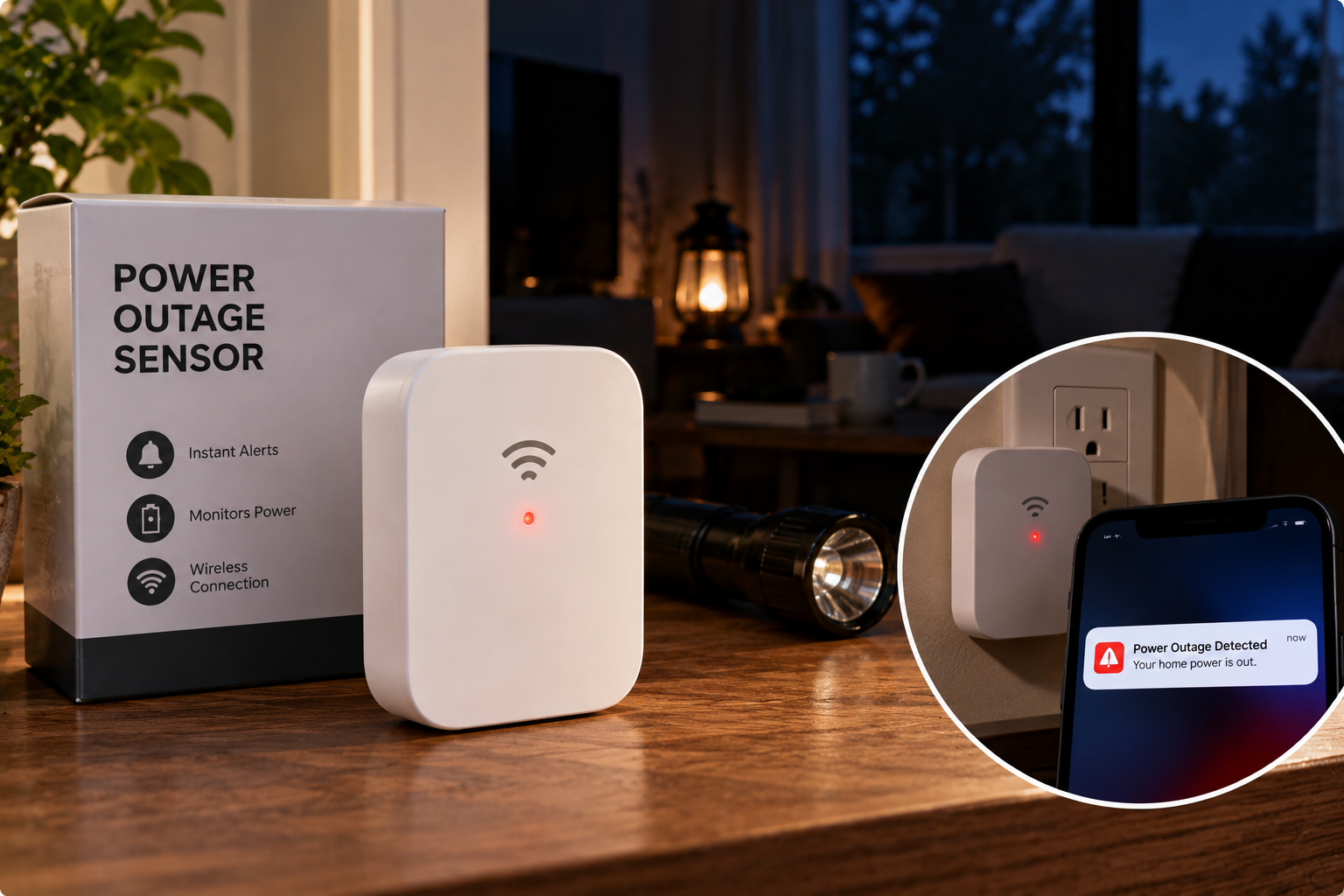
A power outage sensor is a small plug-in device that monitors an electrical outlet and alerts you the moment AC power disappears. It relies on a backup battery to stay alive during the outage, then warns you through a siren, app notification, text, email, or phone call — and usually confirms when power returns.
Quick Comparison: The 7 Best Power Outage Sensors at a Glance
| Product | Connection | Remote Alerts | Local Siren | Backup Power | Ongoing Fee | Best for |
|---|---|---|---|---|---|---|
| Risinglink Power Failure Alarm (PD201W) | 2.4GHz Wi-Fi | SMS + email, no app | 85 dB | Lithium CR2, rated 5+ yrs | None | Risinglink Power Failure Alarm (PD201W): direct texts without an app |
| YoLink Smart Power Fail Alarm & Hub Kit | LoRa via hub | Push, email, SMS | 110 dB + LEDs | 2 AA | None for basic alerts | YoLink Smart Power Fail Alarm & Hub Kit: long range + smart home |
| MarCELL Pro | 4G cellular | Text, email, voice call | No siren focus | Rechargeable, 24-48 hrs | Subscription | MarCELL Pro: homes with no reliable internet |
| GFI Notify Power Outage System | Wi-Fi smart plugs + cloud | Text + email, 3 contacts | None | Not needed (cloud-side) | None | GFI Notify Power Outage System: GFCI/AFCI trip alerts |
| Satisure L7D Smart WiFi Power Failure Alarm | 2.4GHz Wi-Fi (Tuya) | App push | Yes | Rechargeable, ~10 hrs | Optional (SMS) | Satisure L7D Smart WiFi Power Failure Alarm: budget app alerts |
| Satisure L5 Power Failure Alarm | None (standalone) | None | Up to 120 dB | Rechargeable, ~12 hrs | None | Satisure L5 Power Failure Alarm: waking you up at home |
| Temp Stick (Ideal Sciences) | 2.4GHz Wi-Fi | Text, email, push | None | 2 AA, ~1-2 yrs | None | Temp Stick (Ideal Sciences): temperature-first freezer watch |
Looking at the table, the real dividing line isn’t price — it’s how each device talks to you when the house is dark. The Risinglink Power Failure Alarm (PD201W) and Satisure L7D Smart WiFi Power Failure Alarm only reach your phone if your router stays powered, while the MarCELL Pro sidesteps the problem entirely with cellular. If you’re home most nights, the humble Satisure L5 Power Failure Alarm may be all you need; if you travel, prioritize remote alerts first and siren volume second.
💬 One click helps other shoppers make an informed choice too! 😊
Top 7 Power Outage Sensors: Expert Analysis
1. Risinglink Power Failure Alarm (PD201W) — direct texts, zero apps
The Risinglink Power Failure Alarm (PD201W) strips the category down to what most people actually want: a real text message on your phone when the power drops, with no app, no hub, and no subscription.
On paper, this second-generation power outage sensor detects a loss of power within about three seconds and supports two phone numbers plus four email addresses per device. That matters more than it sounds — many cheaper alarms route the second phone through email-to-SMS gateways, which carriers can delay or silently drop. You also get alerts for power restoration, low battery, and Wi-Fi loss, so the device tells you when it can’t tell you something. An 85 dB buzzer sounds locally regardless of Wi-Fi.
Based on comparing the specs, this is the best fit for the “set it and forget it” homeowner protecting a garage freezer or a vacation rental. The lithium CR2 backup is rated by the manufacturer to last over five years under typical outage patterns, which removes the most common failure point: a dead battery nobody remembered to check.
Customer reviews consistently report that alerts arrive reliably — with one big asterisk that buyers repeat often: your router and modem must sit on a UPS battery backup, or a whole-house outage takes the Wi-Fi down with it.
Pros:
- ✅ True SMS alerts to two numbers without any app
- ✅ Self-diagnostic alerts for low battery and lost Wi-Fi
- ✅ Long-life lithium backup reduces maintenance
Cons:
- ❌ Works only on 2.4GHz Wi-Fi networks
- ❌ 85 dB siren is quieter than many rivals
At roughly $40 to $60 (check the current price), it’s the strongest value for remote alerts without monthly fees.
2. YoLink Smart Power Fail Alarm & Hub Kit — longest range, smartest ecosystem
The YoLink Smart Power Fail Alarm & Hub Kit uses LoRa radio instead of Wi-Fi, which is why it shines in detached garages, barns, and big properties where Wi-Fi gives up.
The sensor (model YS7106) talks to the YoLink Hub at a claimed range of up to a quarter mile in open air. In practice, that means you can monitor a well pump or outbuilding freezer hundreds of feet from the house without mesh routers or extenders. Locally, a 110 dB sounder and four bright LEDs fire the instant AC power disappears, and two AA batteries keep the sensor alive. The patented Control-D2D pairing lets it trigger a separate YoLink siren directly — even with no internet at all.
Here’s what to weigh: this power outage sensor rewards people who want more than one alert type. The free app delivers push, email, and SMS notifications, and it plugs into IFTTT and the wider YoLink lineup of leak sensors and sirens. If you’d rather skip the UPS-for-router problem, YoLink also sells a cellular hub kit variant.
Reviews consistently praise easy setup and near-instant alerts, while a recurring complaint is that the local alarm can’t easily be silenced. Several owners also stress the hub must sit on backup power to report whole-house outages.
Pros:
- ✅ LoRa range covers outbuildings Wi-Fi can’t reach
- ✅ Loud 110 dB siren plus visible LED warning
- ✅ Expands into a full smart-home sensor network
Cons:
- ❌ Requires the YoLink Hub to deliver remote alerts
- ❌ Local alarm is hard to mute, per reviews
Expect around $50 to $70 for the hub kit (the sensor alone runs about $35), making it excellent value if you’ll add more YoLink sensors later.
3. MarCELL Pro — cellular alerts when Wi-Fi is gone
The MarCELL Pro is the professional-grade answer for anyone who can’t count on internet: rural cabins, RVs, seasonal homes, and small businesses with refrigerated inventory.
Instead of Wi-Fi, it connects over 4G cellular (Verizon or AT&T versions are sold), so neither a dead router nor an ISP outage stops the alert. It checks conditions every 10 seconds, logs data to the cloud, and notifies you by text, email, or voice call — and the built-in rechargeable battery can run roughly 24 to 48 hours without AC power. It alerts on power failure and restoration, plus temperature and humidity, and probe versions can monitor the inside of a fridge or freezer directly.
What most buyers overlook is that this is a monitoring service, not just a gadget. A subscription is required for alerts, though the maker lets you switch cellular service on and off — handy if you only need coverage during the winter months at a lake house.
Aggregated feedback from RV and vacation-home owners tends to favor cellular over Wi-Fi monitors for reliability, with the subscription cost as the main trade-off mentioned. You’ll also need a decent cell signal where it’s installed.
Pros:
- ✅ Works with no Wi-Fi, router, or landline
- ✅ Voice-call alerts are hard to sleep through
- ✅ Monitors temperature, humidity, and power together
Cons:
- ❌ Ongoing subscription adds to ownership cost
- ❌ Needs solid Verizon or AT&T coverage on site
Typically in the $150 to $250 range before service fees — premium, but justified when internet isn’t an option.
4. GFI Notify Power Outage System — built for tripped GFCI circuits
The GFI Notify Power Outage System was designed around the outage most people never think about: a single GFCI or AFCI circuit tripping while the rest of the house stays lit.
The bundle includes two Wi-Fi smart plugs that report to a cloud service. When a plug goes silent, the service alerts up to three contacts by text and/or email, then sends a follow-up when power returns — including total elapsed outage time. Notifications arrive roughly 5 to 7 minutes after the loss, an intentional delay to filter out brief flickers.
Here’s the clever part, based on how the system works: because detection happens in the cloud (a plug stops checking in), the device itself doesn’t need a backup battery to report a problem. That’s a genuine advantage for GFCI garage outlets, outdoor circuits, and RV pedestals. The trade-off is that a cloud-side “offline” alert can’t fully distinguish an ISP outage from a power outage.
Reviews and the company’s own origin story center on the same pain point — losing a garage freezer full of food to a silently tripped GFI — and owners generally describe the setup as simple, with no monthly fee.
Pros:
- ✅ Catches single-circuit GFCI and AFCI trips
- ✅ Alerts three contacts, plus restoration time
- ✅ One-time purchase with no monthly fees
Cons:
- ❌ Five-to-seven-minute delay before first alert
- ❌ No local siren for people who are home
Usually between $40 and $90 depending on the seller — a smart buy if GFCI trips are your main worry.
5. Satisure L7D Smart WiFi Power Failure Alarm — budget smart alerts with outlets
The Satisure L7D Smart WiFi Power Failure Alarm delivers app-based outage alerts for about the cost of a takeout dinner, and it doesn’t steal your outlet in the process.
It connects to 2.4GHz Wi-Fi through the widely used Smart Life or Tuya apps, which push notifications to your phone when power drops. A built-in rechargeable battery keeps it alert for up to about 10 hours, and two pass-through sockets let you plug the freezer (and something else) straight into the alarm. That pass-through design is underrated: you’re monitoring the exact outlet your appliance depends on.
Our honest analysis: this power outage sensor suits renters and first-time buyers who already use Tuya-based smart plugs or bulbs. Push notifications are free, but if you want SMS texts through the platform, expect to pay for that add-on. Like every Wi-Fi model, it needs a powered router to report a whole-house outage.
Specific reviews for the L7D model are limited at the time of writing, so we can’t verify long-term reliability claims; across Satisure’s alarm lineup, buyers generally praise loud alerts and straightforward setup.
Pros:
- ✅ Very affordable entry into app-based alerts
- ✅ Two pass-through outlets keep appliances plugged in
- ✅ Works with the popular Smart Life ecosystem
Cons:
- ❌ SMS alerts typically require a paid add-on
- ❌ Limited verified long-term owner feedback so far
Look for it in the $25 to $40 range — solid value if push alerts are enough for you.
6. Satisure L5 Power Failure Alarm — loudest pick for home use
The Satisure L5 Power Failure Alarm is the old-school power failure alarm done right: no Wi-Fi, no app, just a siren you will not sleep through.
It reaches up to 120 dB with three adjustable volume levels, plus a flashing LED. The rechargeable battery can keep the alarm going for up to 12 hours, and when power returns, the alarm clears itself. A cancel button silences it once you’ve reacted, and a pass-through socket on the face keeps your sump pump or freezer plugged in. You can even power the unit down during a long outage to save its battery.
Who’s it for? Anyone who’s home most nights and mainly worries about a basement flooding while they sleep, or an aquarium heater dying. Translated into real life, 120 dB is roughly the level of a loud siren up close — overkill in a bedroom, perfect two floors down in a basement.
Customer reviews consistently report that it does its one job well — waking people during nighttime outages. The most common complaint is that it’s useless while you’re away, since there’s no remote alert at all.
Pros:
- ✅ Up to 120 dB with three volume levels
- ✅ No Wi-Fi, apps, or setup required
- ✅ Pass-through outlet keeps appliances powered
Cons:
- ❌ No remote alerts when you’re not home
- ❌ Battery covers about 12 hours of alarm
Often found for about $15 to $25 — the cheapest way to protect a sump pump at night.
7. Temp Stick (Ideal Sciences) — monitors what the outage actually damages
The Temp Stick (Ideal Sciences) isn’t a dedicated power outage sensor, and we want to be upfront about that — it watches the consequence of an outage: temperature.
This Wi-Fi temperature and humidity sensor runs on two AA batteries for roughly one to two years, sends unlimited text, email, and push alerts without a subscription, and stores readings while offline so you can review what happened during the outage. It also alerts you if it loses connection. Pair it with Alexa or IFTTT and it can trigger other devices.
Here’s what the spec sheet doesn’t say: a freezer can lose power without immediately getting warm, and it can also warm up while the power is fine (a door left ajar, a failing compressor). A temperature sensor catches both. That’s why many freezer owners pair a power failure alarm with a Temp Stick — one tells you something happened, the other tells you whether your food is actually at risk.
Reviews frequently highlight easy setup, responsive US-based support, and real “saved my pipes” stories from people who were traveling during winter cold snaps. A few owners mention units going offline, so the connection-lost alert is worth enabling.
Pros:
- ✅ Detects warming from outages and appliance failures
- ✅ Unlimited text and email alerts, no subscription
- ✅ Logs data offline for later review
Cons:
- ❌ Doesn’t directly detect loss of AC power
- ❌ Pricier than dedicated outage alarms
Usually around $90 to $140 — best value as a companion to a cheaper outage alarm.
🔍 Ready to protect what matters? Click any highlighted product to check current pricing and availability — the right power outage sensor costs less than one spoiled freezer! ⚡
How to Set Up a Power Outage Sensor So It Works When It Counts
Buying the device is the easy part. Most “it didn’t alert me” stories trace back to setup mistakes made in the first 30 days. Here’s a practical playbook.
1. Plug it into the right outlet. Monitor the outlet your critical appliance actually uses — not a convenient one nearby. A freezer on a GFCI garage outlet needs the sensor on that GFCI circuit. Pass-through models like the Satisure L5 Power Failure Alarm make this foolproof.
2. Put your network on a UPS. For any wifi power outage alarm (the Risinglink Power Failure Alarm (PD201W) or Satisure L7D Smart WiFi Power Failure Alarm) or hub-based system (the YoLink Smart Power Fail Alarm & Hub Kit), your modem, router, and hub need a small uninterruptible power supply. A basic UPS in the 400-600 VA class typically keeps a modem and router alive for well over an hour. Also confirm your ISP’s neighborhood equipment has backup power — some don’t.
3. Run a real test. Don’t trust the app’s “online” badge. Unplug the sensor (or flip the breaker) and time how long the alert takes to reach your phone. Then test again with the router unplugged to simulate a whole-house outage.
4. Add more than one contact. Put a neighbor or family member on the alert list. If you’re on a flight when the freezer dies, someone nearby can act.
5. Set a quarterly reminder. Test the siren, check battery status, and confirm alerts still arrive. Firmware updates and router swaps break more setups than hardware failure does.
6. Label it. A sticker reading “Power alarm — do not unplug” stops houseguests and contractors from “borrowing” the outlet.
Which Power Outage Alarm Fits Your Situation? Three Real-World Scenarios
Scenario 1: The suburban family with a garage freezer. Budget around $60, home most nights, but away for long weekends. The freezer sits on a GFCI outlet that trips during thunderstorms. Best match: the GFI Notify Power Outage System, because circuit-level trips are the real risk and it doesn’t depend on battery backup. If you’d rather have instant alerts, the Risinglink Power Failure Alarm (PD201W) plus a small UPS for the router is the alternative — slightly more setup, much faster notification.
Scenario 2: The lakeside cabin owner. The cabin sits empty from November to April, Wi-Fi is spotty, and frozen pipes would mean a five-figure repair. Frequency of use: constant, unattended monitoring. Best match: the MarCELL Pro. Yes, the subscription stings, but you can pause service during summer occupancy, and cellular alerts plus temperature monitoring cover both the outage and the freeze risk it causes.
Scenario 3: The homeowner with a finished basement and a sump pump. Budget under $30, home nearly every night, and the main fear is a flood during an overnight storm. Best match: the Satisure L5 Power Failure Alarm. Its 120 dB siren will reach a second-floor bedroom, and the pass-through socket keeps the pump plugged in. If you want a remote layer for travel, add the Satisure L7D Smart WiFi Power Failure Alarm later.
Bonus profile: the rural property with outbuildings. If you’re watching a well pump, barn freezer, or chicken coop heat lamp 500 feet from the house, the YoLink Smart Power Fail Alarm & Hub Kit is the only pick here built for that distance.
The pattern is simple: match the sensor to where you’ll be when the outage happens, not to the appliance alone.
Power Outage Sensor Troubleshooting: Problems and Fixes
Problem 1: “I never got the alert during the big storm.” This is almost always a router or ISP issue. Fix: put the modem and router on a UPS, or switch to a sensor that doesn’t need home internet, like the MarCELL Pro or a cellular hub version of the YoLink Smart Power Fail Alarm & Hub Kit.
Problem 2: “The device won’t connect to my Wi-Fi.” Nearly every wifi power outage alarm here supports only 2.4GHz. Fix: enable a separate 2.4GHz network name on your router, or temporarily disable “band steering” during pairing.
Problem 3: “I get alerts for tiny flickers.” Brief brownouts can trigger fast-reacting sensors. Fix: if your app offers a delay setting, use it. Otherwise, a system with a built-in delay like the GFI Notify Power Outage System filters out momentary blips.
Problem 4: “The siren died before power came back.” Backup batteries are finite — roughly 10-12 hours on the Satisure models. Fix: during long outages, silence the alarm after you’ve responded to preserve battery, and choose a model with a longer-lived backup for unattended use.
Problem 5: “The freezer warmed up, but power never went out.” The outage sensor did its job; the appliance failed. Fix: add a temperature monitor like the Temp Stick (Ideal Sciences) so you catch compressor failures and doors left open, too.
How to Choose a Power Outage Sensor
- Decide where you’ll be during an outage. Home at night? A loud standalone power failure alarm is enough. Away often? Remote alerts are non-negotiable.
- Pick the connection that survives an outage. Wi-Fi needs a UPS-backed router, LoRa needs a backed-up hub, and cellular needs only a signal.
- Check the alert channels. True SMS and voice calls are harder to miss than app push notifications that can be silenced by Do Not Disturb.
- Look at backup battery life. It should outlast a typical outage, and ideally warn you when it’s low.
- Confirm restoration alerts. Knowing when power came back tells you how long food sat without cooling.
- Count total ownership costs. Factor in subscriptions, a UPS, and replacement batteries — not just the sticker price.
- Think about the circuit, not just the house. If GFCI or AFCI trips are your real risk, monitor that exact circuit.
These seven steps also explain why “most expensive” doesn’t mean “best.” A $20 siren beats a $200 cellular monitor for a family that’s home every night.
Wi-Fi vs. LoRa vs. Cellular: Which Outage Monitor Survives the Outage?
The single most important question about any power outage notification device is how it sends a message when your house has no electricity. Here’s how the three approaches compare against traditional “solutions” many people rely on.
| Method | Survives whole-house outage? | Extra gear needed | Typical cost | Best for |
|---|---|---|---|---|
| Wi-Fi sensor (e.g., Risinglink Power Failure Alarm (PD201W)) | Only with UPS on router | UPS | Low | Suburban homes with stable internet |
| LoRa sensor (e.g., YoLink Smart Power Fail Alarm & Hub Kit) | Only with UPS on hub, or cellular hub | Hub + UPS | Low-moderate | Large properties, outbuildings |
| Cellular monitor (e.g., MarCELL Pro) | Yes | None | Moderate + fee | Remote cabins, RVs, no internet |
| Utility outage text alerts | Usually, but area-wide only | None | Free | Knowing about grid outages — not GFCI trips |
| Smart plug “offline” notice | Inconsistent, app-dependent | Smart plug | Low | Casual awareness only |
The table shows why utility alerts and generic smart plugs aren’t real substitutes: your utility can’t see a tripped GFCI in your garage, and most smart plug apps don’t promise timely offline notifications. Wi-Fi sensors win on cost and simplicity, but they quietly depend on a UPS. Cellular costs more over time, yet it’s the only approach that survives a dead router, an ISP outage, and a dark neighborhood all at once.
There’s also a hybrid worth mentioning: pairing a Wi-Fi sensor with a battery-powered mobile hotspot gives you some cellular resilience without a dedicated monitoring plan. It’s a workaround, not a product feature, but it’s popular with RV owners.
Features That Actually Matter (and Ones That Don’t)
Marketing copy for power outage alarms loves big numbers. Here’s how to separate signal from noise.
Features that matter:
- ✅ Restoration alerts. Knowing power was out for 3 hours versus 6 hours determines whether your fridge food is safe.
- ✅ Self-monitoring alerts. Low-battery and “device offline” warnings, like those on the Risinglink Power Failure Alarm (PD201W), prevent silent failures.
- ✅ Multiple contacts. An alert only helps if someone who can act receives it.
- ✅ Pass-through outlets. They guarantee you’re monitoring the exact power source your appliance uses.
Features that matter less than you’d think:
- ❌ Maximum siren volume above ~110 dB. Useful in a basement, painful in a kitchen. Adjustable volume beats raw loudness.
- ❌ Dozens of selectable siren tones. Pick one that’s loud; move on.
- ❌ “Smart home compatible” badges. Integrations are nice, but they’re useless if the hub is dark during the outage.
- ❌ Detection in under 1 second. A few seconds — or even a few minutes — is fine for a freezer that stays cold for hours.
The takeaway: reliability features (backup power, self-diagnostics, redundant contacts) beat spec-sheet bragging rights every time.
Long-Term Cost and Maintenance: What You’ll Really Spend
The sticker price is only part of the story. Here’s an estimated three-year view, using approximate price ranges at the time of writing.
| Product | Device (approx.) | Extra gear | Recurring cost | 3-year outlook | Best for |
|---|---|---|---|---|---|
| Satisure L5 Power Failure Alarm | $15-$25 | None | None | Lowest | Satisure L5 Power Failure Alarm: at-home budget |
| Satisure L7D Smart WiFi Power Failure Alarm | $25-$40 | UPS for router | Optional SMS | Low | Satisure L7D Smart WiFi Power Failure Alarm: app users |
| Risinglink Power Failure Alarm (PD201W) | $40-$60 | UPS for router | None | Low-moderate | Risinglink Power Failure Alarm (PD201W): free SMS |
| MarCELL Pro | $150-$250 | None | Monthly/annual plan | Highest | MarCELL Pro: no-internet sites |
Looking at this comparison, the Risinglink Power Failure Alarm (PD201W) offers the best long-term value for remote alerts because its texts cost nothing ongoing and its battery is rated for years. The MarCELL Pro is the most expensive to own, but for an unattended cabin, a single frozen-pipe claim dwarfs years of subscription fees. Budget-conscious households should note that a UPS (often $50-$100) is a hidden cost of every Wi-Fi option — though it also keeps your internet running during outages, which has its own value.
Maintenance is light across the board: test monthly or quarterly, replace AA or CR2 batteries when warned, and recharge-based units like the Satisure models should be left plugged in so their batteries stay topped up.
Common Mistakes to Avoid When Buying a Power Outage Notification Device
Mistake 1: Forgetting the router. The most common regret in customer reviews is buying a Wi-Fi alarm without backing up the network. It’s like installing a doorbell camera with no internet.
Mistake 2: Buying a siren-only alarm for a vacation home. A 120 dB siren in an empty house only alerts the neighbors — if they’re home.
Mistake 3: Ignoring circuit-level failures. Many outages aren’t grid outages at all. A tripped GFCI or AFCI breaker kills one circuit while the utility map shows everything fine. If you need a refresher on why these devices trip, Wikipedia’s overview of the residual-current device (GFCI) explains the safety logic.
Mistake 4: Choosing app push over SMS for critical uses. Phone “Focus” or “Do Not Disturb” modes can mute app notifications overnight. For high-stakes monitoring, texts or voice calls are safer.
Mistake 5: Skipping the restoration alert. Without knowing how long the outage lasted, you’re guessing about food safety.
Mistake 6: Assuming one device covers everything. An outage sensor tells you power is gone; it doesn’t tell you a freezer compressor died. Combining it with a temperature monitor is the most complete setup.
Power Outage Alert for Freezer, Sump Pump, and Medical Equipment
Different appliances fail on different timelines, so your power outage alert for freezer use shouldn’t look identical to your sump pump setup.
Freezers and refrigerators. According to FoodSafety.gov, a closed refrigerator keeps food cold for about 4 hours, while a full freezer holds its temperature for roughly 48 hours (about 24 hours if half full). That timeline is generous for freezers, tight for fridges. Translation: a 5-7 minute alert delay is irrelevant, but knowing the duration of the outage is critical. Restoration alerts plus a temperature monitor like the Temp Stick (Ideal Sciences) give you hard data instead of sniff tests.
Sump pumps. Here the window can be minutes, not hours, during heavy rain. Prioritize instant detection and a loud local siren (the Satisure L5 Power Failure Alarm or YoLink Smart Power Fail Alarm & Hub Kit), plus a remote alert if you travel.
Aquariums, reptiles, and livestock heat. Temperature-sensitive animals need fast alerts and someone nearby to act. Add a neighbor as a contact.
Medical equipment and refrigerated medications. Oxygen concentrators, CPAP machines, and insulin storage deserve the most redundant setup: a local siren and cellular remote alerts like the MarCELL Pro. Also register with your utility’s medical priority program if one exists, and talk to your provider about a backup plan.
Safety, Standards, and What the Labels Mean
A power outage sensor plugs into mains power 24/7, so basic electrical safety matters.
Look for recognized safety listings. In the US, UL or ETL marks indicate a product was tested to applicable safety standards by a nationally recognized testing laboratory. Many budget imports don’t display these marks clearly; if it matters to you, check the product label or ask the seller before buying. Pass-through models carry your appliance’s full load, so a listed device is worth prioritizing for freezers and pumps.
Check FCC compliance for wireless models. Wi-Fi, LoRa, and cellular devices sold in the US should carry an FCC ID, which you can look up to confirm the radio was certified.
Respect the pass-through rating. Never plug a high-draw appliance into a pass-through socket rated below its load. Check the amperage on both the alarm and the appliance.
Don’t let alerts lead to risky fixes. An alert may tempt you to rush to the basement or start a generator. Follow official guidance: Ready.gov’s power outage page advises running generators outdoors and at least 20 feet from windows and doors, and unplugging electronics to avoid surge damage when power returns.
Battery safety. Units with lithium backup cells should be kept away from heat sources and replaced if they swell or leak.
FAQs
❓ Do power outage sensors work without Wi-Fi?
❓ Is there a power failure alarm with no monthly fee?
❓ Can a power outage sensor detect a tripped GFCI outlet?
❓ What's the best power outage alert for a freezer in the garage?
❓ How long does the backup battery last during an outage?
Conclusion: The Right Power Outage Sensor Is the One That Reaches You
Every device in this guide detects lost power. The real difference is whether that information reaches a person who can act — at 2 a.m., on vacation, or during a storm that takes down the whole block.
If you want the simplest strong pick, the Risinglink Power Failure Alarm (PD201W) delivers true SMS alerts with no fees; just put your router on a UPS. If your property sprawls across outbuildings, the YoLink Smart Power Fail Alarm & Hub Kit has the range. For cabins and RVs without dependable internet, the MarCELL Pro earns its subscription. Worried mainly about tripped garage outlets? The GFI Notify Power Outage System was built for exactly that. On a tight budget, the Satisure L7D Smart WiFi Power Failure Alarm handles app alerts and the Satisure L5 Power Failure Alarm handles wake-you-up sirens. And if what you really fear is spoiled food, add the Temp Stick (Ideal Sciences) to see what the outage actually did.
Whatever you choose, test it before you trust it. Unplug it, cut the router, and time the alert. Ten minutes of testing today is what separates a useful power outage sensor from a decorative one.
✨ Don’t wait for the next storm! 🔍 Protect your freezer, basement, and peace of mind with this carefully curated lineup. Click a highlighted product to check current pricing and availability — these picks help you catch outages before they become expensive surprises! ⚡
Recommended for You
- 220V Dual Outlet Splitter Box: 7 Best Options for Safe Power Access
- Best Matter Devices 2026: 7 Proven Picks That Play Nice Together
- best matter hub 2026: 7 Proven Picks for a Smarter, Faster Home
Disclaimer: This post contains affiliate links. As an Amazon Associate, I earn from qualifying purchases made through these links, at no additional cost to you.
✨ Found this article helpful? Share it with someone who needs it! 💬🤗
