
In This Article
Why Your Yard Needs an Outdoor Digital Timer for Lights in 2026
Picture this: it’s 11:40 p.m., you’re finally in bed, and you remember the porch string lights are still glowing. Again. You can either shuffle downstairs in your socks or let the electric meter spin until morning. An outdoor digital timer for lights ends that nightly negotiation for good.
What Is an Outdoor Digital Timer for Lights?
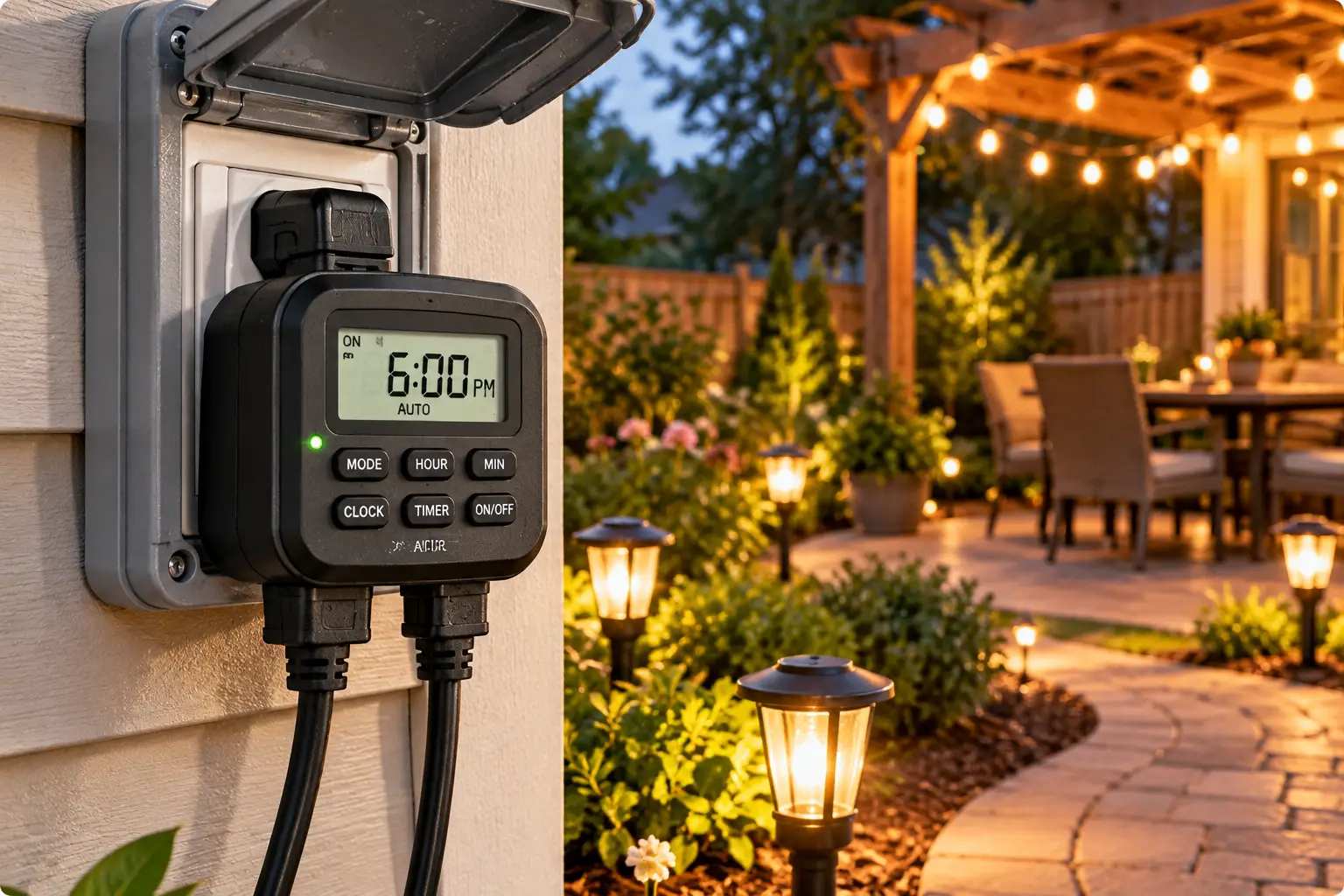
An outdoor digital timer for lights is a weather-resistant, plug-in (or hardwired) control with an electronic clock that switches connected lights on and off on a programmed schedule. Unlike pin-dial mechanical timers, it offers to-the-minute accuracy, multiple daily events, and often weekly, random, or sunrise/sunset modes.
That last detail matters more than most shoppers realize. The U.S. Department of Energy’s guide to home lighting controls points out that a basic programmable timer often isn’t used alone outdoors, because changing night lengths force you to keep resetting it. That’s exactly why this guide leans so hard on two upgrades: astronomic timing and photocell sensing.
Here’s what you’ll get below:
- ✅ A quick comparison table so you can shortlist in 60 seconds
- ✅ Seven real, currently sold models — from $15 workhorses to astronomic and Wi-Fi picks
- ✅ Setup guidance, troubleshooting, and the safety rules that actually apply outdoors
Every recommendation is built on published spec sheets and aggregated customer feedback from major US retailers — not on invented “hands-on testing.” Where reviews are thin, we’ll say so. Whether you’re automating landscape lights, a patio string, or a full holiday display, the goal is the same: lights that behave themselves while you get on with your evening.
Quick Comparison Table: The Top Picks at a Glance
| Pick | Timer Type | Outlets | Standout Feature | Best for |
|---|---|---|---|---|
| BN-LINK 7-Day Outdoor Digital Timer | 7-day digital | 2 | Up to 8 on/off programs | BN-LINK 7-Day Outdoor Digital Timer: budget weekly schedules |
| BN-LINK Digital Astronomic Landscape Timer | Astronomic digital | 2 | Auto sunrise/sunset + DST | BN-LINK Digital Astronomic Landscape Timer: set-and-forget landscape lights |
| Woods 50015WD | 7-day digital | 2 | 20 on/off events per day | Woods 50015WD: power users with pumps + lights |
| Intermatic HB880R | Astronomic digital | 2 | 24-inch heavy-duty cord | Intermatic HB880R: pro-grade reliability |
| Kasa KP400 | Wi-Fi smart plug | 2 (independent) | App + voice control | Kasa KP400: smart-home households |
Looking at the table, the real split isn’t price — it’s how much babysitting you want to do. The BN-LINK 7-Day Outdoor Digital Timer and Woods 50015WD reward people who enjoy fine-tuning a weekly schedule, while the BN-LINK Digital Astronomic Landscape Timer and Intermatic HB880R follow the sun so you never touch them after setup. The Kasa KP400 is the only one here that lets you run each outlet on its own schedule, which is a genuine advantage if one outlet feeds lights and the other feeds a fountain.
💬 One click helps other shoppers make an informed choice too! 😊
Top 7 Picks: Expert Analysis of Each Outdoor Digital Timer for Lights
1. BN-LINK 7-Day Outdoor Heavy Duty Digital Programmable Timer — best budget weekly scheduler
If you want weekday and weekend schedules without paying for extras you’ll never use, this is the sensible starting point. The BN-LINK 7-Day Outdoor Heavy Duty Digital Programmable Timer packs two grounded outlets into a rain-tight housing rated at 125VAC and 1875W, and it carries an ETL listing. In practice, 1875W is far more headroom than LED lighting needs — even a large LED display rarely tops a few hundred watts — so you can share the timer with a small fountain pump without sweating it.
The up-to-8 on/off programs are where it earns its keep. You could run lights 5:30–11 p.m. on weekdays, stretch to midnight on Fridays and Saturdays, and add a 5:30–7 a.m. block for early commuters. Based on comparing the specs, it’s ideal for homeowners who want weekly control but don’t need sunrise/sunset tracking — and who don’t mind adjusting the schedule a few times a year as days lengthen and shorten.
Reviews across US retailers consistently praise how easy it is to program and how reliably it holds settings; the most common caveat is that weatherproofing depends on keeping the outlet cover closed and the timer oriented properly.
Pros:
- ✅ Weekly programming handles weekday and weekend schedules separately
- ✅ 1875W capacity leaves plenty of room for LED setups
- ✅ ETL-listed, weather-resistant housing at an entry-level price
Cons:
- ❌ No astronomic mode, so seasonal re-adjustments are on you
- ❌ Both outlets share one schedule
Price range: usually around $15–$25 — check the current price — making it one of the best values in this category.
2. BN-LINK Digital Astronomic Landscape Timer — sunrise-smart for less money
This is the model for people who never want to touch a timer again after the first ten minutes. The BN-LINK Digital Astronomic Landscape Timer calculates sunrise and sunset once you set your time zone, then adjusts automatically through the year — daylight saving shifts included. That means your landscape lights come on at dusk in July and in December without a single button press.
It also supports up to 18 on/off schedules, so you can blend astronomic and fixed events: on at sunset, off at 11 p.m., back on at 5 a.m., off at sunrise. Here’s what to weigh: the two grounded outlets share a 1250W total load, noticeably lower than the 1875W on many rivals. For LED landscape and string lights, that’s still generous; for older incandescent holiday displays, do the wattage math first.
Customer feedback on this newer model is generally positive, with buyers highlighting the “set it once” convenience, but the review pool is still small compared with longtime best-sellers — so long-term durability data is thinner than we’d like.
Pros:
- ✅ Astronomic clock tracks sunrise and sunset year-round
- ✅ Up to 18 schedules for hybrid sunset/fixed programs
- ✅ Automatic daylight saving time adjustment
Cons:
- ❌ 1250W total limit is lower than heavy-duty competitors
- ❌ Smaller review history means less proven longevity
Price range: typically in the $20–$30 range at the time of writing — strong value for true astronomic timing.
3. Woods 50015WD Outdoor 7-Day Heavy-Duty Digital Timer — most events per day
When your outdoor setup goes beyond lights, the Woods 50015WD starts to shine. It allows up to 20 on/off settings per day that repeat weekly, plus countdown, random, and daylight saving features. Translation: you can cycle a pond pump several times a day while keeping your lights on a tidy evening schedule — just not separately on each outlet.
Its ratings are seriously robust: 15A, 1875W resistive or tungsten, and up to 3/4 hp motor loads, with CSA certification and a self-recharging battery that holds your programs through outages. The forest-green housing blends into garden beds, and a large display plus manual override button makes quick changes painless. On paper, this is the most flexible plug-in scheduler here for people who like control.
Reviews consistently report that it’s more versatile than older Woods timers and keeps accurate time; the most repeated complaint is that the roughly 6-inch power cord can be too short to fit comfortably inside a covered outdoor outlet box.
Pros:
- ✅ 20 daily on/off events offer exceptional scheduling depth
- ✅ 3/4 hp rating handles pumps as well as lights
- ✅ Random mode adds believable vacation security
Cons:
- ❌ Short cord can clash with in-use outlet covers
- ❌ No sunrise/sunset tracking
Price range: generally between $15 and $35 depending on seller — excellent value for its load rating.
4. myTouchSmart 26898 Programmable Outdoor Plug-In Digital Timer — easiest to program
Not everyone wants to decode a 30-page manual. The myTouchSmart 26898 (from Jasco, the company behind many GE-branded home controls) solves that with three one-touch presets — evening (5 p.m.–12 a.m.), morning (5–8 a.m.), and all night (6 p.m.–6 a.m.) — alongside custom on/off times and a countdown of up to 24 hours.
Both grounded outlets switch together, a backup battery saves your settings during power cuts, and an attached mounting bracket lets you fasten it to a wall instead of letting it dangle from the outlet. What most buyers overlook is that this is a daily (24-hour) timer, not a 7-day model; the same schedule runs every day. For porch lights and patio strings, that’s usually all you need.
Reviews here are among the strongest in the category — on Walmart, for example, it averages around 4.6 stars across more than 500 ratings at the time of writing — with ease of setup the most praised trait. A recurring minority note is that some units fade after roughly a year of exposure, so mounting it under an eave helps.
Pros:
- ✅ Three presets make setup almost instant
- ✅ Backup battery protects your schedule during outages
- ✅ Built-in mounting bracket keeps it off the ground
Cons:
- ❌ Same schedule every day — no weekend variations
- ❌ Some owners report shorter lifespans in full exposure
Price range: usually around $12–$30 — an easy, low-risk upgrade.
5. Intermatic HB880R Heavy-Duty Outdoor Digital Timer — pro-grade astronomic workhorse
Intermatic is the name electricians reach for, and the Intermatic HB880R shows why. It combines an astronomic clock that adjusts to sunrise and sunset, automatic DST adjustment, 14 programmable on/off events, and a random setting that varies switching times slightly each day for a lived-in look.
Its standout practical feature is the 24-inch heavy-duty cord with a grounded plug. That cord length lets the timer sit below or beside the outlet instead of hanging from it — which matters with bubble-style in-use covers, and it keeps the unit away from splash zones. It’s cULus listed, rated 15A general purpose and 1000W tungsten, handles 1/2 hp, and uses an included AA battery to keep the clock running during outages. That 1000W tungsten rating is the number to watch if you still run incandescent strings.
Because it’s sold mostly through electrical distributors, broad consumer review data is limited; what is consistent is its reputation for contractor-grade build quality and its listing across professional supply houses as a go-to outdoor astronomic plug-in.
Pros:
- ✅ Astronomic clock plus random mode in one unit
- ✅ 24-inch cord solves awkward outlet placement
- ✅ cULus listing from a trusted lighting-controls brand
Cons:
- ❌ Noticeably pricier than consumer-brand alternatives
- ❌ 1000W tungsten limit for incandescent loads
Price range: varies widely by seller, commonly somewhere between $60 and $110+ — worth it if longevity matters most.
6. Kasa Smart Outdoor Plug KP400 — independent control from your phone
Technically a smart plug rather than a timer with a screen, the Kasa KP400 earns its spot because it does something no other pick here does: it controls two outlets independently. Your string lights can follow a sunset-to-11 p.m. schedule while the fountain runs 8 a.m. to 6 p.m., all set in the Kasa app.
It’s IP64 rated — meaning dust-protected and resistant to water splashes from any direction — with a fire-retardant UL94-V0 shell and ETL/FCC certifications. Sunrise/sunset offsets let you say “on 20 minutes after sunset,” and Alexa or Google Assistant voice control is built in. The 2.4GHz Wi-Fi radio claims up to 300 feet of range, which helps when your router sits on the far side of the house.
Reviews consistently praise the quick setup and the convenience of changing schedules from anywhere; the most common complaints involve occasional Wi-Fi dropouts and the reality that you depend on an app for programming.
Pros:
- ✅ Two outlets with fully independent schedules
- ✅ Sunrise/sunset offsets and voice control included
- ✅ IP64 rating with fire-retardant housing
Cons:
- ❌ Requires 2.4GHz Wi-Fi and a smartphone app
- ❌ No physical display for quick on-device changes
Price range: typically in the $25–$45 range — fair for the flexibility you get.
7. BN-LINK Dusk to Dawn Light Sensor Timer with Remote (BNC-60/U129R) — best remote-controlled photocell option
This lesser-known alternative skips clocks entirely in favor of a photocell, then adds an electronic countdown. The BN-LINK BNC-60/U129R switches on when it senses darkness and can shut off after a set countdown — handy for holiday lights that only need to run from dusk to bedtime.
Three grounded outlets give you more plug-ins than most competitors, and a remote with up to a 100-foot range lets you override the lights from inside the house. Here’s what to weigh: photocells only work if the sensor sees real daylight. Tuck it under a dense shrub or right next to a bright floodlight, and it can get confused. Position it with a clear view of the sky and away from the lights it controls.
Reviews consistently report that it turns on reliably at dusk and that the remote is genuinely useful from a window; the most repeated gripe is a short attached cord that makes hanging it awkward on some exterior walls.
Pros:
- ✅ Photocell follows real darkness, not a calculated clock
- ✅ Three grounded outlets for bigger displays
- ✅ 100-foot remote for indoor overrides
Cons:
- ❌ Sensor placement must be planned carefully
- ❌ Short cord limits mounting options
Price range: usually around $15–$25 — great value for holiday displays.
Side-by-Side Spec Comparison of All 7 Picks
| Model | Scheduling Method | Outlets | Max Load (listed) | Battery Backup | Best for |
|---|---|---|---|---|---|
| BN-LINK 7-Day Outdoor Digital Timer | 7-day, up to 8 programs | 2 | 1875W | Yes | BN-LINK 7-Day Outdoor Digital Timer: budget weekly control |
| BN-LINK Digital Astronomic Landscape Timer | Astronomic + 18 schedules | 2 | 1250W total | Check listing | BN-LINK Digital Astronomic Landscape Timer: hands-off landscape |
| Woods 50015WD | 7-day, 20 events/day | 2 | 1875W, 3/4 hp | Self-recharging | Woods 50015WD: lights + pumps |
| myTouchSmart 26898 | 24-hour presets + custom | 2 | Check listing | Yes | myTouchSmart 26898: simplest setup |
| Intermatic HB880R | Astronomic, 14 events | 2 | 15A / 1000W tungsten | AA battery | Intermatic HB880R: contractor-grade build |
| Kasa KP400 | App schedules + offsets | 2 (independent) | Check listing | Cloud/app | Kasa KP400: smart homes |
| BN-LINK BNC-60/U129R | Photocell + countdown | 3 | Check listing | N/A | BN-LINK BNC-60/U129R: holiday displays |
The spec table makes one trade-off obvious: astronomic models cost a little more but eliminate seasonal resets, while 7-day digital models give you finer scheduling at the lowest price. If you run incandescent loads, the Intermatic HB880R‘s 1000W tungsten rating and the BN-LINK Digital Astronomic Landscape Timer‘s 1250W total cap deserve a closer look than the 1875W ratings of the Woods 50015WD and BN-LINK 7-Day Outdoor Digital Timer. For pure LED setups, every pick here has more capacity than you’ll realistically use.
✨ Don’t miss these exclusive deals!
🔍 Take your outdoor lighting to the next level with this carefully curated lineup. Click a highlighted item to check current pricing and availability. These picks will help you get glowing, hands-free evenings the whole family will enjoy!
How to Set Up an Outdoor Digital Timer for Lights: First-Week Guide
Getting the hardware is the easy part. These steps prevent the setup headaches that cause most one-star reviews.
Before You Plug In
- Charge or install the backup battery. Many digital timers ship with a partially charged internal battery. Plug the timer into an indoor outlet for the time the manual specifies (often 10–30 minutes) before programming, so a brief outage doesn’t wipe your work on day one.
- Program indoors, at the kitchen table. Squinting at a small LCD in the dark is how mistakes happen. Set the clock, day, time zone (for astronomic models), and schedule inside, then carry it out.
- Total your wattage. Add up the labels on everything you’ll connect. Stay comfortably under the timer’s rating — about 80% is a sensible ceiling for continuous loads.
Installing Outside
- ⚡ Plug into a GFCI-protected outlet with an in-use (“bubble”) cover.
- 🔌 Point the timer’s outlets downward so rain can’t pool inside.
- 🏠 Mount it with the bracket or screw holes if it has them, so the cord doesn’t bear its weight.
Your First 30 Days
Watch the first three evenings. Confirm the lights switch on when you expect, and note the actual times. For a 7-day programmable outdoor timer, set a phone reminder to revisit the schedule in about six weeks — that’s roughly when sunset drifts enough to matter. With an astronomic outdoor timer, simply verify that on-times are tracking dusk; if they’re consistently off by 20+ minutes, double-check the time-zone or location setting.
Common first-month mistakes include forgetting to switch from “ON” (manual override) back to “AUTO,” programming a.m. instead of p.m., and leaving the protective outlet flaps open.
Real-World Scenarios: Matching the Right Timer to Your Home
Specs only matter in context. Here are three common US households and the outdoor light timer that fits each one best.
Scenario 1: The Suburban Landscape Lover
Dana has 12 LED path lights on a low-voltage transformer in Ohio, where sunset swings from about 5 p.m. in December to past 9 p.m. in June. She wants lights from dusk to 11 p.m., year-round, without thinking about it. Budget: under $35.
Best match: the BN-LINK Digital Astronomic Landscape Timer. Its sunrise/sunset tracking handles that four-hour seasonal swing automatically, and a fixed 11 p.m. off event keeps the energy bill in check. If Dana’s budget stretches and her outlet box is cramped, the Intermatic HB880R and its 24-inch cord is the upgrade.
Scenario 2: The Holiday Display Family
The Martinez family runs four LED light strands, a lit wreath, and a small inflatable from November through early January. Their kids want to turn everything on early for guests.
Best match: the BN-LINK BNC-60/U129R. Three outlets cover the display, the photocell handles dusk, the countdown handles bedtime, and the 100-foot remote handles “Can we turn them on now?” moments from the living room.
Scenario 3: The Smart-Home Renter
Alex lives in a townhouse with one exterior outlet, a string of bistro lights, and a tabletop fountain. Everything else in the home already runs on Alexa.
Best match: the Kasa KP400. Independent outlet scheduling means the fountain and lights follow separate routines, and the whole setup leaves with Alex when the lease ends — no wiring, no landlord approval.
Troubleshooting: 5 Common Outdoor Timer Problems (and Fixes)
Even good timers misbehave sometimes. Here’s how to fix the most frequent issues.
1. Lights won’t turn on at the scheduled time. Check the mode first. Most timers have ON, OFF, and AUTO/TIMER positions, and a stray tap on the override button is the number-one culprit. Next, confirm the clock reads p.m. versus a.m.
2. The schedule disappeared after a storm. Your backup battery was likely drained or not fully charged at setup. Recharge it per the manual, reprogram, and consider a model with a replaceable battery, like the Intermatic HB880R.
3. A photocell timer turns on during the day. The sensor is shaded. Move it to a spot with open sky exposure, away from trees and walls. Conversely, if it never turns on, nearby lights may be “blinding” it — relocate it so the sensor faces away from the fixtures it controls.
4. The GFCI keeps tripping. That’s usually moisture, not the timer itself. Inspect connections for water, make sure plugs aren’t lying in puddles, and use an in-use outlet cover. Persistent tripping deserves an electrician’s look.
5. Astronomic on-times are way off. The timer probably has the wrong time zone, region, or DST setting. Re-enter location details carefully; a wrong time zone can shift sunset calculations by an hour or more.
How to Choose an Outdoor Digital Timer for Lights
Use these seven steps to narrow your choice quickly:
- Pick your control method. Fixed schedules suit predictable routines; astronomic or photocell control suits lights that should follow darkness.
- Match outlets to devices. Count everything you’ll plug in now and next season. Three outlets beat a tangle of splitters.
- Check the load rating against your lights. LED loads are light; incandescent strings and pumps are not. Read tungsten and horsepower ratings, not just total watts.
- Confirm weather resistance. Look for outdoor-rated housings, outlet covers, and listing marks (UL, ETL, or CSA).
- Measure your cord needs. A short pigtail cord can clash with in-use covers; a longer cord adds placement flexibility.
- Decide on independent outlet control. If lights and a pump need different schedules, you’ll need a dual-zone smart plug or two timers.
- Look for battery backup and DST. Both prevent the slow drift and lost programs that make timers annoying.
Following these steps in order prevents the classic mistake: buying on price, then discovering the timer can’t handle your load or fit your outlet.
Digital vs. Mechanical vs. Photocell vs. Smart: Which Outdoor Light Timer Wins?
The four main control types solve different problems, and understanding them is the fastest way to avoid buyer’s remorse.
Mechanical timers use a rotating dial with pins or segments, usually in 15- or 30-minute increments. They’re cheap and tough, but they lose time after power outages and can’t vary by day.
Digital timers add an electronic clock, minute-level precision, weekly programs, and battery backup. Their weakness is seasonal drift — unless they’re astronomic.
Photocell timers react to actual darkness, which makes them naturally seasonal. Placement is everything, though, and they can be fooled by shade, snow glare, or nearby lights.
Smart plugs offer app control, offsets, and independent outlets, but depend on Wi-Fi and a phone.
| Type | Seasonal Adjustment | Precision | Power-Outage Recovery | Best for |
|---|---|---|---|---|
| Mechanical | Manual | 15–30 min | Loses time | Ultra-budget, simple loads |
| 7-day digital (e.g., Woods 50015WD) | Manual | To the minute | Battery backup | Detailed weekly schedules |
| Astronomic digital (e.g., Intermatic HB880R) | Automatic | To the minute | Battery backup | Year-round landscape lighting |
| Photocell (e.g., BN-LINK BNC-60/U129R) | Automatic (sensor) | Depends on light | Resumes at dark | Holiday displays |
| Smart plug (e.g., Kasa KP400) | Automatic (offsets) | To the minute | Depends on Wi-Fi | Smart-home control |
The table shows why astronomic models have become the sweet spot: they combine digital precision with automatic seasonal adjustment and don’t depend on sensor placement or Wi-Fi. Mechanical timers still make sense for a single, simple load on a tight budget, but outdoors their lack of battery backup becomes a real nuisance after every storm.
Astronomic Outdoor Timer Technology Explained
An astronomic outdoor timer doesn’t “see” the sun at all. Instead, it uses your location or time zone plus a built-in solar calculation to predict sunrise and sunset for every day of the year. That’s a big deal in the US, where sunset can shift by several hours between June and December in northern states.
Compare this to a photocell. A sensor reacts to light levels in real time, so a dark thunderstorm at 4 p.m. might trigger your lights early, while a snowbank reflecting a streetlight might delay them. An astronomic clock ignores weather and simply follows the calendar, which most homeowners find more predictable.
Daylight saving time is the other headache it solves. Because daylight saving time in the United States shifts clocks twice a year — and a few areas, like most of Arizona and Hawaii, don’t observe it — a timer with a reliable DST toggle avoids that one-hour mismatch every March and November.
Here’s the practical takeaway: an astronomic outdoor timer works best when paired with a fixed “off” event. On at sunset, off at 11 p.m. gives you seasonal accuracy and energy control in one rule. Both the BN-LINK Digital Astronomic Landscape Timer and the Intermatic HB880R support that hybrid approach, and the Kasa KP400 achieves the same thing through app-based sunset offsets.
Commercial buildings have already embraced this idea: California’s Title 24 energy code, for example, requires a photocontrol or astronomical time-switch control for many nonresidential outdoor lighting installations, so lights shut off automatically when daylight is available.
Features That Actually Matter (and Ones That Don’t)
Timer packaging is crowded with claims. Here’s how to separate useful features from marketing noise.
Features That Matter
- Weather protection you can verify. Look for an outdoor rating and, ideally, a stated IP code such as IP64 or IP44. The first digit covers dust; the second covers water. An IP64 device, like the Kasa KP400, resists splashing from any direction.
- Battery backup. Without it, every brief outage erases the clock — and outdoor circuits are often the first to trip.
- Random/vacation mode. Slightly varied on/off times look more natural than lights snapping on at exactly 6:00 every night.
- Cord length. A 24-inch cord like the Intermatic HB880R‘s solves outlet-cover conflicts that a 6-inch pigtail can’t.
Features That Matter Less
- Huge program counts. Twenty events per day sounds impressive, but most lighting schedules use two to four. It’s helpful for pumps, not essential for lights.
- Fancy display colors. Readability matters; RGB backlighting doesn’t.
- “Heavy-duty” labels on their own. Trust the actual amp, watt, and horsepower ratings instead.
Getting this right means paying for the features that remove hassle — not for spec-sheet bragging rights.
Using an Outdoor Timer for Christmas Lights Without Tripping Breakers
Holiday season is when most people go shopping for an outdoor timer for Christmas lights, and it’s also when timers get pushed hardest. A little planning goes a long way.
Do the Wattage Math
Modern LED mini-light strands draw only a handful of watts each, so even a large LED display rarely strains a 15A timer. Vintage C9 incandescent strings are a different story: each bulb can draw several watts, and several strands add up fast. That’s where tungsten ratings matter — the Intermatic HB880R, for example, is rated 1000W tungsten, while the Woods 50015WD lists 1875W.
Plan Your Zones
If your display mixes inflatables (which often run best only in the evening) and lights (which might stay on until midnight), one shared-schedule timer forces a compromise. Two timers — or the independently scheduled Kasa KP400 — keep each element on its own routine.
Choose the Right Control Type
An outdoor timer for Christmas lights with a photocell, such as the BN-LINK BNC-60/U129R, handles the early December sunsets automatically. A countdown option then shuts everything off at bedtime, which also follows long-standing safety advice to switch off holiday lights when you go to sleep.
Seasonal Storage Tip
When January arrives, bring the timer inside, let it dry fully, and store it with its battery charged. That simple habit extends the life of most digital units by a season or more.
Safety, Regulations, and Standards
Outdoor electrical gear combines water, cold, and wear — so certifications and installation details aren’t optional.
Look for a Listing Mark
Choose timers listed by a nationally recognized testing laboratory, such as UL, ETL (Intertek), or CSA. Our picks carry ETL, CSA, or cULus listings according to their manufacturers and retailers. These marks indicate the product was tested against applicable safety standards — UL 917, for instance, covers clock-operated switches.
Use GFCI Protection
The National Electrical Code requires ground-fault circuit interrupter (GFCI) protection for most outdoor receptacles in homes. The Consumer Product Safety Commission’s holiday decorating safety guidance reinforces that outdoor lights should be plugged only into GFCI-protected receptacles or a portable GFCI, and that you should turn off holiday lights when you go to bed or leave the house — a job any outdoor light timer automates. CPSC staff have also estimated that thousands of people visit emergency rooms each November and December because of decorating-related injuries.
Installation Best Practices
- ✅ Use an in-use (“while-in-use”) weatherproof outlet cover.
- ✅ Keep the timer and plugs off the ground and out of snow or standing water.
- ✅ Use only outdoor-rated extension cords, and don’t daisy-chain them.
- ❌ Never exceed the timer’s listed amperage, wattage, or horsepower rating.
- ❌ Don’t open or modify a timer’s housing — doing so voids its listing.
FCC and Smart Devices
Wi-Fi models such as the Kasa KP400 also carry FCC certification for radio emissions, which is standard for any wireless device sold in the US.
Long-Term Cost and Maintenance
A $20 timer can quietly pay for itself. Consider a modest 150W LED landscape lighting setup. Left running dusk to dawn — roughly 12 hours on an average night — versus a schedule of about 5 hours, a timer trims around 7 hours of use daily. That’s roughly 1.05 kWh per day, or about 380 kWh per year. At around 17 cents per kWh (in the ballpark of recent US residential averages), that’s roughly $65 a year saved.
With incandescent holiday strings, the savings per hour climb even higher, though the season is shorter.
| Timer Tier | Typical Price Range | Expected Lifespan (with care) | Best Value For | Best for |
|---|---|---|---|---|
| Budget 7-day digital | $12–$25 | 1–3 seasons in full exposure | Patio and porch lighting | myTouchSmart 26898, BN-LINK 7-Day Outdoor Digital Timer |
| Mid-range astronomic | $20–$35 | Several years if sheltered | Year-round landscape lights | BN-LINK Digital Astronomic Landscape Timer |
| Heavy-duty/pro | $60–$110+ | Built for long service | Demanding, permanent setups | Intermatic HB880R |
| Smart plug | $25–$45 | Long, if firmware is supported | App-driven households | Kasa KP400 |
The value math favors spending a bit more where a timer runs every night of the year: an astronomic model that never needs resetting saves both energy and attention. For seasonal-only use, budget models make sense, especially stored indoors between seasons. Lifespan estimates here reflect common review themes rather than manufacturer guarantees, so sheltering any timer from direct rain is the cheapest durability upgrade there is.
Simple Maintenance Schedule
- Monthly: Check that the clock is still accurate and outlet flaps close fully.
- Twice a year (around DST changes): Verify on/off times and DST settings.
- Annually: Inspect cords for cracks, replace AA backup batteries where applicable, and clean dirt from outlet openings.
Common Mistakes to Avoid When Buying a Programmable Outdoor Timer
Most disappointments trace back to a handful of avoidable buying errors.
Mistake 1: Buying an indoor timer for outdoor use. Indoor models lack weatherproof housings. Even under an eave, humidity and condensation will shorten their life — and it’s a safety hazard.
Mistake 2: Ignoring the cord. A programmable outdoor timer with a short pigtail may not fit behind a bubble cover. Measure your outlet box before buying, or choose a longer-cord model like the Intermatic HB880R.
Mistake 3: Expecting separate outlet schedules. Most dual- and triple-outlet timers switch every outlet together. If you need independent control, the Kasa KP400 is the exception in this lineup.
Mistake 4: Overlooking seasonal drift. A standard programmable outdoor timer won’t follow sunset. Either budget time for seasonal tweaks or choose astronomic or photocell control.
Mistake 5: Trusting “heavy duty” over actual ratings. Pumps, heaters, and incandescent strings need real horsepower and tungsten ratings. The Woods 50015WD‘s 3/4 hp rating, for instance, is a meaningful spec; the word “heavy-duty” by itself is not.
Mistake 6: Skipping battery backup. Without it, your first thunderstorm resets everything to 12:00.
Avoiding these mistakes means your timer is a one-time purchase instead of a yearly replacement.
FAQ: Buying an Outdoor Digital Timer for Lights
❓ Can I leave an outdoor digital timer plugged in all winter?
❓ Do outdoor digital timers work with LED string lights?
❓ Is a smart plug better than a regular outdoor timer?
❓ Is it worth paying more for a heavy-duty outdoor timer?
❓ Which outdoor timer is best for a low-voltage landscape transformer?
Conclusion: Let Your Lights Run Themselves
An outdoor digital timer for lights is one of those small upgrades that pays you back every single night — in convenience, security, and a lighter electric bill. The right one depends on how much you want to think about it.
If you want the lowest price with solid weekly control, the BN-LINK 7-Day Outdoor Heavy Duty Digital Programmable Timer and Woods 50015WD are hard to beat. For true set-and-forget performance, the BN-LINK Digital Astronomic Landscape Timer delivers sunrise/sunset tracking at a budget price, while the Intermatic HB880R brings contractor-grade build quality and a longer cord. The myTouchSmart 26898 is the easiest to program, the Kasa KP400 wins for smart-home control and independent outlets, and the BN-LINK BNC-60/U129R is a holiday display hero with its photocell and remote.
Whichever you choose, follow the basics: verify the load rating, use a GFCI outlet with an in-use cover, keep the timer off the ground, and pair sunset-based control with a sensible “off” time. Do that, and you’ll never again pad downstairs at midnight to flip a switch.
🌟 Light up your evenings the smart way!
🛒 Ready to put your outdoor lighting on autopilot? Click any highlighted timer above to check current pricing and availability — and enjoy perfectly timed lights from tonight on!
Recommended for You
- 220V Dual Outlet Splitter Box: 7 Best Options for Safe Power Access
- Best Matter Devices 2026: 7 Proven Picks That Play Nice Together
- best matter hub 2026: 7 Proven Picks for a Smarter, Faster Home
Disclaimer: This post contains affiliate links. As an Amazon Associate, I earn from qualifying purchases made through these links, at no additional cost to you.
✨ Found this article helpful? Share it with someone who needs it! 💬🤗
