
In This Article
Why an Outdoor Smart Light Switch Is the Easiest Yard Upgrade You’ll Make This Year
Picture this: it’s 11 p.m., it’s drizzling, and the patio string lights are still glowing because nobody remembered to unplug them. Sound familiar? That tiny nightly chore is exactly what an outdoor smart light switch eliminates — and in 2026, the options are cheaper, tougher, and far more compatible than they were even two years ago.
What Is an Outdoor Smart Light Switch?
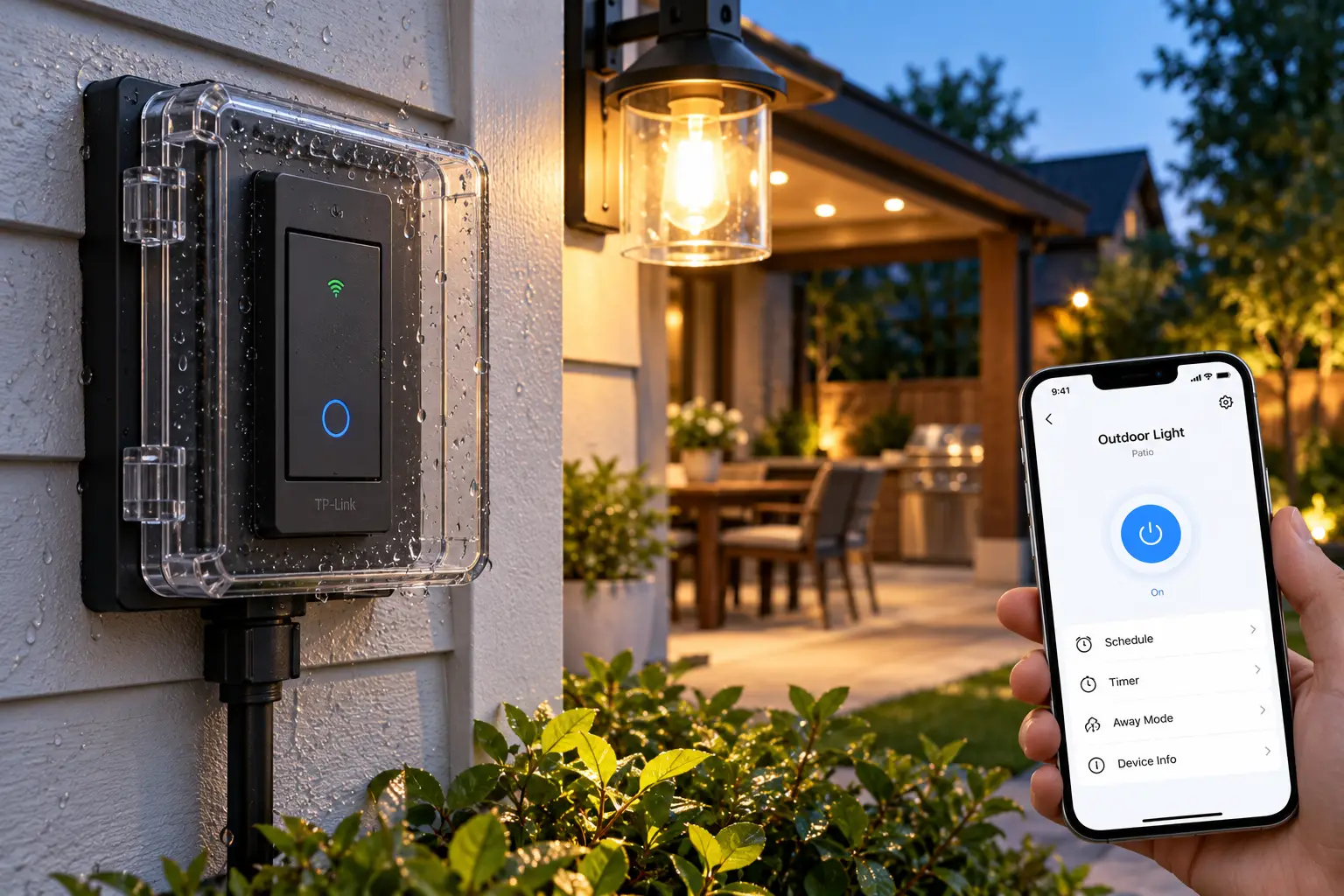
An outdoor smart light switch is a connected device that turns exterior lighting on and off automatically or remotely — through an app, a voice assistant, a schedule, or a sensor. It usually takes one of two forms: a weatherproof smart plug that sits outside, or an in-wall smart switch that controls hardwired porch and flood lights.
That distinction matters more than most buyers realize. A plug-in model is perfect for string lights, landscape transformers, and holiday displays, while an in-wall switch is the right tool for the fixture bolted next to your front door. Pick the wrong type and you’ll either be rewiring things you didn’t need to touch or leaving a plug out in weather it was never rated for.
Speaking of weather, the single most important spec on any outdoor device is its ingress protection rating. If “IP64” and “IP65” look like random serial numbers to you, the IP code standard explained on Wikipedia breaks down exactly what each digit means for dust and water resistance. We’ll translate those numbers into real-world placement advice later in this guide.
Below, you’ll find seven real products available on amazon.com, analyzed using manufacturer spec sheets, professional reviews, and aggregated customer sentiment — no invented tests, no fake testimonials. You’ll also get setup guidance, troubleshooting fixes, and a frank look at long-term costs, so you can choose once and stop thinking about your outdoor lights entirely.
Quick Comparison: 7 Outdoor Smart Light Switch Picks at a Glance
Before diving into the detailed breakdowns, here’s the short version. Every product below can switch outdoor lighting, but they differ sharply in weatherproofing, ecosystem support, and whether they need a hub.
| Product | Type | Weather Rating | Hub Needed? | Approx. Price Range | Best for |
|---|---|---|---|---|---|
| Kasa EP40 / EP40A | 2-outlet plug | IP64 | No | $20–$35 | Kasa EP40 / EP40A: best all-around value |
| Tapo P400M | 2-outlet plug | IP65 | No (Matter) | $20–$35 | Tapo P400M: mixed-ecosystem homes |
| Lutron Caséta Outdoor Smart Plug (PD-15OUT) | 1-outlet plug | IP65 | Yes, for app/voice | $50–$80 (bridge extra) | Lutron Caséta Outdoor Smart Plug: rock-solid reliability |
| Wyze Plug Outdoor | 2-outlet plug | IP64 | No | Under $25 | Wyze Plug Outdoor: dusk-to-dawn and energy data |
| Meross Outdoor Smart Plug (MSS620) | 2-outlet plug | IP44 | No | $20–$30 | Meross Outdoor Smart Plug: budget HomeKit on covered patios |
| Ring Outdoor Smart Plug | 2-outlet plug | IP66 | Yes (Ring Bridge or compatible Echo) | $25–$50 | Ring Outdoor Smart Plug: Ring camera owners |
| Kasa KS205 Matter Smart Switch | In-wall switch | Indoor install | No (Matter) | $20–$30 | Kasa KS205: hardwired porch and flood lights |
Looking at the table, the Tapo P400M and Kasa EP40 / EP40A cover most backyards at the lowest cost, with the Tapo P400M edging ahead on weatherproofing and Matter support. If your home already runs on Ring or Lutron, though, staying inside that ecosystem usually beats saving a few dollars. And if the light you want to control is wired into the wall, skip the plugs entirely and look at the Kasa KS205.
💬 One click helps other shoppers make an informed choice too! 😊
Top 7 Outdoor Smart Light Switch Options for 2026: Expert Analysis
1. Kasa EP40 / EP40A — best all-around value for most yards
The Kasa EP40 earns its reputation by doing the basics extremely well at a price that’s hard to argue with.
It packs two independently controlled outlets, an IP64 weather-resistant housing, and a load rating of up to 15A/1875W. In practice, that means you can run patio string lights on one outlet and a fountain pump on the other, each on its own schedule. TP-Link rates its Wi-Fi reach at up to 300 feet in open areas, which matters because outdoor outlets are often the farthest point from your router. The EP40A variant adds Apple HomeKit support on top of Alexa and Google Assistant, so iPhone households should look for that model number specifically.
Based on comparing the specs, this is the safest default pick for anyone who doesn’t already own a hub-based system. The Kasa app’s sunrise/sunset scheduling handles seasonal shifts automatically, which is the feature most buyers actually end up using daily. Its one limit: IP64 means splash resistance, not jet-proofing, so mount it on a sheltered wall where possible.
Customer reviews consistently describe easy setup and reliable scheduling, and the model carries one of the largest review bases in this category; the most common complaint involves the bulky housing crowding neighboring outlets.
Pros:
- ✅ Two outlets with fully independent control
- ✅ Handles heavy loads up to 1875W
- ✅ HomeKit option available via the EP40A model
Cons:
- ❌ IP64 is less protective than IP65 rivals
- ❌ No energy monitoring for tracking usage
Usually found in the $20–$35 range (check the current price), it delivers excellent value per outlet.
2. Tapo P400M — toughest Matter plug for mixed-ecosystem homes
The Tapo P400M is what you buy when your household can’t agree on Alexa, Google, or Siri — because it works with all of them through Matter.
Matter certification means the plug can be added to Apple Home, Google Home, Amazon Alexa, and SmartThings at the same time, so different family members can each use their preferred app. It’s also rated IP65, which TP-Link describes as protection against strong jets of water — a meaningful step up from the IP64 typical of this price class. Two outlets handle loads up to 1800W, enough for lights, pumps, and seasonal decorations. You may see it sold under the name Tapo TP25 at some retailers.
On paper, this is the most future-proof plug-in model in the lineup. If you’re building a smart home slowly and don’t want to be locked into one brand’s app, Matter support is insurance. The trade-off is that you lose energy monitoring, which TP-Link reserves for other Tapo plugs.
Professional reviews from outlets like PCWorld praise its weatherproofing and Matter setup, and reviewers consistently flag the missing energy monitoring as the main gripe.
Pros:
- ✅ IP65 rating resists strong water jets
- ✅ Matter works across all major ecosystems
- ✅ Two independently switched outlets included
Cons:
- ❌ No power or energy usage tracking
- ❌ Requires 2.4 GHz Wi-Fi only
Typically priced in the $20–$35 range at the time of writing, it’s arguably the best value for multi-platform homes.
3. Lutron Caséta Outdoor Smart Plug (PD-15OUT) — most reliable connection in the lineup
The Lutron Caséta Outdoor Smart Plug skips Wi-Fi altogether, and that design choice is the whole point.
It runs on Lutron’s proprietary Clear Connect RF protocol, which avoids the Wi-Fi dropouts that plague plugs mounted on the far side of a brick wall. The housing is IP65-rated, the operating range spans roughly -4°F to 122°F, and it can switch up to 15A of LED lighting or motors up to ½ horsepower. Without a bridge, you can still pair up to 10 Pico remotes and 10 Caséta motion sensors directly; add the Lutron Smart Bridge and you unlock app control, schedules, Alexa, Google Assistant, HomeKit, and Ring integration.
Here’s what most buyers overlook: the bridge is sold separately, and Lutron recommends mounting the plug within about 30 feet of it. That makes the Lutron Caséta Outdoor Smart Plug ideal for existing Caséta households and a pricier proposition for everyone else. It’s on/off only — it cannot dim.
Retailer review summaries describe customer sentiment as positive overall, with reliability as the recurring theme and the extra bridge cost as the recurring complaint.
Pros:
- ✅ Clear Connect RF avoids Wi-Fi dropouts
- ✅ IP65 housing built for severe rainfall
- ✅ Works with Pico remotes without a hub
Cons:
- ❌ Smart Bridge required for app and voice
- ❌ Single outlet with no dimming support
Expect the $50–$80 range for the plug alone (prices vary); it’s worth it mainly if you already own Caséta gear.
4. Wyze Plug Outdoor — built-in dusk-to-dawn sensor that works offline
The Wyze Plug Outdoor solves a problem other plugs ignore: what happens when your Wi-Fi goes down?
Its built-in photocell measures ambient light and can switch your lights on at dusk and off at dawn, and according to Wyze, the sensor keeps working without a Wi-Fi connection once configured. It also includes energy monitoring with monthly-consumption alerts, two independently controlled outlets, an IP64 rating, rubber covers for unused sockets, and a rated operating range of -4°F to 120°F. Voice control works with Alexa and Google Assistant, but not HomeKit.
Based on comparing the specs, this is the best pick for anyone who wants their lights to “just work” through router reboots and internet outages. The catch is placement: Wyze notes the sensor must face away from the wall and be exposed to open light, so tucking it behind a shrub defeats the feature.
Professional reviews have praised the price-to-feature ratio, with PCMag previously naming it an Editors’ Choice, while user feedback suggests the light sensor is the standout feature when mounted correctly.
Pros:
- ✅ Light sensor works even without Wi-Fi
- ✅ Energy monitoring with usage alerts
- ✅ Very low cost for two outlets
Cons:
- ❌ No Apple HomeKit or Matter support
- ❌ Sensor fails if mounted in shadow
Usually under $25 (check current pricing), it offers the most features per dollar in this roundup.
5. Meross Outdoor Smart Plug (MSS620) — budget-friendly HomeKit for covered patios
The Meross Outdoor Smart Plug is one of the most affordable ways to get native Apple HomeKit control outdoors.
It works with HomeKit, Alexa, Google Assistant, and SmartThings, and its two outlets can appear as separate accessories in the Apple Home app — handy for splitting lights and a fan. Sunrise and sunset scheduling is built in. However, its IP44 rating means protection against splashing water only, and its maximum load is 10A, lower than the 15A of most rivals here.
Here’s what to weigh: IP44 is fine under a covered porch, pergola roof, or deep eave, but it isn’t the plug for an exposed fence post in a rainy climate. Similarly, the 10A ceiling is plenty for LED string lights but limits you if you plan to run a heater or larger pump later.
TechHive’s review summed it up as a solid but unremarkable plug, and aggregated buyer feedback is generally positive about HomeKit pairing while noting the lighter weatherproofing.
Pros:
- ✅ Native HomeKit plus Alexa and Google
- ✅ Outlets show separately in Apple Home
- ✅ Sunrise and sunset scheduling built in
Cons:
- ❌ IP44 suits covered spots only
- ❌ 10A load limit trails competitors
Generally found in the $20–$30 range at the time of writing, it’s good value if your outlet is sheltered.
6. Ring Outdoor Smart Plug — smartest pairing with Ring cameras and doorbells
The Ring Outdoor Smart Plug makes the most sense when you think of it as a security accessory rather than a standalone plug.
Its biggest strength is integration: when connected through a Ring Bridge, Ring Alarm Pro, or a compatible Echo device, it can link with Ring doorbells, cameras, and Smart Lights, so motion detected at the driveway can switch on connected lighting. It offers two independently controlled outlets, and PCMag measured its enclosure as IP66-rated — the highest weather rating in this roundup.
The spec sheet doesn’t say this loudly, but reviews do: without a Ring Bridge or compatible Echo, smart features like scheduling aren’t available. It also doesn’t support Google Assistant and doesn’t offer energy reporting. For a Ring household, that’s no problem; for anyone else, it’s an expensive detour.
Professional reviews report that it works as intended once set up, while repeatedly citing the bridge requirement and missing Google support as the key drawbacks.
Pros:
- ✅ IP66 enclosure is the toughest here
- ✅ Motion-triggered lighting with Ring cameras
- ✅ Two outlets controlled independently
Cons:
- ❌ Needs Ring Bridge or compatible Echo
- ❌ No Google Assistant or energy data
Roughly $25–$50 depending on whether you need a bridge bundle (prices vary), it’s a strong value only inside the Ring ecosystem.
7. Kasa KS205 Matter Smart Switch — the right fix for hardwired porch lights
The Kasa KS205 is the only true wall switch here, and it’s the answer when your outdoor light is wired directly into your house.
It replaces a standard single-pole switch inside your home and controls the exterior fixture on that circuit — porch sconces, garage floods, or deck lights. Matter certification brings Apple Home, Alexa, Google Home, and SmartThings compatibility, and TP-Link notes that Matter’s local network control keeps it responsive in your home even if the internet drops. Schedules, away mode, and auto-off timers are all included.
Based on comparing the specs, this is more reliable and better looking than any plug-based workaround for a hardwired fixture. But two requirements are non-negotiable: you need a neutral wire in the switch box, and it’s single-pole only, so it won’t replace one half of a three-way switch pair. If you’re not comfortable with mains wiring, budget for an electrician.
Buyer feedback is broadly positive, with the most common hiccup being installations stalled by a missing neutral wire in older homes.
Pros:
- ✅ Controls hardwired fixtures without exposed plugs
- ✅ Matter local control survives internet outages
- ✅ Clean in-wall look with a physical switch
Cons:
- ❌ Neutral wire required in the box
- ❌ Single-pole only, no three-way support
Typically priced in the $20–$30 range (check current listings), it’s the most permanent and polished solution for porch lights.
Head-to-Head: Which Features Separate the Top Picks?
Spec sheets are easy to skim and hard to interpret, so here’s how the seven contenders stack up on the features that actually change your daily experience.
| Product | Outlets | Max Load | Matter | HomeKit | Energy Monitoring | Offline Automation | Best for |
|---|---|---|---|---|---|---|---|
| Kasa EP40 / EP40A | 2 | 15A / 1875W | No | EP40A only | No | Limited | Kasa EP40 / EP40A: general use |
| Tapo P400M | 2 | 1800W | Yes | Via Matter | No | Local via Matter | Tapo P400M: future-proofing |
| Lutron Caséta Outdoor Smart Plug | 1 | 15A LED / ½ HP | No | Via bridge | No | Yes, local RF | Lutron Caséta Outdoor Smart Plug: reliability |
| Wyze Plug Outdoor | 2 | See listing | No | No | Yes | Light sensor | Wyze Plug Outdoor: power outages and data |
| Meross Outdoor Smart Plug | 2 | 10A | No | Yes | No | Limited | Meross Outdoor Smart Plug: covered patios |
| Ring Outdoor Smart Plug | 2 | See listing | No | No | No | Via Ring Bridge | Ring Outdoor Smart Plug: security setups |
| Kasa KS205 | In-wall | 15A circuit | Yes | Via Matter | No | Local via Matter | Kasa KS205: hardwired fixtures |
The pattern here is clear: Matter and local RF are the features that keep your lights working when the cloud doesn’t, which is why the Tapo P400M, Kasa KS205, and Lutron Caséta Outdoor Smart Plug are the most resilient picks. Energy monitoring is surprisingly rare outdoors, making the Wyze Plug Outdoor unique if you want to track what your holiday display costs. Meanwhile, the Meross Outdoor Smart Plug‘s 10A ceiling is the one spec that genuinely limits future use.
✨ Don’t miss these smart outdoor upgrades!
🔍 Take your outdoor lighting to the next level with this carefully curated lineup. Click a highlighted product to check current pricing and availability. These picks will help you enjoy a yard that lights itself the whole family will love!
How to Set Up an Outdoor Smart Plug for Lights: Your First 30 Days
Buying the right outdoor smart plug for lights is half the job; setting it up properly is what makes it last for years. Here’s a practical routine that manufacturer manuals scatter across several pages.
Before You Plug In
- ✅ Confirm GFCI protection. Press the “Test” button on your outdoor outlet — it should click off. If there’s no test button, check the breaker panel or add a portable GFCI.
- ✅ Check Wi-Fi at the spot. Stand at the outlet with your phone on 2.4 GHz Wi-Fi. If streaming stutters, the plug will struggle too.
- ✅ Pair indoors first if signal is weak. Some buyers find it easier to complete app setup inside, then move the plug outside.
Mounting for Longevity
Orientation matters more than people think. TP-Link’s datasheet for the Tapo P400M advises keeping the plug face down and at least 12 inches off the ground, and Wyze similarly recommends letting the Wyze Plug Outdoor hang down so water can’t run into the sockets. Use the included clamps or screws so wind doesn’t stress the cord, and keep unused sockets covered.
Your First Schedules
Start with a sunset-on rule and a fixed off time (say, 11 p.m.) rather than sunset-to-sunrise. That simple change can cut nightly runtime nearly in half while still lighting your evening. Add an “away mode” or randomized schedule only when you travel.
Common First-Month Mistakes
- ❌ Forgetting to rename devices clearly (“Patio Lights” beats “Plug 2”), which confuses voice assistants.
- ❌ Leaving the plug sitting in a puddle-prone corner.
- ❌ Running a heater or large pump without checking the plug’s load limit first.
Real-World Scenarios: Matching the Right Switch to Your Home
Specs mean little until you map them onto an actual house. Here are three common buyer profiles and the reasoning behind each recommendation.
Scenario 1: The Renter With a Patio and String Lights
Jordan rents a ground-floor apartment with a covered patio and one exterior outlet. Rewiring isn’t allowed, budget is tight (under $30), and the lights run nightly from spring through fall. The Meross Outdoor Smart Plug fits if Jordan uses an iPhone, since the patio is covered and IP44 is adequate there. If the outlet is exposed to rain, the Wyze Plug Outdoor is the smarter choice — its light sensor handles dusk automatically, and it comes off the wall easily at move-out.
Scenario 2: The Homeowner Who Wants a Safer Front Entry
The Patels own a 1990s single-family home with a hardwired porch light and floodlights over the garage. They want lights on at sunset and a “vacation mode” while traveling. Because these are hardwired fixtures, two Kasa KS205 switches installed in the existing indoor switch boxes are the clean solution — homes of that era typically have neutral wires, though it’s worth checking first. If they already own Ring cameras, adding a Ring Outdoor Smart Plug for landscape lights lets motion trigger the yard.
Scenario 3: The Holiday-Display Enthusiast
Sam runs thousands of LED lights, inflatables, and a projector every December across the front yard. Reliability matters more than price, and the display runs every night for six weeks. Two Tapo P400M plugs provide four independently controlled, IP65-protected outlets that can be grouped into one Matter scene. If Sam already uses Caséta inside, the Lutron Caséta Outdoor Smart Plug offers even steadier control at a higher cost.
Troubleshooting: Common Outdoor Smart Plug Problems and Fixes
Even the best outdoor gear hits snags. These are the problems that appear most often in user feedback, along with practical fixes.
Problem 1: The Plug Keeps Going Offline
Cause: Weak 2.4 GHz signal through exterior walls. Fix: Move your router closer, add a mesh node near that wall, or switch to the Lutron Caséta Outdoor Smart Plug, which uses RF instead of Wi-Fi. For Wi-Fi models, rebooting the router after a firmware update often restores the connection.
Problem 2: The GFCI Outlet Keeps Tripping
Cause: Moisture in a connection, a damaged light string, or too many strings daisy-chained together. Fix: Unplug everything, reset the GFCI, then reconnect one string at a time to isolate the faulty strand. Wrap connections in weatherproof covers, and never “fix” this by plugging into a non-GFCI outlet.
Problem 3: Lights Turn On at the Wrong Time
Cause: Incorrect home location or time zone in the app, which throws off sunset calculations. Fix: Update your address in the app settings. For the Wyze Plug Outdoor, check that the light sensor isn’t shaded or catching a nearby porch light.
Problem 4: Voice Assistant Controls the Wrong Device
Cause: Duplicate or vague device names. Fix: Use distinctive names and assign the plug to a room or group inside Alexa, Google Home, or Apple Home.
Problem 5: Dimmable Lights Won’t Dim
Cause: Most outdoor smart plugs, including the Lutron Caséta Outdoor Smart Plug, are on/off only. Fix: Use a dedicated outdoor dimmer plug such as Kasa’s KP405 (check availability, as some retailers list it as discontinued), or choose smart bulbs that handle dimming themselves.
How to Choose an Outdoor Smart Light Switch: 7 Steps
Choosing an outdoor smart light switch comes down to a handful of decisions made in the right order. Follow these steps and the shortlist practically writes itself.
- Identify what you’re controlling. Plug-in lights (string, landscape, holiday) need an outdoor plug; hardwired fixtures need an in-wall switch like the Kasa KS205.
- Match the weather rating to the location. Covered porch: IP44 can work. Open wall or fence: aim for IP64 or better. Exposed to sprinklers or heavy rain: IP65 or IP66.
- Check your ecosystem. If you use more than one assistant, prioritize the Matter smart home standard, which lets one device work across Apple, Google, Amazon, and Samsung platforms.
- Test your signal. Wi-Fi models need 2.4 GHz coverage at the outlet; weak spots favor RF-based options like the Lutron Caséta Outdoor Smart Plug.
- Count your outlets. Dual-outlet plugs let you schedule lights and pumps separately, often for about the same price as single-outlet units.
- Check the load rating. Total the wattage of everything you’ll plug in and stay comfortably under the plug’s limit.
- Decide on extras. Want energy tracking or offline dusk-to-dawn automation? The Wyze Plug Outdoor is the standout. Want camera-triggered lighting? Look at the Ring Outdoor Smart Plug.
Weatherproof Smart Switch Ratings Explained: IP44 vs IP64 vs IP65 vs IP66
Every weatherproof smart switch on this list advertises an IP rating, but marketing departments love to blur what those numbers mean. Here’s the plain-English version.
The first digit covers solid particles like dust; the second covers water. A “4” in the first position means protection against objects larger than about 1 mm, while a “6” means fully dust-tight. On the water side, “4” means splashing from any direction, “5” means water jets, and “6” means powerful jets.
What That Means for Placement
- IP44 (Meross Outdoor Smart Plug): Good under covered patios, deep eaves, or pergolas with solid roofs. Avoid exposed spots in wet climates.
- IP64 (Kasa EP40 / EP40A, Wyze Plug Outdoor): Dust-tight and splash-resistant. Fine on most exterior walls, especially with the weatherproof cover closed.
- IP65 (Tapo P400M, Lutron Caséta Outdoor Smart Plug): Handles driving rain and garden-hose spray. A smart pick for fence posts and landscaping beds.
- IP66 (Ring Outdoor Smart Plug): The toughest rating here, built for powerful water jets.
The Part Most Buyers Miss
An IP rating describes the device housing — not the connection between your light string and the plug. Water entering through an open socket or a sagging cord is the most common failure point. That’s why closing unused socket covers, mounting the plug face down, and creating a “drip loop” (a low dip in the cord so water drips off before reaching the plug) protect your investment far more than paying extra for a higher rating alone.
Smart Switch for Porch Lights vs. Traditional Timers and Photocells
Before smart devices, homeowners had two tools: mechanical timers and photocell sensors. Both still work, so is a smart switch for porch lights actually better? Here’s an honest comparison.
| Feature | Smart Switch / Plug | Mechanical Timer | Photocell Sensor | Best for |
|---|---|---|---|---|
| Adjusts to seasons automatically | Yes (sunset schedules) | No, manual changes | Yes | Smart: hands-off households |
| Remote and voice control | Yes | No | No | Smart: frequent travelers |
| Works without internet | Varies by model | Yes | Yes | Photocell: maximum simplicity |
| Custom off time | Yes | Yes | No (dusk to dawn only) | Smart: energy savers |
| Upfront cost | Low to moderate | Low | Low | Timer: tight budgets |
The biggest advantage of smart control is flexibility: you get dusk-on behavior like a photocell plus a custom off time like a timer, which a photocell alone can’t do. As Penn State’s course notes on residential lighting controls point out, if a light doesn’t need to run all night, timers or motion sensors save more energy than photocells. Mechanical timers still win on simplicity, but they drift out of sync with sunset every few weeks.
When a Smart Switch Isn’t Worth It
If your light is meant to stay on dusk to dawn every night for security, a basic photocell can be the most reliable choice. A smart switch earns its keep when you want schedule changes, vacation modes, voice control, or integration with cameras like the Ring Outdoor Smart Plug offers.
Common Mistakes to Avoid When Buying an Outdoor Smart Switch
Most disappointment with outdoor smart devices traces back to a handful of avoidable mistakes made before the box is even opened.
Mistake 1: Using an Indoor Smart Plug Outside
Indoor plugs lack sealed housings and outdoor certification. Even under a covered porch, humidity and condensation can damage them. Always choose a model explicitly rated for outdoor use.
Mistake 2: Ignoring the Hub Requirement
The Ring Outdoor Smart Plug and Lutron Caséta Outdoor Smart Plug both need extra hardware for full smart features. That’s fine if you own it, but it can quietly double your cost if you don’t.
Mistake 3: Assuming Every Home Has a Neutral Wire
In-wall switches like the Kasa KS205 need a neutral wire. Older homes often lack one in the switch box. Open the box (with the breaker off) and check before you buy.
Mistake 4: Buying a Single Outlet When You Need Two
Many buyers end up with lights on one plug and a pump on a second plug a few months later. Dual-outlet models like the Kasa EP40 / EP40A or Tapo P400M cost about the same and avoid that clutter.
Mistake 5: Overlooking Wi-Fi Band Limitations
Nearly every Wi-Fi outdoor plug here requires 2.4 GHz. If your router merges bands under one network name, setup can fail. Temporarily separating the bands usually solves it.
Mistake 6: Chasing the Highest IP Rating Alone
A higher rating helps, but proper mounting, closed covers, and drip loops matter just as much.
Long-Term Cost and Energy Savings
The sticker price of an outdoor smart light switch is the smallest number in the equation. Let’s look at total cost of ownership over a few years.
| Cost Factor | Budget Wi-Fi Plug | Matter Plug / Switch | Hub-Based System | Best for |
|---|---|---|---|---|
| Device cost | Under $25 | $20–$35 | $50–$80 plus bridge | Budget Wi-Fi: first-timers |
| Extra hardware | None | None (Matter controller optional) | Bridge required | Matter: no extra spend |
| Ecosystem lock-in risk | Moderate | Low | Low within that brand | Matter: long-term flexibility |
| Energy insight | Wyze Plug Outdoor only | No | No | Wyze Plug Outdoor: data lovers |
Here’s the real value math: the savings come from runtime, not the device. If your string lights currently run from dusk until someone remembers to unplug them — often all night — switching to a sunset-to-11 p.m. schedule can cut runtime by several hours a night. Over a full season, that’s a meaningful reduction, especially for older incandescent strings.
Maintenance Over Time
- ✅ Seasonal check: Inspect cords and covers each spring and fall for cracks or UV damage.
- ✅ Firmware updates: Let the app update automatically — updates often improve Wi-Fi stability.
- ✅ Winter storage: If you only use a plug for summer lights, bringing it indoors over winter extends its life.
The lowest long-term risk comes from Matter devices like the Tapo P400M and Kasa KS205, because if you change voice assistants later, they come along rather than becoming e-waste.
Safety, Regulations, and Standards for Outdoor Smart Switches
Outdoor electricity and water are a combination that deserves respect, so this section isn’t optional reading.
GFCI Protection Is Essential
The National Electrical Code requires ground-fault circuit interrupter (GFCI) protection for outdoor receptacles in most homes. A GFCI cuts power within a fraction of a second if current leaks to ground — for example, through water or a person. The Electrical Safety Foundation International’s outdoor safety tips recommend plugging all outdoor lights and decorations into GFCI-protected circuits and using portable GFCIs where permanent protection isn’t installed.
Certifications to Look For
- ETL or UL listing: Indicates independent safety testing. The Kasa EP40 / EP40A and Tapo P400M list ETL certification.
- FCC compliance: Required for wireless devices sold in the US.
- Outdoor rating: Look for explicit outdoor marking, not just “water-resistant” marketing copy.
Wiring and Permits
Plug-in devices require no permits. In-wall switches like the Kasa KS205 involve 120V household wiring, and rules on who can perform that work vary by state and municipality. When in doubt, hire a licensed electrician — it’s usually a short, inexpensive job.
Everyday Safety Habits
- ✅ Never daisy-chain multiple extension cords together.
- ✅ Use only cords marked for outdoor use.
- ✅ Keep plugs and connections clear of standing water and snow.
- ✅ Check each plug’s load limit before adding heaters or pumps.
FAQ: Outdoor Smart Light Switch Questions Answered
❓ Can I use an outdoor smart plug for lights year-round in snow and freezing weather?
❓ Do outdoor smart plugs work when the internet is down?
❓ Which outdoor smart light switch works best with Alexa?
❓ Is a weatherproof smart switch worth it over a cheap outdoor timer?
❓ How many string lights can one outdoor smart plug handle?
Conclusion: The Best Outdoor Smart Light Switch Is the One That Fits Your Setup
There’s no single winner here, and that’s actually good news — it means there’s a precise fit for nearly every home.
If you want a dependable default, the Kasa EP40 / EP40A delivers two strong outlets and easy scheduling at a very reasonable price. If your household mixes Apple, Google, and Alexa, the Tapo P400M brings Matter support and IP65 toughness in one inexpensive box. Ring owners will get the most from the Ring Outdoor Smart Plug, while Caséta households should stick with the rock-solid Lutron Caséta Outdoor Smart Plug.
For budget-minded shoppers who want lights that survive Wi-Fi outages, the Wyze Plug Outdoor and its built-in light sensor are hard to beat. The Meross Outdoor Smart Plug remains a sensible HomeKit choice for covered patios. And if your outdoor light is hardwired, the Kasa KS205 is the cleanest, most permanent outdoor smart light switch solution you can install.
Whatever you choose, remember the fundamentals: GFCI protection, the right IP rating for the spot, a strong signal, and a schedule that turns lights off when no one’s enjoying them. Get those right, and your yard will light itself every evening — no 11 p.m. walks in the rain required.
🚀 Ready to automate your outdoor lighting tonight?
💡 Pick the switch that fits your yard, click the highlighted product name to check current pricing and availability on Amazon, and enjoy a home that welcomes you with light every single evening!
Recommended for You
- 220V Dual Outlet Splitter Box: 7 Best Options for Safe Power Access
- Best Matter Devices 2026: 7 Proven Picks That Play Nice Together
- best matter hub 2026: 7 Proven Picks for a Smarter, Faster Home
Disclaimer: This post contains affiliate links. As an Amazon Associate, I earn from qualifying purchases made through these links, at no additional cost to you.
✨ Found this article helpful? Share it with someone who needs it! 💬🤗
