
In This Article
Third Reality Smart Plug Guide: Why This Little Brand Punches Above Its Weight ⚡
If you’ve spent any time in Home Assistant forums or Zigbee subreddits, you’ve probably noticed that the third reality smart plug keeps coming up as the “just buy this” answer. That’s not an accident. Third Reality, a San Jose-based smart home company, has quietly built one of the most affordable and widely compatible plug lineups on amazon.com — and in 2026, the lineup got a lot more interesting.
Here’s the twist most shoppers miss: there isn’t one third reality smart plug. There are at least seven distinct models spread across two very different wireless technologies. Some speak Zigbee and need a hub (which you may already own if you have certain Echo speakers). Others speak Matter over Wi-Fi and pair straight to Apple Home, Google Home, Alexa, or SmartThings with a QR code. Some track every watt your coffee maker pulls; others are simple on/off switches. Pick the wrong one, and you’ll end up with a plug your system can’t even see.
That’s exactly what this guide fixes. Rather than rewording product listings, we compared official spec sheets, release notes, and real-world owner discussions from communities like Home Assistant and Hubitat, then translated all of it into plain English. You’ll find a quick comparison table, honest breakdowns of all seven models, setup tips, troubleshooting fixes, and a decision framework that tells you which plug fits your house. No fabricated test claims, no fake star ratings — just the analysis you need.
What Is a Third Reality Smart Plug?
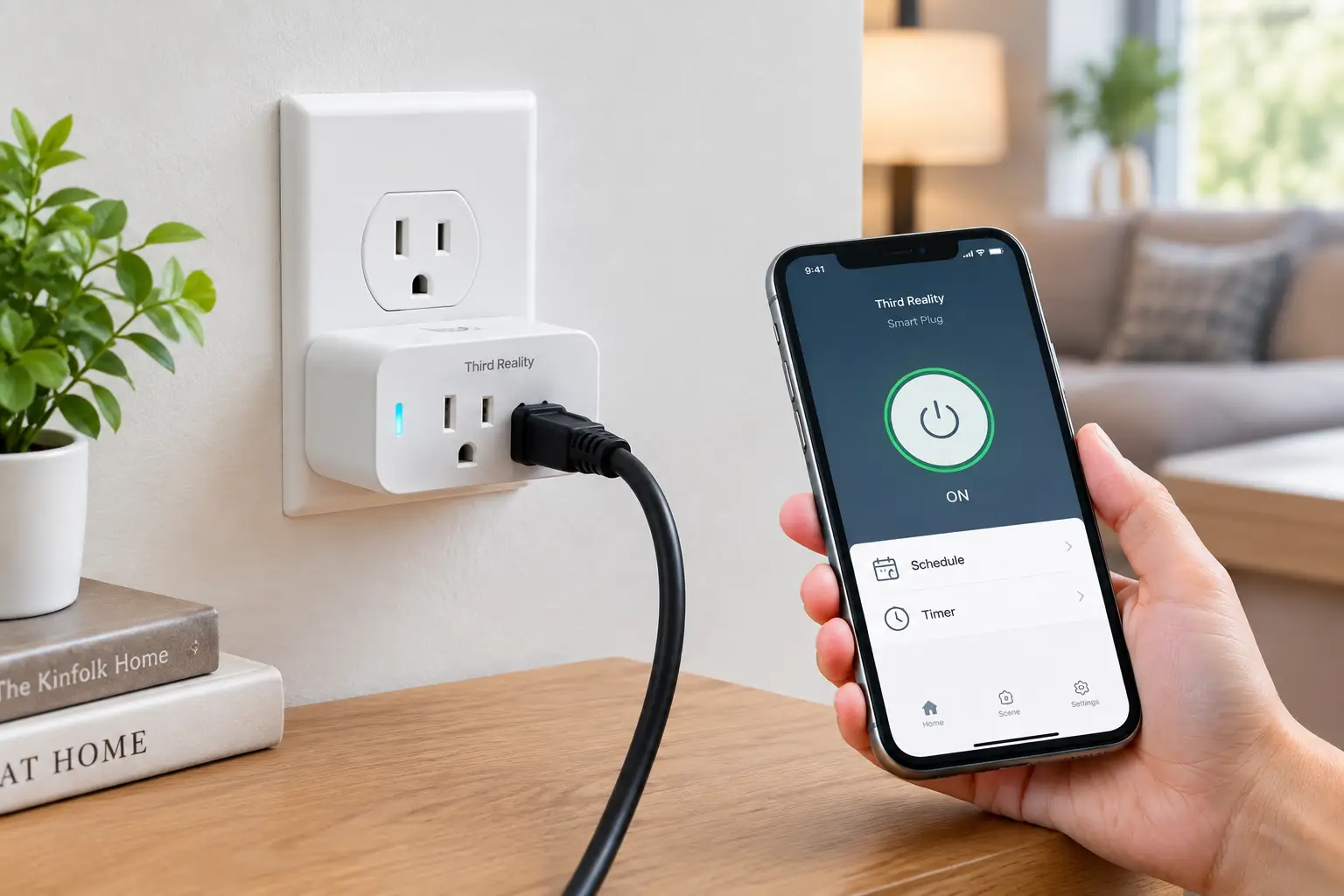
A third reality smart plug is a compact, 15-amp plug-in outlet adapter from Third Reality, Inc. that lets you switch connected devices on or off remotely, by schedule, or by voice. Depending on the model, it communicates via Zigbee mesh networking or Matter over Wi-Fi, and many versions add real-time energy monitoring.
In practice, that means a lamp, fan, space heater, or aquarium pump becomes something you can automate. And because the Zigbee versions act as signal repeaters, every plug you add can also make the rest of your smart home more reliable — a bonus most Wi-Fi plugs simply can’t offer.
Quick Comparison: Every Third Reality Smart Plug at a Glance 📊
| Model | Protocol | Hub Needed? | Energy Monitoring | Approx. Price Range | Best for |
|---|---|---|---|---|---|
| Smart Plug Gen3 | Zigbee 3.0 | Yes (Zigbee) | Yes + usage alerts | Around $15 single; under $45 multipack | Smart Plug Gen3 — always-on appliances, Home Assistant power users |
| Smart Plug Gen2 | Zigbee 3.0 | Yes (Zigbee) | Yes (W, V, A, kWh) | Around $13 single; under $40 multipack | Smart Plug Gen2 — budget energy tracking |
| Smart Plug Gen1 | Zigbee 3.0 | Yes (Zigbee / Echo) | No | Lowest per-plug cost in multipacks | Smart Plug Gen1 — cheap mesh building, simple on/off |
| Smart Dual Plug ZP1 | Zigbee 3.0 | Yes (Zigbee) | Yes, per outlet | Around $23 single; around $40 two-pack | Smart Dual Plug ZP1 — two devices, one wall socket |
| Smart Wall Outlet ZW1 | Zigbee 3.0 | Yes (Zigbee) | Yes, per outlet | Around $30 | Smart Wall Outlet ZW1 — clean in-wall installs |
| Smart Plug M1 | Matter over Wi-Fi | No | Yes (platform-dependent) | Around $13 single; under $40 four-pack | Smart Plug M1 — Apple/Google/Alexa homes wanting metering |
| Smart Plug M3 | Matter over Wi-Fi | No | No | Around $30 four-pack | Smart Plug M3 — hub-free basic automation |
Prices are approximate ranges at the time of writing and change often — always check the current price on Amazon.
Looking at the table, the big dividing line isn’t price — it’s protocol. The five Zigbee models (Smart Plug Gen3, Smart Plug Gen2, Smart Plug Gen1, Smart Dual Plug ZP1, and Smart Wall Outlet ZW1) are cheaper per feature and strengthen your mesh, but they’re useless without a Zigbee coordinator. The Smart Plug M1 and Smart Plug M3 cost about the same yet skip the hub entirely, which makes them the safer bet if you’re not sure what your home runs on.
💬 One click helps other shoppers make an informed choice too! 😊
Top 7 Third Reality Smart Plug Models: Expert Analysis 🔌
1. THIRDREALITY Smart Plug Gen3 — safest pick for always-on appliances
The Smart Plug Gen3 is Third Reality’s newest Zigbee plug, announced in January 2026, and it fixes the one thing that quietly annoyed long-time owners: firmware updates that cut power.
According to Third Reality’s launch announcement, the Smart Plug Gen3 installs firmware updates without interrupting the outlet, so your aquarium filter, dehumidifier, or network gear never blinks. It adds a metering-only mode that monitors energy while locking the outlet on — ideal for a fridge or a home server you never want switched off by a buggy automation. It also flags sudden rises or drops in power draw, which can tip you off to a failing appliance or a fridge door left ajar.
Based on comparing the specs, this is the third reality smart plug gen3 to buy if you run Home Assistant, Hubitat, SmartThings, or Homey and want set-and-forget reliability. Beginners with a Zigbee-capable Echo can use it too, though advanced features like usage alerts depend on platform support.
Owner discussion in the Home Assistant community is mixed on precision: one early adopter reported the new power-rise and power-drop alert thresholds work, but found the wattage readings no more accurate than the Smart Plug Gen2. Verified Amazon star ratings were not independently confirmed for this article.
Pros:
- ✅ Firmware updates no longer cut power to devices
- ✅ Metering-only mode protects fridges and servers
- ✅ Power-change alerts catch failing appliances early
Cons:
- ❌ Requires a Zigbee hub or coordinator
- ❌ Metering accuracy reportedly similar to Gen2
💲 Typically around $15 for a single plug and under $45 for a multipack — strong value given the reliability upgrades.
2. THIRDREALITY Smart Plug Gen2 — best budget energy tracker
The Smart Plug Gen2 is the model that made Third Reality a Home Assistant favorite, pairing low cost with real power metering.
The Smart Plug Gen2 reports voltage, current, power factor, watts, and cumulative kWh, according to an owner breakdown on the Home Assistant forum. In practice, that’s enough to learn your TV’s standby draw or how much a space heater adds to your bill. It also supports local on/off timers that run even if your hub goes down — a genuinely useful fail-safe for things like a bathroom fan.
This is the plug for budget-conscious tinkerers who want energy data on lots of outlets. Its low-profile body lets two plugs share a standard duplex receptacle, per a hands-on writeup from Bud’s Smart Home, so you won’t sacrifice the second socket.
Forum owners consistently describe it as reliable and inexpensive, but one detailed user noted the readings didn’t always reconcile mathematically (volts × amps × power factor vs. watts), so treat numbers as estimates rather than lab-grade data.
Pros:
- ✅ Full electrical metrics including kWh totals
- ✅ Local timers work even if the hub fails
- ✅ Slim enough for two per wall outlet
Cons:
- ❌ Firmware updates can briefly interrupt power
- ❌ Lacks the toggle power-on option some users want
💲 Usually around $13 single and under $40 for a four-pack — arguably the best dollars-per-feature plug in the lineup.
3. THIRDREALITY Smart Plug Gen1 — cheapest way to build a Zigbee mesh
The Smart Plug Gen1 is the no-frills original: on, off, schedule, done — and it’s still on amazon.com, usually in four-packs.
The Smart Plug Gen1 has no power monitoring at all. What it does have is the core Zigbee repeater function, so every unit extends your mesh to the garage or basement. It can also pair directly with compatible Echo devices, letting Alexa households skip a separate hub. Uniquely, owners report it supports a “toggle” power-on behavior, where cycling the power flips its state — handy for a lamp on a wall switch.
Based on the spec sheet, this third reality zigbee smart plug is best for two buyers: Alexa users with a Zigbee-capable Echo who just want voice control, and enthusiasts who need cheap repeaters to stabilize sensors throughout the house.
Aggregated forum sentiment treats the Smart Plug Gen1 as dependable for basic switching; the main complaint is simply what it lacks compared to newer models.
Pros:
- ✅ Lowest per-plug cost in multipacks
- ✅ Works directly with Zigbee-capable Echo speakers
- ✅ Acts as a mesh repeater for sensors
Cons:
- ❌ No energy monitoring whatsoever
- ❌ Older hardware with fewer future updates
💲 Typically the cheapest per plug in the lineup — check the current four-pack price; excellent value for mesh-building.
4. THIRDREALITY Smart Dual Plug ZP1 — two smart outlets in one socket
The Smart Dual Plug ZP1 turns a single receptacle into two independently controlled, independently metered smart outlets.
Its two horizontally aligned outlets can be switched and monitored separately, and Third Reality notes that two Smart Dual Plug ZP1 units on one duplex wall plate give you four metered outlets without blocking anything. Zero-cross switching reduces electrical stress when relays flip, which can extend the plug’s lifespan. One catch: the combined load is capped at 15A/1,800W total, not per outlet.
This is the clear pick for a desk, entertainment center, or kitchen counter where you want separate schedules — say, a monitor and a desk lamp. Note that if you bridge it to Apple or Google via the separate Smart Bridge MZ1, Third Reality states current monitoring isn’t supported there.
Verified aggregated review data for this newer model was limited at the time of writing, so we can’t summarize customer sentiment with confidence.
Pros:
- ✅ Independent control of both outlets
- ✅ Per-outlet energy monitoring on Zigbee hubs
- ✅ Zero-cross switching and ETL certification
Cons:
- ❌ 15A limit is shared, not per outlet
- ❌ No metering when bridged to Apple/Google
💲 Around $23 single or about $40 for a two-pack — good value when you’d otherwise buy two plugs.
5. THIRDREALITY Smart Wall Outlet ZW1 — cleanest look, nothing sticking out
The Smart Wall Outlet ZW1, launched July 2026, moves the smart plug inside the wall, replacing a standard receptacle entirely.
The Smart Wall Outlet ZW1 offers independent dual-socket control, real-time and historical energy data per socket, Zigbee repeating, zero-cross switching, and built-in tamper-resistant shutters. That last point matters for families: tamper-resistant receptacles help keep kids from inserting objects into the slots.
It’s ideal for renovations, kitchens, or any spot where a bulky adapter would look awkward or get knocked loose. However, it’s a hardwired device — if you’re not comfortable working on household wiring, budget for an electrician, which changes the total cost math considerably.
As a recent release, verified Amazon review volume was too thin to summarize honestly at the time of writing.
Pros:
- ✅ Flush, permanent install with no adapter
- ✅ Per-socket energy monitoring and history
- ✅ Tamper-resistant shutters for child safety
Cons:
- ❌ Requires electrical installation work
- ❌ Zigbee hub still required
💲 Around $30 — fair for an in-wall smart outlet, but factor in possible installation cost.
6. THIRDREALITY Smart Plug M1 — hub-free plug with energy monitoring
The Smart Plug M1 is the third reality matter smart plug for people who don’t want to think about hubs at all.
It connects via Matter over 2.4 GHz Wi-Fi and pairs by scanning a QR code into Apple Home, Google Home, Alexa, SmartThings, or Home Assistant. Thanks to Matter’s multi-admin feature, one Smart Plug M1 can live in several ecosystems simultaneously. It’s rated 15A/1,800W, ETL certified, and supports a customizable power-on state (on, off, toggle, or previous). The fine print: energy readings appear in Home Assistant, SmartThings, and Third Reality’s 3R-Installer app — not necessarily in Apple Home or Google Home.
Based on the specs, this is the best plug for mixed-ecosystem households (an iPhone user and an Android user under one roof) who still want to see wattage.
Owner reports on the Hubitat forum show pairing can be finicky with some controllers — one user needed a factory reset and a power cycle before it would join — though it worked smoothly once connected.
Pros:
- ✅ No hub required, QR-code setup
- ✅ Works across multiple ecosystems at once
- ✅ Energy monitoring in Home Assistant and SmartThings
Cons:
- ❌ 2.4 GHz Wi-Fi only
- ❌ Energy data not shown in every ecosystem
💲 Around $13 single and under $40 for a four-pack — excellent value for a Matter plug with metering.
7. THIRDREALITY Smart Plug M3 — simplest Matter on/off switch
The Smart Plug M3 is the stripped-down sibling of the Smart Plug M1: same Matter experience, minus power metering.
The Smart Plug M3 works with SmartThings, Apple Home, Alexa, Google Home, Home Assistant, and Homey, with no proprietary hub. Local control continues during internet outages when used with Apple Home or Home Assistant, according to Third Reality. OTA updates come through the 3R-Installer app, and it carries ETL certification plus a one-year warranty.
This is the right buy for lamps, holiday lights, and fans — devices where you care about when they run, not how many watts they pull. Third Reality’s own framing is “pay only for the features you need,” and for basic automation that’s sensible.
Independent aggregated reviews specific to the Smart Plug M3 were limited at the time of writing, so we can’t characterize customer sentiment reliably.
Pros:
- ✅ Lowest-cost hub-free option in the lineup
- ✅ Broad Matter ecosystem compatibility
- ✅ Local control with Apple Home or Home Assistant
Cons:
- ❌ No energy monitoring
- ❌ Requires a 2.4 GHz Wi-Fi network
💲 Usually around $30 for a four-pack — strong value for basic, cross-platform automation.
✨ Don’t miss these smart picks!
🔍 Take your smart home to the next level with this carefully curated lineup. Click a highlighted model to check current pricing and availability — the right plug will have your lights, fans, and coffee maker running on autopilot! 🏠
How to Set Up Your Third Reality Smart Plug (Without the Headaches) 🛠️
Setup is where most frustration happens — and almost always because people follow the wrong path for their model. Here’s the clean version for each family.
Zigbee models (Gen1, Gen2, Gen3, ZP1, ZW1)
- Confirm your coordinator first. Compatible options include Home Assistant (ZHA or Zigbee2MQTT), SmartThings hubs and Station, Hubitat, Homey, Aeotec, Third Reality’s own hub, and Echo models with a built-in Zigbee hub. A regular Echo Dot will not work.
- Pair close, then relocate. Put your hub into pairing mode and plug the device in within a few feet. Once it joins, move it to its final spot — the mesh will re-route automatically.
- Build outward from the hub. Because each plug is a repeater, install the ones nearest your hub first, then work toward distant rooms. Sensors at the far end of the house benefit most.
- Set power-on behavior immediately. Decide what happens after an outage (on, off, or previous state) before you need it.
Matter models (M1, M3)
- Use 2.4 GHz Wi-Fi. If your router merges bands under one name, temporarily separate them or move closer to the router during pairing.
- Scan the QR code in your primary app (Apple Home, Google Home, Alexa, or SmartThings). Keep the code — photograph it — because you’ll need it after a factory reset.
- Add a second ecosystem through your first app’s “share” or “pair other app” option to use Matter multi-admin.
- Install the 3R-Installer app for firmware updates and energy readings if your main ecosystem doesn’t show them.
Common mistakes in the first 30 days
- ❌ Plugging in a heater over 15A — or two loads on a Smart Dual Plug ZP1 that together exceed 1,800W.
- ❌ Skipping firmware updates, which often fix reporting bugs.
- ❌ Losing the Matter QR code and having to hunt for it later.
Real-World Scenarios: Which Plug Fits Your Home? 🏡
Specs only matter once they meet an actual house. Here are three common buyer profiles and the reasoning behind each match.
👩💻 The renter with an iPhone and a roommate on Android
Budget: under $40. No hub, no rewiring allowed, and two different phone ecosystems. The Smart Plug M3 four-pack is the natural fit: Matter lets both roommates control the same plugs from Apple Home and Google Home. If one of them wants to see what the window AC is costing, swap one unit for a Smart Plug M1.
🧑🔧 The Home Assistant tinkerer with 40+ Zigbee devices
Budget: flexible, but buying in bulk. Here, the Smart Plug Gen3 belongs on anything mission-critical — the fridge in metering-only mode, the network rack, the sump-adjacent dehumidifier — while cheaper Smart Plug Gen2 units handle lamps and media gear. Sprinkle Smart Plug Gen1 plugs in dead zones purely as repeaters.
👨👩👧 The family remodeling a kitchen
Budget: around $100 for outlets plus electrician time. The Smart Wall Outlet ZW1 delivers per-socket control behind the counter with tamper-resistant shutters for curious toddlers. For the coffee bar that stays plugged in, a Smart Dual Plug ZP1 offers flexibility without opening a wall.
Troubleshooting: Common Problems and Fixes 🔧
Problem 1: The plug won’t pair to Alexa. ✅ Solution: Check that your Echo has a built-in Zigbee hub. If not, choose the Smart Plug M1 or Smart Plug M3, which pair via Matter instead.
Problem 2: A Matter plug won’t join a second ecosystem. ✅ Solution: Generate a fresh pairing code from your primary app. Hubitat owners report that unplugging the plug for a while, then re-pairing, resolved stubborn cases.
Problem 3: Energy readings look off. ✅ Solution: Treat readings as estimates. Compare against a known load (a 60W incandescent bulb) and calibrate your expectations. Inductive loads like motors often skew power-factor math.
Problem 4: Zigbee sensors keep dropping offline. ✅ Solution: Add a Smart Plug Gen3 or Smart Plug Gen2 halfway between the hub and the problem sensor to strengthen the mesh.
Problem 5: Standby power is quietly inflating your bill. ✅ Solution: Use a metering plug to find the culprits — local governments like Fairfax County, Virginia note that devices with clocks, remotes, or standby lights draw power around the clock — then schedule them off overnight.
How to Choose a Third Reality Smart Plug: 6 Steps 🧭
- Identify your controller. Own a Zigbee hub or a Zigbee-equipped Echo? The Zigbee line opens up. Nothing at all? Go Matter — the Smart Plug M1 or Smart Plug M3.
- Decide whether you need energy data. If you want to catch phantom loads or monitor a sump pump, skip the Smart Plug Gen1 and Smart Plug M3.
- Consider what’s plugged in. Fridges, servers, and medical-adjacent gear benefit from the Smart Plug Gen3 metering-only mode and power-safe updates.
- Count outlets, not plugs. Two loads in one spot? A Smart Dual Plug ZP1 is cheaper and tidier than two singles.
- Check the load. Every model here is rated for 15A/1,800W max — never exceed it, and remember the ZP1’s limit is shared.
- Think about permanence. Owners planning to stay put may prefer the Smart Wall Outlet ZW1 over plug-in adapters.
Zigbee vs. Matter: Which Third Reality Smart Plug Protocol Wins? 📡
This is the decision that shapes everything else, so it deserves more than a table row.
Zigbee is a low-power mesh protocol. Each mains-powered device, including every Zigbee third reality smart plug, relays signals for its neighbors, so adding plugs actually improves coverage. It doesn’t touch your Wi-Fi router at all, which keeps your network uncluttered as you scale past dozens of devices. The trade-off is that you need a coordinator, and features like energy reporting depend on how well that hub supports the device.
Matter is the industry’s cross-platform standard, backed by Apple, Google, Amazon, and Samsung. Its headline feature is multi-admin: a single Smart Plug M1 can appear in Apple Home and Alexa simultaneously. Matter over Wi-Fi needs no hub, but each plug does join your 2.4 GHz network, and some ecosystems still don’t display energy data.
What the spec sheets don’t say, but owner forums reveal: Zigbee plugs tend to be the quieter workhorses in big installations, while Matter plugs win on first-day simplicity. Third Reality’s IFA 2026 announcement also confirms a Matter-over-Thread plug is coming in the second half of 2026, which may eventually combine mesh repeating with hub-free cross-platform control. If you’re on the fence and own a Thread border router, it may be worth watching.
Bottom line: under 15 smart devices and no hub? Matter. Building a serious, sensor-heavy smart home? Zigbee.
Smart Plug vs. Traditional Alternatives 🔄
| Option | Remote control | Energy data | Automations | Strengthens network | Best for |
|---|---|---|---|---|---|
| Smart Plug Gen3 (Zigbee) | ✅ | ✅ | ✅ Advanced | ✅ | Smart Plug Gen3 — automated, monitored homes |
| Smart Plug M1 (Matter) | ✅ | ✅ (some apps) | ✅ | ❌ | Smart Plug M1 — hub-free mixed ecosystems |
| Mechanical outlet timer | ❌ | ❌ | Fixed schedule only | ❌ | Lowest-tech holiday lighting |
| Advanced power strip | ❌ | ❌ | Load-sensing only | ❌ | Entertainment centers |
The table shows why smart plugs have largely replaced mechanical timers: a timer runs the same schedule forever, while a Smart Plug Gen3 or Smart Plug M1 can react to sunset, presence, or power spikes. Advanced power strips remain a solid tool for TV setups, but they offer no visibility into what’s actually drawing power — which is the single most useful thing a metering plug brings.
Long-Term Cost and Energy Savings 💰
A third reality smart plug energy monitoring model costs only a few dollars more than a basic one, so the real question is whether that data pays for itself.
Research from the National Renewable Energy Laboratory estimates vampire loads add up to around $200 a year in energy costs for an average home. You won’t eliminate all of that with plugs, but finding even two or three heavy standby offenders — a gaming console in instant-on mode, an old subwoofer, a cable box — and scheduling them off overnight can plausibly recover the cost of a Smart Plug Gen2 four-pack within a year.
Ownership costs are otherwise minimal: no subscriptions, free firmware updates through hubs or the 3R-Installer app, and a one-year warranty on the Matter models. The main hidden cost is the hub itself if you go Zigbee and don’t already own one — and an electrician’s fee if you choose the Smart Wall Outlet ZW1.
Value verdict: the Smart Plug Gen2 and Smart Plug M1 deliver the best cost-per-insight, while the Smart Plug Gen3 earns its slight premium only where uninterrupted power matters.
Safety, Standards, and Certifications ⚠️
Third Reality lists ETL certification for the Gen1, Gen3, ZP1, M1, and M3 models (confirm the current listing for the Gen2 and ZW1), meaning an independent lab (Intertek) has tested it against the same UL safety standards used for UL-listed products. That’s the baseline you should insist on for anything handling 15 amps in your home.
The Smart Dual Plug ZP1, Smart Wall Outlet ZW1, and Smart Plug M1 add zero-cross switching, which times relay switching to the AC waveform’s zero point and reduces arcing and electrical wear. The Smart Wall Outlet ZW1 also includes tamper-resistant shutters, consistent with the child-safety approach required for new residential receptacles under the National Electrical Code.
Practical rules still apply: don’t daisy-chain plugs into power strips, avoid running space heaters near the 15A limit for hours, and never use indoor plugs outdoors. Hardwired outlets like the ZW1 should follow local code — when in doubt, call a licensed electrician.
Common Mistakes to Avoid When Buying 🚫
- Assuming every Echo is a hub. Only certain Echo models have built-in Zigbee radios.
- Buying Zigbee plugs for Google Home. Google can’t control them natively — choose Matter.
- Expecting lab-grade metering. Owners report readings that are useful for trends but not precise accounting.
- Ignoring the 2.4 GHz requirement on the Smart Plug M1 and Smart Plug M3.
- Overbuying features. A lamp doesn’t need metering; a Smart Plug M3 or Smart Plug Gen1 will do.
FAQ: Third Reality Smart Plug Questions Answered ❓
❓ Does the third reality smart plug work with Google Home?
❓ Can I use a third reality smart plug with Home Assistant without the cloud?
❓ Is the Gen3 worth upgrading to from the Gen2?
❓ Which third reality smart plug is best for a space heater?
❓ Where's the best place to buy a third reality smart plug?
Conclusion: The Right Third Reality Smart Plug for You 🎯
The third reality smart plug lineup succeeds because it doesn’t force one answer on everyone. Instead, it gives you clear, affordable options sorted by the question that actually matters: what does your home run on?
If you already have a Zigbee coordinator, the Smart Plug Gen3 is the most refined choice for anything that must stay powered, while the Smart Plug Gen2 remains the budget champion for energy tracking across many outlets. The Smart Plug Gen1 still earns its place as a cheap mesh builder, and the Smart Dual Plug ZP1 and Smart Wall Outlet ZW1 solve space and aesthetics problems that single plugs can’t.
If you don’t have a hub — or share your home with people on different phones — the Smart Plug M1 and Smart Plug M3 are refreshingly simple, thanks to Matter’s cross-platform pairing. And with a Matter-over-Thread plug on Third Reality’s 2026 roadmap, the brand’s hub-free options are only getting stronger.
Whichever you pick, start small: two or three plugs on the devices you touch most, a few automations, and a quick look at the energy data. You’ll know within a week where to expand.
🚀 Ready to make your outlets smarter?
👉 Pick the model that matches your setup, click its highlighted name to check the current price and availability, and start automating your home today — your future self (and your electric bill) will thank you! ⚡
Recommended for You
- Single Pole Smart Switch: 7 Best Picks That Actually Work (2026)
- 30 amp smart plug: 7 Best Picks That Actually Work (2026)
- Remote Control Sockets: 7 Best Picks That Actually Work (2026)
Disclaimer: This post contains affiliate links. As an Amazon Associate, I earn from qualifying purchases made through these links, at no additional cost to you.
✨ Found this article helpful? Share it with someone who needs it! 💬🤗
