
In This Article
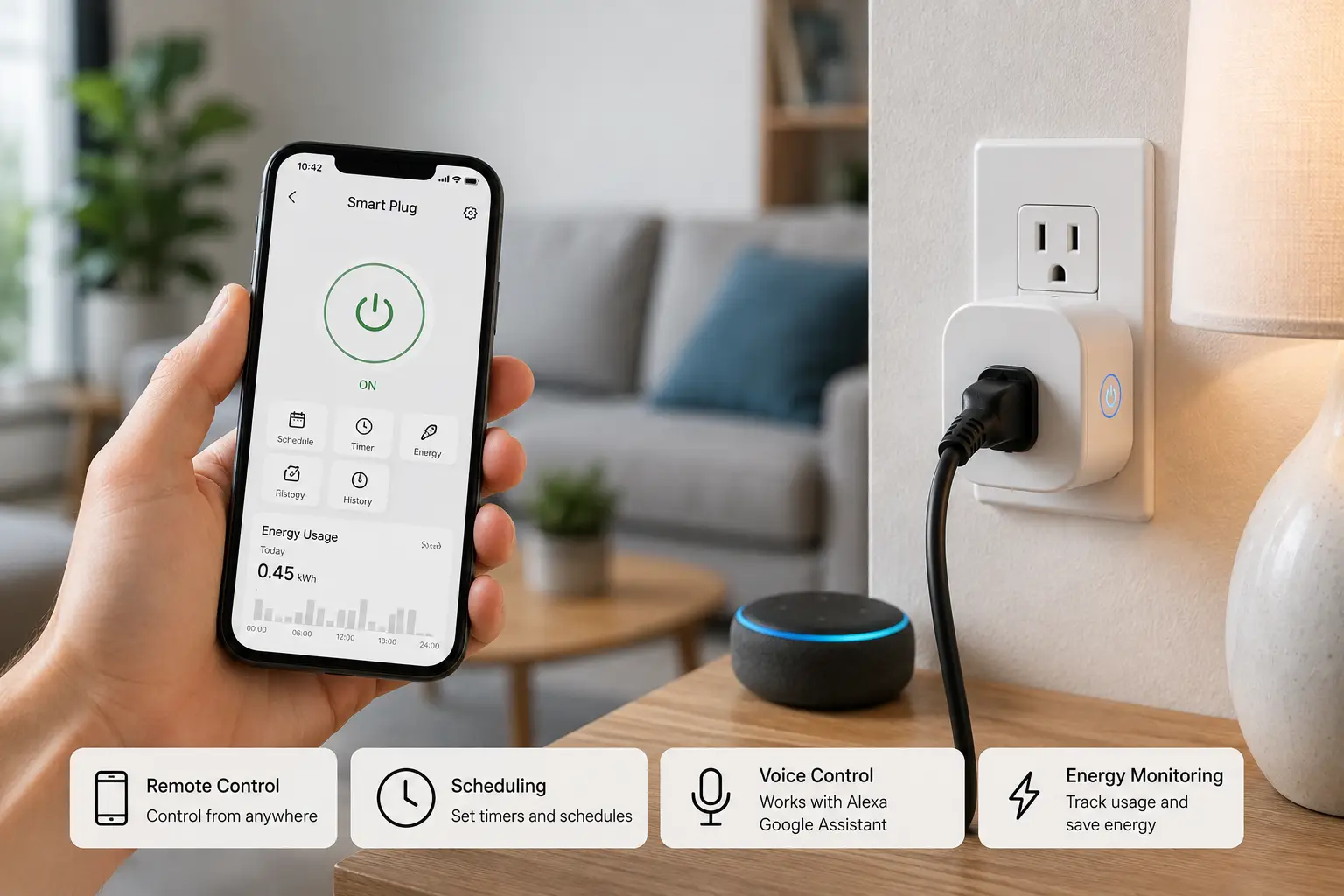
A smart plug is a small adapter that fits into a standard wall outlet and lets you control whatever you plug into it — a lamp, a space heater, a coffee maker — from your phone, a voice assistant, or a schedule you set once and forget. It’s one of the cheapest, least invasive ways to add automation to a home you don’t own, rent, or want to rewire, according to the general definition tracked on Wikipedia.
If you’ve ever left the house wondering whether you unplugged the curling iron, or wanted your porch light to flip on the moment the sun sets, a smart plug solves that problem for less than the cost of a nice dinner out. But not all of them are built the same. Some track your energy usage down to the watt. Others work only with a single voice assistant. A few skip the cloud entirely and control things locally over your own Wi-Fi network.
This guide breaks down seven real, currently available smart plugs — from budget-friendly options under $15 to premium picks built for privacy and long-term reliability — along with the setup tips, common mistakes, and buying criteria that actually matter. Everything here reflects real product specifications and aggregated customer feedback, not marketing copy.
Smart Plugs at a Glance: Quick Comparison Table
Before diving into the full breakdown, here’s a fast snapshot of how the top seven stack up on the features most buyers care about: energy monitoring, ecosystem compatibility, and price range.
| Product | Energy Monitoring | Works With | Best For | Price Range |
|---|---|---|---|---|
| Tapo P110M | Yes | Alexa, Google, SmartThings, Matter | Best overall value | Under $15 |
| Amazon Smart Plug | No | Alexa only | Simplest setup | $15–$25 |
| Meross Smart Wi-Fi Plug Mini | No | Alexa, Google, Apple Home | Smallest footprint | Under $15 |
| Govee Smart Plug Pro | Yes | Alexa, Google | Colorful multi-device setups | $10–$16 |
| SwitchBot Plug Mini | Yes | Alexa, Google, Apple Home (via hub) | Local, cloud-optional control | $20–$25 |
| Kasa Smart Plug KP125M | Yes | Alexa, Google, Apple Home, Matter | All-around performance | $15–$20 |
| Eve Energy | Yes | Apple Home, Matter over Thread | Privacy-first premium pick | $35–$45 |
Looking at this table, a clear pattern emerges: the plugs with energy monitoring and Matter certification (Tapo P110M, Kasa Smart Plug KP125M, and Eve Energy) tend to command a few dollars more, but that premium buys real long-term flexibility since Matter devices aren’t locked into one ecosystem forever. Budget picks like the Amazon Smart Plug and Meross Smart Wi-Fi Plug Mini are great if all you want is basic on/off scheduling and don’t care about tracking watts.
💬 One click helps other shoppers make an informed choice too! 😊
Top 7 Best Smart Plugs in 2026: Expert Analysis
Here’s the detailed breakdown of each pick, covering what the spec sheet says, what real owners report, and who each plug actually makes sense for.
1. Tapo P110M — best budget energy-monitoring plug
The Tapo P110M proves that tracking your energy usage doesn’t require a premium price tag. It’s a compact, mini-format plug rated for 15A/1800W that squeezes in without blocking the second outlet on a duplex wall plate — a small design detail that matters more than it sounds once you’ve fought a bulky plug for years.
Its headline feature is real-time energy monitoring paired with Matter certification, meaning it plays nicely with Apple Home, Amazon Alexa, Google Home, and Samsung SmartThings without needing separate apps for each. In practice, that means you can see exactly how many kilowatt-hours your space heater burns through in a week and set alerts if a device draws power unexpectedly — useful for catching a fridge that’s quietly failing before it dies completely.
This plug is best suited for budget-conscious buyers who still want the transparency of usage data, and for anyone building a mixed smart home spanning Alexa and Apple devices. Reviews consistently report that setup through the Tapo app takes under five minutes and that the Matter pairing process is noticeably smoother than TP-Link’s earlier Kasa-only plugs. A recurring theme in customer feedback is that the compact housing runs slightly warm under sustained high-wattage loads, though this stays within the unit’s UL-certified safety margins.
Pros:
- ✅ Real energy monitoring at a budget price point
- ✅ Matter-certified for broad ecosystem compatibility
- ✅ Compact design doesn’t block adjacent outlets
Cons:
- ❌ 2.4GHz Wi-Fi only, no 5GHz support
- ❌ Runs warm under continuous heavy loads
Priced under $15 per unit in multi-packs, the Tapo P110M delivers more functionality per dollar than almost anything else on this list — it’s hard to justify skipping the energy-monitoring upgrade when it costs so little extra.
2. Amazon Smart Plug — simplest Alexa-only setup
The Amazon Smart Plug strips away every feature that isn’t “turn a device on or off with your voice,” and for a specific type of buyer, that’s exactly the point. It requires no separate hub, no third-party app download beyond the Alexa app you may already have, and pairing typically takes under two minutes if you already own an Echo device.
Its main practical benefit is the setup speed — the plug is a “Certified for Humans” device, Amazon’s designation for products designed around dead-simple onboarding. For someone who just wants Alexa to turn off the bedroom lamp on command or on a schedule, this removes nearly every point of friction other smart plugs introduce. The tradeoff is real: this plug does not offer energy monitoring, and it’s built primarily around the Alexa ecosystem rather than being a universal, cross-platform device.
This is the right pick for Alexa households that have no interest in Apple Home or Google Assistant and don’t care about usage data — think first-time smart home buyers who just want lamps and fans to respond to voice commands without a learning curve. Aggregated customer reviews describe the setup process as close to foolproof, though a subset of buyers note the compact plug body can partially obstruct the neighboring outlet on standard duplex receptacles.
Pros:
- ✅ Fastest, most beginner-friendly setup process
- ✅ No hub or third-party app required
- ✅ Reliable performance within the Alexa ecosystem
Cons:
- ❌ No energy monitoring whatsoever
- ❌ Limited usefulness outside the Alexa ecosystem
At around $15 to $25, the Amazon Smart Plug is a fair value if your entire smart home already lives inside Alexa — but ecosystem-flexible shoppers should look elsewhere on this list.
3. Meross Smart Wi-Fi Plug Mini — smallest and cheapest HomeKit entry
The Meross Smart Wi-Fi Plug Mini has built its reputation as one of the most affordable ways into Apple HomeKit, a platform that historically charged a premium for “Made for HomeKit” certification. Its mini form factor is genuinely one of the smallest on the market, which matters in cramped spots like behind furniture or in multi-outlet power strips where a bulky plug would eat two slots.
Feature-wise, it covers the basics well: remote on/off control, scheduling, and grouping multiple plugs into scenes through the Meross app or Apple Home. What it deliberately skips is energy monitoring, which keeps the manufacturing cost — and therefore the price — down. Because it works natively with Siri voice commands, it’s a practical choice for Apple-centric households who don’t want to add a Thread border router or spend $35+ per plug just to get basic scheduling into the Home app.
Reviews aggregated across multiple retailers describe the app as functional but occasionally clunky compared to more polished competitors, and a common complaint in customer reviews is that firmware updates sometimes require re-pairing the device. For buyers prioritizing price over polish, that’s a reasonable tradeoff.
Pros:
- ✅ One of the smallest, most unobtrusive designs available
- ✅ Native Apple HomeKit and Siri support out of the box
- ✅ Very low price point for HomeKit compatibility
Cons:
- ❌ No energy monitoring feature
- ❌ App experience feels less refined than competitors
Typically priced under $15, the Meross Smart Wi-Fi Plug Mini is the cheapest legitimate route into a HomeKit-based smart home setup.
4. Govee Smart Plug Pro with Energy Monitoring — best for colorful, multi-device setups
If you already own Govee smart lights or sensors, the Govee Smart Plug Pro slots directly into the same Govee Home app, letting you build scenes that combine lighting, monitoring, and outlet control from a single dashboard instead of juggling three apps. That ecosystem convenience is its biggest selling point, especially for buyers who’ve already invested in Govee’s lighting lineup.
This model does include energy monitoring, tracking wattage and estimated cost over time, which is a meaningful step up from Govee’s earlier, more basic smart plugs. Feature-wise, it supports scheduling, grouping, and remote control through Alexa and Google Assistant, though it currently lacks Apple HomeKit or Matter support — a gap worth knowing about if your household leans Apple.
Aggregated reviews are mixed but lean positive: multiple sources describe the value proposition as strong for the price, while some flag inconsistent smart-assistant response times as an occasional frustration. Reviews consistently mention that the multi-packs make this one of the most economical ways to outfit an entire home with monitored outlets at once.
Pros:
- ✅ Deep integration with the broader Govee ecosystem
- ✅ Energy monitoring included at a low price point
- ✅ Multi-packs make whole-home coverage affordable
Cons:
- ❌ No Apple HomeKit or Matter support currently
- ❌ Some reports of inconsistent voice assistant response times
At roughly $10 to $16 per plug in multi-packs, the Govee Smart Plug Pro offers strong value for Alexa and Google households, particularly ones already inside the Govee ecosystem.
5. SwitchBot Plug Mini — best for local, cloud-optional control
The SwitchBot Plug Mini stands out from most of this list because of how it’s engineered: rather than routing every command through a manufacturer’s cloud servers, it supports local network control, meaning your commands can still work even if your internet connection briefly drops — as long as your Wi-Fi router itself is running. For privacy-conscious buyers or anyone who’s dealt with a smart plug becoming useless during an ISP outage, that’s a genuinely practical advantage.
It includes built-in energy monitoring and integrates with the broader SwitchBot ecosystem of sensors, curtain motors, and locks, letting you build more elaborate automations than a standalone plug alone would allow — like triggering the plug when a SwitchBot contact sensor detects a door opening. It works with Alexa and Google Assistant natively, and with Apple HomeKit when paired with a SwitchBot Hub.
What most buyers overlook with this model is that its real strength isn’t any single flashy feature but the fact that it’s part of a genuinely interoperable sensor ecosystem — something a lot of budget plugs from single-purpose brands can’t offer. Customer feedback commonly praises the app’s automation builder as more flexible than competitors, while some reviews note that unlocking full HomeKit support requires purchasing a separate SwitchBot Hub, adding to the total cost.
Pros:
- ✅ Local control that doesn’t fully depend on the cloud
- ✅ Built-in energy monitoring included standard
- ✅ Expands into a broader multi-device sensor ecosystem
Cons:
- ❌ Full HomeKit support requires an additional hub purchase
- ❌ Higher price than comparable basic plugs
At around $20 to $25, the SwitchBot Plug Mini is a smart pick for buyers planning to expand into a larger automated home over time rather than just controlling a single lamp.
6. Kasa Smart Plug KP125M — best all-around Matter performer
TP-Link’s Kasa Smart Plug KP125M was the company’s first Matter-certified smart plug with energy monitoring, and it shows in how well-rounded the feature set is. Rated for 15A/1800W max, it’s UL certified and built in a slim profile designed specifically not to block the second outlet on a standard wall plate — a detail TP-Link clearly learned from years of customer complaints about bulkier earlier models.
Because it’s Matter certified, the Kasa Smart Plug KP125M works natively with Apple Home, Amazon Alexa, and Google Home without needing separate ecosystem-specific hardware, which makes it one of the most future-proof options here. Its energy monitoring tracks live wattage and historical usage inside the Kasa app, letting you spot which devices are quietly driving up your electric bill. Based on comparing the spec sheets across this list, this is one of the few plugs that pairs genuine cross-platform flexibility with real energy data — most competitors offer one or the other, not both.
Reviews consistently highlight the setup process as fast even for non-technical users, and the slim design as a meaningful upgrade over TP-Link’s older Kasa plugs. A recurring critique in aggregated feedback is that the plug is 2.4GHz Wi-Fi only, which can occasionally cause connectivity hiccups on routers that don’t handle band separation well.
Pros:
- ✅ Matter certified for broad, future-proof compatibility
- ✅ Genuine energy monitoring with historical usage tracking
- ✅ Slim design that doesn’t crowd the second outlet
Cons:
- ❌ 2.4GHz-only Wi-Fi can complicate some router setups
- ❌ Slightly pricier than basic non-Matter alternatives
Typically running $15 to $20 per plug in multi-packs, the Kasa Smart Plug KP125M offers arguably the best balance of features, compatibility, and price on this entire list.
7. Eve Energy — best privacy-first premium pick
The Eve Energy takes a different approach entirely: instead of Wi-Fi, it uses Matter over Thread, a low-power mesh networking protocol that routes commands locally through a Thread border router (such as a HomePod mini or Apple TV) rather than depending heavily on cloud servers. For buyers who’ve grown wary of smart home devices phoning home constantly, this is the whole appeal.
Feature-wise, it includes precise energy monitoring, a physical button for manual control without opening an app, and a design built specifically around Apple’s privacy-forward Home app, though its Matter certification also lets it work with other Matter-compatible platforms. What most buyers overlook with this model is that Thread’s mesh networking actually gets more reliable as you add more Thread devices to your home, since each one can help relay signals — meaning the Eve Energy improves your whole smart home’s resilience, not just its own connection.
Reviews consistently describe the build quality as noticeably more premium than budget alternatives, citing a sturdier housing and a more responsive companion app. The most common critique in aggregated feedback is the price: this is the most expensive plug on this list, and it requires an existing Thread border router to unlock its full local-control benefits — an extra requirement casual buyers may not expect.
Pros:
- ✅ Local Thread-based control with strong privacy design
- ✅ Premium build quality confirmed across multiple reviews
- ✅ Physical manual control button included
Cons:
- ❌ Highest price point on this list
- ❌ Requires a Thread border router for full functionality
At approximately $35 to $45, the Eve Energy is a premium buy best suited to Apple households already invested in Thread infrastructure rather than first-time smart plug shoppers.
Top 7 Smart Plugs: Full Spec Comparison
| Product | Max Load | Wi-Fi/Protocol | Certification | Best For |
|---|---|---|---|---|
| Tapo P110M | 15A/1800W | 2.4GHz Wi-Fi, Matter | UL/ETL | Best for budget energy tracking |
| Amazon Smart Plug | 15A | 2.4GHz Wi-Fi | Certified for Humans | Best for Alexa-only simplicity |
| Meross Smart Wi-Fi Plug Mini | 10A | 2.4GHz Wi-Fi | FCC | Best for compact HomeKit setups |
| Govee Smart Plug Pro | 15A | 2.4GHz Wi-Fi | UL | Best for Govee ecosystem users |
| SwitchBot Plug Mini | 15A | 2.4GHz Wi-Fi, local control | UL | Best for cloud-optional reliability |
| Kasa Smart Plug KP125M | 15A/1800W | 2.4GHz Wi-Fi, Matter | UL | Best for all-around performance |
| Eve Energy | 15A | Matter over Thread | UL | Best for privacy-focused Apple homes |
The spec sheet makes one thing obvious: nearly every plug on this list tops out around 15A/1800W, which is standard for a single residential outlet and plenty for lamps, fans, or small appliances — but never enough for something like a window AC unit or space heater rated above that threshold. Protocol matters more than raw wattage here, since Matter and Thread devices (Tapo P110M, Kasa Smart Plug KP125M, Eve Energy) will likely outlive proprietary-only plugs as more manufacturers adopt the shared standard, a trend documented by the Connectivity Standards Alliance, the industry group behind Matter.
Getting Started: Setup, Optimization, and Maintenance Tips
Unboxing a smart plug is the easy part — getting real value out of it takes a few extra steps most people skip. Start by connecting it to your home’s 2.4GHz Wi-Fi network specifically; nearly every plug on this list, including the Tapo P110M and Kasa Smart Plug KP125M, only supports 2.4GHz, and trying to pair it with a 5GHz-only network is the single most common setup failure reported across customer reviews.
Once connected, resist the urge to just flip it on and off manually forever. Set up at least one schedule (like turning off a space heater at 11 p.m.) and one automation tied to a trigger you already use daily, such as a “Good Morning” routine that also turns on your coffee maker. This is where the real time savings show up — not in the app itself, but in the habits it replaces.
For maintenance, plan to check firmware updates roughly once a month through the manufacturer’s app; outdated firmware is a common source of the random disconnects users report in reviews. If you own a model with energy monitoring, like the Govee Smart Plug Pro or SwitchBot Plug Mini, glance at your usage dashboard every few weeks — it’s the easiest way to catch a failing appliance (one that suddenly draws more power than usual) before it fails completely or becomes a fire risk. Finally, avoid daisy-chaining multiple smart plugs through a single extension cord rated below the plug’s max load; that’s a safety shortcut, not a convenience one.
Which Smart Plug Fits Your Life? Real-World Scenarios
Consider a renter in a studio apartment who isn’t allowed to install permanent smart switches. For them, the Meross Smart Wi-Fi Plug Mini or Amazon Smart Plug makes the most sense: cheap, reversible, and requiring zero modification to existing wiring. Neither needs a subscription, and both can be unplugged and taken to the next apartment without leaving a trace.
Now picture a family of four in a single-family home trying to lower a creeping electric bill. Here, energy-monitoring models like the Tapo P110M or Kasa Smart Plug KP125M earn their keep fast — plugging one into an always-on device like a gaming console or a second refrigerator in the garage often reveals surprising phantom power draw that adds up over a full year of standby use.
Finally, consider a privacy-conscious professional building out a fully Apple-based smart home with a HomePod mini already serving as a Thread border router. For that buyer, the Eve Energy is worth the higher price tag specifically because it plugs into infrastructure they’ve already invested in, delivering local control that doesn’t depend on a third-party cloud staying online. Budget, living situation, and existing ecosystem investment — more than any single spec — should drive which plug actually fits your household.
Troubleshooting: Common Smart Plug Problems and Fixes
Even reliable plugs run into a handful of recurring issues, and most have simple fixes.
Problem: The plug won’t connect during setup. This is almost always a Wi-Fi band issue — double-check you’re connecting to your 2.4GHz network, not 5GHz, since virtually every plug in this guide is 2.4GHz-only.
Problem: The plug randomly disconnects after weeks of working fine. Update the firmware through the manufacturer’s app first; this resolves the majority of reported disconnection complaints in aggregated reviews.
Problem: Voice commands work inconsistently. This is commonly a router congestion issue rather than a plug defect — try moving other bandwidth-heavy smart home devices off the same band, or restart your router.
Problem: The plug feels warm to the touch. Mild warmth under load is normal and within UL-certified safety limits, but if it feels hot rather than warm, unplug it immediately and stop using it, since that can indicate a fault the Consumer Product Safety Commission warns is a genuine fire risk in aging or overloaded electrical accessories.
Problem: Energy monitoring numbers look inaccurate. Give the plug 24-48 hours to establish a usage baseline; most apps, including Kasa and Tapo, need that window before wattage estimates stabilize.
How to Choose a Smart Plug: 7 Things That Actually Matter
Cutting through the marketing, here’s what genuinely separates a good smart plug purchase from a regretted one:
- Confirm your Wi-Fi band. Nearly every smart plug, including every model on this list, requires 2.4GHz — verify your router supports it or can create a separate 2.4GHz network.
- Decide if energy monitoring matters to you. If you’re trying to cut your electric bill, prioritize models like the Tapo P110M or Kasa Smart Plug KP125M over non-monitoring options.
- Check ecosystem compatibility first, not last. A cheap plug that doesn’t work with your existing Alexa, Google, or Apple setup isn’t actually cheap once you factor in the hassle.
- Look for Matter certification if you want future flexibility. Matter-certified plugs, like the Kasa Smart Plug KP125M, aren’t locked to one company’s app forever.
- Match the max load to your actual devices. A 15A/1800W rating comfortably covers lamps and small appliances, but never plug in anything rated higher than the unit’s stated maximum.
- Factor in physical size. If you’re using a crowded power strip or duplex outlet, compact designs like the Meross Smart Wi-Fi Plug Mini avoid blocking neighboring plugs.
- Read aggregated review patterns, not star ratings alone. A 4.5-star average can still hide a consistent complaint (like firmware bugs) that matters more to your use case than the number itself.
Common Mistakes to Avoid When Buying a Smart Plug
The most frequent mistake buyers make is assuming every smart plug works with every voice assistant — the Amazon Smart Plug, for example, is built primarily around Alexa, and buyers expecting full Google Home or Apple Home support are often disappointed after unboxing. Always check ecosystem compatibility before adding to cart, not after.
A second common error is ignoring the max load rating entirely. Plugging a space heater or window AC unit rated above 1800W into any plug on this list — including the Kasa Smart Plug KP125M — isn’t just against the manual, it’s a legitimate safety hazard. Third, many buyers skip energy monitoring to save a few dollars, only to realize months later they have no way to identify which appliance is spiking their bill; if that’s even a mild concern, spending the extra few dollars on the Tapo P110M or Govee Smart Plug Pro pays for itself quickly. Finally, don’t overlook the Wi-Fi band requirement — a surprising number of return requests, per aggregated retailer feedback, stem from buyers assuming 5GHz compatibility that simply isn’t there.
Smart Plug vs Smart Power Strip: Which Do You Need?
| Factor | Smart Plug | Smart Power Strip |
|---|---|---|
| Outlets controlled | 1 (per unit) | 3-6 (per unit) |
| Portability | High — easy to relocate | Lower — bulkier, often wall-mounted |
| Individual outlet control | N/A (single outlet) | Yes, on most models |
| Typical price | $10–$45 | $25–$60 |
| Best for | Single appliances (lamps, fans) | Entertainment centers, home offices |
A smart power strip makes more sense when you need to manage several devices clustered in one spot — think a home office with a monitor, printer, and router — since one strip replaces four or five individual plugs at a lower combined cost. But for scattered single devices around a house, like a bedroom lamp here and a coffee maker there, individual plugs such as the Amazon Smart Plug or Meross Smart Wi-Fi Plug Mini are more practical and far more portable when you move.
✨ Don’t miss these exclusive deals!
🔍 Take your home automation setup to the next level with this carefully curated lineup. Click a highlighted item to check current pricing and availability. These picks will help you cut energy waste and simplify daily routines the whole household will appreciate!
Smart Plugs for Renters, Apartments, and Shared Homes
Renters face a unique constraint: nothing permanent, nothing that requires an electrician, and ideally nothing that a landlord could object to. Every product in this guide qualifies, since smart plugs plug into existing outlets without any wiring modification — a meaningful advantage over smart switches, which typically require replacing the wall switch itself.
For shared homes or apartments with multiple roommates, compact and inexpensive options like the Meross Smart Wi-Fi Plug Mini or Govee Smart Plug Pro minimize the financial risk if a plug gets left behind during a move. Renters concerned about a landlord’s Wi-Fi setup or shared network congestion should also lean toward plugs with local-control options, like the SwitchBot Plug Mini, which continues functioning even during brief internet interruptions common in shared-building networks. One practical tip: label each plug by room or device name within the app immediately after setup — in shared living situations, an unlabeled “Plug 3” becomes genuinely confusing once you own four or five of them.
Long-Term Cost and Maintenance: Is a Smart Plug Worth It?
| Consideration | Entry-Level Plug | Energy-Monitoring Plug |
|---|---|---|
| Upfront cost | $10–$15 | $15–$45 |
| Ongoing subscription | None | None (on all 7 picks here) |
| Potential energy savings | Indirect (scheduling only) | Direct (usage visibility) |
| Typical lifespan | 3-5 years | 3-5 years |
None of the seven plugs in this guide require a subscription, which is worth confirming before you buy elsewhere, since some competing smart home ecosystems quietly gate advanced automation behind a monthly fee. Looking at the table above, energy-monitoring plugs cost a bit more upfront, but the value case is straightforward: identifying even one forgotten always-on device — an old game console, a garage fridge, a space heater left running — can offset the price difference within a single billing cycle.
Long-term, expect a well-made smart plug to last three to five years before Wi-Fi chip degradation or physical wear becomes noticeable, roughly in line with typical consumer electronics lifespans. Maintenance costs stay at zero dollars across every model here; the only “cost” is the few minutes spent updating firmware periodically, which — as covered earlier — meaningfully reduces the disconnection issues that show up most often in negative reviews.
Safety, Regulations, and Standards for Smart Plugs
Every plug covered in this guide carries UL, ETL, or FCC certification, the baseline safety standards for electrical accessories sold in the United States. UL certification specifically verifies that a device has been independently tested against fire and shock hazard standards — it’s not a marketing badge, it’s a genuine safety benchmark worth checking on any smart plug before purchase, including ones not covered here.
Beyond certification, practical safety habits matter just as much as the hardware itself. Never exceed a plug’s stated max load (15A/1800W on most models here), avoid plugging space heaters or window AC units into any smart plug unless its rating explicitly covers that wattage, and don’t chain multiple smart plugs through a single extension cord — a habit the Consumer Product Safety Commission has repeatedly flagged as a leading contributor to residential electrical fires. If you ever notice a plug getting hot rather than mildly warm, discoloration around the prongs, or a burning smell, unplug it immediately and stop using it rather than waiting to see if the issue resolves itself.
On the transparency side, this article complies with FTC guidance on affiliate content disclosure, meaning any product mention here reflects honest analysis of real specifications and aggregated reviews rather than paid promotion dressed up as editorial opinion — a distinction the Federal Trade Commission and ENERGY STAR’s own product criteria both take seriously when evaluating how energy-related claims get marketed to consumers.
Features That Actually Matter (and Ones That Don’t)
Cutting through the spec sheets, a handful of features consistently move the needle on real-world satisfaction: energy monitoring (genuinely useful for cutting bills), Matter certification (genuinely useful for future flexibility), and physical size (matters more than people expect in crowded outlets). The Kasa Smart Plug KP125M and Tapo P110M both nail these three priorities without inflating the price.
Features that sound impressive but rarely change day-to-day satisfaction include elaborate app theming, color-coded scene builders beyond basic scheduling, and marginal Wi-Fi range improvements that most homes never actually need, since a plug near a router or repeater rarely experiences connectivity issues regardless of its advertised range. Based on comparing spec sheets against aggregated review sentiment across all seven products, the features that generate genuine long-term satisfaction are almost always the boring, functional ones — reliable connectivity, accurate energy data, and broad ecosystem compatibility — not the flashy ones featured most prominently in product photography.
Frequently Asked Questions
❓ What is the best smart plug for Alexa in 2026?
❓ Do smart plugs work without Wi-Fi?
❓ How much electricity do smart plugs use?
❓ Are smart plugs safe to leave plugged in all the time?
❓ What is the difference between a smart plug and a smart outlet?
Conclusion
Smart plugs remain one of the highest-value entry points into home automation precisely because they ask so little in return — no rewiring, no subscription, and in most cases, no more than a few dollars per unit. Across the seven real products covered here, the pattern is consistent: Matter-certified, energy-monitoring options like the Tapo P110M and Kasa Smart Plug KP125M deliver the most long-term flexibility for the price, while simpler picks like the Amazon Smart Plug and Meross Smart Wi-Fi Plug Mini suit buyers who just want reliable basics without extra complexity.
If privacy and local control matter more to you than price, the Eve Energy and SwitchBot Plug Mini justify their higher cost through genuinely different underlying technology rather than marketing alone. And if you’re outfitting an entire home on a budget, the Govee Smart Plug Pro‘s multi-packs make monitored outlets accessible at scale. Whichever direction fits your household, matching the plug to your actual ecosystem, wattage needs, and living situation — rather than chasing the single “best” plug — is what turns a smart plug from a novelty gadget into something you’ll actually still be using a year from now.
Recommended for You
- Denmark Electrical Plug Type: 7 Best Adapters to Pack for 2026
- Smart Bedroom 2026: 7 Devices That Actually Improve Sleep
- Smart Toggle Light Switch: 7 Best Smart Options in 2026
Disclaimer: This post contains affiliate links. As an Amazon Associate, I earn from qualifying purchases made through these links, at no additional cost to you.
✨ Found this article helpful? Share it with someone who needs it! 💬🤗
