
In This Article
Why an RF Light Switch Might Be the Easiest Upgrade You Make This Year
Affiliate partnership disclosure: This post contains affiliate links, and as an Amazon Associate, this site earns from qualifying purchases at no extra cost to you.
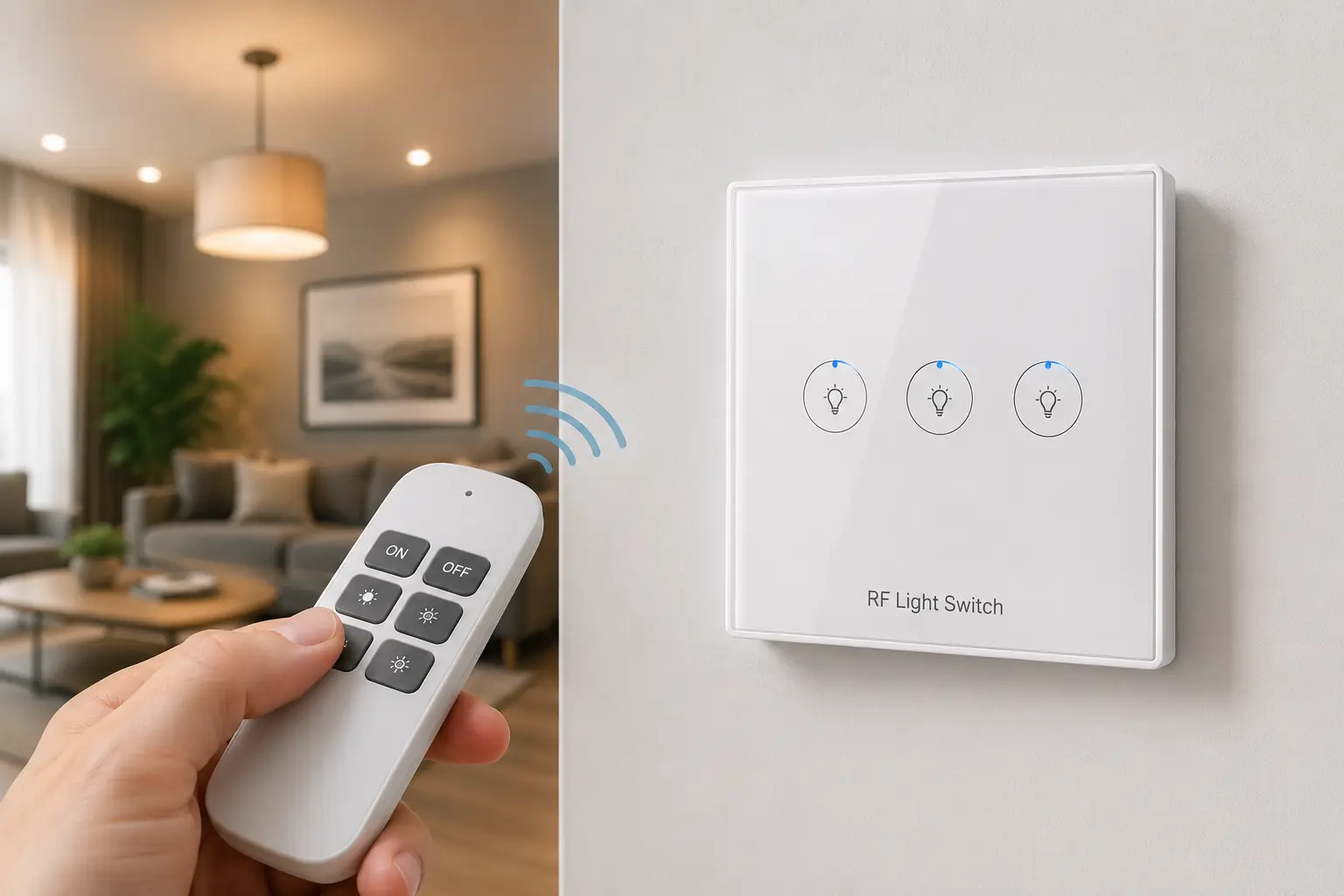
An RF light switch is a battery-powered wall switch and matching receiver that communicate over a radio-frequency signal — typically 433MHz — instead of household wiring or WiFi, letting you add switch control to any lamp or fixture without cutting into a wall…
If you’ve ever stood in a bedroom flipping a light on from your phone flashlight because the only switch is on the wrong side of the room, you already understand the appeal here. An RF light switch skips the electrician, skips the drywall patch, and skips the WiFi setup screen entirely. You stick a battery-powered switch wherever you want it, plug a small receiver into the outlet or fixture you’re controlling, and the two talk to each other over open air. No neutral wire, no app account, no monthly cloud subscription standing between you and turning off a lamp.
That simplicity is exactly why RF light switches have become one of the most searched fixes for awkward apartment layouts, finished basements, sheds, and rental units where rewiring isn’t an option — or isn’t allowed. But “RF light switch” now covers a surprisingly wide range of products, from $15 plug-in kits to $70 in-wall smart switches that still rely on RF instead of WiFi for their core communication. Picking the wrong one means a switch that can’t handle your fixture’s wattage, drops the signal through a wall, or interferes with your garage door remote.
This guide breaks down seven real, currently available RF light switch and wireless remote light switch options — from budget-friendly starter kits to a premium in-wall pick — along with the criteria that actually separate a reliable unit from one you’ll be troubleshooting in six months. For a technical primer on how these radio links work, Wikipedia’s overview of RF switching hardware is a solid starting point before we dig into specific products.
RF Light Switch Comparison: 7 Options at a Glance
Before the full breakdown, here’s how these seven RF light switch and wireless wall switch kits stack up on the specs that matter most day-to-day: range, load capacity, and who each one fits best.
| Product | RF Range | Max Load | Best For |
|---|---|---|---|
| DEWENWILS Wireless Light Switch Kit | 100 ft | 1000W tungsten / 200W LED | First-time buyers, renters |
| Etekcity Wireless Remote Control Outlet | 100 ft | 15A / 1875W outlet-rated | Plug-and-play simplicity |
| BESTTEN Wireless Remote Control Outlet Set | 110 ft | 15A per outlet | Multi-room control |
| Ortis Wireless Light Switch and Receiver Kit | 300 ft | 10A / 1000W | Larger homes, detached spaces |
| SURAIELEC Wireless Light Switch and Receiver Kit | 100 ft | 15A | Interference-prone areas |
| DEWENWILS 3-Pack Expandable Wireless Wall Switch Kit | 100 ft | 1000W per switch | Whole-house rollouts |
| Lutron Caséta Wireless In-Wall Switch | Whole-home mesh (RF) | 600W dimming | Smart-home integration |
Looking at the table, the split comes down to installation style and ambition: the DEWENWILS Wireless Light Switch Kit, Etekcity Wireless Remote Control Outlet, and BESTTEN Wireless Remote Control Outlet Set are plug-in solutions you can set up in minutes, while the Ortis and SURAIELEC kits trade a bit of convenience for a more permanent, wall-mounted feel. The DEWENWILS 3-Pack is the practical choice once you’re outfitting more than one or two rooms, and the Lutron Caséta sits in its own category — a real in-wall switch replacement that happens to use RF instead of WiFi for its core control, with a much higher ceiling for smart-home features.
💬 Compare today’s pricing before you decide — availability and current price ranges shift often, so check the listing that fits your setup! 😊
Top 7 RF Light Switches: Expert Picks and Analysis
1. DEWENWILS Wireless Light Switch Kit — easiest first RF switch for renters
The DEWENWILS Wireless Light Switch Kit earns the top budget slot because it arrives pre-paired — plug the receiver into an outlet or lamp base, mount the switch with the included adhesive strip, and it works with no wiring and no setup screen at all.
Its 1000W tungsten / 600W fluorescent / 200W LED rating means it comfortably runs a couple of floor lamps or a small overhead fixture without tripping the internal relay, something budget kits from lesser-known sellers sometimes struggle with under sustained load. The rated 100-foot line-of-sight range covers most single-story apartments, though drywall, metal studs, and distance around corners will shave that number down in real-world use — a limitation shared by nearly every kit on this list, not unique to this one.
For renters who can’t run new wiring and don’t want to commit to a smart-home ecosystem, this is the sensible starting point: it solves the single most common problem — a lamp or fixture with no wall-accessible switch — without an app, hub, or subscription. Aggregated buyer feedback points to reliable performance within about 60-80 feet indoors, with a smaller share of reviewers noting reduced range through concrete walls or when the receiver sits near other 433MHz devices, a known quirk of the shared frequency band most wireless remote light switch products use.
Pros:
- ✅ Truly no-wiring setup, done in under five minutes
- ✅ Handles small appliances and lamps, not just light fixtures
- ✅ Programmable pairing means you can rebind if a receiver fails
Cons:
- ❌ Range drops noticeably through concrete or dense drywall
- ❌ Single switch/receiver pair isn’t built for whole-house use
Priced in the $15-$25 range, the DEWENWILS Wireless Light Switch Kit delivers strong value for a single problem room, though it’s not the kit to buy if you’re planning to outfit an entire floor.
2. Etekcity Wireless Remote Control Outlet — most plug-and-play simplicity
The Etekcity Wireless Remote Control Outlet trades a wall-mounted switch for a handheld remote and an outlet-style receiver, which makes it the fastest of all seven to get running — plug it in, press a button, done.
Its learning-code pairing lets the remote and outlet sync without DIP switches, and the FCC-certified, ETL-listed build tells you it’s passed independent safety testing rather than just a manufacturer’s claim. Practically speaking, that ETL listing matters more than most buyers realize: it’s the difference between a receiver that’s been verified against a recognized US safety standard and one that hasn’t.
What sets the Etekcity Wireless Remote Control Outlet apart from switch-style kits is flexibility — the receiver is a standard outlet, so it works for lamps, fans, and small appliances just as easily as lighting, which is exactly why it shows up in so many “remote control light switch” buying guides despite technically being an outlet. Reviews consistently flag it as one of the more dependable options in this price tier, with the most common complaint being that the handheld remote (rather than a wall switch) isn’t ideal for households that want a fixed, permanent-feeling control point.
Pros:
- ✅ Setup takes under two minutes, no tools required
- ✅ FCC-certified and ETL-listed for verified safety compliance
- ✅ Works for appliances and fans, not just lighting
Cons:
- ❌ Handheld remote can get lost or misplaced
- ❌ No wall-mounted switch option in the base kit
Typically priced between $20 and $30, the Etekcity Wireless Remote Control Outlet is an easy value pick if you’re fine controlling things from a remote instead of a fixed wall switch.
3. BESTTEN Wireless Remote Control Outlet Set — best for multi-room control
The BESTTEN Wireless Remote Control Outlet Set ships with four outlets and two remotes, making it the most efficient way on this list to bring RF control to several rooms at once without buying separate kits.
Each outlet pairs independently, and the 110-foot rated range gives it a slight edge over most single-kit competitors when a remote needs to reach across a larger apartment or a two-story townhouse. In practice, that extra range buys a little headroom against the drywall-and-distance penalty every RF light switch kit deals with, rather than a guarantee of full-range performance indoors.
This is the kit worth choosing if you’re setting up several lamps across a living room, bedroom, and home office and want one remote to manage all of them — the “grouped control” use case that single-switch kits simply can’t match. Aggregated review sentiment describes it as reliable for lamp and small-appliance duty, with the more critical feedback centered on the outlets’ plastic housing feeling less premium than the switch-style kits, which is a fair trade-off for the multi-outlet value here.
Pros:
- ✅ Four outlets from one set covers multiple rooms
- ✅ 110-foot range gives extra margin over shorter kits
- ✅ Two remotes included for shared household control
Cons:
- ❌ Outlet housings feel less sturdy than premium in-wall kits
- ❌ Bulkier than a single in-wall switch replacement
In the $30-$40 range for the full four-outlet set, the BESTTEN Wireless Remote Control Outlet Set offers strong per-outlet value for anyone standardizing several rooms at once.
4. Ortis Wireless Light Switch and Receiver Kit — longest range for larger homes
The Ortis Wireless Light Switch and Receiver Kit stands out on spec sheets for one reason: a rated 300-foot RF range, roughly three times the distance of most competitors on this list.
That extended range matters most in larger single-family homes, finished basements far from the main living area, or detached structures like a shed or detached garage where a shorter-range kit might drop the connection entirely. The kit includes batteries in the box (a small but genuinely useful inclusion competitors often skip) and uses a straightforward switch-and-receiver pairing process similar to the DEWENWILS models.
For buyers whose main hesitation about an RF light switch is “will this even reach,” the Ortis Wireless Light Switch and Receiver Kit is the logical answer — it’s built specifically to outperform shorter-range budget kits in exactly the scenario where they fail. Reviews commonly cite dependable range even through a couple of interior walls, though as with any RF product, actual performance in concrete-heavy or metal-stud construction will land below the rated maximum.
Pros:
- ✅ 300-foot rated range beats most competitors by 2-3x
- ✅ Batteries included, ready to install out of the box
- ✅ Straightforward one-button pairing process
Cons:
- ❌ Rated range assumes open, obstruction-free space
- ❌ Single switch/receiver pair, not pre-built for expansion
Priced around $25-$35, the Ortis Wireless Light Switch and Receiver Kit is worth the modest premium over shorter-range kits specifically when distance, not features, is your main concern.
5. SURAIELEC Wireless Light Switch and Receiver Kit — best interference resistance
The SURAIELEC Wireless Light Switch and Receiver Kit markets itself specifically on reduced cross-talk with neighboring RF devices, backed by a 15A load rating that’s noticeably higher than most budget kits’ 10A ceiling.
That higher amperage rating means it can handle a wider range of fixtures and small appliances without the derating concerns that come with lighter-duty kits, while its anti-interference design aims to solve one of the most common real-world RF light switch complaints: a neighbor’s garage remote, another wireless doorbell, or a second RF kit in the same home occasionally triggering the wrong receiver. The kit is also available in a black finish, a small but genuinely useful option for buyers matching darker wall plates or fixtures.
Buyers dealing with a crowded RF environment — apartments with several other wireless devices nearby, or households already running two or three other RF kits — are the clearest fit for the SURAIELEC Wireless Light Switch and Receiver Kit. Aggregated feedback frames it as one of the more dependable options for avoiding false triggers, with the trade-off being a price that sits slightly above the most basic single-switch kits on this list.
Pros:
- ✅ 15A rating handles heavier loads than most budget kits
- ✅ Designed specifically to reduce cross-device interference
- ✅ Black finish option for matching darker decor
Cons:
- ❌ Costs more than the most basic single-switch kits
- ❌ Still shares the same 433MHz band as nearby devices
Expect a price in the $20-$30 range, making the SURAIELEC Wireless Light Switch and Receiver Kit a smart upgrade pick when a basic kit has already given you interference headaches.
6. DEWENWILS 3-Pack Expandable Wireless Wall Switch Kit — best for whole-house rollouts
The DEWENWILS 3-Pack Expandable Wireless Wall Switch Kit takes the same reliable mechanism as the brand’s single kit and scales it to three switches paired with one receiver, aimed squarely at households outfitting more than one problem room.
Each switch can control the same receiver independently or in combination, and the system is built to expand further with additional compatible switches sold separately — a meaningfully different approach from single-pair kits that max out at one switch per receiver. Practically, that means a single receiver behind a fridge, entertainment center, or ceiling fixture can be triggered from three different physical locations, which solves the classic three-way switch problem without an electrician.
This is the pick for anyone who read through the first five entries and thought “I need this in more than one room” — it’s the most cost-efficient way on this list to standardize RF light switch control across a bedroom, hallway, and living room simultaneously. Reviews describe the pairing process as slightly more involved than single-switch kits (since each switch needs its own sync step), but consistently note that once paired, reliability matches the brand’s single-kit reputation.
Pros:
- ✅ Three switches from one kit, expandable further
- ✅ Solves three-way switch scenarios without wiring
- ✅ Same trusted mechanism as the brand’s single-switch kit
Cons:
- ❌ Initial pairing takes longer with three switches to sync
- ❌ Higher upfront cost than a single-switch kit
At roughly $35-$50 for the full 3-pack, the DEWENWILS 3-Pack Expandable Wireless Wall Switch Kit is the strongest per-switch value once you’re covering more than one room.
7. Lutron Caséta Wireless In-Wall Switch — best for smart-home integration
The Lutron Caséta Wireless In-Wall Switch is the outlier on this list in the best way: it’s a genuine in-wall switch replacement, not a plug-in accessory, and it uses Lutron’s proprietary Clear Connect RF protocol — not WiFi — to talk to its hub, which keeps it fast and reliable even when your internet connection drops.
Unlike the other six picks, installing the Lutron Caséta Wireless In-Wall Switch means turning off a breaker and swapping your existing switch, though Lutron’s no-neutral-required design keeps that swap simpler than most smart switches on the market. Once installed, it connects through the Lutron Smart Bridge to work with Alexa, Google Assistant, and Apple Home, and its RF-based mesh means switches and Pico remotes throughout the house stay responsive even in homes where WiFi coverage is spotty.
For buyers who’ve outgrown the plug-in kits above and want app scheduling, voice control, and multi-location three-way support without relying on WiFi for the core switch function, this is the clear step up — it’s the RF light switch category’s premium tier. Aggregated reviews are strongly positive on reliability and app polish, with the most common criticism being the added cost of the required Smart Bridge hub for anyone starting from zero.
Pros:
- ✅ RF-based Clear Connect stays reliable without WiFi
- ✅ Full voice assistant and app scheduling support
- ✅ No-neutral-wire installation simplifies most swaps
Cons:
- ❌ Requires an electrician-comfortable in-wall installation
- ❌ Smart Bridge hub is an added upfront cost
Individual switches typically run around $60-$80, with starter kits (switch plus bridge) landing in the $100-$130 range — a real investment, but justified for buyers building a genuine smart-lighting system rather than solving a single lampless room.
Detailed Comparison: Price Range and Best-Fit Summary
| Product | Price Range | Installation | Best For |
|---|---|---|---|
| DEWENWILS Wireless Light Switch Kit | $15-$25 | Plug-in, adhesive mount | Single-room, renters |
| Etekcity Wireless Remote Control Outlet | $20-$30 | Plug-in outlet + remote | Fastest setup |
| BESTTEN Wireless Remote Control Outlet Set | $30-$40 | Plug-in, 4 outlets | Multi-room lamps |
| Ortis Wireless Light Switch and Receiver Kit | $25-$35 | Plug-in, adhesive mount | Large homes, sheds |
| SURAIELEC Wireless Light Switch and Receiver Kit | $20-$30 | Plug-in, adhesive mount | Interference-heavy areas |
| DEWENWILS 3-Pack Expandable Wireless Wall Switch Kit | $35-$50 | Plug-in, expandable | Whole-house rollout |
| Lutron Caséta Wireless In-Wall Switch | $60-$130 | In-wall (breaker off) | Smart-home ecosystems |
Stacking price against installation effort makes the decision clearer: the six plug-in kits let you stay entirely non-committal, since nothing is permanently altered and a bad fit just means returning a $20-$50 kit. The Lutron Caséta Wireless In-Wall Switch asks for more money and more effort up front, but it’s the only option here that behaves like a true smart-home fixture rather than a workaround.
✨ Ready to Stop Fumbling for a Light Switch That Isn’t There?
🔍 Take your lighting setup to the next level with a lineup that covers every budget and every install preference. Click through on the pick that matches your room, check today’s price and availability, and get a working switch in place tonight instead of next weekend.
How to Install and Program an RF Light Switch in Under 10 Minutes
Most RF light switch kits follow the same basic sequence, and knowing it in advance saves you from re-reading a tiny instruction slip mid-install. First, install the battery in the wall switch (usually a CR2032 or two AAAs, depending on the model) before doing anything else — a dead battery is the number-one reason a “broken” switch is actually just uncharged.
Next, plug the receiver directly into the outlet or fixture you want to control, then trigger the pairing sequence, typically holding a small sync button on the receiver for 3-5 seconds until an LED blinks, then pressing the corresponding button on the switch within that window. Test the connection from across the room before committing to a permanent mount — this catches range or interference issues while you can still return the kit.
Once confirmed, mount the switch using the included adhesive strip or screws, positioning it at a comfortable height away from metal junction boxes, which can meaningfully weaken the RF signal. If you’re installing more than one kit in the same home, stagger the pairing process one kit at a time and test each independently, since simultaneous pairing is the most common cause of one remote accidentally controlling the wrong receiver. For long-term reliability, replace the switch battery annually even if it hasn’t failed yet, and keep receivers unplugged from power strips with surge suppression circuitry that can occasionally interfere with the RF signal. Since a plug-in RF kit adds a new device to an existing outlet, it’s also worth a quick look at the Consumer Product Safety Commission’s guidance on inspecting home electrical products for signs of an overloaded circuit before adding more load to it.
Real-World Scenarios: Matching an RF Light Switch to Your Home
If you’re a renter with one lamp in an awkward corner and a strict no-drilling lease, the DEWENWILS Wireless Light Switch Kit or Etekcity Wireless Remote Control Outlet solves the problem for under $30 with zero landlord conversation required — install day one, take it with you when you move out.
If you’re a homeowner retrofitting three or four rooms in an older house where rewiring quotes are running $150+ per switch from a licensed electrician, the DEWENWILS 3-Pack Expandable Wireless Wall Switch Kit or the BESTTEN Wireless Remote Control Outlet Set covers multiple rooms for a fraction of that cost, with the flexibility to add more switches as budget allows rather than committing to a full rewiring project upfront.
If you’re already invested in Alexa or Google Home and want lighting that fits into scenes, schedules, and voice routines, the Lutron Caséta Wireless In-Wall Switch is worth the higher price and installation effort — it’s built for exactly that use case in a way the plug-in kits simply aren’t designed to do. And if you’re dealing with a detached garage, a shed 150 feet from the house, or a finished basement with unusually thick walls, the Ortis Wireless Light Switch and Receiver Kit‘s extended range is the spec that solves your specific problem better than anything else on this list.
Fixing the Most Common RF Light Switch Problems
Switch not responding at all: before assuming it’s defective, re-check the battery and re-run the pairing sequence — a partial pairing (switch synced but receiver didn’t confirm) is the most frequent cause, and it looks identical to a dead unit until you re-pair.
Reduced range compared to the rated spec: relocate the receiver away from metal enclosures, large appliances, and other RF transmitters, since 433MHz signals lose strength fast through metal and dense masonry; moving a receiver just a foot or two away from a metal junction box often recovers significant range.
Bulbs flickering or buzzing after installing an RF light switch: this usually means an LED bulb isn’t fully compatible with the receiver’s relay-based switching, rather than a fault in the switch itself — check the kit’s LED wattage rating and consider swapping to a bulb explicitly listed as compatible with mechanical relay switches rather than trailing-edge dimmers.
Multiple RF kits interfering with each other: since most budget kits share the same 433MHz band, having several in one home can occasionally cause cross-triggering; re-pairing kits one at a time, with only one in sync mode at once, resolves the vast majority of these cases by giving each pair a distinct rolling code.
How to Choose an RF Light Switch: 7 Criteria That Actually Matter
- Load rating (watts/amps): Match the kit’s rated wattage to your actual fixture or appliance load — a switch rated for 200W LED won’t safely run a higher-draw appliance, regardless of what the outlet looks like.
- RF range under real conditions: Treat the advertised range as a best-case, line-of-sight number; expect 40-60% of that figure through interior walls in most homes.
- Expandability: If you’ll eventually want more than one switch, a kit built for expansion (like the DEWENWILS 3-Pack) saves money over buying separate single kits later.
- Safety certification: Look for FCC certification and an ETL or UL listing — these indicate independent testing against recognized US safety standards, not just a manufacturer’s marketing claim.
- Indoor vs. outdoor rating: A handful of RF light switch kits are weatherproofed for porch or outdoor use; check this specifically if the fixture isn’t indoors.
- Dimming compatibility: Most budget RF kits are on/off only — if you want dimming, you’ll need a model explicitly rated for it, or a step up to something like the Lutron Caséta line.
- Battery type and expected life: CR2032-style switches typically last 1-2 years under normal use; factor in the minor ongoing cost of battery replacement when comparing total value.
RF Light Switch vs. Smart WiFi Switch vs. Hardwired Switch
An RF light switch communicates over a dedicated radio frequency between a battery-powered switch and a receiver, which means it keeps working during an internet or WiFi outage and doesn’t add another device to your home network. A smart WiFi switch, by contrast, connects directly to your router and typically requires a neutral wire, an app account, and sometimes a cloud subscription for advanced automation — offering broader voice-assistant integration in exchange for that added complexity and a dependency on your internet staying up. A traditional hardwired switch remains the most permanent and reliable option of the three, but it requires an electrician (or confident DIY wiring work) and offers no remote or app control at all once installed.
| Criteria | RF Light Switch | WiFi Smart Switch | Hardwired Switch |
|---|---|---|---|
| Installation | No wiring, plug-in | Neutral wire usually required | Electrician or DIY wiring |
| Works without internet | Yes | Often limited | Yes |
| Voice assistant support | Rare, except Caséta-style | Common | None |
| Typical cost | $15-$50 | $25-$50 | $10-$30 + labor |
| Best for | Renters, quick fixes | Tech-forward households | Permanent installs |
The table makes the trade-off clear: RF light switches win on installation speed and internet-independence, WiFi switches win on ecosystem integration, and hardwired switches win on permanence and simplicity once installed. For most people solving “I need a switch where there isn’t one,” the RF option is the pragmatic middle ground — real functionality without the commitment of either alternative.
Common Mistakes to Avoid When Buying an RF Light Switch
Buying based on switch price alone without checking the load rating against your actual fixture is the single most common misstep — a $12 kit rated for 200W LED simply won’t handle a higher-draw appliance safely, no matter how good the reviews look. Ignoring rated range in relation to your home’s construction is a close second; a 100-foot rated kit installed through two interior walls and a metal stud might realistically deliver 30-40 feet, which is fine for one room but not for reaching a detached structure.
Mounting the receiver inside an enclosed metal box or behind a large appliance is an easy-to-miss error that quietly kills range and reliability — RF signals need reasonably open air to travel, so treat receiver placement as seriously as switch placement. Assuming any RF light switch will integrate with Alexa or Google Assistant is another frequent misconception; unless the product is explicitly built around a hub-based ecosystem like Lutron Caséta, most RF light switch kits are strictly local, switch-to-receiver devices with no voice or app layer at all. Finally, buying a single-switch kit when you already know you’ll want multiple rooms covered ends up costing more than choosing an expandable multi-switch kit from the start.
Safety, Regulations, and Standards for RF Light Switches
Every RF light switch sold in the US operates under FCC Part 15 rules for unlicensed radio frequency devices, which govern the low-power radio transmissions these switches use and require manufacturers to certify that their devices won’t cause harmful interference with other equipment. In practice, that’s why legitimate RF light switch kits list an FCC ID on the packaging or receiver — it’s worth checking for before buying from an unfamiliar brand, since it signals the product has actually gone through certification rather than skipping it.
Beyond FCC compliance, look for an ETL or UL listing on the receiver specifically, since that’s the component plugged directly into household power and carrying real electrical load. These listings mean an accredited lab has independently tested the product against recognized US safety standards for fire and shock hazards, rather than relying solely on the manufacturer’s own claims. One important distinction: plug-in RF kits don’t require any electrical code compliance since nothing is being altered inside your walls, but an in-wall option like the Lutron Caséta line does involve real household wiring, and if you’re not comfortable working near a breaker panel, hiring a licensed electrician for that specific swap is the safer call.
What to Expect: Everyday Performance
In daily use, the gap between an RF light switch and a traditional wired switch is smaller than most first-time buyers expect. Response time is effectively instant — there’s no noticeable lag between pressing the switch and the receiver triggering, unlike some WiFi smart switches that can show a half-second delay while confirming a command over the internet. Range in real homes typically lands well under the advertised maximum: expect strong, consistent performance within 40-60 feet through one or two interior walls, with performance degrading faster through concrete, brick, or anything containing metal mesh or foil-backed insulation.
Coexistence with other RF devices is generally a non-issue for a single kit, but households running a garage door opener, a wireless doorbell, and two or three RF light switches on the same 433MHz band occasionally see one device nudge another — usually solvable by re-pairing rather than replacing hardware. Battery life on the switch side is genuinely low-maintenance; most units sip so little power between presses that a single CR2032 or AA pair lasts a year or more under normal household use, making the ongoing cost of ownership close to negligible.
Long-Term Cost and Maintenance
The total cost of ownership story favors RF light switches heavily over the first few years compared to either a full electrician-run rewiring job or a WiFi smart switch ecosystem with a required hub. A single RF kit costing $20-$50 has essentially no recurring cost beyond an occasional battery swap — no subscription, no hub replacement, no firmware-driven obsolescence forcing an upgrade. Compare that to professional rewiring, where national cost data on light switch installation and replacement shows a single new switch run can easily land in the $150-$300+ range in labor and materials depending on your region and wall accessibility, or a WiFi smart switch ecosystem where a hub, ongoing app support, and occasional compatibility breaks add both cost and complexity over time.
The one exception is the Lutron Caséta Wireless In-Wall Switch line, where the upfront cost is higher and a Smart Bridge hub is required for full functionality — but Lutron’s long track record of backward compatibility and infrequent forced hardware upgrades means that investment tends to hold its value better than most competing smart-switch ecosystems over a 5+ year horizon. For most buyers solving a single problem room, though, the math clearly favors starting with a $20-$40 RF kit and only stepping up to the smart-switch tier once the use case genuinely calls for voice control and app scheduling.
Frequently Asked Questions About RF Light Switches
❓ Do RF light switches work without WiFi?
❓ How far can an RF light switch transmit?
❓ Can I install multiple RF light switches in the same house?
❓ Are RF light switches compatible with LED bulbs?
❓ Is an RF light switch a safer alternative to rewiring a wall switch myself?
Conclusion: Finding the Right RF Light Switch for Your Space
Across all seven picks, the throughline is that “RF light switch” isn’t a single product category so much as a spectrum — from a $15 plug-in fix for one lamp to a $130 smart-home switch replacement. The DEWENWILS Wireless Light Switch Kit and Etekcity Wireless Remote Control Outlet remain the easiest entry points for a single room, the BESTTEN Wireless Remote Control Outlet Set and DEWENWILS 3-Pack Expandable Wireless Wall Switch Kit scale that same simplicity across multiple rooms, the Ortis and SURAIELEC kits solve specific range and interference problems, and the Lutron Caséta Wireless In-Wall Switch caps the list as the genuine smart-home option for buyers ready to invest in a real ecosystem.
The right choice comes down to being honest about your actual problem: a single lampless corner calls for the cheapest reliable kit, a multi-room retrofit calls for an expandable set, and a long-term smart-lighting plan calls for the Caséta line despite its higher price and installation effort. Whichever tier fits, prioritize the safety certifications and realistic range expectations covered above over marketing claims on the box — that’s what separates a switch you install once and forget about from one you’re re-pairing every few weeks.
✨ Don’t Let One More Weekend Go By With That Switch Still Missing
🔍 Take your lighting setup to the next level with a pick that matches your room size, budget, and smart-home ambitions. Check today’s price and availability on the option that fits, and get it installed before the week is out.
Recommended for You
- France Wall Socket Adapters: 7 Best Picks for Travelers (2026)
- German Electrical Plug Type: 7 Best Adapters to Buy in 2026
- GE Cync Smart Light Switch: 7 Best Picks for 2026
Disclaimer: This post contains affiliate links. As an Amazon Associate, I earn from qualifying purchases made through these links, at no additional cost to you.
✨ Found this guide helpful? Share it with someone still hunting for a light switch that isn’t there! 💬🤗
