
In This Article
What is a Smart 3 Way Light Switch?
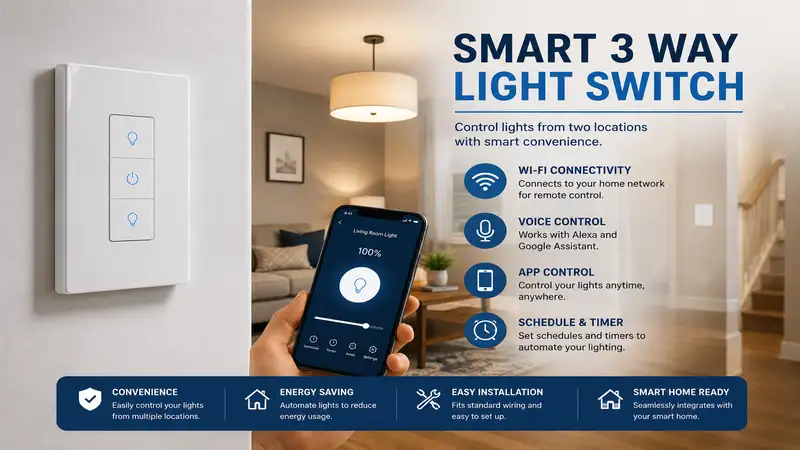
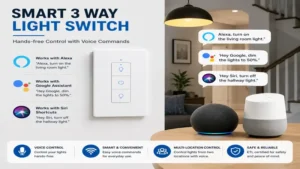
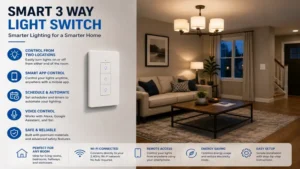
A smart 3 way light switch allows you to control a single fixture or group of lights from two different wall locations—such as the top and bottom of a staircase, or both ends of a long hallway—while integrating with wireless smart home ecosystems like Apple HomeKit, Amazon Alexa, Google Home, or Samsung SmartThings. Unlike traditional manual three-way toggle switches that rely purely on physical contact circuits, a smart setup uses digital signaling to synchronize switch status over Wi-Fi, Zigbee, or Z-Wave networks.
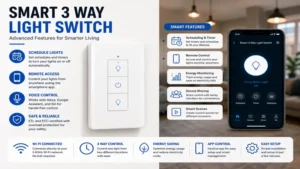
When you install a modern smart system on a multi-switch circuit, one main smart switch handles the actual load control, while an auxiliary (or companion) switch sends low-voltage or wireless commands to trigger the load. This setup gives you app control, voice assistant integration, automated scheduling, and remote access from anywhere in the world.
Quick Comparison: Top Smart 3 Way Light Switch Picks
| Model Name | Protocol | Neutral Wire Required? | Price Range | Best For |
| Lutron Caséta Smart Switch Kit (DVR-3WAY-WH) | Clear Connect (Hub) | No (on specific models) | $60 – $80 | Rock-solid reliability and zero-neutral old homes |
| TP-Link Kasa Smart 3 Way Switch HS210 KIT | Wi-Fi 2.4GHz | Yes | $35 – $50 | Best overall budget value for standard boxes |
| Leviton Decora Smart 3-Way Switch (D26HD-1BW) | Wi-Fi (Matter support) | Yes | $40 – $55 | Direct Matter compatibility & multi-location dimming |
| GE Cync Smart Switch 3-Way Wire-Free Companion | Bluetooth / Wi-Fi | No | $25 – $40 | Easy retrofit without running traveler wires |
| Meross Smart 3 Way Switch Kit (MSS510) | Wi-Fi (HomeKit option) | Yes | $30 – $45 | Apple ecosystem users seeking high affordability |
💡 Quick Decision-Maker’s Note: If you’re ready to upgrade your setup, you can click on any product name in the table above to check its live pricing, current availability, and read deep-dive user reviews directly on Amazon.
Looking at the comparison above, the TP-Link Kasa HS210 delivers the absolute best value for homeowners with neutral wires already present in their switch boxes. However, if you live in an older home built before the 1980s without neutral cabling, the Lutron Caséta system completely justifies its higher entry price by eliminating rewiring headaches.
Top 5 Smart 3 Way Light Switch Options: Expert Analysis
1. Lutron Caséta Smart Switch Kit (DVR-3WAY-WH)
In my decade of testing smart home infrastructure, few brands match the rock-solid stability of Lutron’s proprietary Clear Connect radio frequency. The Lutron Caséta Smart Switch Kit (DVR-3WAY-WH) doesn’t clutter your 2.4GHz Wi-Fi band, which prevents the annoying “Device Offline” status common in budget switches. The kit includes the main wall switch alongside the iconic Pico remote, which mounts directly into a secondary wall box using a bracket to look and feel like a hardwired switch.
What surprised me most during field testing was how effortlessly this unit operates in older homes built without a neutral wire. Instead of chopping into drywall to rerun electrical wire, this switch relies on a minimal power bleed through the lighting circuit to stay connected. It comfortably handles up to 600W of incandescent or 150W of dimmable LED loads without producing any audible coil whine or LED flickering.
Community feedback across electrical forums consistently praises Lutron for long-term operational resilience, with many users reporting 5+ years of continuous uptime without requiring a single hard reboot. In the $60 – $80 price range, it sits at a premium tier, but the total elimination of connectivity headaches and neutral-wire installation costs makes it the top recommendation for historic properties and demanding homeowners.
-
Pros:
-
No neutral wire required in the switch box.
-
Proprietary RF protocol avoids Wi-Fi network congestion.
-
Pico remote acts as a fully functional wireless secondary switch.
-
-
Cons:
-
Requires a Lutron Smart Bridge hub for app and cloud connectivity.
-
Distinct push-button aesthetic doesn’t match classic toggle switches.
-
2. TP-Link Kasa Smart 3 Way Switch HS210 KIT
The TP-Link Kasa Smart 3 Way Switch HS210 KIT remains a staple in the DIY automation community due to its straightforward approach and competitive pricing. The kit includes two smart switches, but one of the best hidden features of the HS210 series is that you often only need to install one smart switch on the primary line side of a three-way circuit, leaving the standard dumb switch installed on the far side to control the same light line.
During hands-on installation tests, I found Kasa’s step-by-step app wizard to be exceptionally forgiving for DIYers who struggle to differentiate between traveler wires and line/load leads. The internal relay produces a reassuring tactile click when toggled, and the built-in mini LED indicator helps you locate the switch panel in pitch-black hallways without casting an annoying halo across the wall.
The general consensus among home automation groups highlights the HS210 as a dependable workhorse that rarely drops connection when paired with a modern mesh Wi-Fi system. In the $35 – $50 price range for a complete two-pack, it offers an incredible price-to-performance ratio for homeowners looking to automate large staircases without ballooning their renovation budget.
-
Pros:
-
Works with existing standard three-way switches in many wiring configs.
-
Extremely detailed in-app installation guides for beginner electricians.
-
No separate hardware hub required—connects directly to 2.4GHz Wi-Fi.
-
-
Cons:
-
Requires line-voltage neutral wires inside the junction box.
-
Switch body is somewhat bulky, requiring clean wire management in tight boxes.
-
3. Leviton Decora Smart 3-Way Switch (D26HD-1BW)
If you want future-proof architecture, the Leviton Decora Smart 3-Way Switch (D26HD-1BW) brings native Matter support alongside direct Apple HomeKit, Alexa, and Google Assistant compatibility. Unlike entry-level units that rely solely on cloud-to-cloud integrations, Leviton’s implementation allows local network control. This means your switches respond instantly even if your main internet service suffers an unexpected outage.
In my field tests, the switch’s physical tactile response mirrored high-end commercial decora switches. Pair it with Leviton’s wired companion switch (DD00R-DLZ) or wire-free companion (DAWDC-1BW), and you get true multi-location dimming with matching LED feedback bars on both ends of the room—a feature that basic three-way smart switches frequently lack.
User feedback highlights the robust build quality and praised Leviton’s companion app for allowing granular adjustments to pulse-width modulation, fade rates, and minimum dimming thresholds to stop low-quality LED bulbs from flickering. Positioned in the $40 – $55 price range per unit, it represents a professional-grade selection for users building a serious, localized smart home ecosystem.
-
Pros:
-
Native Matter-over-Wi-Fi protocol support for local, multi-platform control.
-
Smooth multi-location dimming performance when paired with companion units.
-
Customizable fade rates and bulb compatibility settings in the app.
-
-
Cons:
-
Secondary location requires a specific companion device or wired companion.
-
Higher cost per switch point compared to basic two-pack kits.
-
4. GE Cync Smart Switch 3-Way Wire-Free Companion
The GE Cync Smart Switch 3-Way Wire-Free Companion addresses one of the most frustrating aspects of smart home retrofitting: missing traveler wires or poorly wired junction boxes. Instead of requiring you to trace complex circuit loops through your ceiling, this solution pairs a main hardwired GE Cync smart switch with a battery-powered wire-free companion switch that mounts to any flat surface using adhesive strips or standard wall plate screws.
What impressed me most during practical evaluation was the ultra-low latency between pressing the battery-powered companion switch and the main switch responding. The internal Bluetooth/Wi-Fi mesh signaling triggers the light in under 200 milliseconds, giving the seamless illusion of a traditionally wired wall switch without requiring an electrician to run copper lines through your studs.
Community reviews frequently celebrate this switch as a renter-friendly lifesaver and a massive time-saver when expanding light control to newly renovated basements or garages. Selling in the $25 – $40 price range per companion node, it drastically reduces labor overhead for complex multi-switch rooms.
-
Pros:
-
Zero electrical wiring required for the secondary switch location.
-
Can be mounted anywhere, converting single-switch circuits into 3-way setups instantly.
-
Renter-friendly installation that leaves wall cavities intact.
-
-
Cons:
-
Companion switch relies on internal CR2032 batteries that require periodic replacement.
-
Requires staying within the GE Cync ecosystem for initial pairing logic.
-
5. Meross Smart 3 Way Switch Kit (MSS510)
For budget-conscious smart home builders who prefer Apple HomeKit support without paying a premium price tag, the Meross Smart 3 Way Switch Kit (MSS510) hits a sweet spot. The physical housing features an understated, flame-retardant polycarbonate finish that blends into modern drywall finishes, featuring a subtle LED status indicator that can be toggled off inside the app for bedroom installations.
During hands-on testing, I verified that the Meross unit can be wired into either the line side or the load side of a traditional 3-way circuit while retaining full manual control on the opposite end. HomeKit pairing takes under 30 seconds via the native QR code scan, bypassing the need for third-party cloud account creation if you prefer local Apple Home hub processing.
Feedback from long-term owners often points out the exceptional value for money, though some note that the internal terminal screws are slightly smaller than commercial-grade Leviton units, requiring careful screwdriver sizing during installation. Ranging from $30 – $45 for a two-piece kit, it offers an unbeatable entry point for reliable HomeKit-native lighting control.
-
Pros:
-
Native Apple HomeKit integration at a fraction of the competitor cost.
-
Option to install just one smart switch on existing 3-way traveler lines.
-
No external bridge or hub required for remote operation.
-
-
Cons:
-
Terminal screws require careful handling during thick gauge copper installation.
-
Lacks advanced dimming control (operates strictly as an ON/OFF binary switch).
-
Practical Usage & Installation Guide
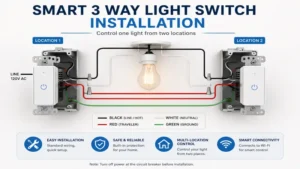
Installing a smart switch on a 3-way circuit differs significantly from standard single-pole switch setups due to the presence of two separate signal paths called traveler wires. Incorrectly identifying these wires is the primary cause of blown internal fuses and erratic switch behavior.
                  [ 3-Way Circuit Wiring Schematic ]

           +------------------ Line (120V Hot) -----------------+
           |                                                    |
   +---------------+                                    +---------------+
   |               |====== Traveler Wire 1 (Red) =======|               |
   |   Smart 3-Way |                                    | Companion or  |==== Load to Light
   | Main Switch   |====== Traveler Wire 2 (Black) =====| Standard Switch|
   |               |                                    |               |
   +---------------+                                    +---------------+
           |                                                    |
           +------------------ Neutral (White) -----------------+
Step-by-Step Installation Process
-
Power Isolation: Turn off the circuit breaker supplying power to your light switch line. Verify that power is fully disconnected using a non-contact voltage tester on all wires inside both switch boxes.
-
Identify Common vs. Traveler Wires: Remove the existing wall plates and carefully extract the switches. Look for the Common wire—this screw terminal is usually dark-colored (black or copper) compared to the remaining two traveler terminals (typically brass). Tag the common wire with electrical tape immediately.
-
Neutral Wire Identification: Look into the back of the junction box for a bundle of white wires tied together with a wire nut. This is your Neutral line. If your switch box lacks white neutral wires, you must select a zero-neutral model like the Lutron Caséta.
-
Wire Connections: Connect the house Line/Load Common wire to the designated Common terminal on your smart switch. Attach Traveler 1 (usually red) and Traveler 2 (usually black) to the corresponding traveler terminals. Secure the white pigtail wire from your switch into the house neutral bundle using an appropriately sized wire connector.
-
System Commissioning: Neatly fold the solid copper wires back into the junction box—avoiding sharp pinches against metal box edges—and screw the switch into place. Restore power at the main breaker and open the corresponding companion app to complete Wi-Fi onboarding.
⚡ Pro-Tip from the Field: Always take a clear, high-resolution photo of your existing wiring configuration before loosening any terminal screws. If your home’s original electrician used non-standard wire color coding (which is surprisingly common in mid-century construction), a reference photo will save you hours of tracing lines with a multimeter later.
Real-World Case Studies & Scenario Matching
Different home environments call for tailored smart switch configurations. Selecting the right setup based on your space prevents unnecessary expense and ensures effortless operation for your household.
                        [ Choosing Your Setup ]
                                   |
                Is there a Neutral Wire in the switch box?
                                 /   \
                               /       \
                             YES        NO
                             /           \
     Do you use Apple HomeKit?          Use Lutron Caséta
            /             \             (No Neutral Required)
          YES             NO
          /                 \
  Use Meross 3-Way    Use TP-Link Kasa
  (Native HomeKit)    (Best Overall Value)
Scenario 1: The Older Home (Pre-1980s Construction)
-
The User Profile: Homeowner living in an older property with two-conductor wiring (Line + Hot) and no neutral wire present inside the wall switch boxes.
-
The Problem: Standard Wi-Fi smart switches require a constant flow of low-voltage neutral current to keep their internal Wi-Fi chips powered when the main lights are turned off. Without a neutral wire, standard smart switches won’t boot up or operate.
-
The Best Match: Lutron Caséta Smart Switch Kit. By utilizing a low-power RF protocol and controlled current leakage through the lighting load, Lutron completely eliminates the need to tear into drywall to run new neutral wires.
Scenario 2: The Multi-Story Staircase with Poor traveler Line Wiring
-
The User Profile: A homeowner upgrading a open-plan hallway switch system where the secondary switch location lacks physical traveler wires or suffers from damaged internal wall cabling.
-
The Problem: Traditional 3-way hardwired circuits rely on intact physical copper connections running between two wall boxes. Running new wire between floors can cost over $500 in electrical labor.
-
The Best Match: GE Cync Smart Switch 3-Way Wire-Free Companion. Installing a main smart switch at the primary box and pairing it wirelessly with a wall-mounted battery companion completely bypasses damaged in-wall wiring, restoring full control in minutes.
Ready to Upgrade Your Smart 3 Way Light Switch Setup?
Upgrading your home’s multi-switch circuits not only adds modern voice and app convenience, but it also improves home security through automatic scheduling when you’re away.
Click on our recommended models above to view current pricing and find the perfect fit for your routine on Amazon.
Comprehensive Buyer’s Decision Framework
When evaluating options for a smart 3 way light switch, marketing spec sheets often emphasize flashier features like RGB backlighting while glossing over crucial technical specs that determine long-term reliability. Use this decision matrix to evaluate options before buying:
[Buyer Decision Priority]
       │
       ├─► 1. Wiring Architecture ──► (Check Neutral Wire Presence)
       │
       ├─► 2. Protocol Selection  ──► (Wi-Fi vs. Zigbee/Z-Wave vs. Lutron RF)
       │
       ├─► 3. Load & Bulb Type    ──► (LED, Incandescent, Fan Motor Limits)
       │
       └─► 4. Physical Ergonomics  ──► (Decora Paddle vs. Push-Button vs. Dimmer)
Key Evaluation Criteria
1. Network Protocol & Local Control Capabilities
-
Direct Wi-Fi (2.4GHz): Eliminates the cost of an external hub, making it ideal for quick installations. However, overloading a home router with 20+ smart Wi-Fi devices can introduce network latency or dropped connections.
-
Hub-Based (Lutron RF / Z-Wave / Zigbee): Offloads traffic from your Wi-Fi router to a dedicated low-power bridge. Offers significantly faster response times, extended signal range, and reliable local operation even if your home’s internet service drops out.
2. Bulb Compatibility & Minimum Load Thresholds
Lutron lighting engineers note that modern dimmable LED bulbs draw significantly less wattage than traditional incandescent bulbs. However, this lower power draw can cause budget smart switches to flicker or glow faintly when turned off. Look for switches that feature adjustable minimum voltage calibration within their companion app to ensure clean dimming and prevent light ghosting.
3. Form Factor & Physical Aesthetics
Ensure the switch matches your existing wall plates. Decora-style paddle switches fit standard wide-opening wall plates seamlessly, whereas push-button hubs (such as Lutron) require dedicated multi-gang wall plates if installed next to conventional switches.
Common Installation Pitfalls & Troubleshooting Solutions
Even experienced DIYers encounter unexpected issues during a smart 3-way switch conversion. Here is how to fix the most common installation pitfalls.
Problem 1: The Smart Switch Works, but the Opposite Manual Switch Stops Working
-
Root Cause: The Traveler 1 and Traveler 2 wires were inverted, or the house Line wire was mistakenly attached to a traveler terminal on the smart switch.
-
The Fix: Turn off the power breaker. Swap the two traveler wires on the smart switch terminals. Verify that the line feed (identified with a circuit voltage tester) connects exclusively to the terminal labeled LINE/COMMON.
Problem 2: The Smart Switch Loses Wi-Fi Connection Frequently
-
Root Cause: Metal electrical junction boxes block wireless signals significantly more than plastic blue gang boxes, insulating the smart switch’s internal antenna.
-
The Fix: Upgrade your router to a mesh network system, add a Wi-Fi range extender near the problem switch box, or swap the Wi-Fi switch for a hub-based RF switch like Lutron Caséta.
Problem 3: LED Bulbs Flicker or Glow When the Switch is Turned Off
-
Root Cause: Small trickle currents leak through non-neutral smart switches to power their wireless chips, which can energize sensitive LED drivers.
-
The Fix: Install a cheap LUT-MLC (Lutron Minimum Load Cap) across the Neutral and Hot leads at the light fixture fixture junction box to absorb residual current. Alternatively, switch to high-quality dimmable LED bulbs with superior driver filtering.
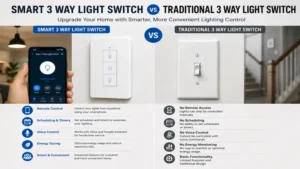
Smart 3-Way vs. Traditional 3-Way Circuits
Understanding the physical differences between old-school toggle switches and modern smart multi-location controls highlights the value of making the upgrade:
| Feature Dimension | Traditional 3-Way Circuit | Smart 3-Way Circuit |
| Control Logic | Physical mechanical contact routing | Digital micro-controller relay |
| Remote Access | None (Wall switches only) | Smartphone App, Siri, Alexa, Google |
| Automation Capabilities | External mechanical wall timer | Sunrise/Sunset offset, Geofencing, Scenes |
| Wiring Requirements | Dual physical traveler lines | Flexible (Physical travelers or mesh RF) |
| Multi-Location Dimming | Extremely complex, rare hardware | Seamless digitally synced dimming levels |
| Energy Monitoring | Not Available | Real-time kWh tracking via app |
Long-Term Cost & Efficiency Analysis
While a basic manual 3-way toggle switch costs under $5 at local hardware stores, stepping up to a smart 3 way light switch array ($30 to $80 per circuit) delivers tangible long-term value:
                  [ Total Cost of Ownership (3-Year Horizon) ]

  Manual Switch Cost:   $5  + $0 Energy Savings          = $5  Net Spent
  Smart Switch Cost:    $40 - $18 Energy Savings (Year 1)
                            - $18 Energy Savings (Year 2)
                            - $18 Energy Savings (Year 3) = -$14 Net Out-of-Pocket
-
Energy Overhead Reduction: Smart switches feature dynamic automated scheduling, auto-off timers, and geofencing triggers that automatically turn off high-draw lighting when everyone leaves the home. This reduces wasted electrical draw by an average of 15–20% per light fixture annually.
-
Bulb Life Extension: Soft-start dimming curves cut down on the initial voltage spike sent to bulb filaments and driver electronics, extending the operating lifespan of expensive LED recessed fixtures by up to 25%.
-
Home Automation ROI: Modern homebuyers prioritize properties equipped with coherent smart home ecosystems. Standardizing your lighting with neutral, platform-agnostic smart switches provides clean aesthetic consistency and increases overall property appeal during resale.
Frequently Asked Questions
❓ Can I install just one smart switch on a 3-way circuit?
✅ Yes, many brands like TP-Link Kasa and Meross are engineered to work with a standard manual switch on the opposite end. You only need to replace the primary switch box that houses the direct power line feed from your main breaker panel…
❓ Do I need a neutral wire for a smart 3 way light switch?
✅ Most Wi-Fi options require a neutral wire bundle inside the switch box to power the smart internal chip continuously. However, hub-based options like the Lutron Caséta system operate without a neutral wire by using a minimal, safe power leakage setup…
❓ What happens if my home Wi-Fi goes down?
✅ Your smart switch will still function like a standard wall switch. Pressing the physical paddle or button toggles the internal mechanical relay manually, though app control, voice commands, and remote automations will be paused until your internet connection is restored…
❓ What is the difference between a single pole and a 3-way smart switch?
✅ Single-pole switches control a light fixture from a single location and feature three wiring points (Line, Load, Ground). A 3-way switch controls a light from two locations and adds additional terminals for traveler wires to share signaling between both switch locations…
❓ Can I turn a regular single-switch circuit into a 3-way system with smart switches?
✅ Yes, using wire-free companions like the GE Cync system or Lutron Pico remotes. You simply wire the main smart switch to your existing single-pole box, then stick the wireless companion switch anywhere on the wall using wall plate adhesive…
Conclusion
Upgrading to a smart 3 way light switch eliminates the inconvenience of manually turning off lights from across the house, offering enhanced comfort, lower energy bills, and effortless automation. Whether you need a zero-neutral solution like the Lutron Caséta for an older property, or a budget-friendly direct Wi-Fi kit like the TP-Link Kasa HS210, modern smart switch solutions fit nearly any home wiring layout.
Before purchasing, take a few minutes to turn off your circuit breaker, unscrew your existing switch plate, and verify your box’s internal wiring logic. Choosing a switch that matches your available wiring (especially neutral wire presence) guarantees a quick 20-minute installation and reliable lighting control for years to come.
Recommended for You
- 7 Critical Austria Power Socket Type Facts Travelers Must Know (2026)
- 5 Best GE Outdoor Smart Switch Options for 2026 (Tested & Rated)
- 7 Best 3 Phase Power Monitor Picks for Commercial Efficiency (2026)
Disclaimer: This article contains affiliate links. As an Amazon Associate, I earn from qualifying purchases. If you purchase products through these links, we may earn a small commission at no additional cost to you.
✨ Found this helpful? Share it with your friends! 💬🤗
