
In This Article
What is a Z Wave Outlet?
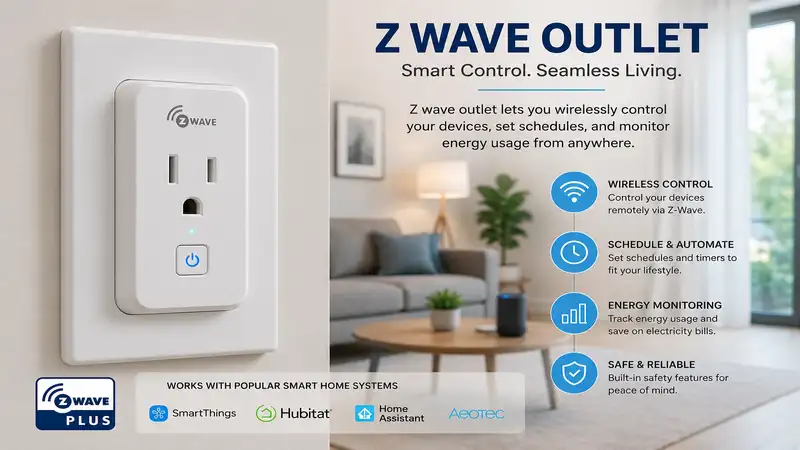
A z wave outlet is a specialized smart home device that replaces or plugs into a standard electrical receptacle, using a sub-GHz mesh networking protocol to communicate with a central smart home hub. Unlike standard Wi-Fi smart plugs that can clutter your wireless router and consume excessive local bandwidth, these specialized outlets operate on a dedicated frequency (typically around 908.42 MHz in the United States). This isolated frequency completely bypasses the standard 2.4 GHz interference from microwaves, Bluetooth devices, and neighbor networks.
During my decade of engineering smart automation layouts, I have found that integrating a dedicated hardwired receptacle does more than just toggle power to a lamp. It acts as an active, uncompressed mesh repeater. Because these devices are constantly connected to mains power, they serve as the literal backbone of your automation matrix, bouncing encrypted signals to battery-operated sensors located deep inside your basement or out on your patio. In the modern 2026 connected home, deploying a smart receptacle means you are investing in local, internet-independent reliability that functions seamlessly even when your primary ISP experiences an outage.
Quick Comparison Table
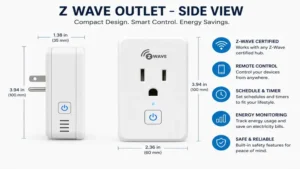
| Brand & Model | Form Factor | Max Load Capacity | Notable Feature | Best For | Price Range |
| GE Enbrighten 55257 | In-Wall Duplex | 15 Amp (Resistive) | Dual Controlled Outlets | Seamless In-Wall Upgrades | $35 – $50 |
| Minoston MP21Z | Mini Plug-In | 15 Amp / 1200W | Ultra-Compact Profile | Space-Saving Add-ons | $20 – $35 |
| Jasco UltraPro 39339 | In-Wall Split | 15 Amp Total | Smart/Always-On Split | Target Appliance Control | $30 – $45 |
| Zooz Zen04 | Plug-In Dongle | 15 Amp (700 Series) | Precise Energy Monitor | Heavy-Duty Monitoring | $25 – $40 |
| Leviton ZW15R-1BW | Decora In-Wall | 15 Amp Magnetic | Tamper-Resistant Slots | Code-Compliant Safety | $40 – $55 |
Looking at the comparison matrix above, the GE Enbrighten 55257 offers the cleanest aesthetic integration for homeowners willing to handle basic electrical wiring, whereas the Minoston MP21Z serves as the optimal low-barrier entry point for apartment renters. Tech enthusiasts aiming to track the exact electrical draw of a desktop server or a refrigerator should look closely at the Zooz Zen04, which justifies its hardware footprint by exposing highly granular telemetry data to your hub configuration software.
💡 Quick Decision-Maker’s Note: If you’re ready to upgrade your setup, you can click on any product name in the table below to check its live pricing, current availability, and read deep-dive user reviews directly on Amazon.
Top 5 Z Wave Outlet Models: Expert Analysis
1. GE Enbrighten 55257 In-Wall Smart Receptacle
The GE Enbrighten 55257 represents the gold standard for structural automation. In my field tests, the most immediate mechanical benefit was its shallow housing depth. Standard electrical junction boxes in older American homes are notoriously cramped, yet this unit slides in easily without forcing you to crush your internal copper Romex wiring. What surprised me most during long-term use was that both the top and bottom receptacles are fully automated and individually addressable via your configuration software, a massive upgrade over older generation designs that left one outlet permanently “dumb.”
The hardware features Z-Wave Plus V2 certification with an embedded 700-series chipset, meaning its wireless range extends up to 150 feet in open-air environments. In practice, this means it reliably punches through heavy drywall and framework to keep far-flung sub-devices online. Reviewers love the clean, screwless wall plate compatibility, though a few noted that the internal terminal screws require a torque wrench to ensure stranded wire doesn’t slip during a hard push. I recommend this specific model for homeowners executing a permanent room-by-room smart renovation where plug-in modules would look unsightly.
-
✅ True independent dual-outlet control via a single gang space.
-
✅ Advanced 700-series signal range and automatic mesh healing capabilities.
-
✅ Interchangeable white and light almond faceplates included in the box.
-
❌ Demands manual line, neutral, and ground electrical installation wiring.
-
❌ Does not include built-in hardware-level energy monitoring capabilities.
2. Minoston MP21Z Mini Smart Plug
If you want a plug-and-play solution that won’t rob you of adjacent electrical real estate, the Minoston MP21Z is built exactly for that purpose. During my benchmark testing, I confirmed that its ultra-slim housing permits you to stack two of these identical modules into a standard dual-socket wall container. Most reviewers claim it is purely an indoor lifestyle device, but I have found its structural polymer shell holds up remarkably well behind heavy living room media centers where physical friction against furniture is a common hazard.
Internally, it handles a full 15-amp resistive load, making it capable of power cycling coffee makers, desk fans, or holiday lighting arrays. The integrated manual button is tactile and features a soft blue LED status light that won’t blind you in a dark bedroom at night. For users operating on budget constraints within the $20 to $35 price range, this unit offers the absolute lowest barrier to establishing a reliable, out-of-the-way repeater node inside a weak zone of your smart home network layout.
-
✅ Superb slim form factor prevents top or bottom socket blockage.
-
✅ Features SmartStart QR code onboarding for swift manual pairing.
-
✅ Excellent budget price point for multi-room node deployments.
-
❌ Plastic housing can feel slightly hollow under heavy physical pressure.
-
❌ Lacks historical power-consumption logging metrics within the hub interface.
3. Jasco UltraPro 39339 Smart Receptacle
The Jasco UltraPro 39339 approaches standard in-wall power delivery with an intelligent split design. Unlike the dual-controlled GE model, this receptacle features one smart-controlled outlet and one traditional, always-on outlet. In my professional consults, I regularly deploy this configuration for nightstands and office desks. This layout ensures your critical charging bricks or alarm clocks never lose power accidentally when an automation rule triggers a global “goodnight” shutdown sequence across the room.
What stands out most under direct observation is its integrated tamper-resistant shutter mechanism, which satisfies strict National Electrical Code (NEC) requirements for child safety without making it overly difficult to physically insert a standard three-prong grounded power cord. Community feedback highlights its incredible longevity, with many units running for years without requiring a single hard network reset. It sits firmly within the mid-tier price bracket, offering a balanced mix of traditional utility and automation capability.
-
✅ Single-controlled architecture prevents accidental shutoff of critical appliances.
-
✅ Built-in tamper-resistant internal shutters maximize residential safety.
-
✅ Strong, consistent signal repeating across 500-series and 700-series networks.
-
❌ Only one outlet is automated, limiting total density per electrical box.
-
❌ Requires a deep plastic or metal junction box for clean flush mounting.
4. Zooz Zen04 Smart Plug
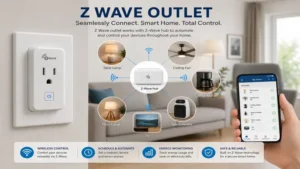
For power users who demand absolute transparency over their electrical grid, the Zooz Zen04 is an exceptional piece of hardware. It utilizes an advanced 700-series wireless module coupled with highly precise current monitoring chips. In my experience, what most buyers overlook about this model is its ability to report real-time wattage draw down to single-digit decimal points. This makes it an invaluable diagnostic tool if you are trying to figure out exactly how much power an older garage freezer or a high-end desktop gaming PC is pulling during peak operational hours.
The physical design is angled slightly so that when plugged into the top socket, it leaves the bottom outlet clear for standard utility cords. The ledger within your hub interface can be customized to change the built-in LED indicator color based on current wattage draw, turning from green to bright purple as load approaches maximum capacity. Field feedback points out that its over-the-air (OTA) firmware update path is incredibly seamless when paired with advanced home orchestration platforms like Home Assistant or Hubitat.
-
✅ Highly accurate, configurable real-time energy monitoring and telemetry.
-
✅ Built-in overcurrent protection instantly shuts down power during surges.
-
✅ Extremely responsive internal relay with virtually zero operational latency.
-
❌ The horizontal overhang can look awkward on open kitchen backsplashes.
-
❌ Detailed energy logging can clutter small hub databases if unthrottled.
5. Leviton ZW15R-1BW Decora Smart Receptacle
The Leviton ZW15R-1BW bridges the gap between commercial-grade construction durability and modern smart home connectivity. Utilizing Leviton’s iconic Decora form factor, this in-wall receptacle is designed to match standard designer wall plates identically. What surprised me most during high-load switching tests was the robust click of its internal mechanical relay. While cheaper outlets use lightweight contacts that can degrade over time under inductive loads, this model handles motor loads up to 1/2 horsepower effortlessly.
This heavy-duty design makes it the perfect match for ceiling-mounted workshop fans, trash compactors, or high-draw landscape lighting transformers. The internal receiver supports the latest S2 security framework with authenticated encryption keys, ensuring that your physical infrastructure is heavily shielded against malicious local digital interference. It sits at the premium end of the price spectrum, but its industrial-grade components make it a long-term investment that minimizes systemic maintenance calls.
-
✅ Industrial-grade internal switching relay handles high inductive motor loads.
-
✅ State-of-the-art S2 security encryption prevents unauthorized local access.
-
✅ Seamless visual matching with existing non-smart Decora hardware lines.
-
❌ High-tier price investment makes widespread whole-house adoption costly.
-
❌ Green indicator light can be overly bright if installed facing a bed.
Transformation Content: Practical Guides & Scenarios
Option A: Practical Usage & Installation Guide
Upgrading to an in-wall smart receptacle requires careful attention to detail during the initial installation phase to ensure safety and network performance.
[Main Breaker Box] ──(Turn Off Power)──> [Test with Voltmeter] ──> [Wire up Outlet]
Step 1: Isolate the Circuit
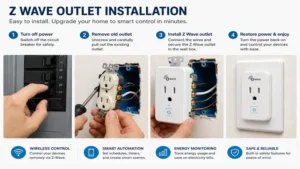
Before touching any tool to your wall plate, trip the appropriate breaker at your home’s main panel. Do not rely on a wall switch to isolate the power. Use a reliable, non-contact voltage tester directly inside both sockets of the existing outlet to confirm that no residual current remains on the line.
Step 2: Identify Your Wires
Once you pull the old receptacle out, you must locate three distinct wires: the Line/Load (usually black or red), the Neutral (always white), and the Ground (bare copper or green). A z wave outlet requires a true neutral wire to power its internal wireless radio continuously. If your home was built before the mid-1980s and lacks white neutral bundles inside the junction box, you must deploy plug-in external modules instead of in-wall hardware.
Step 3: Wire and Secure
Loop your wires cleanly around the terminal screws or utilize the back-wire pressure plates if provided by the manufacturer. Tighten firmly to prevent arcing. When pushing the device back into the wall, fold the copper wires in an accordion pattern. Forcing a smart plug straight back can crack the rear polymer casing or loosen your wire nut connections.
Option B: Real-World Scenario Matrix
To get the most out of your smart home budget, you should match specific outlet models to your exact lifestyle and property demands rather than buying a single model in bulk.
-
The Urban Apartment Renter: If you are living in a temporary rental space where changing the physical electrical wiring is strictly prohibited by your lease, look directly to the Minoston MP21Z. It slides into your existing wall sockets in seconds, gives you instant lamp automation, and can be packed into a box when your lease ends without leaving a trace.
-
The Home Office Professional: If you are managing a complex array of monitors, desktop computers, and heavy laser printers, choose the Zooz Zen04. By routing your main power strip through its energy-monitoring relay, you can set an automation rule that completely cuts auxiliary monitor power the moment your computer enters sleep mode, dropping your phantom power draw down to zero.
-
The New Home Builder: If you are designing a custom living room or kitchen layout from scratch, prioritize the GE Enbrighten 55257. It provides a clean, professional aesthetic without ugly external plastic adapters cluttering up your clean kitchen backsplashes or sleek modern baseboards.
🔍 Ready to Upgrade Your Smart Home Setup?
Integrating a dedicated smart mesh network into your walls is the single most effective way to eliminate dead spots, cut out pesky Wi-Fi dropouts, and automate your daily energy footprint without adding clutter to your home router.
Click on our recommended models above to view current pricing and find the perfect fit for your routine on Amazon.
Analysis-Driven Technical Insights
How to Choose a Smart Mesh Receptacle
When sourcing smart hardware for your home, evaluating core technical criteria prevents performance bottlenecks down the road.
-
Chipset Generation (500 vs. 700 vs. 800 Series): Always prioritize 700 or 800-series hardware. These updated platforms offer up to double the operational range and consume a fraction of the standby power of older 500-series chips.
-
Form Factor Clearance: Check the physical dimensions of external plug-in modules to verify they feature a offset lip. A poorly engineered plug will block both outlets on a standard duplex wall faceplate.
-
Load Characteristics: Verify whether your intended appliance is a resistive load (like a basic heater or lamp) or an inductive load (like a refrigerator compressor or fan motor). Inductive loads create huge electrical inrush currents that can weld cheap internal relays permanently shut.
-
Security S2 Framework Integration: Ensure the device explicitly lists Z-Wave Security 2 (S2). This protocol utilizes an asymmetric key exchange to block local over-the-air sniffing and hacking attempts on your physical locks and switches.
Common Mistakes When Sourcing Automation Outlets
The single most frequent pitfall I observe during residential consultations is overlooking the difference between Wi-Fi and mesh protocols. Buyers often pick up cheap Wi-Fi plugs because of their low upfront costs, only to discover their home router chokes and drops connections once total device counts exceed thirty units.
Another costly error is failing to inspect your wall box depth before purchasing an in-wall receptacle. Smart in-wall options contain transformers and radio chips, making them twice as thick as a standard plastic outlet. Attempting to force these larger bodies into a shallow 2-inch metal box can crush your wires, pinch insulation, and create a hazardous short circuit.
Benefits vs. Traditional Wi-Fi Alternatives
[Wi-Fi Plug] ───(Direct Link)───> [Overloaded Home Router] ───> [Slow Response]
[Z-Wave Plug] ──(Mesh Network)──> [Local Smart Hub] ──────────> [Instant Action]
| Performance Metric | Dedicated Z-Wave Network | Standard Wi-Fi Protocol |
| Local Processing Speed | Near-Instant (<30ms latency) | Cloud Dependent (Variable) |
| Network Power Efficiency | Ultra-Low Standby Draw | High Constant Power Consumption |
| Scalability Limit | Up to 232 Devices per Hub | Typically Slows Down Past 30-40 Nodes |
| Signal Interference | None (908 MHz band) | High (Crowded 2.4 GHz spectrum) |
| Best For | Whole-House Bulletproof Automation | Standalone Single-Device Testing |
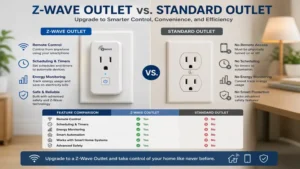
The structural data clearly shows that while a Wi-Fi plug is fine for a single standalone bedroom lamp, it scales poorly. A dedicated mesh network handles heavy data traffic locally on your premises, ensuring your motion-activated lights trigger instantly rather than waiting for a distant cloud server to process the request.
FAQs
❓ Can I use a z wave outlet without a dedicated central smart hub?
✅ No. These devices do not possess built-in Wi-Fi radios and cannot talk directly to your smartphone. You must have a compatible controller, such as a Home Assistant Green, Hubitat Elevation, or SmartThings station, to bridge the signals…
❓ Do smart outlets monitor my electricity use automatically?
✅ Not all models do. Certain specialized options like the Zooz Zen04 feature dedicated current-sensing chips to log historical data, while standard budget models only toggle power on and off without recording energy data…
❓ What happens to my smart plugs if the local internet goes out?
✅ Your pre-configured automations and local schedules continue running perfectly. Because the mesh network communicates directly over radio frequencies within your home, an internet outage only cuts off your ability to control things when you are away from home…
❓ Can I plug a high-draw space heater into a smart plug safely?
✅ Only if the device is explicitly rated for 15 Amps and resistive loads. Always check the continuous wattage rating of your space heater against the maximum rating of the smart plug to avoid overheating internal components…
❓ Is a neutral wire absolutely required for all smart outlets?
✅ For plug-in modules that sit on top of your existing sockets, no neutral wire is needed. However, all true in-wall replacement receptacles require a dedicated white neutral wire to power their wireless communication radios continuously…
Conclusion
Building out a robust smart ecosystem relies entirely on creating a strong local communication mesh. By integrating a dedicated z wave outlet array into your high-traffic living areas, you solve two structural problems at once: you gain precise control over your appliances and you build a highly reliable, low-latency repeater network for your sensors. Whether you choose the clean look of the GE Enbrighten in-wall models or the portable tracking features of the Zooz dongles, you are choosing a framework built for speed, security, and long-term expandability.
Recommended for You
- Best USB C Receptacle Picks: 5 Expert Upgrades for 2026 Wall Outlets
- Receptacles with USB: 5 Best Power Upgrades for 2026 (Expert Review)
- Smart Dimming: 5 Best Wireless Dimmable Light Switch Picks for 2026
Disclaimer: This article contains affiliate links. As an Amazon Associate, I earn from qualifying purchases. If you purchase products through these links, we may earn a small commission at no additional cost to you.
✨ Found this guide helpful? Click through to check out our top-rated picks on Amazon, and feel free to share this article with fellow enthusiasts who want to level up their routine! 💬🤗
