
In This Article
Why a Combo Outlet Is the Smartest Small Upgrade You’ll Make This Year
Picture the classic problem: a bathroom with exactly one single-gang box by the door. It holds the light switch, so your hair dryer lives on an extension cord that snakes across the vanity. Or a hallway closet where you’d love a spot to charge the cordless vacuum, but the only thing in the wall is a toggle. A combo outlet solves both without cutting drywall, adding a box, or pulling new cable in most cases.
The idea is simple: two functions, one device, one wall opening. But “combo” covers more ground than most shoppers expect. Some devices pair a switch with a receptacle. Some pair a switch with a GFCI. Others pair a regular outlet with USB-A and USB-C charging ports, and the newest ones squeeze GFCI protection and USB charging into the same strap. Picking the wrong family is the single most common reason people return a combo outlet, so this guide sorts them by job first and brand second.
Everything below is built from manufacturer spec sheets, National Electrical Code (NEC) requirements, independent bench testing published by third parties, and aggregated retailer review sentiment. No product here gets a fake star rating or an invented testimonial. Where review data is thin, you’ll see that stated plainly.
What Is a Combo Outlet?
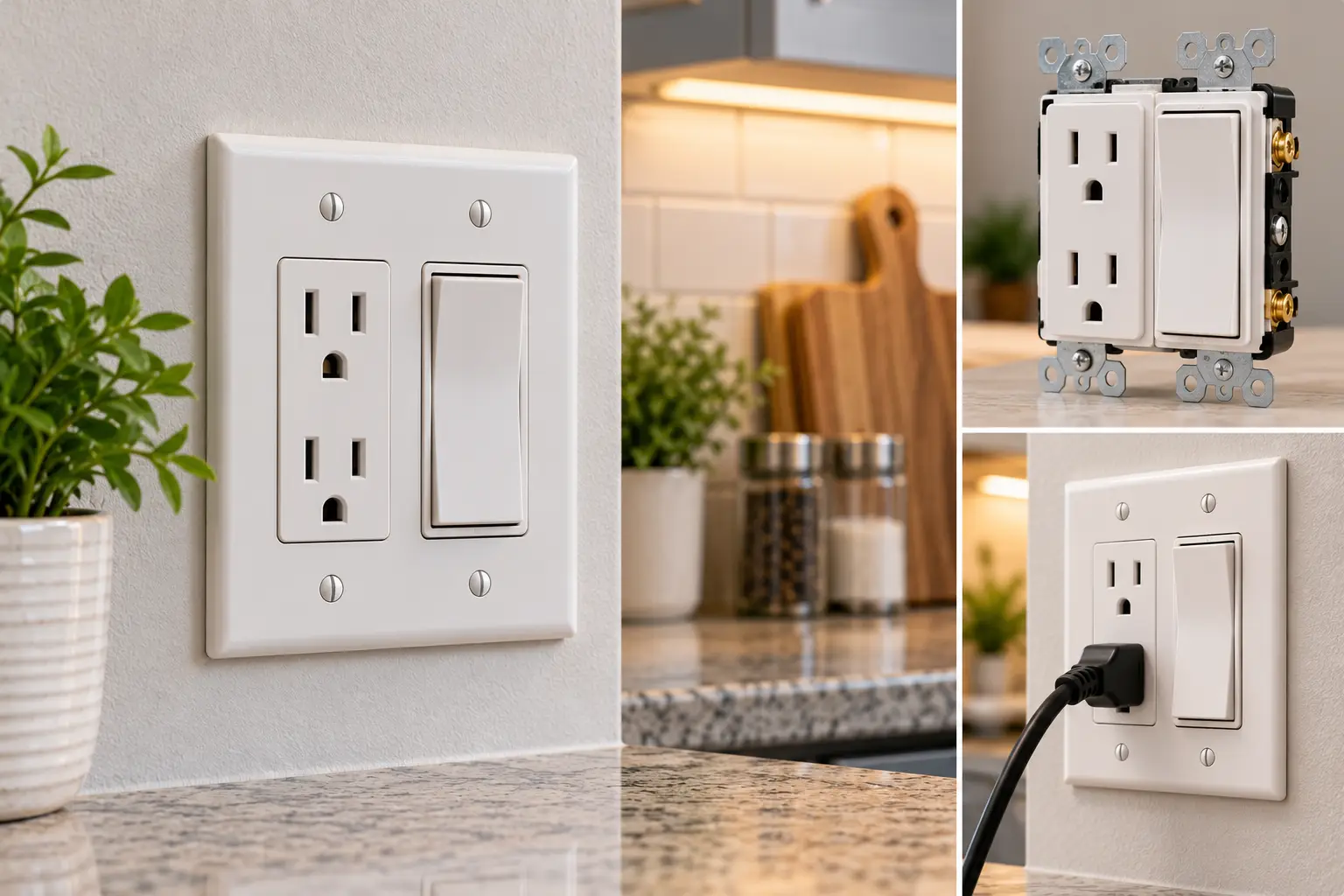
A combo outlet is a single wiring device that combines a standard receptacle with a second function, usually a light switch, a GFCI, or USB charging ports, on one mounting strap. It fits a standard single-gang box, so you gain a feature without adding a second wall opening or cover plate.
If the GFCI part is new to you, Harvard’s environmental health and safety team has a clear GFCI fact sheet explaining how these devices cut power when current leaks along an unintended path, such as through water or a person. That protection matters a lot in the rooms where combos get installed most: bathrooms, laundry rooms, and kitchens ⚡.
Quick Comparison: The Best Combo Outlet for Every Job
Before the deep dive, here’s the short version. The table groups each pick by the job it does, because a switch combo and a USB combo solve completely different problems.
| Product | Combo type | Key spec | Price range (USD) | Best for |
|---|---|---|---|---|
| Leviton T5225 | Toggle switch + TR outlet | 15A, side wired | around $10–$20 | Leviton T5225: classic toggle look, tight budgets |
| Leviton T5625 | Decora rocker + TR outlet | 15A, Decora plate | around $10–$20 | Leviton T5625: rooms with modern rocker switches |
| ENERLITES 68625-TR | Paddle switch + TR outlet | Switch rated 120–277V | under $15 | ENERLITES 68625-TR: closets and color-matched rooms |
| Leviton GFSW1 | Switch + self-test GFCI | 20A feed-through, slim body | around $25–$45 | Leviton GFSW1: small bathrooms, laundry rooms |
| Leviton T5633 | Duplex TR outlet + USB-A/C | 5.1A combined USB | around $25–$40 | Leviton T5633: bedrooms and kitchens, phones and tablets |
| ELEGRP 20A GFCI + USB | GFCI + USB-A/C | 24W total USB | around $20–$30 | ELEGRP 20A GFCI + USB: kitchen islands, wet areas |
| Amerisense GaN 65W 3-Port | TR outlet + 2× USB-C, 1× USB-A | 65W single-port max | around $40–$60 | Amerisense GaN 65W 3-Port: home offices, laptop charging |
Looking at the table, the price spread tells a clear story: basic switch combos cost about the same as a takeout lunch, while GFCI and high-wattage USB combos cost two to four times more because they carry electronics inside. The ENERLITES 68625-TR is the value floor for switch combos, while the Leviton GFSW1 is the one to beat if a code-required GFCI and a switch must share a single box. For charging, the Amerisense GaN 65W 3-Port is the only pick here that can realistically top up a laptop.
💬 One click helps other shoppers make an informed choice too! Tap any highlighted product to check its current price and availability. 😊
Top 7 Combo Outlet Picks for 2026: Expert Analysis
Each pick below was chosen from real spec sheets and real retailer listings, covering entry-level, mid-range, and premium options across all three combo families. Model numbers are included so you can confirm you’re buying the exact version discussed.
1. Leviton T5225 — the no-fuss toggle classic
The Leviton T5225 is the device most electricians picture when someone says “switch outlet combo”: a toggle switch on top, a single tamper-resistant receptacle below, all on one strap.
It’s rated 15A, accepts 14 to 12 AWG wire on side terminals, and Leviton’s spec sheet for the 5225 family lists a 1/2 horsepower switch rating at 120V. In practice, that means it handles a bathroom fan, a closet light, or a garbage disposal switch without strain. The key feature is the break-off tab between the switch and receptacle: leave it intact and the switch controls the outlet; snap it off and you can feed the outlet and switch separately so the outlet stays always-on.
This is the pick for anyone matching existing toggle switches in an older home, or for a landlord who wants a durable, code-friendly part at the lowest possible cost. The “T” prefix matters: the plain 5225 is not tamper-resistant, so it generally won’t satisfy NEC 406.12 in a dwelling.
Retailer review pages for the 5225 family skew positive, with praise focused on fitting two functions into one opening; the recurring caution is getting the break-off tab right for your wiring.
Pros:
- ✅ Two functions in one standard single-gang box
- ✅ Break-off tab supports separate or shared feeds
- ✅ Tamper-resistant shutters meet modern dwelling code
Cons:
- ❌ Toggle styling looks dated next to Decora rockers
- ❌ Single receptacle, not duplex, so only one plug
Usually around $10–$20 at the time of writing; excellent value for a code-compliant, long-lived device.
2. Leviton T5625 — modern rocker, same smart layout
The Leviton T5625 takes the same two-in-one idea and wraps it in Decora styling, so it disappears into a room full of rocker switches.
You get a rocker switch over a tamper-resistant 15A receptacle, and it uses a standard one-gang Decora wall plate instead of the duplex-style plate the toggle version needs. That plate detail sounds trivial, but it’s what makes the room look intentional rather than patched. Like the toggle model, it relies on a break-off tab to choose between switched and constant power on the outlet.
Based on comparing the two Leviton models, the Leviton T5625 is the better choice for any remodel where other switches are already Decora, and for homeowners who simply find rockers easier to hit with an elbow when their hands are full. Functionally, it’s a sibling to the Leviton T5225, so the choice is about aesthetics and plate style rather than capability.
I could not verify a large pool of Amazon reviews specific to this model number, so treat review sentiment as limited; Leviton’s broader Decora combination line is widely stocked by major US retailers.
Pros:
- ✅ Decora look blends with modern rocker switches
- ✅ Tamper-resistant receptacle satisfies dwelling requirements
- ✅ Same proven break-off tab wiring flexibility
Cons:
- ❌ Needs a Decora plate, not your old duplex cover
- ❌ Limited model-specific review data to lean on
Typically around $10–$20; a fair price for a cleaner look with no functional compromise.
3. ENERLITES 68625-TR — budget paddle with color options
The ENERLITES 68625-TR is the value pick, pairing a paddle switch with a single tamper-resistant outlet at a price that makes outfitting several closets painless.
Per the listing specs, the switch is rated 15A at 120–277VAC, the outlet is 15A at 125VAC, and it accepts push-in or side wiring for 12–14 AWG copper only. The 277V switch rating is a quiet bonus for light commercial spaces, though it’s irrelevant in a typical house. The stated operating range of 32–131°F means it’s not designed for an unheated outdoor shed in a Minnesota winter.
This is a strong match for DIYers outfitting closets, pantries, and utility rooms, plus anyone who wants black, brown, or gray finishes. One catch from the listing: the ivory variant is flagged as not tamper-resistant, so check the exact SKU.
Customer reviews consistently describe it solving “I only have a switch here” problems: closets, bathroom vanities, and kitchen counters where a stand mixer needed a home.
Pros:
- ✅ Lowest cost in this switch combo group
- ✅ Multiple finishes beyond white and almond
- ✅ Push-in or side wiring for flexibility
Cons:
- ❌ Push-in terminals are less robust than screw clamps
- ❌ Ivory variant lacks tamper-resistant shutters
Usually under $15; outstanding value if you use the side screws and pick a TR variant.
4. Leviton GFSW1 — GFCI and switch in one slim body
The Leviton GFSW1 is the problem-solver for tiny bathrooms, where code wants GFCI protection but there’s only room for one device.
It combines a SmartlockPro self-test GFCI with a single-pole switch. The self-test runs automatically, and a lockout feature blocks reset if the GFCI can no longer protect you, which means a dead GFCI can’t quietly pose as a working one. The receptacle is 15A, but the GFCI circuitry has a 20A feed-through rating, so on a 20A circuit it can protect downstream devices too. The slim profile helps in shallow boxes.
This is the pick for a bathroom vanity light plus razor outlet, or a laundry room. Expect a steeper learning curve: line, load, and switch terminals need careful matching to the diagram.
Retailer reviews generally praise the space savings, while a recurring theme is confusion about whether the switch is protected; Leviton’s own Q&A notes it can be wired so the GFCI protects the switched load.
Pros:
- ✅ Self-test with lockout for real protection confidence
- ✅ 20A feed-through protects downstream outlets
- ✅ Slim body fits crowded, shallow boxes
Cons:
- ❌ Wiring is trickier than a basic switch combo
- ❌ Only a single 15A receptacle face
Usually around $25–$45; worth every dollar when code requires GFCI and space is tight.
5. Leviton T5633 — dependable USB-A/USB-C everyday charger
The Leviton T5633 is the safe, mainstream USB outlet combo: a full duplex tamper-resistant outlet plus one USB-C and one USB-A port.
The USB-C port delivers up to 3A at 5V and the USB-A up to 2.4A, sharing a combined 5.1A (about 25W). A smart chip negotiates the right current per device. What the spec sheet makes clear, and many buyers miss, is that this model does not support USB Power Delivery, so it won’t fast-charge a recent iPhone or a laptop at full speed. Leviton points PD shoppers to the T5635 instead, and a 20A version exists as the T5833.
On paper, it’s ideal for nightstands, kitchen backsplashes, and kids’ rooms where phones, earbuds, and tablets charge overnight. It keeps both AC outlets free, which is the real win.
Independent heat testing by The Smart Home Hookup found the Leviton unit ran coolest inside the wall among the outlets it measured, a meaningful reliability signal for a device that lives in insulation.
Pros:
- ✅ Keeps both AC outlets free while charging
- ✅ Runs cool in third-party heat testing
- ✅ Available in 15A and 20A versions
Cons:
- ❌ No Power Delivery, so no true fast charging
- ❌ 25W total won’t meaningfully charge laptops
Typically around $25–$40; fair value for a quiet, cool-running overnight charger.
6. ELEGRP 20A GFCI + USB — wet-area protection with charging built in
The ELEGRP 20A GFCI + USB combo outlet is one of the few widely sold devices that merges ground-fault protection with USB-A and USB-C ports.
It has one tamper-resistant AC outlet, a 24W shared USB budget across both ports, a self-test cycle the maker says runs every 5 seconds, and a midsize screwless plate in the box. The brand also claims over 6,000 endurance cycles. In plain terms: you trade the second AC outlet for two charging ports, which is great on a kitchen island where a phone lands more often than a blender.
This suits kitchens, bathroom vanities, and garage workbenches where GFCI is required and charging is wanted. Make sure the exact listing is the tamper-resistant variant; ELEGRP sells non-TR GFCIs too.
Review volume on the retailer pages I could verify is thin and mixed: one owner liked it in a tiny home, while another reported an outlet that stopped working despite a green status light. Check current Amazon reviews before buying in bulk.
Pros:
- ✅ GFCI and USB-C in one device
- ✅ Rated for 20A circuits common in kitchens
- ✅ Screwless wall plate included in box
Cons:
- ❌ Only one AC receptacle face
- ❌ Limited, mixed verified review history so far
Usually around $20–$30; good value for the feature mix, with a reliability question mark.
7. Amerisense GaN 65W 3-Port — the only real laptop charger here
The Amerisense GaN 65W 3-Port is the premium USB outlet combo, built to replace the bulky laptop brick for good.
It pairs a 15A tamper-resistant outlet with two USB-C ports and one USB-A port, using gallium nitride (GaN) circuitry that the maker rates above 90% efficient. A single device can pull up to 65W; when USB-C and USB-A run together, the USB-C port drops to 45W. In practice, 65W fully powers many 13- to 14-inch laptops, while 45W still handles tablets and smaller notebooks.
In The Smart Home Hookup’s bench test of 65W outlets, the dual-USB-C Amerisense hit about 62W at 20V, narrowly topping the field, though it ran roughly 15% hotter than the single-C Amerisense model. That’s the trade-off of high wattage in a wall box.
This is the pick for desks, home offices, and dorms where a laptop charges daily.
Pros:
- ✅ Up to 65W charges laptops at full speed
- ✅ Two USB-C ports for modern devices
- ✅ Strong showing in independent wattage testing
Cons:
- ❌ Runs warmer than low-wattage USB outlets
- ❌ Power splits when multiple ports are used
Usually around $40–$60; strong value if it replaces a $50+ laptop charger you’d otherwise buy.
Side-by-Side: How the 7 Picks Compare on Specs
| Product | Receptacle | Tamper-resistant | Extra function | Wiring notes | Best for |
|---|---|---|---|---|---|
| Leviton T5225 | Single 15A | Yes | Toggle switch | Side wired, break-off tab | Leviton T5225: older homes |
| Leviton T5625 | Single 15A | Yes | Rocker switch | Break-off tab | Leviton T5625: Decora rooms |
| ENERLITES 68625-TR | Single 15A | Yes (not ivory) | Paddle switch | Push-in or side | ENERLITES 68625-TR: closets |
| Leviton GFSW1 | Single 15A | Yes | Switch + self-test GFCI | Line/load/switch terminals | Leviton GFSW1: small baths |
| Leviton T5633 | Duplex 15A | Yes | 25W USB-A + USB-C | Side or back wired | Leviton T5633: bedrooms |
| ELEGRP 20A GFCI + USB | Single 20A | Yes (check SKU) | GFCI + 24W USB | Line/load terminals | ELEGRP 20A GFCI + USB: kitchens |
| Amerisense GaN 65W 3-Port | 15A | Yes | 65W GaN USB-C/A | Standard outlet wiring | Amerisense GaN 65W 3-Port: offices |
The pattern here is that every extra feature costs you something physical: the switch combos and the GFCI combos give up the second AC outlet, while only the Leviton T5633 keeps a full duplex receptacle alongside USB. If you need two plug-in spots and charging, that makes it the default. If you need GFCI protection, your realistic choice narrows to the Leviton GFSW1 or the ELEGRP 20A GFCI + USB, depending on whether you need a switch or charging ports.
✨ Don’t miss the right fit for your wall!
🔍 Take your home’s outlets to the next level with this carefully curated lineup. Click a highlighted item to check current pricing and availability. These picks will help you free up wall space and ditch messy adapters the whole family will appreciate!
How to Install a Switch Outlet Combo: A First-Timer’s Walkthrough
Swapping a plain switch for a switch outlet combo is one of the more forgiving electrical jobs, but only if you respect one fact: a box that held a switch may not have a neutral wire in it. Without a neutral, the outlet half has nothing to complete its circuit. Check this before you buy.
Before you start 🔧
- Turn off the breaker, then confirm the power is dead with a non-contact voltage tester on every wire in the box.
- Photograph the existing wiring before you disconnect anything.
- Look for a bundle of white wires tucked in the back of the box; that’s usually your neutral.
- Check your local rules. Many US jurisdictions allow homeowners to do their own wiring with a permit, while some require a licensed electrician.
The wiring, in plain English
- Ground first. Connect bare copper or green to the green screw.
- Neutral second. Run a white pigtail from the neutral bundle to the silver terminal.
- Decide on the tab. Want the outlet always on while the switch runs the light? Snap the brass-side break-off tab and use separate hot feeds. Want the switch to kill the outlet too? Leave the tab intact.
- Hot and load. Line hot goes to the brass terminal on the feed side; the wire to the light goes to the switch’s load terminal.
- Fold, mount, test. Fold wires accordion-style, mount the device, restore power, and test both halves.
Common first-30-day mistakes
The classic error is snapping the tab when it should have stayed intact, which leaves the outlet dead. The second is using push-in terminals on an older, slightly nicked wire. When a device offers side screws, as the ENERLITES 68625-TR and Leviton T5225 do, wrap the wire clockwise around the screw for a tighter, longer-lasting connection.
Which Combo Outlet Fits Your Home? Three Real-World Scenarios
Specs only matter once they meet a real room, so here are three common US household situations matched to the right device, with budget and usage in mind.
Scenario 1: The 5-by-8 hall bathroom 🛁
Budget: around $25–$45 · Use: daily, wet area
A renter-turned-homeowner has one single-gang box by the door that runs the vanity light. They want a place to plug in an electric toothbrush and hair trimmer. Because bathroom receptacles must be GFCI-protected under the NEC, a plain switch combo is the wrong answer here unless the circuit is already protected upstream. The Leviton GFSW1 is the clean fix: switch for the light, GFCI receptacle for small appliances, self-test so nobody has to remember the monthly button press.
Scenario 2: The commuter’s home office 💻
Budget: around $40–$60 · Use: 8+ hours a day
Someone working remotely three days a week plugs a 14-inch laptop, a phone, and earbuds into a desk-side outlet. The laptop brick takes up the outlet and usually falls behind the desk. The Amerisense GaN 65W 3-Port replaces the brick entirely, and its second USB-C port handles the phone. If they also run a monitor and lamp, a separate duplex outlet nearby is still worth having, since the Amerisense trades AC capacity for charging.
Scenario 3: The family kitchen with young kids 👨👩👧
Budget: around $20–$40 · Use: constant, multiple users
Tablets, phones, and a toddler who investigates every slot. Above the counter, where code calls for GFCI protection, the ELEGRP 20A GFCI + USB gives a charging station without loose adapters. In the adjoining breakfast nook, outside GFCI territory, the Leviton T5633 keeps both AC outlets free for a toaster and a slow cooker while still charging phones.
Combo Outlet Problems and Fixes
Most combo outlet frustrations trace back to the same handful of causes. Here’s how to diagnose them quickly, before you assume the device is defective.
Problem 1: The outlet half is dead, but the switch works
Likely cause: missing neutral, or the break-off tab was removed when it shouldn’t have been. Fix: confirm a white neutral is connected to the silver screw. If the outlet should share the switch’s feed, the tab must stay intact. On the Leviton T5225 or Leviton T5625, a removed tab can’t be reattached, so you’d need a jumper wire or a new device.
Problem 2: The GFCI combo won’t reset
Likely cause: line and load are reversed, or the lockout has engaged. Fix: the Leviton GFSW1 is designed to refuse reset when miswired or when it can’t protect you. Recheck that the incoming power is on the LINE terminals. If wiring is right and it still won’t reset, replace it; the lockout is doing its job.
Problem 3: The USB port charges painfully slowly
Likely cause: the device expects USB Power Delivery and the outlet doesn’t offer it, or power is being split across ports. Fix: the Leviton T5633 tops out around 25W without PD. For faster phone charging, use a PD-capable outlet; for laptops, the Amerisense GaN 65W 3-Port with only one device plugged in gets the full 65W.
Problem 4: The cover plate won’t sit flat
Likely cause: a bulky combo device in a crowded box. Fix: fold wires tightly behind the device, and check that you bought the correct plate type: duplex-style for toggle combos, Decora for rocker and USB combos.
How to Choose a Combo Outlet
Choosing a combo outlet comes down to seven questions, asked in this order. Answer them honestly and the right device usually picks itself.
- What’s the second job? Switch, GFCI, or charging. This decides the product family before anything else.
- Is GFCI required at this spot? Bathrooms, kitchen countertops, laundry areas, garages, and outdoors generally require it. If yes, you need a GFCI combo or upstream protection.
- Is there a neutral in the box? Switch boxes often lack one. No neutral means no working outlet half, whatever you buy.
- 15A or 20A circuit? Check the breaker. A 20A-rated device on a 15A circuit is fine; the reverse is not, except where code allows 15A receptacles on 20A circuits with multiple outlets.
- Is it tamper-resistant? Look for “TR” stamped on the face. In dwellings, it’s typically required.
- How much charging power do you need? Phones and earbuds: 15–25W is plenty. Laptops: 45–65W with USB Power Delivery.
- What wall plate style matches the room? Toggle combos use duplex-style plates; rocker, GFCI, and USB combos use Decora plates.
The order matters because the early questions are deal-breakers and the late ones are preferences. A beautiful USB outlet is useless in a bathroom that needs GFCI, and a perfect GFCI combo won’t work in a box without a neutral.
Switch Outlet Combo vs. Two Separate Devices
The traditional alternative to a switch outlet combo is a two-gang box with a separate switch and a separate duplex receptacle. That setup gives you more outlets, but it also means cutting the wall, possibly fishing new cable, and patching and painting. Here’s how they stack up.
| Factor | Combo outlet (1-gang) | Separate switch + outlet (2-gang) |
|---|---|---|
| Wall work | None, reuses existing box | Cut drywall, new box |
| Typical parts cost | around $10–$45 | around $5–$20 plus box and plate |
| Number of AC outlets | Usually 1 | 2 (duplex) |
| Install time for DIYer | Under an hour | Half a day or more with patching |
| Best for | Leviton T5225, ENERLITES 68625-TR: retrofits | New construction, remodels with open walls |
The table shows the real trade: a combo outlet saves hours of drywall work and costs little more in parts, but you give up one AC outlet. For a retrofit where the wall is finished, the combo almost always wins on total effort. If the wall is already open during a remodel, a two-gang box is often the better long-term layout, because the extra receptacle costs almost nothing at that stage.
GFCI Switch Combo: Safety, Regulations, and Standards
If you take one thing from this guide, make it this: a GFCI switch combo isn’t a luxury in wet areas; it’s often a code requirement. The NEC requires GFCI protection for receptacles in bathrooms, kitchen countertop areas, laundry areas, garages, unfinished basements, and outdoors, and most US states adopt the NEC with local amendments.
Tamper-resistant receptacles carry their own rules. According to the Electrical Safety Foundation’s summary of NEC tamper-resistant receptacle requirements, replacement receptacles in dwelling areas covered by the code must be tamper-resistant, and the 2011 NEC extended TR requirements to guest rooms, guest suites, and child care facilities. Receptacles more than 5½ feet above the floor are among the listed exceptions. In plain terms: if you’re swapping an outlet in a living space, buy one stamped “TR.”
What to look for on the package ✅
- UL or ETL listing: both are nationally recognized testing labs; avoid devices with neither.
- “TR” marking: required on most dwelling replacements.
- Self-test: GFCIs made under current UL 943 rules run automatic self-tests, as the Leviton GFSW1 and ELEGRP 20A GFCI + USB do.
- WR rating: outdoors, you need a weather-resistant device in an in-use cover, which none of the indoor combos here provide.
When in doubt, call your local building department. A five-minute call costs less than a failed inspection.
USB Outlet Combo: Features That Actually Matter (and Ones That Don’t)
USB outlet combo packaging is loaded with buzzwords. Here’s how to separate the useful from the decorative.
Features that matter ⚡
- USB Power Delivery (PD): the single biggest factor for phones made in the last few years and for laptops. Without PD, a modern phone charges at a basic rate, which is why the Leviton T5633 feels slower than its 25W figure suggests.
- Per-port vs. total wattage: “65W” usually means one port alone. The Amerisense GaN 65W 3-Port drops USB-C to 45W when the USB-A port is also in use.
- Heat management: an outlet charger sits inside an insulated wall. GaN designs run more efficiently, and independent testing has shown meaningful temperature differences between brands.
- Keeping the duplex AC outlet: USB is a bonus, not a replacement for plug-in capacity.
Features that matter less than marketing suggests
- “Smart chip” claims: nearly every USB outlet negotiates current automatically now; it’s table stakes.
- Port counts beyond two or three: more ports just divide the same power budget.
- Night lights and LED locators: nice in a hallway, irrelevant in an office.
The practical rule: match wattage to your most demanding device, then check whether that wattage holds with two devices plugged in.
Long-Term Cost and Value of a Combo Outlet
A combo outlet is cheap on day one, but the real value story plays out over years: fewer adapters to replace, fewer extension cords, and, for GFCIs, protection that doesn’t depend on someone remembering to test it.
| Product | Approx. price range | Replaces | Value verdict | Best for |
|---|---|---|---|---|
| ENERLITES 68625-TR | under $15 | An extension cord to the nearest outlet | Highest value per dollar | ENERLITES 68625-TR: multiple closets |
| Leviton T5225 | around $10–$20 | A two-gang remodel | Low cost, long life | Leviton T5225: older homes |
| Leviton GFSW1 | around $25–$45 | Plug-in GFCI adapters, a second box | Strong, safety-driven value | Leviton GFSW1: bathrooms |
| Amerisense GaN 65W 3-Port | around $40–$60 | A 65W laptop charger | Pays for itself if it replaces a brick | Amerisense GaN 65W 3-Port: offices |
Looking at total cost of ownership, the switch combos are almost free relative to the convenience they add, and they have no electronics to wear out. The GFCI and USB combos cost more and contain circuitry that ages, but the Amerisense GaN 65W 3-Port can offset its price by replacing a laptop charger, while the Leviton GFSW1 earns its keep through safety rather than savings. Budget roughly 10 to 15 years of service for a quality basic device, and plan to replace any GFCI that fails its self-test or won’t reset.
Common Mistakes to Avoid When Buying a Combo Outlet
Most bad combo outlet purchases are avoidable. These are the pitfalls that show up again and again in buyer questions and returns.
1. Buying before opening the box
Shoppers order a switch outlet combo, open the wall, and discover there’s no neutral. Take the cover plate off first and look.
2. Ignoring the “TR” stamp
A non-tamper-resistant device may be cheaper, but in most dwelling locations it won’t pass inspection. The ivory version of the ENERLITES 68625-TR is a real example of a non-TR variant hiding inside a TR product family.
3. Assuming USB wattage means fast charging
Without Power Delivery, a 25W USB outlet won’t fast-charge a recent phone. Read the PD line, not just the wattage.
4. Putting a non-GFCI combo in a wet area
A plain switch combo next to a bathroom sink is a code violation unless the circuit is protected upstream by a GFCI breaker or an upstream GFCI receptacle.
5. Matching the wrong amperage
Never install a 20A-only device expectation on a 15A circuit, and remember that a device’s rating never upgrades the wire behind it.
6. Forgetting the wall plate
Toggle combos need a duplex-style plate; most others need a Decora plate. Some, like the ELEGRP 20A GFCI + USB, include one, which saves an extra trip to the hardware store.
Combo Outlet FAQs
❓ Can I replace a light switch with a combo outlet?
❓ Does a combo outlet in a bathroom need GFCI protection?
❓ Can I put a 15-amp combo outlet on a 20-amp circuit?
❓ Which USB outlet combo can charge a laptop?
❓ Should I hire an electrician to install a combo outlet?
Conclusion: The Right Combo Outlet Starts With the Right Job
The best combo outlet isn’t the one with the most features; it’s the one that matches what that single box in your wall needs to do. Start with the job, then let the specs narrow your choices.
If you need a switch and an outlet where only a switch lives today, the ENERLITES 68625-TR is the value pick, the Leviton T5225 suits classic toggle rooms, and the Leviton T5625 fits modern Decora spaces. If that box sits near water, step up to the Leviton GFSW1, whose self-test and lockout give protection you don’t have to think about. For charging, the Leviton T5633 is the cool-running everyday choice, the ELEGRP 20A GFCI + USB adds charging where GFCI is mandatory, and the Amerisense GaN 65W 3-Port is the only pick here that genuinely replaces a laptop brick.
Whichever you choose, finish the job properly. Look for the TR stamp, confirm a neutral, and test any GFCI after installation and periodically after that. The Electrical Safety Foundation’s simple GFCI and AFCI testing guide walks through the reset, test, and reset routine with a plugged-in night light, and it takes less than a minute. Self-testing devices reduce the burden, but a quick manual check never hurts.
A few dollars and an hour of careful work can turn one cramped wall opening into a genuinely useful spot. That’s about as good a return as home improvement gets 🏡.
✨ Ready to upgrade that one stubborn box?
🔍 Click any highlighted product above to check current pricing and availability on Amazon. The right combo outlet will help you get safer, tidier, cord-free walls the whole family will enjoy!
Recommended for You
- Power Outage Sensor: 7 Best Picks That Actually Alert You (2026)
- Outdoor Digital Timer for Lights: 7 Best, Most Reliable Picks (2026)
- Outdoor Smart Light Switch: 7 Best Picks That Actually Last (2026)
Disclaimer: This post contains affiliate links. As an Amazon Associate, I earn from qualifying purchases made through these links, at no additional cost to you.
✨ Found this article helpful? Share it with someone who needs it! 💬🤗
