
In This Article
Why a Power Meter Monitor Pays for Itself
Your electric bill is a mystery novel with the last chapter torn out. You know the total, but you have no idea who did it. Was it the 15-year-old garage fridge? The gaming PC that never really sleeps? The dehumidifier humming away in the basement? A power meter monitor is the detective that finally names the culprit.
Here’s the honest truth most “save energy” articles skip: guessing is expensive. The wattage printed on an appliance’s nameplate is a maximum, not what it actually draws hour after hour. A refrigerator cycles on and off, a TV pulls power in standby, and a space heater can quietly become the biggest line item on your bill. A power meter monitor replaces those guesses with measured watts, kilowatt-hours, and — on most models — real dollar figures.
In 2026, the category splits into three clear families. Plug-in watt meters (the classic Kill A Watt style) measure one appliance at a time for roughly the price of a takeout lunch. Smart plugs with energy monitoring add an app, history, and remote control. Whole-home energy monitors clip sensors inside your breaker panel and track everything at once, including 240-volt heavy hitters like your HVAC system and dryer.
The market also shifted recently. Sense, once the go-to whole-home pick, stopped selling its consumer monitor at the end of 2025, which leaves buyers comparing a slightly different lineup than older guides suggest.
In this guide, you’ll get seven real, currently available options on amazon.com, analyzed from spec sheets and aggregated customer feedback — not marketing copy. You’ll also get setup tips, buyer scenarios, troubleshooting fixes, and a long-term cost breakdown so you can pick the right tool once and actually use it.
What Is a Power Meter Monitor?
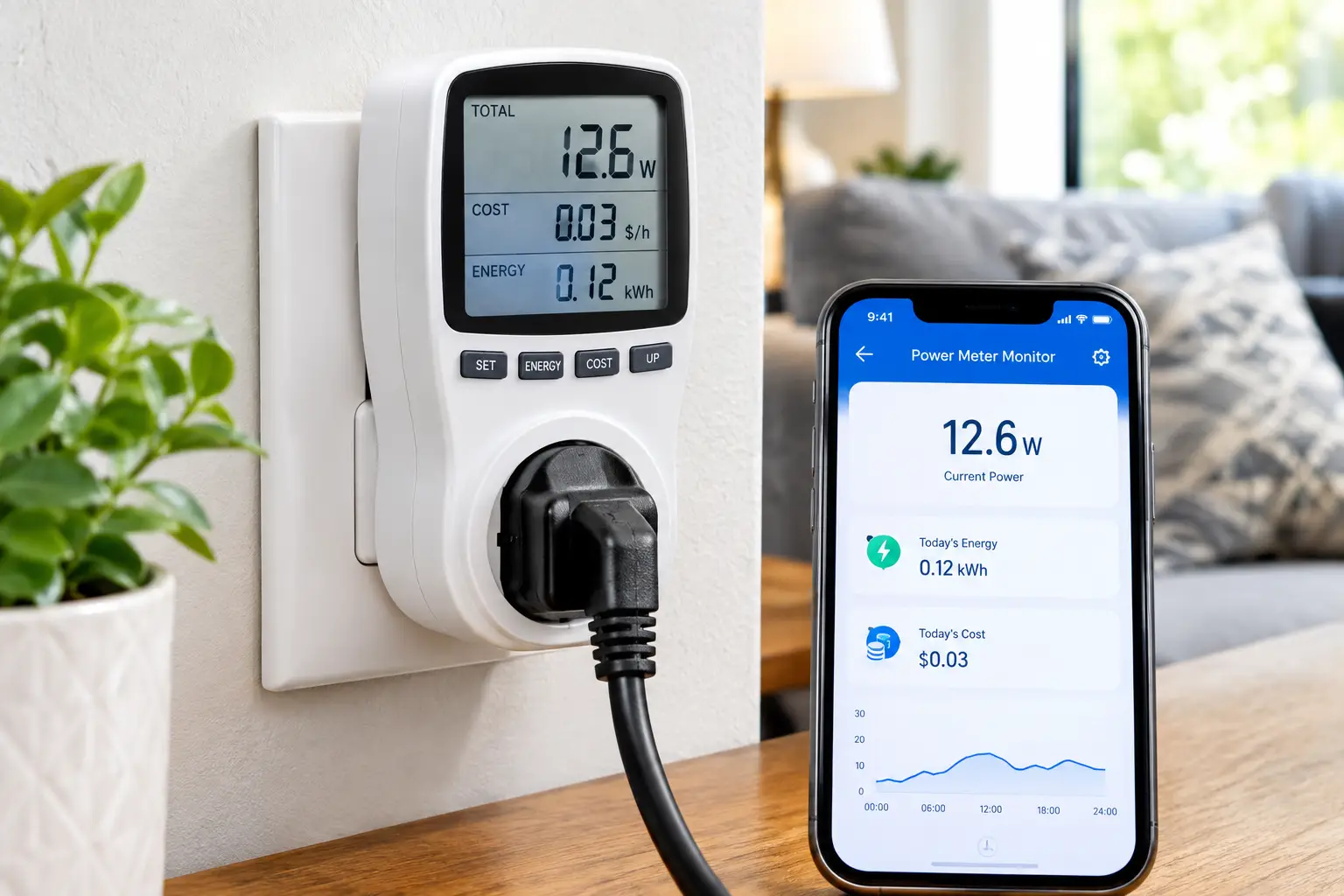
A power meter monitor is a device that measures how much electricity an appliance, circuit, or entire home uses in real time. It reports watts, volts, amps, and cumulative kilowatt-hours (kWh), and many models convert that consumption into estimated cost so you can spot energy hogs and cut your bill.
That definition covers both single-outlet tools and panel-mounted systems. The math behind them is simple — and the U.S. Department of Energy lays it out clearly in its guide to estimating appliance and home electronic energy use: wattage multiplied by hours of use, divided by 1,000, gives you daily kWh, and kWh multiplied by your utility rate gives you cost. The DOE also notes that if you want data on your whole home, including 240-volt appliances, a whole-house monitoring system is the way to go. A good electricity usage monitor simply does that math for you, continuously and accurately, instead of relying on nameplate guesses.
Quick Comparison: Best Power Meter Monitor Picks at a Glance
| Product | Type | Measures | App / History | Approx. Price Range | Best for |
|---|---|---|---|---|---|
| P3 Kill A Watt P4400 | Plug-in watt meter | One 120V appliance | No | $20–$35 | First-time energy audits |
| P3 Kill A Watt EZ P4460 | Plug-in watt meter | One 120V appliance | No (on-device cost forecast) | $25–$45 | Cost forecasting by week/month/year |
| Kill A Watt Connect P4498 | Plug-in, split display | One 120V appliance | No | $40–$55 | Outlets behind furniture |
| Poniie PN1500 | Plug-in watt meter | One 120V appliance (up to 1,500W) | No | $20–$35 | Readability on a budget |
| Kasa Matter Smart Plug KP125M | Smart plug | One 120V appliance | Yes | $15–$25 per plug | Long-term tracking + control |
| Emporia Vue 3 | Whole-home, panel | Mains + up to 16 circuits | Yes | $100–$200 | Circuit-level detail |
| Eyedro EYEDRO-HOME | Whole-home, panel | Mains (or 2 circuits) | Yes (web + mobile) | $150–$200 | Solar and net-metering tracking |
Looking at the table above, the split is really about scope. The four plug-in units answer “what does this one thing cost?” for under about $55, while the Emporia Vue 3 and Eyedro EYEDRO-HOME answer “where does my whole bill go?” — including 240V loads that no plug-in meter can measure. The Kasa Matter Smart Plug KP125M sits in the middle, trading a bit of measurement depth for history and remote control.
💬 One click helps other shoppers make an informed choice too! 😊
Top 7 Power Meter Monitor Picks for 2026: Expert Analysis
Each pick below is evaluated on measurement range, accuracy claims, usability, data retention, and value — with honest notes on what reviews consistently praise and complain about.
1. P3 Kill A Watt P4400 — the benchmark plug-in meter
The P3 Kill A Watt P4400 is the tool most other plug-in meters are measured against, and for good reason: it’s simple, inexpensive, and widely trusted for single-appliance audits.
It plugs between a standard 120V outlet and your appliance, handling up to 15 amps and 1,875 VA — enough for almost anything on a normal household circuit, from a window AC unit to a hair dryer. It displays volts, amps, watts, VA, frequency, power factor, kWh, and elapsed time, and P3 rates its accuracy at about 0.2%. In practice, that means the number on screen is close enough to your utility’s meter that you can trust the dollar math you build on it.
Based on comparing the specs, this is the right tool if you want to answer a specific question — “is my old freezer worth replacing?” — and don’t need an app. The trade-off is convenience: the basic P4400 lacks the battery-backed memory of the EZ model, so unplugging it clears your running total, and you’ll calculate costs yourself.
Reviews consistently describe it as reliable and accurate for everyday appliances; common complaints focus on the small, non-backlit display and having to bend down to read it at floor-level outlets.
Pros:
- ✅ Proven accuracy trusted across independent comparisons
- ✅ Handles full 15A household loads
- ✅ No app, account, or Wi-Fi needed
Cons:
- ❌ No backlight, hard to read behind furniture
- ❌ Running totals reset when unplugged
Price & value: Usually in the $20–$35 range at the time of writing — excellent value for a one-time energy audit.
2. P3 Kill A Watt EZ P4460 — best for built-in cost forecasting
The P3 Kill A Watt EZ P4460 takes the classic design and adds the feature most people actually want: it tells you what an appliance will cost you, not just what it draws.
You enter your utility rate once, and the meter projects cost by the day, week, month, or year. It keeps the same 15A / 1,875 VA ceiling and roughly 0.2% accuracy claim as the P4400, and adds built-in battery backup (an AA cell, according to the manual) so accumulated readings survive a power blip or an accidental unplug. That last detail matters more than it sounds: a fridge test needs several days of continuous data, and losing it on day three is maddening.
Here’s what to weigh: if you plan to test appliances that cycle — refrigerators, freezers, dehumidifiers, sump pumps — the EZ is the smarter buy than the base model for only a few dollars more. It turns “0.6 kWh so far” into “about $X per year,” which is the number that actually drives a replace-or-keep decision.
Aggregated review sentiment praises the cost forecast and memory retention; the recurring complaints mirror the P4400’s — no backlight and a bulky body that can block the second outlet.
Pros:
- ✅ Projects cost by day, week, month, and year
- ✅ Battery backup preserves long test data
- ✅ Same trusted accuracy as the original
Cons:
- ❌ Bulky housing may cover the neighboring outlet
- ❌ Display still lacks a backlight
Price & value: Typically between $25 and $45 — the best-value plug-in meter for multi-day appliance tests.
3. Kill A Watt Connect P4498 — easiest to read in awkward spots
The Kill A Watt Connect P4498 solves the “outlet behind the couch” problem with a two-piece design: the plug/socket unit stays at the wall, and the display sits at the end of a 35-inch cord.
It measures volts, current, watts, frequency, power factor, and VA, projects cost by hour through year, stores min/max readings, and keeps measurements in memory during power interruptions. It’s ETL listed with over-current protection, and it uses the same 15A / 1,875 VA ratings. One detail the marketing doesn’t emphasize: its own quick-start guide specifies power accuracy of about ±2% ±1W below 100 watts — perfectly fine for appliances, but less precise for tiny standby loads.
Based on comparing the specs, this is the pick for anyone measuring appliances you can’t easily reach: a washer, a chest freezer in a cramped garage, or an entertainment center. The split housing also means the plug end is slimmer, so it’s less likely to block an adjacent outlet.
Reviews generally appreciate the flexible display, but some buyers find it pricey for what still looks like a dated monochrome LCD, and note that for cycling appliances you may still need to do some averaging math yourself.
Pros:
- ✅ 35-inch cord puts the display within reach
- ✅ Memory survives power interruptions
- ✅ ETL listed with over-current protection
Cons:
- ❌ Costs more than the classic Kill A Watt
- ❌ Less precise on very small standby loads
Price & value: Generally in the $40–$55 range — worth it only if outlet access is your real pain point.
4. Poniie PN1500 — the most readable budget watt meter
The Poniie PN1500 is the underdog that earns its spot with a bright backlit screen and fine-grained readings at a budget price.
It reports watts, VA, true-RMS current and voltage, frequency, power factor, cumulative time, and kWh, with resolution down to 0.01W and a start-detection threshold of 0.20W. In plain English: it can register very small phantom loads — a phone charger with nothing attached, a soundbar in standby — that coarser meters round to zero. Cumulative kWh and elapsed time are retained through outages, and the housing is fire-retardant ABS.
The important caveat is capacity. The PN1500 is rated for 14 amps and 1,500 watts, not the full 15A / 1,875 VA of the Kill A Watt family. That rules out testing a 1,500W space heater on high or a hair dryer with headroom. Poniie also states it’s not compatible with solar power inverters.
Customer reviews consistently praise the backlight and data retention; one detailed U.S. review noted the device worked well but flagged the lower current rating and a few inconsistencies in the manual — worth knowing before you plug in a heavy load.
Pros:
- ✅ Backlit display readable in dim spaces
- ✅ Fine 0.01W resolution catches standby loads
- ✅ Keeps cumulative kWh through outages
Cons:
- ❌ 1,500W ceiling excludes high-draw heaters
- ❌ Not suited to solar inverter testing
Price & value: Often around $20–$35 — the best budget choice if your loads stay under 1,500 watts.
5. Kasa Matter Smart Plug KP125M — best for long-term tracking
The Kasa Matter Smart Plug KP125M isn’t a dedicated meter, but for many households it’s the most useful power meter monitor because it records history automatically and lets you act on it.
It handles 15A / 1,800W resistive loads (1/6 HP motors), monitors real-time and historical consumption in the Kasa app, and supports Matter, so it works with Apple Home, Amazon Alexa, and Google Home. It adds an auto-off timer and an overload safety threshold that cuts power if usage exceeds a set limit, and it’s UL certified. The compact body leaves the second outlet free.
What most buyers overlook: a plug-in meter tells you what a device costs; a smart plug lets you change that cost with schedules. Put one on the entertainment center and you can kill standby draw overnight without crawling behind the TV.
Independent comparisons report readings within roughly 3% of a reference Kill A Watt for typical household loads — accurate enough for decisions, though not lab-grade. Review sentiment is broadly positive about setup and accuracy, with occasional complaints about individual defective units and frustrating support experiences.
Pros:
- ✅ Automatic history without standing at the outlet
- ✅ Matter support across major smart-home platforms
- ✅ Schedules and auto-off cut waste directly
Cons:
- ❌ Requires 2.4GHz Wi-Fi and an app
- ❌ Fewer electrical parameters than dedicated meters
Price & value: Usually $15–$25 per plug, with multipacks lowering the per-unit cost — strong value for ongoing monitoring.
6. Emporia Vue 3 — best whole-home, circuit-level detail
The Emporia Vue 3 is the home energy monitor to beat in 2026, especially now that Sense hardware is off the market.
It installs in your breaker panel with two 200A sensors on the mains and up to sixteen 50A sensors on individual circuits — HVAC, water heater, dryer, EV charger, kitchen. Emporia lists 24,000 samples per second, ±2% accuracy, under 3 watts of self-consumption, 2.4GHz Wi-Fi plus Ethernet, UL certification, and solar net-metering support. Practically, you get a labeled, per-circuit breakdown from day one rather than waiting for software to “learn” your appliances.
Here’s what to weigh: this is the only kind of power meter monitor that can see 240V loads, which are often the biggest part of a U.S. bill. The catch is installation — it goes inside your electrical panel, so many homeowners hire an electrician. Reviewers also note it depends on a working internet connection to record data.
Emporia reports an average rating around 4.5 across several hundred Amazon reviews; owners frequently describe quickly identifying a failing AC or old fridge, while common criticisms center on the app being less polished than some competitors.
Pros:
- ✅ Up to 16 individually labeled circuits
- ✅ Measures 240V HVAC, dryers, and EV chargers
- ✅ Solar and net-metering support included
Cons:
- ❌ Panel installation, often by an electrician
- ❌ Stops logging if Wi-Fi drops
Price & value: Roughly $100 (mains only) to around $200 (16 circuits) — the strongest whole-home value at the time of writing.
7. Eyedro EYEDRO-HOME — best for solar and net-metering clarity
The Eyedro EYEDRO-HOME is the quieter alternative for homeowners who care most about whole-home totals, solar production, and bill estimates — without any subscription fees.
It ships with two 200A split-core sensors, connects via Wi-Fi or wired Ethernet, and powers itself from an external adapter rather than wiring into a breaker. It tracks kWh, voltage, amperage, true power, and power factor, captures appliance start-up spikes, estimates your next bill, and can alert you to a power or network failure. The MyEyedro cloud dashboard is included at no ongoing cost.
Based on comparing the specs, this is a whole-home monitor, not a circuit-by-circuit one: two sensors cover your mains (or two chosen circuits). That makes it less granular than the Emporia Vue 3, but cleaner for net-metering households who mainly want production vs. consumption. The Ethernet option is a real plus where Wi-Fi in the garage is spotty.
Aggregated feedback highlights the no-fee dashboard and solar reporting; criticisms tend to note the web-centric interface feels more utilitarian, and the limited sensor count.
Pros:
- ✅ No subscription for full dashboard access
- ✅ Wi-Fi or Ethernet connection options
- ✅ Strong solar and net-metering reporting
Cons:
- ❌ Only two sensors in the base kit
- ❌ Less circuit detail than Emporia
Price & value: Generally in the $150–$200 range — fair value if solar tracking is your priority.
⚡ Find Your Energy Hog Today!
🔍 Take control of your electric bill with this carefully curated lineup. Click a highlighted item to check current pricing and availability — the right power meter monitor turns a confusing bill into clear, money-saving decisions the whole household can act on!
How to Get Accurate Readings From Your First Power Meter Monitor
Buying the meter is the easy part. Getting numbers you can trust takes a little technique, especially in the first 30 days.
Day one: set your rate
Pull your latest bill and find your all-in price per kWh — divide the total charges by kWh used, rather than using just the “energy charge” line. Enter that into the P3 Kill A Watt EZ P4460, the Kill A Watt Connect P4498, the Kasa app, or your Emporia/Eyedro dashboard. Every dollar figure downstream depends on it.
Test cycling appliances for at least 48–72 hours
Refrigerators, freezers, dehumidifiers, and well pumps turn on and off. A five-minute reading tells you almost nothing. Let a plug-in electricity usage monitor run for two to three full days, then divide total kWh by hours elapsed and multiply by 8,760 to estimate annual use.
Measure standby separately
Turn the device “off” with its remote and read the watts. That’s your phantom load. Anything over a few watts running 24/7 is worth addressing with a smart plug or power strip.
Ignore the startup spike
Motors draw several times their running current for a moment at startup. Wait until the reading settles before recording it.
Common first-month mistakes
- ✅ Don’t daisy-chain a watt meter into a power strip and test multiple items at once unless you want a combined total.
- ✅ Don’t test anything over your meter’s rating — 1,500W for the Poniie PN1500, 1,875 VA for Kill A Watt models.
- ✅ For whole-home systems, label circuits immediately after install, while you still remember which breaker feeds what.
Real-World Scenarios: Matching the Right Monitor to Your Home
Specs only matter in context. Here are three common U.S. household profiles and the reasoning behind each match.
The apartment renter with a mystery bill
Budget: under $40. Use: occasional. Renting means you can’t touch the breaker panel, and you mostly have 120V plug-in loads. The P3 Kill A Watt EZ P4460 fits perfectly: test the fridge for three days, then the space heater, then the gaming rig. Because the cost forecast does the math, you’ll know within a week which device is quietly inflating your bill. If you want ongoing tracking afterward, add a couple of Kasa Matter Smart Plug KP125M units on the worst offenders.
The suburban homeowner with central air
Budget: $150–$250. Use: continuous. In a typical single-family home, the biggest loads — central AC, electric water heater, dryer, oven — run on 240V circuits a plug-in meter can’t reach. The Emporia Vue 3 with 16 circuit sensors is the logical pick: you’ll see exactly how much the AC costs on a 95°F afternoon and whether an aging water heater is short-cycling. Budget for an electrician if you’re not comfortable working inside a live panel.
The solar household chasing net-metering savings
Budget: around $200. Use: continuous. Here, the key question is timing: when are you exporting, when are you importing, and can you shift laundry or EV charging into solar hours? The Eyedro EYEDRO-HOME delivers clean production-vs-consumption reporting without subscription fees. If you also want circuit-level detail to automate load shifting, the Emporia Vue 3 covers both, at the cost of a slightly more involved install.
Problem → Solution: Fixing Common Power Meter Monitor Headaches
Even good equipment produces confusing numbers sometimes. Here are the problems buyers run into most, and how to fix them.
Problem 1: “My reading shows 0 watts, but the device is on standby.” Solution: Your meter may be too coarse for tiny loads. Switch to a higher-resolution unit like the Poniie PN1500, which starts detecting at 0.20W, or measure several standby devices together on one strip to push the total above the detection threshold.
Problem 2: “The kWh total disappeared.” Solution: The base P3 Kill A Watt P4400 clears its totals when unplugged. For multi-day tests, use a model with retained memory — the P3 Kill A Watt EZ P4460, Kill A Watt Connect P4498, or Poniie PN1500.
Problem 3: “My Emporia data has gaps.” Solution: The Emporia Vue 3 relies on Wi-Fi to record. Panels often sit in garages with weak signal, so use the Ethernet port or add a mesh node nearby.
Problem 4: “My smart plug and my Kill A Watt disagree by a few watts.” Solution: That’s normal. A gap of roughly 3% is typical between a smart plug like the Kasa Matter Smart Plug KP125M and a dedicated meter. Use the dedicated meter for one-time decisions and the plug for trends.
Problem 5: “My whole-home total doesn’t match my utility bill.” Solution: Check that both main sensors face the correct direction and that your billing period matches the dashboard date range. With solar, confirm the production sensor is configured correctly — misplaced sensors are the most common cause of strange numbers.
How to Choose a Power Meter Monitor
- Define the question. One appliance? Pick a plug-in watt meter. Your whole bill? Choose a home energy monitor.
- Check the voltage. Plug-in meters only measure 120V loads; 240V appliances require a panel-based system.
- Match the load rating. Confirm the meter handles your appliance’s draw — 15A / 1,875 VA covers most outlets, while 1,500W units won’t handle large heaters.
- Decide if you need history. If you want trends over weeks, an app-based smart plug or whole-home system beats a display you must read manually.
- Look for retained memory. Battery or non-volatile memory protects multi-day tests from power blips.
- Weigh installation honestly. Panel monitors are affordable, but working inside a breaker box carries real risk; budget for a licensed electrician if needed.
- Check ongoing costs. Favor monitors with no subscription fees, like Emporia and Eyedro, so the savings aren’t eaten by service charges.
Plug-In Watt Meter vs Home Energy Monitor: Which Do You Need?
These two families get lumped together, but they answer different questions.
A plug-in watt meter is a microscope. You point it at one appliance and get precise, local readings with no setup, no account, and nothing to install. It’s the right tool for decisions: Should I replace this freezer? Is this space heater worth running? How much does my aquarium cost per month? It’s also portable — one meter can audit an entire house over a few weeks. The limitations are scope and voltage: it sees only what’s plugged into it, and it can’t measure hardwired or 240V equipment at all.
A home energy monitor is a satellite view. Sensors around your mains (and optionally individual circuits) capture everything, continuously, including central AC, electric ranges, and EV chargers — often the loads that drive U.S. bills the most. You get history, alerts, and the ability to catch problems such as a well pump that won’t stop running. The trade-offs are cost, panel installation, and a dependence on Wi-Fi and the manufacturer’s cloud.
There’s also a lesson in Sense’s exit from consumer hardware: cloud-dependent devices depend on the company behind them. That’s a reason to favor established brands and, where possible, models with local or exportable data.
For most households, the smartest approach is both: a whole-home monitor to find which circuit is expensive, then a plug-in meter to pinpoint the exact device on that circuit.
Power Meter Monitor vs Traditional Alternatives
| Method | Accuracy | Cost | Device-level detail | Best for |
|---|---|---|---|---|
| Nameplate wattage estimate | Low (shows max draw, not real use) | Free | Yes, but theoretical | Rough ballpark only |
| Monthly utility bill | High for total, none for detail | Free | No | Tracking overall trends |
| Utility smart-meter portal | High for total | Free | No (hourly/15-min totals) | Spotting time-of-day patterns |
| Plug-in power meter monitor (e.g., P3 Kill A Watt EZ P4460) | High for one device | $20–$55 | Yes, measured | Single-appliance decisions |
| Whole-home monitor (e.g., Emporia Vue 3) | High (about ±2%) | $100–$200 | Per circuit | Ongoing, whole-bill insight |
The comparison makes the case clearly: free methods tell you how much you used, but not what used it. A nameplate estimate can overstate a fridge’s consumption several times over because it lists peak draw. Measured data — from a plug-in meter for single devices or the Emporia Vue 3 for circuits — is the only approach that supports confident replace-or-keep decisions.
Features That Actually Matter (and Ones That Don’t)
Marketing pages love long feature lists. Here’s how to separate signal from noise.
Features that matter
- Load rating. A meter that can’t handle your appliance is useless. 15A / 1,875 VA is the practical household standard.
- Retained memory. Losing three days of fridge data to a brief outage is the most common frustration with basic meters.
- Cost projection. Converting kWh into dollars is what turns data into decisions.
- Low-watt resolution. If phantom loads are your target, look for fine resolution and a low detection threshold. As Wikipedia’s overview of standby power explains, many devices draw power even when “off,” and those small loads add up across a home.
- Circuit-level sensors (whole-home). Labeled per-circuit data is more actionable than a single whole-house number.
Features that matter less than you’d think
- Power factor and frequency readouts. Nice for the curious; rarely change a homeowner’s decision.
- Carbon footprint estimates. Interesting, but based on generic grid assumptions.
- AI appliance detection. Clever when it works, but it takes time to learn and isn’t always reliable — labeled circuit sensors give certainty on day one.
- Voice assistant integration. Fun for switching plugs, not for analyzing usage.
Long-Term Cost and Maintenance
A power meter monitor is one of the rare gadgets that can pay for itself, but only if you act on what it shows you.
Electricity prices vary widely by state, and the U.S. Energy Information Administration’s Electric Power Monthly tracks them in detail. Using a hypothetical rate of 17 cents per kWh as an example: a device drawing 10 watts in standby, 24 hours a day, uses about 88 kWh per year — roughly $15. Find five devices like that, and a $30 meter has paid for itself twice over. An old secondary fridge that burns an extra 400 kWh a year costs about $68 annually at that same rate.
| Option | Upfront cost | Ongoing cost | Maintenance | Value verdict |
|---|---|---|---|---|
| P3 Kill A Watt P4400 | $20–$35 | None | None | Best one-time audit value |
| P3 Kill A Watt EZ P4460 | $25–$45 | AA battery occasionally | Replace battery when memory fails | Best plug-in value overall |
| Kasa Matter Smart Plug KP125M | $15–$25 each | None | Firmware updates | Best for automation savings |
| Emporia Vue 3 | $100–$200 + possible install | None (no subscription) | Keep Wi-Fi stable; firmware | Best whole-home ROI |
| Eyedro EYEDRO-HOME | $150–$200 + possible install | None (no subscription) | Network check | Best for solar owners |
The table shows why subscription-free pricing matters: none of these picks charge a monthly fee, so every dollar you save stays saved. The biggest hidden cost is installation for panel monitors — factor in an electrician’s visit if you’d hire one, which can stretch the Emporia Vue 3 payback period from months to a year or more.
Common Mistakes to Avoid When Buying a Watt Meter
Buying a plug-in meter for a 240V problem. If your bill spikes in summer, central AC is the likely culprit — and no outlet meter can measure it. You need a home energy monitor.
Ignoring the amp rating. Budget meters like the Poniie PN1500 top out at 1,500 watts. Plugging in a high-draw heater or hair dryer risks tripping the overload or worse.
Expecting a smart plug to be lab-grade. Smart plugs are excellent for trends, but expect small differences compared with dedicated meters.
Skipping the memory feature. Saving a few dollars on a meter without retained memory can cost you days of re-testing.
Assuming a whole-home monitor is plug-and-play. It isn’t. If you’re not trained to work inside a live breaker panel, hire a licensed electrician.
Buying discontinued hardware. Some older guides still recommend the Sense monitor, which is no longer sold to consumers. Stick with actively supported products.
Safety, Regulations, and Standards
Electricity monitoring is generally low-risk with plug-in units — but standards and installation practices still matter.
Look for recognized safety listings
In the U.S., look for marks from a Nationally Recognized Testing Laboratory such as UL or ETL. The Kill A Watt Connect P4498 is ETL listed, the Kasa Matter Smart Plug KP125M carries UL certification, and Emporia lists the Emporia Vue 3 as UL certified. Smart plugs also carry FCC compliance for their wireless radios.
Respect plug-in ratings
Standard U.S. outlets are 15A or 20A circuits at 120V. Kill A Watt models are rated for 15A / 1,875 VA; exceeding a meter’s rating can cause overheating.
Panel installation is electrical work
Whole-home systems use current clamps — split-core sensors that measure current by clipping around a conductor without cutting it. That’s non-invasive in principle, but installing them still means removing the panel’s dead front and working near energized busbars. Many jurisdictions follow the National Electrical Code, and some local codes or landlords require a licensed electrician. When in doubt, hire one; Emporia even offers an installation credit program.
Privacy considerations
Cloud-connected monitors collect detailed data about when you’re home and what you run. Review each manufacturer’s privacy policy and use a strong, unique password for your account.
FAQ: Power Meter Monitor Questions Answered
❓ Can a power meter monitor really lower my electric bill?
❓ Which electricity usage monitor works with a 240V dryer or AC?
❓ Is a Kill A Watt worth buying in 2026?
❓ Do home energy monitors need a monthly subscription?
❓ Can I install a whole-home power meter monitor myself?
Conclusion: Pick the Right Power Meter Monitor and Start Saving
The best power meter monitor is the one that answers your question. If you want to know what a single appliance costs, the P3 Kill A Watt EZ P4460 is the best all-around plug-in choice, with cost forecasting and memory backup at a modest price. The P3 Kill A Watt P4400 remains the classic budget pick, the Kill A Watt Connect P4498 solves hard-to-reach outlets, and the Poniie PN1500 delivers a bright, high-resolution display for loads under 1,500 watts.
If you’d rather track trends and act on them, the Kasa Matter Smart Plug KP125M pairs automatic history with schedules that cut phantom loads. And if your bill is driven by central air, water heating, or an EV, a home energy monitor is the only tool that sees the full picture — the Emporia Vue 3 for circuit-level detail, or the Eyedro EYEDRO-HOME for clean solar and net-metering reporting.
Whichever you choose, the real savings come from what you do next: test cycling appliances for several days, tackle standby power, and revisit your data seasonally. Measurement turns your bill from a mystery into a to-do list.
🔌 Ready to Catch Your Energy Hog?
✨ Click a highlighted product to check current pricing and availability, and pick the power meter monitor that fits your home. A few days of real data could reveal savings your whole family will feel on every bill!
Recommended for You
- Is Australia Plug Same as UK? 7 Best Adapters That Work (2026)
- 20 Amp Smart Outlet: 7 Best Picks That Handle Real Loads (2026)
- Energy Monitor Plug In: 7 Best Picks to Slash Your Bill in 2026
Disclaimer: This post contains affiliate links. As an Amazon Associate, I earn from qualifying purchases made through these links, at no additional cost to you.
✨ Found this article helpful? Share it with someone who needs it! 💬🤗
