
In This Article
Why a Smart Outlet USB Upgrade Makes Sense in 2026
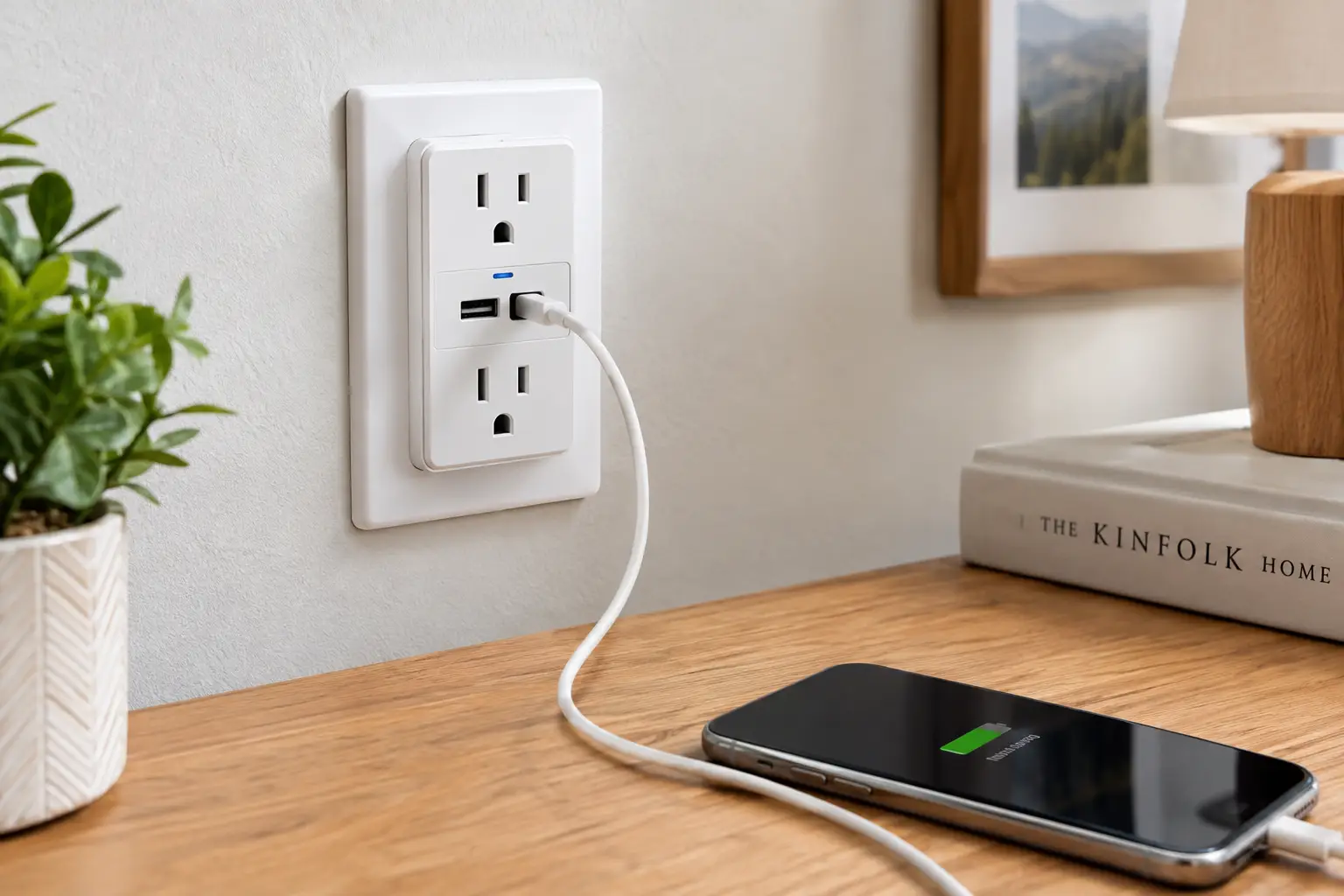
Look behind your nightstand, your desk, or your TV cabinet. Chances are you’ll find the same mess almost every American home has: a regular power strip, three or four chunky USB wall bricks, a lamp you forget to turn off, and a game console quietly sipping power all night. A smart outlet USB device solves most of that in one move. It gives you app- and voice-controlled AC outlets for lamps, fans, and electronics, plus built-in USB ports for phones, earbuds, and tablets, so the wall bricks can finally go in a drawer.
But here’s the catch: the category is messier than the product listings suggest. Some models let you schedule the USB ports; many don’t. Some deliver real USB-C fast charging; others still top out at old-school 5-volt USB-A. Some speak Matter and work with Apple Home, Alexa, and Google Home at once; others lock you into a single ecosystem. And one type installs inside your wall, which changes the whole buying decision.
This guide cuts through that. Based on comparing real spec sheets, manufacturer documentation, and aggregated customer and editorial feedback, we’ve narrowed the field to seven real models available on amazon.com, from a budget strip in the $20s to a hardwired in-wall outlet with 20W USB-C. You’ll also get setup tips, troubleshooting fixes, a decision framework, and the safety rules that matter in US homes. If you’ve ever wondered whether that “smart” strip is really saving energy, the U.S. Department of Energy’s overview of advanced power strips and standby loads is a good primer, and we’ll translate what it means for your setup below.
What Is a Smart Outlet USB?
A smart outlet USB is a Wi-Fi (or Matter) connected power device, either a plug-in strip, an outlet extender, or an in-wall receptacle, that combines remotely controllable AC outlets with built-in USB-A and/or USB-C charging ports, letting you schedule, automate, and voice-control plugged-in devices while charging phones without separate adapters.
In practice, that definition hides three very different product shapes. A smart power strip with USB sits on the floor or desk and usually offers the most outlets, sometimes with per-outlet energy monitoring. An outlet extender screws onto an existing wall outlet and trades cord length for a tidy, cable-free look. An in-wall smart outlet with USB replaces your existing receptacle entirely, so it looks like a normal outlet but needs proper wiring (usually including a neutral wire).
The distinction matters more than any single spec. A renter who can’t touch the wiring should skip in-wall models entirely, while a homeowner renovating a kitchen might never want a bulky strip on the counter. Keep your space, your lease, and your smart home ecosystem in mind as you read the picks below, because the “best” device changes with each of those answers.
Quick Comparison: Smart Outlet USB Picks at a Glance
| Product | Type | Smart AC Outlets | USB Ports | USB Smart Control | Best For |
|---|---|---|---|---|---|
| Kasa HS300 | Power strip | 6 | 3 USB-A | No (always on) | Kasa HS300: energy tracking on a busy desk |
| Tapo P316M | Power strip | 6 | 3 USB-A | No (always on) | Tapo P316M: mixed Apple/Alexa/Google homes |
| Tapo P306 | Outlet extender | 3 (+3 always-on) | 1 USB-C, 2 USB-A | Yes (grouped) | Tapo P306: nightstands needing fast charging |
| Energizer EWO3-1005 | In-wall outlet | 2 | 1 USB-C, 1 USB-A | Varies by app | Energizer EWO3-1005: clean, built-in kitchen look |
| Meross MSS425F | Power strip | 4 | 4 USB-A | Yes (grouped) | Meross MSS425F: scheduling USB-powered gadgets |
| Amazon Basics Smart Plug Power Strip | Power strip | 6 | 2 USB-A, 1 USB-C | No | Amazon Basics Smart Plug Power Strip: Alexa-only homes |
| Kasa KP303 | Compact strip | 3 | 2 USB-A | No | Kasa KP303: tight budgets and small spaces |
Looking at this table, the biggest dividing line isn’t outlet count; it’s whether the USB ports are “smart.” Only the Tapo P306 and Meross MSS425F let you switch their USB ports from the app (as a group), which matters if you want a USB desk lamp or LED strip on a schedule. If you mainly need metered AC outlets, the Kasa HS300 and Tapo P316M are the stronger picks, while the Energizer EWO3-1005 is the only option that disappears into the wall.
💬 One click helps other shoppers make an informed choice too! 😊
Top 7 Smart Outlet USB Picks: Expert Analysis
Each pick below was chosen for a specific job, not just a star rating. We’ve focused on what the spec sheet means in daily use and where real-world feedback exposes weaknesses the listings gloss over.
1. Kasa HS300 — best per-outlet energy monitoring
The Kasa HS300 earns its reputation by showing you exactly what each plugged-in device is costing you. It pairs six individually controlled smart outlets with three USB-A ports and surge protection, and every AC outlet reports its own power draw in the Kasa app.
That per-outlet metering is the feature to care about. Instead of guessing whether your old subwoofer or your printer is the standby hog, you’ll see it in watts and kilowatt-hours, then schedule it off. The catch: the three USB-A ports are always on and can’t be scheduled, and there’s no USB-C, so fast-charging a modern phone isn’t its strength.
Based on the spec sheet, this is the pick for home offices and media centers where you want data, not just switches. PCMag named it an Editors’ Choice, and deal-community discussions consistently praise its long-term reliability and local-network support in tools like Home Assistant. The recurring complaint in customer feedback is the dated USB section: always-on, USB-A only.
Pros:
- ✅ Individual energy monitoring on all six outlets
- ✅ Well-established app with schedules, timers, and away mode
- ✅ Strong track record for long-term reliability
Cons:
- ❌ USB ports are always on and USB-A only
- ❌ No native Apple Home or Matter support
Typically found between $35 and $60 at the time of writing (check the current price); excellent value if energy data matters to you.
2. Tapo P316M — best Matter-certified power strip
Think of the Tapo P316M as the Kasa HS300 rebuilt for 2026’s cross-platform smart home. It keeps the six individually controlled outlets, three USB-A ports, and energy monitoring, but adds Matter certification.
Matter means the strip can join Apple Home, Google Home, Alexa, and SmartThings without brand-specific workarounds. For a household where one person uses an iPhone and another runs everything through an Echo, that’s a genuine quality-of-life upgrade. TP-Link rates the strip at 15A/1875W total and the USB ports at 5V/2.4A, with a 37-inch cord and ETL certification.
What most buyers overlook: the cord is short. At about three feet, it suits a desk that sits near the wall, not a TV console across the room. The USB ports are also always on, just like on the Kasa HS300. Independent reviewers note that Matter can pass per-outlet energy readings to Home Assistant, which is rare in this price range, though some flag that accumulated energy reporting through Matter can be inconsistent and that Alexa users may still lean on the Tapo app for granular control.
Pros:
- ✅ Matter support across Apple, Google, Alexa, and SmartThings
- ✅ Energy monitoring on each of the six outlets
- ✅ Individual on/off buttons for every outlet
Cons:
- ❌ Roughly 3-foot cord limits placement
- ❌ Always-on USB-A ports with no USB-C
Usually in the $40 to $60 range; the smartest buy for mixed-ecosystem households.
3. Tapo P306 — fastest USB charging in a wall extender
The Tapo P306 is a nine-in-one outlet extender that screws onto a standard duplex outlet, and its USB section is the most modern of the plug-in picks here.
You get three individually controlled smart outlets, three always-on outlets, and three USB ports: one USB-C with Power Delivery and two USB-A with Quick Charge 3.0, rated up to 18W. TP-Link claims an iPhone can reach 50% in about 30 minutes, which is realistic for an 18W PD source. There’s also a light-sensing night light and 1.57 inches of outlet spacing, so bulky adapters don’t block their neighbors.
Here’s what to weigh: the USB ports are smart, but only as a group, so you can’t shut off the USB-C port while leaving the USB-A ports powered. It works with the Tapo app, Apple Home, Alexa, and Google Home. Customer feedback and deal-community threads repeatedly highlight how many separate gadgets it replaces on a nightstand, while the common wish is for more wattage: 18W is fine for phones but slow for tablets and useless for laptops.
Pros:
- ✅ USB-C Power Delivery plus two Quick Charge USB-A ports
- ✅ Schedulable USB ports, unlike most strips
- ✅ Built-in night light is handy in bedrooms and hallways
Cons:
- ❌ USB ports switch together, not individually
- ❌ 18W ceiling is too low for laptops
Typically $30 to $40 at the time of writing; outstanding value for bedrooms and kitchens.
4. Energizer EWO3-1005 — best in-wall smart outlet with USB-C
The Energizer EWO3-1005 (sold as the Energizer Smart Wi-Fi In-Wall Outlet) replaces your existing receptacle, so your smart outlet USB setup looks like an ordinary wall outlet.
It provides two individually controlled AC outlets, a 20W USB-C PD port, and an 18W USB-A Quick Charge 3.0 port, with ETL and FCC certification. That 20W USB-C figure matters: it’s the same class of power Apple sells for fast-charging iPhones, so this is one of the few in-wall options that genuinely replaces a phone brick. It connects to 2.4 GHz Wi-Fi with no hub, and Energizer lists voice control through Alexa, Google Home, and Siri.
The honest caveat is installation. Energizer’s manual walks through live, neutral, and ground connections, which means you need a neutral wire in the box and comfort working on household circuits (or an electrician). Verified customer reviews for this specific USB-C model are thinner than for the big-name strips, so we can’t point to a large body of long-term feedback. Broader Energizer Connect feedback tends to praise easy setup and value, but treat durability as less proven than the Kasa HS300.
Pros:
- ✅ 20W USB-C PD plus 18W USB-A in the wall
- ✅ Clean, clutter-free look with no strip or extender
- ✅ No hub or subscription required
Cons:
- ❌ Requires a neutral wire and hardwired installation
- ❌ Smaller pool of verified long-term reviews
Generally around $30 to $40; strong value if you’re comfortable with (or paying for) installation.
5. Meross MSS425F — best for scheduling USB gadgets with Apple Home
The Meross MSS425F stands out for a simple reason: you can schedule and automate its four USB ports, not just its outlets.
It offers four individually controlled AC outlets and four USB-A ports that switch as one group, rated at 2.4A per port and 4.0A combined. It works with Apple HomeKit, Alexa, Google Assistant, and SmartThings, and the US version includes a roughly 6-foot cord, which is double the reach of the Tapo P316M. It’s ETL and FCC certified and supports devices up to 15A.
On paper, this means you can put a USB-powered desk lamp, LED strip, or aquarium bubbler on a timer, which always-on USB designs simply can’t do. The trade-off is charging speed: 4.0A shared across four ports means two phones charging at once will each get modest power. Reviewers consistently note that there’s only one physical button, which kills the whole strip, and at least one Home Assistant user reported conflicts after adding it to both the Meross app and HomeKit, requiring a factory reset.
Pros:
- ✅ USB ports can be scheduled and automated
- ✅ Native HomeKit plus Alexa, Google, and SmartThings
- ✅ Longer cord than most compact smart strips
Cons:
- ❌ Single physical button controls everything at once
- ❌ USB-A only, with a shared 4.0A limit
Usually in the $30 to $45 range; great value for gadget schedulers and Apple users.
6. Amazon Basics Smart Plug Power Strip — easiest setup for Alexa homes
The Amazon Basics Smart Plug Power Strip (6-outlet version) is built around one idea: if you already live in Alexa, setup should take minutes.
It gives you six individually controlled outlets plus three USB ports, two USB-A and one USB-C, over 2.4 GHz Wi-Fi with no hub. Each outlet appears in the Alexa app as its own smart plug, so you can name them (“desk lamp,” “monitor”) and drop them into routines immediately. Having a USB-C port at this price is a plus for newer phones and earbuds.
Here’s the limitation that should decide it for you: it works with Alexa only. No Google Home, no Apple Home, no Matter. If your household might switch ecosystems, the Tapo P316M is the safer long-term bet. It also lacks energy monitoring. Amazon customer reviews consistently praise how easy it is to connect compared with third-party strips, and several note the outlets are spaced well for wall adapters; a recurring complaint is limited reach, since you’ll want it close to the wall outlet.
Pros:
- ✅ Near-effortless Alexa setup and routines
- ✅ Includes a USB-C port alongside two USB-A
- ✅ Six outlets controlled individually
Cons:
- ❌ Alexa-only, with no Matter or Apple Home
- ❌ No energy monitoring
Typically between $30 and $45; the best value if Alexa is your permanent home.
7. Kasa KP303 — best budget smart power strip with USB
The Kasa KP303 is the most affordable way into a smart outlet USB setup, packing three smart outlets and two USB ports into a compact strip.
Its three outlets are individually controllable through the Kasa app, Alexa, or Google Assistant, and the two USB-A ports handle overnight phone or earbud charging. The compact footprint fits nightstands, dorm desks, and kitchen corners where a six-outlet strip would dominate the surface.
Based on comparing the specs, this is for buyers who want remote control over two or three things (a lamp, a fan, a holiday display) without paying for features they won’t use. TechRadar’s review called it an affordable alternative to buying three separate smart plugs, but flagged that it doesn’t monitor energy and its USB ports aren’t smart. That matches broader customer sentiment: dependable basic control, but no data and no USB-C. For an extra $10 to $20, the Tapo P306 adds fast charging and schedulable USB.
Pros:
- ✅ Very affordable way to control three devices
- ✅ Compact size fits nightstands and dorm desks
- ✅ Works with Alexa and Google Assistant
Cons:
- ❌ No energy monitoring
- ❌ USB-A only, and always on
Typically $20 to $30 at the time of writing; the clear value pick for simple needs.
Side-by-Side: Charging, Monitoring, and Ecosystems
| Product | Top USB Output | Energy Monitoring | Ecosystems | Price Range | Best For |
|---|---|---|---|---|---|
| Kasa HS300 | 5V USB-A | Yes, per outlet | Alexa, Google | $35–$60 | Kasa HS300: data-driven savers |
| Tapo P316M | 5V/2.4A USB-A | Yes, per outlet | Matter (Apple, Google, Alexa, SmartThings) | $40–$60 | Tapo P316M: mixed ecosystems |
| Tapo P306 | 18W USB-C PD | Not a headline feature | Apple Home, Alexa, Google | $30–$40 | Tapo P306: fast phone charging |
| Energizer EWO3-1005 | 20W USB-C PD | Not listed | Alexa, Google, Siri | $30–$40 | Energizer EWO3-1005: built-in installs |
| Meross MSS425F | 4.0A shared USB-A | No | HomeKit, Alexa, Google, SmartThings | $30–$45 | Meross MSS425F: USB automation |
| Amazon Basics Smart Plug Power Strip | USB-C + USB-A | No | Alexa only | $30–$45 | Amazon Basics Smart Plug Power Strip: Alexa loyalists |
| Kasa KP303 | 5V USB-A | No | Alexa, Google | $20–$30 | Kasa KP303: tight budgets |
Reading this table, you’ll notice nobody does everything. The metering champions (Kasa HS300, Tapo P316M) have the weakest USB charging, while the fastest chargers (Energizer EWO3-1005, Tapo P306) skip detailed energy data. Decide which half of “smart outlet USB” matters more to you, smart outlet or USB, and the right pick usually becomes obvious.
✨ Don’t miss these top-rated smart outlet picks!
🔍 Take your home setup to the next level with this carefully curated lineup. Click any highlighted product to check current pricing and availability. These picks will help you cut cable clutter and control your devices the whole family will enjoy!
Getting Started: Setup and First-30-Days Tips
Most smart outlet USB devices are running within 10 minutes, but a few habits in the first month make the difference between “cool gadget” and “genuinely useful.”
Day 1: Nail the network. Nearly every model here uses 2.4 GHz Wi-Fi only. If your router combines 2.4 and 5 GHz under one name, setup can fail repeatedly. Temporarily enable a separate 2.4 GHz network, or keep your phone close to the router during pairing. Meross’s own manual suggests switching off 5 GHz during setup if you hit trouble.
Day 1: Name outlets like a human. “Outlet 3” is useless when you’re asking Alexa at midnight. Label each one by what’s plugged in (“bedroom fan,” “desk lamp”) and physically tag the plug with tape if your strip has no labels.
Week 1: Build two schedules, not twenty. Start with an evening lights-on schedule and an overnight shutoff for the TV cabinet or gaming gear. Once those feel natural, add more.
Week 2: Read your energy data (if you have it). On the Kasa HS300 or Tapo P316M, check each outlet’s standby draw. Anything pulling several watts while “off” is a prime candidate for an overnight schedule.
Week 3: Update firmware. Open the manufacturer’s app, not just your voice assistant, and install updates. Tapo community moderators specifically recommend this when HomeKit or Matter features act oddly.
Common first-month mistakes: plugging space heaters into strips (avoid it; check the manual), scheduling off a device that’s mid-update (like a console), and assuming USB ports turn off with the outlets when they’re actually always on.
Which Smart Outlet USB Fits Your Life? Three Real-World Scenarios
Specs mean more when you attach them to a real routine. Here are three common US households and the pick that fits each best.
The Remote Worker With a Crowded Desk
Picture a two-monitor setup, a laptop dock, a desk lamp, speakers, and a phone that needs charging all day. Budget: around $50. This person benefits most from the Tapo P316M or Kasa HS300. Six metered outlets mean monitors and speakers can shut off at 6 p.m. automatically, and energy data reveals whether that aging monitor is worth replacing. Choose the Tapo P316M if anyone in the house uses Apple Home; choose the Kasa HS300 if you’re all-in on Alexa or Google and want the most proven option. The laptop, though, should stay on its own USB-C charger, since neither strip’s USB ports can power it.
The Parent Setting Up a Kid’s Bedroom
Needs: a lamp, a white-noise machine, a night light, and a tablet that shouldn’t charge (or be used) past bedtime. Budget: under $40. The Tapo P306 fits beautifully. Its built-in night light handles the hallway glow, the smart outlets schedule the lamp and sound machine, and because its USB ports are smart as a group, you can cut tablet charging at 8 p.m. Daily use is heavy, so its surge and overheat protections are a comforting bonus.
The Homeowner Renovating a Kitchen
Needs: phone charging without cords snaking across the counter, plus a coffee maker on a schedule (only if its manual allows automatic restarts). The Energizer EWO3-1005 makes sense here, installed once and forgotten. Its 20W USB-C port fast-charges phones at the counter, and there’s no strip to wipe crumbs off. Factor in an electrician if you aren’t confident with wiring, and confirm the box has a neutral wire before ordering.
Troubleshooting: Common Problems and Fixes
Even the best smart outlet USB device can misbehave. These are the problems buyers mention most, with fixes that actually work.
Problem 1: The device won’t pair. Nine times out of ten, it’s the 2.4 GHz issue. Split your router’s bands or use a guest network set to 2.4 GHz only, disable VPNs on your phone during setup, and move within about 30 feet of the router. Then factory reset the device (usually a long press on the power button) and try again.
Problem 2: “USB ports won’t turn off.” On the Kasa HS300, Tapo P316M, and Kasa KP303, they aren’t designed to. If you need scheduled USB power, switch to the Tapo P306 or Meross MSS425F, or plug a regular USB charger into a smart AC outlet instead.
Problem 3: The phone charges slowly. Check which port you’re using. A 5V USB-A port feeding a modern phone can take hours. Move to the USB-C PD port on the Tapo P306 or Energizer EWO3-1005 and use a USB-C cable rated for Power Delivery.
Problem 4: HomeKit or Matter controls disappear. Don’t add the device to multiple controllers in random order. One Meross user documented having to factory reset after conflicts between the Meross app and Home Assistant. Pick your primary platform first, add secondary platforms through Matter sharing, and keep firmware current.
Problem 5: Schedules fire at the wrong time. Confirm the time zone in the manufacturer’s app, especially after daylight saving changes, and remove duplicate routines created in both Alexa and the native app, which can fight each other.
How to Choose a Smart Outlet USB
Choosing well comes down to seven questions, answered in this order:
- Decide on form factor first. Strip, extender, or in-wall? Renters should stick to strips and extenders; homeowners can consider in-wall units for a cleaner look.
- Match your ecosystem. Apple Home users should favor Matter or HomeKit models like the Tapo P316M, Tapo P306, or Meross MSS425F. Alexa-only homes can save with the Amazon Basics Smart Plug Power Strip.
- Check whether the USB ports are smart. If you want to schedule USB-powered gadgets, “always-on” ports are a dealbreaker.
- Look at USB-C wattage, not just port count. 18W to 20W USB-C PD fast-charges phones; 5V USB-A is overnight-only speed. The USB-C standard supports far more power, but these devices use only a slice of it.
- Decide whether energy monitoring is worth paying for. It’s only valuable if you’ll actually check the data and act on it.
- Measure your space. Cord length (about 3 feet on the Tapo P316M versus about 6 feet on the Meross MSS425F) and outlet spacing matter more than you’d think.
- Confirm safety certification. Look for UL, ETL, or equivalent listings plus FCC compliance, and avoid no-name strips without them.
Follow this order and you’ll rarely regret the purchase, because the first three questions eliminate most of the wrong options before price even enters the picture.
Smart Power Strip With USB vs Regular USB Power Strip
A regular USB power strip is cheap and dumb in the best sense: plug in, it works forever. So is a smart power strip with USB worth roughly double the price? It depends on how much you value automation and data.
| Feature | Smart Power Strip With USB | Regular USB Power Strip | Best For |
|---|---|---|---|
| Remote/app control | Yes, per outlet | No | Smart: forgetful users, travelers |
| Schedules and routines | Yes | No (manual switch only) | Smart: standby-load cutters |
| Energy monitoring | On select models (Kasa HS300, Tapo P316M) | No | Smart: data-minded savers |
| Works during internet outage | Manual buttons, sometimes local control | Always | Regular: set-and-forget spots |
| Typical price | About $20–$60 | About $10–$30 | Regular: tight budgets |
The table shows the real trade: you pay for control, not charging. A regular strip’s USB ports often match or beat the 5V ports on the Kasa HS300, so if you only need charging, a smart model is overkill. The smart version earns its price where devices draw standby power or need schedules, like a TV cabinet or holiday lights.
There’s also a middle path. Many shoppers pair one smart strip for the “control” zone (entertainment center, office) with regular USB chargers elsewhere. That hybrid approach often delivers most of the energy and convenience benefits for less money, and it keeps the smart devices you do own focused on the loads where schedules actually change your bill.
In-Wall Smart Outlet With USB: Is Hardwiring Worth It?
An in-wall smart outlet with USB is the most elegant option on this list and the most demanding one. When it’s done right, nobody even notices it’s smart; when it’s done wrong, it’s a safety problem.
The upside is real. You free up counter and floor space, eliminate an extra point of failure (the strip’s cord), and get USB-C charging exactly where people naturally stand, such as kitchen islands, entryways, and bathroom counters away from water. The Energizer EWO3-1005 also delivers the strongest USB-C output in this guide at 20W.
The requirements are also real. Nearly every in-wall smart outlet needs a neutral wire to power its Wi-Fi radio continuously. Many older US homes have neutrals in outlet boxes, but not all, and the smart module is often deeper than a standard receptacle, so crowded boxes can be a tight squeeze. Replacement receptacles in many locations must also meet current tamper-resistant requirements under your local electrical code (more on that in the safety section).
Our reasoning: if you own your home, have a neutral wire, and plan to stay a while, an in-wall unit is a great long-term investment. If you rent, move frequently, or are uncomfortable shutting off breakers and working with live-circuit wiring, the Tapo P306 extender gets you 90% of the benefit with zero wiring. When in doubt, a licensed electrician’s short visit is cheap insurance.
Smart Outlet With USB-C: Features That Actually Matter (and Ones That Don’t)
Marketing copy loves big numbers. Here’s what genuinely changes your experience with a smart outlet with USB-C, and what you can safely ignore.
Features That Matter
- USB-C Power Delivery wattage. 18W to 20W fast-charges most phones; below that, you’re charging overnight. This is the single biggest real-world difference between the Tapo P306, Energizer EWO3-1005, and older USB-A designs.
- Smart vs always-on USB ports. If you want to automate a USB lamp or cut tablet charging at bedtime, this is non-negotiable.
- Matter support. A Matter device survives ecosystem changes. The Matter standard from the Connectivity Standards Alliance is designed so one device works across Apple, Google, Amazon, and Samsung platforms, which protects your purchase if you switch phones or speakers.
- Per-outlet energy monitoring. Useful only if you’ll look at it, but when you do, it’s the fastest way to find standby hogs.
Features That Don’t Matter Much
- “Total ports” counts. A nine-in-one label sounds great, but three always-on outlets are just a regular extender bolted on.
- Voice assistant logos alone. Nearly everything works with Alexa; what matters is whether it works with your second platform.
- “Anti-overcharging” claims. Modern phones manage their own battery charging, so this is mostly marketing reassurance rather than a meaningful differentiator.
Focus your budget on the first list and let the second list be a tiebreaker at most.
Smart Plug With USB Ports for Renters and Beginners
If you’re new to smart homes or renting, a smart plug with USB ports (or a compact strip) is the lowest-risk way to start, and there’s no wiring, no landlord permission, and nothing to undo at move-out.
Start small. The Kasa KP303 is an ideal first device: three smart outlets and two USB ports for about the price of a nice lunch out. Automate one lamp and one fan, and you’ll learn quickly whether you actually use schedules.
Choose an ecosystem-proof option if you’re unsure. Beginners often switch platforms after buying their first smart speaker. The Tapo P316M and Tapo P306 work across Apple Home, Alexa, and Google Home, so today’s purchase won’t strand you tomorrow.
Think about portability. Renters move. Strips and extenders travel with you, while in-wall outlets stay behind. Extenders like the Tapo P306 do require a solid wall outlet to mount on, so check that your apartment’s outlets grip plugs firmly before relying on one.
Don’t over-buy. A beginner rarely needs six metered outlets. Better to buy one affordable device, learn your habits for a month, and then decide whether energy monitoring or USB-C speed is the upgrade you’d actually use. That approach also avoids the most common beginner regret: paying for data dashboards that never get opened.
Long-Term Cost and Energy Savings
Let’s be realistic about the money. Energy agencies and utilities commonly estimate that standby or “vampire” loads account for somewhere around 5% to 10% of household electricity, which the DOE’s building-research program also cites in its laboratory testing of advanced power strips. A smart outlet USB device only captures a slice of that, the slice you actually schedule off.
What that means in practice: if a TV, soundbar, console, and streaming box together draw roughly 15 to 25 watts in standby and you cut them for 10 hours a night, you save roughly 55 to 90 kWh a year. At typical US residential rates, that’s often in the range of about $10 to $15 annually from one cabinet. It isn’t life-changing, but a $40 strip can pay for itself in a few years while adding convenience from day one.
Hidden ongoing costs are small but real. Each smart device draws a little power itself to stay connected. That’s why energy monitoring matters: on the Kasa HS300 or Tapo P316M, you can confirm your savings exceed the strip’s own overhead.
Durability is the bigger cost factor. A cheap no-name strip that fails in 18 months costs more than a proven model lasting five years. Kasa and Tapo have long firmware-support histories, and Meross includes a 24-month limited warranty, which lowers the total cost of ownership. For in-wall units, include any electrician fee in your math; amortized over many years, it’s usually modest.
Safety, Regulations, and Standards
Smart outlet USB devices handle household current, so safety shouldn’t be an afterthought.
Look for third-party listings. In the US, reputable devices carry UL or ETL marks (both Nationally Recognized Testing Laboratories) plus FCC compliance for the radio. The Tapo P316M, Meross MSS425F, and Energizer EWO3-1005 all list ETL certification. Avoid unlisted bargain strips, especially for high-draw devices.
Respect the load rating. Most strips here are rated around 15A total. That doesn’t mean every outlet can each draw 15A. Space heaters, hair dryers, and air conditioners should generally go directly into a wall outlet or a smart plug explicitly rated for that use, and many appliance manuals forbid power strips outright.
Never daisy-chain. Plugging a smart strip into another strip or extension cord (sometimes called “daisy-chaining”) is a common fire-safety violation. Plug strips directly into a wall receptacle.
In-wall rules are stricter. The National Electrical Code has required tamper-resistant receptacles in new residential construction since 2008, and according to the Electrical Safety Foundation International’s tamper-resistant receptacle white paper, most states have adopted the requirement, including for many replacement receptacles in areas accessible to children. Before installing an in-wall smart outlet, check that the model is tamper-resistant where your local code requires it and that it isn’t going somewhere requiring GFCI protection unless it’s protected upstream.
Mind the heat. Keep strips out from under rugs and away from bedding, and don’t bury extenders behind heavy furniture where they can’t dissipate heat.
Common Mistakes to Avoid When Buying a Smart Outlet USB
Even savvy shoppers trip over the same pitfalls. Here are the ones that cause the most regret.
Assuming USB ports are smart. This is the number-one surprise in customer feedback. On most strips, including the Kasa HS300 and Tapo P316M, the USB ports stay on no matter what your schedule says.
Ignoring your Wi-Fi band. Buying five devices before confirming your router can offer 2.4 GHz cleanly is a recipe for a frustrating weekend.
Buying for port count instead of charging speed. Four slow USB-A ports charge four phones slowly. One 20W USB-C port charges your main phone quickly. Decide which scenario you actually live in.
Choosing an ecosystem-locked device “just for now.” The Amazon Basics Smart Plug Power Strip is excellent for Alexa homes, but if there’s any chance you’ll move to Apple Home or Google, Matter-capable options save you from buying twice.
Overlooking cord length and plug shape. A three-foot cord can’t reach a TV cabinet across the room, and some flat plugs sit awkwardly behind furniture. Measure first.
Buying in-wall without checking the box. Discovering there’s no neutral wire after the old outlet is already out of the wall is a very bad afternoon. Turn off the breaker, pull the cover, and look before you order.
Avoid these six, and your smart outlet USB purchase will feel like an upgrade rather than a science project.
FAQ: Smart Outlet USB Questions Answered
❓ Can a smart outlet USB port charge a laptop?
❓ Do smart power strips with USB still work when the internet goes down?
❓ Can I plug a smart outlet USB strip into another power strip?
❓ Does a smart plug with USB ports work with Home Assistant?
❓ Can I use a smart outlet USB device in a bathroom or outdoors?
Conclusion: The Right Smart Outlet USB for Your Home
There’s no single best smart outlet USB device, but there’s almost certainly a best one for you. If you want to see exactly where your electricity goes, the Kasa HS300 remains the proven workhorse, while the Tapo P316M brings that same metering to Matter households that mix Apple, Google, and Alexa. If charging speed is the priority, the Tapo P306 delivers 18W USB-C on a nightstand-friendly extender, and the Energizer EWO3-1005 tucks 20W USB-C neatly into your wall.
For automation fans who want USB gadgets on a timer, the Meross MSS425F is the rare strip that schedules its USB ports. Alexa loyalists will love the effortless Amazon Basics Smart Plug Power Strip, and anyone starting small should grab the Kasa KP303 and learn their habits first.
Whatever you choose, remember the three decisions that matter most: form factor, ecosystem, and whether your USB ports need to be smart. Get those right, respect load ratings and local electrical code, and your cluttered outlet corner will turn into a tidy, automated power hub that quietly trims standby waste every single night.
🚀 Ready to clean up your outlets for good?
🔌 Tap any highlighted product above to check current pricing and availability on Amazon. Pick the one that matches your space and ecosystem, and enjoy a clutter-free, smarter home the whole family will appreciate!
Recommended for You
- Single Pole Smart Switch: 7 Best Picks That Actually Work (2026)
- 30 amp smart plug: 7 Best Picks That Actually Work (2026)
- Remote Control Sockets: 7 Best Picks That Actually Work (2026)
Disclaimer: This post contains affiliate links. As an Amazon Associate, I earn from qualifying purchases made through these links, at no additional cost to you.
✨ Found this article helpful? Share it with someone who needs it! 💬🤗
