
In This Article
Why a Single Pole Smart Switch Is the Smartest Lighting Upgrade of 2026
Picture this: you’ve spent a small fortune on smart bulbs, and then someone in your house does the most natural thing in the world — flips the wall switch off. Suddenly your “smart” lights are just dark glass until somebody walks back and flips them on again. That frustration is exactly why a single pole smart switch has become the quiet backbone of so many smart homes.
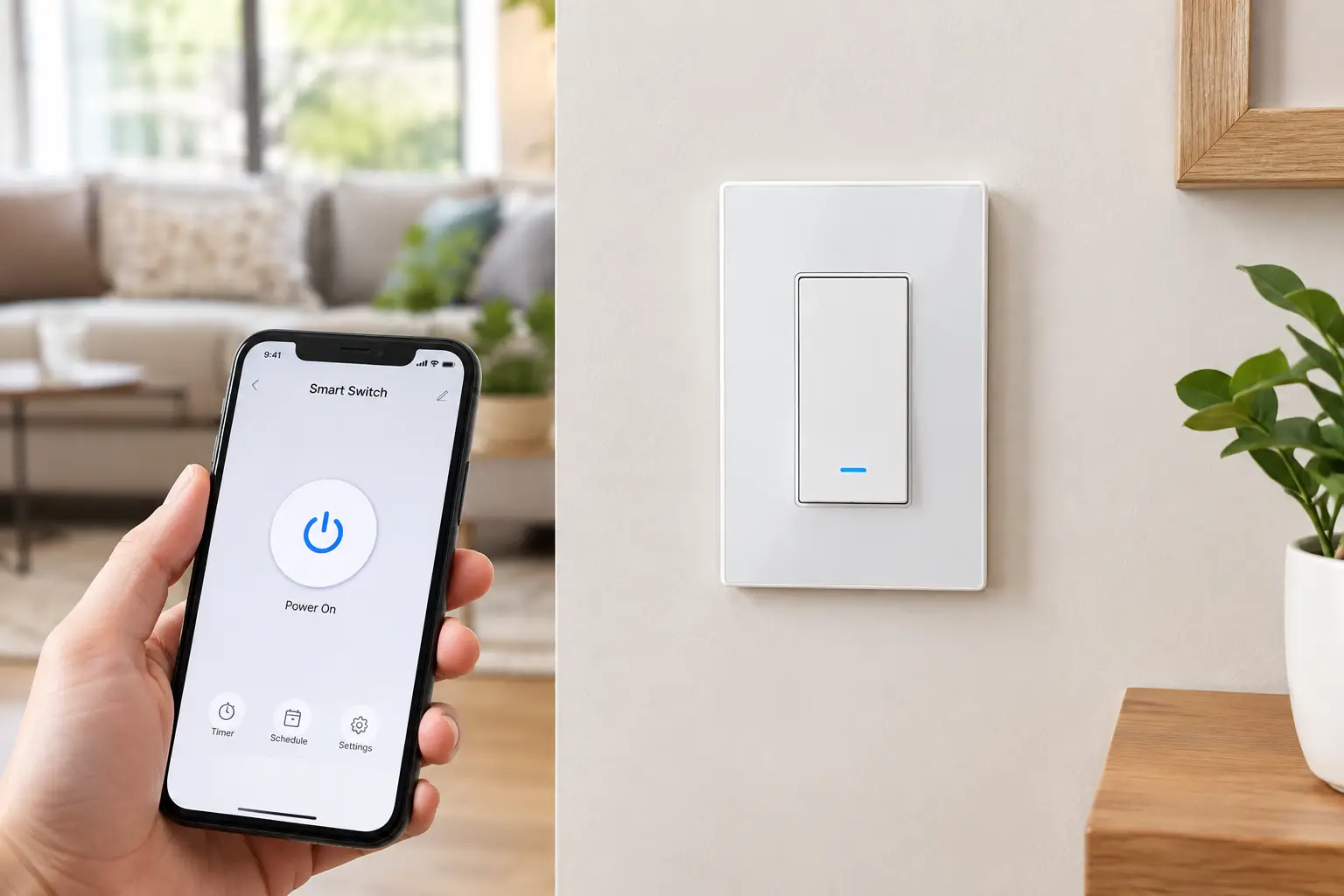
A single pole smart switch replaces the ordinary switch that controls a light from one location — your bathroom fan, your porch light, the overhead fixture in a bedroom. Once installed, it keeps working like a normal switch for guests and kids, while also giving you app control, schedules, voice commands, and automations. Every bulb on that circuit gets smarter, including the cheap LEDs you already own.
The catch? Not every single pole smart switch fits every wall box. The biggest dividing line is the neutral wire, a detail most shoppers never think about until the old switch is already hanging out of the wall. Wireless protocols matter too: Wi-Fi, Zigbee, Lutron’s Clear Connect RF, and the cross-platform Matter standard all behave differently in daily life.
In this guide, we compare seven real switches available on amazon.com, from roughly $11 budget workhorses to hub-based systems that installers swear by. You’ll get spec-by-spec analysis, honest summaries of what reviews actually say, an installation walkthrough, and a troubleshooting guide — plus a look at what the National Electrical Code requires at switch locations, so you know what’s probably behind your wall plate before you buy.
What Is a Single Pole Smart Switch?
A single pole smart switch is an in-wall light switch that controls one fixture or circuit from a single location, with built-in wireless electronics that let you operate it by app, voice assistant, schedule, or automation. It installs where your old switch was and still works manually from the wall.
That definition hides an important nuance: “single pole” describes the wiring, not the looks. A single pole setup has one switch controlling the light. If two switches control the same fixture — say, at the top and bottom of a staircase — you’re dealing with a 3-way circuit, and you’ll need a switch that explicitly supports it (or a companion device). Several models below, like the Kasa KS205 and Tapo S505, are single-pole only; others, such as the Leviton Decora Smart D215S and Lutron Caséta PD-6WCL, can grow into multi-location setups.
The second nuance is power. A regular switch simply opens and closes a circuit, so it needs no electricity of its own. A smart switch has a radio and a tiny computer inside that must stay powered even when the light is off. Most models get that standby power through a neutral (usually white) wire. So-called no-neutral models instead trickle a small amount of current through the bulb itself — which is why they come with minimum-load rules and occasionally cause LED flicker. Keep this in mind; it’s the single biggest factor in choosing the right model.
Quick Comparison: The 7 Best Single Pole Smart Switch Picks at a Glance
| Switch | Neutral Needed? | Hub Needed? | Protocol | Price Range | Best For |
|---|---|---|---|---|---|
| Kasa HS200 | Yes | No | 2.4GHz Wi-Fi | ~$11–$20 | Kasa HS200: tight budgets, Alexa/Google homes |
| Tapo S505 | Yes | No | Wi-Fi + Matter | ~$15–$25 | Tapo S505: cheapest route to Matter |
| Kasa KS205 | Yes | No | Wi-Fi + Matter | ~$15–$25 | Kasa KS205: existing Kasa users going cross-platform |
| GE Cync No-Neutral Paddle Switch | No (ground required) | No | Wi-Fi + Bluetooth | ~$20–$35 | GE Cync No-Neutral Paddle Switch: older homes, no hub |
| Aqara WS-USC01 | No | Yes (Aqara hub) | Zigbee 3.0 | ~$30–$45 | Aqara WS-USC01: Zigbee and Apple Home fans |
| Leviton Decora Smart D215S | Yes | No | Wi-Fi + Matter (firmware) | ~$30–$45 | Leviton Decora Smart D215S: heavy loads, fans, 3-way growth |
| Lutron Caséta PD-6WCL | No | Yes (Smart Hub) | Clear Connect RF | ~$55–$90 | Lutron Caséta PD-6WCL: no-neutral dimming, rock-solid reliability |
Reading the table top to bottom, the story is really about two questions: do you have a neutral wire, and are you willing to add a hub? If the answer to the first is yes, the Tapo S505 and Kasa KS205 deliver Matter compatibility for barely more than the older Kasa HS200. If your box lacks a neutral, your realistic choices narrow to the GE Cync No-Neutral Paddle Switch (no hub), the Aqara WS-USC01, or the pricier but more forgiving Lutron Caséta PD-6WCL.
💬 Tap any highlighted switch to check current pricing and availability — one click helps other shoppers make an informed choice too! 😊
Top 7 Single Pole Smart Switch Picks: Expert Analysis
Prices below are approximate ranges at the time of writing; Amazon pricing changes often, so always check the current price before you buy.
1. Kasa HS200 — the proven budget workhorse
The Kasa HS200 is the switch many people installed first, and it’s still the easiest entry point into smart lighting. It connects directly to 2.4GHz Wi-Fi with no hub, requires a neutral wire, and fits a standard wall plate.
In practice, that means you download the Kasa app, follow the guided wiring steps, and you’re controlling the light from your phone in a single evening. Timers and countdown schedules handle the porch light automatically, and “away mode” switches lights on and off at random intervals so an empty house looks occupied — a genuinely useful feature for travelers that many pricier switches bury in settings. It works with Alexa and Google Home and is UL certified.
Here’s what to weigh: the Kasa HS200 is an on/off switch only — no dimming — and it isn’t Matter-certified, so Apple Home users should look at the Kasa KS205 instead. It’s best for renters-turned-owners and budget-minded households standardizing on Alexa or Google.
Deal listings consistently show the Kasa HS200 averaging around 4.5 stars across tens of thousands of Amazon ratings, though some shoppers note that rating pools can be shared across Kasa variants, so treat the count as directional.
Pros:
- ✅ Very low cost per switch location
- ✅ No hub, simple guided app setup
- ✅ Away mode adds real security value
Cons:
- ❌ No Matter or native Apple Home support
- ❌ On/off only, no dimming control
Typically in the $11–$20 range, the Kasa HS200 remains one of the best values for whole-house rollouts.
2. Tapo S505 — cheapest real route to Matter
The Tapo S505 was TP-Link’s first Matter-certified light switch, and it brings cross-platform flexibility to a budget price.
Matter certification means the Tapo S505 works with Apple Home, Amazon Alexa, Google Home, and Samsung SmartThings at the same time through Matter’s multi-admin feature — so one partner can use Siri while another uses Alexa. Matter also enables local network control, meaning the switch can keep responding to local commands even if your internet connection drops. It’s rated 15A at 120V for general lighting and small motor loads, and it measures about 5.04 x 3.33 x 1.4 inches, which is on the slimmer side for crowded boxes.
Based on comparing the specs, this is the pick for anyone building a mixed-ecosystem home on a budget. The limitation: it’s strictly single pole, so a staircase circuit needs the Tapo Smart Button plus the Tapo hub to create a virtual 3-way.
Reviews are positive but still limited in volume on some storefronts. Buyers on Tapo’s own store specifically praise how easily it paired through Matter with Alexa and even Home Assistant, and Matter Alpha’s hands-on review reported adding it to Apple Home in seconds.
Pros:
- ✅ Matter works across all major ecosystems
- ✅ Slim body eases tight wall boxes
- ✅ Includes wall plate, wire nuts, two-year warranty
Cons:
- ❌ Neutral wire is mandatory
- ❌ Wired 3-way circuits are not supported
At roughly $15–$25, the Tapo S505 offers the best Matter-per-dollar value on this list.
3. Kasa KS205 — Matter upgrade for Kasa households
The Kasa KS205 is essentially the Matter-era successor to the Kasa HS200, designed for people who like the Kasa app but want Apple Home and cross-platform control.
Setup is flexible: you can onboard it via Bluetooth in the Kasa app, or scan the included Matter code directly in the Alexa, Google Home, or Apple Home app. That second option matters more than it sounds — it means you’re not locked into Kasa’s cloud to use the switch day to day. You still get schedules, countdown timers, and away mode. Like the Tapo S505, it needs a neutral, runs on 2.4GHz Wi-Fi, and is designed for single-pole setups only.
What most buyers overlook is ecosystem continuity. If your home already has a dozen Kasa plugs and switches, the Kasa KS205 keeps everything in one familiar app while adding Matter. If you’re starting from scratch, the Tapo S505 is functionally similar, so pick whichever app you prefer.
We couldn’t verify a large, product-specific pool of reviews for the Kasa KS205 separate from the broader Kasa line, so rely on the spec sheet and Kasa’s generally strong track record rather than a star count.
Pros:
- ✅ Matter plus familiar Kasa app features
- ✅ Bluetooth onboarding simplifies Wi-Fi setup
- ✅ Away mode carries over from HS200
Cons:
- ❌ Single-pole only, no 3-way wiring
- ❌ Requires neutral and 2.4GHz network
Usually in the $15–$25 range, the Kasa KS205 is a smart buy for existing Kasa homes.
4. GE Cync No-Neutral Paddle Switch — no neutral, no hub
The GE Cync No-Neutral Paddle Switch solves the classic older-home problem: a wall box with no white wire, and no desire to buy a hub.
It uses three wires — line, load, and ground — plus 2.4GHz Wi-Fi and Bluetooth, so a ground wire is still mandatory. The switch needs a 15-watt minimum load; if your fixture draws less, you install the included bulb adaptor at the light to prevent flicker. On paper, the maximum loads are modest: 1.25A for LED and 5A for incandescent at 120V, which covers most household fixtures but not a big chandelier of old-school bulbs. It connects to Alexa and Google Home, and the Cync app (now powered by Savant) handles schedules and scenes.
Here’s the honest trade-off: the no-neutral design is convenient, but it’s also why that minimum load and adaptor exist. If your fixture is a single 9-watt LED, plan to install the adaptor. Apple Home support isn’t advertised on the listings we reviewed.
We couldn’t verify a reliable aggregate rating for this specific variant, but the manufacturer bundling a flicker adaptor tells you low-wattage LED flicker is a known issue in this category.
Pros:
- ✅ Works without neutral or any hub
- ✅ Flicker adaptor included in the box
- ✅ Wi-Fi plus Bluetooth for easy onboarding
Cons:
- ❌ Ground wire and 15W minimum required
- ❌ Lower LED load ceiling than rivals
In the $20–$35 range, the GE Cync No-Neutral Paddle Switch is the simplest hub-free no-neutral fix.
5. Aqara WS-USC01 — best no-neutral pick for Zigbee homes
The Aqara WS-USC01 is a Zigbee 3.0 switch that skips the neutral requirement and plugs into Aqara’s broader sensor ecosystem.
Its minimum load is just 5W for LED/CFL — far lower than the Cync’s 15W — which matters if you’re switching a single efficient bulb. Maximum load is 200W LED or 600W incandescent, plus 1/4 HP motors. The body is about 1.44 inches deep, and a built-in overheat protection cuts power automatically if temperatures climb too high. Because it’s Zigbee, local automations with Aqara motion or door sensors keep running even when your internet is down.
Based on comparing the specs, this is the switch for tinkerers who already own (or want) an Aqara hub — the newer Aqara M3 hub also acts as a Matter controller and Thread border router. The hub requirement is non-negotiable, though, which raises your first-switch cost. It works with Apple Home, Alexa, Google, and SmartThings through the hub.
We couldn’t verify a large US review sample specific to the single-rocker model, so weigh the spec sheet and your hub plans more heavily than star ratings.
Pros:
- ✅ Very low 5W LED minimum load
- ✅ Local Zigbee automations survive internet outages
- ✅ Built-in overheat protection
Cons:
- ❌ Aqara hub required, sold separately
- ❌ Fairly deep body for crowded boxes
Around $30–$45 at the time of writing (hub extra), the Aqara WS-USC01 rewards buyers invested in Aqara’s ecosystem.
6. Leviton Decora Smart D215S — heavy-duty loads and room to grow
The Leviton Decora Smart D215S is the pick when your circuit carries more than a couple of light bulbs.
It’s rated for 15A general-purpose loads, 600W of LED/CFL, 1,800W incandescent, and up to 3/4 HP motors — so bathroom exhaust fans and big fixtures are well within spec. It needs a neutral, runs on 2.4GHz Wi-Fi with no hub, and uses wire leads plus a reduced-depth body for easier installation. Matter support can be enabled through a firmware update in the My Leviton app, and it also works with Alexa, Google, Apple Home, and SmartThings.
What the spec sheet doesn’t highlight, but matters for long-term value: it’s single pole today and 3-way tomorrow. Add a wired DD0SR companion or the wire-free DAWSC Anywhere Switch Companion when you need a second location. One caution — Leviton notes that updating to Matter removes the existing Apple HomeKit connection, so HomeKit users must re-add it with the Matter code.
We couldn’t verify a clean aggregate rating for this specific SKU, but Leviton’s decades-long Decora line and its wide regulatory approvals (UL, FCC, CSA, NOM) support its reputation for durability.
Pros:
- ✅ Handles fans and 3/4 HP motor loads
- ✅ Expandable to 3-way with companions
- ✅ Slim depth and wire leads ease installs
Cons:
- ❌ Neutral wire is required
- ❌ Matter update resets HomeKit pairing
Around $30–$45, the Leviton Decora Smart D215S justifies its premium for demanding circuits.
7. Lutron Caséta PD-6WCL — the gold-standard no-neutral dimmer
The Lutron Caséta PD-6WCL is a single pole smart dimmer switch that needs no neutral wire and has a long-standing reputation for reliability.
It dims up to 150W of LED or CFL and up to 600W of incandescent or halogen, and it uses Lutron’s own Clear Connect RF rather than Wi-Fi — so it won’t crowd your router. Lutron specifically recommends this model (or the PD-10NXD) when your box has no neutral. Pico remotes add a second control point without running wire, and power-failure memory restores your previous light level after an outage. It’s cULus Listed and FCC approved.
Here’s what to weigh: app control, voice assistants, and schedules require the Lutron Smart Hub, which adds meaningfully to your first-room cost. After that, each additional dimmer is plug-and-play into the same system. For anyone with older wiring who wants dimming — not just on/off — this is the most forgiving option, and installers frequently favor it.
Aggregate review sentiment for Caséta has historically centered on reliability and easy setup; complaints tend to focus on price and the hub requirement rather than performance. Use the Lutron LED compatibility tool to confirm your bulbs dim smoothly.
Pros:
- ✅ No neutral needed, true dimming control
- ✅ Dedicated RF keeps Wi-Fi uncluttered
- ✅ Wire-free Pico remotes for multi-location control
Cons:
- ❌ Smart Hub required for app and voice
- ❌ Highest per-switch cost here
Commonly $55–$90 depending on seller, the Lutron Caséta PD-6WCL is worth it where reliability and dimming matter most.
At a Glance: Specs That Separate the Top 7
| Switch | Max LED Load | Minimum Load / Notes | Dimming | Multi-Location | Best For |
|---|---|---|---|---|---|
| Kasa HS200 | Standard lighting | Neutral powers electronics | No | No | Kasa HS200: cheap whole-house rollout |
| Tapo S505 | 15A switch rating | Neutral powers electronics | No | Virtual via button + hub | Tapo S505: budget Matter |
| Kasa KS205 | Standard lighting | Neutral powers electronics | No | No | Kasa KS205: Kasa + Matter |
| GE Cync No-Neutral Paddle Switch | 1.25A LED | 15W min (adaptor included) | No | Multiple Cync switches | GE Cync No-Neutral Paddle Switch: hub-free old homes |
| Aqara WS-USC01 | 200W LED | 5W LED min | No | Wireless Aqara switches | Aqara WS-USC01: Zigbee automations |
| Leviton Decora Smart D215S | 600W LED | Neutral required | No | Wired or wire-free companions | Leviton Decora Smart D215S: fans, big loads |
| Lutron Caséta PD-6WCL | 150W LED | No neutral | Yes | Pico remotes | Lutron Caséta PD-6WCL: no-neutral dimming |
Looking at the table, load capacity is where the premium models earn their price: the Leviton Decora Smart D215S can handle four times the LED wattage of the Lutron Caséta PD-6WCL, but the Lutron is the only one here that dims. Among no-neutral options, the Aqara WS-USC01 has the friendliest minimum load, while the GE Cync No-Neutral Paddle Switch wins on simplicity because it needs no hub.
✨ Ready to retire that old toggle switch? 🔍 Click any highlighted switch above to check current pricing and availability on Amazon — the right pick will make every light in the room smarter, including the bulbs you already own! 💡
How to Install a Single Pole Smart Switch: A Step-by-Step Guide
Installing a single pole smart switch is a realistic DIY job for many homeowners, but only if you respect the electricity. If you’re unsure at any step, hire a licensed electrician — it’s usually a short, affordable visit.
🔌 Before you start
- ✅ Turn off the breaker, not just the switch, and confirm power is off with a non-contact voltage tester.
- ✅ Photograph the existing wiring before disconnecting anything — this photo will save you later.
- ✅ Check the box for a bundle of white wires tied together at the back. That’s usually your neutral.
🛠️ The installation
- Identify line and load. On a single pole switch, one black wire brings power in (line) and the other runs to the light (load). If you’re not sure which is which, many apps walk you through it, but a voltage tester with the breaker briefly on (wires safely separated) is the definitive method.
- Connect ground first. The bare copper or green wire goes to the switch’s green lead or screw.
- Connect neutral (if required). Pigtail a short white wire from the existing neutral bundle to the switch — never leave the bundle disconnected.
- Connect line and load as marked, using the included wire nuts. Tug each connection gently.
- Fold wires carefully. Smart switches are deeper than old ones, so fold wires in an accordion pattern rather than jamming the switch in.
- Restore power and pair. Open the app (or your Matter controller) and follow the prompts.
⚠️ Common first-30-day mistakes
Many owners forget to place the switch on the 2.4GHz band during setup, name switches vaguely (“Switch 1”), or skip firmware updates. Name every switch by room, update firmware in week one, and test your schedules before you leave for a trip.
Real-World Scenarios: Matching the Right Switch to Your Home
Specs only matter in context, so here are three common buyer profiles with our reasoning.
🏠 Scenario 1: First-time homeowner, budget under $100, newer house
Your home was built recently, so a neutral is very likely present at every switch box. You use Alexa and want the porch, hallway, and garage lights on schedules. Four Kasa HS200 switches fit comfortably under $100 and deliver schedules plus away mode. If anyone in your house uses an iPhone and Siri, spend slightly more on the Tapo S505 or Kasa KS205 instead — Matter lets everyone use their preferred assistant.
🏚️ Scenario 2: 1960s ranch house, no neutral, wants dimming in the living room
Opening the box reveals only two black wires and a ground. For the living room, where dimming matters for movie nights, the Lutron Caséta PD-6WCL plus a Smart Hub is the most forgiving solution. For the hallway and bedrooms, where on/off is enough and you’d rather avoid a hub, the GE Cync No-Neutral Paddle Switch keeps costs down — just install its adaptor on low-wattage fixtures.
🧪 Scenario 3: Smart home enthusiast with sensors everywhere
You already run motion sensors and want lights to respond instantly, even if the internet fails. The Aqara WS-USC01 pairs locally with Aqara motion and door sensors over Zigbee. For the bathroom exhaust fan, which is a motor load, choose the Leviton Decora Smart D215S — its 3/4 HP rating gives you comfortable headroom.
The pattern: match the switch to each room’s wiring and job, not one brand to the whole house.
Troubleshooting: 5 Common Single Pole Smart Switch Problems (and Fixes)
1. Lights flicker or glow when “off.” This is the classic no-neutral symptom: the switch leaks a trickle of current through the bulb to power itself. Fix: install the manufacturer’s bulb adaptor (included with the GE Cync No-Neutral Paddle Switch), raise the load with an extra or higher-wattage bulb, or switch to a neutral-wire model if a neutral exists.
2. The switch won’t connect to Wi-Fi. Nearly every Wi-Fi model here, including the Kasa HS200 and Tapo S505, needs 2.4GHz. Fix: temporarily enable a separate 2.4GHz network name on your router, or use Bluetooth onboarding where available.
3. The switch won’t fit in the box. Smart switches are bulkier than standard ones. Fix: fold wires neatly, choose slimmer models like the Tapo S505, or have an electrician install a deeper box.
4. HomeKit stopped seeing the switch after an update. Owners of the Leviton Decora Smart D215S can hit this after enabling Matter, because the update removes the original HomeKit link. Fix: re-add it in Apple Home using the Matter code from the My Leviton app.
5. Voice commands work, but automations don’t run during internet outages. Cloud-based automations depend on the internet. Fix: use Matter’s local control with the Tapo S505 or Kasa KS205, or local Zigbee automations with the Aqara WS-USC01 and its hub.
How to Choose a Single Pole Smart Switch
- Check for a neutral wire. Turn off the breaker, remove the plate, and look for bundled white wires. This decision alone eliminates half the market.
- Confirm the circuit is truly single pole. If another switch also controls that light, you need 3-way support or companion devices.
- Decide between on/off and dimming. A single pole smart dimmer switch costs more but adds mood control; on/off is fine for closets, porches, and garages.
- Pick your ecosystem strategy. Matter-certified models keep your options open across Apple, Google, Amazon, and Samsung platforms.
- Decide whether you’ll accept a hub. Hubs add upfront cost but can improve reliability and local control.
- Match load ratings to your fixture. Fans and large fixtures need higher ratings; tiny LED loads need low minimums on no-neutral models.
- Measure your wall box. Crowded, shallow boxes favor slim switches.
Why does the neutral question come first? The electrical code has evolved: an IAEI Magazine analysis of NEC 404.2(C) explains how newer code editions push for a neutral at switch locations precisely because electronic switches need standby power. Newer homes are more likely to have one; older homes often don’t.
Smart Switch No Neutral Wire: Your Real Options
If your box has no neutral, don’t panic — you have three honest paths, and each involves a trade-off.
Path 1: A hub-free no-neutral switch. The GE Cync No-Neutral Paddle Switch is the most direct option. It needs a ground wire and a 15W minimum load, and it ships with a bulb adaptor for lighter fixtures. It’s the right move when you want Alexa or Google control with no extra hardware.
Path 2: A hub-based no-neutral switch. The Lutron Caséta PD-6WCL (dimming) and the Aqara WS-USC01 (on/off) both work without a neutral but require their brand’s hub. In exchange, you get a dedicated low-power wireless network that doesn’t compete with your Wi-Fi, and in Aqara’s case, a much lower 5W minimum load.
Path 3: Add a neutral. Under the code, a neutral isn’t always required when the box can be accessed later or when conductors run through a raceway with room for one. If your wiring runs through conduit, an electrician may be able to pull a neutral relatively easily — which opens up cheaper options like the Tapo S505.
What most buyers overlook: a smart switch no neutral wire solution is usually slightly more expensive per room, but it’s far cheaper than cutting drywall. Price the whole solution, not just the switch.
Single Pole Smart Dimmer Switch vs. On/Off Smart Switch
A single pole smart dimmer switch and an on/off switch look nearly identical in the wall, but they solve different problems.
Choose on/off for utility spaces: porches, closets, garages, laundry rooms, and exhaust fans. Motors, like bathroom fans, should never be dimmed with a standard lighting dimmer; that’s why the Leviton Decora Smart D215S with its motor rating is the right tool for a fan circuit. On/off models are also cheaper, and budget options like the Kasa HS200 make whole-house coverage affordable.
Choose a dimmer for living rooms, dining rooms, and bedrooms, where lighting sets the mood. The Lutron Caséta PD-6WCL is the dimmer on our list, and it’s especially valuable in older homes because it doesn’t need a neutral.
Two practical cautions apply to dimmers. First, your bulbs must be labeled dimmable. Second, LED compatibility varies — the same bulb can dim smoothly on one dimmer and buzz on another. Lutron publishes an LED compatibility tool for this reason, and using it before buying bulbs saves a lot of frustration.
A good rule of thumb: dim where you relax, switch where you work. Most homes end up with a mix of both, and that’s perfectly fine — they can live in the same app and respond to the same voice assistant.
Wifi Smart Switch Single Pole vs. Matter vs. Zigbee: Which Protocol Wins?
The wireless protocol determines how your switch talks to your phone, your voice assistant, and your other devices.
Wi-Fi (no hub). A wifi smart switch single pole model, like the Kasa HS200, connects straight to your router. It’s the easiest setup and needs no extra hardware. The downside: dozens of Wi-Fi devices can crowd older routers, and most automations run through the cloud.
Matter. Matter is an industry-backed standard designed so one device works across Apple Home, Google Home, Amazon Alexa, and SmartThings. A matter smart switch like the Tapo S505 or Kasa KS205 can be controlled by multiple platforms at once and supports local control on your network. For 2026 buyers, Matter is the best insurance against switching ecosystems later.
Zigbee. The Aqara WS-USC01 uses Zigbee 3.0, a low-power mesh network run through a hub. It’s excellent for fast, local sensor-based automations, but it ties you to the hub brand.
Clear Connect RF. Lutron’s proprietary radio, used by the Lutron Caséta PD-6WCL, is known for reliability and keeps traffic off your Wi-Fi entirely, at the cost of requiring Lutron’s hub.
Here’s what to weigh: if you want the least friction today and tomorrow, lean toward Matter. If reliability and local automations top your list, a hub-based protocol still earns its keep.
Smart Switch vs. Smart Bulbs: Which Makes More Sense?
| Factor | Single Pole Smart Switch | Smart Bulbs | Best For |
|---|---|---|---|
| Works when wall switch is flipped | Always — it is the wall switch | Goes offline if power is cut | Switch: family homes, guests |
| Upgrades existing bulbs | Yes, any compatible bulb | No, replace every bulb | Switch: multi-bulb fixtures |
| Color and tunable white | No | Yes | Bulbs: mood and color lighting |
| Installation | Wiring required | Screw in | Bulbs: renters |
The table shows why a switch usually wins for fixtures with several bulbs: one Tapo S505 can control a six-bulb vanity light for less than the cost of six smart bulbs. Bulbs still win for color effects and for renters who can’t touch wiring. Many homes combine both — just avoid putting smart bulbs on a smart switch that cuts their power, unless the switch is designed to work with them.
Common Mistakes to Avoid When Buying a Single Pole Smart Switch
Buying before opening the box. The neutral question decides everything. Spend five minutes with the breaker off and the plate removed before ordering.
Assuming “single pole” covers staircases. If two switches control one light, a single-pole-only model like the Kasa KS205 won’t work in that circuit without companion hardware.
Ignoring minimum loads. No-neutral switches need enough load to power themselves. A single 5W LED on a switch with a 15W minimum invites flicker unless you use an adaptor.
Dimming a fan. Motor loads need an on/off switch rated for motors. The Leviton Decora Smart D215S lists its 3/4 HP motor rating clearly; generic lighting dimmers do not belong on fan circuits.
Mixing too many apps. Five brands means five apps and five firmware schedules. Matter reduces this pain, but standardizing on one or two brands keeps your home manageable.
Forgetting the wall plate. Decora-style switches need Decora-style plates. Some switches include one (the Tapo S505 does); others don’t.
Chasing the lowest price blindly. An unbranded switch with no clear UL or ETL listing is a false economy. Stick with recognized brands and certified products.
Long-Term Cost and Maintenance
A single pole smart switch is a long-lived device, so the real cost is measured over years rather than on checkout day.
| Setup | Upfront Cost (1 switch) | Upfront Cost (5 switches) | Ongoing Needs | Best For |
|---|---|---|---|---|
| Wi-Fi, no hub (Kasa HS200) | ~$11–$20 | ~$55–$100 | Firmware updates | Kasa HS200: low-cost scale |
| Matter Wi-Fi (Tapo S505) | ~$15–$25 | ~$75–$125 | Firmware updates | Tapo S505: future-proof on a budget |
| Hub-based dimmer (Lutron Caséta PD-6WCL) | Dimmer + hub | 5 dimmers + one hub | Hub stays online | Lutron Caséta PD-6WCL: reliability at scale |
The math favors hub systems as you add switches: the hub is a one-time cost, so the premium shrinks per room. For one or two switches, though, hub-free Wi-Fi models like the Tapo S505 are clearly cheaper.
Maintenance is minimal. Update firmware a few times a year, wipe the paddle with a dry cloth, and periodically check that switches aren’t unusually warm — the CPSC’s Home Electrical Safety Checklist recommends having an electrician inspect any outlet or switch that feels hot, while noting some dimmers can feel warm during normal use. Energy savings come from schedules and auto-off timers that stop lights burning in empty rooms.
Safety, Regulations, and Standards
Every switch on this list carries recognized safety certifications: the Tapo S505 and Kasa HS200 are UL certified, the Lutron Caséta PD-6WCL is cULus Listed and FCC approved, and the Leviton Decora Smart D215S carries UL, FCC, CSA, and NOM approvals. That listing matters because a switch sits inside your wall, connected to household current, for years.
The FCC side covers radio emissions, since every smart switch contains a transmitter. UL or ETL listing covers fire and shock safety. When shopping, look for these marks on the listing and packaging rather than relying on marketing language.
Local code matters too. Many jurisdictions follow the National Electrical Code, but adoption dates and amendments vary by state and city. Some areas require permits for electrical work, even simple device replacements, and some limit what homeowners may do themselves. Check with your local building department if you’re unsure.
Finally, respect the hardware limits. Never exceed a switch’s rated load, never use a lighting dimmer on a receptacle or motor, and never install a switch designed for 120V on another voltage. If you find aluminum wiring (dull silver conductors, common in some homes from the 1960s and 70s), stop and call an electrician — it requires special connectors and techniques.
FAQ: Single Pole Smart Switch Questions Answered
❓ Can I install a single pole smart switch myself?
❓ Do single pole smart switches work without Wi-Fi?
❓ Which single pole smart switch works with Apple Home?
❓ Is it worth buying a smart switch with a hub?
❓ Can a single pole smart switch control a ceiling fan?
Conclusion: Pick the Single Pole Smart Switch That Fits Your Wall, Not Just Your Wishlist
The best single pole smart switch isn’t the one with the most features — it’s the one that fits your wiring, your ecosystem, and the job that room actually does.
If you have a neutral wire and want maximum flexibility for minimum money, the Tapo S505 is our standout: Matter certification, slim design, and a price that makes whole-home rollouts realistic. Kasa loyalists should grab the Kasa KS205, while budget buyers committed to Alexa or Google can still get excellent value from the Kasa HS200. For fans, heavy fixtures, and circuits that may become 3-way later, the Leviton Decora Smart D215S is worth its premium.
Without a neutral, your decision hinges on dimming and hubs. The Lutron Caséta PD-6WCL is the most forgiving no-neutral dimmer, the Aqara WS-USC01 rewards Zigbee enthusiasts with local automations and a low minimum load, and the GE Cync No-Neutral Paddle Switch is the simplest hub-free fix for older homes.
Whatever you choose, open the wall box first, respect the breaker, and name every switch by room. Do those three things and your first smart switch will almost certainly lead to your second, third, and tenth.
🚀 Make every light in your home smarter today! 💡 Click any highlighted switch in this guide to check current pricing and availability on Amazon — one small swap at the wall gives you schedules, voice control, and peace of mind every single day! ✨
Recommended for You
- Power Loss Alarm Guide 2026: 7 Best Picks That Save Your Freezer
- Outlet Energy Meter: 7 Best Picks That Expose Wasted Power (2026)
- Digital Outdoor Timers: 7 Best Weatherproof Picks for 2026
Disclaimer: This post contains affiliate links. As an Amazon Associate, I earn from qualifying purchases made through these links, at no additional cost to you.
✨ Found this article helpful? Share it with someone who needs it! 💬🤗
