
In This Article
Why a Smart Timer for Outdoor Lights Beats the Old Dial Timer
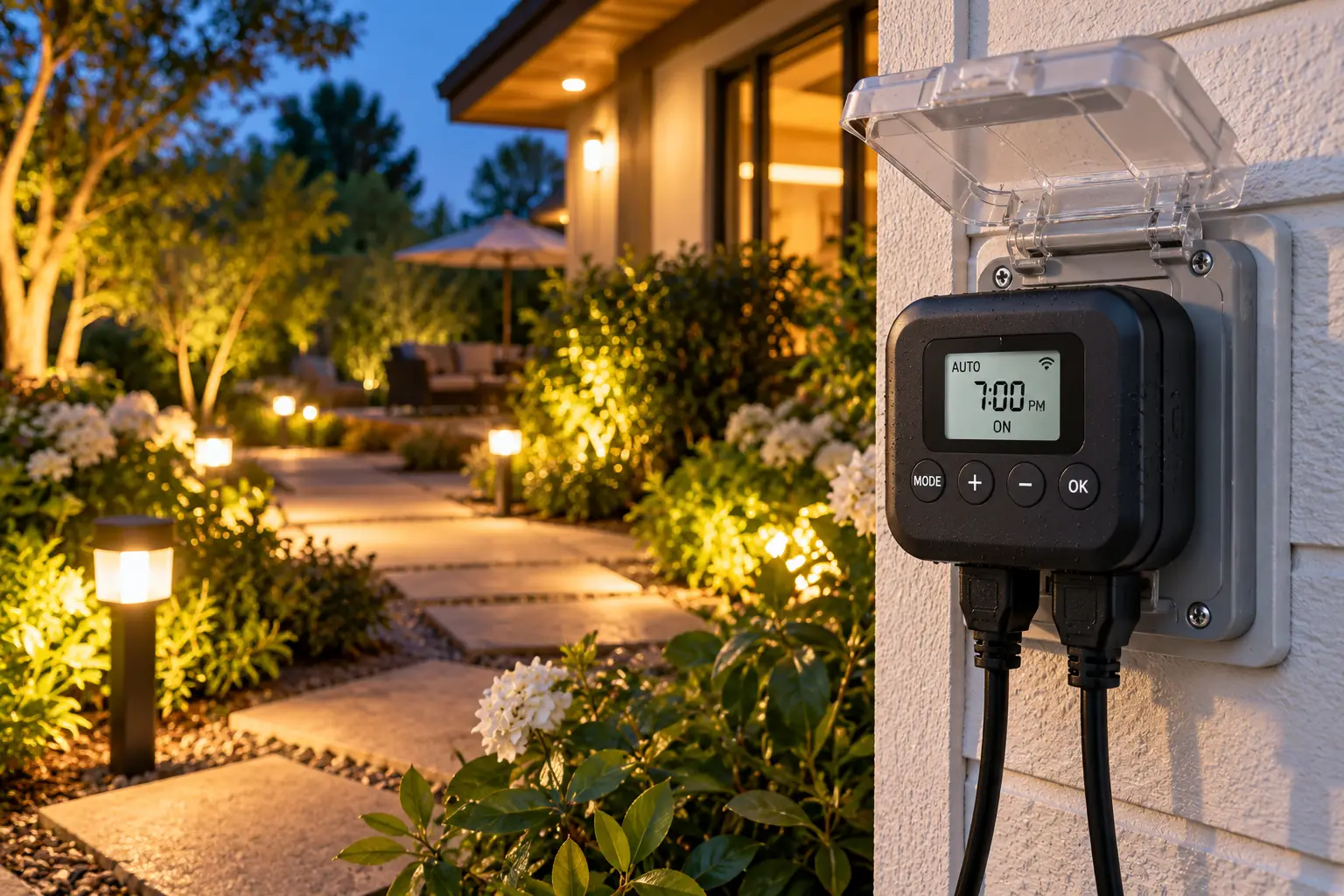
Picture this: it’s mid-November, the sun sets at 4:45 p.m., and your porch lights are still waiting for the 6:30 p.m. setting you programmed back in July. Meanwhile, the neighbors’ string lights glow right on cue. That little mismatch is exactly the problem a smart timer for outdoor lights solves.
What Is a Smart Timer for Outdoor Lights?
A smart timer for outdoor lights is a weatherproof, app- or voice-controlled switch — usually an outdoor smart plug or yard stake — that turns connected lights on and off by schedule, by sunrise/sunset times for your location, or by countdown. Unlike dial timers, it adjusts automatically as the seasons change.
That last point matters more than it sounds. The U.S. Department of Energy notes in its guide to lighting controls that ordinary programmable timers often need resetting for outdoor use because the length of the night keeps shifting — and suggests pairing dusk-based switching with a fixed “off” time. A good outdoor smart plug timer does both in one small box: lights on at sunset, off at 11 p.m., no ladder, no fiddling with tiny plastic pegs.
In this guide, we compare seven real products you can find on amazon.com — from bargain Alexa-only plugs to a hub-based pro option and a six-outlet yard stake. Instead of repeating marketing bullet points, you’ll get honest analysis built from spec sheets and aggregated owner feedback: what each feature means in your yard, who each plug suits, and where the hidden trade-offs hide. You’ll also find setup tips, troubleshooting fixes, and a cost breakdown so your pick keeps paying off long after the holiday lights come down.
Quick Comparison: The 7 Best Smart Outdoor Light Timers at a Glance
| Product | Standout feature | Hub needed? | Approx. price range | Best for |
|---|---|---|---|---|
| Tapo P400M | Matter + IP65, 2 outlets | No | $15–$25 | Tapo P400M: mixed Apple/Alexa/Google homes |
| Kasa EP40M | Matter + 1,875W capacity, 2 outlets | No | $20–$30 | Kasa EP40M: heavier loads, Kasa app fans |
| Lutron Caséta PD-15OUT | Non-Wi-Fi RF, IP66-rated housing | Yes (Caséta Smart Hub) | $60–$90 + hub | Lutron Caséta PD-15OUT: set-and-forget reliability |
| meross MSS630 | 3 independent outlets, HomeKit | No | $30–$40 | meross MSS630: covered patios, Apple Home |
| DEWENWILS HOYS22W | 6 outlets on a yard stake | No | $35–$50 | DEWENWILS HOYS22W: big holiday displays |
| Kasa KP405 | Built-in dimmer | No | $25–$40 | Kasa KP405: dimmable string lights |
| Amazon Basics Outdoor Smart Plug | Alexa-only, IP65 | No (Alexa app) | Under $25 | Amazon Basics Outdoor Smart Plug: Alexa-only households |
Looking at the table, the Tapo P400M and Kasa EP40M deliver the most flexibility per dollar, since both speak Matter and handle two separate schedules. The Lutron Caséta PD-15OUT costs several times more once you add its hub, but it’s the only pick here that doesn’t depend on your Wi-Fi at all. If you’re powering a sprawling holiday display, the DEWENWILS HOYS22W trades individual outlet control for sheer outlet count.
💬 One click helps other shoppers make an informed choice too! 😊
Top 7 Smart Timer for Outdoor Lights Picks: Expert Analysis
Prices below are approximate ranges at the time of writing — prices may vary, so check the current price before buying.
1. Tapo P400M — best all-around cross-platform pick
If your household mixes iPhones, Android phones, and more than one voice assistant, this is the plug that keeps everyone happy. The Tapo P400M packs two independently controlled outlets, a 15A/1,800W maximum load (or a ½-horsepower motor), and an IP65 enclosure — meaning dust-tight and able to shrug off water jets from any direction, which is handy when the sprinkler misfires at 2 a.m. Because it’s Matter-certified over Wi-Fi, it pairs natively with Apple Home, Alexa, Google Home, and SmartThings without a hub, and it’s rated for -4°F to 122°F.
Based on comparing the specs, the real win is scheduling: the Tapo app supports sunrise/sunset triggers with offsets per outlet, so your porch string lights can come on 15 minutes after sunset while a fountain pump runs on its own clock. PCWorld’s review of the Tapo P400M also points out that Best Buy sells identical hardware as the Tapo TP25 — useful if you’re comparing retailers. What most buyers overlook: the pigtail cord is short, so plan your mounting spot first.
Reviews consistently praise its quick response and long Wi-Fi reach (TP-Link claims up to 300 feet in open space), and several 2026 roundups report that Wirecutter named it its top outdoor smart plug. The most common complaints are the stubby cable and the lack of energy monitoring.
Pros:
- ✅ Matter support works across all major ecosystems
- ✅ IP65 rating handles driving rain and dust
- ✅ Per-outlet sunrise/sunset schedules with offsets
Cons:
- ❌ Very short pigtail limits placement options
- ❌ No energy monitoring for tracking usage
Price and value: Typically in the $15–$25 range — exceptional value for a two-channel Matter plug.
2. Kasa EP40M — Matter plus extra power headroom
Think of the Kasa EP40M as the Tapo P400M‘s slightly beefier cousin. It shares the dual 15A outlets and the claimed 300-foot Wi-Fi range from dual antennas, but it’s rated for a 1,875W resistive load versus the Tapo’s 1,800W. On paper, that 75-watt difference won’t matter for LED string lights, but it adds a small safety margin if one outlet feeds a patio heater fan or a bigger pump. TP-Link rates it for -4°F to 122°F, covering everything from Minnesota winters to Arizona patios.
Here’s what to weigh: the EP40M adds Matter to the long-running Kasa EP40 design, so you get Apple Home support without giving up the mature Kasa app — which supports sunrise/sunset schedules, countdown timers, and away mode for randomized “someone’s home” lighting. For Kasa households that already own indoor Kasa plugs, keeping everything in one app is a genuine quality-of-life advantage.
The review base for the older Kasa EP40 is enormous — deal trackers cite a 4.6-star average across more than 17,000 Amazon ratings — and owners repeatedly describe it as the plug that “just works.” Feedback specific to the newer EP40M is thinner, so treat that track record as a strong signal about the hardware family rather than a guarantee for this exact model.
Pros:
- ✅ Highest wattage rating among the two-outlet Wi-Fi picks
- ✅ Matter plus the familiar, feature-rich Kasa app
- ✅ Away mode simulates occupancy while you travel
Cons:
- ❌ Splash-resistant rating is a step below IP65 rivals
- ❌ Requires 2.4 GHz Wi-Fi only
Price and value: Usually around $20–$30 — excellent value if you want Matter with a proven hardware lineage.
3. Lutron Caséta PD-15OUT — the set-and-forget reliability champ
The Lutron Caséta PD-15OUT is what you buy when you never want to think about your outdoor lights again. Instead of Wi-Fi, it talks to Lutron’s Caséta Smart Hub (model L-BDG2-WH, sold separately) over Lutron’s own radio link, so a router reboot or a crowded 2.4 GHz band won’t knock it offline. Lutron markets the current version as IP66-rated “Weatherproof+,” built for severe rainfall, with a polycarbonate body rated for -4°F to 122°F. It handles up to 15A of LED fixtures or ½-horsepower motors.
What the spec sheet doesn’t shout about, but owners appreciate, is the hub-based astronomic scheduling: lights track sunset and daylight saving time year-round without any cloud hiccups. It also pairs with Lutron’s Pico remote, so guests can switch the patio lights without an app. The catch is geography — Lutron recommends mounting it within about 30 feet of the hub, which can be a challenge for a detached garage.
Aggregated reviews on Best Buy and Home Depot are strikingly consistent: owners describe it as heavy-duty and dependable, and the most common criticism is simply the price. One outlet, a hub requirement, and a premium tag make it overkill for a single strand of lights — but it’s a smart investment for landscape lighting you rely on every night.
Pros:
- ✅ Doesn’t depend on your Wi-Fi network
- ✅ Tank-like housing with top-tier weatherproofing
- ✅ Automatic seasonal and daylight-saving adjustment
Cons:
- ❌ Requires a separately sold Caséta Smart Hub
- ❌ Only one outlet at a premium price
Price and value: Roughly $60–$90 for the plug, plus the hub — premium, but justified if reliability is non-negotiable.
4. meross MSS630 — three outlets for Apple Home fans
The meross MSS630 gives you three independently controlled sockets in one unit, which means one plug can run porch lights, a spotlight, and an inflatable on three separate schedules. It works with Apple HomeKit, Alexa, Google Home, and SmartThings, and meross highlights local control — the plug can still respond on your home network through the meross app if your internet connection drops. That’s a nice resilience bonus most budget plugs lack.
Now for the honest caveat: it’s rated IP44, which means splash resistance, not jet resistance. In practice, this plug belongs under an eave, on a covered porch, or inside a weatherproof outlet cover — not on an exposed post facing the prevailing storm. Meross’s own listing also warns against using it for pumps, so it’s a lighting-and-decorations plug, full stop. HomeKit remote access requires a home hub such as an Apple TV or HomePod.
Reviews frequently highlight painless HomeKit setup (scan the code, name each outlet, done) and the cost savings of three channels in one device. The recurring complaint in aggregated feedback is reliability drifting after six to twelve months for some owners — a pattern that seems more common where the plug sits fully exposed.
Pros:
- ✅ Three sockets with individual schedules
- ✅ Native HomeKit plus Alexa and Google support
- ✅ Local control when the internet goes down
Cons:
- ❌ IP44 rating needs sheltered placement
- ❌ Not intended for pumps or motors
Price and value: Generally $30–$40 — strong per-outlet value for covered patios and Apple households.
5. DEWENWILS HOYS22W — six outlets on a yard stake
The DEWENWILS HOYS22W solves a different problem: getting power into the middle of the lawn. It’s a Wi-Fi yard stake with six grounded outlets on a 6-foot 14/3 SJTW outdoor cord, rated 15A/1,875W resistive, 8A/1,000W tungsten, or ½ horsepower, with built-in overload protection. That’s enough for a serious holiday display — inflatables, projector lights, and several strands of LED lights — without daisy-chaining extension cords across the grass.
The critical detail most buyers miss is that all six outlets switch together. DEWENWILS’s listing says the schedule turns every socket on and off at once, so this works as one “zone,” not six. That’s perfect for a front-yard Christmas scene that should light up as a unit, and frustrating if you wanted the inflatables off at 10 p.m. but the pathway lights on until midnight. It works with Alexa and Google Assistant, and a manual power button under the weatherproof cover lets you override things without your phone. Check the app for sunset-based scheduling before you commit if that feature is essential to you.
Customer sentiment for this specific model is harder to verify at scale than for the TP-Link picks, so we’re leaning on specs here. The design itself — stake, thick cord, protective cover — is the category’s standard approach, and the brand is well established in outdoor timers.
Pros:
- ✅ Six grounded outlets from a single wall socket
- ✅ Heavy-duty 14-gauge outdoor-rated cord
- ✅ Overload protection adds a safety buffer
Cons:
- ❌ All outlets share one schedule
- ❌ Fewer verified long-term reviews than major brands
Price and value: Usually $35–$50 — good value per outlet if everything runs on one schedule.
6. Kasa KP405 — dims string lights on a schedule
The Kasa KP405 is the only plug here with a built-in dimmer, which changes how your patio feels, not just when it lights up. Schedule the bistro lights to come on at sunset at full brightness for dinner, then drop to a soft glow at 9 p.m. It’s a single-outlet, IP64 plug with the Kasa app’s sunrise/sunset scheduling, grouping across multiple dimmers, and the same claimed 300-foot Wi-Fi range as its siblings.
Here’s the fine print that matters: it’s designed exclusively for dimmable lights, with a 4-amp maximum — 150W for LED/CFL or 300W for incandescent. That’s plenty for a few strands of dimmable LED string lights, but it rules out pumps, heaters, and anything that isn’t a dimmable light. Kasa also recommends mounting it at least 8 inches off the ground to avoid rain splash-back, which is sensible advice for any outdoor smart plug.
Aggregated owner feedback tends to be modest in volume but positive about the core promise — scheduled on/off plus dimming for deck and string lights — with occasional notes that the physical button’s status can take a moment to sync in the app. If your lights say “non-dimmable” on the box, skip this one; dimming them can cause flicker or buzzing.
Pros:
- ✅ Scheduled dimming creates evening ambiance
- ✅ Sunrise/sunset timing through the Kasa app
- ✅ Groups with other Kasa dimmers easily
Cons:
- ❌ Works only with dimmable lighting loads
- ❌ Single outlet with a low 150W LED limit
Price and value: Typically $25–$40 — worth it only if dimming is part of the plan.
7. Amazon Basics Outdoor Smart Plug — simplest Alexa-only setup
The Amazon Basics Outdoor Smart Plug is built for one kind of home: an Alexa home. It sets up entirely in the Alexa app — no third-party app, no extra account — and offers two independently controlled outlets in an IP65-rated enclosure that resists low-pressure water jets. For many people, that’s the entire wish list.
The trade-off is lock-in. It works exclusively with Alexa, so if you ever switch to Google Home or Apple Home, it goes in a drawer. Scheduling lives in Alexa routines, which can trigger at sunrise or sunset, but reviewers note the offset options feel more rigid than what the Kasa and Tapo apps offer natively. Still, for a single-assistant household, fewer apps means fewer things to break.
Most owners report reliable performance through the first year, according to aggregated reviews, though a small minority mention units failing after several months outdoors — a reminder that “IP65” doesn’t mean “invincible,” and mounting outlets facing down still matters. It’s a no-drama choice for Alexa loyalists.
Pros:
- ✅ Setup takes minutes inside the Alexa app
- ✅ IP65 weather protection at a budget price
- ✅ Two outlets controlled independently
Cons:
- ❌ Alexa only, no Google or Apple support
- ❌ Less flexible sunset offsets than rivals
Price and value: Usually under $25 — hard to beat if Alexa already runs your house.
Head-to-Head: Specs of the Top 7 Compared
| Product | Outlets | Weather rating | Max load | Works with | Sunset scheduling | Review sentiment | Best for |
|---|---|---|---|---|---|---|---|
| Tapo P400M | 2 (independent) | IP65 | 15A / 1,800W | Matter: Apple, Alexa, Google, SmartThings | Yes, per-outlet offsets | Very positive | Tapo P400M: most homes |
| Kasa EP40M | 2 (independent) | IP64 class | 15A / 1,875W | Matter + Kasa app | Yes | Very positive (EP40 lineage) | Kasa EP40M: heavier loads |
| Lutron Caséta PD-15OUT | 1 | IP66 (marketed) | 15A LED / ½ HP | Caséta hub → Apple, Alexa, Google | Yes, astronomic via hub | Very positive; pricey | Lutron Caséta PD-15OUT: mission-critical lights |
| meross MSS630 | 3 (independent) | IP44 | Lighting loads; no pumps | HomeKit, Alexa, Google, SmartThings | Yes (app schedules) | Positive; some longevity complaints | meross MSS630: sheltered patios |
| DEWENWILS HOYS22W | 6 (switched together) | Weatherproof cover | 15A / 1,875W | Alexa, Google | Check app | Limited verified data | DEWENWILS HOYS22W: holiday scenes |
| Kasa KP405 | 1 (dimmer) | IP64 | 4A / 150W LED | Alexa, Google, SmartThings | Yes | Positive, modest volume | Kasa KP405: dimmable ambiance |
| Amazon Basics Outdoor Smart Plug | 2 (independent) | IP65 | 15A | Alexa only | Via Alexa routines | Mostly positive; some failures | Amazon Basics Outdoor Smart Plug: Alexa homes |
The pattern is clear: if your outlet is exposed to weather, the IP65-and-up group — Tapo P400M, Amazon Basics Outdoor Smart Plug, and Lutron Caséta PD-15OUT — deserves priority. The meross MSS630 wins on outlet count per dollar, but only under a roof. And the DEWENWILS HOYS22W is the only pick that brings power to the middle of the yard, as long as you’re happy with a single schedule.
✨ Don’t miss the right fit for your yard!
🔍 Take your outdoor lighting to the next level with this carefully curated lineup. Click a highlighted product to check current pricing and availability. These picks will help you get lights that turn on right at dusk, every single night — no ladder required!
How to Set Up an Outdoor Smart Plug Timer the Right Way
Unboxing takes a minute; getting a year of trouble-free service takes a little planning. Here’s a practical first-30-days routine that works for every pick above.
Before you plug in
- Test your Wi-Fi at the outlet. Stand at the outdoor receptacle with your phone on the 2.4 GHz network. If a web page loads slowly, the plug will struggle too. A mesh node or extender near a window facing the yard usually fixes this.
- Confirm GFCI protection. Press “Test” on the outdoor outlet (or its upstream GFCI indoors) and make sure it trips and resets.
- Do the setup indoors first. Pairing a plug at the kitchen counter is far easier than crouching by a bush with a flashlight.
Installation tips that prevent problems
- Mount the plug with outlets facing down, and keep it at least 8 inches off the ground, as Kasa recommends for the Kasa KP405.
- Use drip loops — a small downward sag in each cord before it reaches the plug — so rain runs off instead of into the socket.
- Close the covers on any unused outlets.
Programming for the seasons
Use sunset as your “on” trigger and a fixed clock time as your “off.” For example: on at sunset +10 minutes, off at 11 p.m. This mirrors the photosensor-plus-timer combination energy experts recommend, and it means you never touch the schedule again.
Common mistakes in the first 30 days
Forgetting to set your home location (sunset times will be wrong), naming outlets “Plug 1” and “Plug 2” (voice commands become guesswork), and skipping firmware updates. Name outlets by purpose — “Porch Lights,” “Fountain” — and turn on auto-update where available.
Real-World Scenarios: Matching the Right Timer to Your Yard
Specs make more sense when you attach them to real lives. Here are three common profiles and the reasoning behind each match.
The busy commuter with a small porch
Budget: under $30. Use: porch light and a strand of bistro lights, every night. Leaving at 7 a.m. and getting home after dark in winter, this person needs lights on before arrival. The Tapo P400M fits perfectly: one outlet for the porch lamp on a sunset trigger, the other for bistro lights that shut off at 10 p.m. If the household is iPhone-only, Matter means it shows up in Apple Home alongside everything else. An Alexa-only household could save a few dollars with the Amazon Basics Outdoor Smart Plug instead.
The holiday decorator with a big front lawn
Budget: $50–$80. Use: heavy November–January use, lights mid-lawn. Running three extension cords across frozen grass is a tripping hazard waiting to happen. The DEWENWILS HOYS22W puts six outlets right where the display lives, on one heavy-gauge cord. Because it switches everything together, pair it with a Tapo P400M at the house for the porch lights that need a different schedule. Two devices, zero dial timers.
The landscape-lighting homeowner who hates tinkering
Budget: $150+. Use: path and uplighting year-round, including when traveling. Here, reliability beats price. The Lutron Caséta PD-15OUT with a Caséta Smart Hub keeps the lights on an astronomic schedule even if the Wi-Fi goes down while the family is away for two weeks. If the home already has Caséta dimmers indoors, the hub is a sunk cost and the decision gets even easier.
Troubleshooting: Common Problems and Fixes
Even the best wifi outdoor timer for lights hits a snag now and then. These are the problems owners report most, with fixes that actually work.
Problem 1: The plug keeps going offline
Solution: Outdoor walls — especially brick, stucco, or anything with foil-backed insulation — chew up Wi-Fi. Move your router or add a mesh node closer to that side of the house. Also check that your network broadcasts a 2.4 GHz band; nearly every plug here, including the Kasa EP40M and meross MSS630, is 2.4 GHz only. If constant dropouts persist, the RF-based Lutron Caséta PD-15OUT sidesteps Wi-Fi entirely.
Problem 2: Lights turn on at the wrong time
Solution: Your app probably has the wrong location or time zone. Sunrise/sunset scheduling depends on your coordinates, so confirm the home address in the Kasa, Tapo, meross, or Alexa app. Also delete any old fixed-time schedules that might be competing with the sunset rule.
Problem 3: The GFCI outlet keeps tripping in the rain
Solution: That’s the GFCI doing its job — moisture is getting into a connection somewhere. Check extension cord joints first; wrap them in a weatherproof connector box. Make sure the smart plug’s outlets face downward and unused sockets are capped.
Problem 4: Dimmed string lights flicker or buzz
Solution: The lights likely aren’t dimmable, or the total load exceeds the Kasa KP405‘s 150W LED limit. Swap to strands labeled dimmable and add up wattage before connecting.
Problem 5: Voice commands control the wrong device
Solution: Rename outlets with distinct names (“Backyard String Lights” rather than “Lights”) and assign them to the correct room in your voice assistant app.
How to Choose a Smart Timer for Outdoor Lights
Choosing well comes down to seven questions. Answer them in order and the right pick usually jumps out.
- How exposed is the outlet? For fully exposed spots, aim for IP65 or better. The IP code system uses the first digit for dust and the second for water — so IP44 handles splashes, while IP65 resists water jets. Sheltered porches can get by with IP44.
- How many separate schedules do you need? Count schedules, not devices. Six decorations on one schedule? A stake works. Lights and a fountain on different timings? You need independently controlled outlets.
- Which ecosystem runs your home? Matter plugs like the Tapo P400M and Kasa EP40M work across Apple, Google, Alexa, and SmartThings. Alexa-only plugs lock you in.
- Is sunset scheduling built in? This is the entire reason to go smart for outdoor lighting. Verify it before buying.
- What’s the load? LED strings draw little, but pumps and motors need a ½-HP rating — and some plugs, like the meross MSS630, aren’t meant for pumps at all.
- How strong is your Wi-Fi outside? A weak signal turns any smart plug into a dumb one. Hub-based RF is the alternative.
- Do you want dimming? Only the Kasa KP405 here offers it, and only for dimmable lights.
Answer honestly, and you’ll avoid the most common regret: buying a plug that’s either overbuilt for your needs or underbuilt for your weather.
Smart Outdoor Light Timer vs. Photocell and Mechanical Timers
Before smart plugs existed, you had two main choices: a mechanical dial timer with little pins, or a photocell timer that switches on at dusk using a light sensor. Both still have fans — and both still sell well on Amazon — so it’s worth understanding what you gain and lose by upgrading.
| Feature | Mechanical dial timer | Photocell (dusk-to-dawn) timer | Smart outdoor light timer |
|---|---|---|---|
| Adjusts to seasons | No — manual resets | Yes, via light sensor | Yes, via sunset data for your location |
| Remote control | No | Some include an RF remote | Yes, from anywhere via app |
| Voice control | No | No | Yes (Alexa, Google, Siri via Matter/HomeKit) |
| Works without Wi-Fi | Yes | Yes | Partly (schedules often run locally) |
| Vulnerable to shade/porch lights | No | Yes — sensor can be fooled | No |
| Separate schedules per outlet | No | Rarely | Often (2–3 outlets) |
| Best for | Cabins with no Wi-Fi | Simple dusk-to-dawn needs | Anyone wanting automation and flexibility |
The comparison shows why the smart outdoor light timer has taken over: it combines the photocell’s seasonal awareness with the precision of a clock, and adds remote control on top. Photocells remain a solid, app-free choice for vacation cabins without internet, but a sensor tucked under a shady eave can switch on at 3 p.m. on a cloudy day. Mechanical dials, meanwhile, fail the “set it once” test entirely.
There’s also a middle ground worth knowing: some yard-stake timers pair a photocell with a handheld RF remote, which gives you dusk-to-dawn automation and couch-side control with no app at all. They’re a reasonable pick for renters or anyone wary of connected devices — just accept that you won’t get per-outlet schedules, voice control, or remote access when you’re away from home.
Features That Actually Matter (and Ones That Don’t)
Marketing copy for any outdoor smart plug timer loves to shout about everything at once. Here’s how to separate the useful features from the noise.
Features that genuinely matter
- Sunrise/sunset scheduling with offsets. This is the killer feature. An outdoor light timer with sunset setting and an adjustable offset (say, +15 minutes) means lights come on when it’s actually dark, not at the exact moment of astronomical sunset.
- Independent outlet control. It lets one device do two or three jobs, which saves money and wall space.
- Weather rating that matches your spot. IP65 for exposed walls, IP44 only under cover.
- Local control or local schedule execution. When your internet drops, you want lights to follow yesterday’s schedule, not freeze.
- Away mode. Randomized on/off patterns make a house look occupied while you travel — a genuine security perk.
Features that matter less than you’d think
- Energy monitoring. Great on indoor plugs for space heaters, but LED string lights draw so little that monitoring rarely changes behavior.
- Extreme Wi-Fi range claims. “300 feet” is measured in open space. Your walls will cut that dramatically, so test in real conditions.
- Scene-syncing with music. Fun for a party demo; rarely used after week two.
The honest takeaway
Pay for scheduling intelligence and weatherproofing. Skip premiums for features your LED lights will never need.
Common Mistakes to Avoid When Buying an Outdoor Smart Plug Timer
Buying a smart plug for outdoor string lights seems simple, yet the same mistakes show up again and again in aggregated owner feedback. Avoid these, and you’ll dodge most returns.
Mistake 1: Buying an indoor smart plug and “just covering it”
Indoor plugs lack gaskets, outdoor-rated plastics, and temperature ratings. A plastic bag is not a weatherproof enclosure. Buy a plug designed for outdoor use from the start.
Mistake 2: Ignoring the 2.4 GHz requirement
Most outdoor plugs, including the Tapo P400M and Amazon Basics Outdoor Smart Plug, connect only to 2.4 GHz networks. If your router merges bands under one name, setup can fail. Many routers let you temporarily separate them.
Mistake 3: Assuming every outlet is independent
The DEWENWILS HOYS22W switches all six outlets together. Read the listing carefully if you need separate timings.
Mistake 4: Using a dimmer on non-dimmable lights
Pairing the Kasa KP405 with non-dimmable strands leads to flicker and buzz. Check packaging before you plug in.
Mistake 5: Choosing a platform-locked plug in a mixed home
If one person uses Siri and another uses Alexa, an Alexa-only plug creates friction. Matter plugs eliminate that argument.
Mistake 6: Forgetting about the hub
The Lutron Caséta PD-15OUT doesn’t work without its Smart Hub. Budget for both, or you’ll own a very well-built paperweight.
Long-Term Cost and Maintenance
The sticker price is only part of the story. What you really pay for is cost per controllable schedule, plus what the device saves you over its life.
| Setup | Approx. upfront cost | Extra purchase needed | Independent schedules | Cost per schedule | Best for |
|---|---|---|---|---|---|
| Tapo P400M | $15–$25 | None | 2 | ~$8–$13 | Tapo P400M: best overall value |
| Kasa EP40M | $20–$30 | None | 2 | ~$10–$15 | Kasa EP40M: Kasa ecosystems |
| meross MSS630 | $30–$40 | Apple home hub for HomeKit remote access | 3 | ~$10–$13 | meross MSS630: covered patios |
| DEWENWILS HOYS22W | $35–$50 | None | 1 | ~$35–$50 | DEWENWILS HOYS22W: one big display |
| Lutron Caséta PD-15OUT | $60–$90 | Caséta Smart Hub | 1 | Highest | Lutron Caséta PD-15OUT: reliability-first homes |
Per schedule, the Tapo P400M and meross MSS630 are the value leaders, while the Lutron Caséta PD-15OUT only makes financial sense if you already own the hub or truly need Wi-Fi-free reliability. The DEWENWILS HOYS22W looks expensive per schedule, but it also replaces extension cords and a separate power strip.
What you save
Consider a 100-watt holiday display that a forgetful household leaves on six extra hours a night. That’s 0.6 kWh nightly, or about 54 kWh across a 90-day season. At roughly 17 cents per kWh — around recent U.S. residential averages, though your rate may differ — that’s about $9 a season from one display. Across multiple strands, porch lights, and several years, most of these plugs pay for themselves.
Maintenance schedule
- Each fall: Inspect cords for cracks, test the GFCI, and update firmware.
- After storms: Check that covers are closed and outlets still face down.
- Each spring: Wipe off pollen and grime, and confirm schedules still reflect your routine.
Safety, Regulations, and Standards
A smart plug is still an electrical device living in the rain, so safety deserves more than a footnote.
Look for a testing-lab mark
The U.S. Consumer Product Safety Commission advises using only lights and electrical products tested by a nationally recognized laboratory, such as UL or ETL. Most picks here carry ETL certification — the Tapo P400M, Kasa EP40M, and Kasa KP405 among them — while the DEWENWILS HOYS22W lists FCC compliance, which covers radio emissions rather than electrical safety, so check its listing for a UL or ETL mark as well.
Always use GFCI protection
The CPSC’s holiday decorating safety guidance recommends plugging outdoor lights only into GFCI-protected receptacles or a portable GFCI, checking that lights are certified for outdoor use, and making sure any extension cord is rated for the job. Modern U.S. electrical codes generally require GFCI protection on outdoor receptacles, but older homes may predate that — press the test button to be sure.
Respect load ratings
Add up the wattage of everything on a plug. Staying well below the maximum (around 80% is a common rule of thumb for continuous loads) reduces heat buildup. Never chain multiple smart plugs or power strips together.
Temperature and placement
Most picks are rated from -4°F to 122°F. In colder regions, choose a location protected from wind and ice buildup, and never let a plug sit in standing water or snow.
Privacy and security
Keep firmware updated, use a strong Wi-Fi password, and enable two-factor authentication in the brand’s app when offered. Smart plugs are small, but they’re still connected devices on your network.
FAQ: Smart Timer for Outdoor Lights
❓ Can I leave an outdoor smart plug outside all winter?
❓ Do smart timers for outdoor lights still work if the internet goes down?
❓ Will a smart plug control solar-powered outdoor lights?
❓ Can I plug an extension cord into an outdoor smart plug?
❓ Is a Matter-compatible outdoor smart plug worth paying extra for?
Conclusion: Let the Sunset Run Your Lights
Choosing a smart timer for outdoor lights isn’t about chasing the fanciest gadget — it’s about matching three things: your weather exposure, the number of schedules you need, and the ecosystem already running your home. Get those right, and your lights will greet you at dusk every night of the year without a single manual reset.
For most people, the Tapo P400M is the easy recommendation: IP65 protection, two independent outlets, sunset scheduling with offsets, and Matter support at a price that barely registers. Kasa loyalists or anyone running slightly heavier loads should look at the Kasa EP40M. If you want lights that simply never miss — and don’t mind paying for it — the Lutron Caséta PD-15OUT with its hub is the premium choice.
Covered patios and Apple households get excellent per-outlet value from the meross MSS630. Big holiday displays belong on the DEWENWILS HOYS22W, while the Kasa KP405 adds dimming for cozy evenings. And if Alexa already runs your house, the Amazon Basics Outdoor Smart Plug keeps things refreshingly simple.
Whichever you choose, set a sunset trigger, add a fixed shut-off time, plug into a GFCI outlet, and enjoy the small daily luxury of never thinking about your porch lights again.
🌙 Ready to automate your yard tonight?
💡 Click a highlighted product above to check current pricing and availability on Amazon. One small plug, one quick setup — and your outdoor lights will follow the sun from now on. Your future self (and your electric bill) will thank you!
Recommended for You
- Exterior Electrical Plugs: 7 Best Weatherproof Picks for 2026
- Matter Compatible Smart Home Hub: 7 Proven Picks for 2026
- Lutron Caseta Black: 7 Best Smart Picks (Honest 2026 Guide)
Disclaimer: This post contains affiliate links. As an Amazon Associate, I earn from qualifying purchases made through these links, at no additional cost to you.
✨ Found this article helpful? Share it with someone who needs it! 💬🤗
