
In This Article
What Is a Wall Outlet USB Power Adapter?
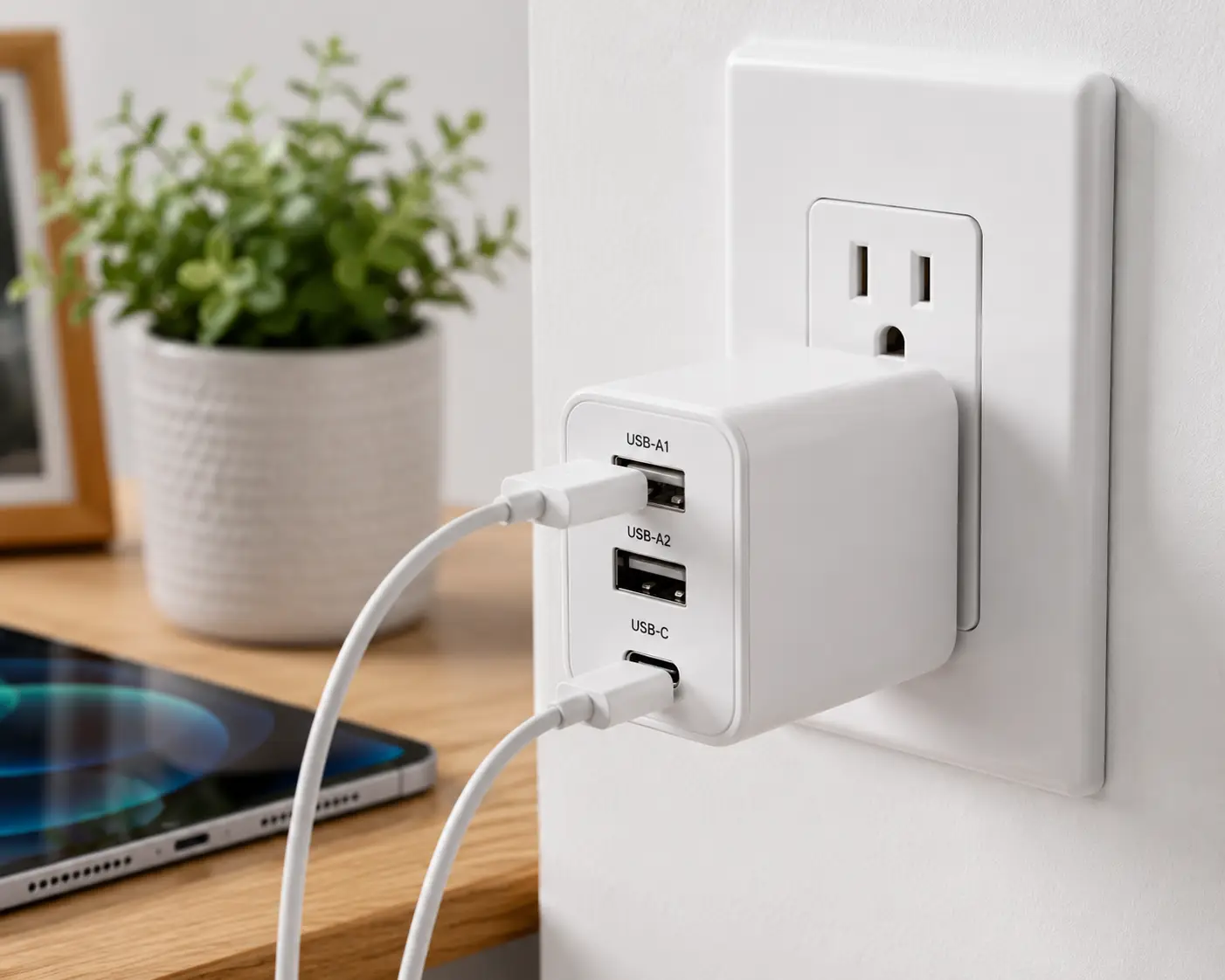
A wall outlet USB power adapter is any device that lets you charge phones, tablets, or laptops directly from a household electrical outlet without a separate USB port on the wall itself. That covers two related product families: compact plug-in “wall chargers” you insert into any standard outlet, and in-wall USB outlet receptacles that replace your existing outlet and add built-in USB ports permanently. Both convert your home’s 120V AC power into the low-voltage DC power your devices actually use…
If you’ve ever hunted for a free USB port on a nightstand, a kitchen counter, or an airport gate, you already know why this category has exploded. Apple, Samsung, and Google all stopped including a wall outlet USB power adapter in the box with new phones years ago, which means almost every household now needs to buy one separately — and the market has gotten a lot more complicated than “grab whatever’s cheapest at the checkout aisle.” Between USB-C Power Delivery, Gallium Nitride (GaN) chip technology, multi-port sharing, and in-wall receptacle upgrades, there’s a real difference between a good wall outlet USB power adapter and one that will slow-charge your devices or, worse, overheat.
This guide breaks down seven genuinely different real-world options — from a $16 single-port charger to a hardwired in-wall outlet replacement — based on published spec sheets, manufacturer documentation, and aggregated customer feedback from verified buyers. We’ll also cover the safety standards that actually matter, since not every USB wall adapter on Amazon is created equal, and a look at UL’s counterfeit-charger testing shows why that distinction is worth caring about.
Quick Comparison: Top Wall Outlet USB Power Adapters at a Glance
| Product | Ports | Max Output | Best For | Price Range |
|---|---|---|---|---|
| Anker 511 Charger (Nano 3) | 1x USB-C | 30W | Everyday carry, single device | Under $25 |
| Belkin BoostCharge 20W | 1x USB-C | 20W | Budget nightstand charger | Under $20 |
| UGREEN Nexode 65W | 2x USB-C, 1x USB-A | 65W | Multi-device households | $25–$35 |
| Belkin BoostCharge Pro 65W | 2x USB-C | 65W | Laptop + phone simultaneously | $30–$45 |
| Anker Prime 67W | 2x USB-C, 1x USB-A | 67W | Power users, frequent travel | $40–$55 |
| Leviton T5633-W | 1x USB-A, 1x USB-C | 18W | Budget in-wall outlet upgrade | $20–$30 |
| Leviton T5635-W | 2x USB-C | 30W | Permanent, built-in wall solution | $35–$50 |
Prices reflect typical ranges at the time of writing and fluctuate on Amazon — always check the current price before buying.
Looking at this table, the split between plug-in bricks and in-wall receptacles is the first fork in the road: the Anker 511 Charger, Belkin BoostCharge 20W, UGREEN Nexode 65W, Belkin BoostCharge Pro 65W, and Anker Prime 67W are all portable units you plug into any existing outlet, while the two Leviton models physically replace your outlet and stay there permanently. If you rent your home or move often, the plug-in options make far more sense; if you own your home and want a genuinely clutter-free nightstand or kitchen counter, an in-wall unit like the Leviton T5635-W pays off over years of use. Either way, wattage alone doesn’t tell the whole story — how that wattage is distributed across ports matters just as much, which is exactly what the product breakdowns below unpack.
💬 Found the comparison useful? A quick share helps other shoppers charge smarter too! 😊
The 7 Best Wall Outlet USB Power Adapters — In-Depth Analysis
1. Anker 511 Charger (Nano 3) — smallest brick for daily carry
If your main frustration is a charger that eats half your outlet strip or won’t fit behind furniture, the Anker 511 solves that with genuinely surprising dimensions. Anker built this around Gallium Nitride (GaN) semiconductor technology instead of older silicon designs, which is how the company fit a full 30W of USB-C Power Delivery into a housing roughly 70% smaller than a typical stock 30W charger. In practice, that means it charges a compatible iPhone from 0-50% in about 30 minutes and tops off an iPad Air at a similar clip — genuinely fast for a single-port unit, and a real jump from the 5W bricks phones shipped with a decade ago.
What most buyers overlook with a single-port charger like this is that “fast” only applies if your cable and device both support USB-C Power Delivery; plug in an older USB-A cable adapter and you’ll get standard 5W speeds regardless of the brick’s rating. This model is best suited to people who want exactly one dedicated fast-charging spot — a nightstand, a desk, a car glovebox backup — rather than families juggling multiple devices on one outlet. Reviewers on Amazon and Anker’s own site consistently mention the foldable prong as a small but appreciated detail, since it keeps the charger from snagging on other cables in a bag, and the ActiveShield 2.0 thermal monitoring is frequently cited as a reason buyers trust it for overnight charging near a bed.
Pros:
- ✅ Extremely compact GaN design saves outlet space
- ✅ Genuine 30W PD speed for phones and small tablets
- ✅ Foldable prongs make it travel-friendly
Cons:
- ❌ Single port means no simultaneous charging
- ❌ Not powerful enough for most laptops
Typically priced under $25, the Anker 511 is a strong value if you only need one fast port — pushing much higher for this exact spec would be hard to justify.
2. Belkin BoostCharge USB-C Wall Charger 20W — best budget single-port pick
The Belkin BoostCharge 20W strips things down to the essentials: one USB-C port, a straightforward 20W output, and nothing else competing for your attention or your wallet. Belkin rates it to take an iPhone from 0-50% in roughly 27 minutes, which lands just behind the 30W chargers on this list but comfortably ahead of anything under 18W, and it comfortably handles smaller tablets and true wireless earbuds cases without issue.
Here’s what the spec sheet doesn’t say outright: 20W is essentially the sweet spot Apple itself recommends for iPhone fast charging, so paying extra for 30W+ on a phone-only charger often buys you speed you’ll rarely notice in daily use. That makes this a genuinely smart pick for anyone who just needs a reliable backup charger for a bedroom, guest room, or home office desk, rather than a flagship do-everything brick. Belkin has built its reputation over four decades in computer peripherals, and its charger lineup is regularly recommended by outlets like Consumer Reports alongside its portable battery packs — a track record that carries real weight for a budget-tier accessory, since cheap chargers are exactly where corners tend to get cut.
Pros:
- ✅ Genuinely low price for a certified PD charger
- ✅ Backed by Belkin’s established connected-equipment warranty
- ✅ Small enough to keep as a spare in every room
Cons:
- ❌ Single port limits it to one device at a time
- ❌ 20W won’t meaningfully fast-charge larger tablets
At typically under $20, this is one of the easiest recommendations on the list if your only goal is a dependable phone charger without extra frills.
3. UGREEN Nexode 65W 3-Port GaN Wall Charger — best value for multi-device households
The UGREEN Nexode 65W packs two USB-C ports and one USB-A port into a housing not much bigger than the average phone charger, using a second-generation GaN chip to manage heat across all three at once. Practically speaking, that means you can charge a laptop, a phone, and a pair of earbuds from the same outlet simultaneously, with the charger’s internal logic dynamically splitting the available 65W based on what each port needs rather than dividing it evenly.
Based on comparing the specs against pricier competitors, the Nexode’s biggest advantage is simply how much multi-port capability UGREEN packs in at a price point that undercuts most three-port GaN chargers by a noticeable margin. UGREEN’s own product reviews and independent retailer listings consistently mention the compact footprint relative to its 65W ceiling, with buyers frequently noting they’ve replaced two or three older chargers with this single unit; a smaller number of reviews mention the plastic housing feeling less premium than Anker’s metal-accented models, which is a fair trade-off at this price. For a household with a laptop, a phone, and a tablet all needing power near the same outlet — a home office desk being the classic case — this is hard to beat on pure practicality.
Pros:
- ✅ Three ports share power intelligently across devices
- ✅ 65W is enough for most ultrabooks, not just phones
- ✅ Compact for its wattage class
Cons:
- ❌ Full 65W only available when using one port alone
- ❌ Plastic build feels less premium than some rivals
In the $25-$35 range, the value-per-port here is genuinely difficult for competitors to match.
4. Belkin BoostCharge Pro 65W Dual USB-C GaN Wall Charger — best for laptop-plus-phone charging
Belkin engineered the BoostCharge Pro specifically around the scenario of charging a laptop and a phone from the same outlet without either one slowing down noticeably. With a single device plugged in, either USB-C port can deliver the full 65W; plug in two devices simultaneously and the charger splits power 45W/20W, which is enough to keep a MacBook Air charging at a reasonable pace while a phone fast-charges alongside it. Belkin’s own testing shows it charging a compatible phone from 0-50% in under 30 minutes even with both ports active.
What sets this apart from simpler dual-port chargers is its support for both USB-C Power Delivery 3.0 and Programmable Power Supply (PPS) — the latter is the protocol Samsung’s Super Fast Charging and several other Android fast-charge standards actually depend on, so this charger doesn’t just work with Apple gear despite Belkin’s marketing leaning that direction. Reviewers on major retail sites frequently highlight the compact, travel-friendly housing given its power output, and Belkin backs it with a Connected Equipment Warranty that reimburses damage from an electrical surge while properly connected — a detail worth knowing given how often “will this fry my laptop” comes up in charger reviews. This is the pick for remote workers, students, or anyone who regularly needs a laptop and a phone topped off from one shared outlet.
Pros:
- ✅ Full 65W to a single laptop when used alone
- ✅ PPS support means real compatibility with Samsung fast charging
- ✅ Backed by Belkin’s $2,500 connected-equipment warranty
Cons:
- ❌ Two devices together caps at 45W/20W split
- ❌ Costs noticeably more than single-port options
Typically in the $30-$45 range, it’s a worthwhile step up if a laptop is regularly part of your charging routine.
5. Anker Prime 67W 3-Port GaN Wall Charger — best for power users and frequent travelers
Anker’s Prime lineup sits at the top of its charger catalog, and the 67W three-port model shows why: it pushes a full 67W through a single USB-C port — enough to charge a 14-inch MacBook Pro at close to its rated speed — while still weighing well under five ounces and fitting in a palm. Even with all three ports active (two USB-C, one USB-A), the charger still delivers a combined 64.5W, which is a smaller drop-off under full load than most three-port competitors manage.
Here’s what most buyers overlook about GaNPrime-class chargers like this one: the real differentiator isn’t peak wattage, which several competitors also claim, but how gracefully the charger holds power when every port is busy — and Anker’s PowerIQ 4.0 system is specifically built to dynamically reallocate wattage between ports rather than hard-capping each one. Anker also runs ActiveShield 2.0 thermal monitoring at roughly three million checks per day, a spec the brand has repeated across multiple product lines because independent buyers consistently flag overheating as their top charger complaint in aggregated reviews. For anyone who travels with a laptop, phone, and tablet and wants to leave every other charger at home, this is the single-brick solution built for that exact use case — just note that squeezing more than 60W out of it requires a USB-C cable rated for 5A with an E-marker chip, or the charger will throttle.
Pros:
- ✅ 67W is enough for most modern laptops
- ✅ Minimal power loss even with all three ports active
- ✅ ActiveShield 2.0 adds real thermal safety monitoring
Cons:
- ❌ Requires a 5A E-marked cable to hit full speed
- ❌ Premium pricing compared to single-port chargers
Usually priced in the $40-$55 range, it’s a genuine one-charger-for-everything solution if you’re willing to pay for the convenience.
6. Leviton T5633-W Type A & Type-C USB In-Wall Charger — best budget in-wall outlet upgrade
Unlike everything above, the Leviton T5633-W isn’t something you plug in — it’s a replacement for your existing wall outlet, installed by swapping out the receptacle itself (or with the help of an electrician, if you’re not comfortable working with household wiring). It combines a standard 15A tamper-resistant duplex outlet with a built-in USB-A and USB-C charging section rated at 3.6A combined, which handles phones and most tablets without needing a separate charger plugged in at all.
The practical upside here is one most plug-in chargers can’t offer: once installed, there’s simply nothing to lose, misplace, or unplug by accident, and the outlet still functions as a normal two-prong receptacle for lamps or other devices. Leviton explicitly notes this model does not support USB-C Power Delivery, so it’s a device for phones and light tablet use rather than laptops — a meaningful limitation compared to the PD-enabled T5635-W below. Buyers renovating a bedroom, kids’ room, or guest room tend to gravitate toward this exact model specifically because it’s the lower-cost way to add permanent USB charging without paying for PD speeds they may not need in that room.
Pros:
- ✅ Permanent solution — nothing to plug in or lose
- ✅ Tamper-resistant shutters add child safety
- ✅ Keeps the outlet fully usable for other devices
Cons:
- ❌ No USB-C Power Delivery, so no laptop charging
- ❌ Requires basic electrical installation
At roughly $20-$30, it’s an inexpensive way to modernize a room’s outlet, provided you’re comfortable with a basic receptacle swap or hiring an electrician for one.
7. Leviton T5635-W 30W USB Dual Type-C/C Power Delivery In-Wall Charger — best permanent wall outlet solution
The Leviton T5635-W is the Power Delivery-enabled sibling to the T5633-W above, and the difference matters more than the modest price gap suggests. It pairs a 15A tamper-resistant outlet with dual USB-C ports delivering up to 30W combined, using smart chip technology that automatically negotiates the correct charging profile with whatever’s plugged in — phone, tablet, or a lighter USB-C laptop.
What tips this into “best permanent solution” territory is that it’s the rare wall outlet USB power adapter that genuinely disappears into your home rather than adding to countertop clutter, while still supporting the fast-charging standard most current devices actually use. Leviton frames this as a straightforward swap for a standard outlet, and the built-in overcurrent protection is worth calling out specifically since it’s the same category of protection UL’s counterfeit-charger testing found consistently missing in unauthorized third-party chargers. For anyone renovating a kitchen island, home office, or primary bedroom, wiring in a unit like this once tends to be more satisfying long-term than replacing plug-in chargers every couple of years as standards shift.
Pros:
- ✅ True Power Delivery for genuinely fast charging
- ✅ Disappears into the wall — zero counter clutter
- ✅ Doubles as a standard outlet when USB isn’t needed
Cons:
- ❌ Installation is more involved than a plug-in charger
- ❌ 30W combined output is modest if both ports are busy
Typically in the $35-$50 range, it’s the priciest entry here, but for a permanent installation the value case is strong if you’re already opening up the wall box.
Getting Started: Installing and Setting Up Your New Charger
Plug-in models need almost no setup — but there are a few habits that meaningfully extend their lifespan and charging speed. First, always use the cable that shipped with the charger or one explicitly rated for its wattage; an underpowered cable is one of the most common reasons buyers report “slow charging” despite owning a fast charger. Second, avoid stacking a wall outlet USB power adapter directly behind furniture or inside a cabinet with no airflow — GaN chargers run cooler than older silicon designs, but any electronics generate some heat, and airflow helps the internal thermal protection work as intended rather than throttling constantly.
For the Leviton in-wall models, installation is a different process entirely: it involves shutting off power at the breaker, removing the existing receptacle, and wiring in the new unit according to the included instruction sheet — a manageable DIY project for anyone comfortable with basic electrical work, but one where hiring a licensed electrician is the safer call if you’re at all unsure. In the first 30 days with any new wall outlet USB power adapter, the most common mistake buyers make is assuming any USB-C cable will unlock full charging speed; cheap or damage-prone cables are frequently the actual bottleneck, not the charger itself, so it’s worth testing with more than one cable before assuming a unit is underperforming.
Real-World Scenarios: Which Wall Outlet USB Power Adapter Fits You?
If you’re a college student sharing a dorm room with one outlet strip and a roommate’s devices competing for space, the UGREEN Nexode 65W or Anker Prime 67W make the most sense — both let you charge a laptop, phone, and tablet from a single compact brick instead of hogging three separate outlets. If you’re a remote professional who splits time between a home office and coffee shops, the Belkin BoostCharge Pro 65W is built almost exactly for your routine: a laptop and phone, charging together, in a housing small enough to toss in a bag without a second thought.
If you’re a homeowner renovating a bedroom or nursery and want charging built into the wall itself rather than another cord dangling off the nightstand, the Leviton T5635-W (or the budget Leviton T5633-W if Power Delivery isn’t a priority in that room) is the more permanent, lower-clutter answer — it’s a one-time investment tied to the room rather than a device you’ll eventually replace. And if your needs are genuinely simple — one phone, one outlet, nothing fancy — either the Anker 511 Charger or the Belkin BoostCharge 20W covers it without paying for capability you won’t use.
How to Choose a Wall Outlet USB Power Adapter
- Match wattage to your actual device, not the highest number available. Most phones fast-charge fully around 20-30W; laptops typically need 45-100W depending on the model. Buying far more wattage than your devices support mostly just adds cost.
- Check for USB-C Power Delivery (PD) and PPS support if you own newer devices. PD is now the dominant fast-charging standard across Apple and most Android phones, while PPS specifically benefits Samsung and several other Android brands — a charger missing both will charge modern phones noticeably slower.
- Count your simultaneous devices, not just your total devices. A single-port charger is fine if only one thing charges at a time; if you regularly have a phone and laptop competing for the same outlet, a multi-port charger avoids a nightly bottleneck.
- Look for a recognized safety certification. UL, ETL, or an equivalent nationally recognized testing lab mark indicates the charger passed independent safety testing — a meaningfully different guarantee than an unverified marking on a bargain import.
- Decide between portable and in-wall based on how long you’ll be in the space. Renters and frequent movers get more value from plug-in chargers; homeowners planning to stay put benefit more from an in-wall unit that adds resale-friendly convenience.
- Factor in cable compatibility, not just the charger’s rating. A 67W charger paired with a thin, uncertified cable won’t deliver 67W — check that any cable you plan to use is rated for the charger’s full output.
- Consider the footprint at your specific outlet. A bulky charger can block a second outlet on the same duplex receptacle; slim or foldable-prong designs avoid that problem in tight spots like behind furniture.
Wall Outlet USB Power Adapter vs. USB Wall Outlet Receptacle: What’s the Real Difference?
These two product types solve the same basic problem — getting USB power somewhere near where you need it — but they’re not interchangeable, and understanding the trade-off avoids a mismatched purchase. A plug-in wall outlet USB power adapter (the Anker, Belkin, and UGREEN models above) inserts into any existing standard outlet and can move with you: unplug it, take it to a new apartment, swap it for a different model as your devices change. The tradeoff is that it occupies outlet space and adds one more object that can be lost, borrowed, or left behind on a trip.
A USB wall outlet receptacle, like the two Leviton models, is a permanent electrical fixture that replaces your existing outlet entirely. It requires installation — either DIY with basic electrical comfort or a licensed electrician — but once in place, it never needs to be plugged in, unplugged, or replaced when you move rooms. It also keeps the outlet’s remaining prongs fully usable for non-USB devices, since the USB ports and the standard outlet slots share the same faceplate rather than competing for one plug. For a home you own and plan to stay in, the in-wall route often wins on convenience over years of use; for a rental or a frequently changing setup, the plug-in route keeps you flexible without touching household wiring at all. Underwriters Laboratories’ testing on counterfeit chargers is a useful reminder that whichever format you choose, verifying real safety certification matters more than the format itself.
Common Mistakes to Avoid When Buying a Wall Outlet USB Power Adapter
Buying the cheapest unbranded charger you can find is the single most common mistake, and it’s a costlier one than it looks: independent testing has repeatedly found that a large share of counterfeit chargers fail basic insulation and overcurrent safety tests. One widely cited UL study examining hundreds of counterfeit iPhone chargers found that the overwhelming majority failed a basic electrical strength test, largely due to cut corners in transformer design — a risk simply not worth the few dollars saved on a legitimate-looking knockoff.
A second common mistake is assuming wattage alone determines speed — a 100W charger paired with a phone that only accepts 20W won’t charge any faster than a properly matched 20W unit, so shoppers sometimes overpay chasing a number their device can’t use. A third is ignoring port-sharing behavior: some multi-port chargers advertise an eye-catching total wattage that only applies when a single port is active, dropping considerably once a second device joins in, which can be a real letdown if you assumed full speed on both ports simultaneously. Finally, buyers frequently overlook cable quality entirely — plugging a premium 65W charger into a bargain-bin cable rated for far less power effectively caps the whole setup at the cable’s limit, not the charger’s.
Safety, Regulations, and Standards for USB Wall Chargers
Household USB wall chargers sold in the US fall under electrical safety oversight from agencies including the Consumer Product Safety Commission (CPSC) and independent testing labs like UL and ETL. The CPSC has specifically warned that counterfeit electrical products, including chargers, can pose serious fire, shock, and burn risks because manufacturers often omit critical safety components to cut costs — a warning that still applies directly to the flood of unbranded USB chargers sold through third-party online marketplaces today.
Looking for a legitimate UL or ETL mark (not just a printed logo, which can itself be counterfeited) is the most reliable single signal that a charger passed independent testing for fire and shock hazards. For in-wall outlet installations specifically, tamper-resistant (TR) receptacles — a feature built into both Leviton models covered above — have been a requirement in new US residential construction under the National Electrical Code since 2008, specifically to reduce child injury from inserting objects into unused outlet slots. If you’re installing an in-wall USB charger yourself, always shut off power at the breaker first and confirm the circuit is dead with a voltage tester before touching any wiring; if that step gives you any pause, it’s worth the cost of a licensed electrician rather than risking a preventable injury.
✨ Ready to stop hunting for a free outlet? ✨
🔍 Compare the seven picks above side by side and grab the one that actually matches how you charge — whether that’s one phone on a nightstand or a laptop, phone, and tablet all at once. Click through to check current pricing and availability before it changes.
Long-Term Cost and Maintenance
A quality wall outlet USB power adapter is a low-maintenance purchase, but “low-maintenance” isn’t the same as “disposable,” and the total cost of ownership differs more than shoppers expect between categories. A well-built GaN plug-in charger from an established brand typically carries a 18-24 month warranty and, based on aggregated review patterns, tends to remain reliable for several years of daily use — meaningfully longer than the ultra-cheap unbranded chargers that frequently show up in negative reviews citing early failure or overheating within months.
In-wall units like the Leviton models carry a different cost profile entirely: a modest upfront cost (plus installation time or an electrician’s fee if you’re not doing it yourself) against essentially zero ongoing replacement cost, since there’s no cable, no plug, and nothing to physically wear out from repeated insertion. Over a five-year horizon in a room you don’t plan to remodel, that math often favors the in-wall option even though the sticker price looks higher on day one. For plug-in chargers, the more relevant long-term cost consideration is compatibility drift — as USB-C Power Delivery specifications continue evolving toward higher wattages, a charger bought today may eventually feel underpowered next to newer devices, whereas a properly PD-rated in-wall outlet tends to stay relevant longer since it’s tied to a broadly adopted standard rather than a specific device generation.
Features That Actually Matter (and Ones That Don’t)
GaN (Gallium Nitride) chip technology genuinely matters — it’s the real reason modern chargers can pack more wattage into a smaller, cooler-running housing than the silicon-based bricks of a decade ago, and it’s not just marketing language. USB-C Power Delivery and PPS support also genuinely matter, since they directly determine whether your phone or laptop actually reaches its rated fast-charging speed. Thermal monitoring systems, whatever brand-specific name they’re marketed under, matter too — they’re the mechanism actually preventing the overheating risk that shows up repeatedly in safety warnings about lower-quality chargers.
On the other hand, total port count matters far less than how power is distributed across those ports — a three-port charger that throttles hard the moment a second device is plugged in isn’t meaningfully better than a well-designed two-port unit. Flashy design details like LED charge indicators or novelty colors don’t affect charging performance at all, and marketing terms like “military-grade” or “industry-leading” on unbranded listings are frequently unverifiable claims rather than actual certifications — a legitimate UL or ETL mark is worth far more than any of that language.
Wall Outlet USB Power Adapters for Renters vs. Homeowners
Renters generally get the most value from plug-in chargers precisely because nothing about them touches the property itself — no electrician, no wiring changes, no need to restore an outlet to its original state before moving out. A compact single or dual-port GaN charger like the Anker 511 or UGREEN Nexode 65W covers most renter scenarios without any commitment beyond the purchase itself, and both are easy to pack up and take to the next apartment.
Homeowners have more room to consider the in-wall route, particularly in rooms where outlet access is limited or awkwardly placed — behind a headboard, low on a kitchen backsplash, or in a nursery where cord management around a crib is a real safety concern. Swapping in a Leviton T5633-W or T5635-W during a broader room refresh (repainting, new outlet covers, etc.) is often the most efficient time to do it, since the wall is already being touched. Either way, the underlying charging technology — GaN chips, PD, PPS — is identical between plug-in and in-wall formats, so the renter-vs-homeowner decision really comes down to permanence and property considerations rather than any difference in charging performance itself.
Frequently Asked Questions
❓ What's the difference between a wall outlet USB power adapter and a USB wall outlet?
❓ Is a higher wattage wall outlet USB power adapter always better?
❓ Can I install a USB wall outlet myself?
❓ Do USB-C wall chargers work with older USB-A cables and devices?
❓ How do I know if a wall outlet USB power adapter is safe to buy?
Conclusion
Choosing the right wall outlet USB power adapter really comes down to two questions: how many devices need power at once, and whether you want that power source to be portable or permanent. For most single-device, everyday charging, something like the Anker 511 Charger or Belkin BoostCharge 20W covers the need without overpaying for capability you won’t use. Multi-device households and remote workers juggling a laptop and phone are better served by a 65-67W multi-port charger like the UGREEN Nexode, Belkin BoostCharge Pro, or Anker Prime, all of which meaningfully cut down on outlet clutter and charging time.
If you’re a homeowner thinking beyond the next year or two, the Leviton in-wall options are worth serious consideration — they trade a bit of upfront installation effort for a genuinely permanent, clutter-free charging solution that just becomes part of the room. Whichever direction you go, prioritize a recognized safety certification over the lowest sticker price; the difference between a properly tested charger and a counterfeit one isn’t cosmetic; it’s the difference between a device that reliably works for years and one that’s a documented fire and shock risk. Check current prices and availability before you buy, since they shift regularly on Amazon, and match the wattage and port count to how you actually charge — not to the biggest number on the box.
💬 Still deciding? 💬
✨ Bookmark this guide, compare your top two picks side by side, and grab the one that matches your actual charging habits — not just the flashiest spec sheet. Your future self, hunting for a free outlet at 11pm, will thank you!
Recommended for You
- Plug Size Guide 2026: 7 Best Travel Adapters for Any Country
- Best Smart Switch With Remote in 2026: 7 Top Picks
- Best Smart Wifi Outlet 2026: 7 Picks That Actually Save You Money
Disclaimer: This post contains affiliate links. As an Amazon Associate, I earn from qualifying purchases made through these links, at no additional cost to you.
✨ Found this article helpful? Share it with someone who needs it! 💬🤗
