
In This Article
What Is a Smart Toggle Light Switch?
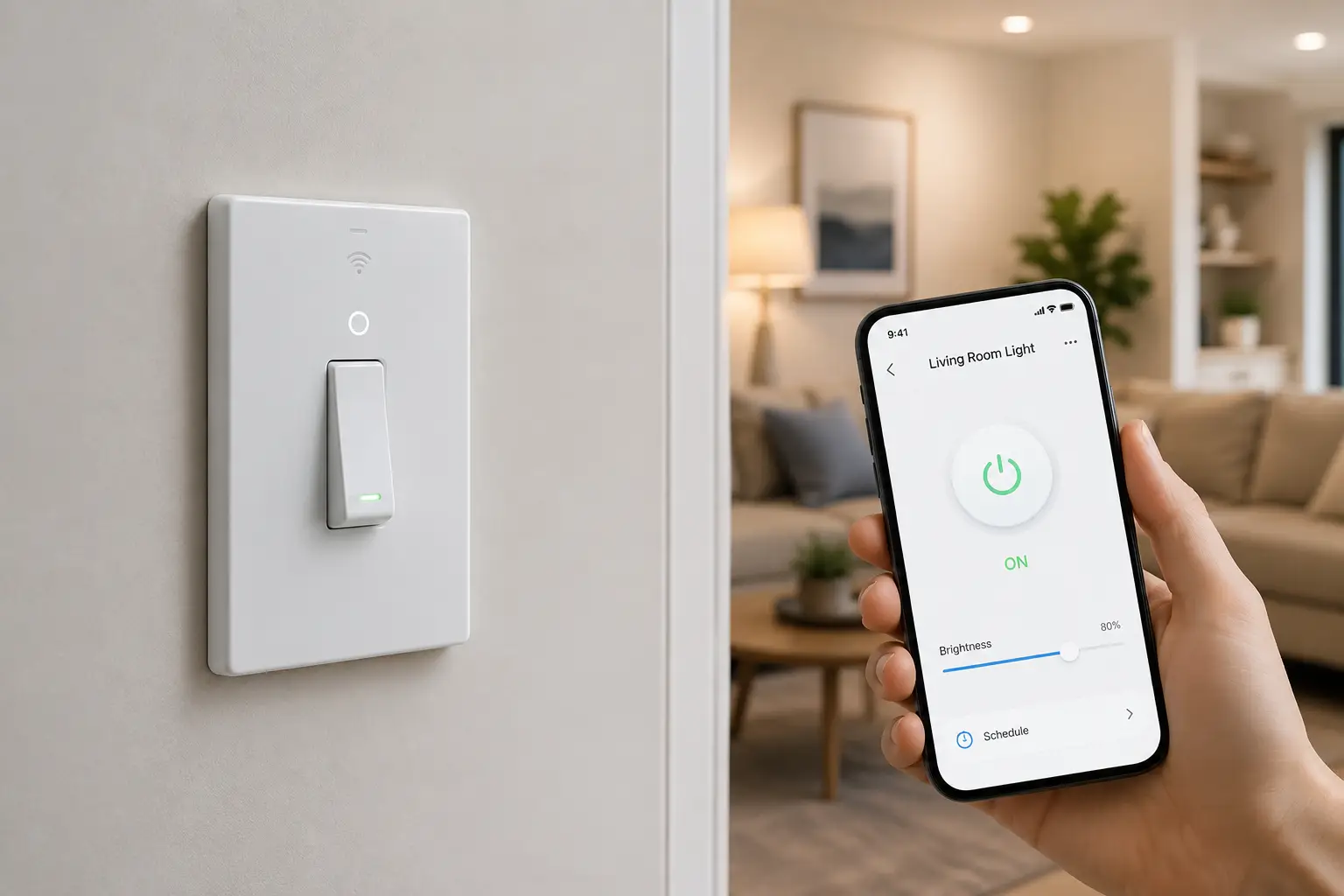
A smart toggle light switch combines the familiar look and operation of a traditional toggle switch with connected features such as app control, scheduling, automation, and voice commands. Instead of simply turning a light on or off from the wall, a smart toggle can become part of a broader home-automation system.
For many homeowners, the appeal is simple: you don’t have to give up the physical switch you already understand. You can still flip the switch manually while gaining the ability to control compatible lighting from your phone or through a supported voice assistant.
The important detail is that “smart toggle” describes the switch’s physical style, not one specific technology. Some models require a neutral wire, while others are designed for no-neutral installations. Some work over Wi-Fi, while others use Zigbee, Z-Wave, Thread, or another smart-home protocol.
That makes compatibility one of the most important things to check before buying.
You also need to determine whether you want a basic on/off switch or a smart toggle light switch with dimming. A dimmer is useful in bedrooms, dining rooms, living rooms, and other spaces where full brightness isn’t always necessary.
This guide compares seven real smart-toggle-style options and explains what actually matters: wiring, hub requirements, smart-home compatibility, dimming, three-way setups, voice control, installation, and long-term reliability.
For electrical safety, always follow the manufacturer’s installation instructions and disconnect power at the breaker before working on a switch circuit. If you aren’t comfortable identifying household wiring, professional installation is the safer choice.
Quick Comparison: Top Smart Toggle Light Switch Options at a Glance
| Product | Connection | Neutral Required | Main Feature | Best For |
|---|---|---|---|---|
| Inovelli VZW31-SN Red Series 2-in-1 | Z-Wave | Yes | Switch/dimmer flexibility | Smart-home enthusiasts |
| Enbrighten Z-Wave Toggle Switch | Z-Wave | Yes | Traditional toggle style | Z-Wave homes |
| GE Cync 3-Wire Smart Switch | Wi-Fi/Bluetooth ecosystem | No | No-neutral installation | Older homes |
| Leviton Decora Smart Wi-Fi 2nd Gen | Wi-Fi | Model dependent | App and voice control | Mainstream smart homes |
| Zooz Z-Wave Toggle Switch | Z-Wave | Model dependent | Compact smart control | Advanced automation |
| Treatlife Smart Toggle Switch | Wi-Fi | Yes | Alexa/Google control | Budget setups |
| Kasa Smart Wi-Fi Light Switch | Wi-Fi | Yes | Easy app control | Beginners |
The table makes one thing clear: there isn’t a single best smart toggle light switch for every house.
If you don’t have a neutral wire, a no-neutral model such as GE Cync 3-Wire Smart Switch can be much easier to install than a neutral-required alternative.
For users already running Z-Wave, Inovelli VZW31-SN Red Series 2-in-1 or Zooz Z-Wave Toggle Switch can make more sense because they fit into a hub-based automation environment.
For beginners who simply want phone and voice control, a Wi-Fi switch can eliminate the need for a separate smart-home hub.
💬 Bookmark this comparison — your existing wiring and smart-home platform should determine which switch you buy, not just the appearance of the toggle.
Top 7 Smart Toggle Light Switch Options: Expert Analysis
1. Inovelli VZW31-SN Red Series 2-in-1 — best for advanced automation
The Inovelli Red Series is designed for users who want significantly more than basic remote on/off control.
Its 2-in-1 design can operate as either a smart switch or dimmer, which gives homeowners flexibility when configuring a circuit. The Red Series also supports Z-Wave-based smart-home automation and is aimed at more advanced setups.
That makes it particularly interesting if you already have a Z-Wave hub and want detailed automation rather than simply controlling a light from an app.
The main drawback is complexity. A sophisticated switch can offer more options, but those options also require more configuration than a basic Wi-Fi switch.
Pros:
- ✅ Switch and dimmer functionality
- ✅ Strong automation capabilities
- ✅ Z-Wave smart-home connectivity
Cons:
- ❌ Requires compatible Z-Wave ecosystem
- ❌ More complicated than basic Wi-Fi switches
For experienced smart-home users, Inovelli VZW31-SN Red Series 2-in-1 is a strong choice when automation flexibility matters more than simplicity.
2. Enbrighten Z-Wave Toggle Switch — best traditional toggle design
If you want your smart switch to look and feel closer to a conventional toggle, Enbrighten’s Z-Wave switch is worth considering.
Its main advantage is familiarity. You can retain the recognizable toggle-style control while adding smart-home connectivity through Z-Wave.
This makes it especially attractive for homeowners who don’t want a large touchscreen, paddle interface, or completely different wall control.
The Z-Wave architecture also makes it useful for people who already have a compatible hub and want their lighting integrated into an existing automation system.
Pros:
- ✅ Familiar toggle-style operation
- ✅ Z-Wave smart-home support
- ✅ Physical manual control
Cons:
- ❌ Requires compatible hub
- ❌ Wiring requirements vary by installation
If preserving the traditional switch appearance is your top priority, Enbrighten Z-Wave Toggle Switch is one of the more natural upgrades.
3. GE Cync 3-Wire Smart Switch — best no-neutral option
For older homes, the biggest obstacle isn’t always the smart-home platform — it’s the wiring.
The GE Cync 3-wire smart switch is designed for installations where a neutral wire isn’t available. That can make it particularly useful for older switch boxes where installing a traditional neutral-required smart switch isn’t practical.
Cync’s wired-switch documentation distinguishes its 3-wire no-neutral products from 4-wire neutral-required models.
The switch is also designed to work within the Cync ecosystem, giving users app-based smart control without requiring a completely new lighting platform.
Pros:
- ✅ No neutral wire required
- ✅ Useful for older homes
- ✅ Smart app control
Cons:
- ❌ Compatibility depends on lighting setup
- ❌ Not every Cync model has the same features
If your first question is “Can I install a smart toggle light switch without a neutral wire?”, GE Cync 3-Wire Smart Switch is one of the configurations worth investigating first.
4. Leviton Decora Smart Wi-Fi 2nd Gen — best mainstream Wi-Fi option
Leviton’s Decora Smart family is designed for homeowners who want connected lighting without necessarily building a complicated hub-based automation system.
The Wi-Fi approach is particularly convenient because the switch can connect directly to a home network rather than requiring a dedicated Z-Wave hub.
Depending on the specific model, the platform supports app control, schedules, scenes, and voice-assistant integration.
One important caveat is that the Decora Smart family contains several different switch configurations. Don’t assume every model has identical wiring requirements or features.
Pros:
- ✅ Direct Wi-Fi connectivity
- ✅ App-based control
- ✅ Voice-assistant integration on compatible models
Cons:
- ❌ Model-specific wiring requirements
- ❌ Product family can be confusing for beginners
For a mainstream smart-home installation, Leviton Decora Smart Wi-Fi 2nd Gen offers a useful balance between conventional wall control and connected features.
5. Zooz Z-Wave Toggle Switch — best compact automation option
Zooz has built a reputation among smart-home enthusiasts for offering compact Z-Wave controls with extensive automation possibilities.
Its toggle-style products are particularly useful if you want the physical appearance of a conventional switch while still integrating the circuit into a Z-Wave automation system.
The main advantage isn’t simply remote control. Z-Wave allows the switch to participate in more sophisticated routines when paired with a compatible controller.
That makes it a better fit for users who already understand hubs, scenes, automations, and device associations.
Pros:
- ✅ Compact smart-switch design
- ✅ Z-Wave automation
- ✅ Suitable for advanced setups
Cons:
- ❌ Requires compatible Z-Wave controller
- ❌ Less beginner-friendly than direct Wi-Fi
For advanced automation, Zooz Z-Wave Toggle Switch is worth considering when you already have a Z-Wave environment.
6. Treatlife Smart Toggle Switch — best budget Wi-Fi setup
Treatlife offers smart switches aimed at users who want app and voice control without investing heavily in a dedicated smart-home hub.
Its toggle-style design keeps the physical interface familiar, while Wi-Fi connectivity provides remote access and automation through the manufacturer’s ecosystem.
This category is particularly attractive for renters or homeowners who want to start with one or two smart switches rather than redesign their entire home.
However, budget smart switches require extra attention to compatibility. Check whether your specific circuit has a neutral wire and whether the switch supports the type of lighting you’re using.
Pros:
- ✅ Wi-Fi-based setup
- ✅ Familiar toggle operation
- ✅ Voice-control support on compatible configurations
Cons:
- ❌ Feature availability varies by model
- ❌ Requires careful compatibility checking
If you’re building a small smart-lighting setup on a budget, Treatlife Smart Toggle Switch can be a practical starting point.
7. Kasa Smart Wi-Fi Light Switch — best for beginners
Kasa’s smart-lighting ecosystem is one of the easier starting points for homeowners who want straightforward app-based control.
The switch provides conventional physical operation while adding remote control, scheduling, and supported voice-assistant functions.
The biggest advantage is simplicity. You don’t need to understand Z-Wave associations or build a complicated hub ecosystem just to turn your lights on and off from your phone.
The catch is that the exact Kasa model matters. Wiring requirements and smart-home compatibility vary across products, so check the model specifications before ordering.
Pros:
- ✅ Beginner-friendly ecosystem
- ✅ Wi-Fi connectivity
- ✅ App and voice control
Cons:
- ❌ Many models require neutral wiring
- ❌ Model features vary
For a first smart switch, Kasa Smart Wi-Fi Light Switch is a sensible option when your wiring and preferred smart-home platform are compatible.
How to Choose a Smart Toggle Light Switch
Choosing a smart toggle light switch is easier when you work through the decision in order.
- Check for a neutral wire. This immediately eliminates some models.
- Identify your smart-home platform. Decide whether you prefer Wi-Fi, Z-Wave, Matter, or another ecosystem.
- Decide between switch and dimmer. Dimming is useful when lighting intensity changes throughout the day.
- Check bulb compatibility. Especially important for LED and dimmable fixtures.
- Determine whether you need three-way control. Hallways and staircases often require more than one control location.
- Check the electrical load. Don’t assume a smart switch can control every fixture.
- Consider hub requirements. Wi-Fi models can be simpler; Z-Wave models may offer more advanced automation.
- Check physical depth. Some smart switches are deeper than traditional switches and can be difficult to fit into crowded boxes.
- Review voice-control compatibility. Make sure the switch works with the assistant you actually use.
- Follow the installation manual. If you’re uncertain about the wiring, hire a qualified electrician.
The most important step is the first one. A beautiful smart switch is useless if your electrical box doesn’t meet its wiring requirements.
Common Mistakes to Avoid When Buying a Smart Toggle Light Switch
One of the biggest mistakes is buying based only on appearance.
A switch can look perfect in a product photo but require a neutral wire that your home doesn’t have.
Another mistake is assuming that all smart switches support three-way installations. Some do, some require a companion device, and others use a completely different wiring arrangement.
Don’t overlook bulb compatibility either. A smart dimmer and a smart on/off switch aren’t interchangeable for every lighting application.
Wi-Fi requirements are another consideration. Some Wi-Fi switches need a reliable 2.4 GHz connection, while hub-based systems communicate through another protocol.
People also underestimate wall-box space. Smart switches often contain more electronics than conventional mechanical switches, so a crowded electrical box can make installation significantly more difficult.
Finally, don’t buy several switches before testing one. Start with one compatible circuit, confirm that the app, automation, and physical control all work properly, and then expand the system.
Smart Toggle Light Switch vs. Traditional Toggle Switch
| Feature | Smart Toggle Light Switch | Traditional Toggle Switch |
|---|---|---|
| Manual control | Yes | Yes |
| Phone control | Yes | No |
| Scheduling | Yes | No |
| Remote access | Usually | No |
| Voice control | Compatible models | No |
| Automation | Yes | No |
| Installation complexity | Higher | Lower |
| Cost | Higher | Lower |
The major advantage of a smart toggle light switch is that it adds automation without removing the familiar physical control.
A traditional switch is still the simplest choice when all you need is basic on/off operation.
But if you want lights to turn on automatically at sunset, switch off when you’re away, or respond to voice commands, the smart version provides capabilities that a mechanical toggle simply cannot.
Smart Toggle Light Switch vs. Smart Dimmer
| Feature | Smart Toggle Switch | Smart Dimmer |
|---|---|---|
| On/off control | Yes | Yes |
| Brightness adjustment | No | Yes |
| Cost | Usually lower | Usually higher |
| Bulb compatibility | Broad | More restrictive |
| Best for | Simple lighting | Adjustable lighting |
| Installation | Usually simpler | More compatibility checks |
A smart dimmer isn’t automatically better.
If the light only needs to be switched on and off, a basic smart switch is usually the cleaner solution.
Choose a dimmer when brightness control genuinely improves the room. Bedrooms, dining rooms, living rooms, and home theaters are obvious examples.
How to Install a Smart Toggle Light Switch Safely
Smart switches involve household electrical wiring, so installation deserves more attention than installing a smart bulb.
Before touching the wiring, turn off the appropriate circuit breaker and verify that the circuit is actually de-energized.
Next, identify the existing wires and compare them with the manufacturer’s wiring diagram. Never rely solely on wire color.
Check whether the switch requires a neutral wire, ground connection, load connection, and line connection.
If you’re replacing a three-way circuit, make sure the specific smart switch supports the configuration.
Once installed, restore power and complete the manufacturer’s setup process.
If the wiring doesn’t match the diagram, stop rather than improvising. A qualified electrician can identify the circuit and complete the installation safely.
For broader electrical-safety information, the U.S. Consumer Product Safety Commission provides household electrical-safety guidance.
Smart Toggle Light Switch for Older Homes
Older homes are where wiring becomes particularly important.
A switch box may not contain a neutral wire, even though newer smart switches commonly expect one.
That’s why no-neutral models can be valuable. GE Cync 3-Wire Smart Switch is one example of a smart-switch configuration designed specifically for no-neutral installations.
However, “old home” doesn’t automatically mean “no neutral.” The only reliable answer comes from inspecting the actual circuit.
Older electrical systems may also have other issues, including crowded boxes, outdated wiring, or configurations that don’t match modern smart-switch requirements.
If you’re renovating an older property, having an electrician inspect the circuit before purchasing multiple smart switches can prevent a frustrating return-and-replace cycle.
Smart Toggle Light Switch for Three-Way Circuits
Three-way lighting is common in hallways, staircases, bedrooms, and large living areas.
The challenge is that a three-way circuit isn’t wired like a simple single-pole switch.
Some smart switches support three-way configurations directly. Others require a compatible companion switch, while some ecosystems handle multi-location control electronically.
Never assume that two smart switches from the same brand can automatically replace both ends of a three-way circuit.
Check the exact model’s installation instructions.
If three-way control is important, make it a purchase requirement rather than an afterthought.
Features That Actually Matter
Smart switches can have long feature lists, but not every feature deserves equal weight.
Wiring compatibility comes first. Without it, nothing else matters.
Protocol comes second. Wi-Fi is usually simpler for beginners, while Z-Wave can be attractive for users with an established hub-based system.
Three-way support matters if the light is controlled from multiple locations.
Dimming matters only when you actually need adjustable brightness.
Voice control is convenient, but it should be treated as an extra rather than the primary control method.
Local control can also matter. A smart switch should still behave sensibly when your internet connection is temporarily unavailable.
Finally, consider the physical switch. A smart toggle should feel natural to operate. If the interface is awkward, you may end up relying on your phone for something that should be easier to control from the wall.
Long-Term Cost and Maintenance
The initial purchase price is only one part of the cost.
A Wi-Fi switch may not require a separate hub, which can lower the upfront cost of a small installation.
Z-Wave switches can cost more as part of a broader system because you’ll need a compatible controller, but the investment can make sense when you’re building a larger automated home.
There are also replacement considerations. Smart switches contain electronics, so they are more complex than mechanical switches.
Keeping the manufacturer’s app and firmware current can help maintain compatibility.
If you’re installing ten or twenty switches, standardizing on one ecosystem can also make future troubleshooting much easier.
Instead of mixing four brands across the house, many homeowners will find it simpler to choose one primary platform and expand gradually.
What to Expect: Everyday Performance
The best smart toggle light switch should feel almost boring after installation — and that’s actually a compliment.
You flip it manually just like a conventional switch.
When you’re away, you can use the app to control compatible lighting.
At scheduled times, automation can handle repetitive tasks.
With supported voice assistants, you can control lights without reaching for your phone.
The real value appears when several switches work together. A hallway light can turn on automatically, living-room lights can respond to a schedule, and bedroom lighting can follow a nighttime routine.
That’s where smart switches stop being individual gadgets and become part of a useful home-automation system.
Safety, Regulations, and Standards
Smart light switches are electrical devices, so certification and correct installation matter.
Look for recognized safety certifications such as UL or ETL where applicable, and verify that the exact model is rated for your home’s voltage and intended load.
The switch also needs to be installed according to the manufacturer’s instructions.
Never install a dimmer on a fixture that isn’t compatible with the dimmer’s specifications.
Never assume that a switch designed for lighting can control a receptacle.
And never work on energized household wiring.
For general electrical-safety information, the U.S. Consumer Product Safety Commission is a useful reference.
Frequently Asked Questions
❓ Do smart toggle light switches need Wi-Fi?
❓ Can I install a smart toggle light switch without a neutral wire?
❓ Can a smart toggle light switch work with LED bulbs?
❓ Can smart toggle switches work in a three-way circuit?
❓ Are smart toggle light switches worth it?
Conclusion
A smart toggle light switch is one of the easiest ways to add automation to existing lighting without giving up the familiar physical switch.
The best option depends first on wiring. If you don’t have a neutral wire, GE Cync 3-Wire Smart Switch is worth investigating. If you’re already using Z-Wave, Inovelli VZW31-SN Red Series 2-in-1, Enbrighten Z-Wave Toggle Switch, or Zooz Z-Wave Toggle Switch can fit more naturally into an established automation system.
For straightforward Wi-Fi control, Leviton Decora Smart Wi-Fi 2nd Gen, Treatlife Smart Toggle Switch, and Kasa Smart Wi-Fi Light Switch offer simpler approaches.
The biggest mistake is choosing a switch based purely on appearance. Check the neutral requirement, electrical load, bulb compatibility, three-way support, protocol, hub requirements, and physical box depth before ordering.
Once those basics are right, a smart toggle can make everyday lighting dramatically more convenient. You still get the satisfying physical click of a wall switch — but now your lights can follow schedules, respond to automation, and be controlled remotely when you need them.
✨ Don’t miss these exclusive deals! 🔍 Take your smart lighting setup to the next level with this carefully curated lineup. Compare wiring requirements, protocols, dimming support, three-way compatibility, and voice-control features before choosing the smart toggle switch that fits your home!
Recommended for You
- France Wall Socket Adapters: 7 Best Picks for Travelers (2026)
- German Electrical Plug Type: 7 Best Adapters to Buy in 2026
- GE Cync Smart Light Switch: 7 Best Picks for 2026
Disclaimer: This post contains affiliate links. As an Amazon Associate, I earn from qualifying purchases made through these links, at no additional cost to you.
✨ Found this article helpful? Share it with someone who needs it! 💬🤗
