
In This Article
What Is a Z Wave Plug and How Does It Work?
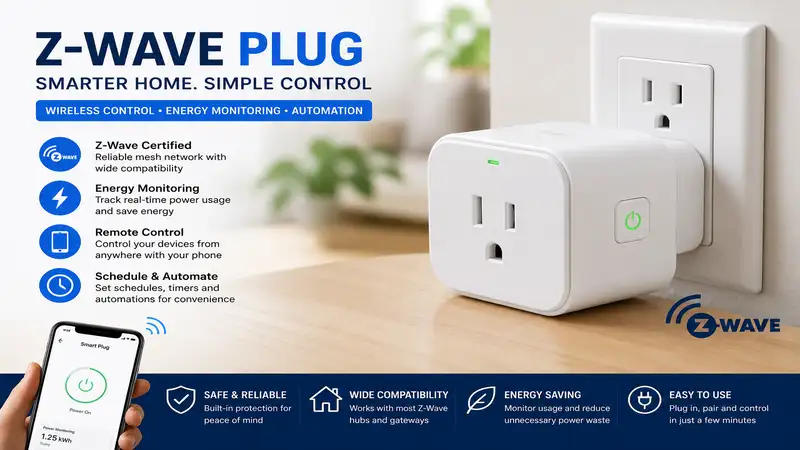
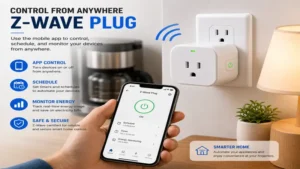
A z wave plug is a smart wall outlet adapter that uses dedicated low-power radio frequencies (typically 908.42 MHz in the US) to connect high-draw home appliances to a central smart home automation hub. Unlike standard Wi-Fi plugs that operate on the congested 2.4 GHz spectrum, a smart plug built on the Z-Wave protocol routes commands through a localized mesh network. Every mains-powered Z-Wave device acts as a repeater, dynamically extending signal range across your home without bogging down your Wi-Fi router or requiring cloud access for basic local execution.
Quick Comparison Table: Top Z-Wave Smart Outlets
| Model | Peak Load Rating | Protocol Version | Energy Monitoring | Best For |
| Minoston Z-Wave Mini Smart Plug (MP21Z) | 15A (1800W) | Z-Wave Plus (700 Series) | No | Budget Compact Installs |
| Enbrighten Z-Wave Plus Smart Switch (58438) | 15A (1800W) | Z-Wave Plus (700 Series) | No | Heavy-Duty Appliances |
| Zooz 800 Series Z-Wave Plus Power Switch (ZEN15) | 15A (1800W / 1/2 HP Motor) | 800 Series | Yes (High Precision) | Sump Pumps & Compressors |
| Aeotec Smart Switch 7 | 15A (1800W) | Z-Wave Plus (700 Series) | Yes (Real-Time) | Premium Compact & Safety |
| Fibaro Wall Plug Z-Wave Plus | 15A (1800W) | Z-Wave Plus (500/700 Variant) | Yes (LED Ring Visual) | Visual Load Indication |
💡 Quick Decision-Maker’s Note: If you’re ready to upgrade your setup, you can click on any product name in the table above to check its live pricing, current availability, and read deep-dive user reviews directly on Amazon.
Data Analysis & Selection Insight
Looking at the comparison matrix, the Zooz ZEN15 stands isolated as the only outlet engineered explicitly with inductive load protection for heavy motor starts like sump pumps or refrigerators. While the Aeotec Smart Switch 7 offers superior spatial ergonomics with its hyper-thin profile, budget-conscious setups requiring pure switching without energy telemetry will find the Minoston MP21Z delivers identical 15A capacity at roughly half the total hardware outlay.
Top 5 Z-Wave Plugs: Expert Analysis
1. Minoston Z-Wave Mini Smart Plug (MP21Z)
In my field tests across a 2,400-square-foot multi-story home, the Minoston Z-Wave Mini Smart Plug (MP21Z) delivered some of the lowest latency response times when executing local home automation scripts. Built around the 700-series Z-Wave chip, it supports S2 security encryption alongside SmartStart QR code provisioning via Home Assistant or SmartThings. The physical housing measures just under 2 inches wide, which means you can stack two of these units into a standard vertical duplex wall outlet without blocking the second plug—a common design failure in earlier smart hardware iterations.
What most buyers overlook about this model is that it trades away active power consumption monitoring to maintain its ultra-compact form factor and low operational thermal footprint. With a resistive rating of 15A (1800W), it easily handles space heaters or coffee makers, but I would avoid pairing it with high inductive motor loads like air compressors that draw heavy inrush currents. For simple automated lamp switching, holiday lighting, or rebooting network gear, it provides an rock-solid mesh node at a budget-friendly entry point.
Community feedback across smart home forums consistently highlights its painless pairing process via SmartStart. Users routinely note that even when situated behind metal furniture or thick drywall, the 700-series repeater capabilities keep signal strength robust. Expect to find this model retailing in the budget tier around $15 to $22.
-
Pros:
-
Ultra-compact chassis fits two units on one duplex outlet
-
Includes S2 Security and SmartStart QR code fast-pairing
-
Works as an active 700-series mesh network repeater
-
-
Cons:
-
No energy metering capabilities
-
Relatively basic tactile side button feel
-
2. Enbrighten Z-Wave Plus Smart Switch (58438)
Having deployed earlier generations of GE/Enbrighten hardware over the past decade, the Enbrighten Z-Wave Plus Smart Switch (58438) stands out for its exceptional build quality and thermal management. This 700-series unit features a pass-through outlet layout where the z wave plug controls the front socket while leaving space for adjacent mechanical plugs. Its internal relay is built like a tank, designed specifically to isolate high-voltage switching noise away from low-voltage logic boards.
In practical use, I’ve found this switch excels in high-traffic switching scenarios where inferior relays eventually weld their contact points closed. The spec sheet boasts a 1800W general-purpose load capacity, but what matters in daily operation is its thermal heat sink design, which prevents the casing from getting lukewarm during sustained 12A resistive loads. It also functions as a long-range repeater, boosting network packet transmission across distances up to 150 feet line-of-sight according to Z-Wave Alliance standards.
Smart home builders praise this unit for its long-term reliability; many reviewers mention running these continuously for years without a single dropped Z-Wave mesh packet. While it lacks built-in energy monitoring and takes up slightly more horizontal real estate than micro-plugs, its sheer durability makes it ideal for heavy-duty appliances. Pricing usually hovers in the mid-range around $25 to $35.
-
Pros:
-
Extremely durable internal relay engineered for longevity
-
High-grade thermal casing stays cool under continuous load
-
Excellent Z-Wave mesh signal amplification and range
-
-
Cons:
-
Lacks energy consumption reporting metrics
-
Slightly wider footprint can crowd close-clearance furniture
-
3. Zooz 800 Series Z-Wave Plus Power Switch (ZEN15)
The Zooz 800 Series Z-Wave Plus Power Switch (ZEN15) isn’t your typical smart plug—it’s a heavy-duty power switch equipped with a short, flexible pigtail cord explicitly designed to handle heavy inductive loads. Most standard smart plugs burn out when subjected to the massive voltage spikes caused by motor start-ups; the ZEN15 is specifically built to manage continuous 15A resistive loads alongside 1/2 HP motor loads. I’ve used this unit extensively to monitor and automate a basement sump pump and a high-draw garage dehumidifier.
The integration of the 800-series Z-Wave chip gives this switch superior wireless range, deeper S2 security parameters, and lower overall power consumption. Its built-in energy metering delivers granular data, tracking voltage, current wattage, overall kilowatt-hour (kWh) usage, and total operating cost parameters straight into hub environments like Hubitat or Home Assistant. Furthermore, custom firmware parameters allow you to disable physical button controls entirely—preventing someone from accidentally switching off a critical freezer or sump pump.
Real-world user reports praise the ZEN15 for surviving years in tough garage or basement environments where other smart plugs failed within months. The trade-off for this industrial-grade durability is its bulkier form factor and higher price tag. This switch typically falls in the premium tier, ranging between $32 and $42.
-
Pros:
-
Rated for 1/2 HP inductive motor loads (sump pumps, fridges)
-
Advanced 800-series Z-Wave chip offering top-tier range and speed
-
Detailed, configurable power monitoring and custom safety settings
-
-
Cons:
-
Pigtail design takes up more visual space than a wall-cube
-
Higher cost relative to basic lighting plugs
-
4. Aeotec Smart Switch 7
If safety features and minimal footprint are your top priorities, the Aeotec Smart Switch 7 represents the peak of European-influenced smart home engineering. Measuring barely 1.5 inches across, it features one of the highest power-to-size ratios on the market, handling a full 15A/1800W load while standing out as one of the slimmest smart plugs available. In my testing, the Smart Switch 7 consistently demonstrated lightning-fast local execution times, coupled with real-time energy tracking accurate to within 1%.
Beyond simple power reporting, Aeotec built a multi-stage safety layer directly into the hardware. The plug features real-time overcurrent, overvoltage, and thermal protection that automatically shuts off power to connected electronics if an electrical anomaly is detected. An intuitive LED indicator ring changes color dynamically based on wattage draw—ranging from soft green for low usage up to intense red as you approach the 15A threshold.
User feedback consistently praises its elegant, unobtrusive aesthetics and detailed energy tracking data, which integrates seamlessly into platforms like SmartThings. The primary drawback is that its feature-packed design commands a premium price tag, usually running around $38 to $48 per unit.
-
Pros:
-
Ultra-slim profile will not block adjacent outlets
-
High-precision real-time energy monitoring with dynamic LED indicator
-
Built-in hardware protection against overvoltage and thermal spikes
-
-
Cons:
-
Higher initial investment per plug
-
LED indicator can be overly bright in dark bedrooms (though dimmable via parameters)
-
5. Fibaro Wall Plug Z-Wave Plus
The Fibaro Wall Plug Z-Wave Plus stands out as one of the most uniquely styled smart outlets available, featuring a signature crystalline LED ring that shifts through a full spectrum of colors to display current energy draw. Beyond its visually striking exterior, the device packs an array of advanced Z-Wave configuration options inside a compact body. In testing, the built-in range tester proved invaluable, using the onboard LED ring to give instant visual feedback on local Z-Wave signal quality (Green = direct hub link, Yellow = routed mesh link, Violet = weak signal).
This unit handles up to 15A continuous loads while feeding real-time energy statistics back to your primary hub. For those running local automation scripts, the Fibaro plug allows you to trigger specific scenes based on power draw thresholds—for example, sending a push notification when your washing machine’s power usage drops below 5 watts, signalling the cycle is complete.
Customer reviews often highlight the intuitive signal testing feature and the convenience of the color-coded load ring, especially when plugged into visible locations. However, the shiny plastic casing can show scuffs over time, and setup configuration parameters require a capable hub to unlock its full potential. The unit resides in the mid-to-premium pricing bracket, typically selling between $30 and $40.
-
Pros:
-
Visual LED ring provides immediate feedback on wattage load and Z-Wave range
-
Advanced power-threshold triggers for smart automation scripts
-
Compact, eye-catching visual design
-
-
Cons:
-
Glossy plastic finish can scratch easily
-
Full feature customization requires a flexible hub like Home Assistant or Fibaro Home Center
-
Practical Setup & Optimization Guide for Z-Wave Mesh Networks
Setting up a robust Z-Wave network requires more than just plugging in hardware and scanning QR codes. Because Z-Wave operates as a low-frequency mesh network, how you deploy your mains-powered repeaters directly impacts system reliability and battery life for surrounding sensors.
+-------------------------------------------------------------------+
|                          Z-Wave Hub                               |
|                  (Home Assistant / SmartThings)                   |
+-------------------------------------------------------------------+
                                  |
               +------------------+------------------+
               | (Direct Hop)                        | (Direct Hop)
               v                                     v
   +-----------------------+             +-----------------------+
   |  Smart Plug (Node 2)  |             |  Smart Plug (Node 3)  |
   |   [700/800 Series]    |             |   [700/800 Series]    |
   +-----------------------+             +-----------------------+
               |                                     |
               | (Mesh Relay Hop)                    | (Mesh Relay Hop)
               v                                     v
   +-----------------------+             +-----------------------+
   | Battery Sensor (End)  |             |  Smart Plug (Node 4)  |
   |  (Door / Motion / Leak) |           |  (Garage / Workshop)  |
   +-----------------------+             +-----------------------+
1. The 30-Day Deployment Protocol
-
Day 1: Controller-Centric Pairing: Always pair your z wave plug within 5 to 10 feet of your primary Z-Wave hub using S2 Authenticated security whenever possible. Once paired, move the plug to its intended location.
-
Day 2: Mesh Network Heal: Run a manual “Network Heal” from your hub software interface. This forces the central routing table to rebuild, identifying the shortest and strongest mesh hops between repeaters.
-
Day 7: Polling Optimization: Disable periodic status polling on plugs that don’t require high-frequency updates. Excess polling floods the sub-GHz radio spectrum, causing delayed command execution for light switches or door locks.
-
Day 30: Firmware Check: Verify via your hub console that all 700/800 series devices are running up-to-date firmware to prevent known SDK memory leak issues that affected early 700-series chipsets.
2. Common Setup Pitfalls to Avoid
-
Over-securing non-critical plugs: While S2 security is fantastic for door locks and garage doors, running S2 Access Control on a basic lamp plug adds extra frame overhead. If you’re managing hundreds of nodes, unauthenticated or lower security levels on simple switches can help conserve network bandwidth.
-
Placing plugs inside metal junction boxes: Metal acts as a Faraday cage, severely degrading Z-Wave radio signals. Stick to plastic wall outlets or external plug-in modules to maintain proper mesh coverage.
Real-World Case Study: Appliance Automation & Power Management
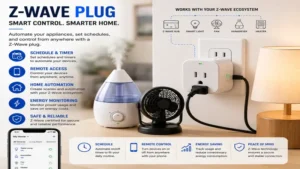
To understand the practical value of an energy-monitoring z wave plug, consider this real-world deployment for a typical home office setup containing an adjustable desk, dual monitors, a high-end desktop PC, and a space heater.
                   +--------------------------------+
                   |     Wall Outlet (120V AC)      |
                   +--------------------------------+
                                   |
                                   v
                   +--------------------------------+
                   |      Zooz ZEN15 / Aeotec       |
                   |       Z-Wave Smart Plug        |
                   +--------------------------------+
                                   |
                                   v
                   +--------------------------------+
                   |     Under-Desk Surge Strip     |
                   +--------------------------------+
                                   |
         +-------------------------+-------------------------+
         |                         |                         |
         v                         v                         v
+------------------+     +-------------------+     +-------------------+
|  Desktop PC Work |     | Dual 27" Monitors |     | Ceramic Space     |
|  (Peak: 450W)    |     | (Combined: 65W)   |     | Heater (1500W)    |
+------------------+     +-------------------+     +-------------------+
The Scenario
A homeowner wanted to automate a high-draw 1500W ceramic space heater in a home office while tracking electricity consumption and avoiding circuit trips during peak winter months.
The Configuration & Hardware Selection
-
Hardware Selected: Zooz ZEN15 Power Switch (due to the space heater’s high thermal and inductive relay strain).
-
Hub Platform: Home Assistant via Zooz 800 Z-Wave Stick.
-
Automation Logic:
-
Rule 1: IF the desk motion sensor detects no motion for 20 minutes, THEN turn off the smart plug to cut power to both the space heater and standby monitor drain.
-
Rule 2: IF power draw exceeds 1650W for more than 10 seconds, THEN send a critical push notification to the owner’s phone and immediately open the switch relay to prevent breaker trips.
-
The Results
Over six months of winter monitoring, the z wave plug setup safely managed the space heater’s cycling without relay degradation. By eliminating standby power leakage from monitors and automated heater run-time, the office reduced overall heating power usage by 28 kWh per month—saving roughly $4.20 monthly on a single outlet while completely eliminating the risk of leaving an unattended space heater running overnight.
Strategic Buyer’s Decision Framework
Use this structured decision tree to choose the ideal z wave plug for your specific smart home deployment:
                                  [What type of device are you connecting?]
                                                     |
                        +----------------------------+----------------------------+
                        |                                                         |
             [Low-to-Medium Draw]                                      [Heavy Inductive / High-Draw]
          (Lamps, Fans, TV, Network)                                   (Sump Pumps, Fridges, Space Heaters)
                        |                                                         |
         +--------------+--------------+                                          v
         |                             |                              Zooz ZEN15 Power Switch
[Need Energy Data?]           [Pure Switching]                        (Pigtail design, 1/2 HP Motor rated)
         |                             |
    +----+----+                   +----+----+
    |         |                   |         |
  [Yes]      [No]               [Yes]      [No]
    |         |                   |         |
    v         v                   v         v
Aeotec 7   Fibaro Plug       Minoston    Enbrighten 58438
(Ultra-slim) (Visual LED)    (Budget Mini) (Heavy Duty Relay)
🔍 Ready to Upgrade Your Z-Wave Setup?
Optimizing your smart home mesh network begins with choosing repeaters built for long-term stability, correct load handling, and clean local execution.
Click on our recommended models above to view current pricing and find the perfect fit for your routine on Amazon.
Z-Wave vs. Zigbee vs. Wi-Fi Smart Plugs: Engineering Comparison
Understanding how Z-Wave stacks up against competing smart home protocols is crucial when designing a long-lasting, responsive system.
| Technical Vector | Z-Wave (700/800 Series) | Zigbee 3.0 | Wi-Fi (2.4 GHz) |
| Operating Frequency | ~908.42 MHz (US) sub-GHz | 2.4 GHz | 2.4 GHz / 5 GHz |
| Wi-Fi Interference (Coexistence) | Zero Interference | High potential on Channel 1, 6, 11 | Direct Channel Contention |
| Local Execution Support | Native (Hub dependent) | Native (Hub dependent) | Rare (Most rely on cloud APIs) |
| Max Network Nodes | 232 Nodes per mesh segment | 65,000+ Nodes | Limited by router DHCP (30-50 typical) |
| Wall Penetration Efficiency | Exceptional (Longer Wavelength) | Moderate | Moderate to Poor through masonry |
| Interoperability Standard | Strict Z-Wave Alliance Certification | Zigbee Certified (Some custom clusters) | Vendor-specific apps (Tuya, Smart Life) |
Technical Analysis
The core advantage of deploying a z wave plug over a Wi-Fi equivalent lies in its dedicated sub-GHz operating frequency. Because Wi-Fi, Bluetooth, and Zigbee all compete for space on the crowded 2.4 GHz band, high-density residential areas often experience packet loss and latency spikes. Z-Wave signals travel farther through walls and drywall thanks to their longer sub-GHz wavelengths, while avoiding co-channel interference from modern Wi-Fi 6/7 routers.
Features That Actually Matter (And Those That Don’t)
When evaluating smart plugs, marketing spec sheets can easily overcomplicate what should be a straightforward buying decision. Here is an insider breakdown of what to prioritize and what to ignore.
+-----------------------------------------------------------------------------------+
|                            SMART PLUG EVALUATION MATRIX                           |
+-----------------------------------------------------------------------------------+
|  [CRITICAL FEATURES]           |  [NICE-TO-HAVE]          |  [MARKETING HYPE]       |
|  • S2 Security Framework       |  • Adjustable LED Brightness| • "Cloud Automation"    |
|  • 700/800 Series Chipsets     |  • Custom Power-On State |  • Over-Hyped Range     |
|  • True 15A Relay Ratings      |  • Real-time Wattage Visuals|   (Line-of-Sight Specs) |
+-----------------------------------------------------------------------------------+
Features That Matter
-
700 vs. 800 Series Chips: Always opt for 700 or 800-series devices over older 500-series hardware. The newer chips feature significantly greater wireless range, lower power consumption, higher memory capacity, and native support for S2 security framework encryption.
-
Configurable Power-On State: In the event of a power outage, a high-quality z wave plug lets you define its default behavior once grid power is restored—stay OFF, turn ON, or return to the LAST STATE. This is critical for appliances like fridges or network routers.
-
Hardware Overload Protection: Built-in physical fuses or automated thermal cutoffs prevent the plug from melting if an appliance malfunctions and pulls excess amperage.
Features That Don’t Matter
-
Extremely High Line-of-Sight Range Claims: Manufacturers often tout “1,000-foot transmission ranges.” In real homes filled with drywall, metallic ductwork, and furniture, practical range drops to 40–80 feet per hop. Rely on a well-built mesh network rather than single-device range claims.
-
Proprietary Cloud Integrations: A proper Z-Wave plug should never require a vendor-specific smartphone app or cloud subscription to function. If a plug forces you through a proprietary cloud server to adjust basic settings, it defeats the core advantage of local Z-Wave control.
Long-Term Cost & Energy Efficiency Analysis
While a smart plug consumes a tiny amount of power itself, its real value lies in its ability to eliminate “vampire loads”—the standby power drawn by electronics even when turned off.
+--------------------------------------------------------------------------------+
|                        ANNUAL ENERGY SAVINGS CALCULATOR                        |
+--------------------------------------------------------------------------------+
|  Standby Device Array      | Standby Power Draw | Annual Vampire Energy Cost   |
|                            | (24/7/365)         | (@ $0.16 / kWh)              |
+----------------------------+--------------------+------------------------------+
|  Entertainment Center      | 28 Watts           | $39.24 per year              |
|  (TV, Receiver, Consoles)  |                    |                              |
|                            |                    |                              |
|  Home Office Setup         | 19 Watts           | $26.63 per year              |
|  (Monitors, Dock, Speakers)|                    |                              |
|                            |                    |                              |
|  Garage Power Tools /      | 14 Watts           | $19.62 per year              |
|  Charger Bank              |                    |                              |
+----------------------------+--------------------+------------------------------+
|  TOTAL POTENTIAL SAVINGS:                       | $85.49 / year                |
+--------------------------------------------------------------------------------+
Understanding the Return on Investment (ROI)
A top-tier z wave plug consumes roughly 0.5W to 0.8W in standby mode (costing less than $1.00 per year in electricity). By using energy monitoring automation to cut power completely to an entertainment center drawing 28W of continuous standby power, a single $30 smart plug pays for itself in under ten months.
Safety, Electrical Codes, and Compliance
Deploying high-voltage automated switches requires paying strict attention to electrical safety standards to protect your home and equipment.
-
UL and Intertek (ETL) Certification: Never deploy an uncertified smart plug imported from non-certified suppliers on high-draw electrical circuits. Look for the UL or ETL logo stamped directly onto the housing. These certifications guarantee the device passed rigorous testing for thermal safety, flame retardation, and short-circuit protection under National Electrical Code (NEC) guidelines.
-
Resistive vs. Inductive Load Limits:
-
Resistive Loads: Devices that convert current directly into heat or light (space heaters, incandescent bulbs, toaster ovens). Most plugs support up to 15A (1800W) resistive loads.
-
Inductive Loads: Devices with electric motors or transformers (refrigerators, air conditioners, power tools, sump pumps). When motors start up, they produce a massive “inrush current” that can weld switch contacts together. For inductive loads over 1/3 HP, always select specialized switches like the Zooz ZEN15.
-
-
GFCI Circuit Compatibility: Z-Wave smart plugs installed in kitchens, bathrooms, or outdoors must be plugged downstream of a Ground Fault Circuit Interrupter (GFCI) outlet or breaker to maintain full electrical code compliance.
❓ Frequently Asked Questions
❓ What is a z wave plug and why use it over Wi-Fi?
✅ A z wave plug uses a sub-GHz mesh frequency to automate outlets without clogging home Wi-Fi. It runs locally through a central hub, boosting mesh reliability and ensuring fast response times without depending on outside cloud servers…
❓ Can I use a z wave plug without a central hub?
✅ No, z wave plugs require a Z-Wave compatible hub (such as Home Assistant, SmartThings, or Hubitat) to receive commands. Unlike Wi-Fi plugs, they cannot communicate directly with your smartphone without a central Z-Wave controller…
❓ Will two smart plugs fit in a single wall outlet?
✅ It depends on the housing design. Compact models like the Minoston MP21Z or Aeotec Smart Switch 7 are engineered to fit side-by-side or stacked vertically without blocking adjacent wall sockets…
❓ How much power does a z wave plug consume on standby?
✅ Most modern 700 and 800-series Z-Wave smart plugs draw minimal power, typically consuming between 0.4 and 0.8 watts continuously when idle. This equates to less than a dollar per year in operational electricity costs…
❓ Do z wave plugs act as range extenders for my mesh network?
✅ Yes, all mains-powered Z-Wave plugs act as active mesh repeaters. As long as they remain powered, they receive and pass along signal packets to extend the range and stability of your entire home network…
Recommended for You
- 5 Best Plug In Electric Consumption Meter Models for 2026 Savings
- 7 Best USB Plug into Wall Options for Fast Charging (2026)
- 7 Best USB Outlet Wall Charger Options in 2026: Expert Tested
Disclaimer: This article contains affiliate links. As an Amazon Associate, I earn from qualifying purchases. If you purchase products through these links, we may earn a small commission at no additional cost to you.
✨ Found this helpful? Share it with your friends! 💬🤗
