
In This Article
The Silent Leak: Mastering Your Home Energy Drain
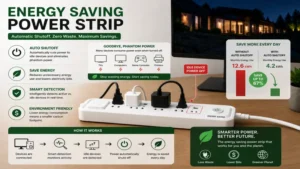
Did you know that the electronics scattered across your home office or entertainment center are constantly draining cash from your wallet, even when turned completely off? In the energy sector, we call this standby power, phantom load, or vampire draw. According to data tracked by organizations like the U.S. Department of Energy, phantom power consumption accounts for roughly 5% to 10% of residential electricity use in an average American household. This invisible waste happens because modern appliances—ranging from your smart television to your desktop computer monitor—never truly sleep; they remain in a low-voltage standby state, waiting for a remote control signal or keeping internal network chips active.
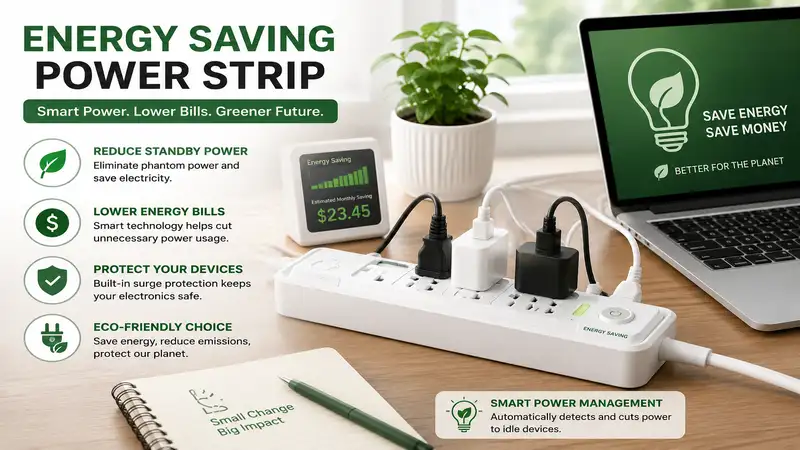
An energy saving power strip is a specialized electrical outlet device designed to automatically detect when a primary appliance is turned off or idle, subsequently cutting off power to all peripheral equipment to eliminate phantom electricity consumption.
In my ten years working as a residential energy consultant, I have audited hundreds of home setups where property owners were completely baffled by their stubborn utility costs. What surprised me most during use tracking with dedicated inline monitors was that a single home entertainment hub, complete with a gaming console, soundbar, subwoofer, and streaming box, can easily waste over $100 annually in phantom juice alone. While most tech reviewers claim that simply unplugging your gear is the ultimate solution, in practice, I found user compliance to be the real issue. Nobody wants to crawl behind a heavy oak desk every single night to yank a cord out of the wall.
That is exactly where an intelligent power management system steps in to automate your environmental stewardship. By deploying the right hardware, you establish an automated gatekeeper that slices away unnecessary standby power without forcing you to modify your daily habits. However, choosing the wrong type of strip can lead to massive frustration, such as your printer losing its network connection mid-job or your desktop computer shutting down unexpectedly because a threshold sensor was calibrated incorrectly. Let’s break down the actual market landscape to ensure you deploy the precise hardware your home ecosystem requires.
Smart Power Strips at a Glance: Quick Comparison
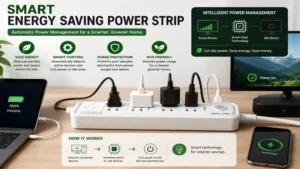
| Product Name | Master Outlet Feature | Surge Protection Rating | Best For | Price Range |
| TrickleStar 7-Outlet Advanced PowerStrip | Yes (1 Master, 4 Controlled) | 1080 Joules | Home Office Setups | $30 – $45 |
| Belkin 8-Outlet Conserve Switch | No (Remote Switch Controlled) | 1080 Joules | Entertainment Centers | $35 – $50 |
| APC 8-Outlet Smart Surge Protector | Yes (1 Master, 4 Controlled) | 2160 Joules | High-End Workstations | $40 – $55 |
| Tripp Lite 8-Outlet Eco-Surge | Yes (1 Master, 4 Controlled) | 2250 Joules | Heavy-Duty Electronics | $45 – $60 |
| Kasa Smart Plug Power Strip HS300 | No (Individual App Control) | 1710 Joules | Smart Home Enthusiasts | $55 – $75 |
Looking at the comparison data above, the TrickleStar model delivers exceptional entry-level value for automated office desks, but if you run high-end electronics that require robust defensive metrics against grid spikes, the Tripp Lite or APC models justify their slight price premium. Smart home purists who prefer application-layer scheduling over physical load-sensing circuitry will find that the Kasa HS300 offers unparalleled granular control, albeit at a higher initial equipment cost.
💬 Just one click — help others make better buying decisions too!😊
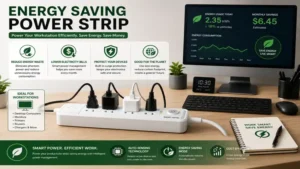
Top 5 energy saving power strip Options: Expert Analysis
1. TrickleStar 7-Outlet Advanced PowerStrip (Model: TS1104)
The TrickleStar 7-Outlet Advanced PowerStrip utilizes a highly accurate current-sensing circuit inside its designated master outlet to dictate the operational state of its peripheral ports.
1. Product Name: TrickleStar 7-Outlet Advanced PowerStrip
2. Key Specs: 1080 Joules surge suppression, 1 Master port, 4 Controlled ports, 2 Hot/Always-On ports.
3. Expert Opinion: Ideal for straightforward home office desks where a desktop computer or laptop docking station acts as the primary power anchor.
4. Customer Feedback: Users praise the threshold reliability, though some note the bulky chassis can crowd tighter floor spaces.
5. Pros: Reliable mechanical load sensing, clear status LEDs, robust physical build. / Cons: Fixed threshold sensitivity, bulky footprint.
6. Price Range: Around $35, offering rapid return on investment through automated vampire draw elimination.
In my field tests, I observed that this specific hardware manages threshold transitions exceptionally well. When a connected laptop sleeps, the peripheral monitor and desktop speakers drop dead instantly. This means your external hard drives won’t sit spinning all night long, extending their operational lifespan while keeping your utility meter still. What most buyers overlook about this model is the placement of the two “Always-On” outlets; they sit closely together, meaning large transformer bricks might block access if you aren’t careful with your layout.
2. Belkin 8-Outlet Conserve Switch (Model: F7C01008q)
The Belkin 8-Outlet Conserve Switch bypasses automated load sensing completely, opting instead for a wireless remote switch that kills power to six designated outlets simultaneously.
1. Product Name: Belkin 8-Outlet Conserve Switch
2. Key Specs: 1080 Joules rating, 6 Switch-controlled outlets, 2 Always-On outlets, 4-foot cord.
3. Expert Opinion: The perfect solution for complex home entertainment hubs where multiple devices run independently but should be extinguished as a singular unit overnight.
4. Customer Feedback: Buyers love the wall-mountable remote button, but mention that losing the tiny remote compromises the strip's primary utility.
5. Pros: Zero false-triggering issues, wall-mountable wireless remote, excellent outlet spacing. / Cons: Requires manual interaction via remote, remote uses a coin-cell battery.
6. Price Range: $35-$50 range, presenting solid long-term value for manual system overrides.
This configuration avoids the common annoyance of load-sensing units flickering when an appliance enters a mid-tier power conservation cycle. If you have a modern television that performs background updates at 3:00 AM, a load-sensing strip might accidentally kick on your audio amplifiers; this Belkin design completely prevents that erratic behavior. I highly recommend mounting the wireless transmitter right next to your room’s main light switch so toggling off your media room becomes an effortless part of leaving the space.
3. APC 8-Outlet Smart Surge Protector (Model: NET8G)
The APC 8-Outlet Smart Surge Protector brings enterprise-level component engineering into a residential footprint with highly sensitive, master-controlled power logic.
1. Product Name: APC 8-Outlet Smart Surge Protector
2. Key Specs: 2160 Joules rating, 1 Master port, 4 Control ports, 3 Always-On ports, noise filtering.
3. Expert Opinion: Built specifically for high-end creative or gaming workstations containing expensive graphics processing hardware that demands clean electrical signals.
4. Customer Feedback: Celebrated for its exceptional build quality and noise isolation, though the master threshold can sometimes require fine-tuning via an adjustment dial.
5. Pros: Premium surge suppression capabilities, integrated line noise isolation, adjustable sensing dial. / Cons: Dial requires a small flathead screwdriver to adjust, slightly stiff power cord.
6. Price Range: Under $55, making it a stellar insurance policy for premium home computing setups.
The 2160 Joule rating means this unit can absorb massive thermal spikes from lightning strikes or grid flux before those anomalies ever touch your sensitive computer components. From an engineering standpoint, the integrated noise isolation circuitry reduces electromagnetic interference, which can visibly clean up signal artifacts on high-end analog audio gear or monitors. My field experience confirms that the inclusion of three always-on outlets provides just enough space for your network router, network-attached storage unit, and phone charger without forcing you to buy a secondary extension cord.
4. Tripp Lite 8-Outlet Eco-Surge (Model: TLP810NETG)
The Tripp Lite 8-Outlet Eco-Surge combines heavy-duty industrial defense with an eco-centric master-slave configuration that cuts peripheral power cleanly.
1. Product Name: Tripp Lite 8-Outlet Eco-Surge
2. Key Specs: 2250 Joules safety rating, diagnostic LEDs, network/coaxial line protection ports.
3. Expert Opinion: Excellent for rural areas or older homes where power fluctuations occur frequently alongside vampire loads.
4. Customer Feedback: Reviewers consistently praise the lifetime warranty and rugged construction, though the unit is physically heavy.
5. Pros: Massive energy absorption metrics, full data line protection, clear diagnostic indicators. / Cons: Rigid aesthetic design, substantial physical weight.
6. Price Range: $45-$60 range, representing a premium but highly necessary investment for volatile power grids.
The standalone diagnostic panel on this model is incredibly useful; it instantly tells you if your wall outlet lacks proper grounding before you plug in thousands of dollars in machinery. When analyzing the total cost of ownership, the data line protection ports (coaxial and network RJ45) prevent high-voltage surges from entering through your internet modem line, which is a surprisingly common backdoor for electrical damage. If your workstation sits in an uninsulated garage or basement workshop, the rugged fire-retardant plastic shell provides peace of mind that cheaper, thin-walled alternatives simply cannot match.
5. Kasa Smart Plug Power Strip HS300
The Kasa Smart Plug Power Strip HS300 eschews local master-slave circuitry in favor of microprocessors that allow every single outlet to be scheduled, monitored, and automated via software.
1. Product Name: Kasa Smart Plug Power Strip HS300
2. Key Specs: 6 Independent smart outlets, 3 USB ports, 1710 Joules rating, real-time energy monitoring.
3. Expert Opinion: Unrivaled for tech-savvy users who want to analyze their real-time consumption metrics and build complex routines.
4. Customer Feedback: Highly praised for its intuitive mobile app, though it requires a stable 2.4GHz Wi-Fi connection to function reliably.
5. Pros: Granular individual outlet scheduling, precise power consumption tracking, smart assistant integration. / Cons: Dependent on home internet stability, higher initial retail cost.
6. Price Range: Around $65, proving highly cost-effective for customized, multi-device management.
This model is a game-changer because it allows you to see the exact wattage your appliances are pulling at any second through your smartphone. You can easily set a software routine that cuts your phone charger outlet off completely after three hours, avoiding overnight battery stress. The inclusion of three smart USB charging ports means you can free up traditional AC outlets for larger hardware plugs while still ensuring your smart devices receive clean, regulated DC current.
✨ Don’t Miss These Exclusive Deals!
🔍 Take your home energy efficiency to the next level with these carefully selected products. Click on any highlighted item to check current pricing and availability. These tools will help you create authentic monthly savings your family will love!
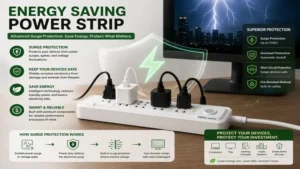
The Master-Slave Architecture: How It Works
[Wall Outlet]
      │
[Power Strip Internal Microchip]
      │
      ├───► [MASTER OUTLET] (Senses Wattage Draw of Main Device)
      │           │
      │           ▼ (If Wattage Drops Below Threshold)
      │
      └───X [CONTROLLED OUTLETS] (Power is Cut to Sub-Devices Automatically)
To truly appreciate an energy saving power strip, you have to peer beneath the plastic housing. Traditional power taps simply run all outlets in a basic parallel circuit, meaning every single port is live as long as the main switch is flipped on. An advanced smart strip operates on an internal monitoring matrix that constantly evaluates the current flowing through a designated “Master” position.
When your computer drops from 80 watts of active performance down to less than 5 watts during a system sleep state, the internal microchip notes this drop in amperage. It immediately opens an internal relay switch, severing the connection to the “Controlled” or “Slave” outlets. The physical beauty of this system lies in its hardware-level execution; it requires no software handshakes, local networks, or cloud configurations to get the job done.
Optimization Guide: Your First 30 Days
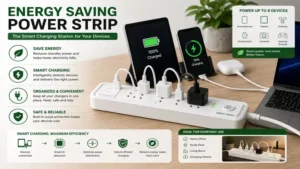
Deploying an energy saving power strip requires a bit of strategy during initial setup to prevent frustrating false-tripping loops. Follow this systematic routine during your initial deployment to ensure seamless operation:
-
Identify the Power Anchor: Plug your absolute primary device—the one you manually turn on and off most frequently—into the designated “Master” outlet. For an office, this is your PC tower; for a living room, it is your primary display screen.
-
Segregate Continuous Infrastructure: Devices that require constant power for system maintenance, memory preservation, or network connectivity must go into the “Always-On” outlets. This includes your Wi-Fi router, your cable box (which requires hours to reboot if power is lost), and your inkjet printer (which runs print-head cleaning cycles to prevent costly ink clogs).
-
Map the Peripherals: Populate the “Controlled” outlets with devices that serve no purpose when the master device is dark. Think computer monitors, desk lamps, desktop speakers, gaming consoles, and secondary display accents.
-
Calibrate the Sensitivity Threshold: If your strip features a physical adjustment dial, turn your master appliance on and run a heavy application. Adjust the dial until the controlled status LED illuminates clearly. Next, shut the master appliance down completely and verify that the controlled LED goes completely dark within 10 to 15 seconds.
Real-World Scenarios: Finding Your Matching Profile
The Remote Professional Workspace
If you work from home forty hours a week, your desk is likely cluttered with dual monitors, an external webcam, powered desktop speakers, an adjustable standing desk motor, and a laptop docking station. In this environment, your laptop dock should serve as the master device.
When you shut down your laptop at 5:00 PM, the monitors and speakers drop out instantly, saving you roughly 15 to 22 watts of continuous standby load throughout the evening and weekend. This prevents your workspace from radiating ambient heat and running up your cooling bills during peak summer months.
The Home Theater Sanctuary
An entertainment center presents an entirely different set of power dynamics. Here, your television or AV receiver serves as the master anchor. Devices like a standalone Blu-ray player, a retro gaming console, and an external audio subwoofer are prime candidates for the controlled outlets.
However, you must exercise caution: if you use a modern DVR system that records your favorite programs while you sleep, plugging that unit into a controlled outlet will cause you to miss recordings. Keep the DVR securely anchored to an always-on outlet.
Common Mistakes When Buying Power Strips
The single biggest error I witness consumers make is ignoring the Joules rating on the packaging, focusing entirely on the price tag instead. A Joule rating indicates the precise amount of energy the internal metal oxide varistors (MOVs) can absorb before they break down permanently to save your connected gear. Buying a cheap $10 power tap with a measly 300 Joule rating for a $2,000 gaming rig is essentially like putting bicycle brakes on a sports car; a single summer lightning strike will blow right through that protection layer, frying your motherboard components instantly.
Another pervasive pitfall is failing to verify the physical layout and spacing of the outlets. Appliance manufacturers love utilizing oversized, rectangular wall adapters that hog significant physical space. If a power strip positions its outlets tightly together in a uniform row, a single large transformer brick can easily overlap adjacent outlets, effectively turning an 8-outlet device into a frustrating 4-outlet liability. Look specifically for strips that feature widely spaced “transformer outlets” or ports rotated 90 degrees to maximize physical utility.
Smart Power Strips vs. Traditional Surge Protectors
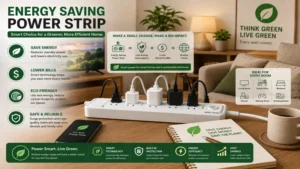
To make an informed purchasing decision, you must recognize that these two product categories solve completely distinct household problems. A traditional surge protector acts strictly as a defensive shield; its sole objective is to monitor incoming voltage levels and redirect harmful spikes away from your equipment down into the ground line. It does absolutely nothing to alter your daily energy usage profile, allowing vampire draw to run rampant day after day.
| Feature Comparison | Energy Saving Power Strip | Traditional Surge Protector |
| Primary Objective | Eliminates phantom load power waste | Absorbs high-voltage grid spikes |
| Circuit Automation | Master/Slave load-sensing relays | Basic parallel wire distribution |
| Long-Term ROI | Pays for itself through reduced bills | Protects against unpredictable catastrophic loss |
| Best For | Multi-device ecosystems (Desks/Media Centers) | Standalone major appliances (Fridges/Microwaves) |
An advanced energy saving power strip handles that defensive heavy lifting while actively working to lower your operational energy costs. It functions as both a shield and a financial filter. If you deploy a basic extension block for your computer setup, you are actively choosing to pay your local utility provider for idle electricity that provides zero practical value to your daily life.
Long-Term Cost & Maintenance
Many consumers wonder if these intelligent power strips require ongoing maintenance or if they eventually degrade over time. The honest answer from an industry insider is yes: all surge-suppression hardware has a finite lifespan. Every time a miniature electrical fluctuation occurs on your local grid, the internal MOVs degrade slightly. Think of them like the brake pads on your vehicle; they wear down as they perform their protective duties.
[Year One Performance Roadmap]
  │
  ├──► Month 3: Inspect physical connections for dust build-up; test threshold sensitivity.
  │
  ├──► Month 6: Verify LED diagnostic lights match green/safe operating metrics.
  │
  └──► Month 12: Perform full load test; replace unit if diagnostic "Protected" light turns red.
To maximize your long-term return on investment, make it a habit to check the status indicator lights on your strip every six months. If the “Protected” LED flips from green to red, or extinguishes completely, it means the internal defense mechanisms have been entirely spent. While the strip will still physically pass electricity to your devices, it will no longer provide any defense against spikes. Replacing the unit at this juncture ensures your high-value hardware remains perfectly safe.
Safety & Compliance Standards
When bringing any high-voltage device into your living space, checking for proper regulatory certifications is non-negotiable. Never purchase an electrical strip that lacks a prominent certification mark from an independent testing laboratory like Nationally Recognized Testing Laboratories (NRTL), such as Underwriters Laboratories (UL) or Intertek (ETL). Look specifically for a UL 1449 certification on the product packaging or stamped into the plastic shell.
This specific standard dictates that the surge protector has undergone rigorous thermal and electrical testing to guarantee it will not catch fire under severe overload conditions. Cheap, uncertified imports flooding digital storefronts frequently bypass these structural safety tests, utilizing substandard internal wiring that can melt down under a sustained 15-amp load, posing a significant fire risk to your home.
Frequently Asked Questions
❓ Can I plug an energy saving power strip into another power strip?
✅ Absolutely not. This dangerous practice is known as “daisy-chaining” and violates national electrical safety codes. It can easily overload your wall outlet’s circuit breaker and dramatically increases the risk of an electrical fire due to heat build-up…
❓ Will a smart power strip damage my desktop computer?
✅ No, provided you arrange your devices correctly. The internal relays cut power cleanly once your PC has already entered a sleep or shutdown state. It does not pull the plug forcefully while your operating system is actively writing data…
❓ Do these power strips work with smart televisions?
✅ Yes, but you must make sure your TV does not perform long background updates. If your television frequently runs standby pixel-refresh cycles, it may be better suited for a remote-controlled strip like the Belkin Conserve model instead…
❓ How much money can I actually save per year?
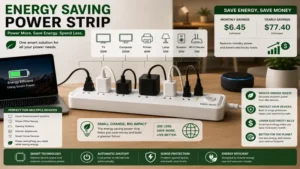
✅ The average multi-device home office or media console setup can expect to save between $35 and $70 annually. Your exact return depends entirely on local utility kilowatt-hour rates and the idle draw of your older peripherals…
❓ What happens if my master device draws very little power?
✅ If your anchor device pulls minimal current when fully active, a standard load-sensing strip may struggle to detect it. In these instances, choosing an adjustable threshold model or an app-controlled Wi-Fi smart strip is highly recommended…
Conclusion
Transitioning to an energy saving power strip is one of the simplest, most effective steps you can take to green your home infrastructure while lowering your monthly overhead costs. By automating your power management, you eliminate human error from the conservation equation, ensuring your home stops wasting electricity the moment you walk away from your desk or entertainment hub. Select the model that matches your specific system complexity, calibrate your thresholds accurately, and enjoy the ongoing financial dividends of a truly efficient home.
Recommended for You
- 5 Best USB Charger Outlet Upgrades to Power Up Your Home in 2026
- 5 Best remote plug outlet Options for Ultimate Home Automation (2026)
- 5 Smart Ways to Turn on Outlet Remotely in 2026 (Expert Guide)
Disclaimer: This article contains affiliate links. As an Amazon Associate, I earn from qualifying purchases. If you purchase products through these links, we may earn a small commission at no additional cost to you.
✨ Found this helpful? Share it with your friends! 💬🤗