
In This Article
Introduction: Why a Dual Smart Light Switch Makes Sense in 2026
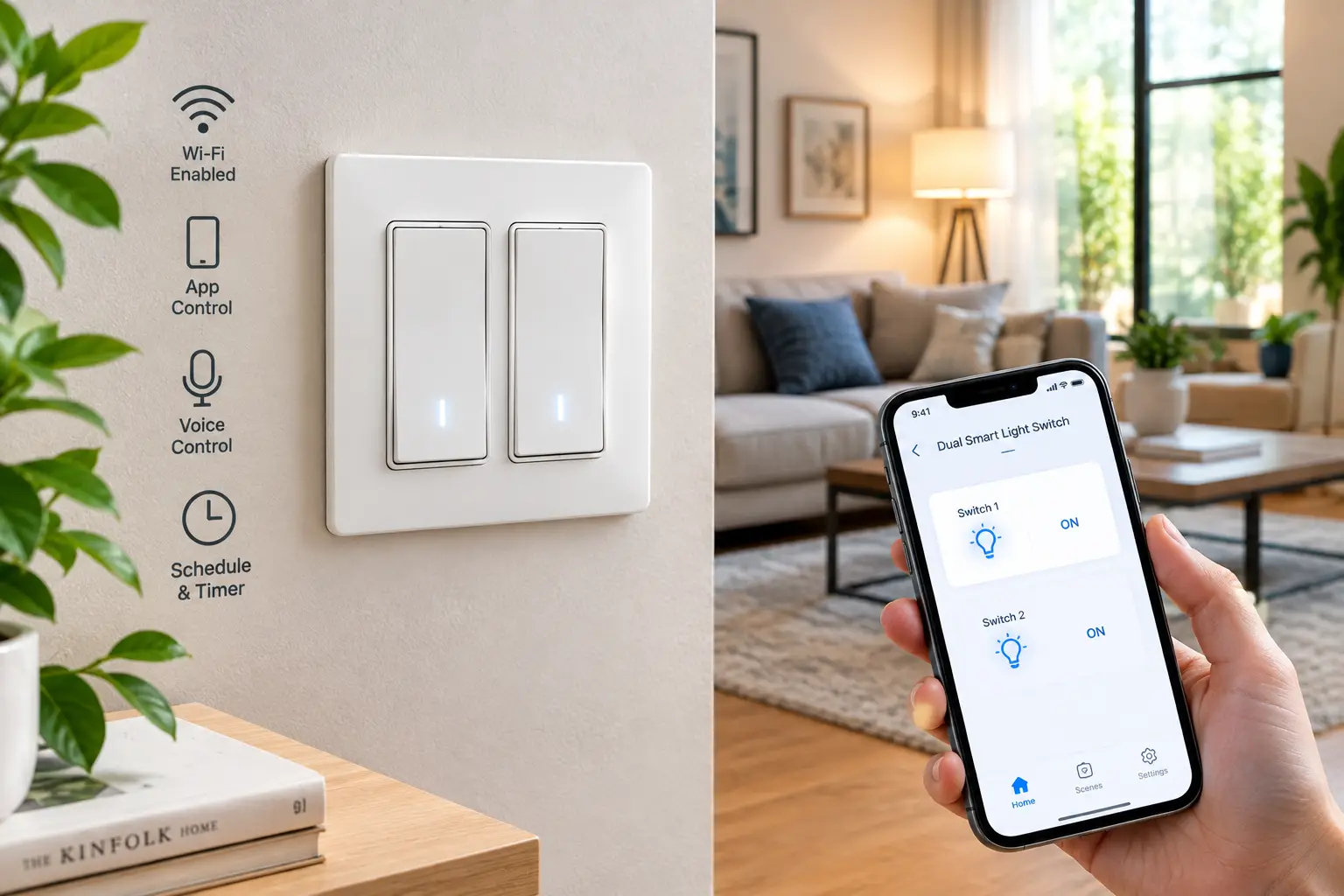
A dual smart light switch is a wall switch that controls two separate electrical loads — say, a ceiling light and an exhaust fan, or vanity lights and a shower light — from one location, with app, voice, and schedule control for each load independently. Think of it as two smart switches sharing one footprint and one brain.
Here’s the problem it solves. Walk into almost any American bathroom, kitchen, or bedroom built in the last 40 years and you’ll find a double switch: two rockers controlling two things. If you want to make that spot “smart,” you’ve traditionally had two options — cram two separate smart switches into a double-gang box, or give up and leave one load dumb. Neither is great. A dual smart light switch fixes this with one device, one install, and one app entry.
And the payoff isn’t just convenience. According to the U.S. Department of Energy, lighting controls such as dimmers and timers can save energy by shutting lights off when they aren’t needed and lowering light levels when full brightness isn’t necessary. A dual smart light switch puts both of those levers on two circuits at once.
The catch? The category is messier than it looks. Some “double” switches are a single-gang plate with two buttons. Others are two switches bundled with a 2-gang faceplate. Some need a Z-Wave hub; one doesn’t sit on the wall at all — it hides behind your existing switch. Wiring requirements (especially the neutral wire) trip up more buyers than any spec sheet.
So this guide does three things. First, it compares seven real dual smart light switch options you can find on amazon.com, from budget Wi-Fi models to a touchscreen flagship. Second, it explains what each spec actually means in your wall. Third, it walks you through installation, troubleshooting, and long-term costs — the stuff product listings skip.
Quick Comparison: Dual Smart Light Switch Picks at a Glance
| Product | Type | Connectivity | Dimming | Approx. Price Range | Best for |
|---|---|---|---|---|---|
| Kasa HS200-2 | 2-gang Wi-Fi kit | 2.4GHz Wi-Fi | No | $30–$55 | Kasa HS200-2: easiest hub-free upgrade |
| MOES Smart Double Light Switch | Single-plate, 2 buttons | 2.4GHz Wi-Fi | No | Under $35 | MOES Smart Double Light Switch: tight budgets |
| Milfra Double Smart Light Switch | Glass touch, 2 buttons | 2.4GHz Wi-Fi | No | $40–$80 (multi-pack) | Milfra Double Smart Light Switch: modern look, whole-house |
| Treatlife Smart Ceiling Fan Control and Dimmer Light Switch | Fan + light combo | 2.4GHz Wi-Fi | Yes (light) | $30–$45 | Treatlife combo switch: ceiling fan with light kit |
| Zooz ZEN30 800LR | Dimmer + relay, single-gang | Z-Wave Long Range | Yes (one side) | $45–$60 | Zooz ZEN30 800LR: hub-based reliability |
| Shelly 2PM Gen4 | Behind-switch dual relay | Wi-Fi, Zigbee, Matter | No | $35–$45 | Shelly 2PM Gen4: keeping your existing switches |
| Aqara Touchscreen Switch S100 | Touchscreen, 2 relays | Matter over Wi-Fi, Thread | No | Around $100 | Aqara Touchscreen Switch S100: smart-home command center |
Looking at the table, the split is less about brand and more about architecture. The Kasa HS200-2, MOES Smart Double Light Switch, and Milfra Double Smart Light Switch are plug-and-play Wi-Fi devices, while the Zooz ZEN30 800LR and Shelly 2PM Gen4 reward people already running a smart home platform. If you want dimming on one of the two loads, your shortlist narrows fast to the Zooz ZEN30 800LR and the Treatlife combo switch.
💬 One click helps other shoppers make an informed choice too! 😊
Top 7 Dual Smart Light Switch Picks for 2026: Expert Analysis
1. Kasa HS200-2 — easiest hub-free two-circuit upgrade
The Kasa HS200-2 is the safest “just make it work” choice: TP-Link’s Kasa line packaged as a 2-gang kit, with a matching faceplate in the box, aimed squarely at the double-gang box beside your kitchen or garage door.
Each gang works on 2.4GHz Wi-Fi with no hub, and the Kasa app walks you through wiring step by step — useful if you’ve never touched a line or load wire. Scheduling, countdown timers, and an Away Mode that randomly toggles lights give you real security value, not just novelty. It pairs with Alexa, Google Assistant, and SmartThings, and Kasa advertises UL-certified, flame-retardant materials.
Based on the spec sheet, this is for renters-turned-homeowners and first-time smart-home buyers who want two independent circuits controlled without learning hub jargon. What it isn’t: a dimmer. If either load is a dining-room chandelier you’d love to soften at night, look elsewhere.
Review sentiment for the broader Kasa HS200 family consistently praises easy setup and a dependable app; the 2-gang kit itself has a smaller review history, so treat long-term reliability claims cautiously.
Pros:
- ✅ App-guided wiring removes most installation guesswork
- ✅ No hub needed for full remote and voice control
- ✅ Away Mode adds genuine vacation-security value
Cons:
- ❌ No dimming on either gang
- ❌ Requires a neutral wire in the box
At roughly $30–$55, the Kasa HS200-2 is fair value for buyers who prize simplicity over features — check the current price before buying.
2. MOES Smart Double Light Switch — lowest cost of entry
The MOES Smart Double Light Switch squeezes two independently controlled buttons onto a single plate, making it one of the cheapest ways to smarten a two-load location.
It runs on 2.4GHz Wi-Fi through the Smart Life ecosystem (the same Tuya-based app many budget brands share), which means Alexa and Google Assistant voice control plus schedules and timers. MOES is upfront in its listing that this switch needs a neutral wire, doesn’t dim, and isn’t meant for smart bulbs — wired to one, it would simply cut power to the bulb.
Here’s what to weigh: the Smart Life app is capable but generic, and scenes involving other brands may require extra linking steps. In practice, that makes this switch ideal for straightforward loads — a bathroom light plus fan, a porch light plus landscape light — where you mostly want schedules and voice commands, not elaborate automations.
We could find only limited verifiable US review data for this exact model; available feedback describes it as solid for the price, but there isn’t enough volume to judge long-term durability confidently.
Pros:
- ✅ Two loads controlled from one single-gang plate
- ✅ Very low price per controlled circuit
- ✅ Works with the widely used Smart Life app
Cons:
- ❌ No dimming and not smart-bulb friendly
- ❌ Thin verified review history for long-term reliability
Typically under $35, the MOES Smart Double Light Switch delivers strong value if your needs are simple and your box has a neutral.
3. Milfra Double Smart Light Switch — sleekest look for whole-house rollouts
The Milfra Double Smart Light Switch trades the classic rocker for a flat touch panel, so it suits buyers who care how the wall looks as much as how the lights behave.
It’s a 2.4GHz Wi-Fi, single-pole device that runs through Smart Life with Alexa and Google Home support, and it’s commonly sold in multi-packs — handy if you’re converting several rooms at once. Milfra’s own notes are worth reading carefully: neutral wire required, no dimming, no 3-way use, and metal wall plates aren’t recommended because they can interfere with Wi-Fi.
What most buyers overlook with touch switches is the “fumble factor.” A glass panel looks great, but there’s no tactile click, so guests in a dark hallway may tap twice or miss entirely. That makes it a better fit for bedrooms, offices, and living rooms than a pitch-black basement stairwell.
Customer feedback for Milfra’s touch line generally centers on the modern appearance and multi-pack value; complaints we could verify tend to involve Wi-Fi pairing quirks typical of 2.4GHz-only devices rather than hardware failures.
Pros:
- ✅ Clean, modern touch-panel aesthetic
- ✅ Multi-packs lower the per-switch cost
- ✅ Standard Alexa and Google Home support
Cons:
- ❌ No tactile feedback in the dark
- ❌ Metal faceplates can weaken the Wi-Fi signal
At roughly $40–$80 per multi-pack, the Milfra Double Smart Light Switch is best value when you’re doing more than one room.
4. Treatlife Smart Ceiling Fan Control and Dimmer Light Switch — real fan speeds plus dimming
The Treatlife Smart Ceiling Fan Control and Dimmer Light Switch solves the single most-requested dual-load job: a ceiling fan with a light kit, controlled properly from one switch.
Unlike basic double switches, the light side dims from 10% to 100% and the fan side offers four speeds, with a maximum fan load of 1.5A. That’s the difference between “fan on/off” and actually dialing a bedroom fan down to a whisper at night. The trade-off: you need five wires in the box — line, neutral, ground, fan load, and light load — and it only works with dimmable, non-smart bulbs. It’s not 3-way compatible and doesn’t support HomeKit.
On paper, this is the pick for bedrooms and living rooms where the fan runs for hours and you want schedules like “low speed at 11 p.m., off at 6 a.m.” If your fan and light currently share one wire, though, this switch can’t split them for you.
Reviews consistently say buyers are happy to finally control both fan and light smartly from one switch; a recurring caution is that the body (about 1.38″ deep) is bulkier than the switch it replaces.
Pros:
- ✅ Four fan speeds plus smooth light dimming
- ✅ Schedules can set preset brightness and speed
- ✅ Hub-free Wi-Fi with Alexa and Google
Cons:
- ❌ Needs separate fan and light load wires
- ❌ Bulky body can crowd small boxes
At roughly $30–$45, the Treatlife combo switch is outstanding value for fan-and-light rooms specifically.
5. Zooz ZEN30 800LR — hub-based dual control done right
The Zooz ZEN30 800LR pairs a dimmer and an on/off relay in one single-gang device, and Zooz bills it as the first Z-Wave double wall switch.
The dimmer handles up to 75W of LEDs (250W incandescent), with double-tap to full brightness and adjustable ramp rate; the relay gives on/off control with built-in overload protection — perfect for an exhaust or ceiling fan (no speed control, though). It runs on Z-Wave, a low-power mesh protocol separate from Wi-Fi, now in the 800-series Long Range version. At only 1.1″ deep with no side tabs, it’s designed for crowded boxes, and the air-gap switch lets you safely kill power for bulb changes.
Based on comparing the specs, this is the enthusiast’s dual smart light switch. It requires a Z-Wave hub (Home Assistant, Hubitat, or Zooz’s Z-Box) — Alexa alone won’t run it. In return, you get local control that doesn’t depend on Wi-Fi congestion, plus multi-tap scene triggers.
Community feedback is strongly positive on concept and build; the most common wish is fan speed control, which this model doesn’t offer.
Pros:
- ✅ Dimmer and relay in one slim body
- ✅ Z-Wave mesh avoids Wi-Fi congestion
- ✅ Multi-tap scene control on supported hubs
Cons:
- ❌ Requires a separate Z-Wave hub
- ❌ No direct 3-way; virtual 3-way only
At around $45–$60 from authorized sellers, the Zooz ZEN30 800LR is excellent value for hub owners — but a poor buy for anyone without one.
6. Shelly 2PM Gen4 — invisible upgrade behind your existing switches
The Shelly 2PM Gen4 doesn’t replace your switch at all — it’s a compact dual-channel relay that hides inside the wall box, letting your current switches (even a designer set you love) become smart.
Each channel switches its own load, with listings citing 10A per channel and 16A total, and each channel has its own power meter — so you can see exactly what that bathroom heater lamp costs. The Gen4 chip speaks Wi-Fi, Zigbee, and Bluetooth, and it’s Matter-certified, so it slots into Apple Home, Google Home, Alexa, SmartThings, or Home Assistant. Shelly’s built-in web server also keeps local control working during internet outages. Buy the UL-certified US version.
Here’s what to weigh: installation is more like electrician work than a switch swap, and box space is the real constraint — the relay plus wires must fit behind the switch. For tinkerers and anyone who wants per-circuit energy data, it’s hard to beat.
We couldn’t verify a large body of US Amazon reviews specific to the Gen4 UL model; enthusiast comparisons consistently rate it above older Shelly relays on protocol support and protection features.
Pros:
- ✅ Keeps your existing switches and faceplates
- ✅ Per-channel energy monitoring built in
- ✅ Matter, Zigbee, and Wi-Fi in one device
Cons:
- ❌ Harder install; needs spare box space
- ❌ Not a wall-mounted switch on its own
At roughly $35–$45, the Shelly 2PM Gen4 is the most capable dollar-for-dollar option here.
7. Aqara Touchscreen Switch S100 — a two-circuit switch that runs the room
The Aqara Touchscreen Switch S100 (US model WS-K06E) combines two physical relay buttons with a 1.3-inch color touchscreen, turning a two-circuit switch location into a small control panel.
The two relays are rated up to 400W of LED/CFL load each (10A incandescent), with real-time and historical energy monitoring. The screen adds six assignable wireless buttons — eight total triggers counting the physical buttons — for scenes, lamps, or curtains. It runs Matter over Wi-Fi 6 on both 2.4GHz and 5GHz bands and doubles as a Thread border router (officially supported in Aqara Home and SmartThings).
On paper, this is overkill for a bathroom but compelling for a hallway, kitchen entry, or top-of-stairs location where everyone walks past. The physical buttons keep muscle memory intact, which matters for guests. Some of the screen’s best tricks rely on the Aqara app and a compatible Aqara hub.
Owner feedback is mixed on value: several reviewers say it’s expensive judged purely as a two-gang switch, while those who use the scenes and Thread features say the combination justifies it.
Pros:
- ✅ Physical buttons plus customizable touchscreen
- ✅ Energy monitoring on both relays
- ✅ Thread border router built in
Cons:
- ❌ Premium price for basic on/off duty
- ❌ Advanced screen features favor Aqara ecosystem
At around $100, the Aqara Touchscreen Switch S100 is good value only if you’ll actually use it as a control hub.
Head-to-Head: The 7 Picks Compared
| Product | Neutral Needed | Hub Needed | Energy Monitoring | Review Sentiment (aggregated) | Best for |
|---|---|---|---|---|---|
| Kasa HS200-2 | Yes | No | No | Easy setup, reliable app (HS200 family) | Kasa HS200-2: beginners |
| MOES Smart Double Light Switch | Yes | No | No | Solid for price; limited data | MOES Smart Double Light Switch: budget |
| Milfra Double Smart Light Switch | Yes | No | No | Looks praised; pairing quirks | Milfra Double Smart Light Switch: style |
| Treatlife combo switch | Yes | No | No | Loved for fan + light; bulky | Treatlife combo switch: ceiling fans |
| Zooz ZEN30 800LR | Yes | Yes (Z-Wave) | No | Strong; wants fan speeds | Zooz ZEN30 800LR: hub users |
| Shelly 2PM Gen4 | Yes | No | Yes | Highly rated by enthusiasts | Shelly 2PM Gen4: retrofit |
| Aqara Touchscreen Switch S100 | Yes | Optional | Yes | Pricey vs. plain switches | Aqara Touchscreen Switch S100: power users |
Notice the column that never changes: every model here needs a neutral wire, which makes checking your box the first real buying step. Energy monitoring is limited to the Shelly 2PM Gen4 and Aqara Touchscreen Switch S100, so if tracking consumption matters, the choice is really between those two. For pure set-and-forget reliability without a hub, the Kasa HS200-2 remains the lowest-risk path.
✨ Don’t miss these smart-home upgrades!
🔍 Take your lighting to the next level with this carefully curated lineup. Click a highlighted product to check current pricing and availability. These picks will help you get effortless, money-saving control the whole family will enjoy! 💡
How to Install a Dual Smart Light Switch: A Safe Getting-Started Guide
Most dual smart light switch installs take 30–60 minutes if your wiring is standard. Here’s the sequence that prevents the most common headaches.
Before you buy: turn off the breaker, remove the faceplate, and gently pull the switch forward. Look for a bundle of white wires tied together at the back of the box — that’s typically your neutral. No white bundle? Every pick on this list needs one, so stop and consult an electrician.
Step-by-step basics:
- Kill the right breaker and verify. Use a non-contact voltage tester on every wire, not just the switch. Double boxes sometimes carry two circuits.
- Photograph and label everything. Mark the line (incoming power), each load wire, neutral, and ground with tape before disconnecting.
- Check box depth. The Treatlife combo switch is about 1.38″ deep; the Zooz ZEN30 800LR is 1.1″. Crowded boxes need careful wire folding.
- Connect per the diagram, tighten wire nuts with a tug test, and fold wires neatly back.
- Restore power and pair using the app before mounting the faceplate — easier to troubleshoot.
First-30-day tips: put your phone on your 2.4GHz network during Wi-Fi pairing (most of these models don’t pair on 5GHz), rename each load clearly (“Bath Fan,” not “Switch 2”), and build one simple schedule before getting fancy.
The Electrical Safety Foundation International recommends hiring a licensed electrician for home electrical work, and its electrical safety guidance for homeowners is worth reading before any DIY project. If you live in an older home, have aluminum wiring, or find anything scorched, stop and call a pro.
Real-World Scenarios: Which Double Smart Light Switch Fits Your Home?
Specs only matter in context, so here are three common buyer profiles and the double smart light switch that fits each.
🛁 The bathroom upgrader (budget: under $40)
Sam has a classic bathroom double switch: vanity light plus exhaust fan. She wants the fan to auto-shut off 20 minutes after a shower and the vanity light on voice control. The MOES Smart Double Light Switch handles this cheaply — countdown timers solve the “fan left running all day” problem. If she prefers a more established app, the Kasa HS200-2 costs a bit more but gives smoother onboarding.
🛏️ The ceiling-fan sleeper (budget: $30–$45)
Marcus’s bedroom fan has a light kit, and he’s tired of pull chains. He wants low speed overnight and dimmed light for reading. Only one pick handles both fan speeds and dimming: the Treatlife combo switch. Before buying, he confirms there are separate fan and light load wires in the box — without them, no switch can split the two.
🏠 The whole-home automator (budget: $50–$100+ per location)
Priya runs Home Assistant and plans to automate a dozen locations. For loads where one side needs dimming, the Zooz ZEN30 800LR fits her Z-Wave mesh. Where she wants to keep vintage toggle switches, she hides a Shelly 2PM Gen4 behind them and logs energy data. At her main hallway, the Aqara Touchscreen Switch S100 becomes the household control point.
The lesson: frequency of use and existing infrastructure, not price alone, should drive the decision.
Problem → Solution: Fixing Common Dual Smart Switch Headaches
Even a well-chosen dual smart switch can misbehave. Here are the issues buyers report most, with fixes.
Problem 1: The switch won’t pair. ✅ Solution: Most Wi-Fi models here are 2.4GHz-only. If your router combines bands under one name, temporarily split them or enable a 2.4GHz-only guest network. Avoid special characters in the network name — several Smart Life-based switch manuals warn about this.
Problem 2: The switch keeps dropping offline. ✅ Solution: Wall boxes are surprisingly hostile to Wi-Fi. Swap metal faceplates for plastic (Milfra specifically warns about metal), add a mesh node nearby, or move to a non-Wi-Fi protocol like Z-Wave with the Zooz ZEN30 800LR.
Problem 3: LEDs flicker or buzz on the dimmed side. ✅ Solution: Confirm the bulbs are labeled dimmable, and stay under the dimmer’s LED rating — 75W for the Zooz ZEN30 800LR. On Zooz, adjusting the minimum brightness level usually eliminates low-end flicker.
Problem 4: The fan only turns on/off, no speeds. ✅ Solution: That’s expected on relay-based models. Only the Treatlife combo switch on this list provides fan speeds.
Problem 5: Voice assistant treats the switch as a single device. ✅ Solution: In the Alexa or Google Home app, make sure both channels were discovered separately, then rename and assign each one to the right room.
How to Choose a Dual Smart Light Switch
Here’s the shortest reliable path to the right model:
- Confirm a neutral wire. Every pick here requires one; without it, your choices shrink dramatically.
- Identify what each load is. Light, exhaust fan, ceiling fan, heater lamp — dimmers and fan controls are load-specific.
- Decide whether either side needs dimming. If yes, look at the Zooz ZEN30 800LR or the Treatlife combo switch.
- Pick your ecosystem first. Alexa-only homes do fine with Wi-Fi; Apple Home users benefit from Matter devices like the Shelly 2PM Gen4 or Aqara Touchscreen Switch S100.
- Check box size and gang count. Single-gang double switches need slim bodies; 2-gang locations open up kits like the Kasa HS200-2.
- Consider 3-way circuits. None of these picks supports direct 3-way wiring; plan around virtual 3-way setups if needed.
- Look for safety listings. UL or ETL marks matter more than any feature list.
Dual Smart Switch vs. Two Single Smart Switches
The obvious alternative to a dual smart switch is installing two single smart switches. Sometimes that’s smarter; often it isn’t.
In a single-gang box, two single switches simply won’t fit — so a combined device like the Zooz ZEN30 800LR, MOES Smart Double Light Switch, or Treatlife combo switch isn’t just convenient, it’s the only practical option short of enlarging the box. In a double-gang box, two singles fit fine, and you gain flexibility: one could be a dimmer, the other a 3-way-capable model.
| Factor | Dual Smart Switch | Two Single Smart Switches | Traditional Double Switch |
|---|---|---|---|
| Fits single-gang box | Yes | No | Yes |
| Independent app control | Yes | Yes | No |
| Mix dimmer + 3-way | Limited | Yes | No |
| Wiring complexity | Moderate | Higher (more connections) | Low |
| Best for | Space-limited spots | Mixed-function 2-gang boxes | Budget, no smart features |
The table shows the trade-off clearly: dual devices win on space, while separate switches win on flexibility. A traditional double switch is still the cheapest, but it offers none of the schedule-based energy savings that make smart control worthwhile.
Features That Actually Matter (and Ones That Don’t)
Marketing pages for smart switches overflow with buzzwords. Here’s how to separate signal from noise.
Features that matter:
- ⚡ Load ratings per channel. A 400W LED rating (like the Aqara Touchscreen Switch S100) is plenty for lighting but not for heater lamps; read the fine print.
- 🔌 Local control. When the cloud goes down, devices like the Shelly 2PM Gen4 keep working via local web servers and Matter. Pure cloud devices may not.
- 🔘 Physical buttons. Every household member, guest, and babysitter must be able to use the switch without an app.
- 📊 Energy monitoring. Useful for heater lamps, fans, and outdoor lighting where costs add up.
- 🛡️ Air-gap or safety cut-off. The Zooz ZEN30 800LR‘s air-gap switch makes bulb changes safer.
Features that matter less than you’d think:
- 🎨 Colorful LED indicators. Pleasant, but rarely decisive.
- 📱 “Works with 50+ platforms.” You’ll use one or two. Matter support is the only compatibility claim that meaningfully future-proofs your buy.
- 🎭 Elaborate scene counts. Eighteen multi-tap scenes sound great; most people use two.
Bottom line: prioritize wiring fit, protocol, and physical usability over feature-count bragging rights.
Long-Term Cost and Maintenance
A dual smart switch is a 10-year purchase disguised as a $40 gadget, so total cost of ownership matters.
| Product | Upfront Range | Extra Hardware Needed | Ongoing Considerations | Best for |
|---|---|---|---|---|
| Kasa HS200-2 | $30–$55 | None | Cloud app dependency | Kasa HS200-2: low-maintenance homes |
| MOES Smart Double Light Switch | Under $35 | None | Generic app updates | MOES Smart Double Light Switch: minimal spend |
| Zooz ZEN30 800LR | $45–$60 | Z-Wave hub | Hub upkeep, OTA updates | Zooz ZEN30 800LR: existing hub owners |
| Shelly 2PM Gen4 | $35–$45 | None | Firmware updates | Shelly 2PM Gen4: data-driven savers |
Hub costs change the math: a Z-Wave hub adds meaningful cost if you don’t already own one, which makes the Zooz ZEN30 800LR pricier for first-timers than its sticker suggests. Meanwhile, the Shelly 2PM Gen4 can pay back faster by revealing which circuits waste power.
Maintenance checklist: install firmware updates quarterly, re-check schedules after daylight saving changes, and keep your router’s 2.4GHz band enabled — disabling it later is the number-one cause of “everything went offline” complaints. Note that most of these switches carry a limited manufacturer warranty, so keep receipts and register devices in their apps.
Safety, Regulations, and Standards
Electrical work carries real risk, so the standards behind a dual smart light switch matter as much as features.
Look for a recognized safety listing. UL and ETL marks indicate testing by a Nationally Recognized Testing Laboratory. Kasa advertises UL-certified materials; Shelly sells dedicated UL-certified US versions. Many inspectors and insurers expect listed devices, and the National Electrical Code (NEC) — adopted by most states — generally requires them for permanent installs.
FCC compliance matters too. Any wireless switch sold in the US should carry FCC authorization, which covers radio emissions. Be wary of unbranded listings that omit FCC and safety information entirely.
Neutral wire rules. Since the 2011 NEC, most new switch locations must include a neutral conductor, which is why newer homes are generally easier to upgrade. Older homes may lack one.
Permits. Some cities require a permit even for switch replacements, especially in rental properties. Check with your local building department before starting.
Practical red lines: never exceed a channel’s rated load, never connect a dimmer to a non-dimmable LED, and never connect a smart switch to a smart bulb’s circuit without using the relay’s “detached” or scene mode where available.
FAQ: Dual Smart Light Switch Questions
❓ Can a dual smart light switch work without a neutral wire?
❓ Does a 2 gang smart switch need a 2-gang box?
❓ Can I control a ceiling fan with a smart double switch?
❓ Do dual smart light switches work with Apple HomeKit?
❓ Is a smart double switch worth it for a bathroom?
Conclusion: Picking Your Dual Smart Light Switch
The right dual smart light switch depends less on brand loyalty and more on three questions: what’s in your wall box, what each load needs, and which smart-home ecosystem you live in.
For most first-time buyers, the Kasa HS200-2 is the lowest-risk choice — hub-free, app-guided, and reliable as a family. Tight budgets point to the MOES Smart Double Light Switch, while style-focused, multi-room projects suit the Milfra Double Smart Light Switch. If your goal is a ceiling fan with real speed control, the Treatlife combo switch is the only pick here that delivers it alongside dimming.
Already running a hub? The Zooz ZEN30 800LR is the most polished dual smart switch on Z-Wave. Want to keep your existing switches and track energy? The Shelly 2PM Gen4 is quietly the most capable device in this guide. And if you want one wall location to anchor your whole smart home, the Aqara Touchscreen Switch S100 earns its premium — provided you use its screen and Thread features.
Whatever you choose, start by confirming the neutral wire, respect each channel’s load rating, and call a licensed electrician if anything in the box looks unfamiliar. Get those basics right, and a 2 gang smart switch or double smart light switch becomes one of the most-used upgrades in your home.
🚀 Ready to make every switch smarter?
💡 Click any highlighted product above to check current pricing and availability on Amazon. Pick the model that fits your wiring, and enjoy hands-free, schedule-driven lighting starting this week! ✨
Recommended for You
- General Electric Outdoor Lighting: 7 Brilliant Picks for 2026
- European Sockets and Switches: 7 Best Options for Modern Homes
- Power Meter Monitor: 7 Best Energy Monitoring Options
Disclaimer: This post contains affiliate links. As an Amazon Associate, I earn from qualifying purchases made through these links, at no additional cost to you.
✨ Found this article helpful? Share it with someone who needs it! 💬🤗
